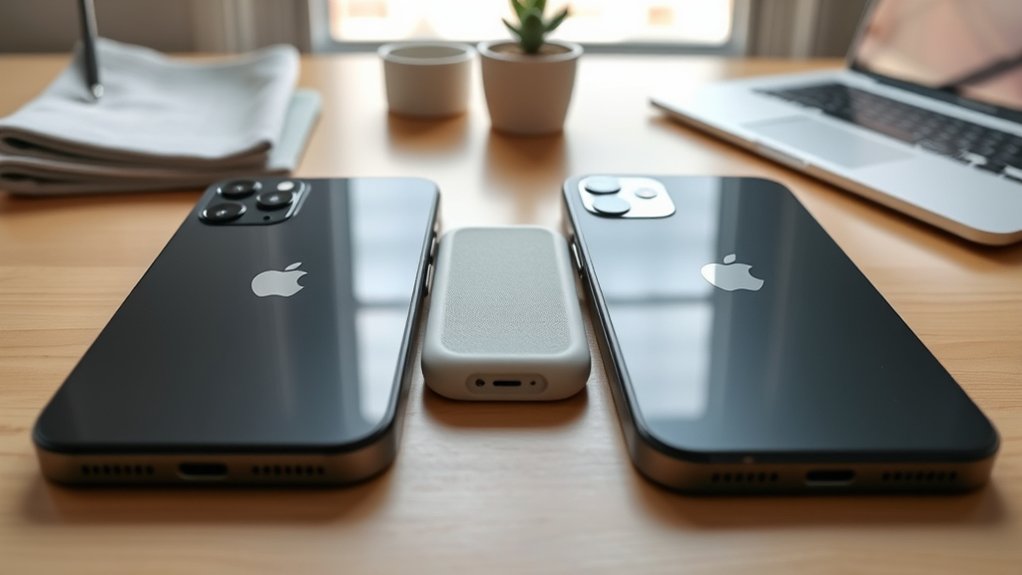
Can you use an iPhone 15 case on an iPhone 13? Although both phones have 6.1-inch displays, their body dimensions, camera housings, and charging connectors differ. An iPhone 15 case might slip over an iPhone 13, especially if made from flexible material, but that does not mean it fits securely or offers reliable protection.
Quick Answer
No, a standard iPhone 15 case is not recommended for an iPhone 13. The iPhone 15 is 0.9 mm taller, 0.1 mm wider, and 0.15 mm thicker. Camera openings, frame shape, and button alignment may also differ. Choose a case explicitly marked compatible with the iPhone 13 for a secure fit and dependable protection.
Last checked: October 23, 2026. Dates and figures were verified against official sources.
What Makes iPhone 15 and 13 Cases Incompatible?
)
The main problem is that the iPhone 13 and iPhone 15 have different physical designs. Even though their displays share the same advertised diagonal size, their cases are molded around different dimensions and component positions.
Four details affect whether an iPhone 15 case fits an iPhone 13:
- Body dimensions: The iPhone 15 is slightly taller, wider, and thicker, which can leave gaps around an iPhone 13.
- Camera housing: The case’s rear opening may not line up neatly with the iPhone 13’s camera bump and flash.
- Buttons and switches: Case buttons and openings may not align properly with the phone’s controls.
- Charging port: The iPhone 15 uses USB-C, while the iPhone 13 uses Lightning. The case opening must allow the correct cable to connect fully.
The differences also extend to the frame. The iPhone 13 has flatter edges, while the iPhone 15 uses a more contoured edge design.
These variations matter because a case must grip the phone securely, especially around its corners. A loose or poorly fitted case may come off during a fall or expose areas intended to remain protected.
Apple’s official iPhone 15 Silicone Case compatibility listing specifies the iPhone 15, not the iPhone 13.
Some third-party manufacturers make cases that fit multiple iPhone generations. However, a case should only be treated as cross-compatible when its manufacturer explicitly lists both models.
What’s Different About iPhone 15 and 13 Dimensions?
The iPhone 15 is slightly larger than the iPhone 13 in every external dimension. Apple’s published measurements show that the differences are small but large enough to matter for precisely molded cases.
Here is a direct comparison using Apple’s iPhone 13 technical specifications and iPhone 15 technical specifications.
| Specification | iPhone 13 | iPhone 15 |
|---|---|---|
| Height | 146.7 mm (5.78 inches) | 147.6 mm (5.81 inches) |
| Width | 71.5 mm (2.82 inches) | 71.6 mm (2.82 inches) |
| Thickness | 7.65 mm (0.30 inches) | 7.80 mm (0.31 inches) |
| Display size | 6.1 inches | 6.1 inches |
| Rear cameras | Dual 12MP cameras | 48MP Main and 12MP Ultra Wide |
| Charging connector | Lightning | USB-C |
Although the phones have nearly identical widths, the 0.9 mm height difference can affect how a case holds the top and bottom edges.
The small thickness difference may also prevent a rigid iPhone 15 case from gripping the iPhone 13 firmly. A flexible silicone or TPU case might stretch around both phones, but that alone does not establish compatibility.
A matching screen size does not guarantee a matching case. Manufacturers design cases around the entire phone, including its corners, camera housing, and controls.
How Do Camera Bump Variations Affect Case Fit?
The iPhone 15 has a different rear camera housing from the iPhone 13. Its larger camera assembly requires a differently shaped opening, so the camera cutout in an iPhone 15 case may not fit neatly around an iPhone 13’s cameras.
Both standard models have two rear cameras arranged diagonally, but their camera modules are not identical.
If you place an iPhone 13 inside an iPhone 15 case, several problems are possible:
- The opening may leave extra space around the older phone’s smaller camera bump.
- The protective camera lip may not surround the camera housing as intended.
- An unusual case design could interfere with the flash or another camera component.
- A loose fit could allow the phone to shift inside the case.
An oversized opening does not automatically block the lenses. In fact, it may leave more of the phone’s back exposed. The important issue is whether the opening provides adequate clearance and protection.
Camera protection also depends on the height and position of the case’s raised edges. If the camera bump sits outside the protected area, its lenses may be more vulnerable when the phone rests on a hard surface.
For this reason, compare the camera cutout against the exact phone model rather than relying on the general appearance of the case.
How Does Button Placement Impact Functionality?
Button alignment can become a problem when using an iPhone 15 case on an iPhone 13. Both phones have a side button, volume buttons, and a Ring/Silent switch, but their case dimensions and control positions may not match precisely.
A poorly aligned case can make everyday functions more difficult.
- Side button: A molded case button may feel stiff, fail to press properly, or apply unwanted pressure.
- Volume buttons: Misalignment can make volume adjustments less responsive.
- Ring/Silent switch: A poorly positioned opening may make the switch harder to reach.
- SIM tray: Case coverage may differ, although you normally remove the case before accessing the tray.
The standard iPhone 15 retains the Ring/Silent switch. It should not be confused with the iPhone 15 Pro models, which use an Action button instead.
Even if the case seems to fit, confirm that the buttons work normally and do not remain pressed.
A case that constantly presses the side button or restricts volume controls should not be used.
What’s the Impact of USB-C Charging Changes?
The iPhone 15 uses USB-C instead of the Lightning connector found on the iPhone 13. This difference affects charging cables and the shape of the opening at the bottom of a case.
However, the change in connector does not automatically prevent every Lightning cable from fitting through an iPhone 15 case. The result depends on the case opening and the size of the cable’s plug housing.
USB-C Versus Lightning Port
The iPhone 13 charges through a Lightning connector. The iPhone 15 uses a USB-C connector that supports charging, data transfer, and DisplayPort video output.
These connectors have different shapes, so their cables cannot be plugged directly into the other type of port.
The case itself does not determine the phone’s charging standard. An iPhone 13 still requires a Lightning connection, even when covered by a case designed for USB-C.
A larger USB-C opening might leave enough space for a Lightning plug. However, some cable housings may hit the case before the connector is fully seated.
If a charging plug does not insert easily and completely, remove the case rather than forcing the connection.
Accessory Compatibility Issues
Moving between the iPhone 13 and iPhone 15 can require different wired accessories. The most important changes involve charging cables, port-based accessories, and case fit.
- Charging cables: The iPhone 13 requires Lightning at the phone end. The iPhone 15 requires USB-C.
- Wired accessories: Lightning headphones and adapters do not connect directly to an iPhone 15’s USB-C port. Compatible adapters may be needed.
- Case openings: A charging cable with a bulky connector housing may not fit through an opening designed for another phone.
- MagSafe accessories: Both phones support MagSafe, but a poorly fitted case can affect how securely magnetic accessories attach.
Many USB-C wall chargers can still be used with an iPhone 13. You simply need a suitable USB-C to Lightning cable.
This means upgrading to a USB-C power adapter does not require replacing your iPhone 13 or changing its case.
Charging Speed Differences
USB-C does not automatically make the standard iPhone 15 charge significantly faster than the iPhone 13. According to Apple, both phones can reach approximately 50% battery in 30 minutes under suitable fast-charging conditions.
The iPhone 13 supports this charging rate with a 20W or higher adapter. The iPhone 15 has a similar advertised result with a 20W or higher adapter and a USB-C cable.
Apple’s fast-charging guidance explains the compatible cable and power-adapter requirements for different iPhone generations.
Using a charger rated for 100W does not mean either phone will charge at 100W. With a compatible USB Power Delivery charger, the phone controls the amount of power it accepts.
The standard iPhone 15 also supports USB 2 data transfer at up to 480 Mb/s. Its USB-C connector should not be confused with the faster USB 3 capabilities of the iPhone 15 Pro models.
Actual charging time varies with battery level, temperature, charger output, and phone activity.
Top Case Recommendations for iPhone 13 Users
The best case for an iPhone 13 is one that protects the phone without interfering with its controls, cameras, or charging port. Your ideal style depends on whether you prioritize slimness, impact protection, or additional storage.
Three popular case categories suit different needs.
- Slim-Fit Cases: These lightweight cases add minimal bulk and fit easily in a pocket. Look for raised screen and camera edges, accurate button coverage, and a secure grip around the corners.
- Rugged Cases: Designed for greater impact protection, these often combine flexible shock-absorbing materials with a firmer outer shell. They suit people who frequently work outdoors, travel, or want additional protection against accidental drops.
- Wallet Cases: These combine phone protection with storage for cards or cash. Choose a design that closes securely and does not interfere with charging, cameras, or buttons.
For wireless charging, consider a case with built-in MagSafe-compatible magnets. The iPhone 13 supports MagSafe charging up to 15W with a suitable charger and power adapter.
Apple’s official iPhone 13 Silicone Case with MagSafe provides an example of a case specifically designed for this model.
Third-party alternatives can also work well when they explicitly support the standard iPhone 13.
Before buying, confirm the precise model rather than selecting a case based only on its advertised screen size.
Also remember that the iPhone 13, iPhone 13 mini, iPhone 13 Pro, and iPhone 13 Pro Max require different case designs. Sharing a generation name does not make their cases interchangeable.
How to Confirm an iPhone Case Fits Correctly
To ensure proper case compatibility, start by confirming your exact iPhone model. Then check the case manufacturer’s supported-model list and inspect the fit around the phone’s edges, camera, and controls.
If you are unsure which iPhone you have, open Settings > General > About and read the Model Name field.
You can also use Apple’s iPhone model identification guide to distinguish similar-looking devices.
What Should You Check Before Using a Case?
If you already own an iPhone 15 case and want to see whether it physically fits an iPhone 13, inspect it carefully before relying on it for protection.
- Check the manufacturer’s compatibility list. Confirm whether the exact case model supports the iPhone 13.
- Check the fit. Gently place the phone inside without forcing it. Look for loose edges, gaps, or corners that do not grip securely.
- Inspect the camera opening. Make sure the lenses and flash remain unobstructed and the camera area has suitable protection.
- Test the controls. Press the side and volume buttons and operate the Ring/Silent switch.
- Check charging access. Make sure the Lightning connector inserts fully without excessive pressure against the case.
- Check the screen edges. Confirm that the case fits evenly and does not interfere with the display or any installed screen protector.
- Test MagSafe alignment if applicable. Confirm that compatible accessories attach securely and charging operates normally.
A case may pass several checks and still lack the secure fit expected from a model-specific design.
Warning: Do not force a phone into an incompatible rigid case or force a charging cable through a misaligned opening. A case that slips, presses buttons unintentionally, or leaves corners exposed should not be trusted for drop protection.
If the fit is uncertain, choose a properly sized iPhone 13 case instead of relying on a temporary workaround.
Frequently Asked Questions
Is It Better to Buy an iPhone 13 or 15?
The iPhone 15 is generally the better choice if you want newer camera hardware, USB-C, Dynamic Island, and improved performance. The iPhone 13 remains useful for everyday tasks and may offer better value at a lower purchase price. Consider battery condition, storage, and software support when comparing used devices.
Is the iPhone 13 Too Old in 2026?
No, the iPhone 13 is not automatically too old in 2026. Apple’s iOS 27 compatibility list includes the iPhone 13. It can still handle common tasks, although battery wear, older camera hardware, and missing newer features may make an upgrade worthwhile for some users.
Do the iPhone 13 and 15 Use the Same Size Case?
No, the iPhone 13 and iPhone 15 do not use the same standard case dimensions. The iPhone 15 is slightly taller, wider, and thicker, and its camera housing and charging connector differ. A flexible case might physically fit both, but secure protection is not guaranteed unless the manufacturer confirms compatibility.
What Are the Disadvantages of an iPhone 13?
The iPhone 13 lacks newer features such as USB-C, Dynamic Island, and the iPhone 15’s 48MP main camera. It also uses an older A15 Bionic processor. Battery condition may be a concern on used units, although storage capacity, physical durability, and daily performance depend on the individual device.
Can a Soft iPhone 15 Case Be Used Temporarily on an iPhone 13?
A soft iPhone 15 case may stretch around an iPhone 13, but that does not make it a reliable protective case. Differences in edge grip, camera cutouts, and buttons may leave the phone vulnerable. Use a case specifically designed for the iPhone 13 whenever possible.
Can You Charge an iPhone 13 with a USB-C Charger?
Yes, you can charge an iPhone 13 using a compatible USB-C wall charger and a USB-C to Lightning cable. The phone itself still has a Lightning port. With a suitable power adapter, the iPhone 13 supports fast charging without needing a USB-C phone case.
Conclusion
Using an iPhone 15 case on an iPhone 13 is not recommended unless the case manufacturer explicitly confirms compatibility with both models. Their similar screen sizes do not make their body dimensions, camera housings, and case openings interchangeable.
For dependable everyday protection, select a case made for the standard iPhone 13. Check its camera clearance, button response, charging access, and corner grip before using it regularly.
Sources
- Apple — iPhone 15 Silicone Case with MagSafe: Official case compatibility listing for the iPhone 15.
- Apple Support — iPhone 13 Technical Specifications: Dimensions, cameras, Lightning connector, MagSafe, and fast charging.
- Apple Support — iPhone 15 Technical Specifications: Dimensions, cameras, USB-C capabilities, and charging specifications.
- Apple Support — Fast Charge Your iPhone: Charging cables, compatible power adapters, and fast-charging requirements.
- Apple — iPhone 13 Silicone Case with MagSafe: Official iPhone 13 case compatibility and MagSafe design.
- Apple Support — Identify Your iPhone Model: Model identification, physical design, and model-number information.
- Apple Support — How to Download iOS 27: Official iOS 27 device compatibility, including the iPhone 13.