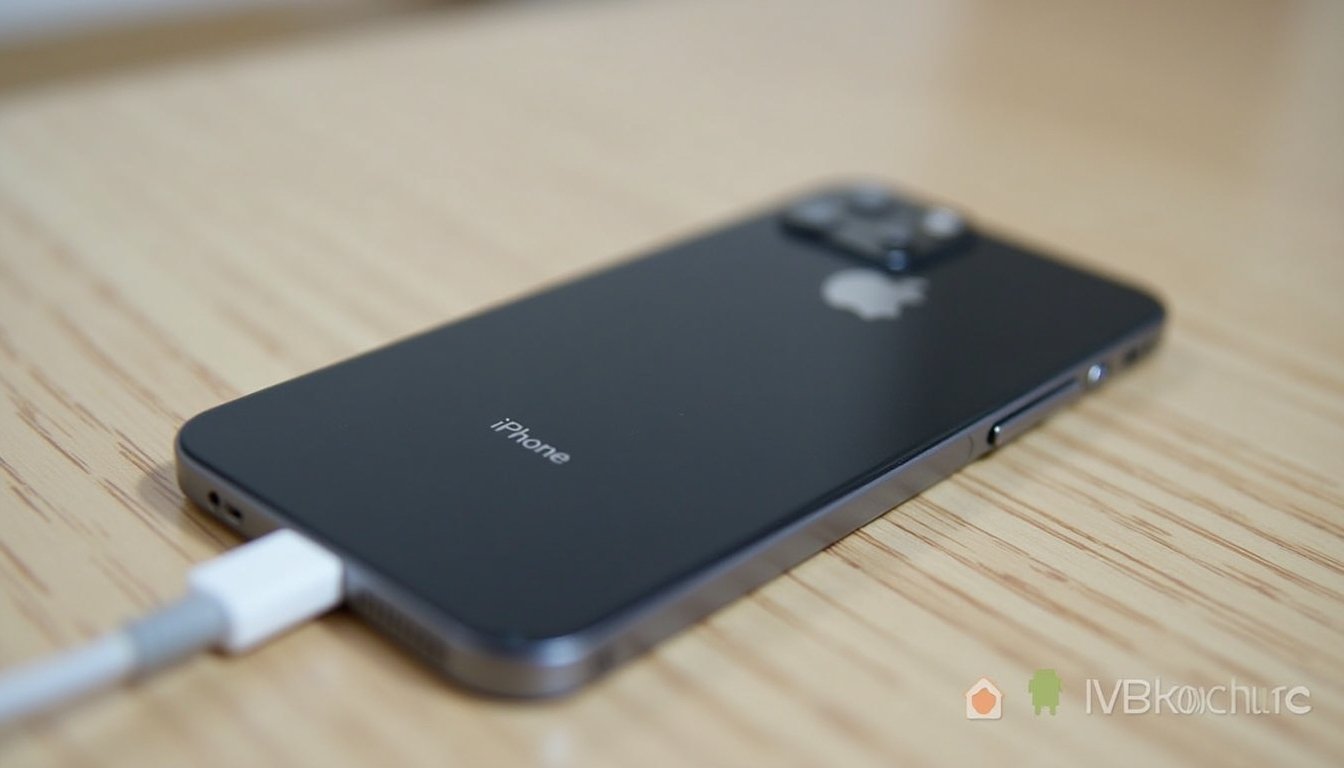
Imagine this: your iPhone is running low on battery and you’re in a rush. You need it to charge quickly so you can get back to your day without interruptions.
You’ve probably heard of Low Power Mode, but does it actually help your iPhone charge faster? The honest answer is a little more nuanced than a simple yes or no. Low Power Mode can reduce how much power your iPhone uses while plugged in, but it does not turn your charger into a faster charger.
You’ll learn what Low Power Mode really does, how iPhone charging works, and which steps make the biggest difference when you need a quick battery boost. You’ll also see when Low Power Mode helps, when it barely matters, and how to charge your iPhone more efficiently without hurting battery health.
Quick Answer
Low Power Mode does not directly make an iPhone charge faster. It lowers background activity and reduces power use, so slightly more of your charger’s power may go toward the battery. For real speed gains, use a compatible fast charger, keep the screen off, and avoid heat.
Key Takeaways
- Low Power Mode saves battery by reducing background tasks, visual effects, downloads, and other power-hungry activity.
- It may make charging feel a little faster because your iPhone uses less power while plugged in.
- The charger, cable, battery temperature, battery health, and current battery percentage affect charging speed much more.
- A compatible USB-C fast charger is the best way to speed up charging on supported iPhone models.
- Heat can slow charging and stress the battery, so keep your iPhone cool while it charges.
At a Glance
| Best Quick Answer | Low Power Mode can reduce battery drain while charging, but it does not directly increase charging wattage. |
| Best Fast-Charge Setup | Use a compatible USB-C power adapter and the correct cable for your iPhone model. |
| Biggest Slowdowns | Screen use, heat, weak adapters, damaged cables, background activity, and charging from a low-power USB port. |
| Safe Charging Tip | Keep the phone cool, use certified charging accessories, and avoid heavy gaming or video streaming while charging. |
Low Power Mode Functionality
Low Power Mode on an iPhone reduces energy consumption so your battery lasts longer. It may help your device gain battery percentage more efficiently while plugged in because the phone is doing less work in the background. Still, its main purpose is battery conservation, not faster charging.
When you’re trying to squeeze every last drop of battery life from your iPhone, enabling Low Power Mode can be a lifesaver. But does it also help your iPhone charge faster? To answer that, you need to understand what this setting actually changes and what controls charging speed.
Purpose of Low Power Mode
Low Power Mode is designed to extend the battery life of your iPhone when the battery gets low. It does this by reducing background tasks, limiting some visual effects, and pausing or slowing features that do not need to run immediately.
For example, Low Power Mode can reduce background app refresh, automatic downloads, mail fetching, and other behind-the-scenes activity. Your iPhone spends less energy on nonessential tasks, which can help it hold onto more of the power it receives during charging.
This does not mean Low Power Mode changes the electrical output of your charger. It simply reduces how much power your iPhone consumes at the same time. If your phone is plugged in and using less energy, the battery percentage may climb a little more smoothly.
Impact on Device Performance
Low Power Mode comes with trade-offs. Your iPhone may feel slightly less responsive because the device reduces some performance-related activity to save energy. Animations may feel less lively, background tasks may pause, and automatic updates or downloads may wait until later.
For normal tasks, the difference often feels small. You can still text, browse, make calls, and use most apps. The bigger effect is that your phone stops wasting as much power while you are not actively using it.
This is why some users think Low Power Mode charges their iPhone faster. In reality, it usually lowers the power your iPhone uses while charging. The charger does not necessarily push more power into the battery because of Low Power Mode.
Note: Low Power Mode is most useful when your iPhone is low on battery, when you are away from an outlet, or when you want to reduce battery drain while charging.
Charging Mechanics of iPhone
The iPhone uses smart charging controls to manage battery speed, heat, and long-term battery health. Understanding these charging mechanics helps you avoid common myths about Low Power Mode and charging speed.
Standard Charging Process
iPhones use rechargeable lithium-ion batteries. These batteries do not charge at one steady speed from 0% to 100%. Instead, charging usually starts faster when the battery is low, then slows as the battery gets closer to full.
The first phase fills the battery more quickly because the battery can safely accept more power. The second phase slows down as the battery gets closer to full. This slower phase helps manage heat and protect battery health.
That is why your iPhone may jump from 20% to 50% faster than it moves from 80% to 100%. This slowdown is normal, and Low Power Mode does not remove it.
Factors Influencing Charging Speed
Several factors affect how quickly an iPhone charges. The charger and cable matter a lot. A compatible USB-C power adapter and the right cable can charge supported iPhone models much faster than an old 5W adapter or a computer USB port.
Battery temperature also matters. If your iPhone gets too warm or too cold, charging can slow down. Heavy app use, direct sunlight, thick cases, gaming, streaming, or using navigation while charging can all create extra heat.
Battery health plays a role too. An older battery may not perform like a new one. Software features such as Optimized Battery Charging can also slow or pause charging near higher percentages to help reduce battery aging.
Background activity is another factor. If apps are refreshing, downloading, syncing photos, tracking location, or sending notifications while you charge, some incoming power goes toward those tasks instead of the battery. Low Power Mode can reduce that drain.
Warning: Avoid charging your iPhone in direct sunlight, under a pillow, or in a hot car. Heat can slow charging and may reduce battery lifespan over time.
Low Power Mode and Charging Speed
Have you ever found yourself wondering if your iPhone charges faster in Low Power Mode? It is a common question, especially when you need a quick battery boost before leaving home.
Low Power Mode reduces power consumption, but it does not work like a fast charger. It can help in a small indirect way, especially if your iPhone would otherwise be doing a lot in the background.
The Theory Behind Faster Charging
Low Power Mode cuts down on nonessential processes. This includes reducing background activity such as app refreshes, automatic downloads, and some visual effects. In theory, less energy is used by the phone, so more of the power coming from the charger can go toward the battery.
That theory makes sense, but the real-world effect is usually modest. Your charging speed is still mostly controlled by the adapter, cable, battery level, battery temperature, and the iPhone’s internal charging system.
Apple does not describe faster charging as the main feature of Low Power Mode. Its purpose is to save battery life. Any charging benefit comes from reduced power use while your phone is plugged in.
When Low Power Mode Might Help
Low Power Mode can help most when your iPhone is low on battery and still active. For example, if apps are syncing data, checking location, fetching mail, or refreshing in the background, Low Power Mode can reduce those activities.
It may also help if you keep receiving notifications or your phone keeps waking the screen. Since Low Power Mode reduces some background behavior, your battery may gain percentage with less energy wasted.
The benefit is usually smaller if your iPhone is already sitting idle with the screen off. In that situation, your phone is already using relatively little power, so Low Power Mode has less work to do.
When Low Power Mode Will Not Make Much Difference
Low Power Mode will not fix slow charging caused by a weak power adapter, a damaged cable, a dirty charging port, or charging from a laptop USB port. It also will not override heat-related charging limits.
If your iPhone is warm, the device may slow charging to protect the battery. If your battery is already above 80%, charging may slow naturally. If Optimized Battery Charging is active, your iPhone may delay charging past a certain point based on your routine.
So, Low Power Mode is useful, but it is not the strongest tool for speed. It works best when paired with proper charging habits.

Credit: www.vegerpower.com
Scientific and Technical Perspectives
Many iPhone users wonder about charging efficiency, especially when every percentage point matters. The technical answer comes down to power input, power use, heat control, and battery management.
Research and Experiments
Informal user tests often compare iPhones charging with Low Power Mode on and off. Some people report a small improvement. Others see almost no difference. This mixed result makes sense because charging conditions vary.
If one iPhone has many apps running in the background, Low Power Mode may reduce enough activity to show a small difference. If another iPhone is already idle, cool, and using a strong charger, the difference may be hard to notice.
The most useful way to think about Low Power Mode is this: it can reduce power loss during charging, but it does not increase the charger’s maximum power output.
Expert View of What Matters Most
From a technical standpoint, the biggest charging improvements usually come from better power delivery and lower heat. A compatible fast charger can make a clear difference on supported iPhone models. A cool phone also charges more predictably.
Low Power Mode matters less than the charger, but it still has practical value. It helps your iPhone stay quiet in the background, which can be useful when you only have a short charging window.
Think of Low Power Mode as a supporting habit, not the main solution. It is helpful, safe to use, and easy to turn on, but it is not a replacement for a proper adapter and cable.
Practical Tips for Efficient Charging
Charging your iPhone efficiently can save time and support better long-term battery habits. Low Power Mode is one helpful tool, but it works best when combined with simple charging practices.
Optimize Charging Conditions
Use a compatible power adapter and a high-quality cable. For supported models, Apple’s fast charging guidance explains that the right USB-C adapter and cable can reduce charging time compared with older low-wattage chargers.
Charge your iPhone in a cool, shaded area. Remove a thick case if your phone gets warm while plugged in. Avoid charging on soft surfaces that trap heat, such as blankets, pillows, or couches.
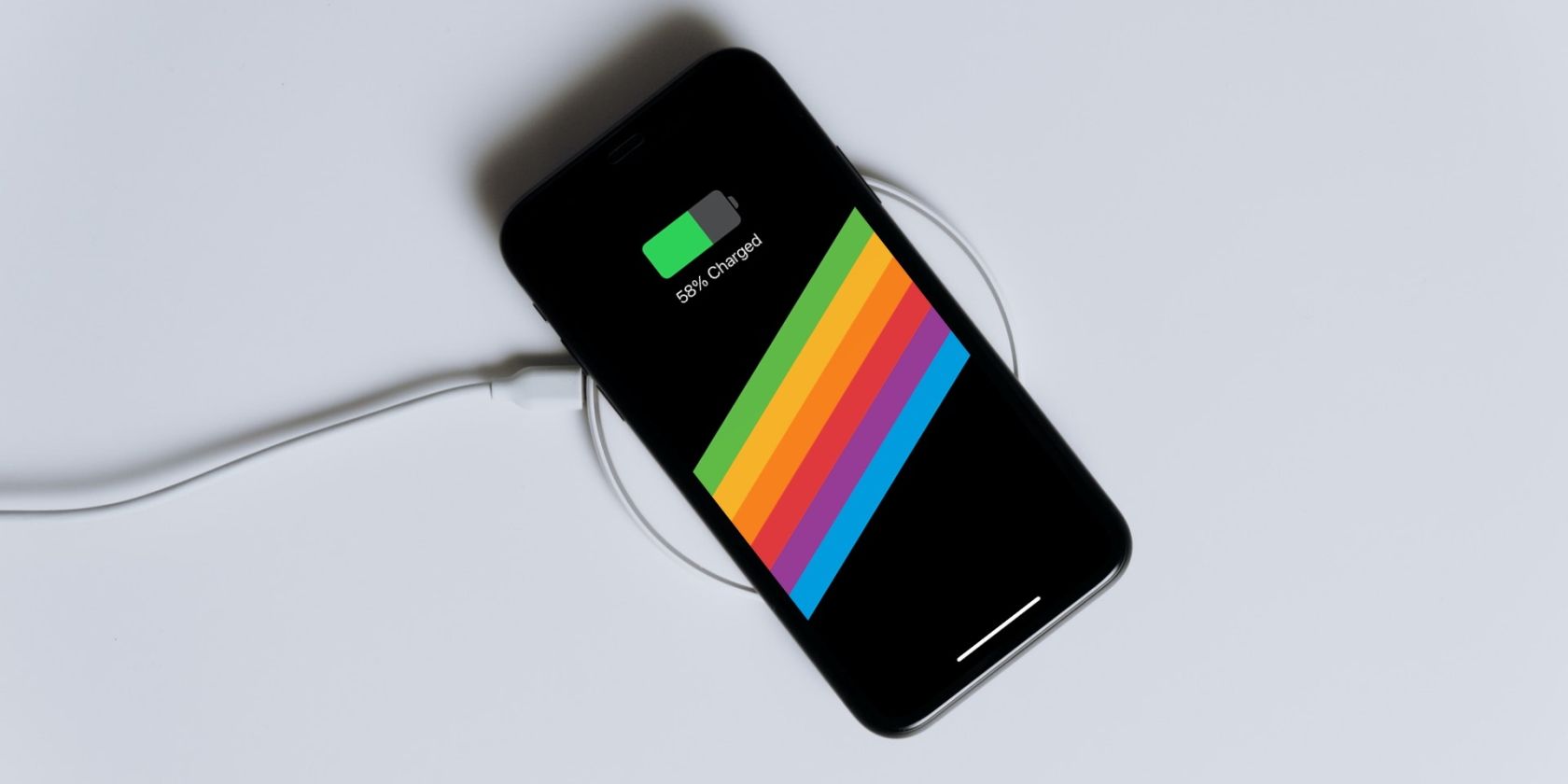
Keep the screen off while charging. The display uses a lot of power, especially at high brightness. If you keep watching videos, scrolling social media, or playing games, your iPhone will charge more slowly.
Close or pause demanding apps before you plug in. Navigation, video recording, gaming, hotspot use, and cloud backups can all compete for power while the battery is trying to charge.
Use Low Power Mode Effectively
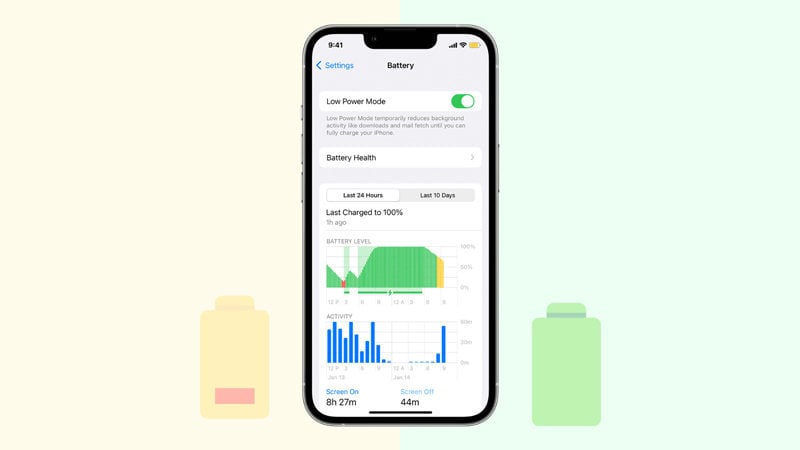
Enable Low Power Mode when you need a faster-feeling charge and do not need full background activity. You can turn it on from Settings > Battery, or add it to Control Center for quicker access.
Low Power Mode is especially useful when your battery is low and you only have 10 to 20 minutes to charge. It reduces avoidable battery drain and helps your iPhone focus on essential tasks.
You can also combine Low Power Mode with Airplane Mode if you do not need calls, texts, or mobile data during that short charging window. Airplane Mode reduces radio activity, while Low Power Mode reduces background activity.
Pro Tip: For the fastest practical boost, plug into a compatible fast charger, turn on Low Power Mode, keep the screen off, and place the iPhone somewhere cool.
Check for Charging Problems
If your iPhone still charges slowly, check the basics. Try another cable, another adapter, and another wall outlet. Look for bent cable ends, loose connections, or visible damage.
Also inspect the charging port gently. Dust and lint can prevent a secure connection. Do not use sharp metal tools inside the port. If cleaning feels risky or the port looks damaged, get help from a qualified technician.
Check Battery Health in Settings if your iPhone feels unusually slow to charge or drains quickly after charging. A worn battery may need service, especially if the maximum capacity is low or you see battery-related performance messages.
Credit: www.makeuseof.com
Debunking Myths and Misconceptions
Many iPhone charging tips sound convincing but leave out important details. Low Power Mode is one of the most misunderstood settings because it can help battery life, but it does not directly control charger speed.
Common Misunderstandings
Some people think Low Power Mode always makes an iPhone charge faster. The logic seems reasonable: less energy use should mean more energy for charging. That can be partly true, but it is not the same as increasing charging speed at the charger level.
Others believe Low Power Mode slows charging because it reduces performance. That is also misleading. Low Power Mode may reduce some phone activity, but it does not block the battery from charging normally.
A third myth says you should only use Low Power Mode when your iPhone is unplugged. In reality, it is fine to use while charging. It can be useful when you want to reduce battery drain during the charging session.
Clarifying the Facts
Low Power Mode reduces background activity. It can pause or reduce certain downloads, refreshes, and visual effects. This can lower power use while your iPhone is plugged in.
Charging speed depends more on the charger, cable, battery level, temperature, and battery condition. A fast charger and a cool phone will usually matter more than Low Power Mode alone.
Ultimately, Low Power Mode is for conserving battery life. It may support more efficient charging in some situations, but it is not a magic fix. Use it as part of a better charging routine rather than relying on it by itself.
Best Settings for a Quick Charge
If you need the fastest practical charge, start with the right hardware. Use a compatible fast charger and the correct cable for your iPhone. Then reduce power use while it charges.
Turn on Low Power Mode, keep the screen locked, stop heavy apps, and keep the phone cool. If you do not need service for a few minutes, Airplane Mode can reduce wireless activity even more.
Do not worry if charging slows near the top. iPhone charging is designed to protect the battery, and slower charging near 80% to 100% is normal. Apple’s battery charging guidance explains how charging habits and temperature affect battery performance over time.
Credit: itoolab.com
Related Guides
Frequently Asked Questions
Do iPhones charge quicker in Low Power Mode?
Low Power Mode does not directly make an iPhone charge quicker. It reduces background activity and power use, so charging may feel slightly faster in some situations. The charger, cable, battery temperature, and battery percentage have a bigger impact on speed.
Is it good to put your iPhone on Low Power Mode while charging?
Yes, it is fine to use Low Power Mode while charging. It can reduce background activity and help limit power drain during the charging session. It will not harm your iPhone battery when used normally.
What mode does iPhone charge fastest?
The fastest setup is not a special software mode. Use a compatible USB-C fast charger and the correct cable for your iPhone model. For an extra boost, keep the screen off, turn on Low Power Mode, and avoid using demanding apps while charging.
How can I make my iPhone charge faster?
Use a compatible fast charger, use a reliable cable, lock the screen, keep the phone cool, and avoid gaming or streaming while charging. Low Power Mode can help by reducing background activity, but it works best with proper charging hardware.
Does Airplane Mode charge faster than Low Power Mode?
Airplane Mode can reduce wireless activity, while Low Power Mode reduces background activity. Using both can reduce power use during a short charging session, but the biggest speed difference still comes from your charger, cable, temperature, and battery level.
Why does my iPhone charge fast at first and then slow down?
iPhone batteries usually charge faster at lower percentages and slow down as they get closer to full. This helps manage heat and protect battery health. Features such as Optimized Battery Charging may also slow charging based on your routine.
Conclusion
Low Power Mode can help your iPhone charge more efficiently, but it does not directly make your charger faster. It reduces background activity, saves energy, and may let your battery percentage rise a little more smoothly when your phone would otherwise be busy.
For the biggest improvement, use a compatible fast charger, a good cable, and a cool charging environment. Keep the screen off, avoid heavy apps, and turn on Low Power Mode when you want to reduce drain during a short charging window.
So, should you use Low Power Mode while charging? Yes, especially when your battery is low and you need a quick boost. Just remember that it is a helpful support tool, not the main driver of charging speed.
Sources
- Apple Support: Use Low Power Mode to save battery life — backs up what Low Power Mode does on iPhone.
- Apple Support: Fast charge your iPhone — backs up fast-charging hardware guidance.
- Apple: Why lithium-ion? — explains why iPhone uses lithium-ion battery technology.
- Apple Support: Charge and maintain your iPhone battery — backs up battery charging, heat, and battery-care guidance.

