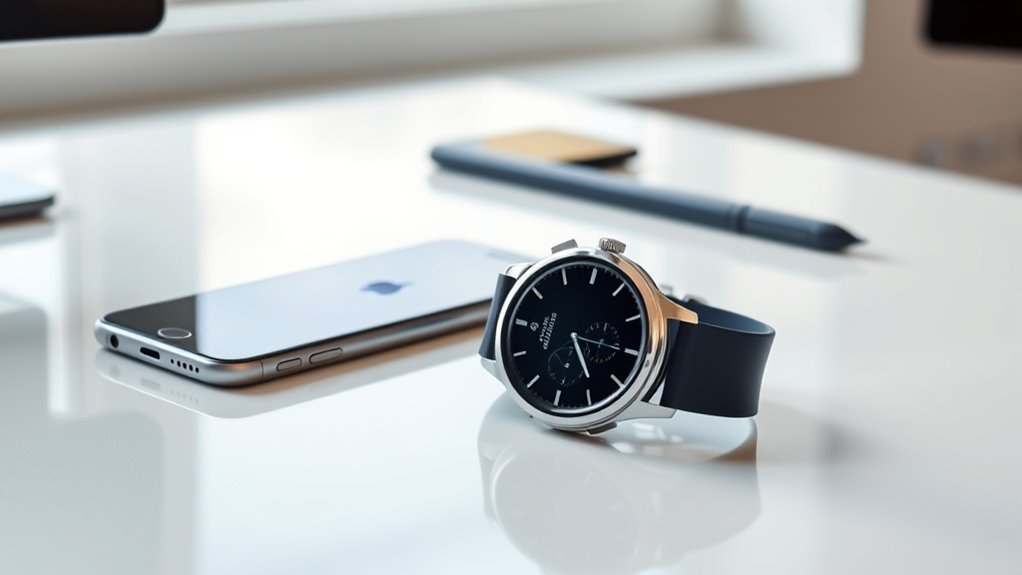
The Samsung Galaxy Watch 7 is a capable Wear OS smartwatch, but it is not designed to work as an iPhone companion. Samsung officially lists the Galaxy Watch7 as not supported on iOS. That means an iPhone cannot complete the normal Watch7 setup, manage the watch through Samsung’s companion software, or provide the notification and health-data integration available with a compatible Android phone.
Quick Answer
No. Samsung Galaxy Watch7 does not support iPhone or iOS pairing. Samsung lists Watch7 among Wear OS models that require Android and rely on Google Play services. An iPhone cannot complete the supported setup, sync notifications, manage apps, or use Samsung Health Monitor with Watch7. Older Samsung watches have limited iPhone support.
Key Takeaways
- Galaxy Watch7 cannot be officially paired with an iPhone.
- Watch7 setup requires a compatible Android 11 or later phone, subject to Samsung’s regional and device requirements.
- Simply seeing the watch in an iPhone’s Bluetooth menu does not create full smartwatch compatibility.
- Older Samsung watches such as the original Galaxy Watch, Galaxy Watch Active, and Active2 retain limited iOS support in Samsung’s compatibility documentation.
- For an iPhone-first setup, Apple Watch, Garmin, Fitbit-compatible devices, and selected Withings watches are more practical choices.
Can the Galaxy Watch 7 Work With iPhone?
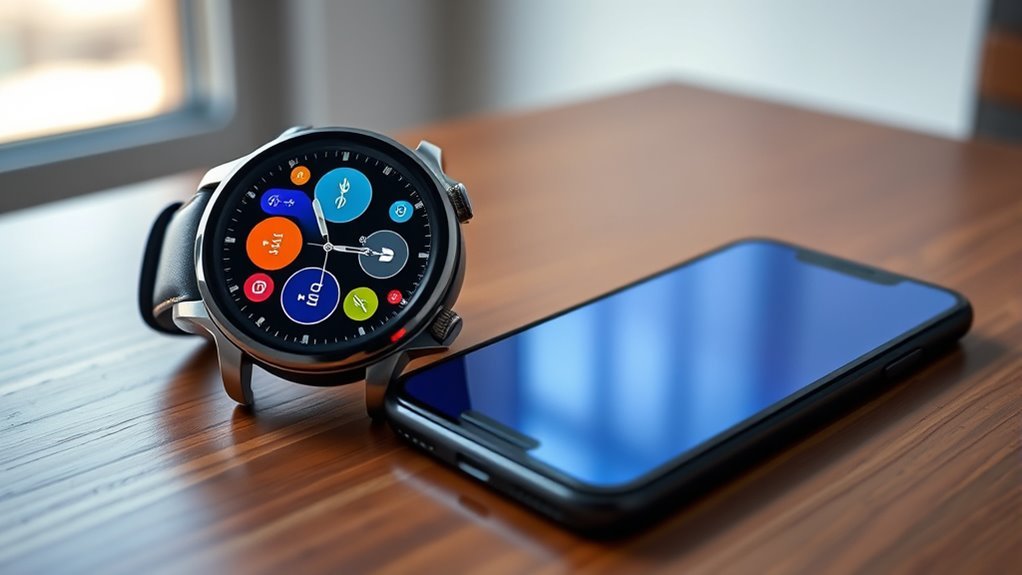
No. The Samsung Galaxy Watch 7 does not support iPhone pairing. Samsung’s current Galaxy watch compatibility guidance lists the Galaxy Watch7 among newer Wear OS watches that are incompatible with iOS because they rely on Google Play services.
Galaxy Watch7 is an Android companion watch, not a limited-function iPhone companion.
This is different from older Samsung watches. Models such as the original Galaxy Watch, Galaxy Watch Active, and Galaxy Watch Active2 were built during Samsung’s earlier Tizen era and received official iPhone support. The Galaxy Watch4 and later generations moved to Wear OS and no longer provide that iOS pairing path.
An iPhone may detect nearby Bluetooth devices, but Bluetooth visibility alone does not provide the companion software, account integration, notification synchronization, health synchronization, or configuration services the Watch7 needs.
Note: Unofficial third-party workarounds may claim to bridge some Android watches and iPhones, but Samsung does not treat them as a supported Watch7 setup and does not guarantee their functionality, security, or reliability.
What Galaxy Watch 7 Features Work on iPhone?
As an officially paired iPhone companion, none of the normal Galaxy Watch7 phone-integration features are supported. The Watch7 cannot be set up through Samsung’s legacy iPhone watch app, so the iPhone does not become the watch’s notification, health-sync, app-management, or settings companion.
That means an iPhone owner should not expect supported Watch7 access to:
- iPhone call and message notification synchronization;
- replying to iPhone messages from the watch;
- Samsung Health synchronization through the iPhone;
- watch-app installation and management from an iPhone;
- Apple Health synchronization from the Galaxy Watch7;
- camera controls tied to the iPhone;
- Samsung Health Monitor setup through the iPhone; or
- normal Galaxy Wearable configuration from iOS.
The watch itself still contains hardware for exercise, sleep, heart-rate, GPS, and other functions, but those capabilities should not be confused with supported iPhone integration. A Watch7 that has already been configured with compatible Android hardware may perform some watch-local or network-connected functions independently, especially on an LTE model, but that does not make the iPhone its paired companion.
How to Set up Galaxy Watch 7 With iPhone
There is no supported procedure for setting up a Galaxy Watch7 with an iPhone. Installing Samsung’s older Galaxy Watch iOS app and enabling Bluetooth will not turn the Watch7 into a compatible iPhone watch.
The supported setup path is instead:
- Use a compatible Android phone. Samsung currently specifies Android 11 or later for Galaxy Watch7, with additional compatibility requirements varying by model, region, and phone.
- Install the Galaxy Wearable app from Google Play on the Android phone.
- Turn on Bluetooth and start the Watch7.
- Open Galaxy Wearable and follow the onscreen pairing and account prompts.
- Install or update Samsung Health and any supported watch services you plan to use.
Samsung provides current setup and compatibility information in its official smartwatch compatibility guide.
Pro Tip: If your primary phone is an iPhone and you have not bought the watch yet, choose an iPhone-compatible smartwatch instead of planning around an Android phone solely to activate the Watch7.
If you already own both devices, the practical choices are to use the Watch7 with a compatible Android phone, use it independently only where its already-configured standalone features allow, or switch to a watch designed to pair with iOS.
What Galaxy Watch 7 Doesn’t Do on iOS
The central limitation is not that a few premium features disappear. The larger issue is that Galaxy Watch7 has no officially supported iOS companion relationship at all.
As a result, an iPhone cannot provide the Galaxy Wearable environment used to configure Watch7, install and manage supported services, synchronize phone notifications, or maintain the normal Samsung Health connection.
iOS Feature Limits
Because there is no supported Watch7-iPhone pairing, the practical limits include:
- No supported Galaxy Wearable setup on iPhone for Watch7.
- No normal iPhone notification synchronization through the Samsung companion system.
- No Apple Health transfer from Watch7 through an official Samsung iPhone connection.
- No supported iPhone call/message integration comparable with a paired Android phone.
- No iPhone-based Watch7 app and settings management.
- No Samsung Health Monitor setup through iPhone.
Samsung’s Samsung Health Monitor documentation also places additional requirements on advanced health functions. For example, Samsung’s supported ECG setup requires a compatible Galaxy watch paired with a compatible Galaxy phone, and feature availability can vary by country or region.
Apple Compatibility Gaps
The gap exists because Apple’s iPhone ecosystem and Samsung’s modern Wear OS watches use different companion platforms. Samsung’s older Tizen watches had an iOS companion app, but the Watch7 belongs to the newer Wear OS generation.
Google also notes in its Wear OS setup documentation that watches running Wear OS 3 are not compatible with the legacy Wear OS iPhone app. Samsung’s own Watch7 documentation goes further by explicitly listing the model as unsupported on iOS.
For that reason, downloading a generic Wear OS app, pairing from the iPhone Bluetooth menu, or changing notification permissions does not solve Watch7 compatibility.
Which Samsung Watches Work With iPhone?
Samsung’s iPhone support is mainly limited to older Galaxy Watch and Gear generations. Current support pages list selected older watches as compatible with iPhones while listing the Galaxy Watch4, Watch5, Watch6, Watch7, Watch Ultra, and other newer Wear OS models as unsupported on iOS.
| Samsung watch generation | iPhone support |
| Galaxy Watch7 | No |
| Galaxy Watch4, Watch5 and Watch6 families | No |
| Galaxy Watch (2018), Galaxy Watch Active, Galaxy Watch Active2 | Legacy iPhone support listed by Samsung, with limited functionality |
| Galaxy Watch3 | Listed as iPhone-compatible on some Samsung regional support pages; check current regional app availability |
| Gear S2, Gear S3, Gear Sport, Gear Fit2/Fit2 Pro and selected older Gear models | Legacy support varies by model, region and current app availability |
Older-device compatibility should not be interpreted as feature parity with Apple Watch. Even when pairing is supported, functions may be reduced compared with Samsung or Android use, and aging apps or operating-system requirements can affect current usability.
Compatible Samsung Watch Models
For users specifically looking for older Samsung hardware, Samsung’s current U.S. documentation lists the original Galaxy Watch, Galaxy Watch Active, and Galaxy Watch Active2 as compatible with iPhone 5 or later running iOS 9 or above. It also lists several older Gear devices.
Some Samsung regional pages additionally list the Galaxy Watch3. Because legacy support can differ by market and software availability, check Samsung’s current compatibility page for your country before buying an older watch solely for iPhone use.
The important dividing line is straightforward: Galaxy Watch4 and newer Wear OS Galaxy watches should not be purchased for use as an iPhone companion.
iPhone Pairing Limits
Even on Samsung watches that officially support iPhone, integration is more limited than on Samsung phones. Depending on the model, region, firmware, and iOS version, users may encounter reduced notification actions, restricted health functions, fewer app-management options, and limited Samsung-specific services.
Apple Health integration should also be checked for the exact legacy model and software combination rather than assumed.
If iPhone compatibility is a priority, buying an older Samsung watch simply because it can pair may be less practical than choosing a smartwatch whose current software is actively maintained for iOS.
Why Galaxy Watch 7 Works Better With Android
The Galaxy Watch7 does not merely work better with Android; Android is the supported smartphone platform required for normal setup and companion use. Samsung currently specifies Android 11 or later for Watch7, subject to device, region, carrier, and memory requirements.
With a compatible Android phone, users can access the Galaxy Wearable app, notification controls, watch settings, supported app installation, Samsung Health synchronization, account services, and software-management features.
- Galaxy Wearable integration: Android provides the companion app needed to configure the Watch7 and manage its settings.
- Samsung Health: Exercise, sleep, heart-rate, body-composition, and other supported wellness data can synchronize with the Samsung ecosystem.
- Advanced Samsung services: Some features require a Samsung Galaxy phone rather than merely any Android phone.
- Samsung Health Monitor: Samsung’s supported ECG and related Health Monitor functions have separate device, phone, age, region, and software requirements.
- Updates and apps: Watch software and Wear OS apps can be managed through the Android/Samsung ecosystem as intended.
The Galaxy Watch7 itself includes features such as sleep tracking, exercise tracking, heart-rate monitoring, GPS, and Samsung’s BioActive sensor system. Samsung describes these capabilities on its Galaxy Watch7 product page, but availability of individual health functions can vary by country, phone, software version, and regulatory approval.
Best Smartwatch Alternatives for iPhone Users
For an iPhone owner, a smartwatch with active iOS support is a safer choice than trying to make the Galaxy Watch7 work outside its supported ecosystem.
Apple Watch provides the deepest iPhone integration because Apple designs both products. Calls, messages, notifications, apps, Apple Health, Find My, and other ecosystem features are designed to work together. Exact requirements vary by Apple Watch generation, so check Apple’s current Apple Watch and iPhone compatibility table before buying.
Garmin is a strong option for users who want fitness, GPS, training metrics, longer battery life, and support across both major smartphone platforms. Garmin’s Connect app currently supports compatible Apple devices. If that route appeals, our comparison of the best Garmin watches for running, multisport, and everyday wear breaks down which model fits which user.
Fitbit-compatible watches and trackers can also work with iPhone through Google’s current health/fitness app ecosystem, although exact device features and phone requirements should be checked before purchase.
Withings is worth considering for users who prefer a traditional or hybrid-watch appearance. The current Withings iOS app supports recent iPhone software, although exact watch and feature requirements differ by model.
Older products such as the Fitbit Versa 3, Fitbit Sense, Garmin Venu Sq, and Withings Steel HR may still be found on the used or clearance market. They should be evaluated based on current app support, battery condition, security updates, and the features you actually need rather than their original launch specifications.
Be more cautious with TicWatch Pro and other Wear OS models. iPhone compatibility cannot be assumed across an entire product family. Google’s documentation states that Wear OS 3 watches do not work with the legacy Wear OS iPhone app, while individual manufacturers may use their own companion arrangements. Verify the exact model and software version before buying.
Frequently Asked Questions
Is the Samsung Galaxy Watch 7 Compatible With the iPhone?
No. Samsung lists Galaxy Watch7 as incompatible with iOS. It requires the Android/Galaxy Wearable ecosystem for supported smartphone setup and companion functionality.
How to Link the Samsung Watch 7 With the iPhone?
There is no officially supported method to link a Galaxy Watch7 to an iPhone as its companion phone. Installing Samsung’s older iOS watch app or pairing from the iPhone Bluetooth menu does not provide normal Watch7 integration.
Which Samsung Watch Is Compatible With iPhone?
Samsung lists selected older watches, including the original Galaxy Watch, Galaxy Watch Active, Galaxy Watch Active2, and several Gear models, as having legacy iPhone support. Some regional Samsung pages also list Galaxy Watch3. Galaxy Watch4 and newer Wear OS Galaxy watches do not support iOS.
What Smartwatch Brands Are Compatible With iPhone?
Apple Watch is designed specifically for iPhone. Garmin, current Fitbit-compatible devices, and selected Withings watches also support iOS. Compatibility and available features vary by model, app version, and iOS version, so check the manufacturer’s current requirements before buying.
Can I Pair Galaxy Watch 7 to iPhone Through Bluetooth Only?
No supported Bluetooth-only method turns Galaxy Watch7 into an iPhone companion. Bluetooth discovery does not replace the Galaxy Wearable setup, Google Play services, Samsung Health connection, and other software needed for normal Watch7 operation with a phone.
Can an LTE Galaxy Watch 7 Work With an iPhone After Android Setup?
An already-configured LTE Watch7 may perform certain standalone functions over LTE or Wi-Fi when its Android phone is not nearby, depending on carrier and service support. That does not make the iPhone its companion phone, and normal iPhone notification, health, and watch-management integration remains unsupported.
Conclusion
The Samsung Galaxy Watch7 is not compatible with iPhone as a supported companion smartwatch. It cannot be properly set up through iOS, and an iPhone cannot provide the normal notifications, Samsung Health synchronization, app management, or Galaxy Wearable controls available through compatible Android phones.
Older Samsung watches retain varying levels of legacy iPhone support, but Galaxy Watch4 and newer Wear OS Galaxy watches follow a different compatibility path. If your iPhone will remain your main phone, an Apple Watch or another actively supported iOS-compatible smartwatch is the more practical route.
Sources
- Samsung — Galaxy smart watch and phone compatibility — confirms Galaxy Watch7 Android requirements and lack of iOS support.
- Samsung — Samsung Health Monitor — documents supported ECG and health-monitor requirements.
- Google — Set up your Wear OS watch — explains iPhone limitations for newer Wear OS generations.
- Apple — Apple Watch and iPhone compatibility — provides current iPhone and iOS requirements by Apple Watch model.
- Garmin — Garmin Connect app compatibility requirements — confirms current Garmin Connect support for compatible Apple devices.

