Toyota uses several similar-sounding door-lock functions, but they do not all do the same thing. Whether your RAV4 locks automatically depends on the model year, trim, country, Smart Key equipment, and personalized settings. The most important distinction is between locking while you drive, re-locking after an unused unlock, and locking after you walk away.
Quick Answer
Most U.S.-market Toyota RAV4s do not lock simply because you walk away with the key. Lock them with the key fob, exterior door-handle sensor, or Toyota app when equipped. The separate auto-relock feature only re-locks the vehicle after it was unlocked and no door was opened within the set delay.
Key Takeaways
- A true walk-away auto-lock secures the vehicle after the key moves away. Most recent U.S. RAV4s should not be assumed to have this function.
- Auto-relock is different: it normally operates only after the vehicle was unlocked and no door or liftgate was opened.
- Some RAV4s can lock automatically after shifting out of Park or reaching a set speed, but that does not lock the vehicle after you park and exit.
- Toyota Remote Connect can lock compatible vehicles from a phone or smartwatch, but it may require activation, connectivity, and an active trial or subscription.
- Always check the owner’s manual for your exact model year and confirm that the lights, buzzer, app, or door handles indicate a successful lock.
At a Glance
| Time Required | About 3–5 minutes to check or change an available setting |
| Difficulty | Easy |
| Tools Needed | Key fob, vehicle display or instrument-cluster controls, and the owner’s manual |
| Cost | Usually $0 for owner-accessible settings; dealer programming and connected-service charges vary |
What Does “Auto-Lock” Mean on a Toyota RAV4?

Drivers often use “auto-lock” to describe four different functions. Knowing which one you mean prevents confusion when reading the manual or changing a setting.
| Function | What Triggers It | Does It Lock After You Exit? |
|---|---|---|
| Walk-away auto-lock | The driver closes the doors and moves away with the key. | Yes, when the vehicle is specifically equipped and the feature is enabled. |
| Unused-unlock auto-relock | The vehicle is unlocked, but no door or liftgate is opened before the timer expires. | No. It is not designed to replace locking the vehicle after a trip. |
| Drive-away auto-lock | The vehicle shifts out of Park or reaches a specified speed, depending on the model and setting. | No. It locks the doors while the vehicle is being driven. |
| Remote locking | The driver presses the key-fob button, touches an exterior lock sensor, or sends an app command. | Yes, but it requires an intentional action rather than merely walking away. |
On many recent RAV4s, you must intentionally lock the parked vehicle. Depending on its equipment, you can press the key-fob lock button, touch the lock sensor on an exterior door handle, use the mechanical key, or send a command through Toyota Remote Connect.
Why Do Drivers Want Walk-Away Locking?
Walk-away locking is useful when your hands are full, you are helping children or passengers, or you are leaving a busy parking area. It can also reduce the chance of forgetting to press the lock button.
Convenience does not remove the need to verify the result. A door or liftgate that is not fully closed, a key left inside, a weak key-fob battery, an unavailable connected service, or a failed network command can prevent a vehicle from locking as expected.
Vehicle security starts with a confirmed lock, not an assumption that the vehicle will lock itself.
Does the Toyota RAV4 Have Walk-Away Auto-Lock?
Most recent U.S.-market RAV4s should not be assumed to have a true walk-away auto-lock feature. On these vehicles, moving the Smart Key away from the parked RAV4 does not by itself replace pressing the lock button or touching an equipped exterior lock sensor.
That answer is especially important for owners of 2019–2025 models who may confuse the normal auto-relock timer with walk-away locking. Auto-relock protects against an accidental or unused unlock command; it does not normally detect that you completed a trip, closed the doors, and walked away.
Note: Toyota introduced an all-new 2026 RAV4, so do not assume that instructions written for an earlier generation apply to the redesigned model. Check the Toyota RAV4 owner’s manual portal for the exact vehicle, trim, and market.
The safest test is simple: close every door and the liftgate, keep the key outside the vehicle, walk away without pressing any lock control, wait briefly, and then return without touching an unlock sensor. If the door opens normally, the vehicle did not perform walk-away locking. Do this test in a secure location and keep the key with you.
How Does the Auto-Relock Function Work?
The unused-unlock auto-relock feature follows a specific sequence:
- You unlock the RAV4 with the wireless remote or Smart Key system.
- You do not open a door or the liftgate.
- The programmed delay expires.
- The vehicle re-locks the doors, helping reverse an accidental unlock command.
If you open a door or the liftgate, you have shown the vehicle that the unlock command was intentional. You should then lock the vehicle yourself when you exit.
Auto-Relock Timer Settings
Many recent RAV4 manuals list a 60-second default delay and may provide 30-, 60-, or 120-second choices. Some vehicles also allow the function to be disabled. These options are not guaranteed on every model year, trim, market, or multimedia system.
The timer begins after the applicable unlock operation. It does not normally begin when you turn off the engine, shift into Park, close a door after exiting, or move the key fob out of range.
Why Manual Locking Is Still Necessary
Auto-relock is a backup for an unused unlock, not a substitute for securing the RAV4 after parking. After you or a passenger opens a door, lock the vehicle with an intentional command.
Warning: Never depend on the auto-relock timer as a walk-away feature. Confirm that every door and the liftgate are closed and locked. Never leave a child, vulnerable adult, or animal unattended in a locked vehicle.
How to Adjust Your RAV4’s Auto-Relock Timer
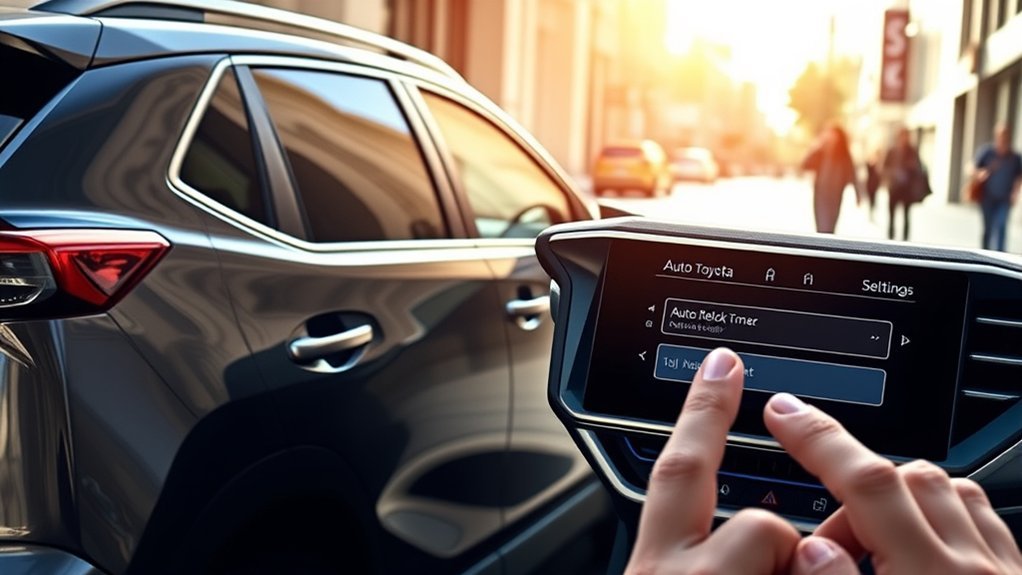
The exact menu depends on the RAV4’s model year and multimedia system. Park safely before changing vehicle settings. Do not operate menus while driving.
Access the Vehicle Settings Menu
- Park the RAV4 and leave the ignition or hybrid system in the mode required to operate the display.
- Open the multimedia system’s Settings menu or the vehicle-settings page in the instrument cluster.
- Look for a category such as Vehicle Customize, Vehicle Settings, Door Lock, Smart Key, or Remote Lock.
If your screen does not show the setting, check the customization section of the owner’s manual. Some RAV4 settings are controlled through the instrument cluster or require a Toyota dealer’s diagnostic equipment.
Select the Door-Control Option
Open the setting for the automatic re-lock delay or the time before automatic locking after an unused unlock. Choose the delay offered by your vehicle.
Do not confuse this option with settings such as speed-linked door locking, shift-position-linked locking, driver-door unlocking, selective door unlocking, or the lock-feedback buzzer. Each controls a different behavior.
Confirm and Test the Timer
Select Save, OK, or the equivalent confirmation control. Then test the setting in a secure location by unlocking the RAV4 without opening any door. Wait for the chosen interval and check whether the vehicle re-locks.
| Common Setting | What It Means |
|---|---|
| 30 seconds | Re-locks relatively quickly after an unused unlock. |
| 60 seconds | A common default on recent models. |
| 120 seconds | Allows more time before the unused-unlock command is reversed. |
| Off | Prevents automatic re-locking after an unused unlock, if this choice is offered. |
If the timer does not operate, confirm that you did not open a door or the liftgate during the test. Also check that every opening is fully closed and that the correct setting was saved.
How Can You Lock Your RAV4 Remotely?
You have several ways to intentionally secure a compatible RAV4:
- Key fob: Press the lock button after closing every door and the liftgate. Watch for the exterior-light flash or listen for the buzzer if lock confirmation is enabled.
- Exterior door-handle sensor: On Smart Key-equipped vehicles, close the doors and touch the designated lock sensor while the key is outside the vehicle. The sensor location varies.
- Toyota app: Compatible vehicles with activated Toyota Remote Connect can accept a remote lock command from a supported smartphone or smartwatch.
- Mechanical key: The emergency mechanical key stored inside many Toyota smart-key fobs can operate the driver-door lock when the fob battery or vehicle electronics are unavailable. Check the manual for the correct procedure.
Remote Connect availability depends on the vehicle, connected-services equipment, account activation, cellular communication, and current trial or subscription status. An app command is not the same as automatic walk-away locking.
Pro Tip: After sending an app command, wait for confirmation rather than assuming the command succeeded. When you are near the RAV4, checking the exterior-light or buzzer response and testing a rear door handle can provide additional reassurance without triggering the driver-door Smart Key sensor.
How Does the RAV4 Compare With Competitors?
Manufacturers use similar names for different functions, so comparisons must be made by model year and exact equipment rather than by brand alone.
Honda’s Walk Away Auto Lock Feature
Certain Honda vehicles provide a feature specifically named Walk Away Auto Lock. When supported and enabled, the vehicle detects the key moving away after the doors have been closed and then locks the doors.
Availability and activation instructions vary by Honda model and year. Use Honda’s official manual search before treating the feature as standard equipment.
Hyundai Proximity Entry and Digital-Key Features
Hyundai offers proximity-entry, remote-locking, Bluelink, and Digital Key capabilities on various vehicles. However, proximity entry does not automatically mean that the doors will lock whenever the key moves out of range.
Hyundai’s locking behavior varies by model, trim, year, and Digital Key configuration. Check the applicable document in Hyundai’s official manuals and warranties portal instead of relying on a brand-wide assumption.
Toyota’s Intentional Locking Controls
Many recent RAV4s emphasize intentional locking through the key fob, Smart Key door-handle sensor, interior switches, mechanical key, or connected app. They may also provide unused-unlock auto-relock and drive-away locking settings.
This arrangement can be reliable, but it requires the driver to understand which function is active. A lock that operates after shifting or accelerating does not secure the vehicle after it is parked, and an unused-unlock timer does not replace pressing the lock control after opening a door.
What Are the Security Concerns?
The main risk is not necessarily a defective lock; it is assuming the RAV4 will perform a function that it does not have. A driver may close the doors, walk away, and leave the vehicle unlocked because auto-relock was mistaken for walk-away locking.
The National Highway Traffic Safety Administration advises drivers to close and lock all windows and doors when parking. NHTSA reports that more than 650,000 vehicles were stolen in the United States during 2025, reinforcing the value of a consistent lock-confirmation routine.
Use these practical precautions:
- Keep the key fob with you and avoid leaving a spare key inside the vehicle.
- Confirm that every door, window, and the liftgate is fully closed.
- Press the lock control and look or listen for the normal confirmation response.
- Do not leave valuables where they are visible from outside.
- Review vehicle-status notifications if your RAV4 and connected-services plan support them.
- Have unexpected lock behavior or repeated false warnings inspected rather than relying on the timer.
Suggestions for Improving Toyota’s Locking Features
A user-selectable walk-away lock could provide additional convenience on future RAV4s. The most useful implementation would include clear confirmation, a delay that allows passengers to retrieve belongings, and safeguards against locking a key inside the vehicle.
Other useful improvements could include:
- A clearly labeled walk-away option in the vehicle settings.
- Adjustable activation distance or delay.
- A phone notification when the parked vehicle remains unlocked.
- A warning when a door or the liftgate prevents locking.
- A history showing whether a remote lock command succeeded.
- Consistent terminology across the instrument cluster, multimedia display, app, and owner’s manual.
These additions would be most effective as optional settings. Some owners prefer deliberate manual control and may not want the vehicle to lock whenever the key moves away.
What Could Improve in Future RAV4 Updates?
Toyota can improve the ownership experience by making the differences between auto-relock, drive-away locking, remote locking, and walk-away locking more obvious. Clearer explanations in the display and Toyota app would help drivers choose the behavior they expect.
For connected vehicles, an unlock reminder can be nearly as useful as automatic locking, provided it is timely and accurately reflects the vehicle’s status. Toyota should also preserve a manual override so drivers can temporarily keep the doors unlocked when unloading, washing the vehicle, working nearby, or handing the vehicle to a service provider.
Software updates may add or refine connected features, but owners should not assume that an update can add walk-away locking to hardware that was not designed for it. The exact capabilities remain vehicle-specific.
Frequently Asked Questions
Can I add walk-away locking to my RAV4?
Some aftermarket alarm, remote-start, or body-control modules advertise passive locking or arming. Compatibility depends on the RAV4’s model year, Smart Key system, factory alarm, immobilizer, and wiring. Use a qualified installer, ask how lockouts are prevented, and confirm whether the modification affects warranty coverage for any altered component.
How does the RAV4’s locking system affect my insurance?
A locking or tracking system does not guarantee a lower premium. Discounts vary by insurer, state, vehicle, policy, and the specific anti-theft equipment installed. Ask your insurer which factory or aftermarket systems qualify before purchasing a modification primarily for an insurance discount.
Can I manually lock the RAV4 from inside?
Yes. Use the interior power door-lock switch or the individual mechanical lock control, depending on the door and model year. Before leaving the RAV4, use an exterior locking method and keep the key with you so you do not create a lockout.
What should I do if I lose my RAV4 key fob?
Use a registered spare key if one is available. Contact a Toyota dealer or a qualified automotive locksmith for replacement and programming, and ask whether the missing key can be removed from the vehicle’s authorized-key memory. If the key was stolen with identifying information, consider moving the vehicle to a secure location.
Are aftermarket locking upgrades safe?
A properly selected and installed system may add convenience, but a poorly integrated module can cause false alarms, battery drain, key-detection problems, or accidental lockouts. Choose equipment specifically documented for the exact RAV4 year and trim, and obtain written information about installation, warranty, and emergency override procedures.
Does the RAV4 lock automatically while driving?
Some model years provide speed-linked or shift-position-linked door locking, and the setting may be customizable. This locks the doors after the trip begins. It is separate from walk-away locking and does not secure the vehicle after you park, open a door, and leave.
Conclusion
Most recent U.S.-market Toyota RAV4s should not be expected to lock merely because the driver walks away with the key. The vehicle’s auto-relock timer usually applies only when it was unlocked and no door or liftgate was opened. Drive-away locking and Toyota Remote Connect are also separate functions.
After parking, intentionally lock the RAV4 with the key fob, an equipped exterior door-handle sensor, the mechanical key, or the Toyota app on a compatible activated vehicle. Because Toyota introduced an all-new 2026 RAV4 and equipment varies by market and trim, use the owner’s manual for the final model-specific answer.
Sources
- Toyota RAV4 Manuals and Warranties — official model-specific manuals and customization information.
- 2026 Toyota RAV4 — current U.S. model and generation information.
- Toyota Remote Connect — remote door locking, unlocking, vehicle-status features, and service requirements.
- NHTSA Vehicle Theft Prevention — government guidance on locking vehicles and reducing theft risk.
- Honda Owner’s Manual Search — model-specific verification of Honda locking features.
- Hyundai Manuals and Warranties — model-specific verification of proximity, Digital Key, and locking behavior.
