
Remote start is available on some Toyota RAV4 LE models, but it is not a universal feature across every model year or vehicle. Factory support depends on the RAV4’s equipment, market, VIN, and Connected Services status. Before paying for a subscription or trying a key-fob sequence, confirm that your specific RAV4 LE is Remote Connect-capable.
Quick Answer
Some Toyota RAV4 LE models support factory remote start, but availability depends on the model year, equipment, region, and VIN. Compatible vehicles can use Remote Connect in the Toyota app, and some also accept a three-press LOCK sequence from the key fob. Confirm eligibility in the app or owner’s manual before subscribing.
Key Takeaways
- Remote start is not guaranteed on every RAV4 LE; check your model year, VIN, Toyota app, and owner’s manual.
- Eligible vehicles may use the Toyota app, a compatible key-fob LOCK sequence, or both.
- An active Remote Connect trial or subscription may be required for app control, depending on the vehicle and current service terms.
- Use remote start for cabin comfort and defrosting—not as a fuel-saving or engine-longevity treatment.
- Never remote-start a gasoline vehicle in a closed garage or other enclosed space.
At a Glance
| Time Required | About 3–10 minutes to verify and activate factory service; a few seconds for later starts |
| Difficulty | Easy for a factory-equipped vehicle; professional installation recommended for aftermarket systems |
| Tools Needed | VIN, compatible smartphone, Toyota app, internet connection, and the original key fob |
| Cost | No added hardware cost when factory-equipped; a trial or paid service may apply. Aftermarket equipment and installation costs vary. |
Does the Toyota RAV4 LE Have Remote Start?

Some Toyota RAV4 LE vehicles have factory remote-start capability, while others do not. The most reliable answer comes from your individual VIN rather than the trim name alone.
Factory remote start may be available through Toyota Remote Connect. Certain compatible vehicles also respond to a three-press LOCK sequence from the original key fob, even though the fob does not have a separate button labeled “remote start.”
Use the following recent-model-year examples as guidance, not as a substitute for checking your vehicle:
| Model year | Toyota documentation | What the owner should do |
|---|---|---|
| 2024 RAV4 LE | Toyota’s U.S. brochure describes the LE as Remote Connect-capable but does not present every LE exactly like the higher grades that explicitly list trial service. | Enter the VIN in the Toyota app and check the Connected Services screen. |
| 2025 RAV4 | Toyota’s feature chart lists remote vehicle start/stop when the vehicle is appropriately equipped. | Confirm the exact trim, installed multimedia equipment, VIN, and service status. |
| 2026 RAV4 LE | Toyota’s U.S. applicability chart lists a one-year Remote Connect trial for the LE. Digital Key is a separate feature and should not be confused with remote start. | Activate the included service in the Toyota app and review the trial expiration date. |
Note: Features can differ by country, production date, installed multimedia system, and vehicle configuration. A dealership listing or trim-level summary is less reliable than the Connected Services screen tied to your VIN.
How to Check Whether Your RAV4 LE Is Remote Connect-Capable
Complete these checks before troubleshooting the key fob or purchasing a subscription:
- Find the VIN. It appears on the driver-side dashboard near the windshield, on the driver-door label, and in the vehicle paperwork.
- Add the vehicle to the Toyota app. Sign in or create a Toyota account, then follow the prompts to add the RAV4 by VIN.
- Open the Connected Services section. Look for Remote Connect, remote start, or Start/Stop controls.
- Review the service status. The app should indicate whether a trial is active, activation is required, a paid plan is available, or the vehicle is ineligible.
- Check the owner’s manual. Use Toyota’s owner’s manual lookup and select the correct model year.
- Ask Toyota to verify the VIN if the information conflicts. A Toyota dealer or Connected Services support representative can check the original equipment.
Understanding Remote Connect and Subscription Requirements
Remote Connect is Toyota’s connected-vehicle service for compatible models. Depending on the vehicle, available functions can include engine start/stop, door locking and unlocking, vehicle status, location tools, and other remote commands.
Remote Connect requires a compatible vehicle, a Toyota account, the Toyota app, accepted service terms, and adequate cellular and GPS coverage. The precise feature set varies, so a capability shown for one RAV4 trim or model year should not be assumed for another.
An eligible vehicle may include a trial period. Continued app access after the trial may require a paid plan under Toyota’s current terms. Because trial lengths, promotions, and prices can change, verify the current offer in the Toyota app or on the official Remote Connect page.
Do not assume that canceling an app subscription will affect the key-fob shortcut in exactly the same way on every RAV4. Key-fob behavior can depend on model year, equipment, software, region, and Toyota’s service configuration. Confirm the behavior documented for your VIN.
Warning: Never remote-start a gasoline vehicle in a closed garage, attached garage with the door shut, or another enclosed area. Do not activate remote start while a child or another vulnerable occupant is unattended inside. Follow local anti-idling rules and move the vehicle outdoors before allowing the engine to run.
Unlocking Remote Start: How to Use Your Key Fob
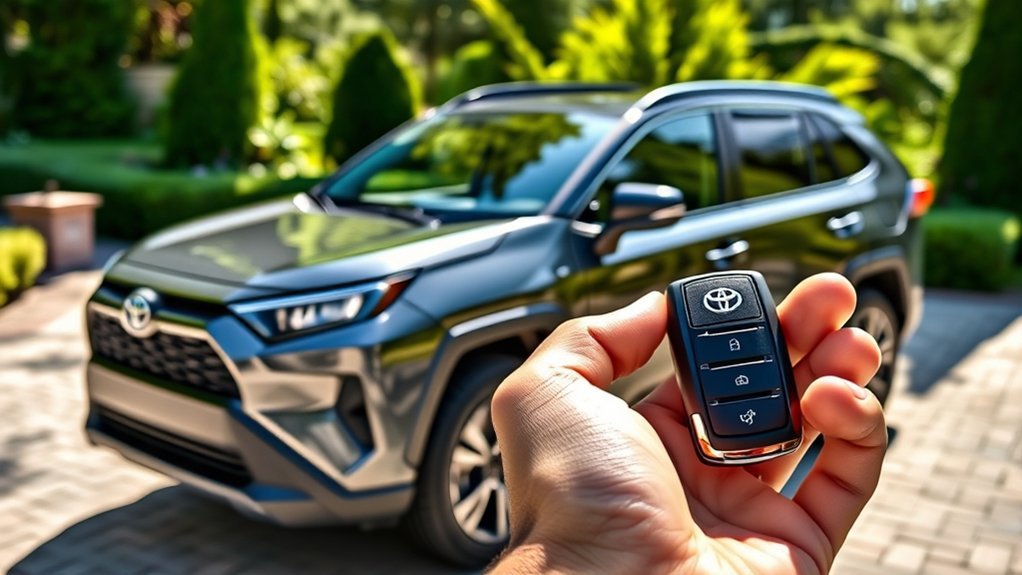
Some compatible Toyota RAV4 LE vehicles can be started with the standard key fob even though it has no dedicated remote-start symbol. The common Toyota sequence is two quick LOCK presses followed by a longer third press.
Remote Start Requirements Overview
Before trying the key-fob sequence, confirm the following:
- The RAV4 supports factory remote start.
- The hood, liftgate, and doors are fully closed.
- The vehicle is locked and the alarm system is not reporting a fault.
- The key-fob battery has enough power.
- The vehicle is outdoors in a safe, ventilated location.
- No start-prevention message or warning light is active.
Key-Fob Procedure Steps
- Stand within normal key-fob range and make sure the vehicle is locked.
- Press the LOCK button once.
- Press LOCK a second time quickly.
- Press LOCK a third time and hold it for about three seconds.
- Watch for the exterior lights to flash or another confirmation described in your owner’s manual.
This sequence is common on compatible Toyota models, but it is not guaranteed on every RAV4 LE. Review Toyota’s remote-start support guidance and your model-year manual before treating it as a fault.
Pro Tip: Button timing matters. Use three deliberate presses without a long pause between the first two, then continue holding the third press until the vehicle confirms the command.
Troubleshooting Common Key-Fob Issues
If the key-fob sequence does not work, unlock and relock the vehicle before trying once more. Repeated rapid attempts can make it harder to determine whether the problem is timing, range, battery strength, or vehicle eligibility.
Move closer to the RAV4, remove other electronic devices from the immediate area, and try the spare fob if one is available. A weak fob battery may still lock the doors at close range while failing to send a dependable longer command.
On a hybrid RAV4, do not rely on gasoline-engine noise as the only confirmation. The hybrid system may be active while the engine remains off. Look for the app status, exterior-light response, climate operation, or another confirmation specified by Toyota.
Step-by-Step: Start Your RAV4 LE With the Toyota App

For an eligible RAV4 LE, the Toyota app provides the clearest way to check service status and send a remote-start command.
- Install or update the Toyota app. Use the current version available for your smartphone.
- Sign in and add the RAV4. Enter the VIN and complete any ownership-verification prompts.
- Activate Remote Connect. Accept the required terms and activate the available trial or subscription.
- Prepare the vehicle. Park outdoors, switch the vehicle off, close the hood and all doors, and lock it.
- Open the vehicle controls. Select the remote-start or Start control shown for the RAV4.
- Complete any security verification. The app may request a PIN, biometric confirmation, or another account-security step.
- Wait for confirmation. The command must travel through Toyota’s service and the vehicle’s cellular connection, so it may not be instant.
- Check the status. Confirm that the app reports a successful start rather than relying only on engine sound.
Many factory remote-start systems run for a limited period, often around 10 minutes, before shutting down. The exact runtime and whether a second cycle is allowed depend on the vehicle, so confirm those details in your owner’s manual.
Troubleshooting Remote Start Issues on Your RAV4 LE
Use the following table to narrow down the cause before repeating the command or contacting support:
| Symptom | Likely cause | What to do |
|---|---|---|
| No remote-start control appears in the app | Vehicle is ineligible, ownership verification is incomplete, or Remote Connect is not activated | Confirm the VIN, finish account setup, and review Connected Services eligibility. |
| App says the command failed | Poor phone or vehicle cellular coverage, service outage, or a start-prevention condition | Refresh the app, verify coverage, wait briefly, and check that the vehicle is closed and locked. |
| Doors lock, but the key-fob start sequence fails | Incorrect timing, weak fob battery, excessive distance, or unsupported key-fob start | Move closer, retry the sequence once, test the spare fob, and verify compatibility in the manual. |
| Remote start worked previously but stopped working | Trial expiration, account change, software issue, discharged 12-volt battery, or vehicle warning | Check the service status, update the app, inspect vehicle alerts, and contact Toyota if necessary. |
| Hybrid appears silent after a successful command | The hybrid system is active without running the gasoline engine | Check app confirmation, lights, climate operation, or the vehicle-specific status indicator. |
| Vehicle starts and then shuts down | Normal runtime limit, door/unlock security behavior, or a detected fault | Check the manual for the normal cycle and security behavior. Investigate warning messages if shutdown occurs immediately. |
Other conditions that may prevent a start include an open hood, open liftgate, unlocked door, low fuel level, weak 12-volt battery, active warning, recently triggered alarm, or another condition that Toyota’s control system considers unsafe.
How to Turn Off Remote Start Once Activated
If you started the RAV4 through Remote Connect, open the Toyota app and use its Stop control when available. Wait for the app to confirm that the command succeeded.
Some Toyota vehicles also cancel remote operation when the vehicle is unlocked or a door is opened. That behavior is a theft-deterrence feature on affected models, but it should not be assumed to work identically on every RAV4 LE.
Do not rely on holding the LOCK button unless that cancellation method is documented for your model year. Check the owner’s manual for the approved key-fob procedure.
If no stop command is sent, the factory system should shut down when its programmed runtime expires. Many systems use a cycle of approximately 10 minutes, although the exact limit can vary.
Benefits of Using Remote Start for Your RAV4 LE
Remote start is primarily a comfort, visibility, and convenience feature. It can begin heating or cooling the cabin before entry when the climate system is configured appropriately.
Enhanced Comfort and Convenience
- Cold-weather comfort: The heater and defroster can begin clearing condensation or light frost before departure.
- Hot-weather comfort: Air conditioning may begin lowering the cabin temperature before passengers enter.
- Remote confirmation: The app can report whether a command was accepted instead of requiring a direct view of the vehicle.
- Convenient vehicle controls: Compatible Remote Connect packages may also provide door, status, or location functions.
Climate performance depends on the vehicle’s settings, outside temperature, powertrain, battery condition, and model-specific controls. Remote start cannot instantly remove heavy snow or thick ice, and the driver must still clear all windows, mirrors, lights, sensors, and the roof before moving.
What Remote Start Does Not Do for Engine Performance
Remote start should not be treated as a way to improve fuel economy, reduce emissions, or extend engine life. A modern vehicle generally warms more efficiently once it is driven gently than when it sits idling for an extended period.
According to the U.S. Department of Energy’s idle-reduction guidance, unnecessary idling consumes fuel and worsens air quality. After entering the vehicle and confirming that it is safe to drive, begin moving smoothly rather than waiting for a long warm-up.
Remote start is most useful for cabin comfort and visibility—not as a fuel-saving or engine-longevity treatment.
Explore Additional Features of Remote Connect
Remote Connect may offer more than engine start and stop, but the functions shown in the app depend on the vehicle’s equipment and current Toyota service package.
Possible features on compatible vehicles include:
- Remote door control: Lock or unlock the vehicle from a compatible device.
- Vehicle status: Review information such as door or window status when supported.
- Vehicle location: Locate the parked vehicle through an available app feature.
- Alerts and notifications: Receive certain vehicle or guest-driver notifications when included.
- Wearable-device integration: Some functions may be accessible through a compatible smartwatch.
Do not assume every feature in Toyota marketing is included on the RAV4 LE. The Toyota app’s controls for your VIN are the most useful indication of what is currently enabled.
Common Remote-Start Problems and How to Fix Them
Timing Issues With the Key Fob
The first two LOCK presses should be quick and separate. Hold the third press for approximately three seconds or until the vehicle provides confirmation. Pausing too long, double-tapping too rapidly, or releasing the third press early can interrupt the command.
If the sequence fails, unlock the vehicle, close any open door, relock it, and try once more. If the app can start the vehicle but the key fob cannot, the problem may involve fob range, battery strength, sequence timing, or model-specific key-fob support rather than Remote Connect eligibility itself.
Remote Connect Requirements
The app method can fail when the trial or subscription is inactive, ownership verification is incomplete, the vehicle lacks coverage, or the account is linked incorrectly.
Check that:
- The correct VIN appears in the Toyota app.
- Remote Connect is shown as active.
- The phone has an internet connection.
- The vehicle is parked where it can receive a cellular and GPS signal.
- The Toyota app is current and the account session has not expired.
- The vehicle has no open panel, warning, alarm condition, or weak battery preventing a start.
If Remote Connect does not appear despite documentation showing that the vehicle should be capable, contact Toyota Connected Services or a Toyota dealer with the VIN.
Choosing the Right Remote-Start Option for Your RAV4 LE
The best solution depends on what the vehicle already supports:
- Factory Remote Connect: Best for owners who want app control, command confirmation, and other connected features. Ongoing service charges may apply after any trial.
- Factory key-fob shortcut: Convenient when supported because it uses the original fob and does not require opening an app. Range and service behavior vary.
- Aftermarket remote start: An option for older or unsupported RAV4 models. Choose equipment designed for the exact year, engine or hybrid system, immobilizer, alarm, and push-button or keyed ignition.
For an aftermarket system, professional installation is the safest approach. A poor installation can cause electrical problems, battery drain, alarm conflicts, or improper interaction with the factory immobilizer. Ask the installer to explain the shutdown behavior, range, warranty coverage, spare-key requirements, and whether a separate fob or smartphone service is involved.
Related Guides
Frequently Asked Questions
Can I install remote start on an older Toyota RAV4?
Yes. Many older RAV4 models can accept an aftermarket remote-start system, but compatibility depends on the model year, powertrain, ignition type, immobilizer, and factory alarm. Use a reputable installer who can confirm compatibility with the exact vehicle before purchasing equipment.
Is remote start available on every RAV4 trim?
No. Availability varies by model year, trim, multimedia equipment, market, and VIN. Some vehicles include a Remote Connect trial, some are only capable after activation, and others lack factory remote start. Check the Toyota app and vehicle-specific manual.
How long does the RAV4 remote start run before shutting off?
Many Toyota factory systems use a remote-start cycle of approximately 10 minutes, but the exact runtime and availability of a second cycle can vary. Check the owner’s manual for your model year rather than assuming a universal limit.
Will remote start work with the RAV4’s security system?
A factory system is designed to work with Toyota’s locks and immobilizer. The vehicle normally remains secured and still requires an authorized key before it can be driven. An aftermarket system must be specifically integrated with the factory alarm and immobilizer.
Can remote start be used in extreme weather?
It can help precondition the cabin in hot or cold weather, but it must be used outdoors in a safe, ventilated location. Never run a gasoline vehicle in a closed garage, never leave a child unattended inside, and follow local anti-idling rules.
Does key-fob remote start require a Remote Connect subscription?
The answer can vary by model year, equipment, region, and Toyota’s service configuration. Do not assume that every RAV4 behaves the same way. Check the Connected Services status for your VIN and the remote-start section of the owner’s manual.
Why does the vehicle shut off when I unlock it or open a door?
Some Toyota remote-start systems shut down during entry as a theft-deterrence measure. The driver then starts the vehicle normally with the authorized key. Entry behavior varies, so consult the manual for the exact model year.
Conclusion
A Toyota RAV4 LE may have factory remote start, but the trim name alone does not confirm it. Check the VIN in the Toyota app, review the Connected Services status, and consult the correct owner’s manual before purchasing service or assuming that the key-fob shortcut should work.
When the vehicle is compatible, Remote Connect or the three-press LOCK method can make hot and cold weather more comfortable. Use the feature only in a safe, ventilated location, avoid unnecessary idling, and treat remote start as a convenience feature rather than a way to improve fuel economy or engine life.
Sources
- Toyota Remote Connect — current service overview, activation requirements, and feature variability
- Toyota 2026 Connected Services and Audio Multimedia Applicability Chart — Remote Connect availability and trial information for 2026 RAV4 trims
- Toyota 2025 Remote Connect Features by Model — remote start/stop availability and safety disclosures
- 2024 Toyota RAV4 eBrochure — model-year and grade-specific Connected Services information
- Toyota Remote-Start Support — official key-fob remote-start guidance
- U.S. Department of Energy: Idle Reduction for Personal Vehicles — fuel, emissions, warm-up, and anti-idling guidance
