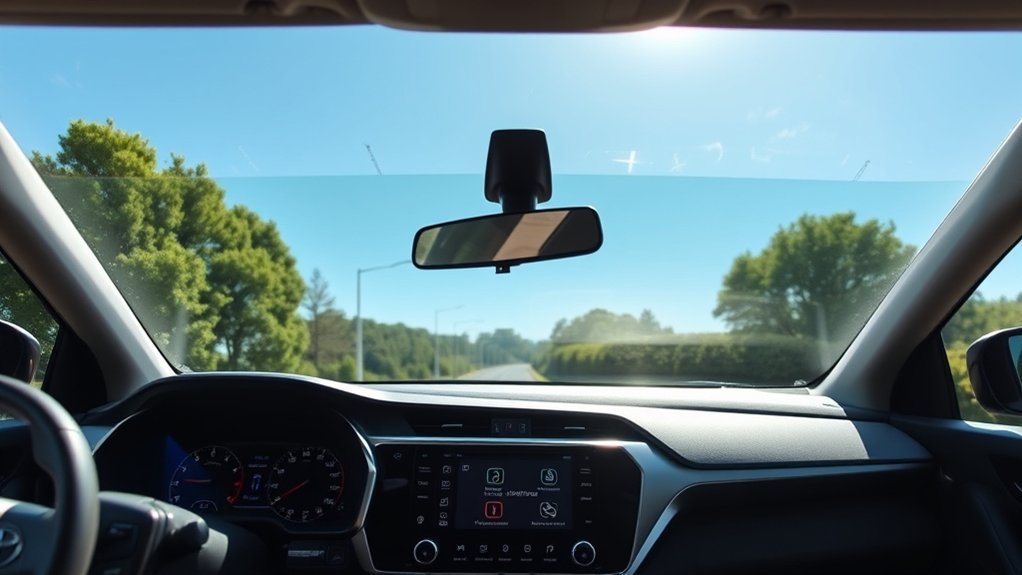
Does the 2026 Toyota RAV4 Include SiriusXM?
Yes. Every 2026 Toyota RAV4 grade in Toyota’s U.S. lineup lists SiriusXM with 360L and a three-month trial subscription, including the base RAV4 LE and RAV4 Plug-in Hybrid SE. The factory-included vehicle trial does not automatically renew; if you later choose a paid SiriusXM plan, that paid subscription generally renews under the terms shown when you enroll. Here is how the 2026 system differs by trim, how to activate or refresh it, and what happens when the trial ends.
Last updated: September 19, 2026.
Quick Answer
Yes. Toyota’s 2026 U.S. Audio Multimedia feature chart lists SiriusXM with 360L and a three-month trial as standard across every RAV4 and RAV4 Plug-in Hybrid grade. Screen size and JBL speaker hardware vary by trim, but the SiriusXM trial itself is standard across the lineup.
Key Takeaways
- SiriusXM with 360L and a three-month trial is standard across the 2026 U.S. RAV4 and RAV4 Plug-in Hybrid lineups.
- RAV4 trims use either a 10.5-inch or 12.9-inch Toyota Audio Multimedia screen; JBL Premium Audio is separate from SiriusXM availability.
- A new-vehicle trial should be active at delivery. If subscribed channels do not play, confirm the Radio ID and send a refresh signal while the vehicle is outdoors.
- The vehicle-included trial does not automatically renew. A paid plan you choose later generally renews according to its enrollment terms.
- App listening and some connected 360L features require an eligible plan and internet/data connectivity.
At a Glance
| Time Required | Usually 2–10 minutes to verify or refresh service |
| Difficulty | Easy |
| Tools Needed | RAV4 multimedia screen, Radio ID or VIN, and internet access for account setup |
| Cost | Three-month trial included across the 2026 U.S. lineup; the included vehicle trial ends unless you choose a paid plan |

Yes. Toyota’s official 2026 U.S. Audio Multimedia applicability chart shows SiriusXM with 360L and a three-month trial as standard on every RAV4 and RAV4 Plug-in Hybrid grade. Toyota’s consumer pages also list the service on the base 2026 RAV4 LE and base 2026 RAV4 Plug-in Hybrid SE.
The difference between grades is the multimedia hardware, not whether SiriusXM is present. Lower and mid-level grades use a 10.5-inch Toyota Audio Multimedia screen, while XSE, Limited, and higher Plug-in Hybrid grades use a 12.9-inch screen in the configurations Toyota lists. JBL Premium Audio is a separate speaker upgrade.
SiriusXM 360L combines the familiar satellite-radio experience with connected features such as additional streaming content, recommendations, favorites, and on-demand programming. Some connected functions require an active subscription and data connectivity.
Note: The trim and trial details in this guide are for U.S.-market 2026 vehicles. SiriusXM also operates in Canada through SiriusXM Canada, but packages, trial terms, and vehicle specifications can differ by market. Check the window sticker or build sheet for the exact vehicle you are considering.
How to Access Your 3-Month SiriusXM Trial
A factory-installed SiriusXM trial on a new vehicle should be active at the time of purchase. If SiriusXM does not play, first confirm that the radio can receive a satellite signal, then check the Radio ID and subscription status before assuming there is a hardware fault.
- Park outdoors with a clear view of the sky.
- Start the vehicle and leave the multimedia system powered on.
- Select SiriusXM as the audio source and try the Preview channel. On SiriusXM radios, Preview is commonly channel 1.
- Tune to channel 0 to display the Radio ID on most radios.
- If your account shows an active trial or subscription but paid channels remain unavailable, use SiriusXM’s official Request Radio Signal tool.
- While the refresh is being sent, keep the RAV4 outdoors with the radio on and follow the channel instructions shown by SiriusXM.
Pro Tip: SiriusXM says most radios display the Radio ID on channel 0. If you can hear the Preview channel but subscribed channels are missing, that points more strongly to an authorization/refresh issue than to total signal loss.
Registering Your SiriusXM Account Online
You do not register the Toyota multimedia system as a separate product. Instead, create or access a SiriusXM account and link the vehicle using the Radio ID/ESN or VIN when SiriusXM requests it.
Account registration lets you verify the trial end date, set up app credentials, review available plans, link another vehicle, and manage billing. Toyota’s owner account and SiriusXM’s subscription account are separate systems.
Streaming Device Compatibility
SiriusXM says its popular in-car plans include app listening, although the exact channels and features depend on the active plan. After creating your streaming login, you can use supported phones, tablets, browsers, smart TVs, speakers, and other connected devices.
| Device Type | How You Listen | What You Need |
|---|---|---|
| iPhone or iPad | SiriusXM app or compatible web player | SiriusXM login and internet connection |
| Android phone or tablet | SiriusXM app | SiriusXM login and internet connection |
| Computer | SiriusXM web player | Supported browser and internet connection |
| Smart speaker, TV, or streaming device | Linked SiriusXM app or device integration | Compatible device and eligible plan |
Accessing Off-Car Listening
To listen away from the RAV4, install the SiriusXM app or open its web player and sign in with your streaming credentials. SiriusXM says its popular in-car plans include app listening on phones and connected devices.
Streaming uses Wi-Fi or cellular data. The satellite-radio signal received by the RAV4 does not provide internet access to your phone, so mobile data charges can apply when you stream away from Wi-Fi.
Features of SiriusXM Available in the RAV4
SiriusXM with 360L blends satellite-delivered radio with internet-delivered features inside the vehicle interface. That lets the system combine live channels with connected content such as recommendations, favorites, and on-demand programming. Some 360L functions depend on an active vehicle data connection, device capability, location, and subscription plan.
Enhanced Audio Experience
The 2026 RAV4 debuts Toyota’s latest-generation Audio Multimedia system. Toyota lists a 10.5-inch system on LE, SE, XLE Premium, and Woodland, and a 12.9-inch system on XSE and Limited; the Plug-in Hybrid uses 10.5-inch hardware on SE and Woodland and 12.9-inch hardware on XSE and GR SPORT. SiriusXM availability is separate from the speaker package: JBL Premium Audio changes the sound hardware, not whether the vehicle can receive SiriusXM.
Available SiriusXM functions can include:
- Satellite channels that remain available across wide driving areas
- Streaming and on-demand content through compatible connected services
- Favorites and recently played content
- Personalized recommendations based on listening activity
- Music, sports, news, talk, comedy, podcasts, and other programming based on the plan
Curated Music Channels
SiriusXM offers music organized by genre, decade, artist, and mood. Music channels are generally promoted as ad-free, although hosts, station announcements, and promotional messages may still appear. The precise lineup can change and varies by subscription package.
Connected 360L and app features can make it easier to save favorites, discover streaming-only selections, and receive recommendations. Availability may differ between what appears over the satellite connection and what is offered through the app.
Live Sports Programming
Eligible SiriusXM plans can include professional and college play-by-play, sports talk, analysis, and team-focused programming. League, event, and channel availability depends on the plan and broadcasting rights.
Before purchasing a plan primarily for sports, use SiriusXM’s current channel guide to confirm that it includes the league, team, or event you want.
RAV4 Trim Levels With Satellite Radio
Toyota’s 2026 Audio Multimedia applicability chart confirms the SiriusXM three-month trial across the entire U.S. RAV4 family, not just the base grades. The useful trim-to-trim difference is the screen and audio hardware.
| 2026 U.S. Grades | Toyota Audio Multimedia | SiriusXM |
|---|---|---|
| RAV4 LE, SE, XLE Premium, Woodland | 10.5-inch system | SiriusXM with 360L, three-month trial |
| RAV4 XSE | 12.9-inch system; JBL Premium Audio available | SiriusXM with 360L, three-month trial |
| RAV4 Limited | 12.9-inch system with JBL Premium Audio | SiriusXM with 360L, three-month trial |
| RAV4 Plug-in Hybrid SE, Woodland | 10.5-inch system | SiriusXM with 360L, three-month trial |
| RAV4 Plug-in Hybrid XSE, GR SPORT | 12.9-inch system; JBL Premium Audio available on XSE | SiriusXM with 360L, three-month trial |
This makes SiriusXM a standard multimedia feature rather than an upper-trim perk. Choosing XSE or Limited changes the screen and available speaker hardware, but it is not necessary just to get SiriusXM.
Note: Vehicle specifications can change during a model year. Confirm the radio equipment on the Monroney window sticker, Toyota build sheet, or multimedia system before buying a particular vehicle.
What Happens After My Trial Ends?
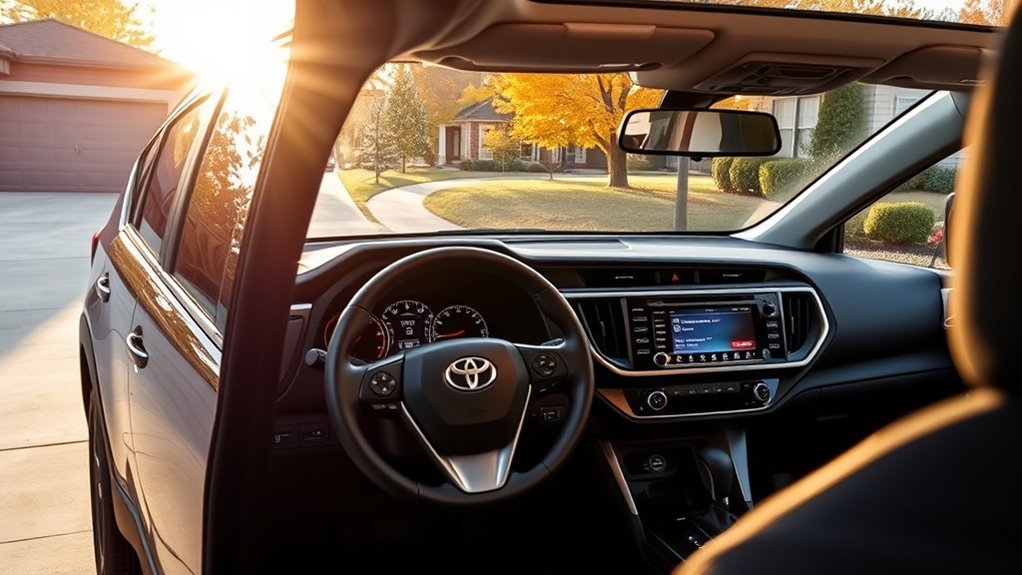
After the three-month vehicle trial, an eligible paid subscription is required to keep SiriusXM programming active. SiriusXM’s current Customer Agreement states that a trial included with the purchase or lease of a vehicle does not automatically renew. If you choose a paid subscription, including a paid promotional offer, that paid plan generally renews under the billing terms presented when you enroll.
Warning: The factory-included vehicle trial and a paid promotional subscription are different. The included vehicle trial ends without automatic renewal, while a paid plan can renew and charge the payment method on file until canceled under its terms.
Before the trial expires:
- Check the exact trial end date in your SiriusXM account or vehicle paperwork.
- Compare current plans based on the channels and app features you actually use.
- Confirm whether the selected plan includes in-car service, app streaming, or both.
- Read the promotional price, regular renewal rate, taxes, fees, and cancellation terms before supplying payment information.
- If you subscribe, save the paid plan’s renewal date so you can review it before the next billing cycle.
Can I Use SiriusXM on Other Devices?
Yes. SiriusXM says its popular in-car plans include app listening on compatible phones and connected devices. You need an eligible plan, a SiriusXM streaming login, and internet access for off-car listening.
Listening on Mobile Devices
Install the SiriusXM app on a supported iPhone, iPad, Android phone, or Android tablet. Sign in with the credentials connected to your vehicle subscription.
You can also stream the app through the RAV4 using wireless Apple CarPlay or Android Auto. This is different from using the vehicle’s built-in SiriusXM tuner: app streaming relies on your phone’s internet connection and may consume cellular data.
Streaming via Smart Speakers
SiriusXM supports a range of connected speakers, displays, televisions, and streaming platforms. Link the SiriusXM account through the compatible device’s app or voice-assistant settings, then ask it to play a channel, show, or saved favorite.
Device support can change, so consult SiriusXM’s current Ways to Listen page for the latest compatibility information.
Accessing Online Platforms
You can use the SiriusXM web player on a compatible computer browser. The online account also lets you manage subscriptions, review billing, add or transfer vehicles, and update account details.
Some content is available only in the app or through streaming, while other channels are delivered directly to the RAV4 by satellite. The selection can therefore differ between the vehicle screen and the app.
What Are the Benefits of SiriusXM Over Regular Radio?
SiriusXM’s main advantage is consistent access to a broad national programming lineup while traveling. Traditional AM/FM stations change as you leave their broadcast areas, while satellite channels can remain available across much of the service area.
Other potential benefits include:
- Music organized by genre, decade, artist, and mood
- Live sports and sports-talk options on eligible plans
- National news, talk, comedy, and podcast programming
- App streaming on compatible devices
- Favorites, recommendations, and on-demand content
- Fewer traditional commercial breaks on many music channels
AM/FM still has advantages: it is free, offers local traffic and community coverage, and does not require an account. SiriusXM is more useful when you want a consistent national lineup, specialty channels, sports, or app listening across devices.
Managing Your SiriusXM Subscription in Your RAV4

Subscription changes are handled through SiriusXM or the company that bills you, not through the RAV4’s multimedia screen. Sign in to the SiriusXM Online Account Center to review a direct-billed radio, plan, renewal terms, payment method, and available account actions.
You may be able to:
- Change the subscription package
- Add another vehicle
- Transfer service from a vehicle you sold or traded
- Link a new RAV4 to an existing account
- Update billing information
- Cancel an eligible direct-billed subscription online
SiriusXM states that eligible existing subscribers can link or transfer a new vehicle and may be able to pause billing on an existing subscription through the end of the new vehicle’s trial. Visit the official transfer-service page for current instructions.
Cancellation procedures depend on who bills the subscription. A direct-billed SiriusXM subscription can be managed through SiriusXM, while subscriptions billed through Apple, Google Play, Roku, or another provider must generally be canceled through that provider. Review the current SiriusXM cancellation instructions before taking action.
Troubleshooting: What to Do If SiriusXM Channels Are Not Active
If the SiriusXM source appears but channels do not play, separate a reception problem from an authorization problem first. SiriusXM says that hearing the Preview channel confirms the radio has a satellite connection; if Preview works but subscribed channels do not, check the account and send a refresh signal.
| Symptom | Likely Cause | What to Do |
|---|---|---|
| Preview plays, but subscribed channels do not | Trial inactive, expired, linked to the wrong radio, or authorization not received | Check the Radio ID and account status, then send a refresh signal if the plan is active. |
| Account says active, but channels are locked | Radio missed the authorization signal | Park outdoors, turn on the radio, and request an online refresh signal. |
| Preview channel also has no audio | Satellite signal is blocked or the radio/antenna needs attention | Move into open sky. If Preview still does not play, follow Toyota/SiriusXM support guidance rather than repeatedly refreshing. |
| Satellite channels work, but connected features do not | Data connection or account problem | Check connectivity, sign-in status, and whether the plan supports the requested feature. |
| App works, but vehicle tuner does not | Vehicle radio activation or hardware issue | Verify the vehicle Radio ID, send a refresh, and contact SiriusXM or Toyota service if it persists. |
| Screen is frozen or Audio menu is unresponsive | Multimedia software issue | Restart the vehicle and multimedia system, then check for Toyota software updates or dealer support. |
Do not place objects over the roof antenna or install metallic accessories that could interfere with reception. If signal loss continues in open sky, SiriusXM also recommends power-cycling the radio/vehicle before seeking dealer support. If the vehicle has accident damage or recent roof work, ask a qualified technician to inspect the antenna and wiring.
Installing SiriusXM in Older RAV4 Models Made Easy
An older RAV4 without a factory SiriusXM tuner can still use the service, but the best method depends on the model year, head unit, smartphone support, and desired level of integration.
Your main options are:
- SiriusXM app: Stream through Apple CarPlay, Android Auto, Bluetooth, USB, or an auxiliary input if supported.
- Aftermarket tuner: Add a SiriusXM-compatible tuner to a compatible aftermarket or factory-style receiver.
- Portable satellite radio: Mount a separate receiver and connect it through Bluetooth, auxiliary input, or an FM adapter.
- Replacement head unit: Install a modern receiver that supports SiriusXM and smartphone integration.
Before buying hardware, verify compatibility with the exact RAV4 model year and audio system. A tuner may require a separate antenna, vehicle kit, cable, or adapter. Steering-wheel controls, backup-camera display, factory amplifiers, and vehicle settings may also require additional interfaces. If you plan to stream instead of adding a satellite tuner, see the guides to adding Apple CarPlay to a RAV4 and setting up RAV4 Bluetooth.
Warning: Route antenna and power wiring away from airbags, pedals, steering components, and sharp metal edges. Use a professional installer when the work requires dashboard removal or modification of factory wiring.
Frequently Asked Questions
Does every 2026 Toyota RAV4 have SiriusXM?
Yes for the 2026 U.S. lineup. Toyota’s Audio Multimedia applicability chart lists SiriusXM with 360L and a three-month trial as standard on every RAV4 and RAV4 Plug-in Hybrid grade. Other markets can use different equipment or trial terms, so verify the window sticker or build sheet outside the U.S.
Can I transfer my SiriusXM subscription to another vehicle?
Yes. SiriusXM allows eligible subscribers to remove an old vehicle, transfer service, or link a new vehicle to an existing account. You will normally need the new vehicle’s Radio ID, ESN, or VIN.
Is there a cost for SiriusXM after the trial period?
Yes. Continuing after the included trial requires a paid plan. Pricing, promotions, taxes, fees, channels, and app access depend on the plan and can change, so review the current offer and renewal terms in your SiriusXM account.
Does the free Toyota SiriusXM trial automatically renew?
No. SiriusXM’s current Customer Agreement says a trial included with a vehicle purchase or lease does not automatically renew. If you later choose a paid subscription or paid promotional offer, that paid plan generally renews under the terms shown when you enroll.
What types of content does SiriusXM offer?
Depending on the plan, SiriusXM offers music, live sports, sports talk, news, comedy, talk programs, podcasts, video, recommendations, and on-demand content. Channel and league availability varies by package and platform.
Are there additional fees for premium channels?
Some programming is available only through particular plans or add-ons. Instead of assuming a channel carries a separate fee, compare the current packages and confirm that your preferred music, sports, news, or talk content is included.
How can I cancel my SiriusXM subscription?
Direct-billed subscriptions can be managed through SiriusXM’s Online Account Center, chat, or current customer-support options. If Apple, Google Play, Roku, or another provider bills the subscription, cancel it through that provider. Deleting the SiriusXM app does not cancel a subscription.
How do I find the SiriusXM Radio ID in a 2026 RAV4?
Select SiriusXM and tune to channel 0. SiriusXM says most radios display the Radio ID there. You can also check the active radio information in your SiriusXM account if the ID is already linked.
Does SiriusXM 360L need an internet connection in the RAV4?
The satellite-radio portion can receive satellite channels without using your phone’s data connection, but some 360L connected features and streaming content require an active data connection in the vehicle. Availability also depends on the subscription plan and location.
Why does my RAV4 say it is acquiring a satellite signal?
The roof antenna may not have a clear view of the satellite. Move the RAV4 out of a garage, tunnel, covered parking area, dense tree cover, or an area surrounded by tall buildings. If the Preview channel still has no audio in open sky, power-cycle the radio/vehicle and contact Toyota or SiriusXM support if the problem continues.
Conclusion
Every 2026 Toyota RAV4 and RAV4 Plug-in Hybrid grade in Toyota’s U.S. Audio Multimedia chart includes SiriusXM with 360L and a three-month trial. Trim upgrades change the screen and speaker hardware, but they are not required to get SiriusXM.
If the service is not working, start with the Preview channel, confirm the Radio ID on channel 0, check the account status, and send a refresh signal when the subscription is active. The factory-included vehicle trial does not auto-renew; if you choose a paid plan, review that plan’s renewal and cancellation terms before enrolling.
Sources
- Toyota — 2026 RAV4 — U.S. trims, screen sizes, and SiriusXM with 360L trial information.
- Toyota — 2026 RAV4 Plug-in Hybrid — U.S. PHEV trims and multimedia details.
- Toyota — 2026 Audio Multimedia & Connected Services Feature Applicability — trim-by-trim screen, SiriusXM, CarPlay, and Android Auto applicability.
- SiriusXM — Activate Trial in Vehicle — factory-trial activation and refresh instructions.
- SiriusXM — Find My Radio ID — channel 0 Radio ID instructions.
- SiriusXM Plans — current plan structure, app access, programming categories, and renewal disclosures.
- SiriusXM Customer Agreement — renewal rules for paid subscriptions and vehicle-included trials.
- SiriusXM Ways to Listen — mobile, web, smart-device, CarPlay, and Android Auto support.
- SiriusXM Manage or Cancel Service — direct-billed and third-party cancellation instructions.
- SiriusXM Transfer Service — linking or transferring a subscription to a new vehicle.

