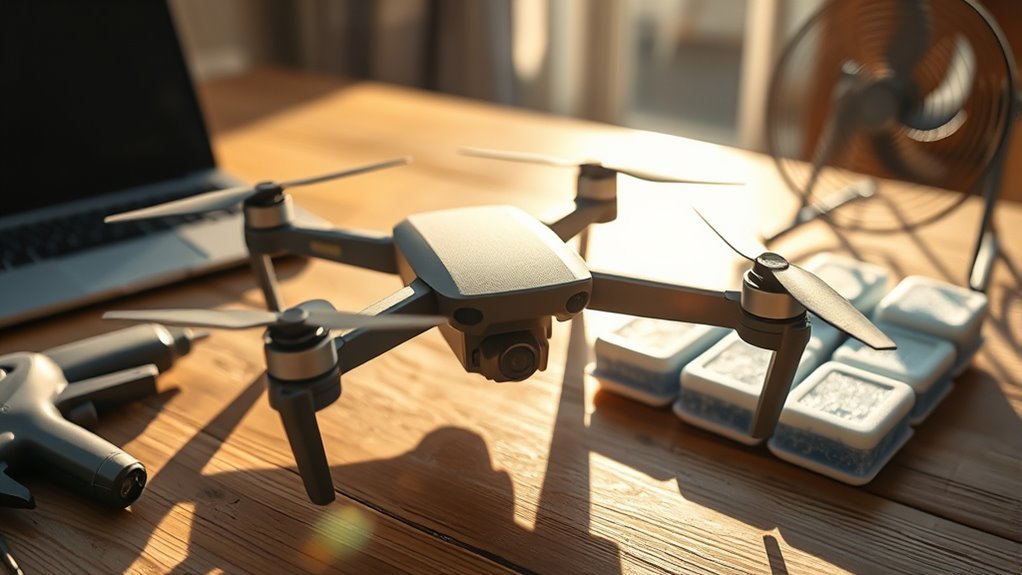
Drone overheating can affect the motors, electronic speed controllers (ESCs), battery, flight electronics, or FPV video transmitter (VTX). If you receive an over-temperature warning, notice abnormal power loss, or find one component much hotter than the others, land safely and diagnose the cause before flying again. Heat limits vary by component, so there is no single temperature that defines every overheating drone.
Quick Answer
If your drone is overheating, land as soon as it is safe, power it down, move it out of direct sun, and let it cool fully. Then inspect airflow, motors, propellers, bearings, battery condition, payload, and VTX cooling before another flight. Never keep flying through an over-temperature warning.
At a Glance
| Difficulty | Easy for basic inspection; advanced electrical or tuning faults may require repair experience |
| Tools Needed | None for the first visual, motor, propeller, battery, and airflow checks |
Drone Overheating Warning Signs
The clearest drone overheating warning is an actual temperature alert from the aircraft, flight app, ESC, or video system. Other clues include unusual power loss, thermal shutdown, video transmission problems, a battery warning, or one motor becoming noticeably hotter than the others.
For supported DJI aircraft, an “Aircraft processor overheated” or similar warning should be taken seriously. DJI’s aircraft overheating guidance says affected aircraft should return, land promptly, power off, and cool before further use.
Do not treat 176°F (80°C) as a universal motor-and-ESC cutoff. Limits depend on the hardware. For example, HOBBYWING’s published temperature guidance lists different limits for its ESCs and brushless motors, showing why the specification for your exact component matters more than a generic number.
LED indications are also model-specific. A flashing red VTX light does not automatically mean thermal protection. Team BlackSheep, for example, says a constantly flashing red LED on one Unify Pro condition can indicate a V.Bat ground fault rather than overheating in its Unify Pro support guidance.
Note: Use your drone, motor, ESC, battery, or VTX manufacturer’s temperature specification whenever one is available. A temperature that is acceptable for one component may be excessive for another.
Warm components after demanding flight are not automatically defective. The more important signs are manufacturer warnings, rapid temperature rise, repeated shutdowns, unusual smells or deformation, rough motors, or one component running substantially hotter than comparable parts.
Why Drones Overheat
Drones overheat when heat production exceeds the aircraft’s ability to remove that heat. The underlying cause may be mechanical load, electrical load, poor airflow, high ambient temperature, damaged hardware, excessive payload, or a combination of several factors.
| Possible Cause | What It Does | What to Check |
|---|---|---|
| Restricted airflow | Slows heat removal | Vents, grilles, fans, heatsinks and VTX mounting |
| Motor friction | Turns more electrical energy into heat | Bearings, bent shafts, debris and rubbing |
| Aggressive propeller setup | Raises motor load and current draw | Propeller diameter, pitch and motor compatibility |
| Excess weight | Requires more thrust and power | Payload and maximum takeoff weight |
| Battery deterioration | Can increase voltage sag and heat under load | Swelling, cracks, abnormal heat and battery warnings |
| High ambient temperature | Reduces the temperature difference available for cooling | Operating-temperature limits and direct sun exposure |
FPV builds can have another cause: tuning or vibration problems may make motors work harder even when the propellers and bearings appear normal. If overheating began immediately after changing PID, filter, ESC, motor, or propeller settings, return those changes to a known-good configuration before assuming the motor itself has failed.
Clear Vents and Cooling Passages
Start troubleshooting with airflow because it is easy to inspect and affects several components at once. Dirt, grass, mud, damaged covers, or an enclosed VTX installation can prevent normal heat dissipation.
| Condition | Thermal Effect | Result |
|---|---|---|
| Clear vents | Stable airflow | Better heat removal |
| Blocked passages | Heat retention | Higher thermal stress |
| Damaged shell around cooling paths | Possible airflow disruption | Inspect before further flight |
Inspect intake grilles, exhaust openings, cooling fans, heatsinks, and exposed electronics. Remove loose debris carefully without forcing dirt deeper into the aircraft.
If a shell, duct, fan, or other cooling part is damaged, repair it according to the manufacturer’s procedure. Do not assume that making a larger opening or removing a cover will improve cooling; some aircraft depend on a specific airflow path.
Check Motors, Props, and Bearings
If airflow looks normal, compare the propulsion system next. One motor that becomes hotter than the others often points toward extra mechanical resistance, a damaged propeller, an electrical problem, or an unsuitable motor-propeller combination.
Motor Heat Check
Check motors only after the propellers have stopped and the aircraft is safe to handle. Compare all motors rather than relying on one universal temperature number.
Look for a motor that heats much faster than its matching motors, sounds different, feels rough, or develops unusual vibration. A large difference between otherwise identical motors is often more useful diagnostically than comparing every build with the same temperature limit.
With power disconnected, rotate each motor gently by hand. It should turn consistently without obvious scraping, binding, or excessive side-to-side play.
Also inspect for dirt inside the motor, a bent bell or shaft, damaged windings, loose hardware, and motor screws that could contact internal parts. If you are unsure whether a motor is mechanically or electrically damaged, replace or professionally test it rather than continuing flight.
Propeller Fit Check
The propeller must be compatible with the motor and aircraft. Excessive diameter, pitch, blade count, damage, or an incorrect propeller can increase motor load and current draw, which increases heat.
Check every blade for cracks, bends, deformation, loose mounting, or debris. Replace damaged propellers rather than trying to straighten them for continued flight.
If overheating started after a propeller change, return to the manufacturer-approved or previously known-good propeller specification. This is especially useful on custom FPV builds where small changes in propeller load can noticeably change motor temperature.
Bearing Drag Check
Motor bearings should rotate smoothly and consistently. Grinding, squeaking, rough spots, or noticeably greater drag in one motor can indicate contamination or bearing wear.
Compare motors with the battery disconnected. If one motor feels different, inspect it closely before another flight.
Do not add lubricant unless the motor manufacturer specifically allows it. The wrong lubricant or excessive lubricant can attract contamination or reach areas where it should not be.
Watch Battery Health and Payload Weight
Battery condition and all-up weight (AUW) affect how hard the propulsion system must work. A deteriorated battery may heat excessively or sag under load, while unnecessary payload makes the motors and ESCs produce more thrust for the entire flight.
- cracked battery casing
- swollen battery pack
- unusual battery heat
- battery or cell warnings
- payload above the aircraft’s rated limit
- abnormal power sag during takeoff or climb
A swollen or cracked battery should not be treated as a normal aging symptom. DJI explicitly says never to use swollen or cracked aircraft batteries in its swollen battery guidance.
Warning: Do not fly with a swollen, cracked, leaking, or otherwise damaged flight battery. Follow the battery manufacturer’s handling, service, and disposal guidance rather than attempting to keep using it.
Payload should also remain within the aircraft manufacturer’s limit. Cameras, action-camera mounts, lights, larger batteries, and other accessories all add load. If overheating began after adding equipment, test again with the aircraft returned to its approved or previous configuration.
Cool a Drone Down Safely
If a drone gives an overheating warning or behaves abnormally because of heat, the safest response is to stop adding heat. Land, shut the aircraft down, move it away from direct sun, and wait until the affected components have returned to an acceptable temperature before troubleshooting.
- Land safely. Do not continue a demanding flight simply to see whether the warning disappears.
- Power the aircraft down. Continued powered operation can keep generating heat.
- Move it out of direct sun. Use a shaded, ventilated location.
- Inspect the battery. Stop if you see swelling, cracking, leakage, deformation, or another abnormal condition.
- Let the aircraft cool naturally. Do not rely on a universal five-minute rule; cooling time depends on the component, temperature, airflow, and severity of the event.
- Find the cause before flying again. Check airflow, motors, props, bearings, payload, battery condition, VTX cooling, and recent setup changes.
Stop Flying Immediately
An active temperature warning, repeated thermal shutdown, abnormal battery condition, or rapidly overheating component is a reason to end the flight. Continuing to operate under those conditions can increase electrical and mechanical stress.
Do not judge readiness by the clock alone. Resume testing only after the warning has cleared, the aircraft has cooled, and you have addressed the likely cause.
Move To Shade
Shade removes direct solar heating and gives the aircraft a better chance to shed its own internally generated heat. Keep the aircraft powered off unless a specific diagnostic procedure requires power.
| Action | Effect | Benefit |
|---|---|---|
| Move to shade | Reduces solar heating | Helps natural cooling |
| Power down | Reduces self-heating | Stops unnecessary electrical load |
| Keep vents clear | Improves heat dissipation | Supports more even cooling |
| Wait until fully cooled | Avoids restarting while components remain heat-soaked | Makes the next inspection safer and more useful |
Check Motor And VTX Temps
Motor and VTX temperatures should be interpreted against their own specifications. A motor, ESC, and video transmitter can have very different operating and protection thresholds.
For FPV video systems, stationary bench operation deserves special attention because flight airflow is missing. DJI’s O3 Air Unit installation guidance states that its standby time from a cold start is about eight minutes at 25°C (77°F) and five minutes at 35°C (95°F). DJI also recommends installing the O3 where propeller airflow can aid cooling and not enclosing the unit.
Those figures apply specifically to the DJI O3 Air Unit, not every VTX. Other analog and digital transmitters may use different cooling methods and limits.
Prevent FPV VTX Overheating on the Ground
A VTX can become hotter on the bench than in flight because it may be transmitting while receiving little or no propeller airflow. Reduce unnecessary transmitter output during setup and follow the cooling requirements for your exact video system.
DJI states that the O3 Air Unit enters a low-power state when its image-transmission module reaches 70°C. Its O3 low-power documentation says RF power is reduced and recording behavior changes as part of that protection strategy.
Analog VTX systems may offer pit mode instead. Betaflight’s Video Transmitter documentation describes pit mode as a very-low-power VTX mode and also provides a Low Power Disarm option for supported configurations.
Do not assume every digital VTX uses Betaflight pit mode. Betaflight specifically notes that its VTX tab is for analog and HDZero transmitters rather than DJI or Walksnail systems. Follow the documentation for the video transmitter actually installed in your aircraft.
Pro Tip: If the video system overheats only while the quad sits on the bench, compare its behavior in the manufacturer’s low-power or standby mode before changing motors, batteries, or flight-controller settings.
Prevent Drone Overheating on the Next Flight
Preventing repeat drone overheating means correcting the cause rather than simply allowing the aircraft to cool between flights. A preflight check should focus on airflow, propulsion load, battery condition, payload, and any settings or hardware changed since the aircraft last operated normally.
Keep the aircraft within its approved weight and component specifications, and treat repeated heat as a fault to diagnose rather than a normal part of flying.
- Clear cooling vents and grilles before takeoff.
- Confirm cooling fans and heatsinks are unobstructed where fitted.
- Use the correct propeller size, pitch, and mounting direction.
- Check motors for roughness, debris, bearing drag, or damage.
- Do not fly with a swollen or cracked battery.
- Keep payload within the aircraft’s rated limits.
- Avoid prolonged powered bench operation when the VTX depends on flight airflow.
- Respect the aircraft manufacturer’s ambient operating-temperature range.
- Recheck any PID, filter, ESC, motor, or propeller changes if heat appeared after tuning or modification.
If the same component overheats again after these checks, stop test-flying it. Repeated heat can indicate a hardware fault that visual inspection alone will not reveal.
When Should You Get the Drone Repaired?
Professional or manufacturer service is appropriate when overheating returns without an obvious external cause. It is also the safer choice if you suspect damaged electronics, an ESC fault, battery damage, internal fan failure, melted wiring, or a motor problem you cannot isolate confidently.
Seek repair rather than continuing flight if the aircraft repeatedly reports processor or power-system overheating within its normal operating conditions. The same applies when a motor binds, the VTX repeatedly shuts down despite correct cooling, or a battery shows physical damage.
Key Takeaways
- There is no universal “too hot” temperature for every drone motor, ESC, battery, and VTX; use the specification for the exact component.
- One motor running much hotter than matching motors points toward load, friction, damage, vibration, or an electrical problem.
- A fixed five-minute cooling period is not reliable; wait until the system has cooled and the underlying cause has been addressed.
- VTX overheating often appears during stationary operation because propeller airflow is absent.
- Swollen or cracked flight batteries should be removed from service rather than flown again.
Frequently Asked Questions
How Hot Is Too Hot for a Drone?
There is no single safe maximum temperature for an entire drone. Motors, ESCs, batteries, processors, and VTX units can have different limits, so use the manufacturer’s specification and any built-in warning. If the aircraft reports overheating, land and let it cool before further operation.
What Is the 1:1 Rule for Drones?
A 1:1 thrust-to-weight ratio means maximum available thrust equals the aircraft’s weight. In simple terms, that leaves essentially no excess thrust for climbing or strong control corrections, so it should not be treated as a practical overheating-prevention target. Use the aircraft or propulsion manufacturer’s load and thrust guidance instead.
How Long Should a Drone Cool Down?
A drone should cool until the affected system has returned to its normal operating range and any temperature warning has cleared. There is no reliable universal five-minute rule because cooling time changes with ambient temperature, airflow, component design, and how severely the aircraft overheated.
Why Does My FPV VTX Overheat on the Bench?
An FPV VTX can overheat on the bench because it continues producing heat without the airflow it receives during flight. Use the transmitter’s supported standby, low-power, or pit-mode feature where appropriate, and follow its installation requirements rather than applying one cooling rule to every VTX.
How Can You Tell if a Drone Is Watching You?
You generally cannot determine a drone operator’s intent simply from hovering, circling, lights, or camera direction. Those observations may show that a drone is nearby, but they do not prove that it is recording you. Document concerning behavior and follow applicable local privacy and safety procedures.
Can I Shoot Down a Drone Flying Over My House?
No. In the United States, the FAA says it is illegal under federal law to shoot at an aircraft, including an unmanned aircraft. If a drone creates an immediate safety threat, the FAA advises contacting local law enforcement; separate state or local privacy laws may also apply.
Conclusion
Drone overheating should be treated as a symptom to diagnose, not something to solve with a short pause between flights. Land safely, cool the aircraft, then check airflow, motors, propellers, bearings, battery condition, payload, VTX cooling, and recent setup changes. If overheating returns after those checks, keep the drone grounded until the faulty component or configuration is identified.
Sources
- DJI Aircraft Overheating Issue: Supports overheating-warning response and operating-temperature guidance.
- HOBBYWING North America FAQ: Supports the point that ESC and motor temperature limits can differ by component.
- Team BlackSheep Unify Pro Support: Supports the model-specific interpretation of a flashing red VTX LED.
- DJI Swollen Battery Guidance: Supports removing swollen or cracked batteries from service.
- DJI O3 Air Unit Installation Guidelines: Supports O3 cooling, standby-time, installation, and airflow guidance.
- DJI O3 Air Unit Low Power Mode: Supports the O3 70°C low-power behavior.
- Betaflight Video Transmitter Documentation: Supports pit mode, Low Power Disarm, and VTX-system distinctions.
- Federal Aviation Administration: Supports U.S. guidance on drones over property and the prohibition on shooting at aircraft.

