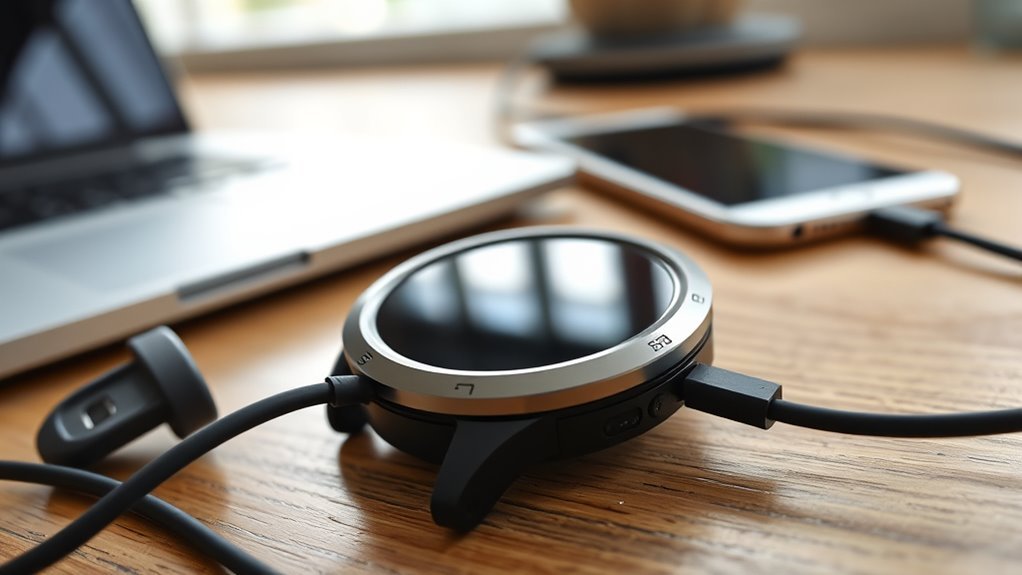
A Garmin watch that won’t charge is almost always fixable without a trip to the repair shop. Dirty or corroded contacts, a worn cable, a misaligned puck, or a weak power source cause most charging failures. Start by checking the cable and charger, then clean the contacts with a soft cloth. Reseat the watch firmly on the charger and try a cable you know works. If it still won’t charge, a restart or a firmware check often reveals the real cause.
Quick Answer
Most Garmin watches stop charging because of dirt or corrosion on the charging contacts, a worn cable, or a misaligned charging clip. Clean the contacts with a soft cloth (never a sharp tool), reseat the watch firmly on the charger, and test a different cable. If charging still fails, restart the watch or contact Garmin Support.
Key Takeaways
Key Takeaways
- Check the charger, cable, and port for damage, dirt, corrosion, or loose connections.
- Clean charging contacts and pins with a soft cloth or brush — never a sharp or abrasive tool.
- Realign the puck or cable so it sits firmly and makes full contact with the watch.
- Confirm the watch shows a charging icon before assuming the battery itself has failed.
- Restart the watch, and back up your data before attempting any factory reset.
- If charging still fails, test another cable and contact Garmin Support for repair or replacement.
At a Glance
| Time Required | 5–15 minutes for basic checks; longer if a reset or firmware update is needed |
| Difficulty | Easy — no special tools or technical skill required for most fixes |
| Tools Needed | Soft lint-free cloth, mild detergent or isopropyl alcohol wipe, soft-bristled brush, spare charging cable (if available) |
| Cost | Free for cleaning and resets; roughly $15–$40 for a replacement Garmin charging cable if needed |
Common Reasons a Garmin Watch Won’t Charge
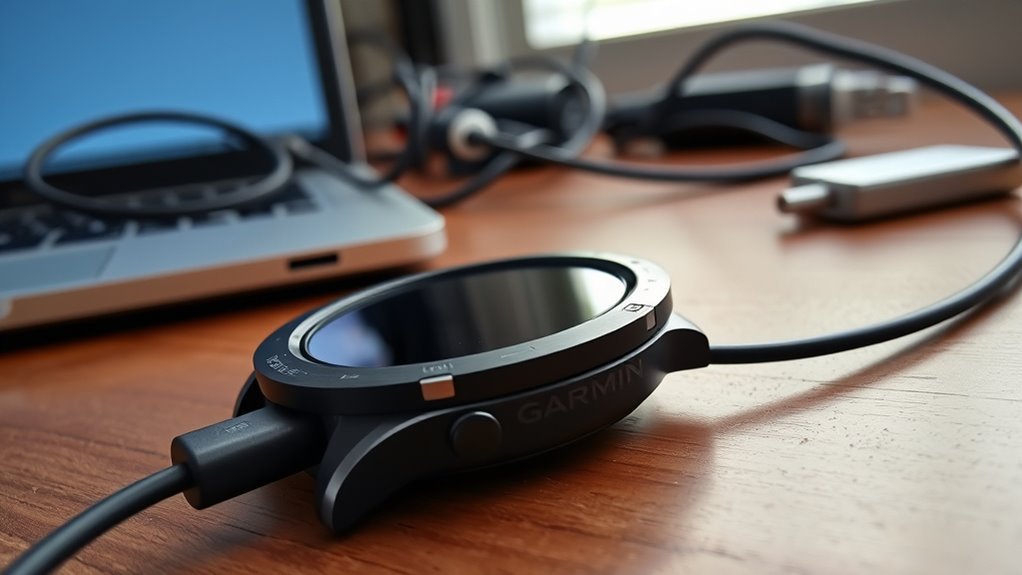
Common Garmin watch charging problems often begin with dirty or corroded contacts, since sweat and moisture can leave grime on the charging points. When the charging contacts are coated, power transfer weakens or stops entirely.
Note: Dirty or corroded charging contacts are the single most common reason a Garmin watch won’t charge — cleaning them resolves the majority of cases before anything else needs attention.
A worn charging cable can also interrupt the process, especially if the connector no longer sits firmly in place. Loose alignment between the puck and the watch may seem minor, yet it can block charging completely.
Overheating during charging is another warning sign, because it may point to faulty hardware or an unsuitable power source. These issues do not mean the watch is beyond repair; they simply show where attention is needed.
Warning: If the watch case or screen looks like it’s bulging, or the device feels unusually hot while charging, stop charging immediately and contact Garmin Support. These are signs of a swelling lithium-ion battery, not a simple contact or cable issue.
Regular cleaning, careful inspection, and prompt replacement of damaged accessories help restore reliable charging. Small maintenance habits give the watch a much better chance of charging normally without avoidable power loss.
Confirm the Watch Is Actually Receiving a Charge
Before assuming the worst, check whether the watch is charging at all. Most Garmin watches show a small lightning-bolt or battery icon on the screen once a stable connection is made, and some briefly animate or display the current battery percentage.
If the screen stays completely blank after a minute on the charger, the watch likely isn’t receiving power at all — which points to the cable, port, or contacts rather than the battery. If the icon appears but the percentage doesn’t move for a long stretch, the connection is working but charging slowly, which often traces back to a weak USB port or an underpowered wall adapter rather than the watch itself.
Note: Charging hardware varies by model. Older and mid-range Garmin watches use a proprietary charging clip or puck with pogo pins, while several newer models charge through a standard USB-C cable. Confirm which type your watch uses before assuming the puck itself is misaligned.
Check the Charger and Cable First
The charging cable and watch port should be inspected first for visible wear, bent connectors, dirt, or moisture that could block a proper charge.
A damaged cord or dirty port can prevent a secure connection and reduce charging efficiency.
To rule out accessory failure, a known working charger or spare cable should be tested with the Garmin watch.
Inspect Cable And Port
Start by inspecting the charging cable for visible damage, wear, or signs of internal breakage caused by repeated bending. A compromised charging cable can interrupt power flow and weaken connectivity.
Next, examine the charging port on the watch for dirt, grime, or corrosion that may block contact. Clean both the port and the connector with a damp cloth and mild detergent, then dry them fully before reconnecting.
The connector should sit firmly; a loose or worn connector often causes unreliable charging. If the watch still resists charging, check whether the cable aligns correctly with the charging points and keeps steady contact.
Small defects can create unnecessary barriers, but careful inspection restores control and helps reveal whether the fault lies in the cable or the watch.
Test With Spare Charger
A spare charger offers a quick way to separate a faulty cable from a watch-side problem. If the Garmin powers up with a known working spare charger, the original charger is likely the cause.
Check compatibility first, because different models use different pucks or cables. Many users have restored charging by borrowing a charger from another Garmin device, since some cable and clip designs are shared across model families.
- Confirm the spare charger matches the exact model.
- Test the watch on a stable power source.
- If charging still fails, inspect the charging port.
When the spare charger does not work, the issue may lie deeper inside the watch. Repeated tests with reliable chargers help narrow down where the fault actually is.
Clean the Charging Contacts and Pins
Cleaning the charging contacts safely helps prevent dirt, sweat, and corrosion from disrupting the connection. A damp cloth with mild detergent handles most routine grime. If tarnish appears on the contacts, an isopropyl alcohol wipe paired with a soft-bristled brush — such as an old toothbrush — lifts it safely.
Warning: Never use a sharp tool, pin, or abrasive pad on the charging contacts. Garmin’s own device-care guidance warns that sharp objects can scratch and permanently damage the contacts, which can make charging worse rather than better and may not be covered under warranty.
Cleaning Contacts Safely
Regular cleaning of the charging contacts and pins helps prevent grime, sweat, and moisture from interfering with a Garmin watch’s connection and charging performance.
A soft, damp cloth with mild detergent is sufficient for most routine care, as long as no liquid enters the watch. Sharp tools and abrasive pads should always be avoided, since they can scratch pins or contacts. A soft brush lifts loose residue without that risk.
Inspect the cable and contacts for corrosion, since tarnished connectors can weaken charging.
- Wipe contacts gently with a soft cloth or brush.
- Check for corrosion or discoloration.
- Let everything dry completely before reconnecting.
Removing Grime From Pins
When grime or corrosion builds up on the charging pins, it can weaken the connection and interfere with charging. Sweat, dust, and skin oils often coat the pins, so maintenance should be frequent, especially after workouts.
| Cleaning method | Effect |
|---|---|
| Damp cloth with mild detergent | Lifts everyday residue safely |
| Isopropyl alcohol wipe + soft brush | Clears stubborn grime or light tarnish |
| Routine post-workout care | Helps prevent future buildup |
Wipe the charging contacts gently, then dry them fully before reconnecting the watch. Regular maintenance of the charging pins keeps the connection reliable and reduces the risk of charging failure.
Fix a Loose or Misaligned Connection
A loose or misaligned connection can stop a Garmin watch from charging properly, so the charging cable or puck should be realigned to guarantee firm contact with the watch’s pins. The charging port should be checked for debris, wear, or damage that may create connection issues.
Pro Tip: If your watch uses a charging clip, feel for a firm click when you attach it. A properly seated clip shouldn’t wiggle side to side once in place.
- Press the charger into place and confirm it sits flush.
- Inspect the cable and pins for visible wear or bending.
- Test a known working charger to isolate the fault.
If charging remains unstable, a model-specific charging puck may offer a tighter fit than a generic cable. A steady connection gives the watch the clean path it needs to charge normally again.
Rule Out Moisture and Corrosion
If the charger is seated correctly and the watch still won’t charge, moisture should be checked next.
Moisture can collect in the charging port and on the charging terminals, and that buildup may lead to corrosion. Regular sweat exposure and repeated contact with water make this more likely, especially on watches used during training or outdoor activity.
The watch should be inspected for visible discoloration, green residue, or other buildup on connectors, as these signs often point to corrosion. A clean, damp cloth can be used to wipe the charging terminals and remove grime or lingering moisture.
After cleaning, let the watch air-dry completely — several minutes is safer than rushing it — before charging again. This simple check helps restore reliable contact and prevents moisture-related resistance from interfering with power transfer.
Try a Different Garmin Charging Cable
Testing a different Garmin charging cable is a practical next step, since worn or damaged cords can prevent proper charging even when the watch itself is fine. A second cable helps isolate whether the problem lies with the charger or the device, and it can quickly expose compatibility issues tied to a specific Garmin model.
Cables are the single most common culprit, and the contacts wear out long before the watch does. Our roundup of replacement Garmin charging cables and docks covers which connector each model needs.
Users often restore charging simply by switching to a different cord that still works well.
- Check that the Garmin charging cable matches the watch model.
- Inspect connectors for looseness, bending, or wear.
- Try more than one cable to confirm a secure connection.
If a different cable works, the issue is likely the cord rather than the watch. This simple test can prevent unnecessary repairs or buying a replacement device.
Reboot or Reset the Watch Safely
Restarting a Garmin watch can clear minor software glitches that interfere with charging, so a simple restart is worth trying first.
To restart most Garmin watches, hold the power button (sometimes labeled Light or CTRL) for about 15 seconds until the screen goes blank, then hold it again briefly to turn the watch back on. This does not erase any data.
If the watch is still unresponsive, a full factory reset may help, but it erases saved activities, settings, and your user profile. Sync your data to Garmin Connect first if possible. The path is usually Settings > System > Reset on the watch itself, though the exact wording and button combination vary by model — check your watch’s manual on Garmin’s support site if you’re unsure.
Note: Restart or reset the watch with at least some charge remaining when possible — recovering a fully drained battery mid-reset can take extra time.
In some cases, resetting also helps recalibrate how the watch reports battery percentage, which can look like a charging problem even when the battery itself is fine.
If Firmware Is Causing the Issue
If charging problems started right after a software update, outdated or buggy firmware could be affecting how the watch reports its battery level — sometimes making it look like the watch isn’t charging when it actually is.
Garmin pushes regular software updates through Garmin Express, its desktop update tool, or through the Garmin Connect mobile app. If the watch can hold even a small charge, connect it and check for a pending update before assuming a hardware fault.
- Back up your data via Garmin Connect before installing any update.
- Note when the problem started; if it lines up with a specific update, that timing helps Garmin Support diagnose it.
- Don’t attempt a firmware downgrade unless Garmin Support recommends it — an interrupted or unsupported downgrade can cause bigger problems than the original charging issue.
If updating doesn’t help, firmware is unlikely to be the root cause, and the issue more likely sits with the cable, contacts, or battery itself.
Replace the Cable or Contact Garmin
A worn charging cable or damaged connector is often the simplest cause of a Garmin watch that won’t charge, so replacing the cable is a practical first step.
Test a known working charging cable, since compatibility can vary by model and a faulty lead may block power transfer. Cleaning the watch contacts before testing can also remove debris that’s masking the real problem.
If charging issues continue after trying another cable, the device may need deeper evaluation. At that stage, Garmin Support can confirm whether the watch is defective and what your options are for repair or replacement. Garmin’s standard limited warranty covers manufacturing defects for a period after purchase, but coverage terms vary by device and region, so it’s worth checking your specific product’s terms directly with Garmin.
Acting quickly matters, since a persistent charging fault outside the warranty window can become an expensive repair. Prompt action keeps your options open.
Frequently Asked Questions
What is the average lifespan of a Garmin watch battery?
Most Garmin watch batteries hold up well for about 3 to 5 years of regular use before they need replacing. Garmin has said its watch batteries typically retain around 80% of their original capacity after a few years of normal charging. Frequent full drains, extreme heat, and heavy GPS or music use all wear a battery down faster than basic everyday use.
What are common problems with Garmin watch charging cables?
The most frequent culprits are frayed or bent wires near the connector, corrosion on the metal contacts, and using a cable or clip that doesn’t match your exact watch model. Inspecting the cable for visible damage, cleaning both sets of contacts, and confirming the connector is properly aligned resolves most cable-related charging failures.
How do I fix a Garmin watch that won’t turn on?
Clean the charging port and contacts, try a different cable and power source, and leave the watch on the charger for 30 to 60 minutes in case the battery is deeply drained. If the screen still shows nothing, try restarting it by holding the power button for about 15 seconds while it’s connected to power. If none of that works, the battery may need professional replacement.
How do I know if my Garmin needs a new battery?
Signs include the watch barely holding a charge, draining significantly overnight even when fully charged, or noticeably shorter battery life compared to when it was new. If the case or screen appears to bulge or lift, that means the battery is swelling — stop charging it immediately and contact Garmin Support.
Why does my Garmin show a charging icon but the percentage isn’t increasing?
This usually means the connection is weak rather than absent. Try a different USB port or wall adapter, reseat the cable or clip more firmly, and clean the contacts on both the watch and the charger. A worn cable can deliver just enough power to trigger the charging icon without fully charging the battery.
Is it safe to leave a Garmin watch on the charger overnight?
Yes. Garmin watches use lithium-ion batteries with built-in circuitry that stops charging once the battery is full, so leaving one on the charger overnight or after it reaches 100% won’t damage it under normal conditions. It’s still good practice to charge on a stable, cool surface and avoid covering the watch and charger with bedding while plugged in.
Sources
- Garmin Support — My Forerunner or Edge Is Not Powering on or Charging — backs up general charging troubleshooting steps
- Garmin Support — Updating the Software on a Device That Will Not Charge — backs up the firmware/update guidance
- Garmin Owner’s Manual — Charging the Device — backs up cleaning contacts before charging to prevent corrosion
- Garmin Owner’s Manual — Device Care — backs up safe-cleaning guidance and the warning against sharp objects
- Garmin Express — official software/firmware update tool referenced in the firmware section
Conclusion
In most cases, a Garmin watch that won’t charge comes down to something simple: a dirty contact, a loose connection, or a worn cable. Working through the checks in order — starting with the charger and cable, then cleaning the contacts, and finally restarting or updating the watch — resolves the large majority of charging problems without needing a repair or replacement. If none of these steps restore charging, Garmin Support can confirm whether the issue is covered under warranty.

