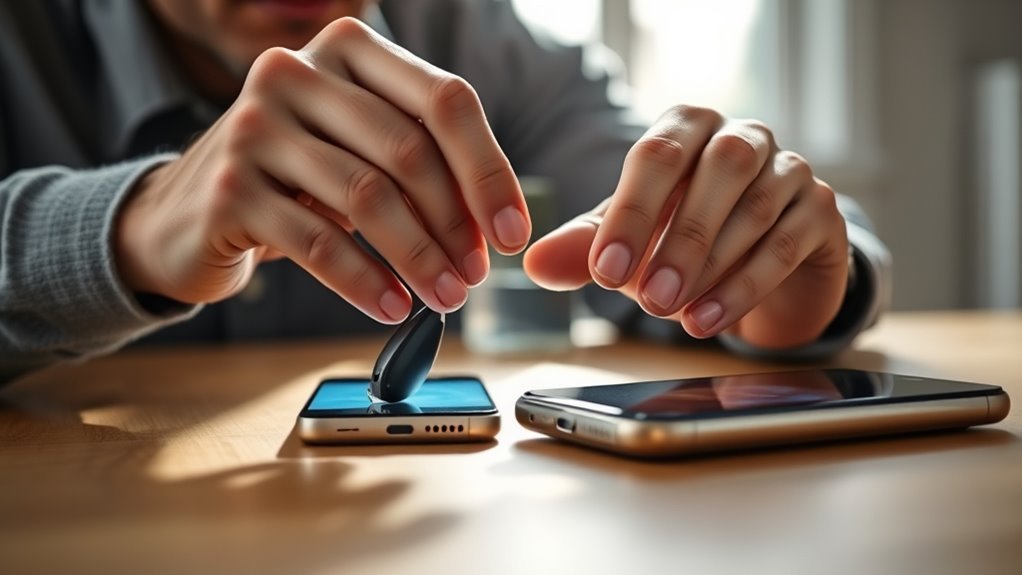
Cell phone compatibility with Phonak hearing aids depends on what you want the phone to do. Basic calls and audio streaming have broad Bluetooth support, while the myPhonak app has stricter operating-system and Bluetooth requirements. The exact hearing-aid generation also matters. Checking the phone before purchase is the safest way to avoid pairing, streaming, or app-control problems.
Quick Answer
Most modern iPhones and Android phones can stream calls and audio to compatible Phonak Bluetooth hearing aids, but myPhonak has stricter requirements. As of September 2026, Phonak lists iOS 16+ for iPhone and Android 10+ with Google Mobile Services and Bluetooth 4.2 for Android. Check your exact phone before buying.
Key Takeaways
- Phone-call and music streaming compatibility is broader than myPhonak app compatibility.
- Current U.S. myPhonak requirements are iOS 16 or newer, or a Google Mobile Services-certified Android phone with Android 10+, Bluetooth 4.2, and Bluetooth Low Energy support.
- Do not choose a phone only because it is an iPhone, Samsung Galaxy, or Google Pixel; verify the exact model and software version.
- Current EON, Infinio, Lumity, and Paradise hearing aids can pair with multiple Bluetooth devices, although app connections have separate limits.
- Samsung One UI 6.x has a documented Phonak Bluetooth issue on some phones, with an official troubleshooting workaround.
- Phonak EON adds Auracast broadcast audio, which is separate from ordinary Bluetooth phone streaming.
Is Your Phone Compatible With Phonak?
A phone may be compatible with one Phonak function but not another. The first step is to separate phone calls and audio streaming from myPhonak app control.
According to Phonak’s Bluetooth compatibility guidance, a mobile device that supports Bluetooth Classic Audio with the Hands-Free Profile (HFP) and Advanced Audio Distribution Profile (A2DP) should work with compatible Phonak hearing aids for calls and audio streaming. Phonak says Bluetooth 2.1 or newer should generally support these functions.
The current myPhonak app has tighter requirements. Phonak lists:
| Function | Current Requirement |
|---|---|
| Calls and audio streaming | Compatible Phonak Bluetooth hearing aid plus phone support for Bluetooth Classic Audio, including HFP and A2DP |
| myPhonak on iPhone | iOS 16 or newer with Bluetooth Low Energy support |
| myPhonak on Android | Google Mobile Services-certified Android device, Android 10 or newer, Bluetooth 4.2 or newer, and Bluetooth Low Energy support |
These requirements can change as Phonak updates its app, so check the official Phonak phone compatibility checker with the exact phone model before purchasing or upgrading.
Pro Tip: Check the exact model number, not just the brand name. Two Galaxy, Pixel, or iPhone models can use different Bluetooth hardware, software versions, or operating-system builds.
For current myPhonak use, the important checks are the phone’s operating system, Bluetooth support, Google Mobile Services on Android, hearing-aid model, and exact software version.
Which Phones Work Best With Phonak?
There is no reliable evidence that one specific phone model is universally the “best” for Phonak hearing aids. Phonak itself recommends checking individual handset compatibility because hardware and software combinations vary.
Recent iPhones, Google Pixel phones, Samsung Galaxy phones, and other mainstream Android devices may all work well when they meet the required specifications. The more useful buying question is whether the exact phone supports the functions you need: calls, music streaming, myPhonak control, remote support, and any newer Bluetooth features.
| Before Buying a Phone | What to Check |
|---|---|
| Operating system | Meets the current myPhonak minimum requirement |
| Exact handset model | Listed in Phonak’s compatibility checker when possible |
| Bluetooth | Supports the profiles required for calls, streaming, and the app |
| Hearing-aid generation | Supported by the current myPhonak app |
| Software updates | Phone OS and hearing-aid firmware are current |
Android Compatibility
Android compatibility should be judged by the exact device rather than by a blanket recommendation for Samsung, Google, or another manufacturer. Current U.S. guidance from Phonak requires a Google Mobile Services-certified device running Android 10 or newer with Bluetooth 4.2 or newer for myPhonak.
This Google Mobile Services requirement is important because an Android phone can run a recent Android version yet still fall outside the supported app environment. The official compatibility checker is therefore more useful than relying on a brand name alone.
Android permissions can also affect pairing. Bluetooth, nearby-device, notification, and other permissions presented by the operating system should be reviewed if the app can see only one hearing aid or cannot find either device.
iPhone Compatibility Notes
Current myPhonak guidance supports iPhones running iOS 16 or newer with Bluetooth Low Energy capability. That does not mean every older iPhone immediately stops streaming audio; app compatibility and ordinary Bluetooth streaming are separate issues.
There is also no authoritative basis for saying that one recent iPhone model, such as an iPhone 16 Plus, will always be more reliable than every other supported iPhone. Check the exact handset and iOS version in the Phonak compatibility tool.
If calls unexpectedly play through the iPhone speaker instead of the hearing aids, check the active audio output, confirm that the Phonak Bluetooth connection is active, and restart or re-pair only if the routing problem continues.
How the myPhonak App Works
The myPhonak app provides remote controls and device-management features for supported Phonak hearing aids. Available functions depend on the hearing-aid model, phone operating system, country, and app version.
App Pairing Basics
A normal myPhonak pairing sequence is:
- Install or update myPhonak from the official Apple App Store or Google Play Store.
- Turn on Bluetooth and grant the permissions requested by the app.
- Restart the hearing aids so they enter their temporary pairing/discovery mode. Rechargeable models and replaceable-battery models use different restart methods.
- Open myPhonak and choose the option to pair hearing aids.
- Wait until both hearing aids appear if you use a pair.
- Approve each Bluetooth pairing request shown by the phone.
- Complete the additional setup for phone calls and streaming if the app offers it.
Phonak’s current connectivity instructions indicate that restarted hearing aids remain discoverable for a limited pairing period, so begin the phone search shortly after restarting them.
Key App Features
Depending on the hearing aids and region, myPhonak can provide:
- Volume and program control
- Personalized sound adjustments
- Battery information for supported rechargeable models
- Bluetooth phone-call and streaming setup
- Tap Control settings on compatible devices
- Remote Support appointments with a hearing-care professional where available
- Hearing-aid program management
- Selected health and wearing-time information on supported models
- Find My Hearing Aids on supported phone, app, hearing-aid, and regional configurations
The Find My Hearing Aids function can show the last location where compatible hearing aids were connected and may use Bluetooth signal strength to help locate them when they are nearby. Availability has changed across app versions and regions, so check the current app and device requirements if the option does not appear.
Note: Smartphone compatibility covers connectivity and control. It does not determine which hearing-aid model, receiver, power level, or acoustic fitting is appropriate for an individual’s hearing loss. Those decisions should be made with a qualified hearing-care professional.
Connection Troubleshooting
If myPhonak cannot find or control the hearing aids, work through the problem in this order:
- Confirm that the phone still meets the current myPhonak requirements.
- Update myPhonak and install stable phone operating-system updates.
- Make sure Bluetooth is on and required permissions are allowed.
- Restart the hearing aids to put them back into pairing mode.
- Restart the phone.
- If an old or incomplete Phonak pairing remains in Bluetooth settings, remove it before creating a fresh pairing.
- If only one hearing aid appears, restart both aids and wait for both to be detected before completing the process.
- If calls work but the app does not, troubleshoot the app connection separately because streaming and myPhonak use different Bluetooth functions.
Phonak Bluetooth Features Explained
Phonak has long promoted broad “Made for All” connectivity rather than limiting its hearing aids to a single phone platform. Compatible models can stream calls and audio from iOS, Android, and many other Bluetooth devices.
Current Phonak guidance says EON, Infinio, Lumity, and Paradise hearing aids can be paired with up to eight Bluetooth devices, with as many as two devices connected at the same time. Marvel has lower limits: up to two paired devices and one active connection at a time.
The myPhonak app has a separate limitation. A hearing aid can maintain only one myPhonak Bluetooth Low Energy connection at a time, so the app cannot remain actively connected to the same hearing aids on two smartphones simultaneously.
| Phonak Generation | Bluetooth Device Pairing | Simultaneous Connections |
|---|---|---|
| EON / Infinio / Lumity / Paradise | Up to 8 | Up to 2 |
| Marvel | Up to 2 | 1 |
iPhone vs Android for Phonak
Both iPhone and Android can work well with compatible Phonak hearing aids. There is no evidence-based reason to declare one platform universally better for every Phonak user.
| Area | iPhone | Android |
|---|---|---|
| Current myPhonak minimum | iOS 16+ | Android 10+, Bluetooth 4.2+, Google Mobile Services certification |
| Calls and streaming | Supported on compatible Bluetooth models | Supported on compatible Bluetooth models |
| myPhonak interface | Core controls supported; some widget functions differ by platform | Core controls supported; some widget functions differ by platform |
| Best buying approach | Verify exact iPhone and iOS version | Verify exact handset, Android version, Bluetooth support, and GMS status |
Phonak’s app documentation also shows that some home-screen widget functions differ between iOS and Android. These interface differences should not be interpreted as proof that one operating system provides universally better hearing performance.
Fix Samsung One UI 6 Bluetooth Issues
Phonak’s current compatibility checker includes a specific notice for Samsung Galaxy phones running Android with One UI 6.x. Phonak says some users may experience Bluetooth disconnections or reduced hearing-aid functionality because of the phone software’s handling of Bluetooth audio profiles.
Start with the least invasive fixes:
- Install available Android and Samsung software updates.
- Make sure the hearing aids have current firmware.
- Restart the phone and hearing aids.
- Re-pair the hearing aids if the problem remains.
If those steps do not solve the issue, Phonak lists wiping the phone’s cache partition from Android recovery mode as a possible workaround. The exact recovery-button combination can vary by Samsung model.
Warning: If you use Android recovery mode, select only the cache-partition option described by Phonak. Do not choose “Wipe data/factory reset,” because that is a different command and can erase personal data. If you are unsure about the recovery menu, use Samsung or Phonak support instead.
Phonak also states that the cache workaround may not solve the problem on every device. After rebooting, test calls, streaming, and myPhonak separately so you know which function is still failing.
How to Fix Phonak Pairing Problems
If a previously working connection fails, use a controlled troubleshooting sequence instead of repeatedly tapping Pair:
- Check compatibility: confirm the phone, operating system, and hearing-aid model still meet Phonak’s requirements.
- Check Bluetooth: verify that Bluetooth is enabled and airplane mode is not interfering with the connection.
- Update software: update myPhonak and install applicable phone and hearing-aid firmware updates.
- Restart both hearing aids: this places them back into discovery mode for pairing.
- Restart the phone: this can clear a temporary Bluetooth process failure.
- Remove stale pairings: delete old Phonak entries only when you plan to create a fresh connection.
- Pair both aids: if you use two hearing aids, wait until both are detected before completing setup.
- Test functions separately: check phone calls, media streaming, and myPhonak controls one at a time.
If only calls fail while myPhonak still works, the app connection may not be the problem. Check the phone’s Bluetooth audio routing and the Bluetooth phone-call settings inside myPhonak before deleting the entire setup.
Pro Tip: When troubleshooting, change one thing at a time and test again. That makes it much easier to tell whether the problem came from the phone OS, myPhonak, Bluetooth pairing, or the hearing aids themselves.
When to Update, Re-Pair, or Get Help
Re-pairing is useful when the stored Bluetooth relationship has become corrupted, but it should not automatically be the first response to every problem. A simple restart or software update may solve the issue without rebuilding the connection.
| Action | Use It When | What It Addresses |
|---|---|---|
| Check updates | After a known compatibility problem or when updates are available | Software bugs and compatibility fixes |
| Restart phone and aids | Temporary connection failure | Transient Bluetooth problems |
| Re-pair | The saved Bluetooth connection no longer works correctly | Corrupted or stale pairing records |
| Document symptoms | Problem keeps returning | Helps support identify a reproducible pattern |
| Contact support or hearing-care professional | Only one aid connects, firmware is involved, or failures continue after normal troubleshooting | Model-specific configuration and hardware issues |
When asking for help, record the phone model, Android or iOS version, myPhonak version, hearing-aid model, firmware version if known, and exactly which function fails. “Calls work but myPhonak does not” is much more useful than simply reporting that Bluetooth is broken.
What Changed in 2026: Phonak EON and Auracast
The biggest freshness issue in older Phonak compatibility guides is that they often stop at Paradise, Lumity, or the first Infinio products. Phonak’s current lineup now includes Audéo EON R and Audéo EON Sphere.
EON continues Phonak’s broad Bluetooth-device support while adding Auracast broadcast audio. Auracast is designed for supported public or shared broadcasts, such as audio offered in theaters, museums, gyms, lecture spaces, and similar venues. This is an additional capability and should not be confused with ordinary Bluetooth phone calls or music streaming.
That distinction matters when choosing a phone or hearing aid in 2026: an older Phonak model may still work well for phone calls and myPhonak even though it does not include every connectivity feature available on EON.
What “Hearing Aid Compatible” Means
The phrase hearing aid compatible can refer to a regulatory handset standard as well as to practical compatibility with a particular hearing aid.
In the United States, the FCC adopted new rules in October 2024 to move mobile handsets toward 100% hearing-aid compatibility after transition periods and added updated requirements involving Bluetooth coupling and volume control. That regulatory label does not mean every phone will automatically support every feature of every Phonak hearing aid or every version of myPhonak.
For a Phonak user, the safest approach is therefore to check both the phone’s general hearing-aid compatibility information and Phonak’s model-specific compatibility guidance.
Frequently Asked Questions
Which Phonak model is considered the best?
There is no single Phonak model that is best for everyone. The right device depends on hearing loss, ear anatomy, power requirements, rechargeable versus replaceable-battery preferences, Bluetooth needs, and fitting goals. In the current 2026 lineup, Audéo EON and EON Sphere are among Phonak’s newest receiver-in-canal options, while other families serve different needs.
What cell phones are compatible with Phonak hearing aids?
Many iPhones and Android phones can stream calls and audio to compatible Phonak Bluetooth hearing aids. For the current myPhonak app, Phonak lists iOS 16+ for iPhone and Android 10+ with Bluetooth 4.2 and Google Mobile Services certification for Android. Verify the exact handset in Phonak’s compatibility checker before buying.
Which Phonak hearing aid is the best in 2026?
No model is universally best. As of September 2026, Phonak’s current Audéo lineup includes the newer EON generation, including Audéo EON R and EON Sphere. Paradise remains a supported older platform, while Lumity, Infinio, EON, Naída, CROS, Virto, and other models address different fitting and hearing needs.
What does a hearing aid compatible phone mean?
It generally means the phone meets applicable requirements intended to make telephone use accessible with hearing aids. In the United States, FCC hearing-aid compatibility standards can cover acoustic, telecoil, volume-control, and Bluetooth-related compatibility. That designation is separate from whether a specific phone supports every myPhonak feature.
Can Phonak stream calls even if myPhonak is not compatible with the phone?
Potentially, yes. Phonak treats Bluetooth calls and audio streaming separately from myPhonak app compatibility. A phone may support the Bluetooth Classic profiles needed for calls and music even when it does not meet the current operating-system requirements for myPhonak.
How many phones can Phonak hearing aids connect to?
Phonak says EON, Infinio, Lumity, and Paradise hearing aids can store pairings for up to eight Bluetooth devices, with up to two devices connected at the same time. Marvel models have lower limits. The myPhonak app itself can maintain an active app connection to the hearing aids from only one phone at a time.
Conclusion
Cell phone compatibility with Phonak hearing aids is broader than a simple iPhone-versus-Android choice. For basic calls and streaming, many Bluetooth phones can work. For myPhonak, the current operating-system and Bluetooth requirements are stricter, and the exact phone and hearing-aid model still matter.
Before purchasing a phone, verify it with Phonak’s compatibility checker. Keep the phone, myPhonak app, and hearing-aid firmware current, and troubleshoot calls, streaming, and app control separately. In 2026, also consider whether newer features such as EON’s Auracast support matter to you rather than assuming an older or newer device is automatically the better fit.
Sources
- Phonak — Bluetooth Compatibility — Bluetooth streaming requirements and current myPhonak phone requirements.
- Phonak — myPhonak App — supported phone requirements, app functions, remote support, and device controls.
- Phonak — Phone Compatibility Checker — model-specific compatibility information and Samsung One UI 6.x troubleshooting guidance.
- Phonak — Audéo EON — current EON connectivity and Auracast information.
- Phonak — Bluetooth Device Connection Limits — paired-device and simultaneous-connection limits by hearing-aid generation.
- Federal Communications Commission — Hearing Aid Compatibility Rules — U.S. mobile handset hearing-aid compatibility and Bluetooth-coupling requirements.

