If your Toyota RAV4 rear speakers sound too quiet, the problem may be the audio settings rather than damaged speakers. The fader controls how much sound reaches the front and rear of the cabin, while your audio source and sound-processing settings can affect what you hear. Before buying replacement speakers, use these checks to find out whether the issue involves the settings, the audio source, or the hardware.
Quick Answer
To increase Toyota RAV4 rear speaker volume, open the audio settings and move the fader slightly toward the rear. Then fade fully backward to test both rear speakers. If they work, compare radio and phone audio, check sound processing, and review software settings. Persistent weak or distorted output may require speaker or wiring inspection.
At a Glance
| Difficulty | Easy for audio settings and basic listening tests |
| Tools Needed | No tools for the initial checks |
| Cost | Free for built-in settings adjustments; repairs and upgrades may cost extra |
Check the RAV4 Fader First
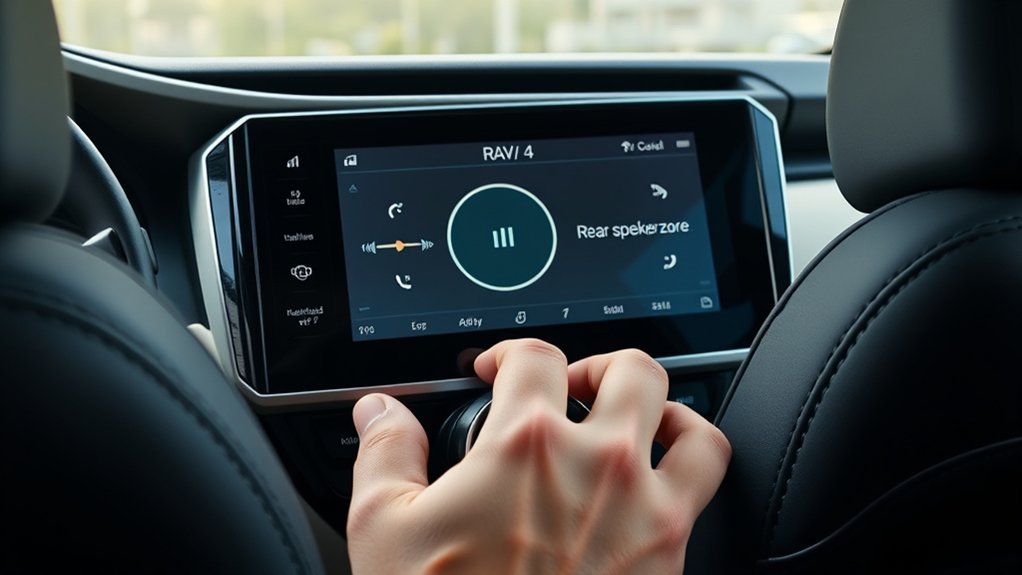
The fader is the first setting to check when your RAV4 rear speakers seem unusually quiet. It adjusts how sound is distributed between the front and rear speakers without requiring any hardware changes.
A fader positioned toward the front can make the rear speakers seem weak even when they work normally. In a 2022 Toyota RAV4 Hybrid XLE, the audio system provides front-to-rear and left-to-right sound adjustments.
Keep these two controls separate:
- Fader: Changes the relative volume between the front and rear speakers.
- Balance: Changes the relative volume between the left and right speakers.
For a proper starting point, center both controls. Play familiar music at a comfortable level while the vehicle is parked. Then move the fader slightly toward the rear and listen for a change.
If rear speaker volume rises smoothly, the fader is doing its job. You may only need a small adjustment to make the cabin sound more balanced.
Remember that a centered fader does not guarantee equal loudness at every seat. Speaker placement, cabin acoustics, and the factory sound system all affect what you hear.
Reset Front-to-Rear Balance
Resetting front-to-rear balance gives you a reliable starting point before troubleshooting. The exact menu depends on your RAV4 model year and multimedia system.
For a 2022 Toyota RAV4 Hybrid XLE:
- Park the vehicle and turn on the audio system.
- Open the audio playback screen.
- Select Sound.
- Choose Fader/Balance.
- Move the adjustment toward the center.
- Play music and move the fader slightly rearward.
- Stop when the rear speakers become easier to hear without making the front speakers too quiet.
The 2022 RAV4 also provides a MENU and Setup interface for audio-related settings. See the Toyota 2022 RAV4 Hybrid multimedia manual for the original system layout.
For a 2026 Toyota RAV4:
- Touch the Settings icon on the main menu.
- Select Sound & Media.
- Open Balance and fade under the sound adjustments.
- Touch Center to restore the centered position.
- Move the control slightly toward the rear and listen again.
These controls are described in the 2026 Toyota RAV4 multimedia owner’s manual, under Sound and Media Settings.
Other RAV4 model years may use different menu names. Follow the labels displayed by your installed multimedia system rather than assuming every RAV4 uses the same interface.
Compare Rear Volume Across Audio Sources
Compare several audio sources if changing the fader does not fully explain the weak rear sound. Radio, Bluetooth, Apple CarPlay, Android Auto, and streaming apps can have different playback levels and sound-processing behavior.
These differences do not automatically mean a source is reducing the rear channels. A quieter recording or lower source volume can make the entire system sound weaker.
Use this table to guide your diagnosis.
| What You Notice | Possible Cause | What to Check |
|---|---|---|
| Rear speakers sound quiet on every source | Fader position, factory tuning, or hardware | Isolate the rear speakers with the fader |
| Bluetooth sounds quieter than radio | Phone volume, recording level, or app settings | Check device output and sound normalization |
| Only one rear speaker is weak | Left-right balance, speaker, or wiring fault | Test the left and right rear speakers separately |
| Volume changes noticeably while driving | Automatic sound leveling or road noise | Compare automatic sound leveling settings |
| Rear output becomes distorted as volume rises | Speaker damage, vibration, or signal problem | Reduce the volume and arrange an inspection |
Bluetooth Vs Radio Levels
Bluetooth audio can sound quieter than FM or AM radio because of differences in source volume and recording levels. This does not necessarily indicate a problem with the RAV4 rear speakers.
To compare the sources fairly:
- Set the RAV4 fader and balance to their center positions.
- Play an FM station at a comfortable volume.
- Switch to Bluetooth audio and play familiar music.
- Check the connected phone’s media volume.
- Compare the sound from the rear seats, adjusting overall loudness before judging front-to-rear balance.
If Bluetooth is quieter overall but both rear speakers work normally when isolated, the difference is more likely related to the source than a damaged rear speaker.
A low phone volume can limit the audio signal sent to the vehicle. Raising the phone’s media volume may help, but increase it gradually to avoid sudden loud playback.
CarPlay And Android Auto
Apple CarPlay and Android Auto use phone-based apps through the vehicle’s multimedia system. Differences in app settings, playback content, and system software may change how loud the audio sounds.
First, compare the same music through the available playback methods. Keep the fader unchanged during the comparison.
If CarPlay or Android Auto sounds weaker:
- Check the music app’s volume and equalizer settings.
- Confirm that the phone and infotainment system are using current compatible software.
- Compare another music app to see whether the difference follows a particular app.
- Check whether navigation prompts or voice-assistant audio are being mistaken for music-volume changes.
There is no reason to assume that CarPlay or Android Auto automatically reduces rear-channel volume in every RAV4. If all sources show the same rear-speaker weakness, move on to the speaker isolation test.
Streaming App Volume Differences
Streaming apps can change perceived loudness through normalization, equalization, and audio processing. These settings affect overall playback and may make rear speakers seem less noticeable.
Spotify: The app provides volume normalization to keep playback levels more consistent between songs. Its official volume normalization instructions explain the available playback controls.
Apple Music: Apple’s Sound Check feature adjusts differences in song loudness. Apple explains how to control it in its Sound Check support guide.
Try temporarily changing normalization or equalizer settings, then replay the same track. If the overall sound changes but the rear-to-front relationship remains the same, the app is probably not the main cause of the imbalance.
Changing streaming quality or selecting lossless playback may affect sound quality, but it is not a guaranteed way to increase rear-speaker output.
Turn Off Settings That Lower Rear Volume
Some sound settings change the way music is presented in the cabin. Before assuming the rear speakers are defective, compare the sound with automatic volume compensation and any available surround processing disabled.
Not every RAV4 includes the same sound-processing options. The 2022 and 2026 systems also use different menus, so check which controls your vehicle actually provides.
Disable Speed Volume
Some Toyota multimedia systems include Automatic Sound Levelizer (ASL), a feature that adjusts playback volume and tone as vehicle speed changes. Its purpose is to compensate for road, tire, and wind noise.
On a 2022 RAV4 system with this control, you may see settings such as High, Mid, Low, and Off.
- Open the audio sound settings.
- Find Automatic Sound Levelizer or the equivalent speed-sensitive volume control.
- Select Off for a controlled comparison.
- Listen again with the vehicle safely parked.
- Restore your preferred setting after troubleshooting.
Disabling ASL removes automatic speed-based volume adjustment from the test. However, it is not a dedicated rear-speaker volume control, and Toyota does not describe it as a setting that specifically reduces rear channels.
If you notice differences mainly while driving, road noise and the automatic leveling feature may be contributing to your perception of weak rear sound.
Reset Surround Processing
Surround processing and sound-enhancement modes can change the apparent location and character of music. If your RAV4 audio package includes these features, compare playback with the processing enabled and disabled.
Some premium systems use digital signal processing to shape the soundstage. As a result, rear speakers may contribute to the overall sound without being as prominent as the front speakers.
Use this approach:
- Check whether your system offers Surround, sound enhancement, or an equivalent setting.
- Temporarily turn off the available processing.
- Return the equalizer to a neutral setting where possible.
- Keep the fader centered while comparing the same audio track.
If the sound becomes more balanced, adjust the settings to suit your preference. If nothing changes, restore the original settings and continue testing.
Do not assume a surround control exists on every 2022 RAV4 Hybrid XLE. Availability depends on the installed audio package.
Test Whether the Rear Speakers Work
The simplest way to check whether the rear speakers function is to fade the audio fully toward the rear. This reduces the front speakers’ contribution and makes it easier to hear what the rear speakers are producing.
Complete the test while parked, using familiar music at a moderate volume.
- Play music through a reliable audio source.
- Open the Fader/Balance settings.
- Move the fader completely toward the rear.
- Listen near the left rear door speaker.
- Move to the right rear door speaker and compare the output.
- Use the left-right balance control to isolate each side if needed.
- Return the fader and balance to comfortable positions after testing.
When the fader is fully rearward, both rear door speakers should produce audible sound without obvious crackling, buzzing, or interruption.
Remember that premium systems may route bass and other frequencies through separate speakers. The result may not sound identical to the front speakers, even when the system works normally.
Watch for these signs:
- Both rear speakers work but sound quiet: Factory tuning, speaker characteristics, and cabin acoustics may explain the result.
- One rear speaker is silent: The speaker, its connector, or its wiring may have a fault.
- Both rear speakers are silent: Recheck the fader, source, audio package, and related electrical components.
- Crackling or distortion occurs: A damaged speaker, loose connection, or vibrating door component may be involved.
Inspect the visible speaker grilles for dirt, blockages, or damage. Do not push tools through the grille or attempt to touch the speaker cone through its openings.
Warning: Make audio adjustments only while safely parked. Keep the volume moderate during speaker tests. If troubleshooting requires door-panel removal or electrical wiring work, use an experienced technician to avoid damaging the vehicle or its electrical system.
Check for Software Bugs After an Update
Software issues are worth investigating if your RAV4 rear speakers became quieter after a multimedia update or system reset. A change in saved settings can resemble a hardware problem.
Start by checking whether your previous fader, balance, and sound-processing preferences are still active.
If the problem began recently:
- Check the fader and balance settings again.
- Restart the multimedia system using the procedure for your model.
- Test the rear speakers using radio and another audio source.
- Check whether a compatible Toyota multimedia software update is available.
- Contact a Toyota dealer if the issue started immediately after an update and remains unresolved.
Toyota provides official multimedia software update guidance, including available over-the-air, USB, and dealer update methods.
Update availability and installation procedures depend on your vehicle and multimedia system. There is no confirmed universal firmware fix for low RAV4 rear-speaker volume.
A factory reset may help with certain software or configuration problems, but it should not be your first step.
Before resetting the unit, review the applicable manual and check which saved settings, paired devices, or personal preferences may be erased.
Upgrade Weak RAV4 Rear Speakers
If the rear speakers work normally but still lack the loudness or clarity you want, an audio upgrade may be worthwhile. Factory speakers are designed as part of the original sound system, and replacement speakers can change its performance.
However, choosing more expensive speakers does not automatically guarantee louder sound. Speaker sensitivity, impedance, available amplifier power, and installation quality all matter.
Consider these upgrades:
- Efficient aftermarket rear speakers: Suitable replacements may produce stronger sound with the available power.
- Coaxial speakers: These combine different speaker elements and may improve clarity when properly matched to the system.
- Rear-channel amplification: An amplifier can provide additional power, but it requires correct integration with the factory audio equipment.
- Door sound-deadening materials: These may reduce unwanted vibration and improve perceived sound quality.
- Subwoofer: This can add low-frequency output but does not directly repair or increase the power of weak rear door speakers.
Before ordering, identify whether your RAV4 uses standard audio or a JBL premium system. Wiring, speaker configuration, and amplifier integration may differ.
For the 2026 RAV4, Toyota lists an available nine-speaker JBL Premium Audio system, including on the Limited trim. The official Toyota RAV4 specifications identify the available equipment.
Have an installer confirm speaker fitment, electrical compatibility, and suitable amplification before modifying the system.
After installation, reset the fader to center and compare the front and rear output. Fine-tune the balance instead of simply pushing every channel to maximum volume.
Visit a Dealer for Wiring or Amp Faults
A professional inspection is appropriate when rear speakers remain silent, distorted, or much quieter than expected after the basic checks. A dealer or qualified car-audio technician can distinguish a defective speaker from a wiring or amplifier problem.
Possible electrical issues include:
- Loose or damaged speaker connections.
- Damaged wiring inside a door or its flexible wiring passage.
- Poor electrical contact or unusual resistance in a speaker circuit.
- A faulty audio output channel.
- Amplifier problems on systems equipped with a separate amplifier.
On a 2022 Toyota RAV4 Hybrid XLE, the exact diagnostic process depends on the installed audio system. Not every configuration uses the same amplifier arrangement.
A technician can inspect connectors, test speaker operation, and measure relevant circuits using appropriate equipment. If needed, they can also verify the multimedia software and check for applicable Toyota service information.
Before booking, record the model year, trim, audio package, which rear speaker is affected, and whether the issue occurs on every source.
That information helps the technician reproduce the problem and avoid replacing working components.
Key Takeaways
- A centered fader is a baseline, not a guarantee that front and rear speakers will sound equally loud.
- The 2022 and 2026 RAV4 use different multimedia menu paths, so follow the controls for your model.
- Bluetooth and streaming-app loudness differences do not prove that rear speaker channels are defective.
- Automatic Sound Levelizer changes playback in response to driving noise; it is not a dedicated rear-speaker boost.
- Testing the rear speakers separately helps distinguish speaker faults from normal factory sound tuning.
- Verify speaker compatibility and amplifier requirements before spending money on upgrades.
Frequently Asked Questions
What Are the Available Speaker Upgrade Options for the 2026 RAV4?
The 2026 Toyota RAV4 can be upgraded with compatible aftermarket speakers, sound-deadening materials, amplifiers, or a subwoofer. Some trims already offer a JBL premium audio system. Confirm the vehicle’s original equipment, mounting dimensions, wiring, and electrical requirements before buying replacement parts.
How to Adjust Speakers on RAV4?
Open your RAV4’s audio sound settings and locate the fader and balance controls. Move the fader toward the rear to make the rear speakers more prominent, or center it for a neutral starting position. Use the balance control to adjust left-right output and the equalizer to change tone.
How to Upgrade RAV4 Speakers?
Start by identifying your RAV4’s model year and factory audio package. Choose replacement speakers with suitable dimensions, impedance, and sensitivity. Confirm whether the existing system can power them properly. Professional installation is advisable when adding an amplifier or modifying factory wiring.
Is the 2026 RAV4 Quieter Than the 2025 RAV4?
There is not enough verified, directly comparable cabin-noise data here to conclude that every 2026 RAV4 is quieter than the 2025 model. Tire choice, road surface, speed, and trim affect cabin noise. A quieter cabin can make rear speakers easier to hear, but it does not directly increase their electrical output.
Conclusion
Improving Toyota RAV4 rear speaker volume starts with checking the fader and confirming that both rear speakers work. Comparing audio sources, adjusting sound processing, and reviewing software settings can help identify the cause without unnecessary parts replacement.
If the rear speakers remain weak or distorted, arrange a professional inspection before upgrading components. A properly diagnosed system gives you the best chance of restoring clear, balanced sound throughout the cabin.
Sources
- Toyota 2022 RAV4 Hybrid Multimedia Manual: Multimedia setup interface and audio settings access.
- Toyota 2026 RAV4 Multimedia Owner’s Manual: Sound & Media settings and Balance and fade controls.
- Spotify Support — Volume Normalization: Playback normalization and volume-level settings.
- Apple Support — If Music Sounds Quiet: Sound Check and music loudness behavior.
- Toyota Audio Multimedia System Updates: Available multimedia update methods and dealer support.
- Toyota RAV4 Official Specifications: Available JBL premium audio equipment.

