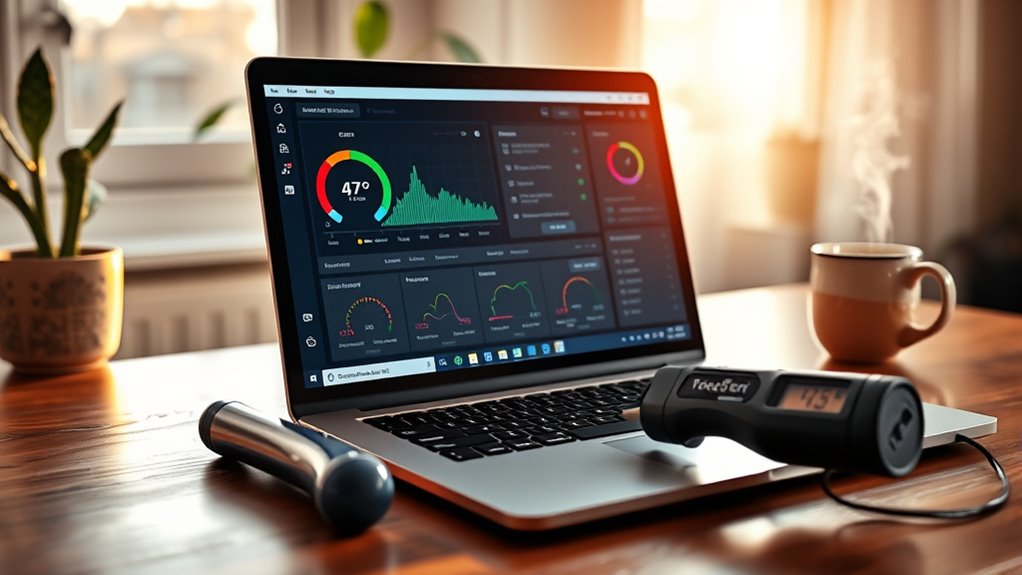
Yes, 47°C is generally safe for a laptop. It sits within the normal idle or light-use range of about 30°C to 50°C. Under heavier load, laptops often run between 70°C and 85°C, with brief peaks near 90°C sometimes acceptable. Heat becomes a concern when temperatures stay above 85°C or when the fan is loud, performance slows, or the chassis feels unusually hot. A few simple checks can help explain what is normal and what is not.
Key Takeaways
- 47°C is generally safe for a laptop and falls within the normal idle temperature range.
- Normal laptop idle temperatures are about 30°C to 50°C.
- Under load, laptops can safely reach 70°C to 85°C, with brief peaks near 90°C.
- Consistent temperatures above 85°C may indicate cooling problems or blocked airflow.
- Use temperature monitoring, clean vents regularly, and keep the laptop on a hard, flat surface.
Is 47°C Safe for a Laptop?
Yes—47°C is generally safe for a laptop. At this temperature, most machines are operating in a normal, efficient range, especially during idle or light use. For many systems, the normal laptop CPU temperature sits around 30-50°C, so 47°C does not signal strain or danger.
Monitoring tools can verify that the device remains within acceptable limits, giving users clear evidence instead of guesswork. This level of heat usually reflects ordinary functioning, not a problem.
Still, consistent rises above 85°C during heavy use deserve attention, because prolonged exposure can reduce performance or damage hardware. Practical steps such as cleaning vents and preserving airflow can help keep temperatures stable, including in warmer environments.
If a laptop often runs hotter than expected, the issue may call for better cooling or a hardware check. For users seeking liberation from avoidable limits, informed care supports reliable, self-directed use.
What Is the Normal Laptop Temperature Range?
A laptop’s normal idle temperature typically falls between 30°C and 50°C, depending on the model and background activity.
Under sustained load, safe temperatures generally range from 70°C to 85°C for CPUs and GPUs, with brief peaks near 90°C sometimes acceptable.
Signs of overheating include unusually high sustained readings, fan noise, throttling, and reduced performance.
Idle Temperature Range
The normal idle temperature range for laptops typically falls between 30°C and 50°C (86°F to 122°F), so 47°C is generally considered within a safe and expected range.
At this idle temperature, the CPU is usually operating normally, especially in models designed to run slightly warmer. Ambient heat, power settings, and laptop design can shift readings without indicating a fault.
Regular monitoring helps confirm that temperatures remain steady over time. Good airflow matters, and dust-free vents support efficient cooling.
If a laptop stays near the upper end of the range while idle, it may still be acceptable, but consistent checks provide useful clarity.
In practical terms, 47°C does not by itself signal danger.
Safe Load Temperatures
Under load, laptop temperatures naturally rise, and a normal range can extend from about 50°C to 100°C, with 70°C to 85°C often seen during gaming or other heavy tasks.
In these safe temperature ranges, 47°C remains comfortably low, closer to typical idle behavior than stress conditions.
For steady performance, a CPU should ideally stay below 90°C, while a GPU can also operate safely up to about 90°C during intense work.
High temperatures above 85°C may appear in high-performance systems, but repeated sustained exposure can reduce efficiency and shorten component life.
Regular temperature monitoring, good airflow, and unobstructed vents help preserve cooling capacity, supporting long-term performance, freedom from avoidable limits, and reliable use under demanding workloads.
Signs Of Overheating
Normal laptop temperatures usually sit around 30°C to 50°C during idle or light use, so 47°C is generally within a safe range.
When workloads increase, CPUs often remain safe at 70°C to 85°C, with short spikes near 90°C. Persistent readings above 90°C can signal inadequate cooling and may trigger thermal throttling or shutdowns.
Common signs of overheating include loud fan noise, hot spots on the chassis, and noticeable drops in responsiveness. These symptoms suggest heat is limiting performance and should not be ignored.
Regular temperature checks help users protect hardware, preserve speed, and keep systems reliable during demanding tasks.
For people seeking control over their devices, monitoring heat is a practical step toward maintaining freedom, stability, and long-term laptop health.
When Does Laptop Heat Become a Problem?
Laptop heat becomes a problem when temperatures stay high for long periods, especially above 85°C, where thermal throttling can begin to reduce performance and strain components.
A reading of 47°C is generally acceptable for idle use, since normal idle ranges are often 30-50°C. At that level, the Cooling System is usually managing the load adequately, even though laptops generate heat during operation.
Concern rises when heat remains above 85°C, and it becomes urgent if temperatures stay near 90°C or more. Unexpected shutdowns and loud fan noise also suggest that cooling is no longer keeping pace.
Concern rises above 85°C, and temperatures near 90°C or more become urgent.
Regular temperature checks help protect internal parts and preserve service life. Simple maintenance, such as clearing vents and using cooling pads, can support stable temperatures and reduce risk.
Why Do Laptops Get Hot?
Laptops get hot because their CPUs and GPUs generate heat when handling demanding tasks such as gaming, editing, or data processing.
Their compact designs also leave limited room for airflow and cooling hardware, which makes heat removal less efficient than in desktop systems.
When vents are blocked, fans are slowed by dust, or the laptop is used on soft surfaces, temperatures can rise further.
Heat From Components
Heat is a natural byproduct of the high-performance CPUs and GPUs inside modern laptops, especially when they are handling demanding tasks such as gaming, video editing, or other intensive workloads.
This heat comes from power use, not weakness. Cooling systems must remove it while components work.
- CPUs and GPUs draw strong power.
- High settings increase internal temperatures.
- Compact designs restrict heat escape.
- Hot rooms raise ambient load.
- Dust can reduce airflow and cooling.
When temperatures stay above about 85°C, performance may drop through thermal throttling, and long exposure can harm hardware.
Regular attention to heat sources helps users keep control, preserve freedom of use, and avoid unnecessary limits.
Cooling Limits And Airflow
Even when a laptop is functioning normally, its compact design limits airflow and makes heat harder to disperse. High-performance CPUs and GPUs still produce significant heat during gaming, rendering, and other demanding work.
Because internal space is tight, vents and fans must move air efficiently, yet dust buildup can restrict this path and raise temperatures. Using a laptop on beds or couches can block intake and exhaust openings, increasing the chance of thermal throttling.
Cooler, well-ventilated rooms help the system shed heat more effectively. A cooling pad can improve airflow beneath the chassis, while fresh thermal paste can help transfer heat from the processor to the heatsink.
Good cooling supports stable performance and extends hardware life.
How Can You Cool a Laptop Safely?
Keeping a laptop cool safely starts with simple airflow management. A laptop should rest on a hard, flat surface so vents stay open and heat can escape freely.
Cooling pads and external fans can add ventilation during demanding tasks without forcing unsafe changes. Dust buildup reduces efficiency, so vents and fans should be cleaned every 3-6 months.
Temperature-monitoring software such as HWMonitor helps spot rising heat early and supports informed use. Soft surfaces invite trapped warmth and should be avoided.
- Place the laptop on a desk or table
- Use cooling pads for extra airflow
- Avoid beds, couches, and blankets
- Clean dust from vents and fans regularly
- Check temperatures with monitoring software
These measures support steady performance and give users more freedom to work, study, or create without unnecessary heat buildup.
When Should You Worry About Overheating?
A laptop temperature of 47°C is generally not a cause for concern, since idle temperatures often fall between 30°C and 50°C.
Worry about overheating when temperatures stay above 90°C, because sustained heat can trigger thermal throttling or an unexpected shutdown. During heavy use, readings above 85°C may suggest poor cooling, blocked vents, or dust buildup.
Clear signs include loud fan noise, sudden power loss, and hot spots on the chassis. Regular monitoring helps identify trouble early, especially as ambient conditions can raise internal heat and reduce cooling efficiency.
Clear signs include loud fan noise, sudden shutdowns, and hot chassis spots; regular monitoring helps catch overheating early.
To limit overheating, maintain strong airflow around the device and clean it every 3 to 6 months. These steps support stable performance and protect the laptop from unnecessary wear.
Frequently Asked Questions
Is 47 Degrees Celsius Hot for a CPU?
No; 47°C is not hot for a CPU. It sits in a normal idle range, suggesting sound thermal management. CPU performance remains unaffected, and the reading is safely below throttling levels for most systems.
What Temperature Is Harmful for a Laptop?
Laptops become harmful above 90°C: overheating rises, thermal throttling starts, and components age faster. Above 95°C, damage risk increases further. Fans spin harder, performance drops, and shutdowns may follow, requiring cooling measures.
Is 47 Degrees Celsius Hot?
47°C is mildly warm, not hot for a laptop. It usually supports steady laptop performance and effective heat management. Under typical use, that temperature remains within safe limits, with no immediate concern for damage.
Is 50 Degrees Celsius Bad for a CPU?
No, 50 degrees Celsius is not bad for a CPU. It generally supports stable CPU performance, with no thermal throttling expected. Such temperatures are normal at idle or light load and remain safely below danger thresholds.
Conclusion
In most cases, 47°C is within a safe temperature range for a laptop, especially under moderate use. Laptops are designed to run warm, but persistent heat can become a silent warning bell if temperatures keep climbing. Good airflow, clean vents, and light usage can help prevent problems. If the device becomes unusually hot, slows down, or shuts off, it may be time to investigate overheating and protect its long-term performance.

