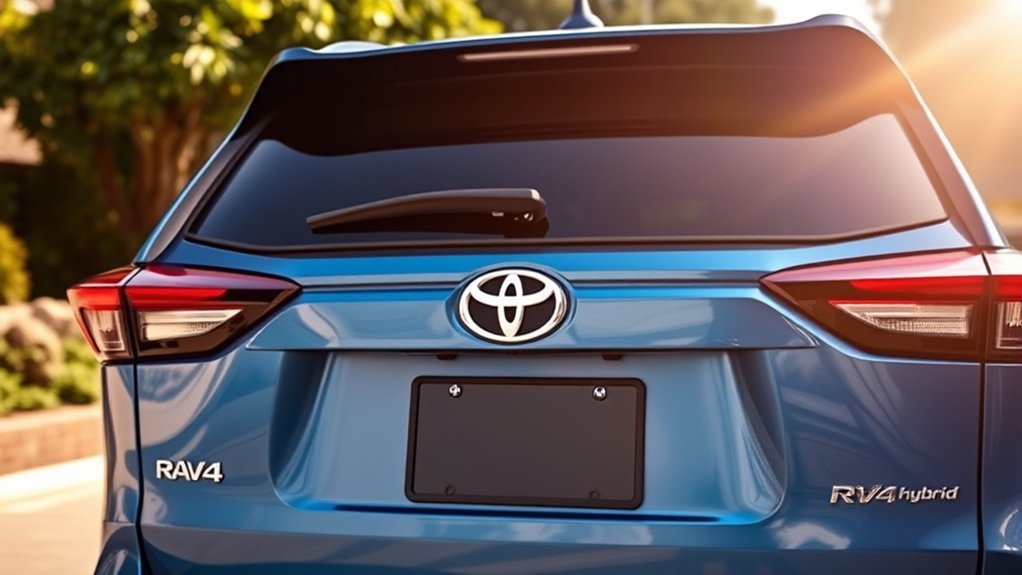
Yes, every current U.S.-market Toyota RAV4 Hybrid trim includes a rear backup camera. For 2026, Toyota lists a backup camera with dynamic gridlines as standard equipment across the relevant RAV4 grade families. The factory camera automatically shows the area behind the vehicle when you select Reverse. However, features such as a 3D Panoramic View Monitor, parking sensors, and automatic braking still depend on the model year and trim.
Last updated: September 19, 2026
Quick Answer
Every current U.S. Toyota RAV4 Hybrid trim has a standard rearview camera. For 2026, Toyota specifies a backup camera with dynamic gridlines. U.S.-market hybrid grades offered from 2016 through 2018 also included an integrated backup camera. The basic rear image is standard, while the 2026 3D Panoramic View Monitor is listed on Limited, Woodland, and XSE Hybrid grades.
Key Takeaways
- A rear backup camera is standard on every current U.S.-market RAV4 Hybrid trim.
- The camera is separate from Toyota Safety Sense and should not be described as a TSS 2.0 or TSS 4.0 feature.
- For 2026, Toyota lists a backup camera with dynamic gridlines and Blind Spot Monitor with Rear Cross-Traffic Alert across the applicable grade families.
- The 2026 3D Panoramic View Monitor is listed on Limited, Woodland, and XSE Hybrid grades rather than every trim.
- Screen size, guide-line behavior, parking sensors, and automatic-braking support can differ by model year and equipment.
- For a used or imported vehicle, verify equipment with the VIN, original window sticker, and model-specific owner’s manual.
Is a Rear Backup Camera Standard on All RAV4 Hybrid Trims?
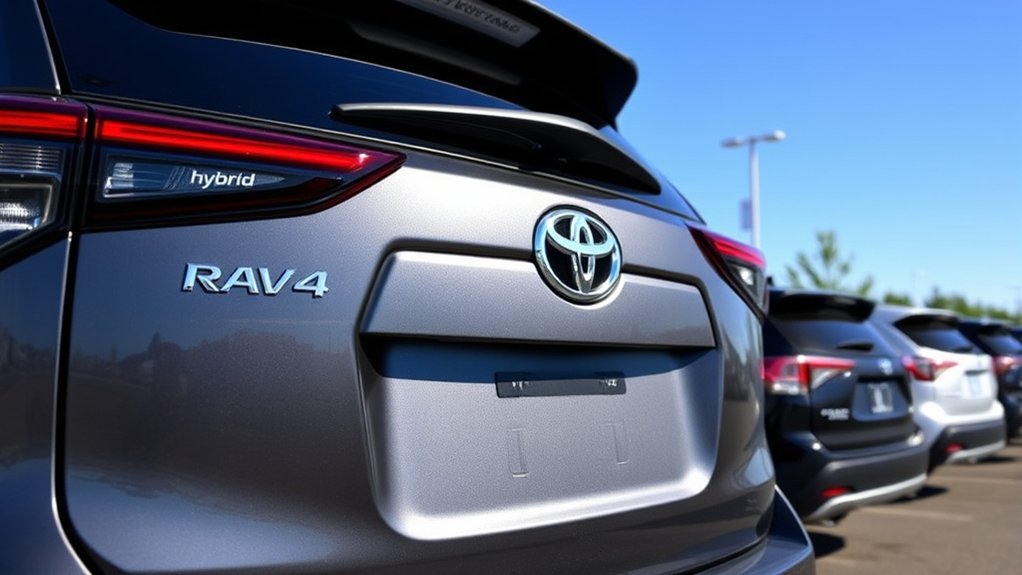
For current U.S.-market models, the answer is yes. Every RAV4 Hybrid trim includes a factory rearview camera that activates when you shift into Reverse. Toyota’s 2026 specifications describe the standard system as a backup camera with dynamic gridlines.
The same basic answer applies to earlier U.S. RAV4 Hybrid model years. The hybrid debuted for the 2016 model year, and the hybrid grades offered during the 2016 through 2018 period included an integrated backup camera. The 2019 redesign introduced a new platform, multimedia system, and Toyota Safety Sense generation, but it was not the first RAV4 Hybrid with a standard camera.
The important distinction is that the basic rearview camera and the vehicle’s broader driver-assistance systems are separate. Toyota Safety Sense covers forward-collision, lane, cruise-control, road-sign, and related driving functions. It does not turn the standard backup camera into a Toyota Safety Sense feature.
Note: This article covers U.S.-market RAV4 Hybrid models. Trim names, standard equipment, screen sizes, and camera packages can differ in Canada and other countries. Verify an imported vehicle by VIN and original market specification.
What Is Standard and What Can Vary by Trim?
A trim can have the standard backup camera without including every available parking aid. Keeping these systems separate will help you compare new and used RAV4 Hybrids accurately.
| Feature | What It Does | Availability |
| Rearview camera | Shows a wide-angle image behind the vehicle when Reverse is selected. | Standard on current U.S. RAV4 Hybrid trims; Toyota specifies dynamic gridlines for 2026. |
| Panoramic View Monitor | Combines images from several cameras to provide overhead and surrounding views. | For 2026 Hybrid models, Toyota lists the 3D Panoramic View Monitor on Limited, Woodland, and XSE. |
| Parking sensors | Use bumper-mounted sensors to warn you about nearby objects. | Not guaranteed on every model year or trim. On 2026 models they are associated with Front and Rear Parking Assist with Automatic Braking on qualifying grades. |
| Rear Cross-Traffic Alert | Warns about certain vehicles approaching from either side while you reverse. | Standard across the 2026 U.S. RAV4 grade families; availability varies on earlier model years. |
| Parking Assist with Automatic Braking | Can warn about certain objects and may reduce power or apply the brakes under specified conditions. | For 2026 Hybrid grades, Toyota lists it on XLE Premium, Limited, Woodland, SE, and XSE; it is not listed as standard equipment on LE. |
Toyota treats the Panoramic View Monitor, parking-assistance technology, and the basic rear camera as distinct equipment. Do not assume that a vehicle has all of them simply because it has a rear camera. For more detail, see our guides to RAV4 Hybrid 360-camera availability and RAV4 backup sensors and parking-assist equipment.
Why the Rear Backup Camera Matters for Your Safety
A rearview camera helps reveal the low area directly behind an SUV, where a child, pet, bicycle, post, or other obstacle may be difficult to see through the rear window or mirrors. The wide-angle image can also help you position the vehicle inside a parking space.
The camera is especially helpful when backing out of a driveway or navigating a crowded parking area. However, its image has limits. Dirt, rain, snow, darkness, glare, a wide-angle lens, or an object outside the camera’s field of view can reduce what you see.
In its 2014 rear-visibility final rule, the National Highway Traffic Safety Administration projected that compliant rear-visibility systems would be 28% to 33% effective against the relevant backover crashes studied. Full compliance with the federal requirement began on May 1, 2018.
A backup camera improves your view behind the vehicle, but safe reversing still requires mirrors, a shoulder check, a slow speed, and attention to the entire area around the RAV4.
Warning: Never rely only on the camera image. Check behind the vehicle before entering, use your mirrors, look over your shoulder when possible, and stop immediately if a person or object enters your path.
How RAV4 Hybrid Trim Features Differ
The standard rear camera answers the main question, but the equipment surrounding it changes across generations and trims. Display size, projected guide lines, parking warnings, surround-view images, and automatic-braking support may differ.
For the 2026 U.S. Hybrid lineup, Toyota lists LE, SE, XLE Premium, Woodland, XSE, and Limited. The breakdown below focuses on the Hybrid/HEV versions; Plug-in Hybrid equipment and grade availability can differ.
- LE: Includes the standard backup camera with dynamic gridlines, Blind Spot Monitor, and Rear Cross-Traffic Alert. Toyota does not list Front and Rear Parking Assist with Automatic Braking or a 3D Panoramic View Monitor as standard LE equipment.
- XLE Premium: Keeps the standard rear camera and adds Front and Rear Parking Assist with Automatic Braking.
- Limited: Builds on XLE Premium equipment and adds a 3D Panoramic View Monitor and Advanced Park.
- Woodland: Includes Front and Rear Parking Assist with Automatic Braking plus a 3D Panoramic View Monitor with Multi-Terrain Monitor.
- SE: Includes the standard backup camera with dynamic gridlines, Blind Spot Monitor with Rear Cross-Traffic Alert, and Front and Rear Parking Assist with Automatic Braking.
- XSE: Builds on the Sport-grade equipment and adds a 3D Panoramic View Monitor.
The 2026 LE uses the standard 10.5-inch Toyota Audio Multimedia system, while the 2026 XSE uses a 12.9-inch system. These current specifications show why older statements that permanently assign a 7-inch screen to LE and an 8-inch screen to XLE are unreliable. Check the exact model year instead of using one screen-size rule for every RAV4 Hybrid.
The current model also uses Toyota Safety Sense 4.0. Earlier RAV4 Hybrids used older TSS generations, but the rear camera remains separate from the TSS feature list.
Tips for Effectively Using the Rear Backup Camera
Use the camera as one part of a complete reversing routine:
- Walk around the vehicle first: Check for children, pets, toys, low posts, shopping carts, and other obstacles before entering.
- Clean the lens: Wipe it gently with water and a soft cloth when mud, salt, dust, snow, or water droplets blur the image.
- Reverse slowly: A low speed gives you more time to stop when the scene changes.
- Use mirrors and direct vision: The camera does not show every object beside or above the vehicle.
- Learn your guide lines: Some RAV4 Hybrids use fixed lines, while others may offer projected lines that respond to steering input. Follow the explanation in your model-year manual.
- Watch for image distortion: Wide-angle lenses can make distance appear different from what you expect.
- Check attached accessories: A hitch carrier, bike rack, cargo, dirt, or ice can block part of the camera’s view.
- Confirm optional alerts separately: A camera image does not prove that parking sensors, Rear Cross-Traffic Alert, or automatic braking are active.
Pro Tip: Practice in an empty parking area so you can compare the guide lines with the vehicle’s real position. This helps you understand the system without depending on the screen as an exact distance measurement.
Rear Backup Camera Availability by Year
The camera has remained standard across U.S.-market RAV4 Hybrid grades, but the display and related technology have evolved.
| Model Years | Rear Camera Status | What to Know |
| 2016–2018 | Included on the U.S. RAV4 Hybrid grades offered during this period. | The hybrid was offered in fewer grades than later generations. Do not describe 2018 as a higher-trim-only camera year. |
| 2019–2022 | Standard across U.S. RAV4 Hybrid trims. | The fifth-generation redesign introduced new multimedia equipment and TSS 2.0. Screen and guide-line features varied by grade and package. |
| 2023–2025 | Standard across U.S. RAV4 Hybrid trims. | Updated multimedia and driver-assistance equipment appeared, but surround-view and parking features still depended on configuration. |
| 2026 | Standard on every current U.S. RAV4 Hybrid trim, with dynamic gridlines listed by Toyota. | The redesigned lineup uses hybrid or plug-in hybrid power, TSS 4.0, new displays, and revised parking technology. The Hybrid trim breakdown differs from the Plug-in Hybrid lineup. |
Federal rear-visibility rules reached full compliance on May 1, 2018, so a compliant rearview image is required on new U.S. light vehicles covered by the rule. Toyota had already equipped its RAV4 Hybrid grades with a factory backup camera before that deadline.
How to Verify Camera Features on a Used RAV4 Hybrid
A seller’s listing may call several different systems a “backup camera package.” Use these checks before assuming what the vehicle includes:
- Shift into Reverse during the test drive. Confirm that the image appears promptly and remains stable.
- Inspect the actual display. Look for guide lines, selectable views, parking-warning graphics, and any 360-degree image.
- Test supporting systems separately. Check whether the vehicle has parking sensors, Rear Cross-Traffic Alert, or Parking Assist with Automatic Braking.
- Review the original window sticker or build sheet. This identifies factory packages more reliably than a used-car advertisement.
- Open the correct manual. Toyota’s manuals and warranties portal lets you select the model year and vehicle.
- Check the VIN. Use the VIN to confirm the vehicle’s market, configuration, and open safety recalls.
If you are comparing an imported RAV4 Hybrid, use documentation from its original country. A U.S. trim guide may not match a vehicle first sold elsewhere.
Rear Backup Camera Troubleshooting
The Image Is Dirty or Blurry
Inspect the exterior lens near the rear liftgate. Remove mud, road salt, water droplets, snow, or ice with water and a soft cloth. Avoid abrasive cleaners, hard brushes, and strong pressure that could scratch or damage the lens.
The Screen Is Too Dark at Night
Confirm that the reverse lights work and that the lens is clean. Nearby glare, heavy rain, fog, and limited surrounding light can reduce image quality. Adjust display brightness only as described in your model-year manual.
The Screen Is Black, Blue, or Blank
Shift back to Park, restart the vehicle, and test the camera again in a safe location. If the image remains unavailable, do not assume the problem is only a setting. A camera, display, wiring, software, or control-unit fault may require professional diagnosis.
The Guide Lines Are Missing or Misaligned
Guide-line options vary by model year and camera system. First confirm that the rear liftgate is fully closed and review the applicable owner’s manual. Some lines may be adjustable through display settings, while projected lines can require calibration after certain repairs, battery disconnection, alignment work, or component replacement. If the lines remain missing or inaccurate, contact a Toyota service department.
Check for Recalls and Service Campaigns
Recall coverage is VIN-specific. Search your VIN through the Toyota recall portal and the NHTSA recall lookup. If a campaign applies, follow the repair instructions provided by Toyota or an authorized dealer.
Related Guides
Frequently Asked Questions
Can I disable the rear backup camera?
You generally cannot permanently disable the factory rearview image through normal owner settings. It is designed to appear automatically when you select Reverse. Some model years may let you adjust guide lines or display settings. Treat a camera that does not activate as a possible fault rather than assuming it was switched off.
Does the rear backup camera work in low light?
Yes, the camera can operate in low light with help from the reverse lights, but the image may become darker or less detailed. Rain, fog, glare, dirt, and tinted surroundings can also reduce visibility. Continue using your mirrors and direct observation.
How does the rear backup camera improve parking?
It shows the low area behind the RAV4 and can help you align the vehicle within a parking space. Guide lines may provide additional positioning help. The image is not an exact distance measurement, so reverse slowly and check your surroundings.
Are parking sensors included with the backup camera?
Not necessarily. The rear camera, parking sensors, Rear Cross-Traffic Alert, Panoramic View Monitor, and automatic braking are separate systems. Their availability depends on the model year, trim, package, and original market.
Is a 360-degree camera standard on every RAV4 Hybrid?
No. The standard rearview camera provides a view behind the vehicle. Toyota’s Panoramic View Monitor uses multiple cameras to create additional surrounding views and is limited to qualifying trims or packages.
Which 2026 RAV4 Hybrid trims have a 360-degree camera?
For the 2026 U.S. Hybrid lineup, Toyota lists its 3D Panoramic View Monitor on Limited, Woodland, and XSE. LE, XLE Premium, and SE still have the standard rear backup camera, but Toyota does not list the 3D Panoramic View Monitor as standard equipment on those Hybrid grades.
Do all RAV4 Hybrid cameras have moving guide lines?
No. Guide-line design varies by model year and equipment. Some vehicles use fixed lines, while others may show projected lines that change with steering input. Toyota specifies dynamic gridlines on the 2026 RAV4 backup camera. Consult the correct owner’s manual for your vehicle.
What maintenance does the rear backup camera require?
Keep the exterior lens clean and unobstructed. Use water and a soft cloth rather than abrasive materials. Inspect the camera after muddy travel, snow, freezing rain, off-road driving, or installing a hitch-mounted accessory.
What should I do if the camera does not appear in Reverse?
Return to Park, restart the vehicle, and test it again safely. If the display remains blank, check the Toyota and NHTSA recall tools by VIN and arrange an inspection. Do not continue relying on a camera that freezes, flickers, or fails to display consistently.
Conclusion
A rear backup camera is standard on every current U.S.-market Toyota RAV4 Hybrid trim, and U.S. hybrid grades offered before the 2019 redesign also included an integrated camera. For 2026, Toyota specifies a backup camera with dynamic gridlines, while equipment around it—including parking sensors, automatic braking, and 3D panoramic views—changes by trim.
When comparing a specific RAV4 Hybrid, check its actual display, original build information, model-year manual, and VIN. Regardless of the technology fitted, use the camera as an extra view rather than a replacement for mirrors, direct observation, and a careful walk-around.
Sources
- Toyota 2026 RAV4 — current U.S. trims, multimedia equipment, parking-assistance features, and Toyota Safety Sense 4.0.
- Toyota 2026 RAV4 Sales Consultant Guide — backup camera with dynamic gridlines, grade-specific parking assistance, 3D Panoramic View Monitor, and current Hybrid equipment.
- Toyota: Refreshed 2016 RAV4 and First RAV4 Hybrid — 2016 Hybrid introduction and standard backup-camera documentation.
- Toyota: 2018 RAV4 Model Overview — 2018 Hybrid grades and standard rear backup camera.
- Toyota Safety Hub — Toyota Safety Sense feature definitions.
- Toyota Manuals and Warranties — model-year-specific owner’s manuals and operating instructions.
- NHTSA Federal Motor Vehicle Safety Standards: Rear Visibility — federal rear-image requirements, compliance dates, and projected safety effectiveness.
- Toyota Recall Lookup — VIN-based Toyota safety recall and service-campaign checks.
- NHTSA Recall Lookup — VIN-based unrepaired recall information and safety resources.

