
When it comes to drone photography, choosing between RAW and JPEG affects image quality, editing control, storage, speed, and sharing. RAW gives you more data to work with after the flight, while JPEG gives you smaller, ready-to-use files straight from the camera. The best choice depends on your goal: polished edits, mapping work, client delivery, social media, or quick personal photos.
Quick Answer
Shoot RAW when you want maximum editing flexibility, better highlight and shadow recovery, and cleaner final images after post-processing. Shoot JPEG when you need smaller files, faster sharing, broad compatibility, and a simpler workflow. For important drone shoots, RAW+JPEG is often the safest option.
Key Takeaways
- RAW is best for serious editing because it keeps more sensor data, color information, and tonal range.
- JPEG is best for speed and convenience because files are smaller and ready to view, send, or upload.
- RAW files require more storage, stronger editing software, and more time in post-production.
- JPEG files lose some image data during compression and can break down faster with repeated edits.
- RAW+JPEG gives you both options if your drone supports it and your memory card has enough space.
Understanding RAW and JPEG Formats

When deciding between RAW and JPEG formats for drone photography, you need to understand what each file type does before you press the shutter.
RAW files store minimally processed image data from the drone camera sensor. They give you more room to adjust exposure, color, white balance, shadows, and highlights later. Because RAW files hold more image data, they are much larger than JPEGs and need editing software before final use.
JPEG files are processed inside the camera. Your drone applies settings such as contrast, sharpness, color, noise reduction, and compression before saving the image. That makes JPEGs smaller, easier to share, and ready to use right away, but it also means some image data is discarded.
RAW gives you more editing control after the flight. JPEG gives you smaller files that are easier to store, preview, and share.
File size is one of the first differences you will notice. RAW files are often several times larger than JPEG files because they keep more image data. The exact size depends on your drone model, camera resolution, scene detail, compression settings, and file format.
Image quality is another major difference. Many drone RAW files support higher bit depth than JPEG files, which are usually saved as 8-bit images. Higher bit depth can help preserve smoother color transitions and more editing flexibility, especially when you make strong adjustments in post-processing.
Dynamic range also matters. RAW files usually retain more detail in bright skies, dark landscapes, and high-contrast scenes. JPEGs can still look excellent, but they offer less room to recover clipped highlights or blocked shadows after the image has already been compressed.
Ultimately, your choice affects the quality of your final images, your storage needs, and your editing workflow. RAW is ideal when precision matters. JPEG works well when speed, convenience, and simple sharing matter more.
Advantages of Shooting in RAW

When you shoot in RAW, you unlock more detail recovery, stronger editing flexibility, and better control over the final look of your drone images.
This format preserves more original data from your camera sensor, so you can make careful adjustments in post-processing without degrading the image as quickly as you would with a compressed JPEG.
For drone photography, RAW is especially useful because aerial scenes often include bright skies, reflective water, deep shadows, haze, and fast-changing light. These conditions can be difficult to handle with a finished JPEG alone.
Greater Detail Recovery
Shooting in RAW greatly improves your ability to recover detail in drone photos, especially in challenging lighting conditions.
The less-processed nature of RAW files preserves more original image data, allowing you to make significant adjustments while protecting quality. In scenes with low contrast, strong sunlight, or deep shadows, RAW can reveal features that might be lost or harder to recover in a compressed JPEG.
RAW files also handle dynamic range more effectively in many shooting situations. This helps you recover detail in both bright highlights and dark shadows, which is valuable when your drone is shooting landscapes, real estate, coastline, farmland, city skylines, or mountain scenes.
For example, a JPEG may show a washed-out sky or a dark foreground if the exposure is not perfect. A RAW file often gives you more room to bring back cloud texture, brighten land detail, and balance the final image.
This combination of detail recovery and editing headroom makes RAW the superior choice when you want to capture the full visual potential of your drone photography.
Enhanced Editing Flexibility
While JPEG files may work well for casual photography, RAW format offers much stronger editing flexibility for drone images that need a polished final result.
By retaining more tonal and color information, RAW files allow you to make larger exposure adjustments, color corrections, and white balance changes without the same risk of visible quality loss. You can recover intricate details in shadows and highlights while maintaining stronger image integrity.
Unlike JPEGs, which have already gone through in-camera processing and compression, RAW images let you adjust settings more deeply after capture. You can fine-tune white balance, reduce noise, sharpen carefully, adjust lens corrections, and apply a consistent look across a full set of images.
This is useful for drone photographers who shoot real estate, travel, weddings, inspections, landscape portfolios, social media campaigns, or client work. A consistent RAW workflow can help every image in a set feel more professional and cohesive.
Pro Tip: If your drone supports RAW+JPEG, use it for important shoots. The JPEG gives you a quick preview or backup, while the RAW file gives you full editing control later.
Benefits of JPEG for Aerial Photography

When you shoot in JPEG for aerial photography, you benefit from smaller files, simpler storage, faster previews, and easier sharing.
This format works well when you need images quickly and do not plan to make heavy edits. JPEG also helps when your memory card space is limited, your flight time is short, or you need to deliver images soon after landing.
With broad compatibility across phones, tablets, computers, apps, websites, and social platforms, JPEG keeps your workflow streamlined and user-friendly.
Quick Storage Solutions
Given the demanding nature of aerial photography, especially during time-sensitive projects, JPEG files offer a practical storage solution. Their smaller file sizes make them easier to manage on memory cards, external drives, phones, and cloud storage services.
This efficiency allows you to upload, preview, and share images quickly, which can speed up your workflow during casual shoots, scouting flights, event coverage, and simple documentation jobs.
JPEGs are also widely compatible with common viewing and editing tools. You usually do not need conversion software before sending them to a client, uploading them to a website, or posting them on social media.
For mapping and orthomosaic projects, JPEG compatibility can also be helpful because many photogrammetry platforms accept JPEG files directly. However, project requirements vary, so you should always check the software guidance before choosing a capture format.
Ultimately, JPEGs streamline your aerial photography experience and improve productivity when maximum editing control is not the main priority.
User-Friendly Sharing
JPEG files excel in user-friendly sharing, making them a strong choice for drone photographers who need to distribute images quickly. Their smaller file sizes simplify storage and management, especially when you are working with limited memory cards or mobile devices.
The compressed format allows for faster uploads to social media, email, messaging apps, and client galleries. This appeals to pilots who prioritize convenience over deep post-processing.
JPEGs can also be viewed on many devices without specialized software, which makes them more accessible for clients, friends, editors, and team members who only need to review the images quickly.
| Advantages of JPEG | Implications for Users |
|---|---|
| Smaller File Sizes | Easier storage and management on drones, phones, computers, and cloud drives |
| Quick Uploading | Ideal for fast social media sharing, email delivery, and previews |
| Broad Device Compatibility | Accessible for immediate viewing without RAW editing software |
For casual projects, JPEGs provide enough quality and speed without extensive post-processing. They are also useful when you want to spend more time flying and less time editing.
Efficient Processing Times
While you may prioritize image quality in aerial photography, the efficiency of JPEG files can significantly improve your workflow.
JPEGs are much smaller than RAW files, making them easier to store, transfer, preview, and upload. This matters during long aerial sessions where you capture hundreds of images.
For basic viewing and sharing, JPEG files are usually faster because they are already processed by the camera. You can open them immediately on most devices, send them to another person, or upload them without first converting the file.
For advanced editing, RAW takes more effort because you need compatible software and an export step. However, RAW may still save time in professional workflows where batch editing, exposure recovery, and consistent color correction are required.
Capturing dynamic scenes can also feel easier with JPEG because smaller files reduce storage pressure. This can help when you are shooting fast-moving subjects, changing light, or multiple angles in one flight.
Plus, JPEGs integrate smoothly with many apps and mapping tools, enabling quick viewing and sharing. That makes them useful for aerial photography projects where speed and convenience matter more than maximum image data.
Impact on Image Quality and Detail
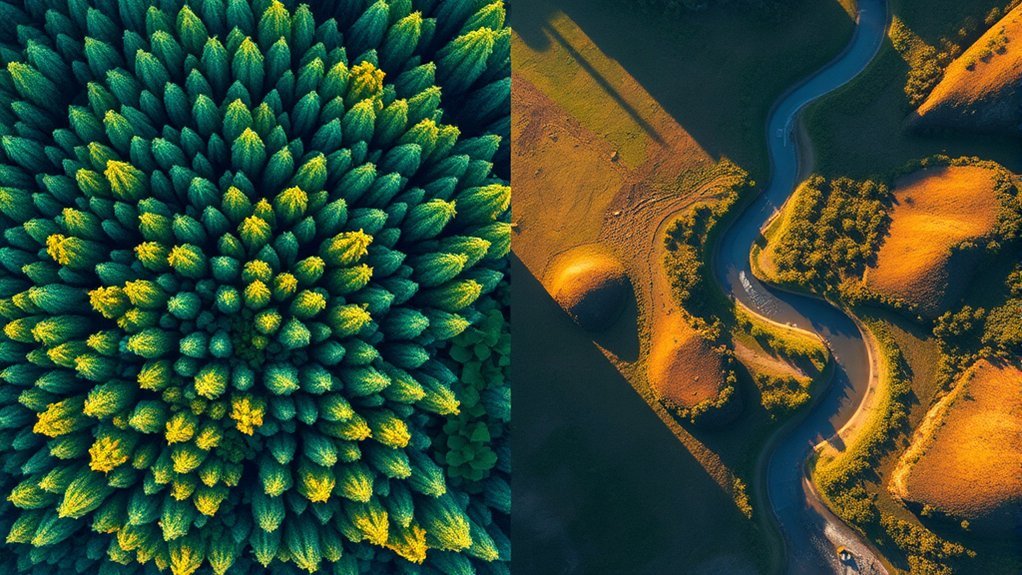
When you compare RAW and JPEG formats, the impact on image quality and detail becomes clear.
Here are three key differences to evaluate:
- Dynamic Range: RAW files capture more flexible image data, providing a wider editing range in many scenes. This means you can often recover more detail in bright highlights and dark shadows, whereas JPEGs may lose information due to in-camera processing and compression.
- Color Depth: RAW images often support higher color depth than JPEGs. This allows for smoother color adjustments during post-processing and reduces the chance of banding when you make stronger edits.
- Detail Preservation: RAW files preserve finer details, especially in high-contrast or difficult lighting. JPEG compression can soften or obscure some details, resulting in less editing flexibility.
RAW images might look flatter at first, but careful post-processing can bring out more detail, color, and tonal balance than a camera-processed JPEG.
JPEG images often look better straight out of the drone because the camera has already added contrast, sharpness, saturation, and noise reduction. That can be helpful when you want a finished image quickly.
RAW images can look dull or flat before editing because they have not been fully processed. This is normal. Once edited, RAW files usually give you more control over the final result.
Understanding these differences can profoundly impact your drone photography outcomes, especially when you shoot sunrise, sunset, water, snow, buildings, forests, or any scene with strong contrast.
Processing Time and Workflow Efficiency
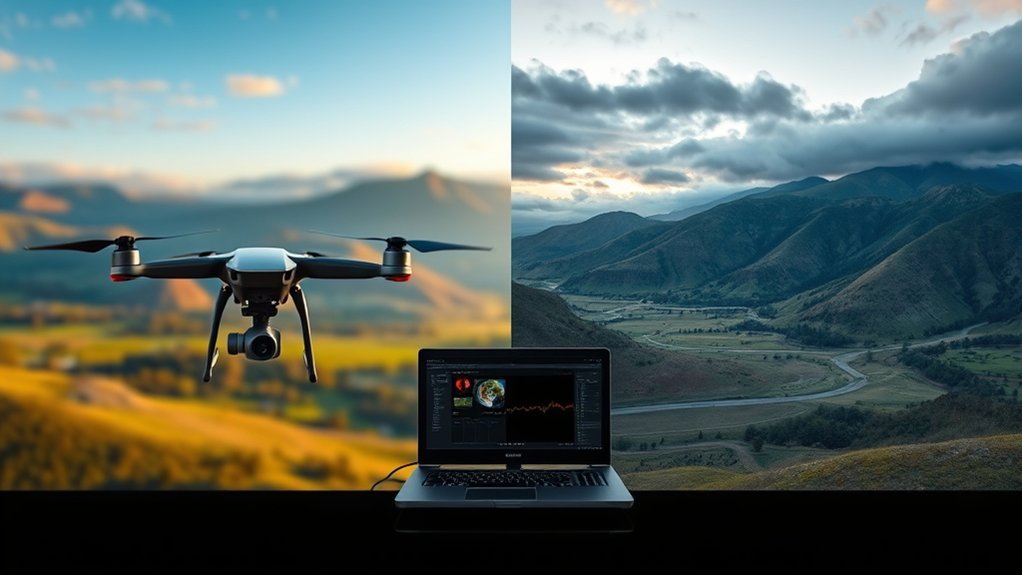
Although RAW files require more storage space and more editing attention, they can improve workflow efficiency for photographers who need consistent, high-quality results across many images.
For simple delivery, JPEG is usually faster. You can shoot, preview, send, and upload with fewer steps. For serious editing, RAW can be more efficient because you can apply exposure, color, lens, noise, and sharpening corrections across a whole batch of images.
Processing time depends on your computer, editing software, camera resolution, memory card speed, file count, and export settings. A RAW workflow may feel slower at first, but batch editing can save time when every photo needs the same correction.
RAW images support batch processing, allowing you to edit multiple files simultaneously. This maximizes productivity for projects requiring extensive adjustments, such as real estate sets, construction progress photos, agricultural surveys, landscape portfolios, and commercial drone shoots.
JPEG files are easier when you only need light edits. They also work better for instant previews, fast approvals, and quick uploads.
Ultimately, the best workflow is not only about file format. It also depends on how you organize files, back up your memory cards, name folders, use presets, and export final images.
Note: If your final photos always need editing, RAW can be worth the extra steps. If your photos only need quick viewing or sharing, JPEG keeps the workflow simpler.
Storage Considerations for RAW Vs JPEG
Understanding storage considerations is essential for drone photographers, especially since RAW files can be much larger than JPEGs. This size difference can greatly impact your workflow and storage management.
Here are some key factors to keep in mind:
- Storage Capacity: With RAW files taking up more space, your memory cards can fill up faster. This may limit the number of images you can capture during a flight or full day of shooting.
- Processing Demands: Larger RAW files can increase storage use during editing, preview generation, cache creation, and exports. You may need faster cards, larger drives, and a better backup system.
- Convenience vs. Quality: JPEGs offer easier sharing and immediate viewing due to their smaller size. That is practical when storage is limited, but it may sacrifice some editing flexibility and image quality.
If you shoot RAW, carry enough memory cards and avoid relying on one card for a full day of flights. Also back up your files before formatting any card.
If you shoot JPEG, still keep a backup of your original files. Even though JPEGs are smaller, they can still be lost, corrupted, or overwritten.
Warning: Do not delete files from your memory card until you have confirmed that the photos are safely backed up on another drive or cloud location.
RAW vs JPEG Comparison Table
A side-by-side comparison can make the decision easier. Use this table to match the file format to your shooting goal.
| Feature | RAW | JPEG |
| Image Data | Keeps more sensor data for editing | Processed and compressed in-camera |
| File Size | Larger | Smaller |
| Editing Flexibility | High | Limited |
| Sharing | Needs export first | Ready to share |
| Best For | Professional edits, landscapes, real estate, print, client work | Casual photos, previews, quick uploads, simple documentation |
When to Use RAW, JPEG, or RAW+JPEG
The best format depends on how you plan to use the photos after the flight. You do not need to use one format forever. Many drone photographers switch between RAW, JPEG, and RAW+JPEG depending on the project.
Use RAW When
- You want the best possible editing flexibility.
- You are shooting for clients, prints, portfolios, or commercial use.
- The scene has bright skies and dark foregrounds.
- You plan to correct exposure, color, white balance, haze, or noise.
- You want more control over the final style of the image.
Use JPEG When
- You need quick photos for sharing, inspection, or documentation.
- You do not plan to make heavy edits.
- You have limited memory card space or storage.
- You want files that open easily on almost any device.
- You are shooting casual travel, practice flights, or simple social media content.
Use RAW+JPEG When
- You want a ready-to-share JPEG and an editable RAW backup.
- You are photographing an important location or event.
- You are still learning which format fits your workflow.
- You need quick previews but want the option to edit deeply later.
- Your memory card and storage setup can handle the extra file size.
RAW+JPEG takes more space, but it gives you the most flexibility. It is a smart choice for sunrise, sunset, client sessions, travel shoots, and any scene you may not be able to capture again.
Use Cases for Professionals Vs Hobbyists
While professionals often rely on RAW format for its superior dynamic range and detail recovery, hobbyists typically lean toward JPEG due to its convenience and smaller file sizes.
For professionals in fields like real estate, surveying, agriculture, travel, inspection, and commercial media, the ability to recover details in shadows and highlights can be essential for high-quality outputs. They prioritize image quality, even if it means handling larger file sizes that require better storage management.
Professional drone photographers also need consistent color, controlled exposure, and repeatable edits across full galleries. RAW helps with this because one correction can often be applied across many images from the same flight.
On the other hand, hobbyists often find JPEG sufficient for casual photography and social media sharing. The smaller files allow for quicker processing and easier sharing, aligning with tight deadlines or less critical applications.
While professionals may need extensive editing capabilities for precise color correction, hobbyists usually meet their basic editing needs with JPEGs. A hobbyist who only wants good-looking images for family, travel, or social posts may not need the extra work of RAW editing.
Ultimately, your choice between RAW and JPEG should align with your project’s requirements, balancing quality with convenience based on your level of experience and intended use.
Community Insights and Experiences
As you explore community insights about RAW versus JPEG for drone photography, you will find many practical experiences that show the strengths and limits of each format. Many serious users advocate for RAW because of its superior detail and editing flexibility.
Many experienced drone photographers choose RAW for important work because it gives them more control over exposure, color, and detail after the flight.
Here are three key insights from experienced drone photographers and editors:
- Storage Solutions: Some photographers shoot RAW for the master files, then export final JPEG or HEIC versions for sharing. This helps control storage while preserving high-quality originals.
- Enhanced 3D Models: For photogrammetry and 3D modeling, consistent exposure and detail can matter. RAW may help in some advanced workflows, but many mapping platforms still rely on JPEG capture, so software requirements should guide the decision.
- Denoising Benefits: RAW files may show more visible noise before processing, but dedicated editing software can often reduce noise while preserving more detail than a heavily compressed JPEG.
These insights reflect a balanced consensus. RAW may present challenges like storage demands and extra editing time, but its advantages in detail and flexibility make it a preferred format for many serious photographers and researchers.
JPEG remains valuable because it is fast, simple, and widely supported. For many pilots, the best workflow is not RAW or JPEG all the time, but choosing the format that fits the job.
Common Mistakes to Avoid
Choosing RAW or JPEG is only part of the workflow. You also need to avoid common mistakes that can reduce image quality or slow you down after the flight.
- Relying on RAW to fix every exposure problem: RAW gives you more room to recover detail, but badly clipped highlights or extremely dark shadows can still be difficult to save.
- Shooting RAW without enough storage: Large files fill memory cards quickly. Bring extra cards and plan for backups.
- Using JPEG for heavy edits: JPEGs can break down when you push exposure, color, or contrast too far.
- Forgetting white balance: RAW makes white balance easier to adjust later, but good capture settings still save editing time.
- Skipping backups: Drone shoots can be hard to repeat. Back up files before formatting cards or deleting originals.
- Ignoring software compatibility: Make sure your editing app supports your drone’s RAW format before committing to a RAW-only workflow.
A simple pre-flight file-format check can prevent many of these issues. Before takeoff, confirm your format, exposure settings, memory card space, and backup plan.
Frequently Asked Questions
What are the advantages of RAW over JPEG?
RAW files offer better editing flexibility, stronger detail recovery, and more control over exposure, color, shadows, highlights, and white balance. They are ideal when you want a polished final image or need to correct difficult lighting after the flight.
Do professional photographers use RAW or JPEG?
Many professional photographers shoot RAW because it gives them more control during editing. Some also shoot RAW+JPEG so they have quick preview files and high-quality RAW files for final delivery.
What are the disadvantages of RAW images?
RAW images have larger file sizes, need more storage, and require compatible editing software. They also take more time to process because you usually need to edit and export them before sharing.
Why do photographers not give the RAW photos?
Photographers often keep RAW files because they are unfinished working files. They may also want to protect their editing style, avoid misuse, reduce file-transfer problems, and deliver only polished final images that reflect their professional standard.
Should I shoot RAW or JPEG for drone real estate photos?
RAW is usually the better choice for real estate drone photos because you often need to balance bright skies, shaded roofs, windows, lawns, and pavement. RAW gives you more control when creating clean, professional-looking edits.
Is JPEG good enough for social media drone photos?
Yes, JPEG is often good enough for social media, especially if the exposure looks good in-camera. It is smaller, easier to upload, and already processed. RAW is better if you want more control before posting.
Conclusion
Ultimately, the choice between RAW and JPEG for drone photography comes down to your specific needs. JPEG gives you speed, convenience, smaller files, and easy sharing. RAW gives you stronger editing power, better detail recovery, and more creative control.
While some pilots prefer JPEG because it keeps the workflow simple, consider the creative freedom you may sacrifice. With RAW, you can unlock more of your camera’s potential and produce cleaner, more balanced edits in difficult lighting.
For casual flights, quick social posts, and simple documentation, JPEG can be the smarter choice. For landscapes, real estate, client work, prints, sunsets, and any photo you may want to edit seriously, RAW is worth the extra storage and effort.
The safest approach is to use RAW+JPEG when the shot matters. You get a convenient JPEG for quick use and a RAW file for deeper editing later.
