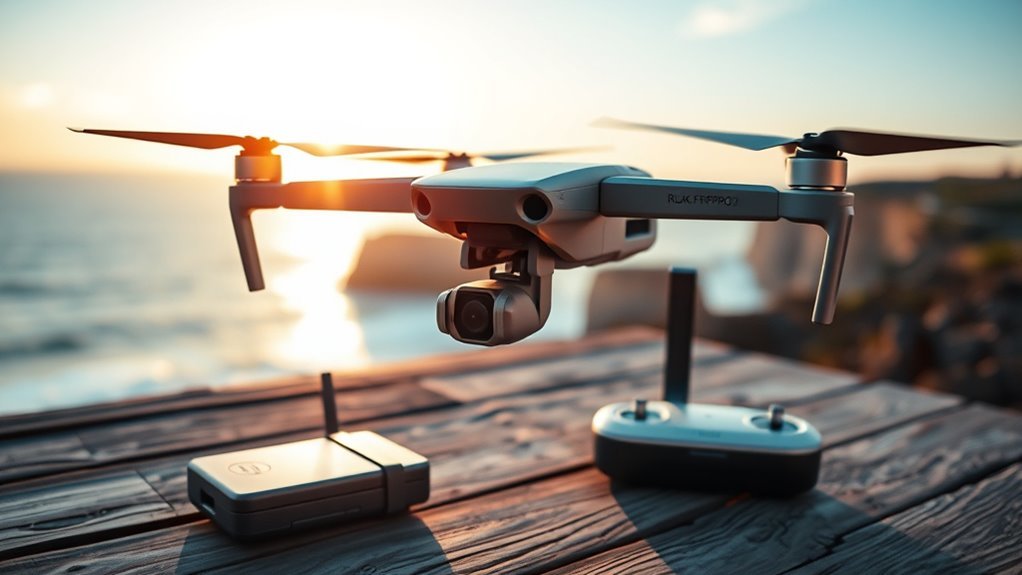
The Ruko F11PRO 2 is a foldable GPS camera drone with 6K-labeled still photography, 4K video recording, a 3-axis gimbal, and up to 70 minutes of advertised flight time across two batteries. It offers an appealing package for beginners who want longer flying sessions, but its camera quality and weight create important trade-offs.
This Ruko F11PRO 2 review examines its camera, battery performance, controller, flight range, and intelligent modes. It also compares the drone with the DJI Mini 4K to help you decide which one better fits your needs.
Quick Answer
The Ruko F11PRO 2 is a capable beginner-friendly drone with long battery life, stable GPS flight, and useful automatic shooting modes. However, its 6K label refers to still photography, not 6K video. The DJI Mini 4K is generally the stronger choice for camera flexibility, lighter weight, and video transmission, while Ruko appeals to pilots who value two included batteries.
Ruko F11PRO 2 at a Glance
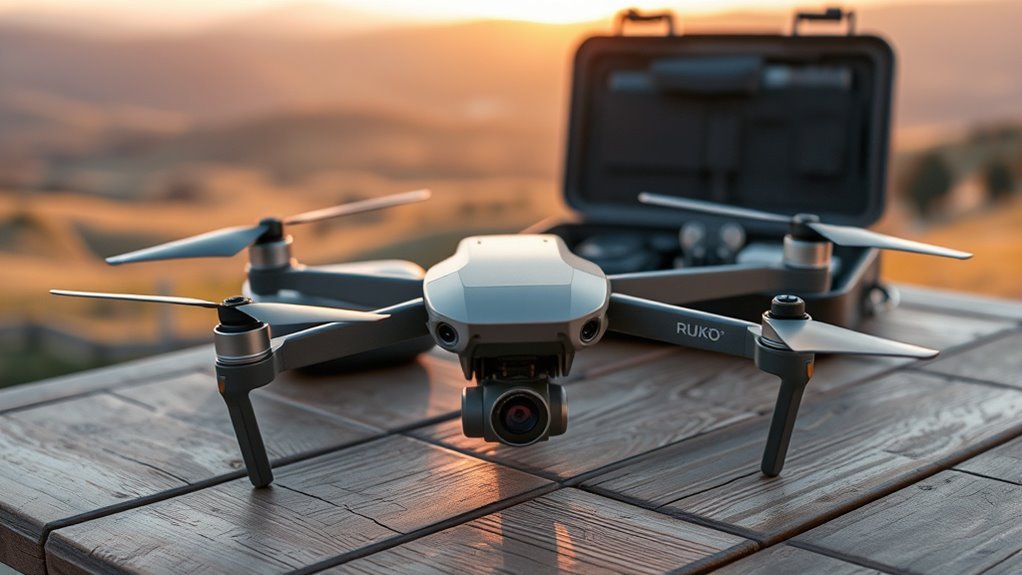
The Ruko F11PRO 2 combines a foldable body, GPS positioning, a mechanical 3-axis gimbal, and automatic flight features. Its main strengths are the included dual-battery setup, straightforward controls, and stable outdoor flying.
According to Ruko’s official technical specifications, the drone weighs 357 g (12.6 oz) and measures 6.5 × 3.54 × 2.56 inches when folded. Unfolded dimensions are 13.78 × 15.16 × 2.56 inches.
| Specification | Ruko F11PRO 2 |
|---|---|
| Weight | 357 g (12.6 oz) |
| Maximum photo resolution | 5700 × 3200 pixels (about 18.2 MP) |
| Maximum video resolution | 4K at 30 fps |
| Camera stabilization | 3-axis mechanical gimbal |
| Maximum flight time | 35 minutes per battery; 70 minutes with two |
| Advertised transmission range | 10,000 feet (about 3.05 km), ideal conditions |
| Positioning | GPS and GLONASS, with optical-flow assistance |
| Digital zoom | Up to 5× |
| Operating temperature | 0–40°C (32–104°F) |
| Maximum microSD capacity | 128 GB |
The drone supports Return to Home, GPS Follow, Flight Around, and route planning. These functions make it more useful than a basic manual-control drone, although they do not replace obstacle awareness or careful piloting.
Its weight also matters in the United States. Unlike a sub-250 g recreational drone, the F11PRO 2 requires FAA registration under the normal recreational registration rules.
How Good Is the Ruko F11PRO 2 Camera?
The Ruko F11PRO 2 camera is adequate for casual aerial photos and daytime video, but its high resolution does not guarantee sharp results. Its 3-axis gimbal helps keep footage steady, while the largely automatic camera controls limit what you can adjust.
Does the Ruko F11PRO 2 Really Record in 6K?
No. The drone’s advertised 6K specification refers to still-image capture. Its maximum listed photo resolution is 5700 × 3200 pixels, while video recording tops out at 3840 × 2160 pixels at 30 frames per second.
That difference matters because a higher photo pixel count does not automatically improve video detail, dynamic range, or low-light performance.
Video Resolution and Stabilization
The F11PRO 2 records 4K video at 30 fps and supports additional modes, including 2688 × 1512 at 50 fps. The faster frame-rate option is useful for smoother-looking motion, although it records at a lower resolution.
A mechanical 3-axis gimbal corrects camera movement during flight. It improves horizon stability and reduces shake compared with drones that rely entirely on electronic stabilization.
However, gimbal stability and optical quality are different things. Independent reviewers have described the drone’s pictures and videos as relatively soft, even when the footage remains steady.
Photography and Camera Controls
The camera supports JPEG photos, a lens tilt range of -90° to 0°, and up to 5× digital zoom. It also offers app-based framing and vertical-screen options.
- JPEG-only photography: RAW photo capture is not supported, limiting editing flexibility.
- Digital zoom: Enlarges part of the image rather than adding optical detail.
- Adjustable camera angle: Allows forward-facing and straight-down compositions.
- Mostly automatic settings: Offers less control over exposure than DJI’s more flexible camera system.
Some independent sample footage also shows horizontal artifacts or propeller-related reflections under certain conditions. These are worth checking in unedited video samples rather than relying only on promotional footage.
Pro Tip: For the clearest results, shoot in good daylight, avoid unnecessary digital zoom, and evaluate files recorded to the microSD card rather than judging quality only from the lower-resolution live preview.
Ruko F11PRO 2 Flight Time and Battery Life
Ruko advertises up to 35 minutes of flight per battery, or 70 minutes when you use both included packs. Real flying time is usually shorter because wind, maneuvering, temperature, and the battery reserve needed for landing all affect endurance.
The dual-battery package is useful for longer outings, but the advertised 70 minutes represents two separate flights, not one continuous session.
Battery Life Claims
Each F11PRO 2 battery has a rated capacity of 3200 mAh and an energy rating of 24.64 Wh. Ruko bases its 35-minute maximum on flight at a constant speed in calm conditions.
The figures are best understood as an ideal-condition limit rather than a guaranteed result.
- Ideal conditions: Up to 35 minutes per battery.
- Typical outdoor use: The original review references roughly 20–30 minutes per battery.
- Two batteries: Up to 70 minutes in total under ideal conditions, with a landing and battery change between flights.
Real-World Flight Time
An independent hover test reported nearly 32 minutes on one battery. However, that test ran the battery down to approximately 1%, leaving little reserve for unexpected conditions or a safe return.
You should not plan routine flights around completely exhausting a battery. Leave sufficient power for returning, landing, and handling a change in wind.
GPS positioning and optical-flow assistance can help the drone hold position during calm flights. They do not prevent battery drain from strong winds, climbing, or rapid acceleration.
Cold conditions also shorten usable battery life. Although some independent testing has taken place below freezing, Ruko officially specifies an operating range beginning at 0°C (32°F).
Charging and Swapping
Ruko lists a charging time of about 2.5 hours per battery, depending on the charging equipment. Some independent reports describe shorter charging periods, but the manufacturer’s figure is a safer planning estimate.
The batteries use USB-C charging, and Ruko’s support material describes PD and QC3.0 charging compatibility. Charging speed depends on the power source and battery condition.
- Land with enough battery power remaining for a safe shutdown.
- Turn off the aircraft before removing the used battery.
- Allow the battery to cool before charging it.
- Install the charged replacement battery and confirm it is secured.
- Power on the drone and check its GPS status and updated home point before taking off.
The included carrying case helps organize the drone, controller, and spare battery. The two-pack arrangement is convenient for trips, although both batteries still need charging before a long session.
Ruko F11PRO 2 Remote Controller and Range
The Ruko F11PRO 2 controller offers physical sticks, a built-in phone holder, and a status display. It shows essential flight information, while the Ruko Mini app adds live video, camera settings, maps, and automated shooting modes.
The removable control sticks help with storage. The controller also includes a connection for a phone and a separate charging connection.
How Far Can the Ruko F11PRO 2 Fly?
Ruko advertises a maximum transmission distance of 10,000 feet (about 3.05 km) in open conditions without interference. This is a radio-link specification, not a recommendation to fly that far away.
In one independent range test, the drone traveled 2,638 meters (8,803 feet) before fail-safe Return to Home activated. The live video feed reportedly became intermittent around 1,700 meters.
Those results came from a particular test environment. Terrain, interference, phone performance, obstacles, and antenna orientation can produce very different results.
Control Range vs. Video Range
A drone can sometimes continue responding to control inputs even when the live camera feed begins freezing or breaking up. That is why maximum transmission range and usable video range should not be treated as identical.
The F11PRO 2’s specified live preview is 1280 × 720 at 25 fps. This is separate from the higher-resolution video saved on its memory card.
For normal photography, the more useful question is whether you can maintain a steady video feed and keep the aircraft visible in the area where you are flying.
Warning: A long advertised radio range does not authorize beyond-visual-line-of-sight flight. Under ordinary US recreational rules, you must keep the drone within visual line of sight and follow applicable airspace restrictions. Return to Home is a backup feature, not a substitute for safe flight planning.
Ruko Mini App and Return to Home
The Ruko Mini app provides a live camera preview, positioning information, flight settings, and access to features such as GPS Follow and route planning.
Return to Home can bring the aircraft toward its recorded home point when triggered manually or by certain low-battery or connection-loss conditions. Its success depends on adequate GPS positioning, remaining battery power, and a clear route.
Before taking off, confirm that the home point has been recorded correctly. In unfamiliar locations, also consider buildings, trees, and other obstacles along the return path.
Ruko F11PRO 2 Design and Weight
The Ruko F11PRO 2 has a sturdy folding design and is compact enough to fit into its carrying case. Its 357 g weight makes it heavier than DJI’s Mini 4K, which weighs approximately 246 g.
Folded dimensions are 6.5 × 3.54 × 2.56 inches. Once unfolded, the aircraft has a wider stance of 13.78 × 15.16 × 2.56 inches, excluding propellers.
The metal camera housing gives the front of the aircraft a more substantial feel. However, a solid-looking housing does not guarantee crash resistance, and the drone lacks full obstacle-avoidance capability.
The Ruko F11PRO 2 offers a solid folding design, but its 357 g weight brings additional US registration requirements compared with sub-250 g recreational drones.
Does the Ruko F11PRO 2 Need FAA Registration?
Yes. Its weight exceeds the 250 g recreational registration exemption. According to the FAA’s drone registration guidance, recreational aircraft above this threshold must be registered.
FAA recreational registration costs $5 and remains valid for three years. Operators must also label aircraft that require registration and carry proof of registration when flying.
Ruko says the F11PRO 2 includes built-in Remote ID. The FAA’s Remote ID requirements apply to aircraft that must be registered, subject to the applicable exceptions.
For recreational flying, you must also complete the free FAA TRUST safety test, regardless of whether your drone is above or below 250 g.
Ruko F11PRO 2 Flight Modes and Tracking
The Ruko F11PRO 2 includes basic flight-speed settings and GPS-assisted automatic shooting modes. These features help beginners practice controlled flight and capture simple moving shots without performing every camera movement manually.
Stable Mode and Sport Mode
The drone provides Stable and Sport flight modes. Stable mode favors gentler control, while Sport mode allows faster movement in open areas.
The original performance comparison described speeds of about 13.4 mph in Stable mode and 17.9 mph in Sport mode. Ruko’s published maximum horizontal speed is 26 feet per second, or approximately 17.7 mph, in calm conditions.
Sport mode can be useful when repositioning the aircraft, but faster movements increase the need for clear space and careful battery management.
GPS Follow, Flight Around, and Route Planning
Ruko includes several intelligent flight features that expand what beginners can film:
- GPS Follow: Uses positioning information to follow the controller or connected device during supported flight conditions.
- Flight Around: Makes the aircraft fly around a selected point to capture an orbiting shot.
- Route planning: Allows a planned flight path through the app.
- Return to Home: Supports automatic return under designated conditions.
These functions are useful for open landscapes, family outings, and basic aerial footage. However, they are not equivalent to advanced visual subject tracking that recognizes obstacles and intelligently changes its route.
The system should be treated as positioning assistance rather than full autonomous navigation.
Wind Resistance and Flight Conditions
Ruko rates the F11PRO 2 for Level 5 wind resistance. This indicates that it is designed to tolerate moderate wind, but it does not mean that every flight will be stable at the upper end of that rating.
Stronger winds increase power consumption and can make returning to the takeoff point more difficult. It is particularly important to account for the wind direction before flying away from your landing area.
The F11PRO 2 is not waterproof. Avoid flying it in rain, and do not assume that wind resistance provides protection from moisture.
Ruko F11PRO 2 vs. DJI Mini 4K: Which Is Better?
The DJI Mini 4K is generally the better choice if your priorities are photo flexibility, lighter weight, and a stronger published transmission system. The Ruko F11PRO 2 remains appealing for its two included batteries, sturdy design, and GPS Follow functionality.
Both drones record 4K video at 30 fps, and both use 3-axis mechanical gimbals. The Ruko does not have an exclusive stabilization advantage.
DJI’s official Mini 4K specifications list a 246 g takeoff weight, up to 31 minutes per battery, and DJI O2 transmission with a maximum FCC-rated range of 10 km under ideal conditions.
| Feature | Ruko F11PRO 2 | DJI Mini 4K |
|---|---|---|
| Weight | 357 g | 246 g |
| Video resolution | 4K/30 fps | 4K/30 fps |
| Maximum photo size | 5700 × 3200 | 4000 × 3000 |
| Photo format | JPEG | JPEG and DNG RAW |
| Gimbal | 3-axis mechanical | 3-axis mechanical |
| Maximum flight time per battery | 35 minutes | 31 minutes |
| Advertised maximum transmission distance | 3.05 km (ideal) | 10 km FCC / 6 km CE (ideal) |
| Shooting automation | GPS Follow, Flight Around, route planning | Five QuickShots modes; no full ActiveTrack |
| US recreational registration | Required | Generally exempt when flown under 250 g exclusively for recreation |
Camera Quality
The DJI Mini 4K is the more flexible photography tool, despite the Ruko’s higher advertised still-image resolution. DJI provides DNG RAW capture, more exposure options, and a documented 1/2.3-inch, 12 MP sensor.
The Ruko’s 5700 × 3200-pixel still images contain more pixels, but that does not guarantee greater usable detail. Camera optics, focus, processing, and sensor performance all contribute to the result.
Independent assessments have reported soft image detail from the Ruko F11PRO 2, particularly compared with better-refined camera drones.
DJI also supports 2.7K recording at up to 60 fps, while Ruko lists 2688 × 1512 at up to 50 fps. Both offer stabilized 4K/30 fps footage.
The Mini 4K therefore makes more sense for someone who plans to edit photos, adjust exposure, or prioritize image consistency. Ruko remains adequate for simpler daylight videos and casual aerial photography.
Flight Range
The DJI Mini 4K has the stronger advertised transmission specification. DJI lists up to 10 km under FCC conditions and 6 km under CE conditions, compared with Ruko’s advertised 10,000 feet, or about 3.05 km.
These are ideal-condition laboratory or manufacturer figures. Actual usable range depends on obstacles, radio interference, regulatory limits, and flight conditions.
Ruko’s independent 2,638-meter range result is impressive for that individual test, but its video preview became less reliable before the aircraft reached that distance.
DJI O2 is designed for a stable digital video connection, giving the Mini 4K an advantage on published link specifications. Neither drone’s maximum range should be interpreted as permission to fly beyond sight.
Value Comparison
Value depends on the complete package, not simply the camera label or a promotional price. The original article contains inconsistent price figures for both drones, so a fixed price comparison would not be reliable without confirming the exact seller, bundle, and offer.
Compare equivalent packages before making a decision. Ruko’s two included batteries increase its ready-to-use flight time, while a DJI Mini 4K package with additional batteries changes the endurance comparison.
The choice comes down to what matters most:
- Choose Ruko F11PRO 2: You want two flight batteries, basic GPS-following modes, and a solid folding design.
- Choose DJI Mini 4K: You want a lighter drone, DNG RAW photography, DJI O2 transmission, and a more flexible camera system.
- Compare bundles carefully: Battery count, charging accessories, spare propellers, and the carrying case can change the overall value.
For most beginners who prioritize photo and video output, the DJI Mini 4K has the more convincing technical advantages. The Ruko is still a reasonable option if its specific features and package are a better match for your use.
What Should You Check Before Flying the Ruko F11PRO 2?
Before its first flight, the Ruko F11PRO 2 needs a charged battery, a paired controller, a suitable outdoor location, and a correctly established GPS home point. You should also confirm the aircraft’s registration and Remote ID requirements.
Ruko’s official F11PRO 2 support page provides instructions for controller pairing, charging, app setup, and GPS operation.
- Inspect the propellers, arms, camera housing, and battery for visible damage.
- Charge the aircraft battery and controller before leaving for your flight.
- Install a compatible microSD card if you want to record full-resolution files.
- Remove the camera’s protective cover before powering on the drone.
- Pair the controller and connect your phone to the Ruko Mini app.
- Choose an open location with enough clearance from people, trees, and buildings.
- Allow the drone to establish a reliable GPS connection and record its home point.
- Check the camera feed, battery indication, and flight settings before taking off.
For US recreational flight, review the FAA’s flight and airspace guidance. Recreational flights in uncontrolled airspace are generally limited to 400 feet above ground level, and controlled airspace may require authorization.
Ruko also advises keeping the GPS function enabled during ordinary outdoor flying. Switching to an attitude-based indoor mode changes how the drone maintains its position and should not be treated as a normal outdoor setting.
Frequently Asked Questions
Which Drone Has a Better 4K Camera, the Ruko F11PRO 2 or the DJI Mini 4K?
The DJI Mini 4K is generally the better option for photography and camera flexibility. Both drones record stabilized 4K video at 30 fps, but DJI supports RAW photos and more exposure control. The Ruko captures higher-resolution JPEG stills on paper, although independent reviews have reported softer image detail.
Is the Ruko F11PRO 2 a Good Drone?
Yes, the Ruko F11PRO 2 is a reasonable beginner drone if you value steady GPS flight, a 3-axis gimbal, and two included batteries. It also offers basic automatic flight features. Its main weaknesses are softer camera output, limited manual photography controls, and a weight that requires FAA registration in the United States.
Are Ruko Drones Good Quality?
Ruko drones can offer solid construction and useful flight features for casual pilots. The F11PRO 2 has received positive independent comments for build quality and basic flight performance. However, its camera sharpness and advanced automation do not match every competing model. Quality depends on the specific Ruko drone rather than the brand name alone.
Are Ruko Drones Banned in the USA?
There is no blanket FAA prohibition on flying an otherwise legally authorized Ruko drone. However, FCC restrictions introduced in December 2025 affect equipment authorization for certain foreign-produced drone models, with subsequent exemptions and changes. Previously authorized models can generally continue operating, subject to applicable rules. Check the specific model’s authorization and follow FAA registration, Remote ID, and airspace requirements.
How Long Does the Ruko F11PRO 2 Battery Last?
Ruko rates each F11PRO 2 battery for up to 35 minutes in ideal conditions, giving a maximum combined rating of 70 minutes with two batteries. Actual flight time is usually lower during windy or active flying. An independent hover test recorded nearly 32 minutes, but it used almost the entire battery capacity.
Conclusion
The Ruko F11PRO 2 delivers useful features for beginner and recreational pilots, including a 3-axis gimbal, GPS-assisted flight, automatic shooting modes, and two batteries with a combined advertised endurance of 70 minutes. Its folding design and simple controls also make it practical for casual outings.
However, its 6K photography label should not be confused with 6K video, and the camera’s limited manual controls and softer detail reduce its appeal for demanding photography.
Choose the Ruko F11PRO 2 if you primarily want longer sessions with the included batteries and straightforward GPS flight. Choose the DJI Mini 4K if your priorities are lighter weight, RAW photography, and a stronger published video transmission system. Compare the actual bundles and confirm US equipment authorization and flight requirements before purchasing.
Sources
- Ruko F11PRO 2 Technical Specifications: Aircraft dimensions, weight, camera resolutions, battery capacity, charging time, flight range, and supported features.
- Ruko F11PRO 2 Official Support: Battery operation, charging, app requirements, camera formats, controller pairing, GPS, and Remote ID information.
- DJI Mini 4K Official Specifications: Weight, sensor, supported camera formats, video recording, gimbal, battery endurance, and DJI O2 transmission.
- FAA Drone Registration: Registration thresholds, fees, labeling, and proof-of-registration requirements.
- FAA Remote Identification: Remote ID requirements and compliance options.
- FAA Recreational UAS Safety Test: TRUST requirements for recreational flyers.
- FAA Getting Started: Recreational flying, airspace authorization, and flight safety guidance.
- FCC Foreign-Produced Drone Policy Fact Sheet, December 22, 2025: Foreign-drone equipment authorization restrictions and continued use of previously authorized aircraft. Later exemptions and changes should also be checked.

