
RAV4 Lane Departure Alert settings vary by model year. On many 2019–2025 RAV4s, the lane-departure controls are grouped inside the Lane Tracing Assist (LTA) menu in the Multi-Information Display (MID). The redesigned 2026 RAV4 uses Toyota Safety Sense 4.0 and separates LDA and LTA more clearly. Do not assume every RAV4 has the same vibration, beep, sensitivity, or timing choices.
For reference, Toyota specifies Lane Departure Alert operation above about 32 mph on the 2025 RAV4 and above 30 mph on the 2026 RAV4 under normal qualifying conditions. The system still depends on visible lane or road-edge information and other operating conditions.
Last updated: September 16, 2026. This guide was revised for the 2025-to-2026 Toyota Safety Sense change.
Quick Answer
Park the RAV4, use the steering-wheel controls to open the gear-shaped Settings menu in the Multi-Information Display, then find the LTA or LDA entry used by your model year. Press and hold OK when required to open the detailed settings. Change only the options your vehicle actually displays, because Toyota changed the menu structure and available controls across RAV4 generations.
Understanding Lane Departure Alert in Your RAV4
Lane Departure Alert (LDA) and Lane Tracing Assist (LTA) are related, but they do different jobs. LDA is primarily a lane-departure warning and intervention feature. It watches for an unintended departure from a detected lane or road edge and can warn the driver. When equipped and operating conditions are met, Steering Assist can also provide a limited corrective steering input.
LTA is the lane-centering feature. On the 2025 RAV4, Toyota describes LTA as using lane markings and/or a preceding vehicle to help keep the RAV4 centered while Full-Speed Range Dynamic Radar Cruise Control is operating. If you are trying to change continuous lane-centering behavior rather than a departure warning, see the Toyota RAV4 Lane Tracing Assist settings guide.
| Feature | Main Job | What the Driver Notices |
|---|---|---|
| Lane Departure Alert (LDA) | Detects an unintended departure from a recognized lane or road boundary. | Warning in the instrument display plus the available audible or vibration-based alert for that vehicle. |
| Steering Assist | Provides limited corrective steering when the LDA operating conditions are met. | A gentle steering input intended to help avoid an unintended departure. |
| Lane Tracing Assist (LTA) | Provides more continuous lane-position support when its operating conditions are met. | Ongoing steering assistance rather than only a departure warning. |
None of these systems makes the RAV4 self-driving. Keep control of the steering wheel, watch traffic and road conditions continuously, and override the system whenever the safest path requires it.
RAV4 Lane Departure Alert Settings by Model Year
The most important step before changing LDA is identifying the RAV4 model year. Toyota changed both the safety-suite generation and the way lane-assistance functions are presented.
2025 RAV4: Toyota Safety Sense 2.5
The U.S.-spec 2025 RAV4 uses Toyota Safety Sense 2.5. Toyota states that Lane Departure Alert with Steering Assist can recognize visible white or yellow lane markings or the road edge at speeds above approximately 32 mph. If an unintended departure is detected, the system can warn the driver and, when applicable, provide limited steering support.
On 2025 RAV4 instrument-cluster menus, related settings can appear under LTA. Depending on the vehicle configuration, the menu can include items such as Lane Center, Sensitivity, Sway Warning and Sway Sensitivity. That is why a 2025 owner may not see a menu literally labeled only “LDA.”
Do not confuse Sensitivity with Sway Sensitivity. The first relates to lane-departure warning behavior on applicable vehicles; Sway Sensitivity belongs to the separate sway-warning function.
2026 RAV4: Toyota Safety Sense 4.0
The redesigned 2026 RAV4 moves to Toyota Safety Sense 4.0. Toyota lists LDA with Steering Assist and LTA as separate parts of the suite. Toyota describes the normal LDA operating threshold as above approximately 30 mph when qualifying lane markings or road-edge boundaries are detected.
This change matters because instructions written for a 2025 or earlier RAV4 should not automatically be applied to a 2026 vehicle. The instrument display, available driver-assistance functions and menu organization changed with the new generation.
For the 2026 model, use the LDA entry and customization options shown by your vehicle and confirm any setting that differs from this guide in the 2026 Owner’s Manual. Do not assume a setting name from an earlier RAV4 should appear on the redesigned model.
Adjusting Your LDA Settings: A Step-by-Step Guide
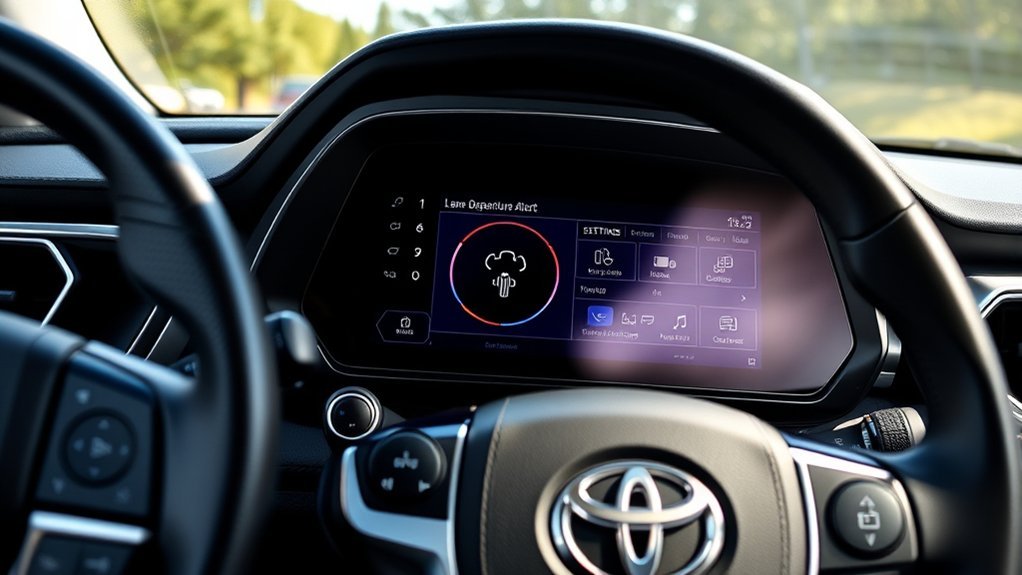
Make detailed driver-assistance setting changes while parked. The basic process uses the steering-wheel controls and Multi-Information Display rather than the center multimedia touchscreen.
Accessing LDA Settings
- Park the RAV4 in a safe location.
- Use the steering-wheel directional controls to move to the Settings or gear icon in the Multi-Information Display.
- Look for LTA on many fifth-generation RAV4s or the applicable LDA entry on newer systems.
- Highlight the lane-assistance entry and press or press-and-hold OK as instructed by the display.
- Review the settings that your exact vehicle exposes. These may include Lane Center, Sensitivity, Alert Options, Sway Warning, Sway Sensitivity, or an LDA on/off control depending on model year and configuration.
- Press OK to change the selected setting, then use the Back control to exit.
If a setting mentioned online does not appear in your RAV4, do not assume the system is broken. Toyota changed the available choices between generations and vehicle configurations.
| Setting You May See | What It Controls |
|---|---|
| Lane Center | Turns the LTA lane-centering function on or off on applicable fifth-generation RAV4s. |
| Sensitivity | Changes lane-departure warning sensitivity or timing on applicable models. |
| Alert Options | Changes the available notification method on models that provide this menu item. |
| Sway Warning | Turns the separate vehicle-sway warning function on or off. |
| Sway Sensitivity | Changes how readily the sway-warning function responds; it is not the same as LDA warning sensitivity. |
Customizing Alert Types
Some RAV4 configurations let you change how the lane-departure warning is delivered. If your menu contains Alert Options or an equivalent setting, use that item to select among the warning methods made available by your vehicle.
Do not assume every RAV4 offers a universal “Vibration or Beep” switch. Toyota documentation for different RAV4 generations and powertrains exposes different combinations of alert and sensitivity controls. If the Alert Options entry is absent, use the settings that are actually displayed rather than searching for a hidden menu.
Changing Alert Timing or Sensitivity
On many fifth-generation RAV4s, the relevant control is labeled Sensitivity. This setting affects the lane-departure warning behavior; it does not make LTA lane-centering steering stronger.
Avoid instructions that claim every RAV4 has Early, Middle and Late LDA timing choices. Toyota has used different warning-sensitivity and alert-timing structures across its safety-system generations.
Also keep LDA sensitivity separate from Sway Sensitivity. Sway Warning looks for a repeated pattern of vehicle movement or steering behavior; it is not simply another level of the lane-boundary warning.
Can You Choose Between Vibration and Beep on Every RAV4?
No single alert-selection rule applies to every RAV4. Some Toyota lane-assistance menus provide an Alert Options control that changes the notification method, while other RAV4 configurations emphasize warning sensitivity, lane centering and sway-warning controls instead.
The safest procedure is to open the lane-assistance settings on your own Multi-Information Display and use the choices that appear there. If your model offers a vibration-based warning and you prefer a less intrusive alert, select it. If your RAV4 does not show that choice, the missing menu item by itself is not evidence of a malfunction.
Remember that an alert-method preference does not change the camera’s ability to detect a lane. Faded markings, weather, glare, construction zones and other recognition limits can still prevent or delay a warning.
Why Is My RAV4 Lane Departure Alert Not Working?
Start with operating conditions before assuming the vehicle has an electronic fault. Lane-assistance systems depend on model-specific speed thresholds, recognizable lane or road-edge information and a clear forward-camera view.
| Symptom | What to Check | What to Do |
|---|---|---|
| No lane-departure warning | System setting, vehicle speed, lane visibility and turn-signal use. | Confirm the system is enabled and test only during normal driving on a clearly marked road where its operating conditions are met. |
| Alerts are inconsistent | Faded, temporary, covered or confusing lane markings; rain, snow, fog or glare. | Continue steering normally and do not rely on LDA until recognition conditions improve. |
| You expected continuous lane centering | Whether you are actually using LTA rather than LDA. | Review the LTA and Dynamic Radar Cruise Control requirements for your model year. |
| Camera or driver-assistance warning remains displayed | Dirt, ice, condensation or an obstruction around the windshield camera area. | Safely clear the glass and follow the warning message. Arrange diagnosis if the warning remains after normal conditions return. |
Heavy rain, snow, fog, glare, worn markings, road construction and unclear road edges can all reduce recognition. The system may also remain in standby when one of its model-specific operating conditions is not satisfied.
Do not deliberately drift toward a lane boundary to test whether LDA will react. Keep normal control of the vehicle and troubleshoot through the display, settings and owner’s manual instead.
How LDA, Steering Assist and Lane Tracing Assist Work Together
These features can share camera information, but their purposes should remain separate in your mind:
- LDA: Watches for an unintended lane or road-edge departure and warns when its operating conditions are met.
- Steering Assist: Can add limited corrective steering support in connection with a departure event on equipped vehicles.
- LTA: Provides more continuous lane-position assistance when its own requirements are met. On the 2025 RAV4, Toyota links lane-centering operation to Full-Speed Range Dynamic Radar Cruise Control.
- Sway Warning: Monitors for qualifying patterns of vehicle movement or steering behavior and is separate from a single lane-departure warning.
The distinction is especially important when troubleshooting. If LDA warns correctly but the RAV4 is not continuously centering itself, changing LDA sensitivity is unlikely to solve the issue because the expected behavior belongs to LTA.
For a broader explanation of the complete suite, see how Toyota Safety Sense works in the RAV4.
Related Guides
Frequently Asked Questions
Can I Disable Lane Departure Alert Completely?
Yes, but the control method varies by RAV4 generation. Many fifth-generation models manage the associated lane-assistance functions through the LTA switch and MID settings, while newer systems provide their own LDA controls. Check the indicator after changing the setting and use the owner’s manual for your exact model year if the menu differs.
Does LDA Work in All Weather Conditions?
No. Rain, snow, fog, glare, covered lane markings and other visibility problems can reduce or prevent lane recognition. Treat LDA as supplemental assistance and steer normally whenever the road or weather makes detection uncertain.
How Does LDA Detect Lane Markings?
LDA uses forward-looking sensor information, including a camera near the upper windshield area, to identify qualifying lane markings or road-edge information. Exactly what boundaries the system can use and when it can use them depends on the Toyota Safety Sense generation and vehicle.
Is LDA Available on All RAV4 Models?
Lane Departure Alert is included in the Toyota Safety Sense suite on current U.S.-spec RAV4s. The 2025 RAV4 uses Toyota Safety Sense 2.5, while the redesigned 2026 RAV4 uses Toyota Safety Sense 4.0. Availability and behavior on older vehicles or other markets can differ, so verify the equipment for the exact model year.
What Is the Difference Between RAV4 LDA and LTA?
LDA is primarily reactive: it warns when the RAV4 appears to be leaving a detected lane or road boundary unintentionally and can provide limited steering support. LTA is designed to provide more continuous lane-position assistance when its operating conditions are satisfied.
Will LDA Function With a Trailer Attached?
Towing guidance differs by RAV4 model year. A trailer behind the vehicle does not physically block the forward windshield camera, but towing, trailer sway and model-specific safety-system restrictions can affect which driver-assistance functions should be used. Follow the towing and driver-assistance sections of the owner’s manual for your exact RAV4 rather than assuming normal non-towing behavior.
Conclusion
To customize RAV4 Lane Departure Alert correctly, start with the model year. The 2025 RAV4 uses Toyota Safety Sense 2.5 and commonly groups related controls under LTA, while the redesigned 2026 RAV4 uses Toyota Safety Sense 4.0 and a newer lane-assistance architecture.
Use the steering-wheel controls and Multi-Information Display to change only the settings your RAV4 actually exposes. Do not treat LDA sensitivity, Sway Sensitivity and LTA lane centering as the same control. If the system does not behave as expected, check the operating conditions, lane visibility and camera area before assuming a hardware fault.

