As an Amazon Associate I earn from qualifying purchases.
Table of Contents
- Introduction: Why the MFISH Setup Matters
- What Comes in the Box
- MFISH 140W Charger Specifications and Ports
- Size and Weight Comparisons to Apple Chargers
- Why a Multi-Port Charger Benefits You
- How the MFISH 4-in-1 Cable Works
- Using Removable Adapters for Future Devices
- How Auto-Negotiation Distributes Power
- Heat Management and Safety Features
- Practical Uses for the MFISH Charger Setup
- Final Verdict on the MFISH Setup
- Frequently Asked Questions
- Where to Buy the MFISH Setup
- Share Your Charging Setup
Introduction: Why the MFISH Setup Matters
Managing multiple power cords clutters your workspace and slows you down. This guide reviews the MFISH 140W 4-port USB-C charger and its 4-in-1 USB-C charging cable. You will learn what comes in the box, how the charger compares to popular laptop bricks, and why this setup simplifies your daily charging needs.
Quick Answer
The MFISH 140W charger is a multi-port adapter that powers up to four devices at once. Paired with the highly adaptable MFISH 4-in-1 cable, it offers a streamlined solution to charge laptops, tablets, and phones safely using smart power distribution.
Key Takeaways
- The charger delivers up to 140W on a single port to power modern laptops.
- Smart power negotiation ensures smaller devices only draw the power they need safely.
- The 4-in-1 cable handles up to 240W and adapts to both USB-C and Lightning devices.
- Using a single high-power hub eliminates the need to carry separate power bricks for travel.
What Comes in the Box
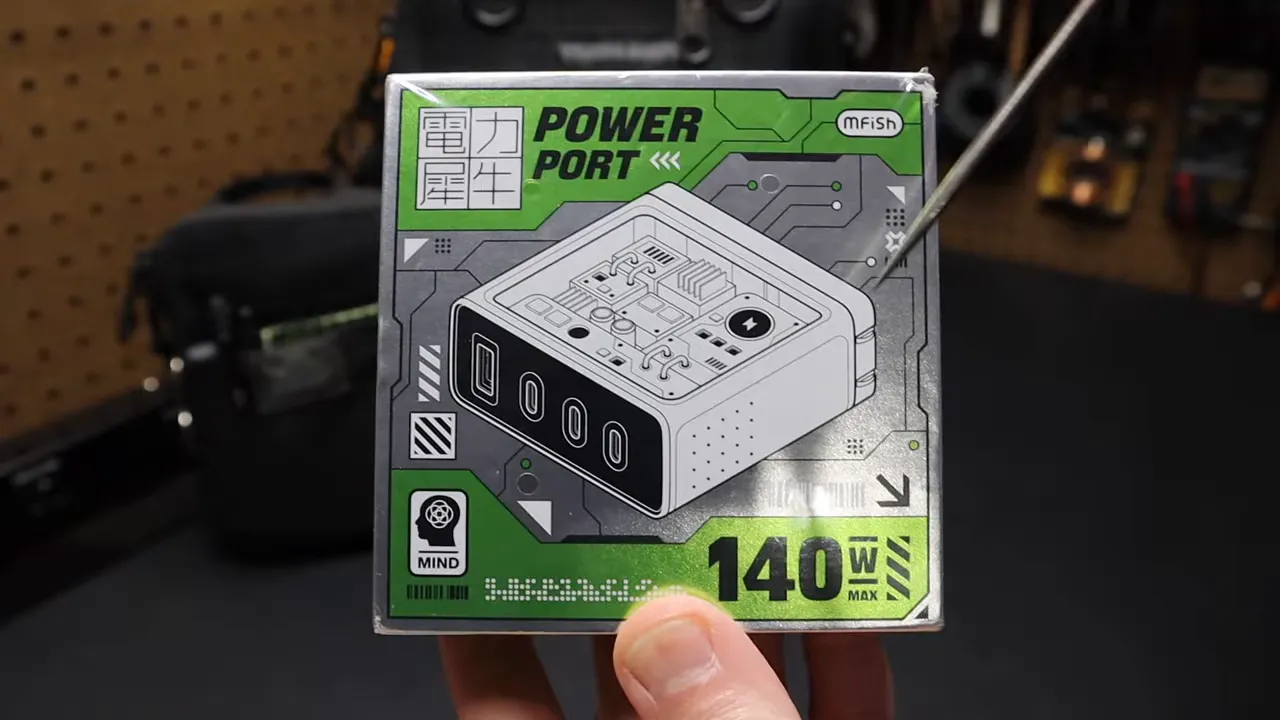
The package arrives well-organized and includes two main components for your setup:
- One 140W multi-port USB-C charger featuring built-in folding prongs.
- One 4-in-1 charging cable stored in a zippered case, equipped with USB-A, USB-C, and Lightning adapters.
MFISH 140W Charger Specifications and Ports
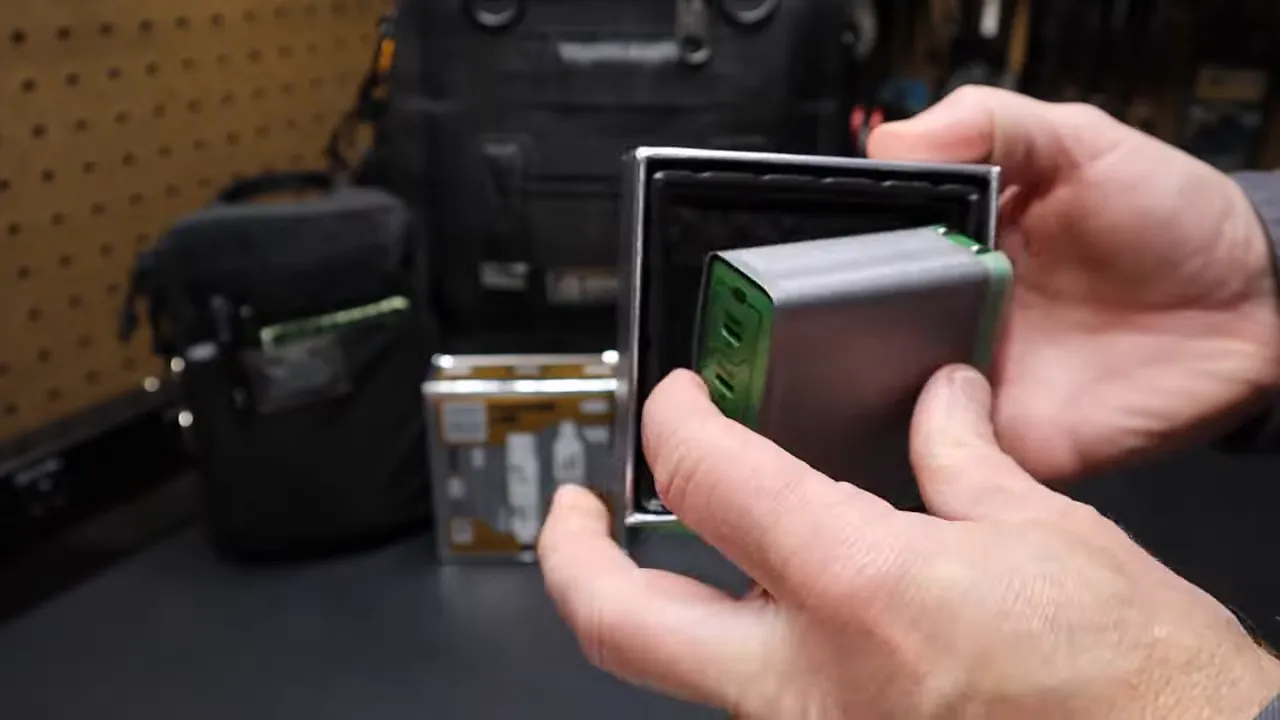
This adapter supports 100 to 240V input for easy worldwide use. It offers multiple ports to charge several devices at the same time:
- Two 140W-capable USB-C ports (C1 and C2) that support USB PD 3.1 and provide up to 140W on a single port.
- One 40W USB-C port (C3) for medium-power gadgets.
- One USB-A port delivering up to 33W for older accessories.
Power distribution adjusts dynamically based on your connections. Using ports C1 and C3 provides 100W and 40W respectively. Activating three USB-C ports splits the output to 65W, 45W, and 30W.
Size and Weight Comparisons to Apple Chargers
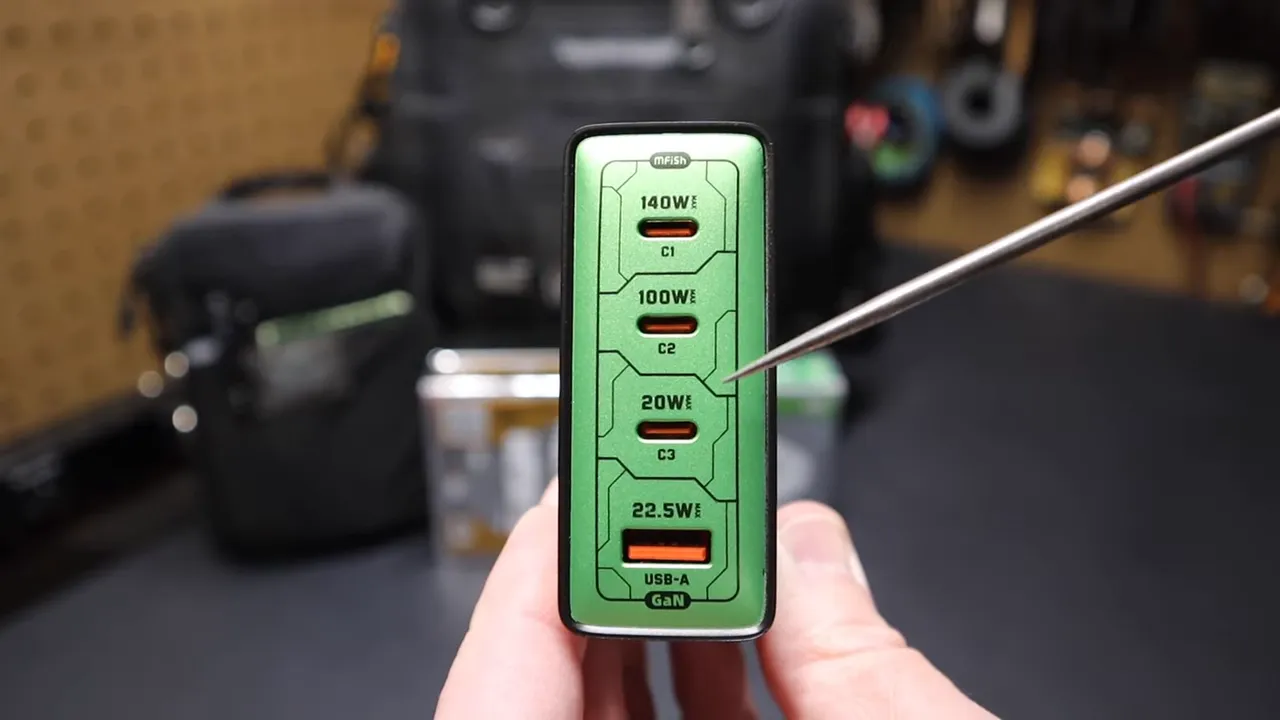
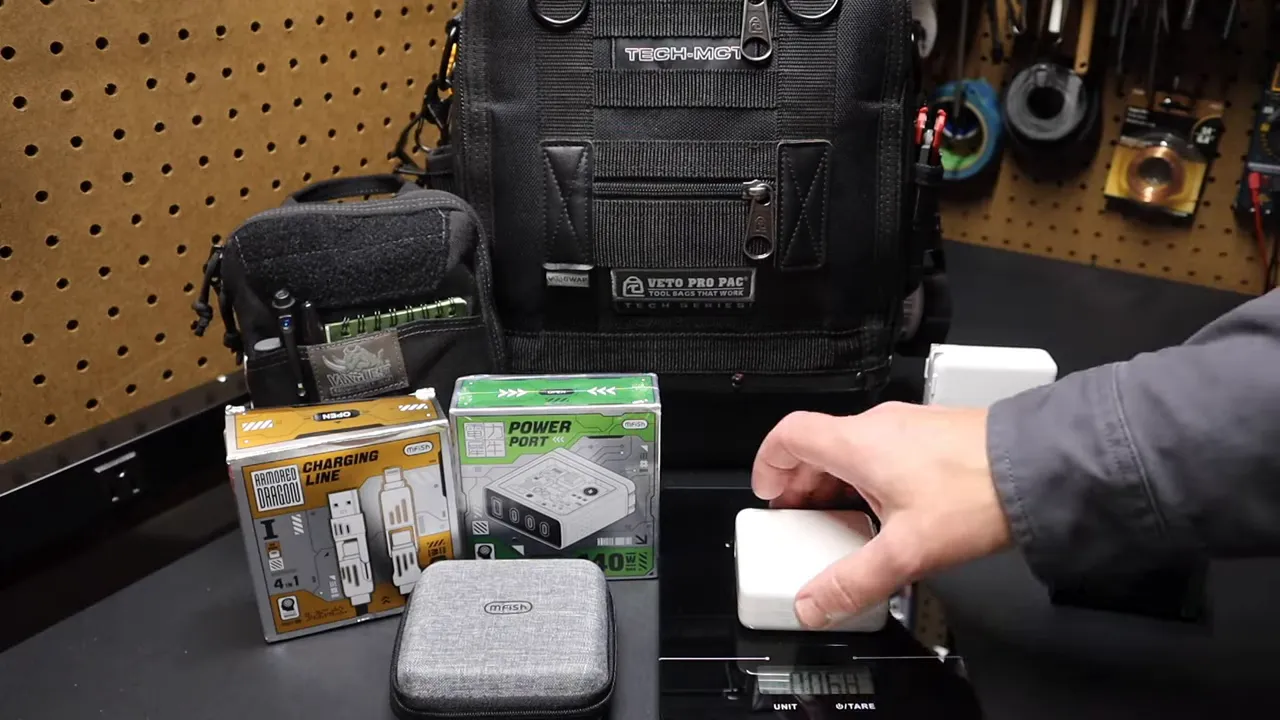
Comparing the MFISH adapter to Apple’s 61W and 96W power bricks helps visualize its size and weight. The official dimensions are 2.91 by 2.91 by 1.22 inches.
- Apple 61W adapter: Shares a similar footprint to the MFISH unit but provides less than half the total output.
- Apple 96W adapter: Features slightly smaller dimensions in certain areas despite its high wattage.
The Apple 61W weighs about 6.8 ounces. The MFISH unit weighs around 10.5 ounces. You accept a slight weight penalty to gain 140W of flexible, multi-port output.
Why a Multi-Port Charger Benefits You
Multi-port chargers provide excellent convenience. USB-C Power Delivery (USB PD) ensures each device requests only the specific wattage it needs. This communication means:
- Your phone safely draws modest power from the 140W charger without overheating.
- Your laptop pulls high wattage when connected to the primary, high-output ports.
- You can plug in multiple distinct devices simultaneously without manually checking wattage limits.
This flexibility proves especially useful for travel or a small desk setup where several gadgets need constant topping up.
Note: Total wattage remains capped at 140W across all ports, so connecting four high-draw devices will reduce the charging speed for each item.
How the MFISH 4-in-1 Cable Works
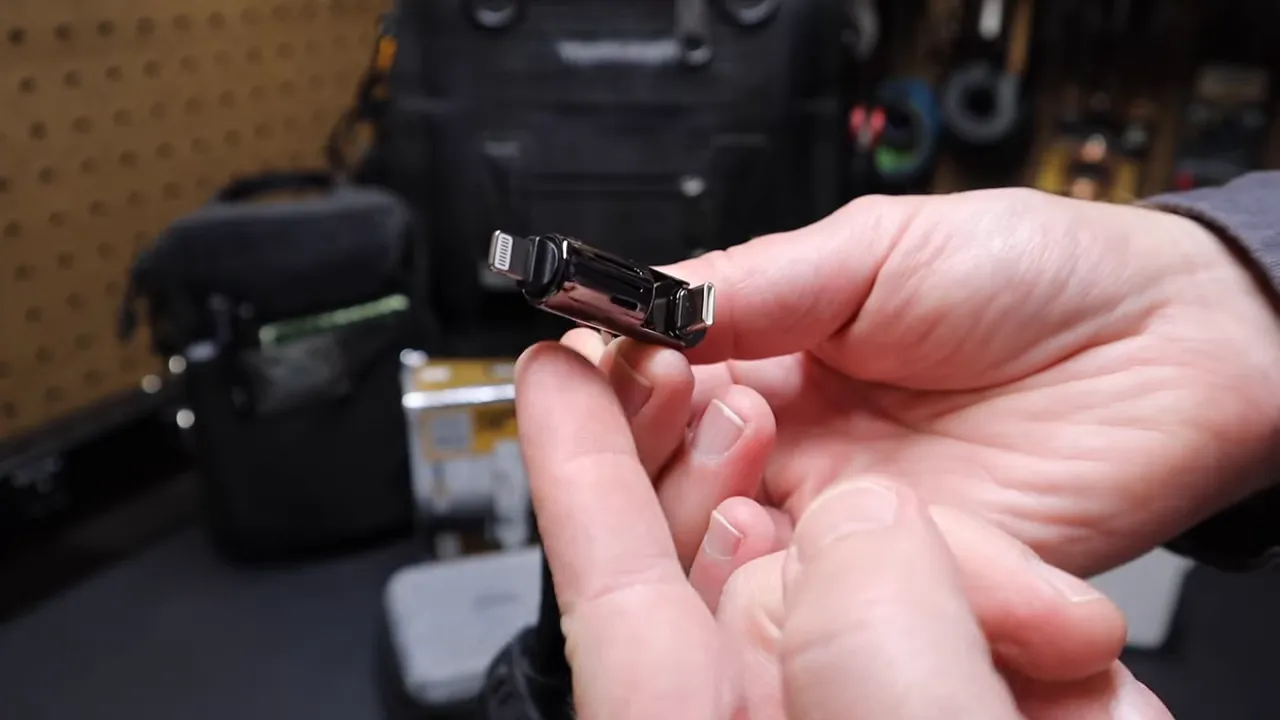
The cable arrives in a compact zippered case bearing the MFISH brand. The thick, robust cable feels similar to premium audio equipment. It functions as four different cables thanks to smart, removable adapters:
- USB-A to Lightning, using the standard tips.
- USB-A to USB-C, removing the Lightning adapter.
- USB-C to USB-C, detaching the USB-A host connector.
The manufacturer rates this cable to handle up to 240W for high-speed USB-C power delivery. It also supports USB 2.0 data transfer speeds up to 480 Mbps.

Using Removable Adapters for Future Devices
Both ends of the cable feature attached adapter pieces. You can detach the legacy Lightning or USB-A tips to create a pure USB-C to USB-C cable. This clever design keeps the cord useful as more devices shift toward the universal USB-C standard.
How Auto-Negotiation Distributes Power
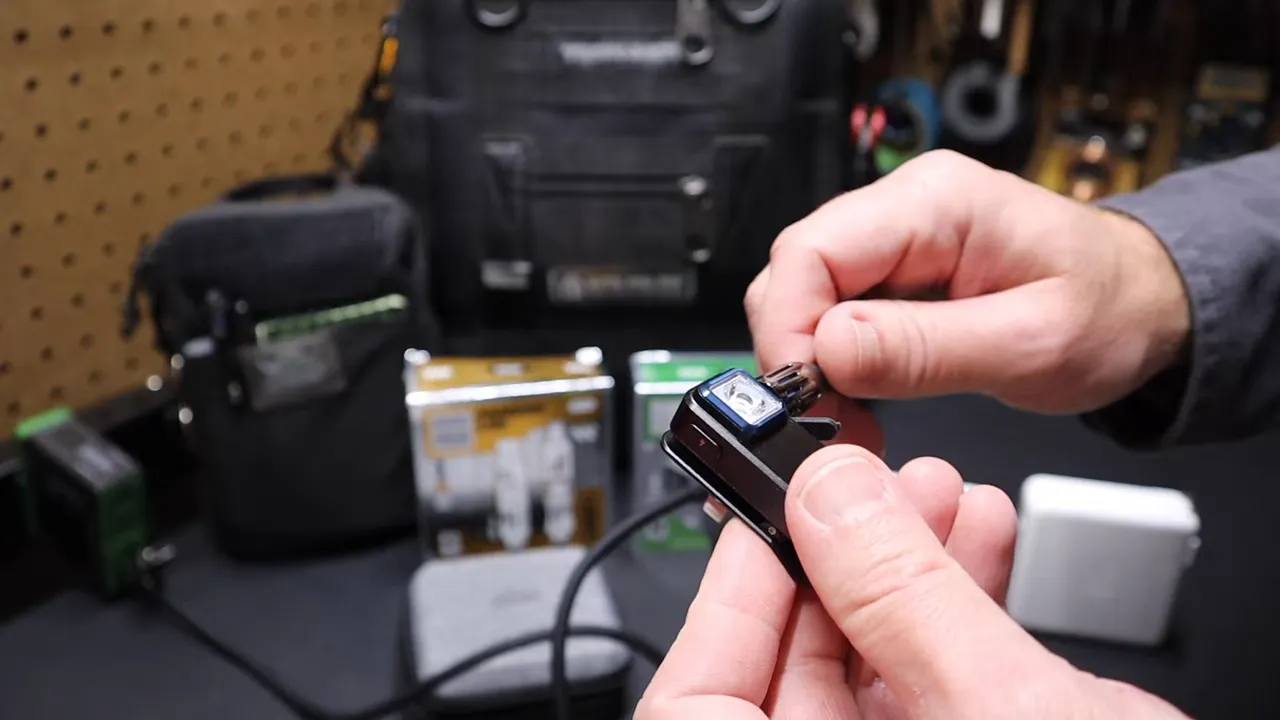
Testing the auto-negotiation process is simple. Plug the charger into the wall and connect the 4-in-1 cable to a small device like an Olight clip light. The device starts charging instantly. It only draws the exact power it requires, confirmed by the red charging indicator light. This same intelligent behavior applies to charging laptops. Devices request what they need, and the charger supplies it safely.
Heat Management and Safety Features
Modern chargers require smart electronics to handle high output without overheating. The MFISH charger uses Gallium Nitride (GaN) technology to maintain a compact size while managing thermal output efficiently. Built-in safeguards protect your connected devices from overcurrent and short circuits, ensuring a secure charge for expensive electronics.
Practical Uses for the MFISH Charger Setup
- Workshop or bench: Power your laptop, phone, and a couple of accessories from one outlet without juggling multiple chargers.
- Travel: Pack one international-capable adapter to handle phones, tablets, and laptops on the road.
- Road trips: Run smaller devices and recharge portable jump starters efficiently when needed.
- Home office: Reduce outlet clutter and let USB-PD technology simplify your daily charging decisions.
Pro tip: Keep the 4-in-1 cable in your travel bag to easily connect to rental car USB-A ports without packing a separate legacy cord.
Final Verdict on the MFISH Setup
The MFISH 140W charger and 4-in-1 cable offer a durable, highly adaptable solution for anyone managing multiple devices. Upgrade your desk setup or travel bag with this combination to eliminate the hassle of carrying separate power bricks. Streamlining your power supply keeps your workspace clean and ensures your gadgets remain fully charged and ready to go.
Related Guides
Frequently Asked Questions
Is the MFISH 140W charger safe for worldwide use?
Yes. The charger supports 100 to 240V input, allowing you to use it internationally. You only need a simple plug adapter depending on the country’s specific outlet shape.
Can you charge a MacBook with this charger?
Absolutely. The primary USB-C ports deliver up to 140W of power. Any laptop that accepts USB-C PD will negotiate the proper wattage to charge safely and quickly.
Do charging speeds drop when multiple devices are connected?
It depends on the total wattage demand. The charger intelligently allocates power through USB-PD negotiation. If multiple devices demand more than 140W total, individual devices draw less power to maintain safe limits.
Is the 4-in-1 cable durable for daily use?
The cable features a robust design that handles daily wear easily. Rated for up to 240W, its removable adapters offer excellent flexibility for switching between legacy and modern connectors quickly.
Does MFISH offer lower wattage travel models?
Yes. MFISH produces a smaller 65W travel charger option. It features a built-in retractable USB-C cable along with extra USB-C and USB-A ports for lighter travel needs.
Where to Buy the MFISH Setup
You can review pricing and availability for these items using the links below. The MFISH 140W 4-port USB-C charger and the MFISH 4-in-1 charging cable make excellent additions to a modern setup.
- MFISH 140W 4-Port USB-C Charger
Check price on Amazon - MFISH 4-in-1 Charging Cable
Check price on Amazon - MFISH 65W Charger
Check price on Amazon
Share Your Charging Setup
Optimizing your power stations can dramatically improve your daily workflow. Do you prefer using a single multi-port hub or keeping separate bricks for each specific device? Review your current power needs and consider upgrading to a unified system to save time and space.

