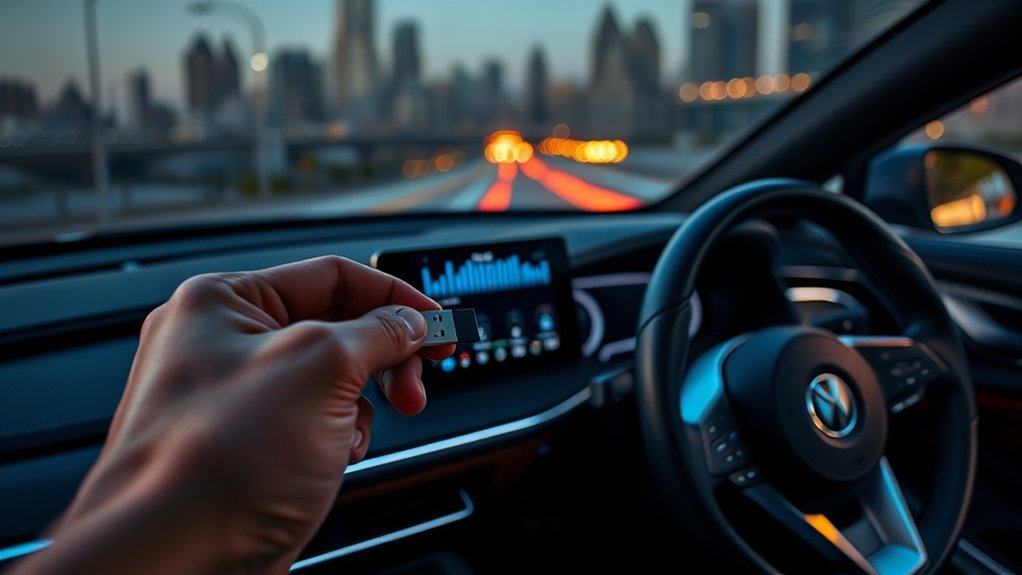
Can a 2026 Harley-Davidson play music from a USB stick? Conflicting advice about Skyline OS has left some riders unsure whether flash-drive playback still works. The answer depends on the motorcycle’s infotainment system and whether it recognizes the connected device. Harley-Davidson’s official specifications provide a clearer answer than the conflicting reports.
Quick Answer
Yes. Harley-Davidson lists USB flash-drive and MP3 playback as supported on the 2026 Street Glide and Road Glide, both equipped with Skyline OS. The USB source appears when the infotainment system recognizes a compatible device. Connect your drive to the USB-C port, select USB as the audio source, and troubleshoot compatibility if the drive is not detected.
Key Takeaways
- Harley-Davidson officially lists USB flash-drive playback as supported on several 2026 Skyline OS motorcycles.
- The USB audio option appears only when a supported device is connected and recognized.
- A reputable USB-C flash drive containing a few MP3 files makes a useful first compatibility test.
- FAT32-only, USB 3.1-only, and 128GB maximum-capacity claims are not established requirements for 2026 Skyline OS music playback.
- Bluetooth offers another way to listen to downloaded music without using a flash drive or a mobile data connection.
Can a 2026 Harley-Davidson Play Music From a USB Stick?
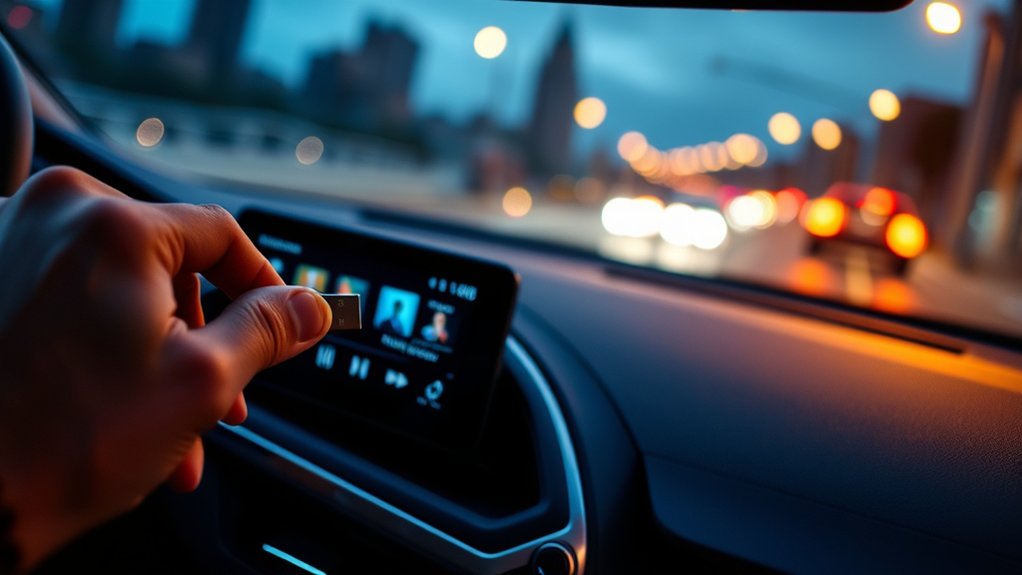
Yes. Supported 2026 Harley-Davidson motorcycles can play music from a USB flash drive through their infotainment systems. The manufacturer specifically identifies flash-drive and MP3 support in its published specifications.
For example, the official 2026 Street Glide specifications list SD card, flash drive, and MP3 playback through a USB connection as supported features.
However, official support does not guarantee that every USB stick will work. The system still needs to recognize the drive, access its files, and identify the music formats it can play.
Some riders have reported difficulties getting flash drives to appear as audio sources. Others have successfully played MP3 music through Skyline OS, including displaying song titles and artist information.
These mixed experiences explain why the feature has attracted confusion. They do not establish that Harley-Davidson removed USB playback altogether.
The most useful approach is to separate three questions:
- Does your motorcycle officially support USB media?
- Does the infotainment system recognize your particular flash drive?
- Can the system read and play the music files stored on that drive?
Answering these questions in order helps you find the actual problem without replacing equipment unnecessarily.
Which 2026 Harley-Davidson Systems Can Play USB Music?
Harley-Davidson identifies USB music playback as supported on multiple 2026 models equipped with Skyline OS. These include standard Touring motorcycles and premium CVO models.
The 2026 Road Glide and CVO Street Glide both list flash-drive and MP3 support in their official infotainment specifications.
| 2026 Motorcycle | Infotainment | Official USB Music Support |
|---|---|---|
| Street Glide | Skyline OS | Supported |
| Road Glide | Skyline OS | Supported |
| CVO Street Glide | Skyline OS | Supported |
The published specifications confirm feature support, but they do not provide a complete list of compatible flash-drive models or capacities.
Other Skyline OS Touring and Trike configurations also provide USB media features. Owners should confirm the specification for their exact motorcycle rather than assume every Harley-Davidson model has the same audio hardware.
Importantly, a motorcycle with a USB-C connection does not automatically support every type of USB device. Charging, smartphone connectivity, software updates, and music playback are different functions.
Why Is USB Music So Confusing on 2026 Models?
The confusion comes mainly from inconsistent dealership advice, mixed owner experiences, and the transition to Skyline OS. Some riders were incorrectly told that newer Harley-Davidson systems could no longer play music from flash drives.
The manufacturer’s published specifications and USB media instructions show that the situation is more specific than a complete removal of the feature.
Conflicting Dealer Guidance
Dealership staff have reportedly given different answers about USB music playback. Some describe the function as unsupported, while others have demonstrated working USB audio on newer motorcycles.
This disagreement can make an ordinary compatibility problem look like a missing feature.
| Signal | Reported Outcome |
|---|---|
| Dealer claim A | USB audio supported |
| Dealer claim B | USB audio removed |
| Older model experience | Playback worked |
| Community feedback | Mixed results with different drives |
| Buyer response | Requests for demonstrations before delivery |
A rider may insert a flash drive, find that nothing happens, and conclude that the motorcycle cannot play USB music. However, an unrecognized drive does not prove the entire system lacks support.
Instead of relying only on a verbal answer, ask the dealership to demonstrate playback using an MP3 file stored on a compatible flash drive.
A successful demonstration should show the USB source on the screen and allow you to select and play a song.
Skyline OS Limitations
Skyline OS is Harley-Davidson’s newer infotainment platform, introduced on select 2023.5-and-newer motorcycles. It combines audio controls, vehicle information, navigation features, and connected-device functions.
Unlike older Boom! Box systems, Skyline OS uses a different interface. This can make familiar audio tasks less obvious to riders upgrading from an earlier motorcycle.
However, Skyline OS does not automatically eliminate USB music playback. Official media instructions describe selecting USB as an audio source and browsing files stored on a connected device.
Software condition can also matter. Harley-Davidson has released Skyline OS updates addressing infotainment behavior, connectivity, and other system issues.
The company’s Skyline OS support resources document software version 5057D and provide update instructions, troubleshooting information, and USB-drive guidance.
This does not mean that version 5057D specifically fixes every USB music problem. Its documented changes should not be confused with a guaranteed repair for flash-drive compatibility.
If your motorcycle has an outdated system or behaves differently from another bike with the same equipment, the installed software version is worth checking.
Which USB Drives Work Best on a 2026 Harley-Davidson?
A reputable USB flash drive with a suitable connector and readable music files is a sensible choice. SanDisk, PNY, Samsung, and Kingston are reasonable brands to consider.
Harley-Davidson recommends reputable flash drives for Skyline OS software-update work. That guidance supports their use as reliable storage devices, although it does not establish a brand-specific guarantee for music playback.
Compatible Drive Brands
SanDisk, PNY, and Samsung drives have appeared in owner discussions about USB music compatibility. Some riders report success with these brands after other flash drives failed.
That does not mean every drive from those manufacturers will work. Individual models can differ in their connectors, storage formats, partition layouts, and device behavior.
- SanDisk: A practical option for a basic USB music library.
- PNY: Another established brand reported by owners to work in some Skyline OS systems.
- Samsung: Offers USB flash drives in different capacities and connector types.
- Kingston: Another reputable manufacturer included in Harley-Davidson’s general USB-drive guidance.
When troubleshooting, use one drive with a small collection of ordinary MP3 files. This makes it easier to separate a device-recognition problem from an unsupported music file.
A reputable brand may reduce the chance of problems with the storage device itself, but the motorcycle must still recognize that particular drive.
Preferred USB Standards
The correct physical connection matters more than choosing a drive based only on its USB generation. For Skyline OS motorcycles with a USB-C connection, a suitable USB-C flash drive is the most direct option.
USB-C describes the connector shape. USB 3.1 and USB 3.2 describe interface standards, which are not the same thing.
Newer USB devices commonly offer backward compatibility, so a USB 3.2 label alone does not establish that a drive is unsuitable.
No universal rule was confirmed showing that 2026 Skyline OS audio playback requires USB 3.1 or an older standard.
Avoid unnecessary adapter chains during your first test. An adapter can introduce another connection point that must work correctly.
If you already own a USB-A drive, a suitable adapter may work, but a directly compatible USB-C device is simpler to troubleshoot.
Size And Format
Drive capacity and file-system format can affect whether an infotainment unit recognizes storage. However, the commonly repeated 128GB limit is not established as a universal 2026 Skyline OS music requirement.
Likewise, FAT32 should not be described as the only valid format without model-specific confirmation.
Harley-Davidson specifies exFAT for USB drives used to update Skyline OS. That is an official software-update requirement, not proof that all music drives must use the same format.
For initial music testing, consider these practical choices:
- Use a reputable USB-C flash drive that fits the motorcycle’s connection.
- Start with a small selection of MP3 files.
- Try a conventional file system such as exFAT or FAT32 if your current format is not recognized.
- Avoid password-protected or unusually partitioned storage for the first test.
- Do not assume a drive is incompatible solely because it has more than 128GB of capacity.
A smaller test library is easier to inspect and troubleshoot than a large collection containing thousands of songs in different formats.
How Should You Format a USB Drive?
Use a straightforward file-system format and test the drive with a few MP3 files. Both exFAT and FAT32 are relevant troubleshooting options, but the manufacturer’s Skyline OS software-update instructions specifically call for exFAT.
Formatting changes the drive’s file system. It can fix storage-layout problems, but it cannot make an unsupported file format or defective device work.
Warning: Formatting a USB drive erases its stored files. Copy your music and any other important data to a safe location first. Make sure you select the correct drive before starting the formatting process.
Format a USB Drive on Windows
- Connect the USB flash drive to your computer.
- Open File Explorer and select This PC.
- Right-click the USB drive and choose Format.
- Choose exFAT from the available file-system options.
- Start the formatting process and allow it to finish.
- Copy a few MP3 songs back to the drive.
- Safely eject the drive before removing it.
If the drive is not recognized by the motorcycle, FAT32 can be tested as an alternative where your computer supports that formatting option.
Windows’ standard formatting tools may not offer FAT32 for larger partitions. Do not confuse this computer formatting limitation with a confirmed Harley-Davidson audio capacity limit.
Format a USB Drive on macOS
- Connect the USB drive to your Mac.
- Open Disk Utility.
- Select View, then Show All Devices.
- Select the correct USB storage device.
- Click Erase.
- Choose the desired file-system format and complete the operation.
- Copy your MP3 files to the drive and eject it safely.
Apple’s Disk Utility formatting instructions recommend MS-DOS (FAT) for Windows-compatible volumes of 32GB or less and exFAT for larger volumes.
After formatting, test the drive on the motorcycle before transferring your entire music collection.
How Should You Organize Music Files?
Keep your USB music library simple and use commonly supported audio files. MP3 is a useful starting format because Harley-Davidson explicitly includes MP3 playback in its 2026 motorcycle specifications.
Clear filenames and organized folders also make it easier to find songs and identify files that will not play.
A practical folder structure looks like this:
- Artist Name
- Album Name
- 01 – Song Name.mp3
- 02 – Song Name.mp3
- Album Name
You can repeat that structure for other artists and albums.
For the first compatibility test, however, place a few MP3 files directly in the drive’s main directory. This avoids any uncertainty about how deeply the infotainment system can search through folders.
Once those files play, add your artist and album folders gradually.
Keep these points in mind:
- Use descriptive filenames without unusual symbols.
- Keep the original MP3 filename extensions.
- Avoid mixing many different audio formats during troubleshooting.
- Make sure files are not corrupted or protected against playback.
- Use proper artist and album metadata when you want the system to display music categories.
Skyline OS media instructions describe browsing connected USB music by artist, album, song, playlist, and audiobook categories.
Those categories can depend on the music information stored inside each file. A well-organized folder structure does not replace correct audio metadata.
Very large libraries may take longer to scan. Although a 9,000-track limit has been repeated in some advice, no universal Skyline OS audio limit of that size was confirmed.
How Do You Play Music From the USB?
Connect a compatible flash drive to the motorcycle’s USB-C port, then select USB from the Skyline OS media sources. The USB option becomes available when the infotainment control unit recognizes a supported connected device.
Harley-Davidson’s official infotainment media instructions describe the source-selection and file-browsing process.
Step-by-Step USB Music Setup
- Prepare your music. Copy several MP3 files to a suitable USB flash drive.
- Park the motorcycle safely. Complete the initial media setup while stationary.
- Find the USB connection. On the supported Skyline OS configuration, locate the USB-C connection in the fairing storage compartment.
- Connect the drive. Insert the compatible flash drive securely into the USB-C connection.
- Open the audio source menu. Use the media source icon on the Skyline OS infotainment display.
- Select USB. Choose the USB source using the touchscreen or the left-hand control module’s navigation buttons and OK/Enter control.
- Browse your music. Select a song, artist, album, or other available category.
- Start playback. Choose the desired track and adjust the audio output as needed.
If the connection works, the system should show USB as an available source and let you browse or play recognized files.
The media interface can also display music information such as song titles and artists when that information is available.
If USB does not appear, the system may not have recognized the drive. Disconnect it safely, reconnect it, and allow the system another chance to detect the device.
Do not use Mazda Connect instructions or menus for this process. Skyline OS has its own controls and media interface.
Why Won’t Your 2026 Harley-Davidson Read the USB Drive?
A 2026 Harley-Davidson may fail to recognize a USB drive because of connection problems, an unsuitable storage format, unsupported files, or a software issue. Start with the simplest checks before assuming the infotainment system is defective.
The most useful clue is whether USB appears as a media source at all.
If USB Does Not Appear as a Source
The system may not recognize the connected storage device. Try these fixes in order:
- Check the connection. Confirm that the USB drive is fully connected to the correct port.
- Remove unnecessary adapters. Test with a directly compatible USB-C drive if one is available.
- Reconnect the drive. Allow the infotainment system to finish starting before trying again.
- Test another drive. Prefer a reputable brand with a simple storage layout.
- Check the file system. Test an appropriately formatted drive containing only a few MP3 files.
- Review the software version. Confirm whether the infotainment system has an applicable manufacturer update.
If multiple known-good drives fail to appear, ask a Harley-Davidson technician to inspect the USB connection and infotainment system.
If USB Appears but Your Music Does Not Play
When the USB source appears but songs are missing or unplayable, the problem may involve the files rather than device detection.
Try the following checks:
- Confirm the music files play normally on your computer.
- Test ordinary MP3 files instead of mixing multiple audio formats.
- Move a few songs into the USB drive’s main directory.
- Check whether the files have unusual names or extensions.
- Allow the system to finish reading the connected library.
- Try another USB drive containing the same test tracks.
This comparison helps identify whether the problem follows the music files or the storage device.
When Should You Contact the Dealer?
Contact the dealership if the motorcycle consistently fails to recognize compatible USB devices despite basic troubleshooting.
Explain exactly what happens, including whether USB appears in the source menu, whether filenames are visible, and whether audio starts.
Also provide the infotainment software version and describe the drives and file formats you tried.
Ask the technician to demonstrate USB playback using a known-working device. This can help distinguish a hardware problem from an incompatible storage device.
When Is Bluetooth or Streaming the Better Option?
Bluetooth is a useful alternative when USB music playback is unreliable or when you prefer using your phone’s music library. It avoids the need for a separate flash drive and its file-system compatibility requirements.
Streaming services offer another option, although they may need an internet connection, a subscription, or previously downloaded content.
Bluetooth Convenience
Bluetooth lets you play music from a compatible smartphone through the motorcycle’s audio system. Once your phone is paired, you can use supported media controls to manage playback.
This is especially useful if your music collection is already stored on your phone.
For basic Bluetooth playback:
- Park the motorcycle and open Skyline OS device settings.
- Enable Bluetooth on your smartphone.
- Pair the phone with the motorcycle through the device manager.
- Open a music app or local audio player on your phone.
- Select the Bluetooth audio source and begin playback.
Available controls depend on the paired device and its supported Bluetooth features.
Bluetooth playback also works with locally stored music. You do not need an active mobile data connection just to hear songs already downloaded to your phone.
For riders who want offline access without carrying another storage device, this may be the easiest solution.
Streaming vs. USB Music
USB playback and phone-based audio each offer different advantages. The better choice depends on how you store your music and how much control you want over your collection.
| Feature | USB Flash Drive | Bluetooth or Phone Audio |
|---|---|---|
| Internet connection | Not needed for local files | Not needed for downloaded music; may be needed for online streaming |
| Music storage | USB drive | Smartphone or streaming service |
| Setup requirement | Compatible drive and readable files | Compatible phone and connection |
| Music library | Your saved audio files | Saved files, downloaded songs, or online catalogs |
| Main advantage | Independent local storage | Convenient access to phone-based music |
USB is attractive if you maintain your own MP3 collection and want to leave your phone out of the process.
Bluetooth is more convenient if your songs already live on your phone or you regularly use music apps.
Apple CarPlay is another option on equipped motorcycles. Some Skyline OS configurations require a compatible iPhone and connected headset for CarPlay operation.
Services such as SiriusXM can also provide music where supported, but subscriptions and availability depend on the service and equipment.
Neither approach is automatically better for every rider. USB gives you an independent removable library, while phone audio usually offers more flexible access to different music sources.
What Should You Do if USB Music Matters Most?
If USB music playback is an essential feature, verify it on the exact motorcycle before completing your purchase. Official specifications establish support, but a working demonstration gives you greater confidence in the equipment you will actually receive.
This is especially useful when upgrading from an older Harley-Davidson with familiar USB music controls.
Before Buying a 2026 Model
- Confirm the motorcycle: Identify the exact model and infotainment configuration.
- Review official specifications: Look for flash-drive and MP3 support under infotainment features.
- Bring your music: Prepare a compatible USB drive with MP3 test files.
- Request a demonstration: Ask the dealer to connect the drive and play a track.
- Check the controls: Confirm that you can browse songs and use the available playback functions.
- Discuss problems before delivery: Ask for any unresolved issue to be recorded and explained.
If you are considering an older model instead, compare the actual USB playback functions rather than assuming that an older system is automatically better.
Legacy Boom! Box equipment used different media interfaces and supported a range of USB music functions. However, compatibility still depends on the particular radio and connected device.
A certified used motorcycle with demonstrated USB playback may suit someone who wants familiar controls and prefers a previous-generation system.
For an existing 2026 owner, troubleshooting and manufacturer support are more sensible first steps than assuming the feature is unavailable.
If USB playback still fails after multiple controlled tests, ask the dealer to inspect the infotainment system and explain the next service step.
Frequently Asked Questions
How Do I Listen to Music on a USB Stick?
Copy MP3 files onto a compatible USB flash drive, then connect it to the motorcycle’s USB-C port. Open the Skyline OS media source menu and select USB. When the system recognizes the drive, browse the available songs or albums and choose a track to play. Complete the setup while parked.
Why Won’t My USB Stick Play Music in My Car or Motorcycle?
Your USB stick may not play music because the audio system cannot recognize its storage format, connection, or music files. Test a different drive containing a few MP3 songs. If the USB source never appears, check the connection and system compatibility. If it appears but songs fail, inspect the files first.
What Is the Best USB Stick for Music?
A reliable USB flash drive with the correct connector and a compatible storage format is a good choice. SanDisk, PNY, Samsung, and Kingston are established options. For a 2026 Harley-Davidson with a USB-C connection, start with a directly compatible drive and a small MP3 library. No particular brand or capacity guarantees playback.
What Device Can I Use to Play Music From a USB Stick?
You can use a compatible infotainment system, computer, or portable media player that supports USB storage and your music file format. Selected 2026 Harley-Davidson Skyline OS systems officially support USB media. If your motorcycle cannot recognize a particular drive, you can also play music from a compatible smartphone over Bluetooth.
Does USB Music Playback Require an Internet Connection?
No. Playing locally stored MP3 files from a recognized USB drive does not require an internet connection. The music files are read directly from the storage device. Internet access may still be needed for separate functions such as online music streaming, software downloads, or connected services, depending on the motorcycle and application.
Is 128GB the Maximum USB Drive Size for a 2026 Harley-Davidson?
A universal 128GB maximum for Skyline OS music playback was not confirmed in the official documentation reviewed. Drive recognition depends on more than capacity, including formatting and device compatibility. Harley-Davidson’s separate USB recommendations for software updates should not be treated as definitive music-library limits. Test your intended drive before relying on it.
Conclusion
USB music playback remains an officially supported feature on several 2026 Harley-Davidson motorcycles equipped with Skyline OS. The real challenge is ensuring that the infotainment system recognizes your flash drive and can read its music files.
Start with a compatible USB-C device containing a few MP3 tracks, select the USB media source, and troubleshoot the connection or storage format if needed. If USB playback is essential to your riding experience, confirm it works on your particular motorcycle before relying on it for a trip.
Sources
- Harley-Davidson: 2026 Street Glide: Official Skyline OS and USB flash-drive/MP3 infotainment specifications.
- Harley-Davidson: 2026 Road Glide: Official USB music support and infotainment connectivity specifications.
- Harley-Davidson: 2026 CVO Street Glide: USB flash-drive and MP3 support on a premium Skyline OS model.
- Harley-Davidson: IFCU/Skyline OS Support Resources: Software updates, version information, troubleshooting, and USB-drive best practices.
- Harley-Davidson: Infotainment Media Operation: Selecting USB audio sources and browsing music files on connected devices.
- Apple Support: Format a Disk for Windows Computers: Disk Utility formatting instructions and FAT/exFAT guidance.