Does the Toyota RAV4 Have Toyota Connect?
Last updated: September 19, 2026. U.S. Toyota Connected Services pricing and 2025–2026 RAV4 applicability were rechecked against Toyota sources.
Yes. Many Toyota RAV4 models support connected features through the Toyota app. In the United States, Toyota officially calls the platform Toyota Connected Services, rather than simply Toyota Connect. For 2026 RAV4 models, Toyota lists a one-year Remote Connect trial across documented configurations and at least five years of Safety Connect and Service Connect. The 2025 RAV4 used different trial periods, including up to 10 years for Safety Connect and Service Connect on listed configurations.
Your exact functions still depend on the RAV4’s model year, multimedia equipment, trim, original market, active trial or subscription, and VIN-specific eligibility. The Toyota app can support ownership functions even when a vehicle does not include every Remote Connect, Drive Connect, Digital Key, or remote-start feature.
Quick Answer
Yes. Compatible Toyota RAV4 models use Toyota Connected Services through the Toyota app. Depending on the model year and equipment, your RAV4 may offer Remote Connect, Drive Connect, Safety Connect, Service Connect, Wi-Fi Connect, Digital Key, or a combination of these. Add the VIN to the Toyota app and check My Garage or Subscriptions before paying for a plan.
Key Takeaways
- The Toyota app is free, but many connected functions require an active trial or paid subscription.
- Toyota’s 2026 RAV4 chart lists a one-year Remote Connect trial and at least five years of Safety Connect and Service Connect on documented configurations.
- Toyota’s 2025 RAV4 chart lists up to 10 years of Safety Connect and Service Connect, while Remote Connect availability and trial status vary by multimedia system and grade.
- Remote engine start, Digital Key, remote climate controls, and Drive Connect are not available in the same way on every RAV4.
- Toyota Connected Services plans cannot be transferred to another vehicle or person, although a new owner may be able to register for the remainder of a vehicle-associated trial.
At a Glance
| Setup Time | Varies by account and ownership verification |
| Difficulty | Usually straightforward; used-vehicle ownership changes can require extra verification |
| What You Need | Compatible smartphone, Toyota app, VIN, vehicle access, and key fob |
| Cost | The app is free; some connected functions require a trial or paid plan |
| Best First Check | Add the VIN to the Toyota app and review My Garage or Subscriptions |
Note: This guide focuses on Toyota Connected Services offered in the United States. Service names, prices, trial periods, app availability, and features may differ in Canada and other markets.
Verification note: This guide was rechecked against Toyota’s current U.S. Connected Services pages, current plan page, 2025 and 2026 RAV4 applicability charts, Connected Services Terms of Use, and privacy notice. Because Toyota can vary or change services by VIN, multimedia system, and model year, the services shown for your VIN in the Toyota app remain the most practical final check.
What Is Toyota Connected Services and How Does It Work in the RAV4?
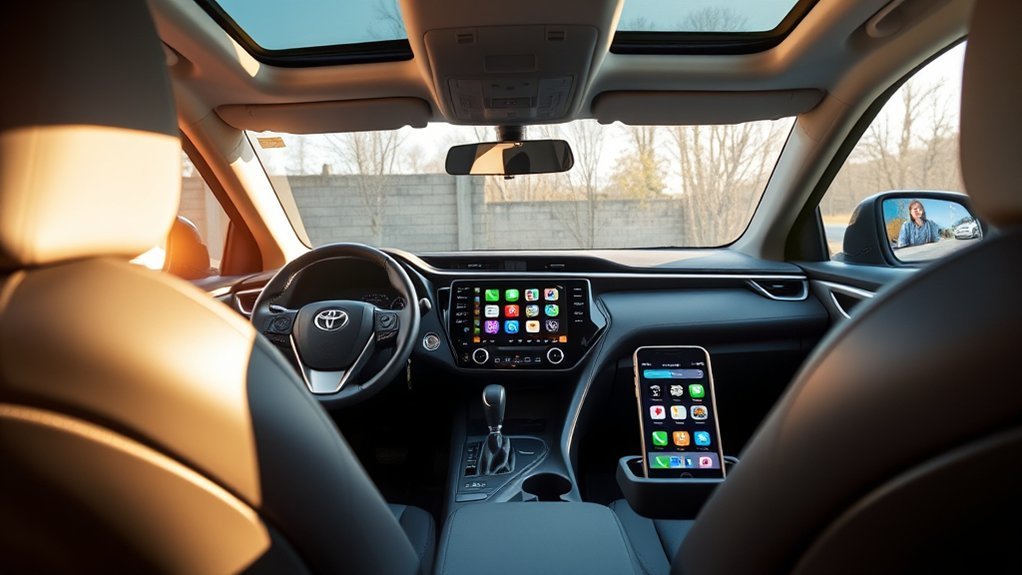
Toyota Connected Services is Toyota’s U.S. name for a group of app-based, in-vehicle, safety, navigation, maintenance, remote-control, and internet services. Compatible RAV4 models use factory-installed telematics hardware that communicates through cellular and GPS systems.
The Toyota app acts as the main ownership and service interface. You can use it to add your RAV4, review vehicle information, manage supported subscriptions, receive maintenance information, and access eligible remote functions.
| Service | What It Does | Important Limitation |
|---|---|---|
| Remote Connect | Provides supported remote controls, vehicle status, alerts, location tools, and smartwatch integration. | Available functions vary by vehicle, equipment, model year, and active service. |
| Drive Connect | Adds Cloud Navigation, Intelligent Assistant, and Destination Assist on compatible systems. | Requires compatible multimedia hardware and an active trial or subscription. |
| Safety Connect | Provides emergency, collision, roadside, and stolen-vehicle assistance. | Depends on vehicle power, compatible network coverage, GPS, and an active service. |
| Service Connect | Provides vehicle health information, alerts, and maintenance reminders. | Available reports and alerts depend on the vehicle. |
| Wi-Fi Connect | Provides an AT&T in-vehicle hotspot and Integrated Streaming where supported. | Device limits, supported streaming services, trial terms, and network implementation vary by vehicle and multimedia generation. |
Toyota app compatibility does not automatically mean a RAV4 has Remote Connect hardware, remote engine start, Drive Connect, or Digital Key. The app can still provide ownership functions for vehicles with fewer connected capabilities.
Which RAV4 Models Support Toyota Connected Services?
The Toyota app supports Toyota models from model year 2010 onward, but app support is not the same as full Connected Services compatibility. A 2010-or-newer RAV4 may appear in the app without supporting current Remote Connect controls, Drive Connect, or Digital Key. Those functions depend on telematics hardware, multimedia equipment, model year, original market, and service eligibility.
Toyota’s current public Connected Services plan bundles are available on select 2022-and-later vehicles. Older RAV4s may use earlier service structures or have fewer connected functions.
| RAV4 Model Year | Current U.S. Compatibility Highlights |
|---|---|
| 2025 RAV4 | Toyota’s chart lists Safety Connect and Service Connect trials of up to 10 years. LE and Hybrid LE list Remote Connect as available by subscription, but Toyota specifically states that Remote Connect does not include engine start/stop on LE. Many other listed configurations include a one-year Remote Connect trial. Wi-Fi Connect is listed with a 30-day or up-to-3-GB trial, while Drive Connect availability depends on the multimedia system. |
| 2026 RAV4 | Toyota lists at least five years of Safety Connect and Service Connect and a one-year Remote Connect trial across the documented RAV4 configurations. The chart lists a 30-day Wi-Fi hotspot trial with unlimited hotspot data on the regular RAV4. Digital Key is unavailable on some configurations and standard on others, and it requires an active Remote Connect trial or subscription. Drive Connect may be available by subscription or include a trial depending on multimedia equipment. |
| Earlier RAV4s | Compatibility varies widely. Some vehicles support ownership information, Safety Connect, Service Connect, legacy navigation services, or earlier Remote Connect functions without offering the current Connected Services bundle structure. |
You can review Toyota’s official 2025 feature applicability chart and 2026 feature applicability chart for multimedia- and configuration-level details.
Used-RAV4 tip: Most Toyota Connected Services trials begin on the original purchase or lease date of the new vehicle, not when a later owner buys it. A new owner may be able to register for the remaining portion of a vehicle-associated trial, but a previous owner’s paid or trial Service Plan itself cannot be transferred.
Network retirement can also matter on older connected vehicles. Reinstalling the Toyota app cannot restore a telematics service that no longer has compatible underlying wireless support. Check Toyota’s model-specific documentation if you are evaluating an older RAV4 or legacy connected system.
Pro Tip: Add your VIN to the Toyota app and open My Garage or Subscriptions. This is more reliable than assuming that another RAV4 from the same model year has identical services.
How to Set Up the Toyota App for Your RAV4
To activate eligible RAV4 Connected Services, start with the Toyota app. Keep your vehicle, key fob, VIN, and smartphone nearby because Toyota may require ownership or in-vehicle authorization before remote functions become active.
- Download the Toyota app. Install the current version from the Apple App Store or Google Play Store.
- Create or sign in to your Toyota account. Use contact information you can access during verification.
- Add your RAV4. Scan or manually enter the 17-character VIN. You can find it on the driver-side dashboard, driver-door label, registration, or insurance document.
- Complete ownership and driver verification. Depending on the multimedia generation, Toyota may ask you to confirm a profile, scan an in-vehicle QR code, enter an authorization code, or follow another vehicle-specific prompt.
- Review your VIN-specific services. Check the trials, subscriptions, and remote controls displayed for your RAV4.
- Accept required service and data terms. Connected functions may remain inactive until the applicable agreements and connectivity consent are completed.
- Test a supported low-risk function. Refresh vehicle status or, where supported, test door locking to confirm enrollment.
If a previous owner is still assigned as the Primary Driver, Toyota’s change-of-ownership process allows the existing profile to be removed or replaced. A dealer or Toyota support may also need to help if the ownership handoff cannot be completed normally.
What Toyota Connected Services Features Can a RAV4 Have?
A compatible RAV4 may provide some or all of the following features. The Toyota app only displays functions supported by that vehicle, account, and active service.
- Remote start or stop: Start or stop the engine or supported vehicle system when the required vehicle conditions are met.
- Remote lock and unlock: Check and control supported doors or the liftgate from a compatible device.
- Vehicle status: Review supported information such as door, window, fuel, mileage, or warning status.
- Last parked location: View where the vehicle last reported being parked. This is not the same as continuous live tracking.
- Guest Driver Alerts: Receive supported notifications related to another driver’s use of the vehicle.
- Remote climate: Prepare supported electrified or other compatible models before entering.
- Digital Key: Use a compatible smartphone as a vehicle key on eligible configurations. Digital Key requires compatible hardware and an active Remote Connect trial or subscription.
- Maintenance information: Receive Service Connect vehicle-health information, alerts, and maintenance reminders.
- Cloud Navigation: Use connected routing, traffic information, voice assistance, and Destination Assist on compatible multimedia systems.
- Emergency assistance: Contact Toyota’s response center through Safety Connect when the service and vehicle systems are operational.
Do not assume that a feature shown in Toyota advertising is available on your exact RAV4. Digital Key, remote climate, remote engine start, Drive Connect, and streaming support can differ between configurations from the same model year.
Toyota Connected Services Subscription Plans Explained
Toyota’s U.S. Connected Services plan page was rechecked on September 19, 2026. It lists Music Lover at $15 per month, Go Anywhere at $15 per month, Premium at $25 per month, and Wi-Fi Connect as a $25-per-month optional add-on. These public bundles apply to select eligible vehicles, and Toyota can change prices, eligibility, or included services.
| Plan | Current Listed Monthly Price | Included Services |
|---|---|---|
| Music Lover | $15 | Integrated Streaming and Remote Connect |
| Go Anywhere | $15 | Drive Connect and Remote Connect |
| Premium | $25 | Drive Connect, Integrated Streaming, and Remote Connect |
| Wi-Fi Connect | $25 | Optional AT&T hotspot service and supported Integrated Streaming functions |
Which Toyota Connected Services Plan Should You Choose?
Toyota’s current public plan page does not list a lower-priced Remote-Connect-only package for eligible vehicles in this bundle structure. Instead, both $15 plans include Remote Connect and add a different second service.
| What You Want | Plan to Check First | Before Paying |
|---|---|---|
| Remote controls plus supported integrated music | Music Lover | Confirm that your RAV4’s multimedia generation supports the streaming services you expect. |
| Remote controls plus Toyota cloud navigation and assistant features | Go Anywhere | Confirm Drive Connect is supported by your RAV4’s multimedia system. |
| Remote controls, Drive Connect, and supported integrated music | Premium | Pay for Premium only if your vehicle can use the included functions you want. |
Toyota’s general Connected Services plan page currently describes Integrated Streaming with supported Apple Music and Amazon Music accounts on eligible vehicles. Toyota’s 2026 RAV4 launch material, however, specifically mentions Spotify compatibility for the new RAV4 multimedia generation. Use the audio and subscription options displayed in your own vehicle and Toyota app rather than assuming every RAV4 supports the same streaming providers.
Safety Connect and Service Connect may remain included longer than Remote Connect or Drive Connect. Open My Garage or Subscriptions in the Toyota app to review the dates attached to your VIN before purchasing a plan.
Note: “Remote Connect included” means that Remote Connect is bundled with the listed plan. It does not guarantee that every possible Remote Connect function is supported by your specific RAV4.
What Does Remote Connect Do on a Toyota RAV4?
Remote Connect lets a compatible RAV4 send supported vehicle information to the Toyota app and accept eligible remote commands. Depending on the vehicle, these can include start/stop, door locking, vehicle status, guest alerts, last parked location, horn or light controls, smartwatch integration, and Digital Key.
For model-year-specific compatibility, trial details, and deeper troubleshooting, see the RAV4 Remote Connect compatibility and subscription guide.
You may also be able to use a compatible key fob for certain Remote Connect functions. Digital Key is a separate capability that lets an eligible smartphone unlock, lock, and start supported vehicles when properly enrolled. Toyota requires an active Remote Connect trial or subscription for Digital Key.
Remote commands are not guaranteed to work everywhere. They depend on an eligible vehicle, active service, operational telematics hardware, adequate vehicle battery power, compatible cellular coverage, GPS availability where required, and the vehicle being in the required state.
Warning: Never use remote engine start in a closed garage or another poorly ventilated space. Make sure the RAV4 is parked safely and that remote operation is legal and appropriate for the vehicle’s surroundings.
How Does Drive Connect Work on a Toyota RAV4?
Drive Connect combines Cloud Navigation, Intelligent Assistant, and Destination Assist on compatible RAV4 multimedia systems. An active trial or subscription is required, and availability varies by multimedia generation and configuration.
Drive Connect can provide connected routing information, supported voice commands, and 24/7 live-agent destination assistance on compatible vehicles with an active service.
| Feature | What It Provides | How to Use It |
|---|---|---|
| Cloud Navigation | Connected routing, map information, traffic elements, and destination searches | Enter a destination on the multimedia screen or use a supported voice command. |
| Intelligent Assistant | Voice control for supported navigation, phone, media, and vehicle functions | Use the activation phrase shown by your multimedia system, such as “Hey, Toyota.” |
| Destination Assist | Hands-free help from a live agent who can assist with a destination | Choose Destination Assist from the supported multimedia navigation options. |
Keep your attention on the road. Set complex destinations while parked or use supported hands-free controls when conditions allow.
What Safety Connect Features Does a RAV4 Have?
Safety Connect can link a compatible RAV4 with Toyota’s 24/7 response center. Toyota lists the Emergency Assistance Button, Automatic Collision Notification, Enhanced Roadside Assistance, and Stolen Vehicle Locator as its main Safety Connect functions.
The service requires an active trial or subscription, working vehicle electronics, adequate battery power, compatible wireless coverage, and other required systems. It cannot guarantee a specific emergency-response time or recovery of a stolen vehicle.
| Feature | Purpose |
|---|---|
| Emergency Assistance | Connects you with a response-center agent after you press the in-vehicle SOS button. |
| Automatic Collision Notification | Can initiate a response-center call after an airbag deployment or severe rear-end collision. |
| Enhanced Roadside Assistance | Connects you with roadside assistance for qualifying vehicle problems. |
| Stolen Vehicle Locator | Allows Toyota to assist law enforcement with locating an eligible stolen vehicle after the required police-report process. |
Emergency Assistance Button
Press the in-vehicle SOS button during an actual emergency and follow the voice prompts. When a connection is established, the agent can confirm the vehicle’s reported location, assess the situation, and request suitable emergency help.
Automatic Collision Notification may attempt to connect the vehicle with Toyota’s response center after an airbag deployment or severe rear-end collision. If you can safely contact local emergency services yourself, do not delay urgent help while waiting for an automatic call.
Stolen Vehicle Locator
If your RAV4 is stolen, contact local law enforcement and file a stolen-vehicle report first. Obtain the police report or case number, then contact Toyota’s response center. After verification, Toyota can work with authorized law-enforcement personnel and provide vehicle-location information to them.
Stolen Vehicle Locator is not a live owner-controlled tracking screen. The last parked location available through supported Remote Connect functions is a separate convenience feature and should not be treated as a theft-recovery tool.
What Data Does Toyota Connected Services Use?
Toyota’s current Connected Services Privacy Notice says connected vehicles can collect and transmit data including vehicle location, driving information such as acceleration and braking, vehicle-health information, account information, and device data associated with supported app or connected functions.
The exact data involved depends on the services and vehicle. Toyota uses vehicle data to provide Connected Services and also describes additional uses in its privacy notice, including quality improvement, research and development, warranty support, and recall-related functions.
Declining required connectivity consent can prevent some Connected Services from operating. Before selling or returning a RAV4, remove or replace the appropriate Primary Driver profile, cancel paid services that belong to you, and clear personal profiles or Digital Keys as applicable.
Why Is the Toyota App Not Connecting to My RAV4?
If your RAV4 appears in the Toyota app but a connected function does not work, first determine whether the problem is the account, subscription, phone, network, vehicle state, or Primary Driver assignment.
- Confirm that the required service shows as active in My Garage or Subscriptions.
- Check that your phone has a stable Wi-Fi or mobile-data connection.
- Update the Toyota app and your phone’s operating system.
- For Digital Key or phone-to-vehicle pairing, confirm that required Bluetooth, location, and other permissions are enabled.
- Refresh the vehicle status before sending another remote command.
- Confirm that the RAV4 is in the required state for the command you are attempting.
- Move the vehicle or phone to an area with stronger cellular coverage if possible.
- Sign out and sign back in, then restart the phone if the app remains unresponsive.
- Check whether another person is still assigned as the vehicle’s Primary Driver.
- Contact Toyota support or a Toyota dealer if activation remains pending, ownership cannot be transferred correctly, or the vehicle reports a telematics fault.
Note: Avoid removing the RAV4 from your Toyota account as an early troubleshooting step. Vehicle removal can require you to re-establish Primary Driver access or enrollment afterward, so try normal account, app, network, and vehicle checks first.
Related Guides
Frequently Asked Questions
Can I use Toyota Connected Services without a subscription?
You can use the free Toyota app for supported ownership functions, but services such as Remote Connect and Drive Connect generally require an active trial or paid subscription. Safety Connect and Service Connect may remain included for a longer period, depending on your RAV4.
How much does Toyota Connected Services cost for a RAV4?
Toyota’s U.S. plan page was rechecked on September 19, 2026. It lists Music Lover at $15 per month, Go Anywhere at $15 per month, Premium at $25 per month, and Wi-Fi Connect as a $25-per-month optional add-on. Eligibility and prices can change, so check the offer shown for your VIN before subscribing.
Does the 2026 Toyota RAV4 have Digital Key?
Some 2026 RAV4 configurations support Digital Key, but it is not available on every configuration. Toyota’s applicability chart lists it as standard on some versions and unavailable on others. Digital Key also requires an active Remote Connect trial or subscription and a compatible smartphone.
Is Toyota Connected Services available in every country?
No. Toyota uses different service names, apps, plan structures, prices, network arrangements, and features across markets. Check the official Toyota website for the country where the RAV4 was sold and operated.
Why is my Toyota app not connecting to my RAV4?
Common causes include an inactive or expired service, weak cellular coverage, outdated app software, incomplete authorization, incorrect Primary Driver assignment, missing permissions for a phone-based feature, or a vehicle condition that blocks the requested command. Confirm the required service is active and refresh the vehicle status before removing the vehicle from your account.
Can I transfer my Toyota Connected Services subscription to another vehicle?
No. Toyota’s U.S. Connected Services terms state that a Service Plan cannot be transferred to another vehicle or person. If the RAV4 is sold, the new owner may be able to register separately for the remainder of a trial period associated with that vehicle, but they cannot take over the previous owner’s Service Plan.
How can I check which Connected Services my RAV4 has?
Add the VIN to the Toyota app, open My Garage or Subscriptions, and review the services and trials shown for the vehicle. You can also check Toyota’s model-year applicability chart or contact Toyota with your VIN.
Does Remote Connect show my RAV4’s live location?
Remote Connect can show supported location information such as the last parked location, but it should not be treated as continuous owner-controlled live tracking. Stolen Vehicle Locator is a separate Safety Connect process handled with law enforcement after a police report.
Conclusion
Many Toyota RAV4s work with the Toyota app and Toyota Connected Services, but the available controls differ by model year, multimedia hardware, configuration, market, and service status. Remote Connect can add supported remote controls, Drive Connect adds connected navigation and assistance, Service Connect provides vehicle-health information, and Safety Connect adds emergency-support functions.
Before paying for a plan, add your VIN to the Toyota app and check the exact services, trial expiration dates, and supported controls assigned to your RAV4. That is the simplest way to avoid paying for a package built around a function your vehicle cannot use.
Sources
- Toyota Connected Services — current service categories, Remote Connect, Drive Connect, Safety Connect, Service Connect, and Wi-Fi Connect information
- Toyota Connected Services Plans — current U.S. Music Lover, Go Anywhere, Premium, and Wi-Fi Connect pricing
- Toyota App — app enrollment, service descriptions, remote functions, and Toyota app compatibility information
- 2025 Toyota Audio Multimedia and Connected Services Applicability Chart — 2025 RAV4 trial, Remote Connect, Wi-Fi Connect, and Drive Connect details
- 2026 Toyota Audio Multimedia and Connected Services Applicability Chart — 2026 RAV4 trial, Digital Key, Wi-Fi Connect, and Drive Connect details
- Toyota USA Newsroom: 2026 RAV4 Connected Services — 2026 RAV4 Remote Connect, Drive Connect, Wi-Fi Connect, and multimedia-generation information
- Toyota Connected Services Terms of Use — service requirements, cancellation, non-transferability, trial handling, and network limitations
- Toyota Connected Services Privacy Notice — vehicle-data collection, location information, driving data, device data, consent, and privacy controls
- Toyota Audio Multimedia Change of Ownership Guide — Primary Driver removal and replacement procedures
