
If your Toyota RAV4 will not unlock or start because the Smart Key battery is weak, use the mechanical key stored inside the fob to enter the vehicle, then use the model-year-specific backup key reader to start it. On many 2019–2025 push-button RAV4s, that means touching the Toyota-emblem side of the registered fob to the start switch. The redesigned 2026 generation uses different backup-reader hardware in current Toyota documentation, so 2026 owners should follow the exact location shown in their market-specific owner’s manual.
Last updated: September 19, 2026 — revised for the redesigned 2026 RAV4 and rechecked against Toyota owner documentation.
Quick Answer
Remove the mechanical key from the fob and unlock the driver’s door. Sit down, select Park, and press the brake firmly. For many 2019–2025 push-button RAV4s, touch the Toyota-emblem side of the registered fob directly to the ENGINE START STOP or POWER switch, then press the switch. For a redesigned 2026 RAV4, use the backup-reader location specified in your market-specific owner’s manual rather than assuming the older start-switch method applies.
Key Takeaways
- A dead fob battery does not normally erase the Smart Key’s registration or immobilizer code.
- Use the correct backup reader for your model year. Many 2019–2025 push-button RAV4s use the start switch; redesigned 2026 documentation shows that this location can differ.
- If the dashboard, interior lights, and locks are also dead, the RAV4’s 12-volt battery may be the real problem.
- Verify the replacement battery number from the old cell or your year-specific owner’s manual instead of assuming every RAV4 fob uses the same battery.
- Replacement Smart Keys generally require vehicle-specific registration by a Toyota dealer or a qualified automotive locksmith.
At a Glance
| Time Required | Varies by model year and lock-cover access |
| Difficulty | Easy |
| Tools Needed | Mechanical key inside the fob; a small flat-blade screwdriver or plastic pry tool may be needed for battery replacement |
| Cost | No cost for the temporary start; replacement-battery cost varies |
How Does a RAV4 Start With a Dead Key-Fob Battery?
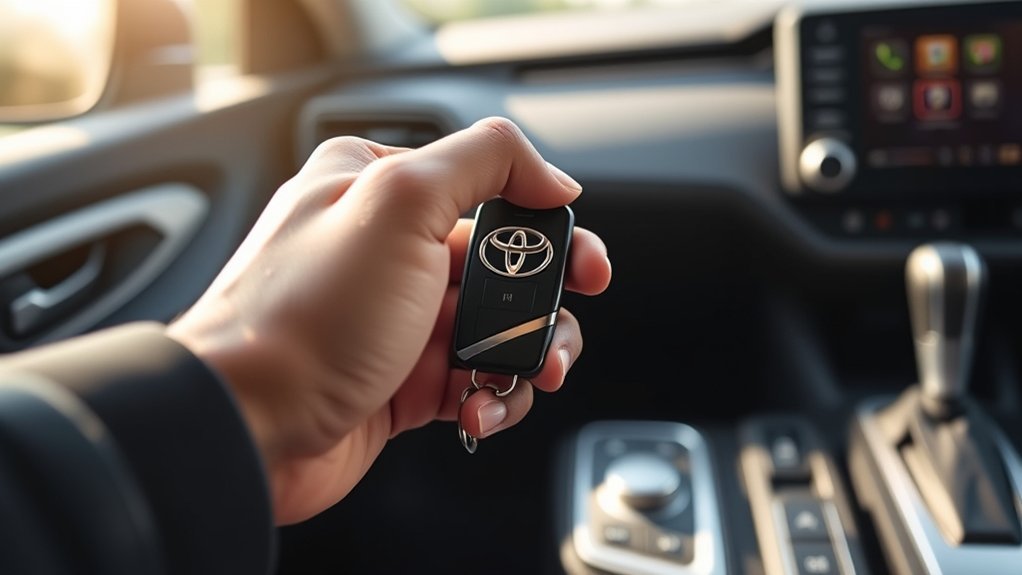
On a RAV4 equipped with the Smart Key system, the fob battery powers normal wireless functions such as remote locking, passive entry, and normal key detection. Toyota also provides a close-range backup procedure that lets the vehicle authenticate a registered electronic key when normal communication is interrupted or the fob battery is depleted.
That is why a weak fob battery may stop the buttons and door-handle sensors while the vehicle can still start through the backup reader. The reader location is model-year dependent, so do not assume every RAV4 uses the start switch.
Toyota’s 2024 RAV4 Quick Reference Guide confirms that the mechanical key is stored inside the Smart Key and can be used to lock or unlock the doors. It also shows that the normal start procedure requires the transmission to be in Park and the brake pedal to be depressed.
Note: This guide applies primarily to RAV4 models with a Smart Key and push-button start. A RAV4 with a conventional ignition key uses a different starting procedure. Check the Toyota Manuals and Warranties portal for instructions specific to your model year and powertrain.
Which Backup Reader Does Your RAV4 Use?
| RAV4 Version | Backup Start Method | What to Check |
|---|---|---|
| Many 2019–2025 push-button RAV4s | Touch the Toyota-emblem side of the registered fob to the ENGINE START STOP or POWER switch while pressing the brake. | Confirm the exact procedure in the owner’s manual for your year and powertrain. |
| Redesigned 2026 generation | Do not assume the older start-switch contact method applies. Toyota’s Japan-market RAV4 HEV manual for vehicles produced from December 2025 uses a marked backup-reader point at the bottom of the cup holder. | For a U.S. or other-market 2026 RAV4, verify the marked reader location in that market’s owner’s manual before attempting the backup start. |
| RAV4 with a conventional ignition key | Use the ignition-key procedure for that vehicle. | The Smart Key backup-reader steps on this page do not apply. |
Why Does My RAV4 Say “Key Not Detected”?
A RAV4 may display “Key Not Detected,” fail to respond to the remote buttons, or refuse to start for several reasons. Do not assume the coin-cell battery is always responsible.
Key Fob Battery Issues
Common signs of a weak electronic-key battery include reduced remote range, intermittent button operation, inconsistent passive entry, a key-battery warning, or the need to use the model-year-specific backup reader.
Toyota owner documentation commonly describes the standard electronic-key battery life as approximately one to two years, although actual life varies. The key receives radio signals even when it is not being used, and temperature, storage, interference, usage, and battery quality can shorten or extend its life.
Emergency Key Functionality
The mechanical key inside the Smart Key can unlock the driver’s door when the wireless functions are unavailable. On some RAV4 generations, the driver-door key cylinder is visible. On others, it may be behind a small removable cover on the door handle.
The mechanical key only provides physical entry. It does not replace the electronic key’s immobilizer authorization, so keep the complete fob with you when attempting to start the vehicle.
Alarm Activation Risks
On an alarm-equipped RAV4, unlocking the driver’s door mechanically may activate the theft-deterrent alarm. This does not necessarily indicate a fault. Enter the vehicle promptly and complete the model-year-specific backup start procedure. If the alarm continues after the vehicle has recognized the registered key and entered an authorized operating state, check the owner’s manual or arrange service rather than repeatedly forcing the lock or start switch.
Warning: Do not force the mechanical key or pry aggressively at a painted door handle. If the lock cylinder is concealed, consult the year-specific owner’s manual for the correct cover-removal point.
Locating and Using the Emergency Key
Finding the Emergency Key
- Hold the Smart Key with the buttons facing you.
- Find the release lever or button on the side or bottom of the fob.
- Hold the release while sliding the metal mechanical key out of the fob.
- Keep the electronic portion of the fob with you; you will need it to authorize the start.
Using the Emergency Key
- Locate the key cylinder on the driver’s door. Remove the small handle cover first if your model has a concealed cylinder.
- Insert the mechanical key fully.
- Turn it gently toward the unlock position specified in your owner’s manual.
- Open the driver’s door and enter the vehicle.
- Do not be alarmed if the theft-deterrent horn sounds; proceed directly to the temporary-start steps below.
Avoid treating “clockwise” as a universal instruction. The apparent direction can depend on the lock orientation and model design. If the key does not turn with light, steady pressure, stop and verify the procedure rather than forcing it.
How Do You Unlock and Start a RAV4 With a Dead Key Fob?
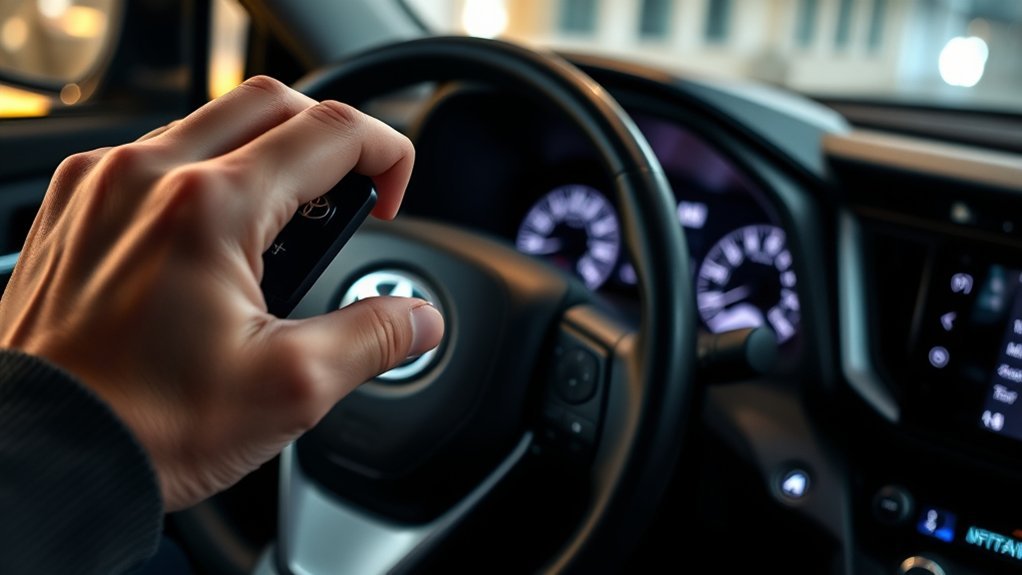
- Remove the mechanical key. Operate the release lever on the Smart Key and slide out the metal key.
- Unlock the driver’s door. Use the visible or concealed driver-door lock cylinder. Do not force the key.
- Sit in the driver’s seat. Bring the complete electronic fob inside the vehicle and close the door.
- Select Park. Confirm that the shift lever is fully in P.
- Press the brake firmly. Keep the pedal depressed throughout the starting attempt.
- Use the correct backup reader. On many 2019–2025 push-button RAV4s, place the Toyota-emblem side of the Smart Key directly against the ENGINE START STOP or POWER switch. On the redesigned 2026 generation, use the marked backup-reader location shown in your market-specific owner’s manual; current Toyota Japan-market documentation places it at the bottom of the cup holder.
- Press the switch. While continuing to hold the brake, press the engine or power switch shortly and firmly.
- Confirm that the vehicle is operating. A gasoline model should start normally. On a hybrid, confirm that the green READY indicator is illuminated; the gasoline engine may remain silent even though the vehicle is ready to drive.
Pro Tip: Keep metal objects, other electronic keys, and nearby wireless devices away from the backup-reader area. If “Key Not Detected” remains on the display, verify that you are using the correct reader location for your model year before assuming the key has failed.
The backup start works because the vehicle can authenticate the registered electronic key at close range even when the fob’s replaceable battery is too weak for normal remote operation.
[Amazon Products Picked for You]

**Please confirm compatibility using the fitment guide located in the product images**

COMPATIBLE WITH AIRTAG & KEY FOBS: Works with Apple AirTag, all major car key fobs (Toyota, Honda, BMW, Ford, Chevrolet, Lexus), fitness trackers, glucose monitors, tire pressure sensors, and any CR2032 / 3V lithium coin battery device.

*Select your vehicle above*
What If the RAV4 Still Will Not Start?
The backup-reader procedure is intended for a registered Smart Key whose battery is weak or whose normal radio communication is interrupted. It will not authorize an unregistered replacement key or a fob from another vehicle.
If the RAV4 starts through the backup reader, replace the fob battery promptly. If it does not start, first separate a key problem from a vehicle-power or starting-system problem using the symptoms below.
| Symptom | Likely Cause | What to Try |
|---|---|---|
| Remote range is short, but the dashboard powers on | Weak fob battery | Use the year-specific backup reader and replace the coin cell. |
| The fob works in one location but not another | Radio interference | Use the year-specific backup reader, remove other electronics or keys from that area, and move the vehicle when possible. |
| No cabin lights, locks, display, or switch response | Discharged 12-volt vehicle battery | Use the owner-manual jump-start procedure or request roadside assistance. |
| The switch powers accessories but will not start the vehicle | Brake not detected, shift lever not fully in Park, or another starting fault | Reselect Park, press the brake firmly, check whether the brake lights work, and try once more. |
| One registered key works but the other does not | Failed battery, damaged fob, or key-registration problem | Replace the battery and have the failed key inspected if the problem continues. |
| A newly purchased fob will not start the vehicle | Incorrect or unregistered Smart Key | Verify the part number and arrange immobilizer registration through a dealer or qualified locksmith. |
[Amazon Products Picked for You]

CONFIRM FIT **Please confirm compatibility using the fitment guide located in the product images** This battery will only fit your key fob if it exactly matches one of the examples in the compatibility guide.
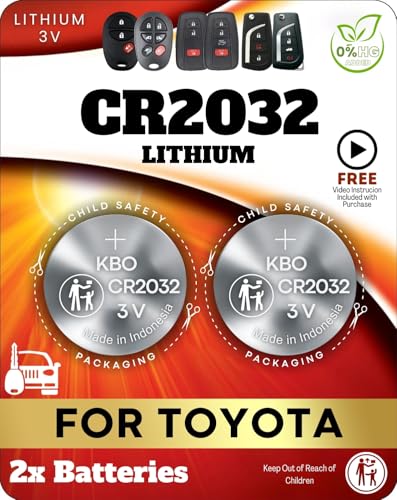
Reliable Power Solution – Includes two premium CR2032 lithium batteries, ensuring long-lasting and dependable power for your Toyota key fob.

Replacement Batteries for a 2001-2018 Toyota RAV4 Standard Key *Without Smart Key* with a low or dead battery.
Importance of Key Fob Battery Replacement
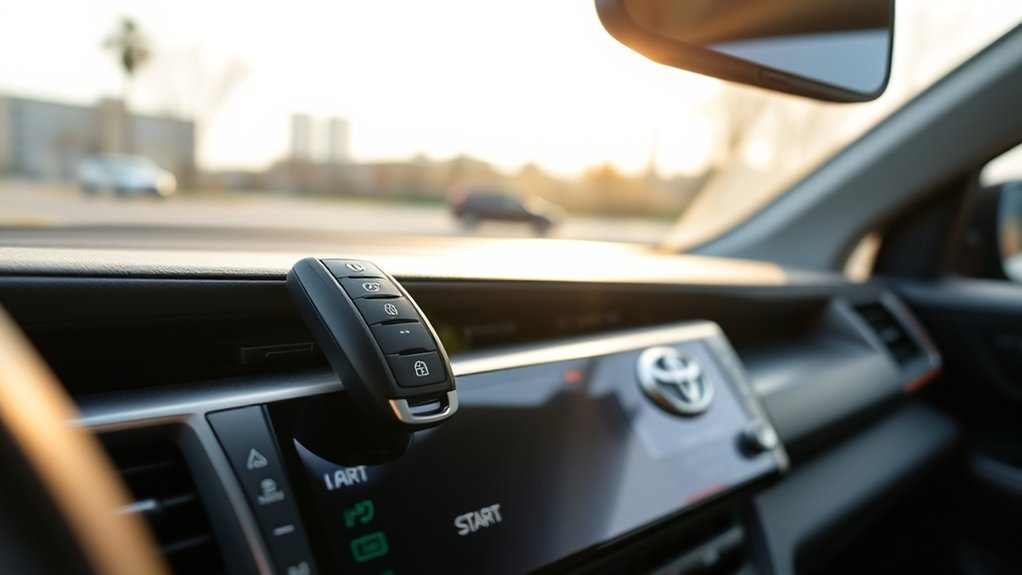
The backup-reader start is a temporary procedure, not a reason to postpone battery replacement. A fresh battery restores normal remote range, passive door-handle operation, locking confirmation, and convenient key detection.
[Amazon Products Picked for You]

SHI (Smarter Home Ideas) Premium Batteries CR2032 Battery Replacement are compatible with most Toyota smart key fobs. Not compatible with the Toyota key fobs with key that sticks out. Not compatible with 2021-2025 keys fobs with silver Toyota logo on front of the fob.

KEY FOB BATTERY INSTALLATION: This kit includes [qty 2] CR2016 batteries for an easy and secure replacement of your key fob battery for Toyota vehicles.

**Please confirm fitment with our listing images and make sure the CR2032 battery will fit your key's battery**- Batteries included are the same as provided by the manufacturer ensuring perfect fit and great reliability.
Prevent Access Issues
Replace the battery when remote range declines, the buttons respond intermittently, the vehicle displays a key-battery warning, or the fob must be held unusually close to the vehicle.
Keeping a suitable spare battery at home can be useful, but leave it in its original child-resistant packaging until needed. Do not store a loose coin cell in the vehicle, a purse, or a drawer where it can contact metal objects or be reached by children.
Ensure Vehicle Security
A weak battery does not normally disable the immobilizer, but it can make locking and unlocking inconsistent. After replacing the battery, test every button and confirm that the vehicle locks securely.
Do not leave the Smart Key inside or immediately next to the vehicle. Depending on location and signal conditions, this can affect battery-saving behavior and vehicle security.
Maintain Key Fob Functionality
- Keep the fob dry and away from extreme heat.
- Avoid dropping it or placing heavy objects on it.
- Do not store it directly beside a phone charger, computer, induction appliance, or another electronic key for extended periods.
- Keep the mechanical key installed in the fob after use.
- Test the spare registered key periodically.
Replacing Your Key Fob Battery: Step-by-Step
Fob designs and battery specifications vary by RAV4 model year. Before purchasing a battery, check the number printed on the old cell or consult the battery-replacement section of your owner’s manual. Many RAV4 fobs use a common lithium coin cell, but one battery number should not be assumed for every model or key design.
- Remove the mechanical key. Hold the release lever and slide the key out.
- Find the case-opening slot. It is often located near the mechanical-key opening.
- Open the case gently. Use a small flat-blade screwdriver or plastic pry tool. Wrap a metal tool with tape to reduce scratching.
- Observe the battery orientation. Note which side faces upward before removing the old cell.
- Remove the old battery. Lift it without bending the contacts or pressing against the circuit board.
- Install the verified replacement. Match the original polarity and seat the cell flat under the retaining contacts.
- Close the fob. Align the case halves and press evenly until every edge clicks together.
- Reinstall the mechanical key. Slide it in until it locks.
- Test the fob. Check lock, unlock, panic, liftgate, passive entry, and push-button start functions that apply to your vehicle.
Warning: Button and coin batteries can cause severe internal injury if swallowed. Keep new and used cells away from children. Secure a removed cell immediately, tape its terminals with nonconductive tape, and take it to an appropriate battery-collection location. If a battery may have been swallowed, seek emergency guidance immediately through Poison Control.
Note: Replacing the fob’s coin-cell battery normally does not erase the registered key code. If the key stops working after replacement, first recheck battery type, polarity, seating, and case assembly before assuming that programming was lost.
Essential Key Fob Maintenance Tips for Longevity
- Respond to early symptoms. Reduced range and intermittent operation usually provide more useful warning than waiting for total failure.
- Use a quality replacement cell. Confirm its size and expiration date before installation.
- Keep the contacts clean. Avoid touching the flat battery surfaces unnecessarily, and never apply liquid cleaner inside the fob.
- Protect the case. Replace a cracked case or damaged seal before moisture reaches the circuit board.
- Store the spare key correctly. Keep it in a dry location away from the vehicle and strong electronic fields.
- Retain the key-number information. Store the key-number plate or record in a secure place outside the vehicle.
Is It Time to Call a Professional for Key Fob Help?
Contact a Toyota dealer, qualified automotive locksmith, or roadside-assistance provider when:
- The model-year-specific backup starting procedure does not work with either registered key.
- The vehicle has no electrical power or repeatedly needs a jump start.
- The key case, circuit board, or transponder has been damaged or exposed to water.
- A replacement battery of the correct type and polarity does not restore operation.
- You have lost every registered key.
- You purchased a replacement fob that has not been registered to the immobilizer.
- The alarm continues after the vehicle has recognized the key and entered an authorized operating state.
- The start switch flashes an abnormal warning or the display reports a Smart Key system malfunction.
Replacing the coin-cell battery is normally a straightforward owner task. Registering a new Smart Key is different: the replacement must be compatible with the exact vehicle, and modern immobilizer registration generally requires professional diagnostic equipment.
What Should You Do If the Alarm Activates?
- Enter the vehicle with the complete registered fob.
- Close the driver’s door.
- Place the shift lever in Park.
- Press and hold the brake pedal.
- Place the registered fob at the correct backup-reader location for your model year. Many 2019–2025 push-button RAV4s use the engine or power switch; redesigned 2026 models may use a different marked reader location.
- Press the switch after the vehicle detects the key.
- If the alarm continues after an authorized start, follow the theft-deterrent instructions in your owner’s manual or arrange service.
If the remote unlock button begins working again after battery replacement, using it to unlock the vehicle should also disarm the alarm normally. Persistent alarm activation may indicate an incorrect key, a damaged fob, a door or hood switch problem, or another theft-deterrent-system fault.
Related Guides
Frequently Asked Questions
Can I program a new Toyota RAV4 key fob myself?
Do not assume that a generic DIY sequence will register a modern RAV4 Smart Key. Replacing the coin-cell battery normally needs no programming, but adding a new electronic key to the immobilizer generally requires a compatible key and professional registration equipment. A Toyota dealer or qualified automotive locksmith can verify compatibility and perform the registration.
What should I do if I lose the mechanical key?
Contact a Toyota dealer or qualified automotive locksmith. Bring proof of ownership, the remaining registered key, and the key-number information if available. Do not store the key-number plate inside the vehicle.
How long does a Toyota RAV4 key-fob battery last?
Toyota owner documentation commonly gives a standard electronic-key battery life of approximately one to two years. Actual life varies with usage, temperature, storage, nearby electronic devices, and battery quality. Replace it when range decreases or operation becomes intermittent.
Will using the mechanical key activate the RAV4 alarm?
It may activate the alarm on an equipped vehicle because the door was unlocked without normal wireless authentication. Complete the model-year-specific backup start procedure with the registered fob. If the alarm continues after an authorized start, follow the theft-deterrent instructions in your owner’s manual or arrange service.
Can I use any Toyota key fob with my RAV4?
No. The fob must match the vehicle’s model year, market, frequency, Smart Key system, immobilizer requirements, and applicable part number. A physically similar Toyota fob may still be incompatible.
What battery does a Toyota RAV4 key fob use?
The required battery depends on the model year and fob design. Open the case and read the number printed on the old cell, or check the battery-replacement section of the year-specific owner’s manual. Do not rely only on a generic online listing.
Will changing the key-fob battery erase its programming?
Normally, no. The registered immobilizer identity is not stored only in the replaceable coin cell. If the fob fails after replacement, verify the battery number, polarity, contact position, and case assembly.
Does the 2026 Toyota RAV4 use the start button as the dead-fob reader?
Do not assume it does. Toyota’s Japan-market RAV4 HEV manual for vehicles produced from December 2025 uses a marked backup-reader point at the bottom of the cup holder. Because hardware can differ by market and powertrain, check the owner’s manual for your exact 2026 RAV4 before using the emergency-start procedure.
What if the fob is detected but my RAV4 still will not start?
Confirm that the shift lever is fully in Park and press the brake firmly. Check whether the dashboard and brake lights operate normally. If both registered keys fail, the cause may be a discharged 12-volt battery, brake-switch fault, Smart Key malfunction, immobilizer issue, or another vehicle starting problem.
Conclusion
A weak RAV4 Smart Key battery does not usually leave you completely stranded. Use the mechanical key for entry, select Park, hold the brake, and present the registered fob at the backup reader specified for your model year. Many 2019–2025 push-button RAV4s use the engine or power switch, while the redesigned 2026 generation may use a different marked reader location. On a hybrid, look for the READY indicator rather than waiting to hear the gasoline engine.
Replace the fob battery with the exact type specified for your key. If the vehicle has no electrical power, neither registered key works, or a correctly installed battery does not restore operation, investigate the 12-volt battery and arrange professional diagnosis rather than repeatedly attempting to start the vehicle.
Sources
- Toyota 2024 RAV4 Quick Reference Guide — mechanical-key access and normal Smart Key starting prerequisites.
- Toyota 2020 RAV4 Owner’s Manual — year-specific vehicle operation, emergency procedures, and troubleshooting.
- Toyota Support: Smart Key Vehicle Will Not Start — close-contact Smart Key starting guidance.
- Toyota Manuals and Warranties — official manual lookup by model and year.
- Toyota RAV4 Hybrid Electronic-Key Battery Instructions — official battery-replacement reference.
- U.S. Consumer Product Safety Commission: Button Cell and Coin Batteries — ingestion prevention, handling, and disposal safety.
- Toyota RAV4 HEV 2025.12+ Owner’s Manual (Japan) — current-generation backup-reader location, temporary start procedure, and alarm note.
- Toyota USA Newsroom: All-New 2026 RAV4 — confirms the redesigned sixth-generation RAV4.
