Turning on Parking Assist in a Toyota RAV4 depends on the vehicle’s model year, trim, display, and installed options. Most equipped 2018–2025 RAV4 models use the steering-wheel controls and Multi-Information Display rather than a dedicated dashboard button. The redesigned 2026 RAV4 places the setting in the center display’s vehicle-customization menu.
Quick Answer
On most equipped 2018–2025 RAV4s, use the steering-wheel meter controls to open Settings on the Multi-Information Display, select the parking-sensor icon, and press OK. Enable PKSB separately if fitted. On a 2026 RAV4, open the center display, select Vehicle Customize or Driving Assist, and enable Intuitive Parking Assist.
Key Takeaways
- Parking Assist is optional on many RAV4 trims, so the menu may be absent if the vehicle does not have front and rear sensors.
- Intuitive Parking Assist warns about nearby objects; PKSB or Parking Assist with Automatic Braking may also apply the brakes.
- A normal RAV4 parking-sensor system does not steer the vehicle into a space. Advanced Park is a separate feature on select 2026 models.
- Change settings while safely stopped, and continue checking mirrors, cameras, windows, and the area around the vehicle.
At a Glance
| Time Required | 2–5 minutes |
| Difficulty | Easy |
| Tools Needed | No tools; the correct owner’s manual is helpful |
| Cost | $0 if the vehicle is already equipped |
Note: Toyota manuals describe optional equipment that may not be installed on every vehicle. Your RAV4’s model year, trim, option package, market, and software version determine which icons and settings appear.
Identify the Parking System in Your RAV4
Before changing a setting, confirm which parking features your RAV4 has. Look for small, round ultrasonic sensors across the front and rear bumpers. You can also check the vehicle’s window sticker, build sheet, Multi-Information Display, center-display settings, or model-specific owner’s manual.
If you cannot find a parking-sensor icon or menu, the vehicle may not be equipped with that option. A backup camera by itself does not mean the RAV4 has front and rear parking sensors.
| Toyota feature | What it does | What it does not necessarily do |
|---|---|---|
| Intuitive Parking Assist or Parking Assist-Sensor | Uses bumper sensors to show the approximate direction and distance of nearby objects and sound a buzzer. | It does not normally steer the RAV4 into a parking space. |
| PKSB or PA w/AB | Warns of a high collision risk and may apply the brakes in supported low-speed situations. | It cannot detect every object or guarantee that a collision will be prevented. |
| RCTA | Warns of vehicles approaching from either side while the RAV4 is reversing. | It is not the same as the bumper parking sensors. |
| RCD | Uses the rear camera to help detect a pedestrian behind the vehicle while reversing. | It does not make the full area behind the vehicle safe or visible. |
| Panoramic View Monitor | Combines camera views to help the driver see around the vehicle. | Camera views are not a substitute for directly checking the surroundings. |
| Advanced Park | Provides automated parking assistance on select 2026 RAV4 configurations. | It is not included merely because a RAV4 has parking sensors or automatic braking. |
Toyota’s 2024 RAV4 Quick Reference Guide treats Intuitive Parking Assist and Parking Support Brake as separate settings. The redesigned 2026 lineup also lists Advanced Park separately from Front and Rear Parking Assist with Automatic Braking.
How to Turn On Parking Assist in a 2018–2025 RAV4
On most equipped RAV4 models in this range, Intuitive Parking Assist is controlled through the Multi-Information Display using buttons on the steering wheel.
- Stop in a safe place. Keep your foot on the brake and place the transmission in Park.
- Turn the ignition or power switch on. The instrument display must be active.
- Open the MID settings. Use the steering-wheel arrow buttons to move to the gear-shaped Settings icon.
- Find the parking-sensor setting. Use the up and down controls to select the icon that resembles a “P” with sonar waves or an obstacle.
- Press OK. The system changes between enabled and disabled.
- Enable PKSB separately if desired and equipped. Return to the settings list, select “PKSB,” and press OK.
- Exit the menu. Press Back or move to another MID screen.
- Test at very low speed. In a clear area, approach a large, visible object slowly while remaining ready to brake. The display should show the detected zone and the buzzer should sound.
Pro Tip: If the parking-sensor icon is difficult to identify, watch for an “Intuitive Parking Assist OFF” message or indicator. When the system is enabled, the OFF indicator should normally be absent.
If Your RAV4 Has a Dedicated Switch
Some Toyota vehicles and some older or market-specific configurations use a physical sonar or parking-assist switch. Do not assume that every RAV4 has a button to the right of the steering column. Look for a button showing a “P,” an obstacle, and curved sonar lines, then check the exact instructions in the manual for that model year.
A switch indicator may illuminate on a vehicle designed that way, but that should not be converted into a universal green-light rule. RAV4 displays and indicators differ substantially by year.
How to Turn On Parking Assist in a 2026 RAV4
The redesigned 2026 RAV4 uses a center-display customization path. According to the 2026 RAV4 Owner’s Manual, Intuitive Parking Assist can be enabled or disabled through a customizable setting.
- Stop the vehicle safely, set the parking brake, and select Park.
- Open Settings on the center display.
- Select Vehicle Customize or Driving Assist.
- Select Intuitive Parking Assist.
- Change the setting to On.
- Review the available buzzer-volume and detection-distance options.
- Return to the main screen and verify that the Intuitive Parking Assist OFF indicator is no longer displayed.
Feature availability differs by grade. Toyota lists Front and Rear Parking Assist with Automatic Braking on several 2026 configurations, while Advanced Park is listed separately on the Limited grade. Consult the vehicle’s feature list before looking for automated-parking controls.
Warning: Change parking-assist settings only while safely stopped. Parking sensors, cameras, cross-traffic alerts, and automatic braking have blind spots and operating limits. Always control the vehicle, check the surroundings directly, and be prepared to brake.
Understand Parking Assist Displays and Alerts
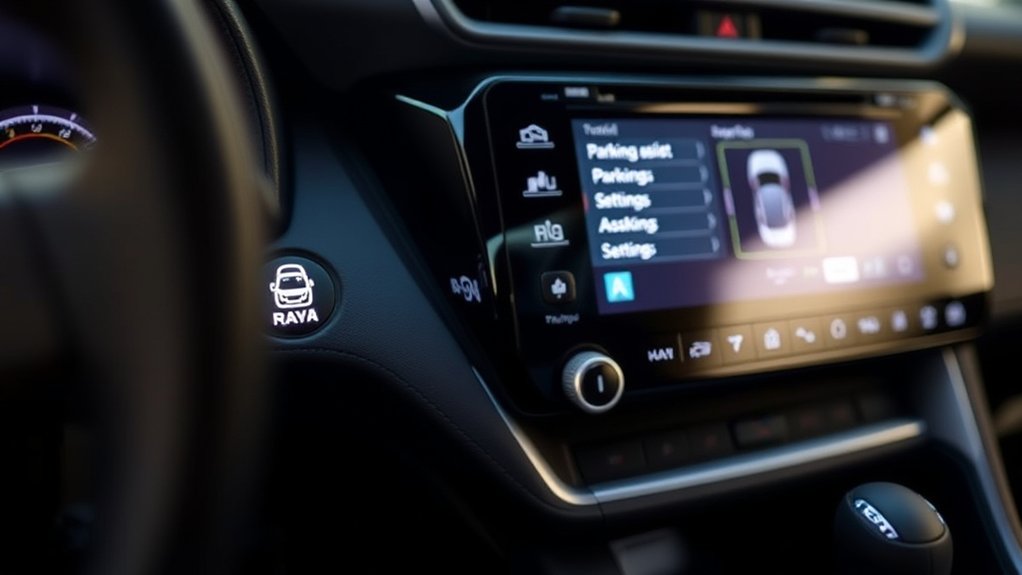
When a parking sensor detects an object, the RAV4 can show the approximate direction and distance on the Multi-Information Display, multimedia screen, or both. The buzzer normally becomes more frequent as the vehicle gets closer to the detected object.
| What you notice | What it generally means |
|---|---|
| Intuitive Parking Assist OFF indicator | The warning-sensor function is disabled, temporarily unavailable, or reporting a fault. Read any accompanying message. |
| Obstacle zone appears steadily | An object has been detected in a farther sensor zone. |
| Obstacle zone flashes | The detected object is nearer. Slow further and confirm the object’s position directly. |
| Intermittent beeps become faster | The distance to the nearest detected zone is decreasing. |
| Continuous tone | The vehicle is very close to a detected object. Stop and check before continuing. |
| “BRAKE!” or an automatic-braking message | PKSB or PA w/AB has judged collision risk to be high. Apply the brake and take control immediately. |
Do not depend on a specific display color. Colors, graphics, wording, and display locations vary by model year and screen type. Respond to the obstacle position, buzzer rate, warning message, and what you can see around the vehicle.
A parking-assist graphic shows where the system believes an object is located; it does not prove that every person, curb, pole, vehicle, or low obstacle has been detected.
Customize Volume, Alerts, and Detection Distance
Available settings depend on the RAV4’s year and multimedia system. Supported options may include:
- Buzzer volume: Choose a lower, normal, or higher warning volume where the menu provides that option.
- Temporary mute: Some camera screens provide a mute button. On certain systems, shifting out of the current position automatically cancels the mute.
- Detection distance: Some equipped models let you choose when the front or rear center sensor starts reporting an object.
- System on or off: Intuitive Parking Assist and PKSB may have separate controls.
A detection-distance option should not be described as “sonar sensitivity.” The sensors still have physical limitations, and changing the warning distance does not make them capable of detecting every object.
Do not routinely switch the system off simply because a garage is narrow. If a car wash, trailer hitch, bike rack, tall grass, hanging gate, or another condition causes repeated false warnings, stop safely and follow the applicable owner’s-manual instructions. Restore the feature when the temporary condition has ended.
Parking Assist Operating Conditions and Limitations
On applicable fifth-generation RAV4 models, Intuitive Parking Assist operates during low-speed maneuvering, commonly below approximately 6 mph or 10 km/h. The active sensor zones also depend on the selected gear, vehicle movement, steering position, and installed equipment.
The system may fail to detect an object, detect it late, or warn when no immediate collision exists. Common limitations include:
- Snow, ice, mud, heavy rain, water spray, or dirt covering a sensor
- Very low curbs, parking stops, potholes, or objects below the sensor field
- Thin poles, wires, ropes, chains, open gates, or narrow signposts
- Soft materials, clothing, snowbanks, plants, or objects that absorb sound
- Objects approaching quickly from the side
- Steep slopes, uneven ground, or a sharply angled wall
- Another vehicle’s parking sensors or nearby ultrasonic equipment
- A trailer hitch, bike rack, bumper guard, license-plate accessory, or other attachment
- Bumper damage, repainting, sensor replacement, or incorrect sensor alignment
Rain or snow does not automatically make the system useless, but severe weather or material covering a sensor can reduce performance. Clear the sensor surfaces before relying on the system again.
How to Clean the Parking Sensors
The ultrasonic sensors are the small circular components fitted into the front and rear bumper covers. Clean them whenever they are coated with road grime, salt, snow, ice, wax, or soap residue.
- Park the RAV4, select Park, and switch the vehicle off.
- Rinse loose dirt with clean water.
- Wipe each sensor gently with a soft, damp microfiber cloth.
- Remove ice by allowing it to melt or using gentle warmth from the surrounding air.
- Dry the area and check that no wax, polish, sticker, or accessory covers a sensor.
Warning: Do not strike, scrape, puncture, sand, paint over, or apply concentrated high-pressure spray directly against a sensor. Damage or misalignment can produce false warnings or prevent detection.
Troubleshoot Common Parking Assist Problems
The Parking Assist Menu Is Missing
First confirm that the RAV4 has round sensors in both bumpers. If it has only a rear camera, it may not have Intuitive Parking Assist. Availability can depend on a technology package rather than the trim name alone.
Also confirm that you are using the correct menu for the model year. A 2018–2025 model commonly uses the Multi-Information Display, while a 2026 model uses the center display’s Vehicle Customize or Driving Assist menu.
The OFF Indicator Stays On
Open the settings and enable Intuitive Parking Assist. If it immediately switches off again, read the message on the instrument display. A blocked, dirty, iced, damaged, or disconnected sensor may make the system temporarily unavailable.
The System Does Not Detect an Obstacle
Check the following:
- The vehicle is traveling slowly enough for the system to operate.
- The feature is enabled and not temporarily muted.
- The object is within a sensor zone and is large enough to reflect the ultrasonic signal.
- The bumper sensors are clean and unobstructed.
- No trailer hitch, rack, bumper accessory, or license-plate frame is interfering.
Never use a person, child, animal, or fragile object to test the system.
The System Beeps When Nothing Appears to Be There
Inspect for curbs, parking stops, grass, snowbanks, walls at an angle, objects beside the bumper, water running across a sensor, or an installed accessory. Clean and dry the sensors, move to a different location, and test again.
A Warning or Malfunction Message Persists
If the warning remains after cleaning the sensors and restarting the vehicle, arrange an inspection with a Toyota dealer or qualified repair facility. This is especially important after bumper damage, collision repair, sensor replacement, repainting, or electrical work.
Essential Safety Tips for Parking Assist
- Keep the vehicle at walking speed and keep your foot ready over the brake.
- Look through the windows and check mirrors as well as the camera display.
- Stop when the tone becomes continuous or when you are uncertain about clearance.
- Do not assume automatic braking will activate in every situation.
- Watch especially for children, animals, curbs, poles, open doors, and objects below bumper height.
- Re-enable any feature that was temporarily switched off after a car wash or accessory-related false alarm.
- Use the owner’s manual for the exact vehicle rather than instructions for another Toyota model.
Additional Parking Features in the RAV4
Depending on year and trim, your RAV4 may combine the parking sensors with other assistance:
- Rear Cross-Traffic Alert: Warns about vehicles approaching from the sides while you reverse.
- Rear Camera Detection: Can alert when the rear camera recognizes a pedestrian in its supported detection area.
- Parking Support Brake: May warn and brake for certain static objects or rear-crossing traffic when operating conditions are met.
- Panoramic View Monitor: Combines camera images to provide additional views around the vehicle.
- Advanced Park: Available on select 2026 configurations and separate from the basic sensor-warning function.
These features use different sensors and operating logic. Turning on one feature does not always turn on every other parking-related system.
Frequently Asked Questions
Can I disable Parking Assist while driving?
Use the settings only while safely stopped. Some vehicles may technically allow a setting to be changed under limited conditions, but navigating menus while moving is distracting. Stop, select Park, make the change, and restore the system when the reason for disabling it has ended.
Does Parking Assist work in rain, snow, or ice?
It may continue operating, but heavy rain, water spray, snow, ice, mud, or road salt can block a sensor or reduce detection accuracy. Clean the circular bumper sensors and pay attention to any unavailable or blocked-sensor message.
Is Parking Assist available on every Toyota RAV4?
No. Availability varies by model year, trim, option package, powertrain, and market. Look for circular sensors in the front and rear bumpers and check the vehicle’s original equipment list or model-specific owner’s manual.
Will Parking Assist detect every obstacle behind the RAV4?
No. Sensors may miss low, narrow, soft, angled, fast-moving, or sound-absorbing objects. The system can also have blind areas. Check behind the vehicle directly and use the mirrors and camera before moving.
How does Parking Support Brake work with Parking Assist?
Intuitive Parking Assist supplies nearby-object warnings. PKSB or Parking Assist with Automatic Braking may add warnings and braking when the system judges collision risk to be high. PKSB is controlled separately on many models and cannot guarantee that a collision will be avoided.
Why can’t I find a Parking Assist button beside the steering wheel?
Many RAV4 models do not use a dedicated physical button. Equipped 2018–2025 models commonly use the steering-wheel controls and Multi-Information Display. The 2026 model uses a center-display customization menu. The feature may also be absent from your vehicle.
Does Toyota RAV4 Parking Assist park the vehicle automatically?
Basic Intuitive Parking Assist does not steer the vehicle; it reports nearby objects. PKSB may add braking. Advanced Park is a separate automated-parking feature offered on select 2026 RAV4 configurations.
Should I turn Parking Assist off in an automatic car wash?
Follow the car-wash operator’s directions and the instructions for your exact RAV4. A wash, conveyor, brushes, or nearby equipment may trigger warnings or braking support. When temporary deactivation is necessary, make the change while stopped and re-enable the feature after leaving the wash.
Conclusion
To turn on Toyota RAV4 Parking Assist, first identify the model year and confirm that the vehicle has factory bumper sensors. Equipped 2018–2025 models commonly use the steering-wheel controls and Multi-Information Display, while the redesigned 2026 RAV4 uses the center display’s Vehicle Customize or Driving Assist menu.
Enable Intuitive Parking Assist for nearby-object warnings and check PKSB separately if your RAV4 has automatic-braking support. Keep the sensors clean, respond to the display and buzzer without relying on a universal color code, and continue checking the entire area around the vehicle yourself.
Sources
- Toyota 2024 RAV4 Quick Reference Guide — MID activation, parking-sensor alerts, PKSB operation, and system limitations.
- Toyota 2024 RAV4 Digital Owner’s Manual — model-specific operating instructions and optional-equipment guidance.
- Toyota 2023 RAV4 Prime Intuitive Parking Assist Manual — operating conditions and low-speed threshold for the applicable model.
- Toyota Multimedia Owner’s Manual — camera-screen integration, mute controls, and detection-distance customization.
- Toyota 2026 RAV4 Owner’s Manual — center-display customization, OFF indicator behavior, buzzer volume, and detection-distance settings.
- Toyota USA: 2026 RAV4 Features — current availability of Parking Assist with Automatic Braking and Advanced Park.
