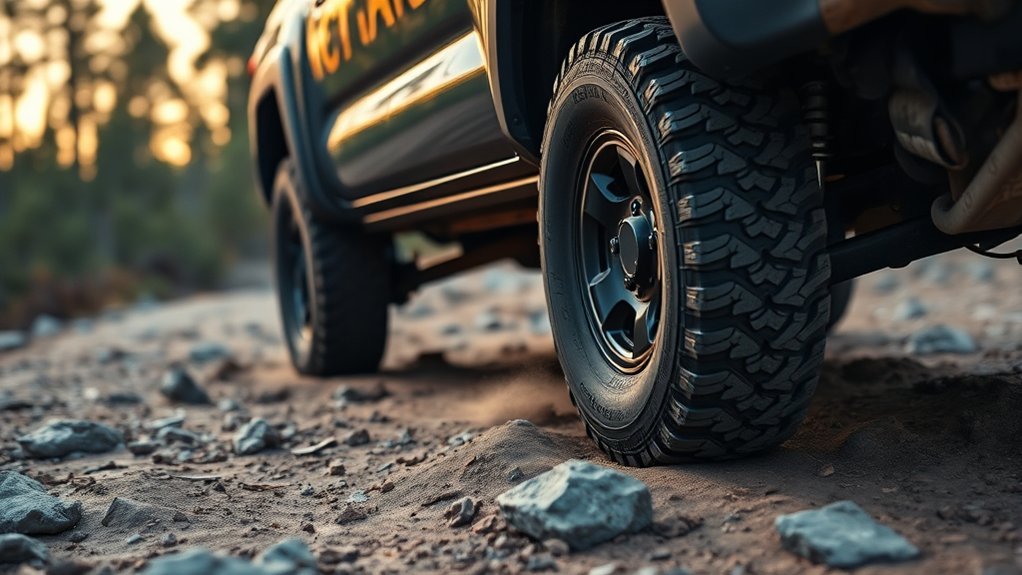
Toyota Tacoma A-TRAC is an electronic traction aid that helps an equipped truck keep moving when one or more driven wheels begin to spin on loose, slippery, or uneven ground. On older button-equipped Tacomas, the normal procedure commonly involves selecting 4LO and pressing the A-TRAC switch. Do not assume that same sequence applies to a 2024–2026 Tacoma because Toyota changed the truck’s off-road controls and feature groupings with the fourth generation.
Last updated: September 19, 2026 — reviewed against current Toyota Tacoma materials and model-specific operating documentation.
Quick Answer
A-TRAC helps an equipped Toyota Tacoma keep moving by applying brake pressure to a spinning wheel so usable drive torque can reach wheels with better grip. On many older button-equipped trucks, you select 4LO and press the A-TRAC switch. For 2024–2026 models, do not rely on the legacy button procedure; confirm the exact traction controls in the model-year owner’s manual because Toyota’s fourth-generation system layout varies by configuration and market.
Key Takeaways
- A-TRAC uses targeted brake intervention to reduce wheelspin and help torque reach tires with traction.
- Older button-equipped Tacomas commonly require 4LO before the A-TRAC switch can be activated.
- Do not assume a 2024–2026 Tacoma uses the same A-TRAC button or activation sequence as a 2005–2023 truck.
- A-TRAC, Auto LSD, Multi-Terrain Select, Crawl Control, TRAC, and the rear locker perform different jobs.
- Use smooth throttle and give the system time to work instead of repeatedly flooring the accelerator.
- A-TRAC cannot replace suitable tires, adequate ground clearance, recovery equipment, or safe driving decisions.
At a Glance
| Time Required | Usually under 1 minute after you confirm the correct procedure |
| Difficulty | Easy, but the controls are model-specific |
| Tools Needed | No tools; your model-year owner’s manual is recommended |
| Cost | No additional cost when the truck is already equipped |
What A-TRAC Does on a Tacoma
A-TRAC stands for Active Traction Control. On an equipped Tacoma, the system monitors wheel-speed information and can respond when a driven tire spins faster than the others. It applies brake pressure to the slipping wheel so the drivetrain can continue delivering usable torque toward wheels that still have traction.
This brake-based action can imitate some benefits of a limited-slip differential when you cross loose or uneven ground. It remains different from a mechanical locker because A-TRAC reacts to wheel slip instead of physically locking two axle shafts together.
You may hear clicking, buzzing, or an electric-pump sound while A-TRAC works. You may also feel vibration or brake pulsation. Toyota’s Tacoma manuals describe these sounds and vibrations as possible normal effects of active traction-control operation. A warning light that stays on after the event, however, deserves further diagnosis.
Note: The name A-TRAC describes the traction-control function, but the switch layout and activation logic are not identical across Tacoma generations. Use Toyota’s model-specific owner’s manual portal before following any activation procedure.
Is A-TRAC on Every Toyota Tacoma?
No. A-TRAC availability and control strategy depend on the truck’s model year, drivetrain, transmission, trim, option package, powertrain, and market. A two-wheel-drive Tacoma does not use the same four-wheel-drive A-TRAC procedure as an older equipped 4WD model, although it may have ordinary traction control or Auto LSD.
Toyota’s original 2024 Tacoma launch material said four-wheel-drive models would have a two-speed transfer case with A-TRAC and Auto LSD. Later operating material groups the systems differently: Toyota’s 2024 Tacoma Quick Reference Guide says Auto LSD is for 2WD models, while Toyota’s current 2026 Tacoma information emphasizes Multi-Terrain Select, Crawl Control, Downhill Assist Control, and the available rear locker. For that reason, do not use a blanket 2024–2026 activation rule or assume a dedicated A-TRAC button is present.
| Tacoma generation or configuration | What to expect | What to verify |
|---|---|---|
| 2005–2015 equipped 4WD Tacoma | A dedicated A-TRAC switch may be fitted; Toyota manuals for equipped trucks describe low-range operation | Transmission-specific 4L engagement procedure and A-TRAC indicator |
| 2016–2023 equipped Tacoma | A-TRAC may coexist with other off-road systems such as Multi-Terrain Select, Crawl Control, and a rear locker depending on configuration | Whether your truck has a dedicated switch and which features apply to its transmission and trim |
| 2024–2026 Tacoma | Fourth-generation controls and feature groupings changed; current off-road systems can include 4WD, Multi-Terrain Select, Crawl Control, DAC, and a rear locker | Do not assume the legacy A-TRAC-button procedure applies; verify the exact model-year manual |
| Two-wheel-drive model | TRAC, stability control, or Auto LSD may be available depending on year and equipment | Do not assume it has the older four-wheel-drive A-TRAC function |
Current-generation caution: If you own a 2024–2026 Tacoma, identify the exact traction controls shown in your owner’s manual and instrument display. Do not search for or press controls based only on a procedure written for a 2005–2023 truck.
How to Turn On A-TRAC Step by Step
The correct procedure depends on which Tacoma you have. Use the legacy steps below only for a truck that actually has a dedicated A-TRAC switch and whose manual specifies this operating sequence.
Button-Equipped Tacoma A-TRAC Procedure
- Confirm that the truck is equipped. Look for the factory A-TRAC switch and verify the feature in the model-year owner’s manual.
- Move onto a suitable low-traction surface. Do not test part-time 4WD, low range, or a rear locker on dry, high-traction pavement.
- Stop or slow as your manual requires. Automatic- and manual-transmission procedures can differ, so use the specified brake, Neutral, or clutch sequence.
- Select 4LO/4L when required. Older Toyota Tacoma A-TRAC procedures commonly require low range before the switch can activate.
- Press the A-TRAC switch. Confirm that the corresponding A-TRAC indicator illuminates before depending on the system.
- Apply light, steady throttle. Give the system time to detect wheelspin and apply targeted braking instead of rapidly pumping or flooring the accelerator.
- Disengage after the obstacle. Cancel A-TRAC and return the transfer case to the appropriate range before normal driving.
What About A-TRAC on a 2024–2026 Tacoma?
Do not automatically follow the older “4LO, then press A-TRAC” sequence on a fourth-generation Tacoma. Toyota redesigned the off-road control layout for 2024, and current documentation describes systems such as Multi-Terrain Select, Crawl Control, Downhill Assist Control, the rear differential lock, and the truck’s 4WD controls. Use the mode and activation sequence shown for your exact truck rather than looking for a legacy A-TRAC switch.
Toyota states that current Multi-Terrain Select can operate in both 4WD-High and 4WD-Low on equipped fourth-generation Tacomas. That capability belongs to the current MTS system and should not be used to infer that an older dedicated A-TRAC switch also works in both ranges.
Warning: Do not engage part-time 4WD low range or a locking differential on dry, high-traction pavement unless your manual specifically permits it. Drivetrain binding can make steering difficult and place unnecessary stress on driveline components.
Pro Tip: Give A-TRAC a moment to work. A light, steady throttle usually gives the brake-based system more opportunity to control individual wheelspin than a sudden burst of acceleration.
Which Drive Modes Affect A-TRAC and Traction Systems?
Tacoma traction features overlap, but they are not interchangeable. Normal TRAC focuses on everyday wheelspin control. A-TRAC is an off-road-oriented traction aid on equipped trucks. Auto LSD assists drive-wheel traction without mechanically locking an axle. Multi-Terrain Select changes vehicle response for selected surfaces, while Crawl Control manages very low-speed propulsion and braking.
For deeper comparisons, see A-TRAC vs traction control on a Tacoma, Toyota Tacoma Multi-Terrain Select explained, and Toyota Tacoma Crawl Control explained.
| System | How it helps | Typical use |
|---|---|---|
| TRAC | Uses engine and/or brake control to reduce excessive wheelspin | Normal road driving and mild low-traction conditions |
| A-TRAC | Applies targeted braking to slipping driven wheels | Loose, uneven, or cross-axle terrain on an equipped Tacoma |
| Auto LSD | Uses traction-control hardware to manage drive-wheel slip without mechanically locking the axle | Model-specific traction assistance when a drive wheel spins |
| Multi-Terrain Select | Adjusts traction-related vehicle calibration for selected terrain | Mud, dirt, sand, rocks, snow, or other listed modes depending on model |
| Crawl Control | Automatically manages low-speed propulsion and braking | Slow technical obstacles where the driver needs to focus on steering |
| Rear locker | Mechanically couples the rear axle shafts so the rear wheels rotate together | Severe rear-axle traction imbalance, wheel lift, deep ruts, or other permitted off-road conditions |
When to Use A-TRAC in Mud, Sand, Snow, and Crawl Situations
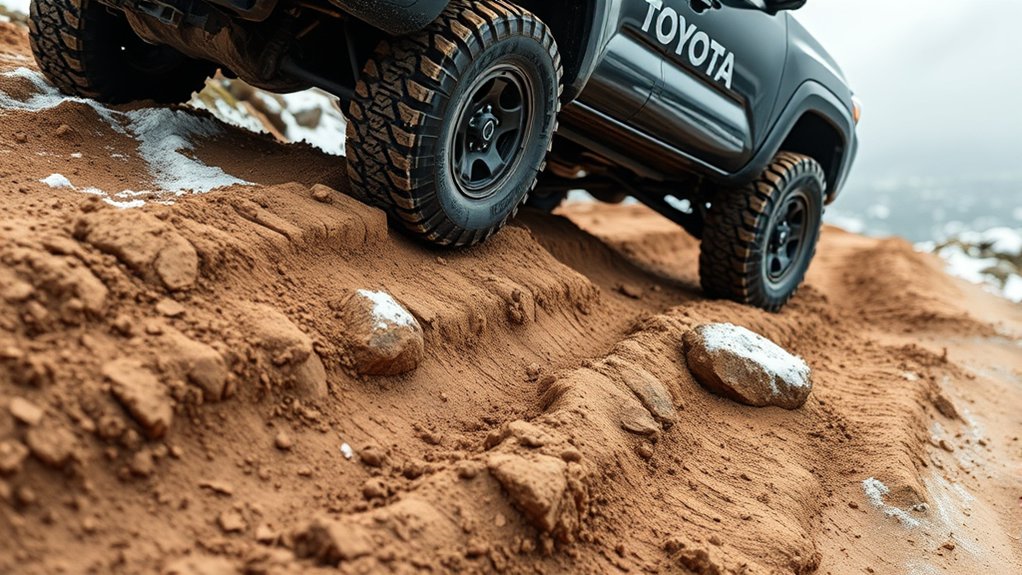
A-TRAC is most useful when the truck still has enough tire contact and ground clearance to move but one or more driven wheels are slipping. Cross-axle terrain is a good example: the brake-based system can slow an unloaded wheel so the drivetrain can use traction available at the other tires.
Rocks, Ledges, and Deep Ruts
Use smooth throttle and a deliberate line. A-TRAC can brake a lifted or lightly loaded wheel so torque remains useful at tires that are planted. Avoid sudden steering or acceleration because either can move the truck off the intended line.
Mud
A-TRAC may help when one side of the truck finds firmer ground than the other. Deep mud can still overwhelm the tires, pack the tread, or stop the truck through drag against the axles and chassis. Select the proper 4WD range before entering and carry suitable recovery equipment.
Sand
Sand often rewards steady momentum. Heavy brake intervention can reduce that momentum, so an equipped Multi-Terrain Select sand setting may be more appropriate when Toyota provides one for the selected drive range. Avoid abrupt throttle changes that dig the tires deeper.
Snow and Ice
A-TRAC can improve acceleration when individual tires encounter different levels of grip. It does not shorten every stopping distance or create traction where the tires have none. Use suitable tires, reduce speed, leave extra braking distance, and avoid sharp steering inputs.
Slow Technical Crawling
A-TRAC and Crawl Control are different systems. A-TRAC reacts to wheel slip, while available Crawl Control manages low-speed propulsion and braking. On a current Tacoma, Multi-Terrain Select may also change traction-system behavior for the selected surface. Choose the feature specified for your truck and obstacle rather than activating every available system at once.
A-TRAC can manage wheelspin, but it cannot create tire grip, raise the differential housings, or remove an obstacle from beneath the truck.
A-TRAC vs TRAC, Auto LSD, and the Rear Locker
Start with the least aggressive traction aid that suits the surface. Move to low range, terrain modes, Crawl Control, or the rear locker only when the conditions and the owner’s manual support them.
A-TRAC Versus TRAC
TRAC is the Tacoma’s general traction-control function. Depending on the model, it can reduce engine output, apply braking, or coordinate both when excessive wheelspin occurs during ordinary driving.
A-TRAC is aimed at traction on equipped off-road-capable configurations. It uses individual brake intervention to control a slipping wheel and help preserve useful drive force at wheels that still have grip. For a dedicated comparison, see A-TRAC vs traction control on Tacoma.
Auto LSD Behavior
Auto LSD is an electronic traction function, not a conventional clutch-type or gear-type limited-slip differential. It uses traction-control hardware to manage drive-wheel slip and imitate some limited-slip behavior without mechanically locking the axle.
Its operating conditions changed across Tacoma generations. For example, earlier Tacoma manuals describe Auto LSD on 2WD models and in 2WD mode on some 4WD trucks, while Toyota’s fourth-generation Quick Reference Guide describes Auto LSD as a 2WD-model function. Check the exact manual instead of assuming Auto LSD is active whenever a Tacoma is in a particular transfer-case range.
Rear Locker Effects
An electronic rear locker mechanically links the rear axle shafts while engaged. That prevents one rear wheel from spinning independently of the other and can provide strong traction when one rear tire is unloaded.
The tradeoff is reduced turning freedom. On firm ground, the inside and outside rear tires need to travel different distances through a corner. A locked axle resists that difference, which can cause tire scrub, difficult steering, or driveline stress.
On applicable older Tacoma A-TRAC systems, Toyota’s owner’s-manual guidance states that when the rear differential is locked, active traction control operates only below 3 mph (6 km/h). Treat that as a model-specific example, not a universal current-generation rule. For the locker procedure itself, see how to engage the Toyota Tacoma rear differential lock.
Troubleshooting, Limits, and Safe-Use Tips
If A-TRAC does not engage, first confirm that the truck actually has the feature and that the required drive range and transmission conditions have been met. A missing indicator does not automatically mean that a fuse, switch, or sensor has failed.
| Symptom | Likely explanation | What to do |
|---|---|---|
| A-TRAC indicator does not illuminate | Wrong drive range, incomplete transfer-case shift, feature not fitted, or another operating condition is unmet | Stop safely and repeat the exact model-year procedure |
| Indicator flashes or a buzzer sounds after repeated intervention | On applicable older systems, the brake-control hardware may have become too hot and A-TRAC may temporarily stop operating | Stop in a safe place and let the system cool; follow the dashboard message and owner’s manual |
| Clicking, buzzing, or body/steering vibration | Brake and traction-control hardware may be actively controlling wheelspin | Use steady throttle and monitor the dashboard for persistent warnings |
| ABS, VSC, traction, or 4WD warning remains on | A shared sensor, actuator, electrical circuit, or drivetrain-control system may have stored a fault | Stop using demanding off-road modes and arrange proper diagnosis |
| Truck remains stuck despite intervention | The tires lack grip, the chassis is grounded, momentum is insufficient, or the terrain exceeds the system’s capability | Stop spinning the tires and use a safer recovery method |
Inspect the tires before blaming the electronics. Incorrect pressure, worn tread, mismatched tire sizes, or an unsuitable tread pattern can reduce usable traction. Remove packed mud, snow, or debris from around the wheels and visible sensor areas without damaging wiring.
If several chassis-control warning lights appear together, A-TRAC or related traction functions may become unavailable because these systems share wheel-speed, brake, stability-control, and drivetrain information. Toyota’s Technical Information System contains service information for proper diagnosis. Avoid replacing sensors, fuses, or switches solely on a guess.
Warning: Repeated wheelspin and prolonged brake-based traction intervention can create substantial heat. Toyota Tacoma manuals for applicable older A-TRAC systems state that the system can temporarily stop operating if the brake system overheats. Stop applying throttle when the truck is not making progress, reassess the line, and let the system cool when instructed.
Frequently Asked Questions
What does A-TRAC do on a Toyota Tacoma?
A-TRAC applies brake pressure to individual driven wheels that are spinning. This resistance helps the drivetrain keep useful torque available at tires that still have traction, improving progress on loose or uneven ground.
Does every Tacoma have an A-TRAC button?
No. The feature, switch layout, and activation sequence vary by model year, drivetrain, transmission, trim, powertrain, and market. Some older equipped trucks use a dedicated A-TRAC switch, while newer Tacomas use a different set of 4WD and terrain controls.
Do I use Tacoma A-TRAC in 4HI or 4LO?
Follow the instructions for your exact Tacoma. Many older button-equipped A-TRAC procedures require 4LO/4L before the switch can activate. Do not apply that rule automatically to a 2024–2026 truck, whose terrain and traction controls are organized differently.
Does a 2024–2026 Tacoma use the same A-TRAC button?
Do not assume it does. Toyota redesigned the Tacoma for 2024, and current documentation emphasizes its 4WD system, Multi-Terrain Select, Crawl Control, Downhill Assist Control, and rear-locking differential on equipped models. Check the exact model-year owner’s manual instead of following an older A-TRAC-button sequence.
Should Tacoma traction control stay on or off?
Keep the normal traction and stability systems enabled for ordinary driving. Select an off-road mode or reduce normal traction intervention only when the owner’s manual recommends it for the surface and situation.
Can I use A-TRAC and the rear locker together?
Compatibility depends on the model year and control strategy. On applicable older Tacoma manuals, A-TRAC operation with the rear differential locked is limited to very low speed, including a stated threshold below 3 mph (6 km/h) in some manuals. Follow the instructions for your exact truck rather than assuming both systems operate normally together.
Is A-TRAC the same as Crawl Control or Multi-Terrain Select?
No. A-TRAC manages individual wheelspin through brake-based intervention. Multi-Terrain Select changes vehicle calibration for selected surfaces, while Crawl Control automatically manages low-speed propulsion and braking on equipped models.
Why does A-TRAC make clicking or buzzing noises?
The system uses brake and traction-control hardware to control slipping wheels, so clicking, buzzing, pump noise, or vibration can occur during intervention. Persistent warning lights or a warning that remains after normal operation requires further inspection.
Can A-TRAC overheat?
On applicable older Tacoma systems, prolonged brake-based traction intervention can raise brake-system temperature enough for A-TRAC to temporarily stop operating. Toyota instructs the driver to stop safely and allow the system to recover before relying on it again.
Will A-TRAC keep my Tacoma from getting stuck?
Not always. It can improve the use of available traction, but it cannot overcome unsuitable tires, deep mud or snow, inadequate clearance, a grounded chassis, or terrain that exceeds the truck’s capability.
Conclusion
A-TRAC can make an equipped Toyota Tacoma more capable when loose or uneven terrain causes individual driven wheels to spin. Instead of mechanically locking an axle, it uses targeted brake intervention to manage wheelspin and help the drivetrain use traction available at other tires.
The important step is matching the instructions to your exact Tacoma. Older button-equipped trucks commonly use a 4LO-plus-A-TRAC-switch procedure, while the 2024–2026 Tacoma uses a redesigned set of drivetrain and terrain controls. Before trying A-TRAC, Multi-Terrain Select, Crawl Control, or a differential lock, select your exact year and model in Toyota’s owner-manual portal and follow that procedure. Suitable tires, careful route selection, and safe recovery planning still matter more than any single electronic feature.
Sources
- Toyota Manuals and Warranties — model-specific owner’s manuals, controls, warnings, and operating procedures.
- Toyota USA Newsroom: 2024 Tacoma — launch-era information on A-TRAC, Auto LSD, Multi-Terrain Select, Crawl Control, transfer-case, and rear-locker equipment.
- Toyota 2024 Tacoma Quick Reference Guide — fourth-generation 4WD, Auto LSD, Multi-Terrain Select, Crawl Control, and operating guidance.
- Toyota USA Newsroom: 2026 Tacoma — current off-road-system information including Multi-Terrain Select, Crawl Control, DAC, and the rear differential lock.
- Toyota Technical Information System — Toyota service manuals, technical documents, and diagnostic information.
