Toyota Safety Sense can make your Tacoma easier to drive by warning you about hazards, helping with lane position, adjusting cruise speed, and braking in some emergencies. However, the exact features depend on the truck’s model year and transmission. Use this guide to understand what your Tacoma can do, where the systems have limits, and what to check when a warning appears.
Last updated: July 14, 2026.
Quick Answer
Toyota Safety Sense on a Tacoma is a group of driver-assistance features that can warn you, brake, adjust cruise speed, and help with lane position. The exact package depends on model year. All 2024 and newer U.S. Tacomas use TSS 3.0, while earlier trucks may have fewer features, so confirm your owner’s manual.
Key Takeaways
- Toyota Safety Sense is driver assistance, not self-driving technology. You remain responsible for steering, braking, speed, and traffic awareness.
- All 2024 and newer U.S. Tacomas include Toyota Safety Sense 3.0, but older Tacoma packages may not include Lane Tracing Assist, Road Sign Assist, or Proactive Driving Assist.
- Pre-Collision System can warn and brake under certain conditions, but it cannot detect every hazard or prevent every crash.
- Lane and cruise features work only when their operating conditions are met, including suitable speed, visible road boundaries, and a clear camera or radar view.
- Clean blocked sensor areas and check the year-specific owner’s manual before seeking calibration or dealer diagnosis.
Toyota Safety Sense on the Tacoma: What’s Included
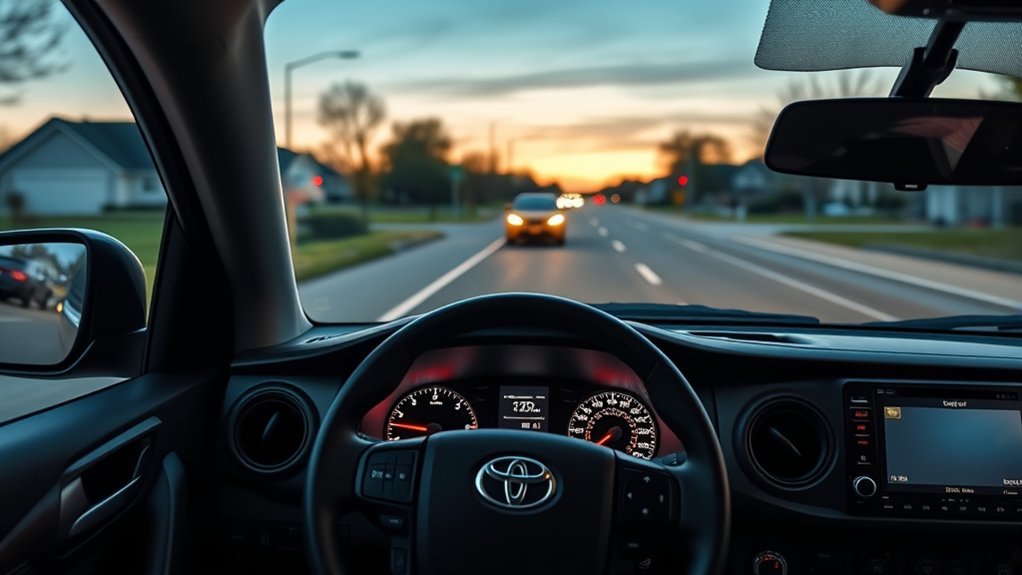
Toyota Safety Sense, often shortened to TSS, is Toyota’s group of active safety and driver-assistance features. The system uses a forward-facing camera and, on equipped vehicles, millimeter-wave radar to watch traffic, lane markings, road edges, and selected signs.
The feature list is not identical on every Tacoma. Toyota made Toyota Safety Sense 3.0 standard on every 2024 Tacoma. That package includes Pre-Collision System with Pedestrian Detection, Lane Departure Alert with Steering Assist, Dynamic Radar Cruise Control, Lane Tracing Assist, Road Sign Assist, Automatic High Beams, and Proactive Driving Assist.
Note: Earlier TSS-equipped Tacomas can have a smaller feature set. Blind Spot Monitor, Rear Cross-Traffic Alert, parking sensors, and Safety Connect are separate systems and should not be treated as standard TSS features.
[Amazon Products Picked for You]

FITMENT - This hidden box perfectly fits 2016-2021 2022 2023 Toyota Tacoma all models. This box fills the compartment space and fits flush with the rest of the armrest lid, and it will not affect the closing of the armrest box lid.

[Fitment]: Compatible with Toyota Tacoma 2016 2017 2018 2019 2020 2021 2022 2023, including SR, SR5, TRD Sport, TRD Off-Road, Limited, and TRD Pro
Tacoma TSS Features by Model Year
| Tacoma | Typical Safety Sense Package | What to Know |
|---|---|---|
| 2024 and newer U.S. models | TSS 3.0 | The full seven-feature suite is standard. Cruise behavior can still differ between automatic- and manual-transmission trucks. |
| Earlier TSS-equipped models | Earlier-generation TSS package | The truck may have Pre-Collision System, radar cruise, lane-departure warning, and Automatic High Beams without newer lane-centering, sign-recognition, or Proactive Driving Assist functions. |
| Any year or trim | Confirm by VIN and manual | Equipment can vary by market, trim, transmission, and production date. Use Toyota’s official manual lookup for the exact truck. |
Pre-Collision, Pedestrian Detection, and Automatic Braking
The Pre-Collision System with Pedestrian Detection, or PCS with PD, watches the road ahead. When the system identifies a possible frontal collision under supported conditions, it can give an audio and visual warning. It may also add braking assistance or apply automatic emergency braking if you do not respond in time.
On TSS 3.0, Toyota says the system can recognize vehicles, pedestrians, bicyclists, and motorcyclists under certain conditions. Detection is not guaranteed. Object position, speed, lighting, weather, road shape, sensor visibility, and driver input can all affect how the system responds.
| System Stage | Possible Response | Your Responsibility |
|---|---|---|
| Potential hazard detected | Audio and visual forward-collision warning | Look ahead and prepare to brake or steer safely. |
| You begin emergency braking | Brake assistance may increase braking force | Press the brake firmly and maintain control. |
| Collision judged imminent | Automatic emergency braking may activate | Do not wait for the system. Brake and steer as conditions require. |
Warning: Never test automatic emergency braking by driving toward a person, vehicle, wall, or other object. Toyota Safety Sense is designed to assist during real driving conditions, not replace safe following distance or attentive braking.
The Insurance Institute for Highway Safety reports that forward-collision warning combined with automatic braking has cut rear-end crashes by about half in studied vehicles.
Toyota Safety Sense Lane Assist and Adaptive Cruise Behavior
Lane Departure Alert With Steering Assist
On TSS 3.0, Lane Departure Alert with Steering Assist can work when the system detects white or yellow lane markings, or certain road-edge boundaries, at speeds above about 30 mph. It warns when the truck appears to leave the lane unintentionally. If you do not correct the path, it may add gentle steering assistance.
This is not continuous lane centering. Faded paint, construction zones, snow, glare, sharp curves, road repairs, and unclear edges can reduce detection. Keep both hands ready and steer the truck yourself.
Lane Tracing Assist
Lane Tracing Assist is a separate feature found on newer Tacoma systems. When Dynamic Radar Cruise Control is active and the required lane or vehicle information is available, it can provide ongoing steering support to help keep the truck centered. It can use lane lines and, in some conditions, the path of a preceding vehicle.
Lane Tracing Assist does not make the Tacoma hands-free. You must watch the road, hold the steering wheel as directed, and take control whenever the system asks or conditions change.
Dynamic Radar Cruise Control
Dynamic Radar Cruise Control, or DRCC, is intended mainly for highway use. It adjusts speed to help maintain a selected following distance from a detected vehicle ahead. You choose the set speed and following-distance setting, and you remain responsible for choosing a safe gap.
Automatic-transmission Tacomas may support full-speed-range operation, while manual-transmission behavior is more limited. Cruise control can also respond late or unexpectedly when a vehicle cuts in, traffic is stopped around a curve, the radar view is blocked, or the road changes steeply. Use the brake whenever traffic requires a faster response.
- LDA: warns about unintended lane departure and may add gentle steering support.
- LTA: helps with lane centering while compatible radar cruise operation is active.
- DRCC: adjusts speed to support a preset following distance.
- Driver: remains responsible for steering, braking, acceleration, and safe following distance.
Automatic High Beams and Road Sign Assist Explained
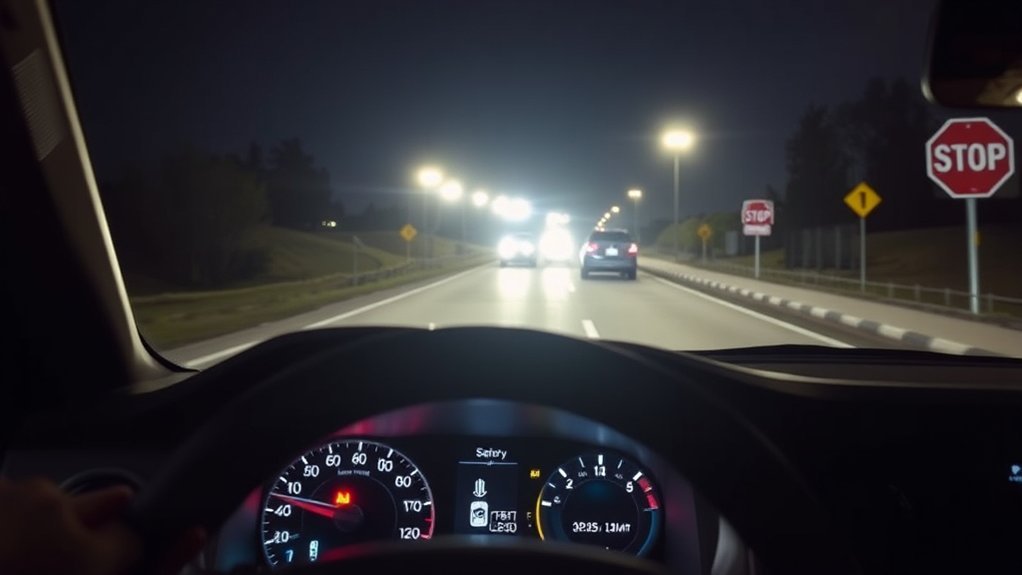
Automatic High Beams
Automatic High Beams can switch between high and low beams at speeds above about 21 mph. The camera looks for headlights from oncoming traffic and taillights from vehicles ahead. When the system sees those lights, it can lower the beams to reduce glare.
You may still need to switch beams manually. The system can miss poorly lit vehicles, bicycles, vehicles around a curve, or lights blocked by hills, weather, dirt, or glare. You are responsible for using the correct beam for traffic and road conditions.
Road Sign Assist
Road Sign Assist uses the forward camera to recognize selected signs and display them on the Multi-Information Display. Depending on the Tacoma and market, supported signs can include speed limit, stop, yield, Do Not Enter, and certain warning signs.
Road Sign Assist does not replace reading roadside signs. A sign can be missed, misread, outdated, blocked, or intended for another lane. Follow the actual sign and current road rules when the display conflicts with what you see.
Proactive Driving Assist on TSS 3.0
Proactive Driving Assist, or PDA, is part of the 2024-and-newer Tacoma’s TSS 3.0 package. When operating conditions are met, it can provide gentle braking into curves or gentle braking and steering to support distance control around a preceding vehicle, pedestrian, or bicyclist.
PDA is not the same as the Pre-Collision System. It is designed to support routine driving in different circumstances, while PCS focuses on possible collision situations.
Limits of Toyota Safety Sense on a Tacoma
The National Highway Traffic Safety Administration explains that driver-assistance features require the driver to stay engaged and attentive. Even when steering and speed support operate together, you still monitor the road and remain responsible for the vehicle.
- Blocked sensors: mud, snow, ice, insects, stickers, accessories, or damage can block the windshield camera or front radar area.
- Poor visibility: heavy rain, fog, glare, darkness, and low contrast can make objects, lane lines, or signs harder to recognize.
- Difficult road geometry: sharp curves, steep grades, crests, construction zones, merging lanes, and missing markings can reduce performance.
- Unusual traffic: cut-in vehicles, stopped traffic beyond a curve, small objects, unusual vehicle shapes, and sudden pedestrian movement may not be handled as expected.
- Vehicle changes: windshield, grille, emblem, bumper, suspension, wheel-alignment, or collision repairs can affect sensor aim and may require inspection or calibration.
[Amazon Products Picked for You]
Note: Universal tire pressure monitoring system tire sensors will not work properly. Do not hold the reset button for more than 3 seconds, otherwise the tool will shut down and cannot be used normally. Press and release the reset button to activate the tire sensor, and hold the reset button to turn the tool off or on. If the TX indicator light does not flash after pressing and releasing the reset button, it means that the tool has been turned off.
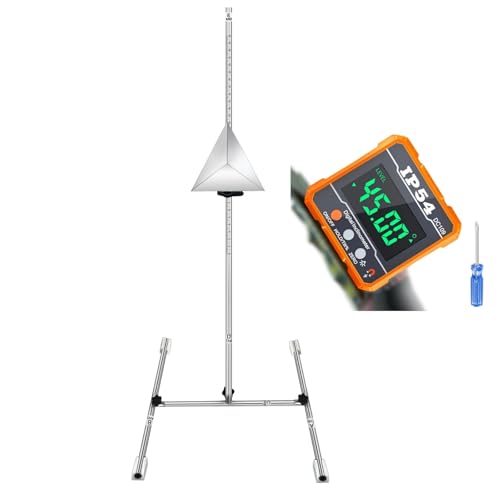
ADAS Calibration Tool :Maximize ADAS Efficiency: The height-adjustment bracket features a clear scale from 0-30cm, enabling fast and precise adjustments. Say goodbye to time consuming guesswork and other tools helper . This tool reducing calibration time and improving the overall ADAS calibration experience.

Compatible with: TOYOTA 4runner 1996 1997 1998 1999 2000,Hiace 2006-2008,T100 1994 1995 1996 1997 1998,Tacoma 1995 1996 1997 1998 1999 2000 2001 2002 2003 2004
Settings, Warnings, and Troubleshooting Toyota Safety Sense
You can change some Toyota Safety Sense settings through the steering-wheel controls and Multi-Information Display. Available controls vary by year. Common options include turning lane warnings on or off, changing alert sensitivity, selecting a radar-cruise following distance, and enabling or disabling selected assistance features.
[Amazon Products Picked for You]

【6 Pieces of 16mm Sensor Cleaning Swabs】 Tailored according to the size of the APS-C frame frame sensor;Smudge-and lintfree, flexible grip rod allows the head to be close to the sensor without harm. The width of swab is 16mm and each swab is vacuum packaged.

【6 Pieces of 24mm Sensor Cleaning Swabs】 Tailored according to the size of the Full frame frame sensor;Smudge-and lintfree, flexible grip rod allows the head to be close to the sensor without harm. The width of swab is 16mm and each swab is vacuum packaged.
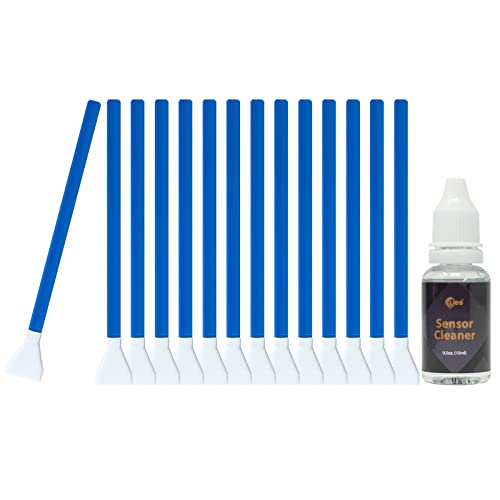
16MM APS-C SENSOR CLEANING KIT: Includes 14 ultra-soft, microfiber 16mm sensor swabs and a 15ml bottle of liquid camera sensor cleaner. Specifically engineered to perfectly fit the width of APS-C sensors for a seamless, one-swipe edge-to-edge clean.
What to Check When TSS Is Unavailable
- Read the full message. The display may identify a blocked sensor, unavailable feature, high or low sensor temperature, or a fault that requires service.
- Park safely. Do not troubleshoot menus or clean sensors while stopped in traffic or on an unsafe shoulder.
- Clean the sensor areas. Gently clear the windshield in front of the camera and the front grille or emblem area used by the radar. Do not use abrasive tools.
- Remove temporary obstructions. Check for snow, ice, mud, condensation, stickers, dash-camera equipment, or accessories that block the camera’s view.
- Restart only after parking safely. A temporary warning may clear after conditions normalize and the truck is restarted. Restarting does not repair a real fault.
- Consider recent work. A windshield replacement, front-end impact, grille or bumper work, suspension change, or alignment service may require sensor inspection or calibration.
- Arrange professional diagnosis. If the warning remains, returns often, or appears after damage or repairs, contact a qualified Toyota service facility.
Pro Tip: Use your Tacoma’s VIN or exact year, trim, and transmission on Toyota’s manual page. Menu names, warning messages, operating speeds, and reset behavior can differ between TSS generations.
When Calibration May Be Needed
Do not try to aim or recalibrate the camera or radar at home. Ask a qualified repairer whether calibration is required after windshield replacement, front-end body work, sensor or emblem replacement, a collision, or a change that affects vehicle height or alignment. Incorrect sensor aim can reduce performance without creating an obvious visual problem.
Related Guides
Frequently Asked Questions
What are the features of Toyota Safety Sense on a Tacoma?
The answer depends on model year. TSS 3.0 on 2024-and-newer U.S. Tacomas includes Pre-Collision System with Pedestrian Detection, Dynamic Radar Cruise Control, Lane Departure Alert with Steering Assist, Lane Tracing Assist, Road Sign Assist, Automatic High Beams, and Proactive Driving Assist. Earlier trucks may have fewer features.
What is the most common problem with a Toyota Tacoma?
No single problem applies to every Tacoma year. Older trucks have had well-known frame-corrosion campaigns, while other concerns vary by generation and powertrain. This issue is separate from Toyota Safety Sense. Check the truck’s VIN with the NHTSA recall lookup and review service records before buying or diagnosing a Tacoma.
What happens if I press SOS in my Toyota?
The SOS button is part of Toyota Safety Connect, not Toyota Safety Sense. With active service and network availability, it connects you with a response center that can assess the situation and request emergency help. Service terms, trial periods, location sharing, and availability vary by vehicle and region.
What does TSS mean on a Toyota Tacoma?
TSS means Toyota Safety Sense. It is Toyota’s name for a group of camera- and radar-based driver-assistance features. The number or letter after TSS identifies the system generation, such as TSS-P or TSS 3.0.
Can Toyota Safety Sense stop every crash?
No. The system may warn, assist braking, or apply automatic braking under certain conditions, but detection and stopping distance are limited. Speed, traction, weather, road shape, sensor visibility, and how suddenly a hazard appears can affect the result.
Can I turn off Toyota Safety Sense features?
You can adjust or disable some features through the vehicle settings, but the available controls and restart behavior vary by model year. Do not disable a feature merely to hide a persistent warning. Check the manual and repair the cause of any repeated fault.
Conclusion
Toyota Safety Sense can add useful warnings, braking support, adaptive cruise control, lane assistance, sign information, and automatic beam changes to a Tacoma. Its value depends on knowing which TSS generation your truck has and understanding that every feature has operating limits. Keep the camera and radar areas clear, respond to warnings promptly, and use the exact owner’s manual when settings or messages differ.
Sources
- Toyota USA Newsroom: 2024 Toyota Tacoma: confirms standard TSS 3.0 equipment and the Tacoma-specific feature list.
- Toyota Safety Hub: explains TSS feature behavior, operating speeds, and model-specific cautions.
- Toyota Manuals and Warranties: provides year- and vehicle-specific owner’s manuals.
- NHTSA Driver Assistance Technologies: explains driver responsibility and common assistance categories.
- IIHS Advanced Driver Assistance Research: supports the real-world crash-reduction context for forward-collision warning and automatic braking.
- NHTSA Recall Lookup: provides VIN-based recall information and safety-campaign details.
