Replacing a Toyota Tundra key fob battery usually takes only a few minutes, but the correct coin cell depends on the truck’s model year and key design. Some Tundra remotes use a CR2016 or CR2032, while many newer Smart Key fobs use a CR2450. Open the fob and verify the code on the old battery before buying a replacement.
Quick Answer
Remove the mechanical key if your fob has one, gently open the case at its release slot, and note the old battery’s code and orientation. Install an identical fresh coin cell, close the case evenly, reinsert the key, and test every button near the truck. A normal battery change usually requires no reprogramming.
Key Takeaways
- Do not assume every Toyota Tundra key fob uses a CR2450. Verify the code printed on the old battery or check the owner’s manual for your model year.
- Photograph the battery before removing it so you can match its polarity and position.
- Keep new and used coin cells away from children and pets. Secure the removed cell with nonconductive tape immediately.
- Replacing the battery normally does not erase the fob’s programming.
- If a fresh battery does not solve the problem, inspect the contacts, test the spare fob, and check the truck’s 12-volt battery.
At a Glance
| Time Required | About 5 to 10 minutes |
| Difficulty | Easy |
| Tools Needed | Mechanical key, plastic pry tool, or a small flat-blade screwdriver wrapped with tape |
| Cost | Low; normally only the cost of one replacement coin cell |
Why You Should Change Your Key Fob Battery
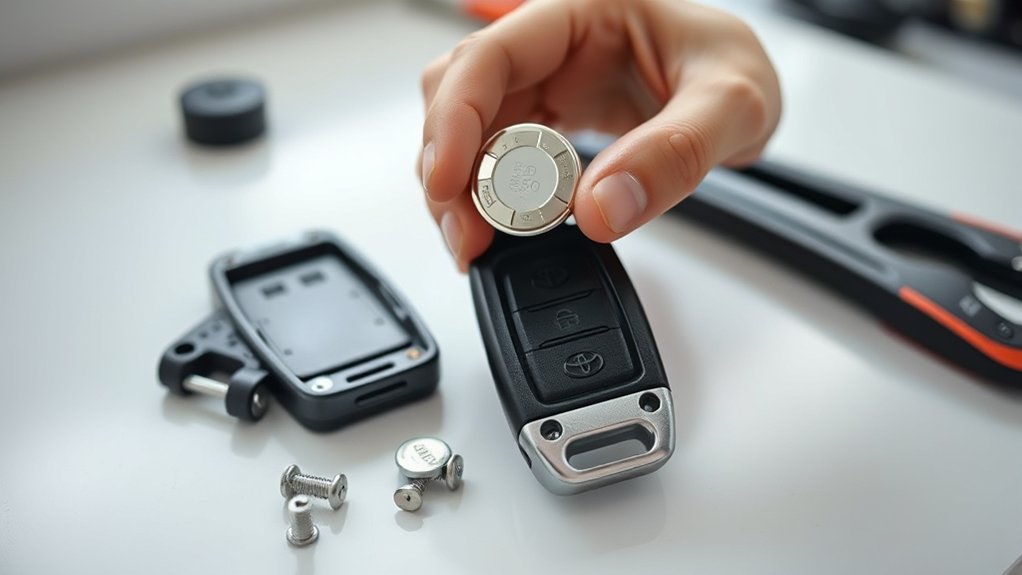
A weakening key fob battery can cause reduced operating range, delayed locking or unlocking, intermittent button response, or a low-key-battery message on the instrument display. Replacing the battery when these symptoms appear helps prevent an inconvenient lockout.
Toyota does not provide one universal replacement interval for every Tundra fob. Battery life varies with the fob design, usage, storage conditions, temperature, and how often its buttons are pressed. Replace the cell when the truck reports a low battery or when the remote becomes unreliable.
A battery replacement is different from replacing the complete key fob. Changing the removable coin cell normally leaves the registered electronics intact, so routine reprogramming should not be necessary.
Identify the Correct Tundra Key Fob Battery
Confirm the battery before ordering a replacement. Toyota has used more than one remote design, and a replacement or aftermarket fob may not contain the same battery as the original unit.
| Fob or Vehicle | Battery Information | What to Do |
|---|---|---|
| 2021 Tundra without Smart Key | Toyota’s 2021 manual lists CR2016. | Confirm against the cell inside your remote. |
| 2021 Tundra with Smart Key | Toyota’s 2021 manual lists CR2032. | Confirm against the cell and holder marking. |
| Many newer Smart Key fobs | A CR2450 is commonly used, but the design can vary. | Open the fob or check the manual before buying. |
| Aftermarket or replacement fob | The shell or circuit board may use a different cell. | Use the exact code printed on the installed battery. |
You can find model-specific documentation through the Toyota Owners manual library. The battery code is also stamped on the positive face of the old coin cell.
Warning: Coin batteries can cause severe internal burns or death if swallowed. Work away from children and pets. As soon as you remove the old cell, cover its terminals with nonconductive tape and place it somewhere secure. Seek emergency help immediately if anyone may have swallowed a battery.
A swallowed coin battery can cause serious internal injury in as little as two hours, according to the U.S. Consumer Product Safety Commission.
How to Disassemble Your Key Fob Safely
Work on a clean, dry table where small parts cannot roll away. Dry your hands and keep liquids, keys, loose coins, and other metal objects away from the exposed battery and circuit board.
Opening a Smart Key Fob
- Find the mechanical-key release button or slider on the back or side of the fob.
- Hold the release and pull out the mechanical emergency key.
- Locate the small case-opening slot near the mechanical-key opening.
- Insert the end of the mechanical key into the slot and twist it gently. Do not drive the key deeply into the case.
- Separate the two halves with your fingers once a gap appears.
- Set the button side face down so the rubber button pad and internal parts remain in position.
Opening an Older Keyless-Entry Remote
An older Tundra remote may have a case seam and a small slot designed for a coin or flat tool. Wrap the tool with tape to reduce cosmetic damage, place it in the opening slot, and twist gently. Do not pry around the entire case with force because this can break the retaining clips.
Pro Tip: Take a clear photo as soon as the case opens. The photo records the battery code, polarity, circuit-board position, rubber button-pad alignment, and any small seals that must return to the same place.
Step-by-Step Battery Replacement Instructions
Once the fob is open, avoid touching the circuit board more than necessary. Oils, moisture, and static electricity can interfere with the electronics.
Tools Required For Replacement
- A replacement coin cell with the exact same code as the old battery
- The fob’s mechanical emergency key, if equipped
- A plastic pry tool or a small flat-blade screwdriver wrapped with tape
- A clean, dry cloth
- Nonconductive tape for securing the used battery
Battery Removal and Installation
- Read the old battery code. Confirm whether it says CR2016, CR2032, CR2450, or another designation.
- Record the orientation. Photograph which face is visible and check for a plus or minus symbol molded into the holder.
- Release the old cell. Use a fingernail or plastic tool at the holder’s access point. Do not bend the metal contacts.
- Secure the removed battery. Cover both faces or the entire cell with nonconductive tape and keep it away from children.
- Inspect the compartment. Look for dirt, moisture, corrosion, damaged contacts, or a displaced seal. Use only a clean, dry cloth.
- Install the new battery. Insert the edge under the fixed retaining tab first, then press the opposite edge into place.
- Match the original polarity. Do not rely on a general “positive side up” rule. Follow the holder marking and your reference photo.
Note: Never force a thicker or larger battery into the holder. Even if two coin cells have the same voltage, their diameter and thickness may differ.
Steps For Reassembly Process
- Return the circuit board, rubber button pad, seal, and inner cover to their original positions.
- Check that no button is trapped under the edge of the case.
- Align the fob halves before applying pressure.
- Press around the perimeter until each retaining clip snaps into place.
- Inspect the seam for gaps.
- Reinsert the mechanical emergency key until it locks.
How to Reassemble Your Key Fob Properly
A correctly assembled fob should close with even seams and should not rattle. The buttons should sit at a consistent height and return immediately after you press them.
If the case will not close, stop and reopen it. Common causes include a battery that is not fully seated, a shifted circuit board, a folded rubber button pad, or an incorrectly positioned moisture seal. Forcing the case can crack its clips or hold a button down continuously, which may drain the new battery.
- Confirm that the battery sits flat under its retaining tabs.
- Place the circuit board squarely in its supports.
- Align the rubber button pad with each switch.
- Check any gasket or seal for twists.
- Close the case from one end and work around the edge.
- Reinstall the emergency key and check its release mechanism.
How to Test the Key Fob
Stand near the truck and test the Lock, Unlock, Panic, remote-start, and tailgate buttons that apply to your fob. Confirm that each button produces the expected response and that no button remains stuck.
Next, move several steps away and test Lock and Unlock again. A fresh battery should restore normal operation unless another fob or vehicle problem is present.
Do not test the Panic button in a quiet residential area unless necessary. If you do activate it, press the button again or follow the owner’s manual instructions to stop the alarm.
Starting Your Tundra With a Dead Key Fob Battery
A depleted Smart Key battery does not always leave you stranded. Toyota notes that the mechanical key can be used to unlock the door on compatible vehicles. For many push-button-start Toyota models, you can hold the Toyota-emblem side of the Smart Key against the engine START button while pressing the brake, then press the START button.
The exact emergency procedure can differ by model year, so confirm it in your Tundra owner’s manual. Toyota also provides general guidance in its dead Smart Key support article.
Troubleshooting Key Fob Issues
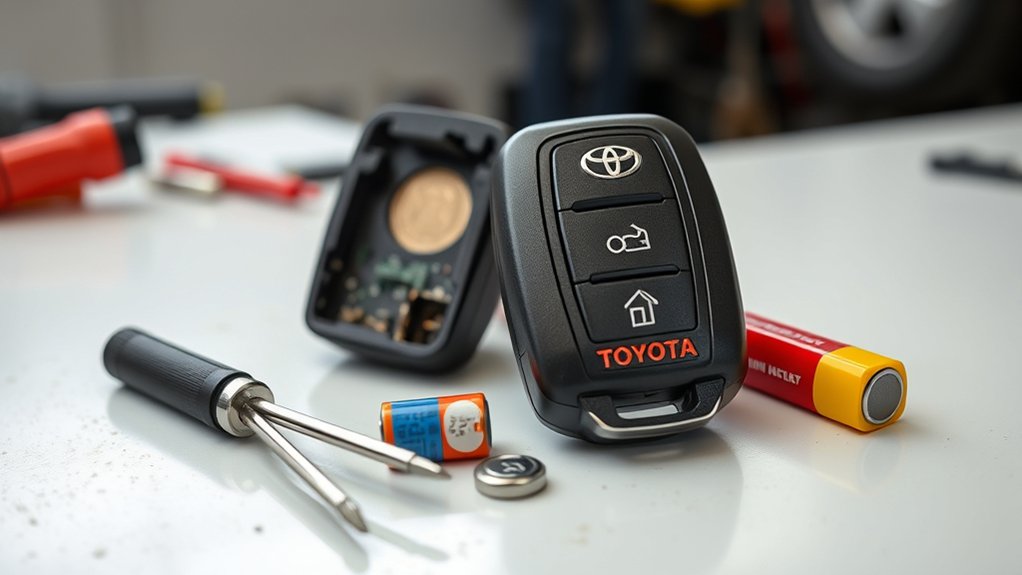
If the key fob remains unresponsive after battery replacement, reopen it and work through the likely causes in order. Do not begin with reprogramming unless the complete fob or electronic board has been replaced.
| Problem | Likely Cause | What to Check |
|---|---|---|
| No buttons work | Wrong battery, reversed polarity, or poor contact | Match the battery code, orientation, and holder contacts. |
| Only one button fails | Shifted rubber pad, worn switch, or damaged case | Reposition the pad and inspect the button area. |
| Fob works only very close to the truck | Weak, old, or low-quality replacement cell | Try a fresh battery from sealed, undamaged packaging. |
| Fob works intermittently | Loose cell, dirty contacts, moisture, or radio interference | Reseat the battery and test in another location. |
| Primary and spare fobs both fail | Truck 12-volt battery, receiver, or vehicle-side issue | Check whether the truck has normal electrical power and seek diagnosis if needed. |
| Case will not close | Battery or internal components are misaligned | Reopen the fob and reseat every component without force. |
| Fob was dropped or became wet | Circuit-board, solder-joint, or contact damage | Stop using it if corrosion or damage is visible and consult a dealer or automotive locksmith. |
Testing the spare fob can quickly separate a remote problem from a vehicle problem. If the spare works normally, the issue is probably inside the first fob. If neither fob works and the truck shows other electrical symptoms, inspect or test the vehicle’s 12-volt battery.
Routine coin-cell replacement normally does not require reprogramming. Key registration may be relevant when a complete fob, transmitter board, or immobilizer component has been replaced.
Where to Buy and How to Choose Key Fob Replacement Batteries
Replacement coin cells are available from auto-parts stores, electronics stores, pharmacies, big-box retailers, battery specialists, Toyota parts departments, and established online sellers. Compatibility and freshness matter more than finding the lowest price.
Battery Type Identification
Buy the exact battery code printed on the removed cell. A CR2016, CR2032, and CR2450 are all 3-volt lithium coin cells, but they have different physical dimensions and are not interchangeable simply because their voltage matches.
Check the battery and package for:
- The exact CR code required by the fob
- Sealed, undamaged, child-resistant packaging
- A clear manufacturer name
- A visible expiration or best-before date when provided
- No corrosion, dents, swelling, or damaged wrapping
For example, the Energizer CR2450 specification identifies it as a 3-volt lithium coin cell. That specification confirms what a CR2450 is, but it does not mean every Tundra fob requires one.
Trusted Retailer Options
| Retailer Type | Potential Advantage | What to Verify |
|---|---|---|
| Toyota parts department | Model-specific assistance | Provide the model year, VIN, and fob style. |
| Auto-parts or battery store | Immediate availability and staff assistance | Match the old battery code exactly. |
| Electronics, pharmacy, or big-box store | Common battery sizes may be easy to find | Inspect packaging condition and freshness. |
| Established online retailer | Broad selection and delivery | Confirm the seller, battery code, package condition, and return policy. |
Price Comparison Tips
- Compare the same battery code, brand, quantity, and package type.
- Do not buy a multipack unless you can store unused cells safely in their original child-resistant packaging.
- Avoid loose, unmarked, damaged, or suspiciously old batteries.
- Consider local availability when the existing fob battery is already failing.
- Check whether the retailer offers battery recycling.
How to Dispose of the Old Key Fob Battery
Do not leave the removed coin cell loose on a table, in a drawer, or inside a pocket. It can be swallowed, and contact with coins or keys can short its terminals.
- Cover both faces with nonconductive tape or wrap the entire battery securely.
- Keep the battery in a closed container away from children and pets.
- Take it to a battery-collection site, participating retailer, or household hazardous-waste facility.
- Follow local disposal requirements because programs differ by location.
The U.S. Environmental Protection Agency advises consumers not to place button, coin, or lithium single-use batteries in household trash or municipal recycling bins.
Frequently Asked Questions
Can I replace a Toyota Tundra key fob battery myself?
Yes. Most Tundra fobs are designed so the owner can replace the coin cell. Use the opening slot, avoid touching or bending the circuitry, match the original battery code and polarity, and close the case without force.
What battery does a Toyota Tundra key fob use?
The battery varies by model year and fob type. Toyota’s 2021 manual lists CR2016 for vehicles without Smart Key and CR2032 for vehicles with Smart Key. Many newer Smart Key fobs use CR2450. Always verify the code printed on the old battery or consult the manual for your truck.
Do you have to reprogram a Toyota key fob after changing the battery?
Normally, no. Replacing the removable coin cell does not usually erase the fob’s registration. If it stops working, first check the battery code, polarity, contacts, and internal alignment. Programming may be required when the complete fob or transmitter electronics have been replaced.
How do I reset my Toyota after replacing the key fob battery?
A routine key fob battery change normally requires no reset. Avoid generic instructions that tell every owner to turn an ignition key and press Lock, because procedures and ignition systems differ. If a correctly installed fresh battery does not work, follow the troubleshooting steps and consult the model-specific manual.
How do I change the battery in a Toyota Tundra key fob?
Remove the mechanical key if equipped, open the case at its release slot, photograph the old battery, and read its code. Remove it without bending the contacts, insert an identical fresh cell in the same orientation, close the case evenly, reinstall the mechanical key, and test every button.
How do I start my Tundra if the key fob battery is dead?
On many push-button-start Toyota vehicles, you can hold the Toyota-emblem side of the Smart Key against the START button while pressing the brake, then press START. Use the mechanical key for emergency door entry where supported. Confirm the exact procedure in your Tundra owner’s manual.
Why does my key fob still not work with a new battery?
The new cell may be the wrong size, installed backward, weak, or not touching the contacts. The circuit board or button pad may also be misaligned. Test the spare fob and check the truck’s electrical power. Visible corrosion, water damage, or broken components require professional diagnosis.
Conclusion
Replacing your Toyota Tundra key fob battery is a manageable DIY task when you identify the correct cell first. Match the code and orientation of the old battery, handle the internal parts gently, close the case without force, and test every function before relying on the fob.
If a verified fresh battery does not restore normal operation, use the spare fob to narrow down the problem. A damaged remote can be inspected by a Toyota dealer or qualified automotive locksmith, while failure of both fobs may point to the truck’s 12-volt battery or another vehicle-side issue.
Sources
- Toyota 2021 Tundra Owner’s Manual — model-specific battery types and replacement precautions
- Toyota 2026 Tundra Manuals and Warranties — current model-specific owner documentation
- Toyota: Starting a Vehicle With a Depleted Smart Key Battery — emergency starting guidance
- U.S. Consumer Product Safety Commission: Button Cell and Coin Batteries — ingestion risks and safe handling
- U.S. Environmental Protection Agency: Used Household Batteries — coin-cell recycling and disposal guidance
- Energizer CR2450 Technical Information — CR2450 voltage and battery classification