If your Toyota Tundra key fob is not working, first determine whether the problem follows one fob or affects the whole truck. If the spare fob works, focus on the failed fob’s battery, contacts, buttons, or physical damage. If two known-good fobs fail, check for radio interference and vehicle-side problems before replacing either remote.
A weak or incorrectly installed coin-cell battery is a common cause, but it is not the only one. Poor battery contact, reduced Smart Key range, a damaged fob, an unregistered replacement key, a weak 12-volt vehicle battery, or a keyless-entry system fault can produce similar symptoms.
Last Updated: September 22, 2026
Quick Answer
Start with the spare fob. If one fob fails but the spare works, check the failed fob’s battery type, polarity, seating, contacts, and physical condition. If both fobs fail, test again away from phones, metal objects, and strong radio interference, then check whether the truck’s power locks and other 12-volt electrical functions work normally. A normal battery replacement usually does not require reprogramming, but a replacement fob normally must be registered to the truck.
Key Takeaways
- If the spare fob works normally, the problem is probably limited to the first fob.
- Match the replacement battery to the code printed on the old battery and confirm it in your Tundra owner’s manual; battery type varies by key system and model year.
- Reduced Smart Key range or intermittent recognition can point to a weak battery or radio interference.
- If both fobs fail, check interference, the truck’s 12-volt electrical condition, power-lock operation, and keyless-entry system before buying new remotes.
- A standard battery change normally does not require reprogramming, but a replacement fob generally must be registered to the vehicle.
- Keep coin batteries away from children and get immediate help if one is swallowed.
At a Glance: Match the Symptom to the Next Check
| Symptom | What It Suggests | Best Next Check |
|---|---|---|
| One fob fails; spare works | Problem is likely inside the failed fob | Check battery type, polarity, seating, contacts, buttons, and water/drop damage |
| Both fobs have poor range | Interference or vehicle-side reception may be involved | Test beside the truck in another location and move phones, metal objects, and other transmitters away |
| Both fobs fail and power locks also fail | Vehicle-side electrical or lock-system problem is more likely | Check the truck’s 12-volt electrical condition, relevant fuses, and lock operation |
| Truck says “Key Not Detected” | Smart Key communication is failing | Move the key away from electronics/metal, try the spare, and use the model-specific emergency recognition procedure if the battery is depleted |
| Remote is acknowledged but one door does not move | Individual door lock/actuator problem is possible | Test that door from the interior lock switch before blaming the key fob |
Understanding Key Fob Malfunctions in the Toyota Tundra
A Tundra key fob works as a short-range electronic transmitter. When you press a button, the fob sends a coded signal to the truck. Smart Key-equipped trucks also use short-range communication to identify an authorized electronic key for entry and starting.
The first diagnostic step is to separate a fob problem from a vehicle problem. Try the spare fob if you have one. If the spare works from the same location, concentrate on the failed fob. If two known-good fobs fail at the same time, interference or a vehicle-side electrical, lock, antenna, receiver, or Smart Key problem becomes more plausible.
Tundra model years and trims do not all use the same key design. A traditional remote key, a Smart Key for push-button start, and an aftermarket replacement can use different batteries and registration procedures. Use your Toyota owner’s manual for your exact model year. You can also use our guide to find your Toyota Tundra owner’s manual online.
Toyota owner guidance identifies reduced electronic-key detection range and failure of the Smart Key or wireless remote as possible signs of a depleted key battery. Those symptoms are more useful than guessing battery condition from age alone.
Note: Do not assume every Toyota Tundra key fob uses the same battery. Match the battery code printed on the old cell, then confirm it in the owner’s manual for your model year and key type.
Common Reasons Your Tundra Key Fob Isn’t Working
The fastest diagnosis comes from matching the symptom to the system that could cause it. Work from simple, reversible checks toward vehicle-side diagnosis instead of replacing parts at random.
Battery Installation Issues
If the fob stopped working after a battery change, reopen it before assuming it needs programming. Confirm that the new cell matches the old battery’s code and that its positive and negative sides follow the orientation specified for your fob.
The battery should sit flat and make firm contact with the terminals. A cell that is tilted, sitting above a retaining tab, or not touching the contacts can make the remote completely dead or intermittent.
Dirty or Bent Battery Contacts
Dust, moisture residue, corrosion, or damaged contacts can interrupt power between the coin cell and circuit board. Start with a dry cotton swab. If visible residue remains, lightly dampen the swab with rubbing alcohol, clean only the contact area, and allow it to dry completely before installing the battery.
Do not scrape the circuit board or aggressively bend the metal contact tabs. If a terminal is cracked, detached, badly corroded, or physically damaged, have the fob inspected rather than forcing it back into position.
Electronic Interference Problems
Toyota Smart Key systems use weak radio signals, so nearby radio-frequency sources and signal-blocking materials can affect operation. Toyota owner guidance lists conditions such as strong radio or electrical noise, nearby phones or computers, other electronic keys, and metal surrounding the key as possible sources of communication trouble. In the United States, low-power radio devices must also accept certain interference under 47 CFR 15.5.
Test from a few feet away and then beside the driver’s door. Remove the fob from a metal or RFID-blocking container, separate it from your phone and other keys, and test the truck in another location. If operation returns when the environment changes, interference or signal blockage is more likely than lost programming.
Weak Truck Battery or Receiver Issue
If two known-good fobs fail, check what the truck itself is doing before replacing either remote. Test the power locks from the interior switch and look for other signs that the 12-volt electrical system is weak or unavailable. If multiple electrical functions are affected, the key fob may not be the root problem.
Also separate a remote-reception problem from a door-lock problem. If the truck flashes, beeps, or otherwise acknowledges a remote command but one door does not lock or unlock, that individual door’s actuator, latch, wiring, or related circuit deserves inspection. A failed door actuator does not necessarily mean the fob stopped transmitting.
Replacement Key Fob Not Programmed
A replacement key or Smart Key must be compatible with the truck and registered to the vehicle before all functions will work. Procedures vary significantly by model year and key system. Do not follow a generic internet button sequence unless it is specifically documented for your Tundra.
Modern Smart Key registration may require Toyota-compatible diagnostic equipment. A Toyota dealer or qualified automotive locksmith can verify whether a replacement fob is compatible, transmitting, and properly registered.
Step-by-Step Guide to Troubleshoot Key Fob Issues
Use this order so each test rules out a cause before you spend money on parts or programming.
- Try the spare fob. If the spare works from the same place, focus on the first fob. If both fail, continue with interference and vehicle-side checks.
- Move closer and change the environment. Test beside the driver’s door, then move the fob away from phones, computers, metal containers, other electronic keys, and strong radio/electrical sources.
- Check the battery type. Compare the code printed on the replacement cell with the old battery and your model-year owner’s manual.
- Check battery orientation and seating. Confirm polarity and make sure the cell sits flat against the contacts.
- Inspect the contacts and case. Look for dirt, corrosion, water intrusion, cracks, worn buttons, loose internal parts, or damage from a drop.
- Test the truck’s locks from inside. If the interior switch also fails to operate the locks, investigate the vehicle rather than assuming both fobs are bad.
- Watch how the truck responds. A beep or light response with one non-moving door points in a different direction than a truck that does not acknowledge either fob at all.
- Use emergency access or Smart Key recognition if needed. If your push-button-start Tundra has a depleted electronic-key battery, use the mechanical key and model-specific backup-start procedure described in the owner’s manual.
- Get professional diagnosis if the pattern remains unclear. A dealer or qualified automotive locksmith can test the transmitter, registration status, and vehicle-side keyless-entry system.
Pro Tip: If the trouble began immediately after you changed the coin cell, recheck the battery code, orientation, seating, and contacts before attempting any programming procedure.
Replacing Your Key Fob Battery the Right Way
For troubleshooting, the most important battery checks are the correct cell, correct polarity, clean contacts, and firm seating. Tundra key designs vary, so do not buy a battery solely because a generic listing says it fits every Toyota remote.
- Read the old battery code before removing or discarding the cell.
- Note the orientation so the new battery goes in the same way.
- Check the contacts for dirt, corrosion, or physical damage.
- Seat the new battery flat and close the case without forcing it.
- Test every applicable button beside the truck before testing range farther away.
For the full opening, replacement, reassembly, and testing procedure, see how to replace a Toyota Tundra key fob battery.
Warning: Coin and button batteries can cause severe injury if swallowed. Keep new and used batteries out of reach of children. If someone swallows a battery, contact the National Battery Ingestion Hotline at 1-800-498-8666, use Poison Control, or call a poison center at 1-800-222-1222 immediately. Do not wait for symptoms to appear.
[Amazon Products Picked for You]

**Please confirm compatibility using the fitment guide located in the product images** Your key fob must have a silver Toyota logo on the front and be model year 2021 or newer

**Please confirm compatibility using the fitment guide located in the product images**

CONFIRM FIT **Please confirm compatibility using the fitment guide located in the product images** This battery will only fit your key fob if it exactly matches one of the examples in the compatibility guide.
When and How to Reprogram Your Key Fob?

A normal battery replacement should not automatically erase the vehicle’s relationship with an existing key fob. If the same fob worked before the battery became weak, start by checking the new battery’s type, polarity, seating, and contacts rather than assuming the key needs to be programmed again.
Registration becomes more relevant when you add a replacement fob, replace a lost key, install a different compatible transmitter, or diagnose a Smart Key system problem. The correct process depends on model year and key system, so avoid one-size-fits-all programming sequences from unrelated Toyota models.
| Situation | Likely Need | Best Next Step |
|---|---|---|
| Same previously working fob, correct new battery | Programming is normally not the first suspect | Recheck battery type, polarity, seating, contacts, damage, and interference |
| New replacement fob | Vehicle registration/programming is generally required | Confirm compatibility and use a Toyota dealer or qualified automotive locksmith when required |
| Both previously working fobs fail | Interference or a vehicle-side problem becomes more likely | Change location, test truck-side locks/electrical functions, then diagnose the Smart Key/receiver system if needed |
[Amazon Products Picked for You]

fits Toyota 2008-2013 Avalon / 2007-2011 Camry / 2008-2013 Corolla / 2009-2014 Venza

Components: This is just a key fob shell with no electronics, chip or battery inside

Replacement: For Remote's P/N: 89742-AE010, 89742-AE011; FCC ID: GQ43VT20T; Toyota Key Fob Replacement Suitable for 2007-2017 Toyota Tundra /2005-2016 Toyota Tacoma/ 2004-2015 Toyota Sienna /2008-2016 Toyota Sequoia/ 2008-2013 Toyota Highlander
How to Identify and Fix Key Fob Interference?
The simplest interference test is to change the key’s position and environment. Radio interference does not necessarily make a fob permanently dead; it may instead cause short range, delayed responses, intermittent “Key Not Detected” warnings, or normal operation in one location but not another.
- Stand beside the driver’s door and test lock or unlock again.
- Remove the fob from a metal container or RFID-blocking wallet.
- Move your phone, laptop, other electronic keys, and wireless devices away from the Toyota key.
- Move away from strong radio/electrical sources and large metal structures.
- Try the fob from another side of the truck.
- Test both fobs again after moving the truck to another location.
If range improves when the environment changes, interference or signal blockage is a strong clue. If neither fob improves in multiple locations, return to the battery, vehicle electrical system, Smart Key settings, antenna/receiver, and professional-diagnosis paths.
Common Mistakes to Avoid When Troubleshooting Key Fob Issues
Small diagnostic mistakes can make a working key or truck component look faulty. Avoid replacing parts until you know which side of the system is failing.
| Mistake | Why It Causes Trouble | What To Do Instead |
|---|---|---|
| Guessing the battery type | Tundra key systems do not all use the same coin cell | Match the old battery code and confirm it in the model-year manual |
| Installing the battery backward | Incorrect polarity can prevent the fob from powering normally | Follow the polarity shown for your specific fob |
| Ignoring the spare fob | You lose the quickest test for separating one-fob trouble from a truck-side problem | Test both fobs from the same location before buying parts |
| Assuming every lock problem is a fob problem | An individual door actuator or lock circuit can fail while the remote still transmits | Compare remote operation with the interior power-lock switch and watch which doors respond |
| Using random programming steps | Procedures vary by key system and model year | Use model-specific Toyota instructions or qualified programming equipment |
| Forcing the case open | The shell, contacts, buttons, seals, or circuit board can be damaged | Use the correct release point and open the case gently |
If one fob works and the other does not, troubleshoot the failed fob. If two known-good fobs fail in the same conditions, test interference and the truck side before replacing either remote.
What Does “Key Not Detected” Mean on a Toyota Tundra?
“Key Not Detected” means the Smart Key system is not successfully recognizing the electronic key where the truck expects it. A depleted fob battery is one possible cause, but radio interference, a key blocked by metal or nearby electronics, an improperly registered replacement key, or a Smart Key system fault can produce a similar symptom.
First, remove the fob from a bag or metal/RFID-blocking container, move it away from your phone and other transmitters, and try the spare key. If your electronic-key battery is depleted and your push-button-start Tundra supports Toyota’s backup recognition procedure, place the truck in Park, depress the brake, touch the Toyota-emblem side of the electronic key to the engine switch as directed by the owner’s manual, wait for the key to be recognized, and then press the engine switch. Procedures and prompts can vary by model year, so follow your Tundra’s manual.
If the truck still will not start after the key is recognized—or the problem appears to be a broader no-start condition—use the Toyota Tundra won’t-start troubleshooting checklist rather than continuing to replace key-fob parts.
[Amazon Products Picked for You]

【Wide Compatibility】The 5 buttons key fob case is compatible with Chevrolet Cruze 2010-2016; Chevy Camaro 2010-2016; Chevy Impala 2014-2017; Chevy Equinox 2010-2016; GMC Terrain 2010-2021; Buick Lacrosse 2010-2016; Buick Regal 2011-2017; Buick Verano 2012-2017; Buick Encore 2014-2021; Buick Allure 2010-2012, etc. ( Compatible for FCC ID: OHT01060512 / V2T01060512 )

HONDA KEY FOB SHELL REPLACEMENT: Replacement key fob shell case for select Honda vehicles, including 2003-2014 Accord, 2006-2013 Civic EX, 2009-2015 Pilot, and 2005-2006 CR-V. Please compare your original remote shape and button layout with the product images before ordering.
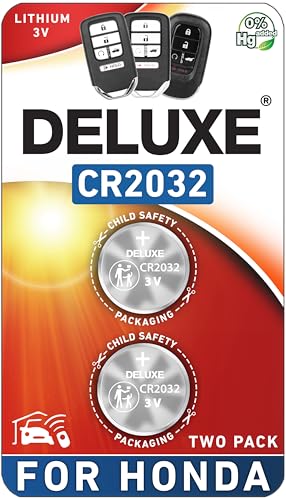
CONFIRM FIT - **Please confirm compatibility using the fitment guide located in the product images**
When to Seek Professional Help for Key Fob Problems?
Contact a Toyota dealer or qualified automotive locksmith when basic checks cannot isolate the fault. Professional equipment can help determine whether a key transmits correctly, whether a replacement key is compatible and registered, and whether the vehicle is receiving the signal.
Professional diagnosis is appropriate when:
- Two known-good key fobs fail in multiple locations after interference and battery checks.
- The fob has water damage, cracked buttons, a damaged circuit board, or a broken battery contact.
- A replacement fob has never operated the truck.
- The truck acknowledges the remote but one or more locks still do not operate correctly.
- The interior power locks or other 12-volt electrical functions are also abnormal.
- A persistent “Key Not Detected” or Smart Key warning remains with known-good keys.
- The security light, push-button start, or immobilizer behavior is abnormal.
- The mechanical-key or model-specific backup-start procedure does not work as described in the owner’s manual.
Bring every key and fob you have when the truck or replacement key is being diagnosed or registered. This lets the technician verify each key’s status and avoids making assumptions based on a single remote.
Frequently Asked Questions
Why is my Toyota key fob suddenly not working?
Common causes include a depleted or incorrectly installed coin-cell battery, poor battery contact, physical fob damage, or radio interference. Test the spare fob first. If the spare works from the same location, concentrate on the failed fob; if both fail, investigate interference and the vehicle side.
Why is my Toyota Tundra key not working?
A Tundra key can fail because of its battery, contacts, buttons, internal damage, interference, or registration. If two known-good keys fail, check the truck’s power locks, 12-volt electrical condition, Smart Key system, and receiver-related symptoms before replacing both keys.
Do you have to reprogram a Toyota key fob after changing the battery?
Normally, replacing the battery in the same previously working fob should not be the reason to reprogram it. If it stops working immediately after the battery change, recheck the cell type, polarity, seating, and contacts first. A replacement key or fob generally requires vehicle registration or programming.
Why is my key fob not working even though I replaced the battery?
The replacement cell may be the wrong type, installed with incorrect polarity, poorly seated, weak, or not touching the contacts. The fob may also have damaged buttons, corrosion, water or impact damage, or an unrelated interference problem. If the spare also fails, investigate the truck side.
What does “Key Not Detected” mean on a Toyota Tundra?
It means the Smart Key system is not successfully recognizing the electronic key. Check the fob battery, key location, nearby electronics and metal objects, and the spare key. If the fob battery is depleted, use the model-specific emergency recognition procedure in the Tundra owner’s manual. Persistent warnings with known-good keys need further Smart Key diagnosis.
How do I know what battery my Toyota Tundra key fob needs?
Open the fob carefully and read the battery code printed on the old coin cell, then confirm it in the owner’s manual for your model year and key system. Tundra fobs do not all use one universal battery type.
Can interference make a Tundra key fob stop working?
Yes. Smart Key and wireless-remote operation can be affected by strong radio or electrical noise, nearby wireless devices, other electronic keys, or metal blocking the key. Test beside the truck with the fob separated from phones, metal containers, and other transmitters, then try again in another location.
Can I still get into and start my Tundra if the key fob battery dies?
Many Smart Key-equipped Tundras provide a mechanical key for emergency door access and a backup electronic-key recognition procedure for push-button starting. The exact steps vary by model year, so use the emergency-access and starting instructions in your Tundra owner’s manual and replace the depleted fob battery as soon as possible.
Conclusion
If your Toyota Tundra key fob is not working, diagnose the pattern before buying parts. One failed fob with a working spare points toward that individual remote. Two known-good fobs failing together make interference or a vehicle-side issue more important to investigate. Poor range, “Key Not Detected,” a single non-moving door, and a completely unresponsive truck are different symptoms and should not all lead to the same repair.
Start with the battery code, polarity, seating, contacts, spare-fob comparison, and interference test. Then check the truck’s power locks and broader electrical behavior. Use your model-year Toyota manual for emergency access and Smart Key procedures, and use a Toyota dealer or qualified automotive locksmith when a replacement key needs registration or the failure remains unresolved.
Sources
- Toyota Manuals and Warranties — model-specific guidance for Smart Key operation, electronic-key batteries, emergency procedures, and vehicle controls.
- eCFR 47 CFR 15.5 — operating conditions for radio-frequency devices and interference.
- Poison Control: Swallowed a Button Battery? — current coin/button battery ingestion emergency guidance and contact numbers.
- Toyota Dealer Locator — Toyota dealer support for key registration and vehicle-side diagnosis.
