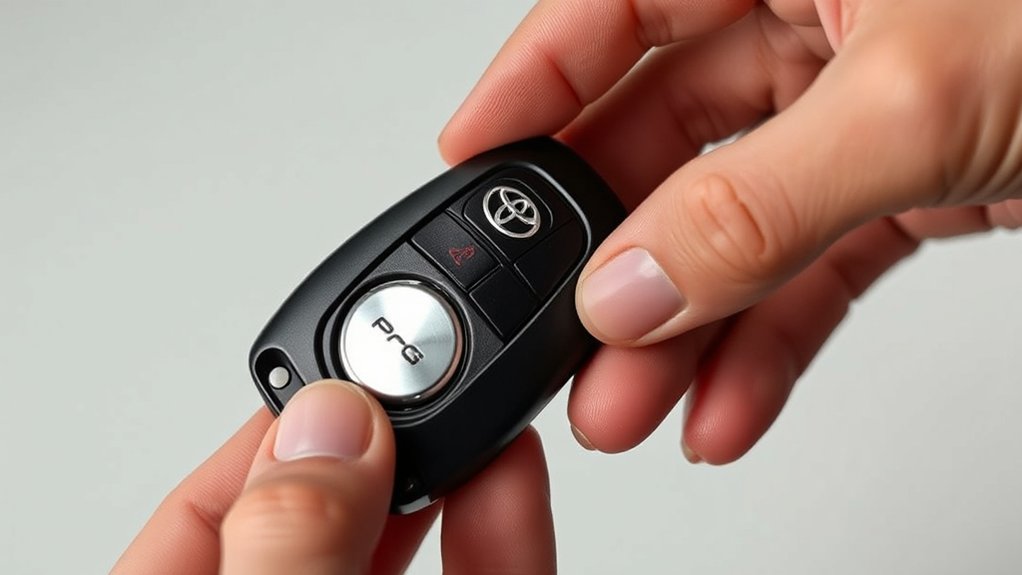
Toyota Camry key fob battery replacement usually takes about 5–10 minutes, but the correct coin cell depends on the model year and key design. Toyota U.S. owner’s manuals specify CR2016 for 2012–2017 Camrys without Smart Key, CR2032 for 2012–2017 Smart Key models and 2018–2024 Camrys, and CR2450 for the 2025–2026 electronic key. Confirm your exact market and key style before buying, then open the fob at its designed slot, install the battery with the marked polarity, close the case, and test every function.
Last updated: September 11, 2026
Quick Answer
For U.S.-spec Camrys, the owner’s manuals list CR2016 for 2012–2017 keys without Smart Key, CR2032 for 2012–2017 Smart Keys and 2018–2024 Camry keys, and CR2450 for the 2025–2026 electronic key. Verify your exact key and market, open the case at its intended notch or slot, install the specified cell in the marked polarity, snap the case shut, and test the remote plus Smart Key functions.
Key Takeaways
- Toyota used different batteries across Camry generations: CR2016, CR2032, and CR2450 all appear in applicable U.S. owner’s manuals.
- Use the release notch and a plastic pry tool, coin, or tape-wrapped flat screwdriver instead of forcing the seam with a sharp blade.
- Match the original polarity or the positive and negative marks inside the holder; do not substitute a battery solely because it looks similar.
- A battery change normally does not erase the fob’s pairing, so check installation and contacts before considering reprogramming.
- Keep new and used coin cells away from children and recycle them according to local battery-disposal rules.
At a Glance
| Time Required | About 5–10 minutes |
| Difficulty | Easy, with careful handling |
| Tools Needed | Correct coin cell, plastic pry tool or small tape-wrapped flat screwdriver, and a clean cloth |
| Verified U.S. Battery Types | CR2016, CR2032, or CR2450 depending on model year and key design |
| Cost | Usually only the price of the correct replacement coin cell; local pricing varies |
What Battery Does a Toyota Camry Key Fob Use?
For U.S.-spec Camrys, Toyota owner’s manuals show the following battery changes. Replacement or aftermarket fobs can differ, so the code printed on the installed cell and the manual for your exact vehicle remain the final checks.
| Camry Model Years | Key Design | Toyota-Listed Battery |
|---|---|---|
| 2012–2017 | Without Smart Key system | CR2016 |
| 2012–2017 | With Smart Key system | CR2032 |
| 2018–2024 | Toyota remote/electronic key designs covered by the U.S. manual | CR2032 |
| 2025–2026 | Electronic key | CR2450 |
Use Toyota’s manuals portal to confirm the specification for your exact U.S. vehicle. For Canadian-market cars, use the Toyota Canada owner’s-manual portal. If the battery already inside your fob has a different code, stop and identify the exact fob before forcing another size into its holder.
Why DIY Toyota Camry Key Fob Battery Replacement Is Beneficial
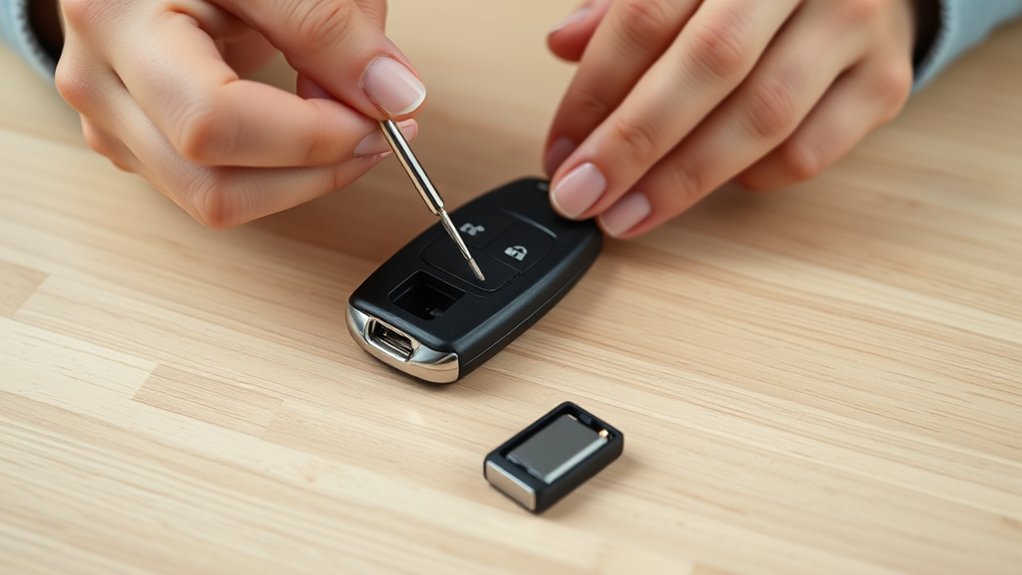
Replacing the battery yourself can save a trip to a dealership or locksmith. Most fobs are designed to open at a specific notch or slot, and the job normally requires only a small prying tool and the correct replacement cell.
The important word is correct. Camry key designs differ by year, trim, market, and whether the car has a conventional remote key or Smart Key system. Toyota’s manuals portal lets owners select the exact U.S. vehicle, while Toyota Canada’s manuals portal covers Canadian-market vehicles.
Completing the job carefully also lets you inspect the case, buttons, seal, and battery contacts. A cracked shell, corroded contact, or worn button membrane can mimic a dead battery and may require a replacement shell or professional repair rather than another coin cell.
Signs Your Toyota Camry Key Fob Battery Is Weak
Common signs include reduced lock or unlock range, buttons that work only after several presses, intermittent Smart Key detection, or a low-key-battery message on vehicles that support that warning. A completely dead fob may still allow emergency entry and starting by the model-specific backup procedure. If that is your immediate problem, see how to start a Toyota Camry with a dead key fob.
Toyota owner’s manuals commonly list standard key-battery life as about 1–2 years. Actual life can vary with usage, storage, interference, temperature, and how long an electronic key remains close to the vehicle.
If only one button fails while the others work normally, the problem is more likely a worn switch or button pad than the battery. If both your primary and spare fobs stop working at the same time, check the vehicle’s 12-volt battery, related fuses, or receiver system before blaming both coin cells.
Confirm the Correct Battery Before Opening the Fob
Do not buy a battery solely from a generic “Toyota Camry” listing. Use the model-year table above as a starting point, then make these checks:
- Look up the key-battery specification in the owner’s manual for the exact model year, market, and key type.
- After opening the fob, read the complete code printed on the old battery.
- Match the code exactly when buying the replacement.
For example, CR2016 and CR2032 are both 3-volt, 20 mm lithium coin cells, but a CR2016 is 1.6 mm thick while a CR2032 is 3.2 mm thick. They are not interchangeable simply because both begin with “CR20.” The 2025–2026 Camry electronic key uses a different CR2450 cell. Never stack cells or force a thicker battery into a holder.
Note: The replacement cell must match the specified battery code and fit the holder without bending its contacts. Brand can vary, but battery size, chemistry, voltage, and polarity must meet the fob’s specification.
What Tools Do You Need to Replace Your Key Fob Battery?
- The exact replacement coin cell specified for your fob
- A plastic pry tool, a coin if the fob has a coin slot, or a small flat screwdriver with its tip wrapped in tape
- A clean, dry cloth and a well-lit work surface
- A shallow tray or towel to catch loose buttons or small parts
A butter knife may open some cases, but it is wider and harder to control than the intended slot or a small pry tool. It can scratch the housing, slip into the circuit board, or deform the seam, so it is not the preferred tool.
Warning: Coin-cell batteries are a serious swallowing hazard. Keep the old and new batteries away from children and pets throughout the repair. If a battery is swallowed or placed in an ear or nose, seek urgent medical or poison-center guidance immediately.
Step-by-Step Guide to Opening Your Key Fob
- Work in a safe place. Turn the vehicle off, dry your hands, and place the fob on a clean towel or tray. Avoid liquids and static-prone carpet. Before touching internal electronic parts, discharge static electricity by touching the vehicle body.
- Remove the mechanical key if equipped. On many Smart Key fobs, slide the release latch and pull out the emergency key. The key or the opening left behind may provide access to the case-opening slot.
- Find the intended notch or slot. Inspect the seam rather than inserting a tool at a random point. Conventional remote keys and Smart Key fobs may open differently.
- Twist gently. Insert the pry tool only far enough to engage the slot, then rotate it slightly. Work around the seam if needed; do not drive the tool toward the circuit board.
- Lift the cover slowly. Keep the button side supported so the rubber membrane, buttons, and internal module remain in position. Note how every part sits before moving anything.
Pro Tip: Take a clear phone photo as soon as the case opens. The picture records the old battery code, polarity, contact position, and internal layout, making correct reassembly much easier.
How to Install the Correct Battery in Your Key Fob
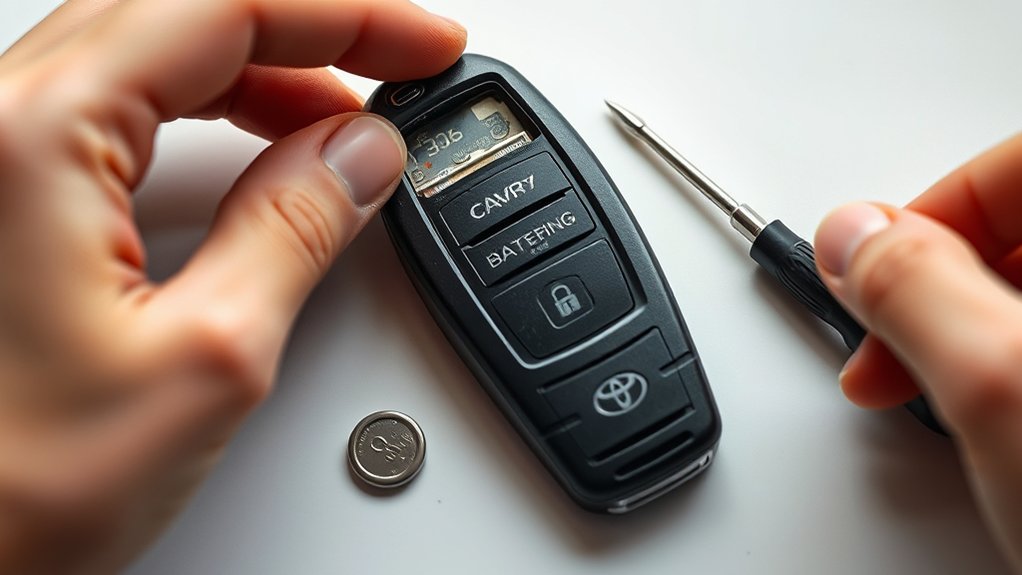
- Record the old battery orientation. Check which face is visible and look for a plus or minus symbol molded into the holder.
- Remove the old cell by its edge. Release it from the retaining tab without bending the metal contacts or prying against the circuit board.
- Compare the batteries. Confirm that the new cell has the same full code, diameter, and thickness as the specified battery. Do not use a rechargeable look-alike unless the manual specifically calls for it.
- Install the new cell in the marked polarity. Match the holder markings or the photo you took. Do not rely on a universal “text side up” rule.
- Check the fit. The cell should sit flat under its retaining tabs. Stop if it rocks, bows the holder, or requires force.
- Reassemble the case. Return the module, membrane, and buttons to their original positions. Align the shell halves and press around the perimeter until every clip closes evenly. Reinsert the mechanical key if equipped.
The safest rule is simple: match the specified battery code and polarity—never substitute by appearance alone.
Testing and Reassembling Your Key Fob After Replacement
Test the fob beside the vehicle before putting your tools away:
- Press lock and unlock and confirm the vehicle responds.
- Test the trunk-release and panic buttons if fitted.
- Check the fob’s indicator light only if your key has one; not every Camry fob has a visible LED.
- For a Smart Key vehicle, verify passive door entry and normal starting with the fob inside the cabin.
If everything works, inspect the seam once more. A partially open shell can admit dirt or moisture and may allow the battery or buttons to shift.
What to Do if the Key Fob Still Does Not Work
- Recheck polarity. A reversed cell will prevent normal operation.
- Confirm the exact battery code. A similar-looking cell may be too thin to maintain contact or too thick to seat correctly.
- Inspect the contacts. Make sure no retaining tab was bent and that no shipping sticker or insulating film remains on the new cell.
- Try another fresh battery from a sealed package. A defective or long-stored cell can be weak before installation.
- Check the internal parts. Confirm the rubber button membrane and circuit module are seated correctly and the case is fully closed.
- Compare with the spare fob. If the spare works, the repaired fob may have a damaged switch, cracked circuit board, corroded contact, or worn case.
- Seek diagnosis when needed. If both fobs fail, or the vehicle shows other electrical symptoms, the issue may be the vehicle’s 12-volt battery, receiver, fuse, or another system rather than key programming.
Toyota’s normal coin-cell replacement procedures do not include a reprogramming step. Changing only the battery therefore normally does not erase the registered key. Programming or registration is more likely to become relevant after replacing the complete transmitter or diagnosing electronic, immobilizer, or receiver faults.
Battery Safety, Storage, and Disposal
Store spare coin cells in their original child-resistant packaging, not loose in a drawer, cup holder, purse, or toolbox. Do not short the two faces with metal objects, recharge a single-use CR battery, crush it, or expose it to high heat.
For disposal, cover the battery faces with non-conductive tape or place each cell in a separate plastic bag. The U.S. Environmental Protection Agency advises taking button, coin, and lithium single-use batteries to an appropriate recycler, participating retailer, or household hazardous-waste program rather than placing them in household trash or municipal recycling. Follow the rules where you live.
Frequently Asked Questions
Can I Replace My Toyota Key Fob Battery Myself?
Yes. Toyota provides owner battery-replacement procedures for many Camry key designs. Use the exact battery specified for your model and key type, open the case only at its intended notch or slot, and stop if the shell or contacts require force.
Do You Have to Reprogram a Toyota Key Fob After Changing the Battery?
Usually not. Toyota’s normal coin-cell replacement procedure does not include reprogramming. If the fob does not work afterward, first check the battery code, polarity, contacts, internal alignment, and battery freshness before seeking programming or electronic diagnosis.
How Much Does a Dealer Charge to Change a Key Fob Battery?
There is no reliable universal price. Battery prices, labor policies, and diagnostic fees vary by dealer and region. Ask whether the quote covers only battery installation or also inspection, testing, shell repair, or replacement of the complete fob.
How Do You Take the Battery Out of a Toyota Camry Key?
Open the case at its designed slot, note the battery code and polarity, then release the cell from its retaining tab by the edge. Do not lever against the circuit board or bend the metal contacts. The exact opening point varies between conventional remote keys and Smart Key fobs.
Which Battery Does a Toyota Camry Key Fob Use?
For U.S.-spec Camrys, Toyota manuals list CR2016 for 2012–2017 keys without Smart Key, CR2032 for 2012–2017 Smart Keys and 2018–2024 Camry keys, and CR2450 for the 2025–2026 electronic key. Replacement fobs and other markets can differ, so confirm the code on the installed battery and the manual for your exact vehicle.
How Long Does a Toyota Camry Key Fob Battery Last?
Toyota owner’s manuals commonly state a standard key-battery life of about 1–2 years. Actual life varies with usage, storage, radio interference, temperature, and how long an electronic key remains close to the vehicle.
Can I Start a Toyota Camry With a Dead Key Fob Battery?
On Camrys with an electronic Smart Key and push-button start, Toyota provides a backup recognition procedure that can allow the vehicle to start even when the fob battery is depleted. The exact key position, switch wording, and timing vary by model year, so follow the applicable owner’s manual or the dedicated dead-key-fob starting guide.
Why Does My Key Fob Work Only When I Am Close to the Car?
Reduced range is a common sign of a weak coin cell. Replace it with the exact specified battery. If range remains poor, inspect the contacts and case, test the spare fob, and consider interference or a vehicle-side receiver problem.
Conclusion
Replacing a Toyota Camry key fob battery is usually simple once you identify the correct cell. For U.S. models, that may be CR2016, CR2032, or CR2450 depending on the year and key design. Confirm the specification, open the housing at its intended slot, protect the contacts and button membrane, match the marked polarity, and test both remote-button and Smart Key functions. If a correct, fresh battery does not restore operation, troubleshoot the fob and vehicle instead of repeatedly changing batteries.
Sources
- Toyota Manuals and Warranties — official U.S. portal for model-specific Camry owner’s manuals and key-battery procedures.
- Toyota Canada Owner’s Manuals — official Canadian portal for selecting the applicable vehicle manual.
- Energizer CR2016 Product Datasheet — CR2016 dimensions, voltage, capacity, and safety information.
- Energizer CR2032 Product Datasheet — CR2032 dimensions, voltage, capacity, and safety information.
- U.S. EPA: Used Household Batteries — handling and recycling guidance for button, coin, and lithium batteries.
- Poison Control: Button Battery Safety — urgent guidance for swallowed or inserted button batteries.
