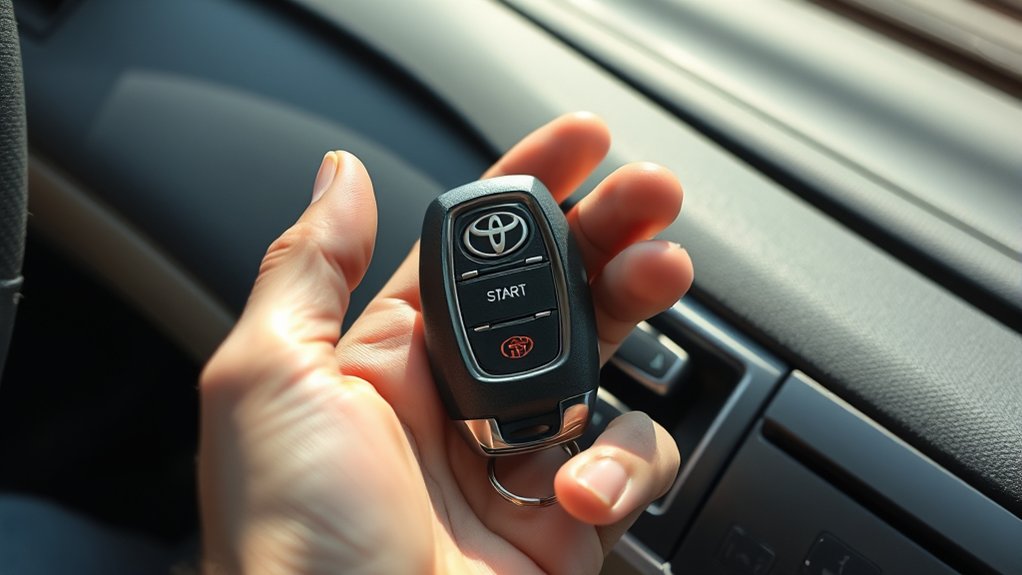
A dead Toyota Camry key-fob battery does not necessarily leave you stranded. On a Camry with push-button start, the mechanical key can unlock the driver’s door, and the vehicle can usually recognize the electronic key when it is held directly against the engine or POWER switch. The exact switch wording, warning messages, and timing vary by model year, so confirm the procedure in your Toyota owner’s manual.
Quick Answer
If your Camry has push-button start, remove the mechanical key from the fob and unlock the driver’s door. Put the vehicle in Park, hold the brake pedal, touch the Toyota-emblem side of the fob to the engine or POWER switch, and press the switch. In a hybrid, confirm that the READY indicator appears.
Key Takeaways
- The mechanical key unlocks the driver’s door; it does not start a push-button Camry by itself.
- Hold the brake and touch the Toyota-emblem side of the electronic key directly to the engine or POWER switch.
- A “Key not detected” warning can also result from interference, poor key placement, a damaged fob, or a weak vehicle battery.
- Verify the exact coin-cell number inside your key before buying a replacement.
- Changing the coin cell normally does not erase the key’s registration.
At a Glance
| Time Required | About 1–3 minutes to enter and start; about 5–10 minutes to replace the coin cell |
| Difficulty | Easy |
| Tools Needed | Mechanical key inside the fob; a small flat screwdriver or the opening tool specified by your manual for battery replacement |
| Cost | No cost for the emergency-start procedure; replacement battery price varies |
Warning: A dead key-fob battery and a discharged vehicle 12-volt battery are different problems. If the dashboard, cabin lights, horn, and power locks are also dead or unusually weak, holding the fob against the switch may not help. The Camry may need a 12-volt battery jump-start or service instead.
Signs Your Key Fob Battery Is Dead
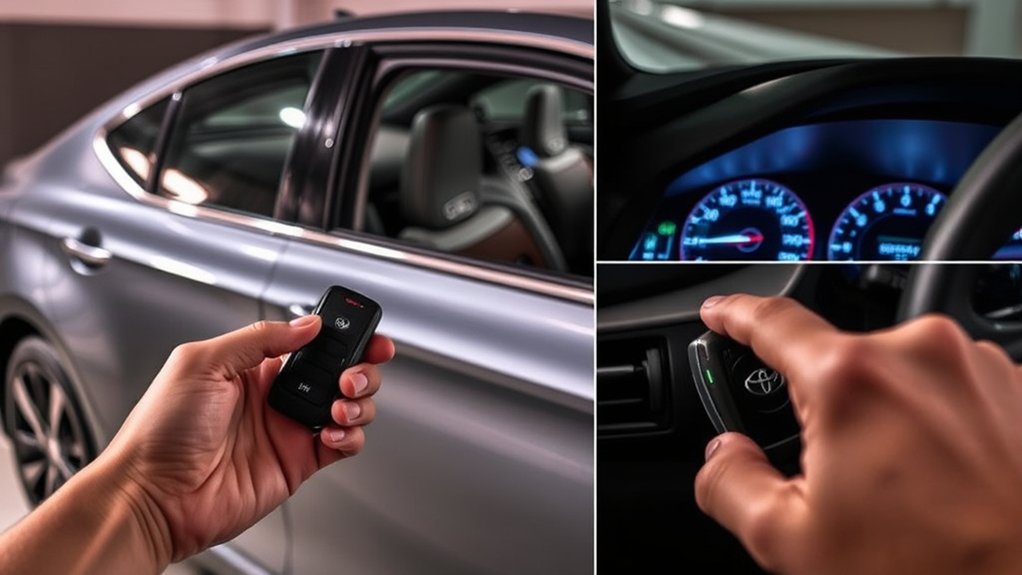
A weak key-fob battery often causes problems gradually rather than failing without warning. Common symptoms include:
- The remote works only when you stand close to the Camry.
- Lock, unlock, panic, or trunk buttons require more than one press.
- The dashboard displays a low-key-battery or key-detection warning.
- Passive entry works intermittently even though the mechanical key still opens the door.
- One Smart Key works normally while the other does not.
These symptoms do not prove that the coin cell is the only problem. Toyota notes that Smart Key communication can also be affected by nearby electronic keys, phones, battery chargers, metallic objects, radio transmitters, or poor placement of the key inside the cabin.
Note: If both Smart Keys stop working at the same time, check the Camry’s 12-volt battery and vehicle systems before assuming that both fob batteries failed together.
Unlocking Your Camry With a Dead Key Fob
The electronic buttons may stop working when the coin cell is depleted, but the mechanical key stored inside the Smart Key provides emergency access.
- Locate the release: Find the small release lever or button on the back or side of the Smart Key.
- Remove the mechanical key: Hold the release and slide the metal key out of the fob.
- Find the driver’s-door lock: The key cylinder may be visible or covered by a small trim cap, depending on the model year.
- Unlock the driver’s door: Insert the mechanical key and turn it gently in the unlock direction.
- Enter the vehicle: Once inside, use the interior door controls to unlock the remaining doors if necessary.
Some older Camrys can unlock additional doors when the mechanical key is turned a second time, but this is not universal. Trunk and glove-box key operation also varies. Do not force the mechanical key into a lock that does not match it; check the applicable manual instead.
Pro Tip: Practice removing the mechanical key before an emergency. Releases can be difficult to identify in the dark or during cold weather.
How to Start Your Vehicle With a Dead Key Fob
Toyota’s backup method allows many push-button Camrys to recognize the electronic key at very close range even when the key’s coin cell is depleted. There is normally no hidden ignition slot behind the button.
- Sit in the driver’s seat with the complete Smart Key inside the vehicle.
- Set the parking brake and make sure the transmission is in Park.
- Press and hold the brake pedal firmly.
- Touch the Toyota-emblem side of the Smart Key directly to the engine or POWER switch.
- Wait for recognition. Depending on the model year, a buzzer may sound, an indicator may illuminate, or the display may change.
- Press the engine or POWER switch while continuing to hold the brake. Some manuals specify pressing it within a few seconds of the recognition buzzer.
- Confirm the vehicle started. On a gasoline model, verify normal engine operation. On a hybrid Camry, look for the green READY indicator; the gasoline engine may remain off even though the vehicle is ready to drive.
Toyota also summarizes this procedure as holding the Smart Key next to the START button while pressing the button. For the exact switch name, key orientation, indicator, and timing used by your Camry, follow its model-year manual.
Use the Mechanical Key for Entry
The mechanical key has one universal role in this situation: it gives you access to the driver’s door when the remote buttons and passive-entry sensors do not work. It does not provide the electronic authorization needed to start a push-button Camry.
Keep the entire Smart Key with you after removing the mechanical key. The vehicle must still recognize the electronic portion of the fob at the engine or POWER switch.
Touch the Electronic Key to the Switch
Place the Toyota-emblem side of the fob flat against the face of the switch rather than merely holding the fob somewhere near the dashboard. Maintain firm brake-pedal pressure and press the switch when the vehicle acknowledges the key.
If the display continues to show “Key not detected,” reposition the fob and try once more. Remove phones, other electronic keys, metal cases, and charging devices from the immediate area because they can interfere with key detection.
Note: On a Camry with a conventional metal-key ignition rather than push-button start, a dead remote-button battery generally does not change the normal starting process. Insert the ignition key and start the vehicle as described in that model’s manual.
Other Ways to Start When the Smart Key Is Not Working
The close-contact switch procedure is the main emergency method. Other legitimate options depend on what equipment and keys are already available:
- Try the spare registered Smart Key: If the spare works, the original fob likely has a depleted battery, damaged electronics, or another key-specific fault.
- Use an enrolled Digital Key if equipped: Some newer Camrys support starting with a compatible smartphone, but the feature must already be supported, activated, and enrolled. Do not depend on it if the phone is discharged or the service is unavailable.
- Move away from interference: Remove the key from metal containers and separate it from other wireless keys, phones, chargers, or electronic devices.
- Request roadside or professional help: A damaged, wet, missing, unregistered, or incorrect key may require a Toyota dealer or qualified automotive locksmith.
A mechanical key alone is not an alternative ignition method for a push-button Camry, and there is no safe procedure for bypassing the immobilizer.
When Should You Replace Your Key Fob Battery?
Replace the battery when the vehicle displays a low-key-battery warning or when the remote’s range and reliability begin to decline. There is no single replacement interval that applies to every Camry, because usage, key design, storage, temperature, and battery quality vary.
| Symptom | What It May Mean | Recommended Action |
|---|---|---|
| Reduced remote range | Coin-cell voltage may be declining | Verify and replace the correct battery |
| Buttons work intermittently | Weak battery, dirty contact, worn button, or damaged case | Inspect the fob and replace the battery if needed |
| Low-key-battery warning | The vehicle has detected reduced key-battery power | Replace the battery soon |
| New battery does not help | Wrong type, reversed polarity, poor contact, damage, interference, or a vehicle fault | Follow the troubleshooting section below |
Toyota has used different coin-cell batteries across Camry model years and key designs. Do not buy a battery solely because a package says it fits “most Toyota” keys. Read the number printed on the old battery and compare it with your owner’s manual before installing the replacement.
How to Replace the Toyota Camry Key-Fob Battery
The fob casing and opening method vary, but the following process applies to many Toyota Smart Keys:
- Work on a clean, dry surface. Keep small parts away from children and pets.
- Remove the mechanical key using the release lever.
- Open the fob case at the designated notch or slot. Use the mechanical key or a small flat screwdriver wrapped with a soft cloth if your manual permits it.
- Record the old battery’s details. Note the complete battery code, which side faces upward, and how the battery sits under the retaining tabs. Taking a photo can help.
- Remove the depleted battery carefully. Do not bend the contacts or pry against the circuit board.
- Install an identical battery with the same code and polarity.
- Reassemble the case until all edges and clips are fully seated.
- Reinsert the mechanical key.
- Test lock, unlock, trunk, passive entry, and starting functions.
Warning: Coin-cell batteries can cause severe internal burns or death if swallowed. Keep new and used batteries away from children and pets, never place one in your mouth, and secure used batteries immediately for proper disposal. Seek urgent medical or poison-control guidance if a battery may have been swallowed.
Troubleshooting Issues After Replacing Your Key Fob Battery
If the Smart Key still does not work, do not immediately disconnect the Camry’s 12-volt battery or attempt an unrelated internet programming sequence. First determine whether the problem is the coin cell, fob, vehicle, or surrounding environment.
Key Fob Not Responding
- Confirm the battery code: It must match the old battery and the applicable manual.
- Check polarity: Make sure the positive and negative sides face the correct directions.
- Remove packaging: Confirm that no protective sticker or film remains on the new battery.
- Inspect the contacts: Look for corrosion, dirt, flattened tabs, or damage. Do not aggressively scrape the circuit board.
- Close the case completely: A partly open case can prevent the battery from maintaining contact.
- Try the spare key: This helps separate a fob problem from a vehicle problem.
- Move away from interference: Separate the fob from phones, chargers, other keys, metal cases, and strong radio sources.
A new battery will not repair a cracked circuit board, water damage, worn button contacts, a broken antenna, or an incorrect replacement key.
Ignition Button Issues
If the remote buttons work but the Camry does not start, check the following:
- The transmission is fully in Park.
- The brake pedal is pressed firmly enough for the vehicle to recognize it.
- The Toyota-emblem side of the fob is touching the switch face.
- The steering lock is not binding; if the manual instructs it, gently move the steering wheel while pressing the switch and brake.
- The dashboard and cabin lights are at normal brightness.
- The correct registered Smart Key is inside the vehicle.
- No second key, phone, charger, or metal object is interfering with detection.
If neither registered key works, warning lights are abnormal, or the vehicle has little electrical power, the fault may involve the 12-volt battery, brake-pedal switch, Smart Key antennas, engine/POWER switch, immobilizer, or another vehicle system.
Is a Programming Reset Needed?
A normal coin-cell replacement generally does not erase a Toyota Smart Key’s registration. Once the correct battery is installed with proper polarity and contact, the existing key should continue to work without a pairing sequence.
Programming or registration may be necessary when:
- The entire fob has been replaced.
- The key was never registered to the Camry.
- The wrong used key was purchased.
- The vehicle’s registered-key data has been altered.
- A key or vehicle control module has failed.
These situations require model-specific equipment and security procedures. Contact a Toyota dealer or a qualified automotive locksmith rather than trying a generic ignition-and-button sequence.
Tips to Extend Your Key Fob’s Battery Life
- Avoid accidental button presses: Do not store the key where objects continually press the remote buttons.
- Store spare keys appropriately: Keep them in a dry location and away from the vehicle unless the owner’s manual directs otherwise.
- Use battery-saving mode when supported: Some Toyota electronic keys provide a battery-saving function, but the activation sequence varies. Follow the applicable manual.
- Protect the fob from heat and moisture: Do not leave it in direct sun, wash it with clothing, or expose it to drinks and rain.
- Separate it from strong interference: Nearby electronics may interfere with Smart Key communication even when the coin cell is healthy.
- Use a well-fitting case: A protective case can reduce impact damage without holding the buttons down.
Manually unlocking the Camry every day is not necessary merely to conserve the fob battery. Replace the coin cell when symptoms or a dashboard warning indicate that it is weakening.
Key Fob Maintenance: Best Practices
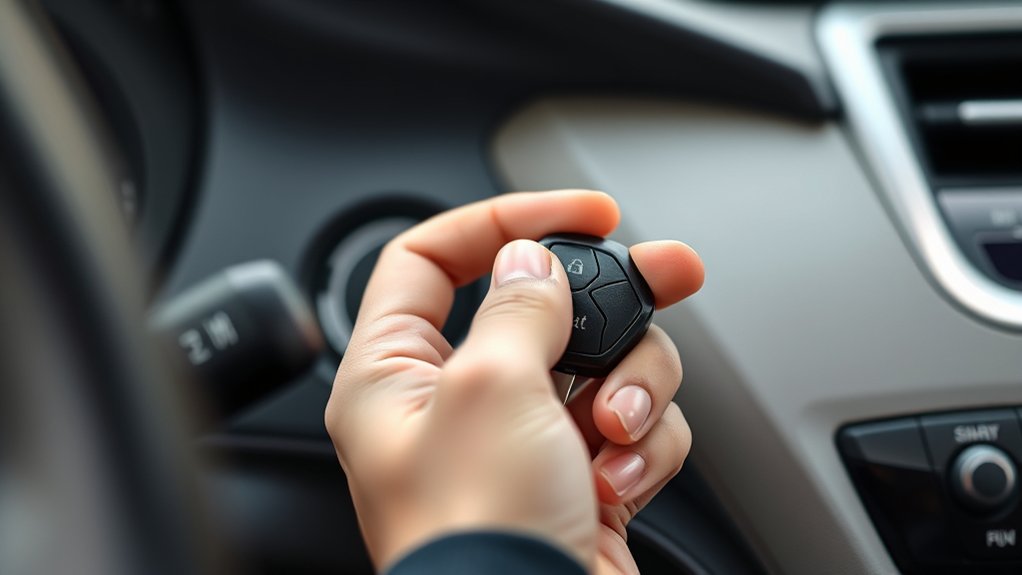
Regular inspection helps prevent a small fob problem from becoming an unexpected lockout:
- Inspect the shell: Replace a cracked or separating case before moisture reaches the circuit board.
- Check the mechanical key: Make sure it slides out easily and has not been bent.
- Keep the release mechanism clean: Remove lint or debris with a dry, soft brush.
- Record the battery code: Save the verified coin-cell number in your phone or maintenance notes.
- Test the spare key periodically: Do not wait until the primary key fails to discover that the spare also needs attention.
- Keep loose batteries safely packaged: Do not carry an unprotected coin cell with keys, coins, or other metal objects.
- Seek service after water or impact damage: Drying the exterior does not guarantee that the internal electronics are undamaged.
When the Smart Key still works only at close range after a correct battery installation, have the fob and vehicle tested rather than replacing batteries repeatedly.
Frequently Asked Questions
How do you start a Toyota Camry manually when the key-fob battery is dead?
For a push-button Camry, unlock the driver’s door with the mechanical key, place the vehicle in Park, hold the brake, touch the Toyota-emblem side of the complete Smart Key to the engine or POWER switch, and press the switch. On a hybrid, verify that the READY indicator turns on.
What should I do when my Toyota key-fob battery dies?
Use the mechanical key for entry and the close-contact switch method for starting. Replace the coin cell with the exact type shown on the old battery or in the model-year manual as soon as practical.
Is there a keyhole behind the push-to-start button?
The documented Smart Key backup method does not require a keyhole behind the button. Hold the electronic key directly against the engine or POWER switch so the vehicle can recognize it at close range.
How do I get into a Toyota Camry when the remote buttons do not work?
Release the mechanical key stored inside the Smart Key and use it in the driver’s-door lock. Lock-cylinder covers and the direction of operation vary, so do not force the key if the lock is not immediately visible.
Why will my Camry not start even with the fob against the button?
Possible causes include a discharged vehicle 12-volt battery, interference, incorrect key orientation, an unregistered or damaged key, the transmission not being fully in Park, insufficient brake-pedal pressure, a steering-lock issue, or a Smart Key system fault.
Does a Toyota Camry key fob need reprogramming after a battery change?
A standard coin-cell replacement normally does not erase the key’s registration. Programming is more likely to be needed for a replacement, unregistered, incorrect, or electronically damaged fob.
Conclusion
A depleted coin cell does not usually prevent a push-button Toyota Camry from recognizing its registered Smart Key at close range. Use the mechanical key to enter, keep the transmission in Park, hold the brake, touch the Toyota-emblem side of the fob to the engine or POWER switch, and press the switch. Replace the battery with the exact specified type afterward. If the method fails with both keys or the Camry has weak electrical power, diagnose the vehicle’s 12-volt battery or Smart Key system instead of attempting an ignition bypass or an unsupported reset.
Sources
- Toyota 2025 Camry Manuals and Warranties — current model-year manual access and vehicle-specific documentation
- Toyota 2025 Camry Quick Reference Guide — mechanical-key access, Smart Key operation, hybrid starting, READY indicator, and Digital Key limitations
- Toyota Customer Support: Smart Key and Engine Starting — close-contact starting method when the Smart Key battery is weak
- Toyota Camry Owner’s Manual OM33C34U — detailed emergency key-recognition, interference, door-access, and battery-replacement procedures for the covered generation
- U.S. Consumer Product Safety Commission: Button Cell and Coin Battery Safety — coin-cell ingestion and storage precautions
