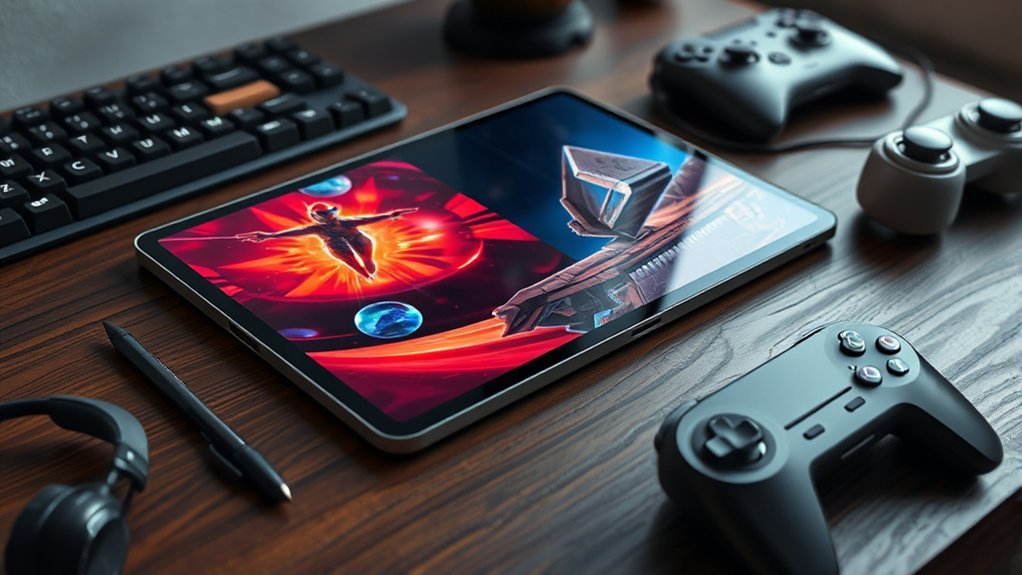
A tablet built for creativity and gaming should pair a flagship chip, such as Apple’s M5 or Snapdragon 8 Elite, with at least 8GB RAM, fast storage, and effective cooling for sustained performance. A 120Hz or faster high-resolution OLED or AMOLED display improves drawing precision, motion clarity, and game responsiveness. Top options include iPad Pro, Galaxy Tab S11 Ultra, and RedMagic Astra. Screen size, battery life, and accessories further separate the best picks ahead.
How to Choose a Powerful Tablet
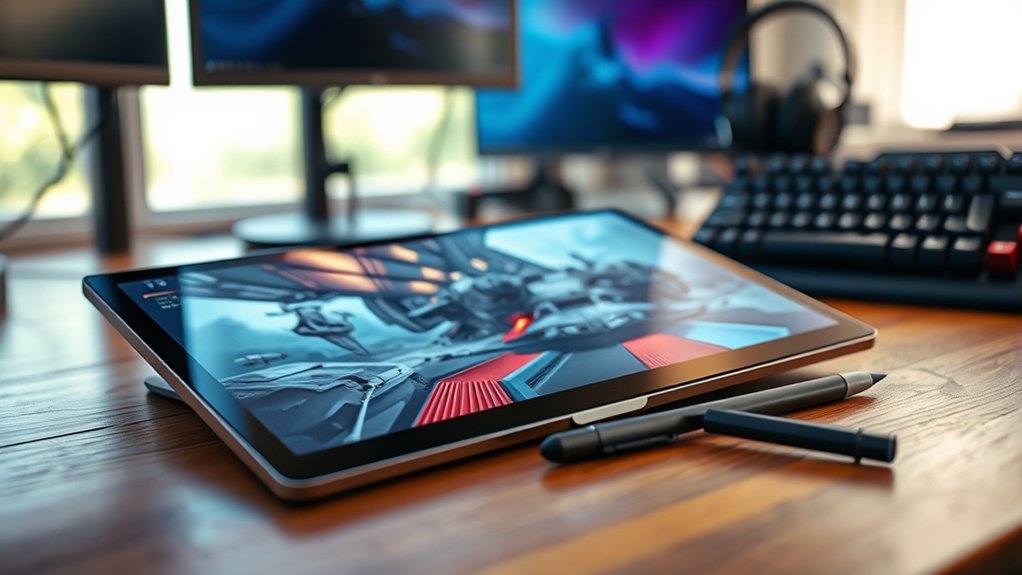
When selecting a powerful tablet for creativity and gaming, the evaluation should begin with core performance specifications. Devices built around advanced processors, such as Apple’s M5 chip or Qualcomm’s Snapdragon 8 Elite, are positioned to deliver powerful performance in demanding creative apps and modern games.
Memory should also be assessed carefully; at least 8GB of RAM provides the operational headroom needed for fluid multitasking and sustained responsiveness under load.
Display fluidity is another decisive metric. A high-refresh-rate display of 120Hz or above improves visual continuity and touch response, supporting a more unrestricted user experience.
Buyers should also compare storage options, favoring 256GB minimum capacity or microSD expansion for larger project files and game installs.
Finally, long battery life remains essential. A tablet rated for at least eight hours allows greater autonomy across work and play, reducing dependence on chargers and enabling a more self-directed, uninterrupted daily workflow for users.
What Specs Matter Most for Gaming and Art?
The most important tablet specifications for gaming and art typically begin with the chip, GPU, and RAM, as these components determine application speed, frame stability, and multitasking capacity.
Display quality and refresh rate follow closely, since high-resolution OLED or AMOLED panels with 120Hz or higher improve color accuracy, motion clarity, and visual responsiveness.
Storage, battery capacity, and cooling also matter because they affect file capacity, session length, and sustained performance under heavy workloads.
Chip, GPU, And RAM
For gaming and digital art, chip performance, GPU capability, and RAM capacity determine how well a tablet handles demanding workloads. Devices using the M5 and Snapdragon 8 Elite deliver strong CPU and GPU throughput, supporting complex creative apps and a more liberated gaming experience.
This level of performance matters when handling layered canvases, 3D assets, and intensive game engines without slowdown.
RAM directly affects multitasking stability and resource headroom. Configurations reaching 24GB, as seen in the RedMagic Astra, allow smoother switching between apps, faster rendering, and better handling of large project files.
Sustained performance also depends on thermal management. Advanced cooling reduces throttling during long sessions, helping the chip and GPU maintain output for extended gameplay, rendering, and other production workloads under pressure without compromise.
Display Quality And Refresh
Display quality sets the baseline for both visual fidelity and control. For buyers seeking freedom from visual compromise, display quality directly affects immersion, precision, and usability. A high-resolution display reveals fine textures, cleaner linework, and sharper interface elements, while an AMOLED display adds deeper blacks and stronger contrast for games and artwork.
Refresh rate also matters: 120Hz or higher reduces blur, improves animation smoothness, and strengthens input responsiveness.
- Color accuracy supports reliable hue and shade evaluation for illustration and editing workflows.
- Screen size at 11 inches or more expands workspace and improves visibility in complex scenes.
- Touch sensitivity determines stylus precision and fluid gesture tracking, essential for confident drawing and fast game control.
Together, these display traits enable more unrestricted, exact creative and gaming performance daily.
Storage, Battery, And Cooling
While display quality shapes what appears on screen, storage, battery, cooling, and core processing determine how consistently a tablet sustains gaming and art workloads.
Generous storage, including capacities up to 1TB, gives users freedom from constant file management when handling large games, layered illustrations, and video assets. Strong RAM requirements, such as 24GB configurations, support fluid switching between demanding creative apps and high-end titles without disruptive slowdowns.
Battery life also matters: an 8,200mAh cell can extend sessions and reduce dependence on chargers, which supports more autonomous use. Effective cooling systems, including liquid cooling, help preserve stable frame rates and export speeds under sustained loads.
Finally, chip performance from platforms like Snapdragon 8 Elite Gen 5 improves rendering, responsiveness, and overall efficiency across both competitive gaming and professional creative work.
How Much Chip Power Do Creative Apps Need?
How much chip power creative apps need depends on the workload: sketching and light photo edits run well on modern tablet processors, but layered illustration, large canvases, RAW editing, animation, and 3D rendering scale sharply with CPU, GPU, and memory performance.
For users seeking liberation from lag, a powerful tablet needs performance that keeps intensive creative apps responsive across long sessions.
Three spec areas matter most:
- CPU and GPU headroom: Photoshop-class edits and compositing tools benefit from more than quad-core performance, while real-time effects and rendering gain from stronger graphics throughput.
- Memory capacity: 8GB RAM is a practical floor for multitasking, dense layers, and larger projects in Procreate or Affinity Photo.
- Display-system synergy: High-refresh-rate displays at 120Hz or above feel materially smoother when paired with sufficient chip power, reducing input latency in drawing, retouching, and timeline scrubbing.
Efficient ARM architectures also extend sustained output under demanding creative workflows.
How Much Chip Power Do Mobile Games Need?
Mobile game requirements vary sharply by workload, with casual titles placing modest demands on the CPU and GPU, while AAA releases depend on top-tier chipsets and dedicated graphics performance for stable frame rates and higher visual settings.
Performance targets also rise with 120Hz or faster displays, since smooth animation and low-latency touch response require enough processing headroom to sustain elevated refresh rates.
As game engines add features such as ray tracing and larger background memory use, devices with stronger architectures and at least 8GB of RAM become more suitable for demanding play.
CPU And GPU Demands
Modern mobile games place substantial demands on both CPU and GPU resources, particularly when targeting high settings, stable frame rates, and advanced effects. For smooth performance, a powerful tablet typically needs at least Snapdragon 8-series silicon or Apple’s A15, especially in demanding mobile games.
- Processing load: The cpu manages physics, AI, input, and background tasks, while the gpu handles shaders, lighting, textures, and increasingly ray tracing.
- Resource baseline: Titles such as Fortnite and Call of Duty Mobile commonly benefit from 6GB RAM and a capable gpu to sustain visual quality under pressure.
- Thermal stability: Advanced cooling matters because prolonged gaming generates heat; without adequate dissipation, throttling can restrict freedom from stutter and frame instability during longer sessions on modern tablets.
Refresh Rate And Performance
While a high refresh display improves perceived smoothness, reaching 120Hz or higher in games depends on sustained chip performance from a strong multi-core CPU and high-end GPU. In practice, elevated refresh rates only matter when the silicon can consistently deliver matching frame output under load. That requirement favors high-performance chips, ample memory, and stable thermal behavior.
Tablets with at least 8GB of RAM better support multitasking and reduce slowdowns from background processes. Advanced processors such as Apple’s M5 and gaming-oriented Snapdragon X Elite class hardware are positioned to maintain smooth gameplay during rapid scene changes and effects-heavy rendering.
Effective cooling also remains critical. Without thermal control, clocks drop, frame pacing weakens, and the benefit of faster refresh rates diminishes. Sustained performance, not panel speed alone, defines gaming freedom.
Casual Vs AAA Games
Because game workloads vary sharply by genre, required chip power on a tablet ranges from modest mid-tier silicon for casual titles to flagship-class processors for AAA releases. Casual games generally run smoothly with a mid-range GPU and about 3GB RAM, as shown by devices like Amazon Fire HD 10.
- Casual games prioritize efficiency, quick loading, and broad accessibility over extreme graphical throughput.
- AAA games rely on powerful chips such as Snapdragon 8 Elite or Apple M5, plus at least 8GB RAM, to sustain advanced physics, real-time rendering, and high-resolution textures.
- Display demands diverge: 120Hz panels materially benefit gaming responsiveness in AAA games, while simpler titles rarely need such refresh rates.
This split grants buyers freedom to match hardware investment to actual play styles and performance expectations.
Best iPad for Creators
For creators prioritizing performance headroom and display responsiveness, the iPad Pro (M5) stands out as the strongest option in Apple’s tablet lineup. Its M5 chip supplies substantial compute capacity for creativity workloads such as layered illustration, 4K video editing, motion graphics, and large canvas rendering without imposing obvious slowdowns under pressure.
Configured with up to 2TB of storage and 24GB of RAM, the iPad Pro is built for users who want fewer limits when handling extensive assets and aggressive multitasking.
The 120Hz display improves visual fluidity, which benefits animation timing, scrub accuracy, and stylus responsiveness. Support for Apple Pencil Pro further strengthens its position for digital artists, illustrators, and designers who require precise input.
The 120Hz panel sharpens animation flow and input response, while Apple Pencil Pro supports the precision serious creators expect.
Running iPadOS 26, it also gains advanced multitasking tools that make parallel app use more practical. For buyers seeking a liberated mobile workflow with desktop-class ambition, this is Apple’s most capable creator tablet available today.
Best Android Tablet for Gaming
On the Android side, the RedMagic Astra 2 sets the pace as the strongest gaming-focused tablet overall. Its Snapdragon 8 Elite Gen 5 and 165Hz AMOLED panel deliver the highest frame stability, lowest latency, and strongest visual throughput among current gaming tablets, giving players more freedom to push demanding titles without compromise.
- RedMagic Astra 2: best for peak Android gaming performance and responsiveness.
- Samsung Galaxy Tab S11 Ultra: 14.6-inch 120Hz AMOLED, Dimensity 9400+, up to 16GB RAM for premium large-screen play.
- Lenovo Legion Tab Gen 3: Snapdragon 8 Gen 3, 12GB RAM, 144Hz refresh for competitive control.
Among the best Android tablets, the Samsung Galaxy Tab S11 Ultra favors immersion, while the Lenovo Legion Tab Gen 3 prioritizes focused handheld agility.
The OnePlus Pad 3 remains a capable alternative with a 144Hz LCD and Snapdragon 8 Elite power. For casual users, Amazon Fire HD 10 covers lighter gaming with expanded app access.
Best Powerful Tablet Under $700
The under-$700 tablet segment includes several strong picks that balance GPU-class gaming performance, display quality, and practical creative capability.
Models such as the OnePlus Pad 3, Samsung Galaxy Tab S10 FE+, and Lenovo Legion Tab Gen 3 pair fast processors with large or high-refresh displays, while lower-cost options prioritize value over peak power.
The following comparison focuses on gaming efficiency, screen specifications, and overall suitability for creative workloads within this price range.
Best Picks
Value in this segment is defined by GPU-class performance, display speed, memory headroom, and battery capacity relative to a $700 ceiling.
For buyers seeking liberation from compromises, the best tablet options prioritize a powerful chip, responsive gaming, creativity workflows, and an efficient tablet experience.
- OnePlus Pad 3 — Snapdragon 8 Elite, 13.2-inch 144Hz LCD, and 12,140mAh battery deliver the strongest all-round value under $700.
- Lenovo Legion Tab Gen 3 — Snapdragon 8 Gen 3 and 8.8-inch high-refresh display favor serious gaming in a compact chassis.
- Samsung Galaxy Tab S10 FE+ — 13.1-inch 2880×1800 LCD and up to 12GB RAM emphasize multitasking flexibility at $299.99.
Below them, Galaxy Tab A11 Plus and Fire HD 10 serve budget tiers, but with clearly lower performance ceilings overall.
Gaming And Creative Power
Delivering the strongest blend of gaming speed and creative headroom under $700, the OnePlus Pad 3 pairs a Snapdragon 8 Elite chip with a 13.2-inch 144Hz IPS LCD, giving it both high frame-rate responsiveness and ample workspace for editing, sketching, and design tasks.
That powerful chip supports sustained gaming performance while enabling creativity apps to run smoothly across large canvases and layered projects.
Storage options up to 512GB reduce dependence on external drives, supporting expansive game libraries and media assets. Its Open Canvas interface lets users multitask with up to three apps at once, improving workflow flexibility for editing, reference viewing, and communication.
A 12,140mAh battery and 80W charging extend untethered use, reinforcing the tablet’s role as a versatile tool for users seeking fewer limits overall.
Best Premium Tablet for Power Users
Performance is the defining metric in the premium tier, where tablets are expected to handle intensive creative workloads and high-frame-rate gaming without compromise.
The iPad Pro sets the pace with Apple’s M5, scaling to 24GB RAM and 2TB storage for liberated workflows in editing, rendering, and multitasking. Its 13-inch OLED display at 120Hz supports both visual precision and responsive play.
The Samsung Galaxy Tab S11 Ultra counters with a larger 14.6-inch AMOLED panel, strong accessory support, and a MediaTek Dimensity 9400+ chip tuned for creativity and productivity.
- Peak compute: iPad Pro delivers the highest ceiling for demanding pro apps and sustained parallel tasks.
- Display advantage: Samsung Galaxy Tab S11 Ultra offers expansive canvas space, while OLED display quality benefits color-sensitive work and cinematic gaming.
- Functional resilience: IP68 durability on Samsung adds practical freedom, and keyboard-plus-stylus ecosystems on both models broaden serious use beyond entertainment.
Best Small Powerful Tablet for Travel
For travel-focused users who still require strong creative and gaming capability, the iPad Mini stands out by pairing Apple’s A16 chip with a highly portable 8.3-inch form factor. That powerful chip gives the iPad Mini enough headroom for demanding creativity apps, responsive multitasking, and modern gaming workloads without sacrificing mobility.
At 0.65 pounds and 7.69 x 5.3 x 0.25 inches, it is engineered for travel, slipping easily into small bags or large pockets.
Its 8.3-inch Liquid Retina display delivers sharp, vibrant output, while Apple Pencil support expands creativity for sketching, note-taking, and quick visual edits on the move.
Battery life of up to 10 hours supports extended sessions away from outlets, which is critical for untethered use. Integration with Apple’s ecosystem also increases flexibility, enabling smooth continuity across devices for work and play.
For users seeking more freedom with less bulk, the iPad Mini is a compact, capable option.
Best Powerful Tablet Overall
When overall power is the priority, the iPad Pro (M5) sets the benchmark by combining Apple’s M5 chip with up to 2TB of storage and a 120Hz display tuned for fast, fluid visual output.
Its architecture gives creators and players room to work without compromise, positioning the iPad Pro as the best all-around tablet for liberated productivity and gaming.
- Performance ceiling: The powerful chip in the M5 delivers unmatched headroom for rendering, editing, and sustained high-frame-rate play.
- Competitive alternatives: The RedMagic Astra counters with up to 24GB RAM and Snapdragon 8 Elite Gen 5, while the Samsung Galaxy Tab S11 Ultra offers a 14.6-inch AMOLED 120Hz panel and expandable storage up to 1TB.
- Use-case balance: Rivals like the OnePlus Pad 3 and Lenovo Legion Tab Gen 3 excel in speed, but the iPad Pro integrates peak performance with broader creative versatility.
For users seeking fewer limits, it remains the clearest flagship choice available today.
Frequently Asked Questions
Which Is the Most Powerful Tablet for Gaming?
RedMagic Astra 2 appears most powerful for gaming, offering top-tier gaming performance, superior graphics capabilities, robust cooling systems, strong battery life, and a streamlined user interface, enabling untethered, sustained high-refresh gameplay beyond most current tablet rivals.
What Is the Best Tablet for Both Gaming and Drawing?
Best overall, the iPad Pro M5 stands tallest: a brush and blade. It excels through stylus sensitivity, screen resolution, battery life, app compatibility, and portability features, offering objectively superior freedom for gaming and drawing.
What Is the Best Tablet for Both Work and Gaming?
The iPad Pro (M5) is the best tablet for work and gaming, balancing stylish design, battery life, screen resolution, accessory support, and price comparison, offering liberated users top-tier performance, productivity flexibility, and immersive play.
What Is the Best Tablet for Both Editing and Gaming?
The iPad Pro (M5) appears best for editing and gaming, delivering strong Creative workflow, Battery efficiency, Display quality, App compatibility, and User experience; alternatives like RedMagic Astra 2 favor gaming freedom over balanced, professional versatility.
Conclusion
Choosing a powerful tablet comes down to balancing chipset performance, display quality, RAM, storage speed, and software optimization against actual workloads. Creative users benefit most from sustained processing power and accurate screens, while gamers need strong graphics performance and thermal efficiency. The best models separate themselves through consistency under load, not headline specs alone. In practice, the right tablet functions like a well-tuned engine, translating raw power into reliable, efficient results across demanding tasks.
