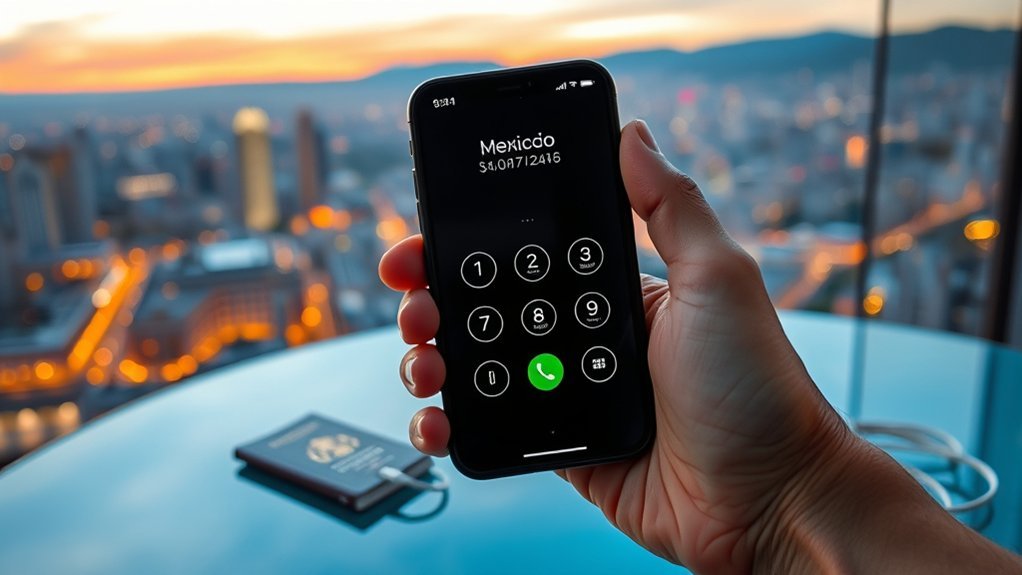
To call Mexico from an iPhone, the user should first confirm that international calling is enabled with the carrier and that the device supports current carrier settings or Wi‑Fi Calling. In the Phone app, press and hold 0 to enter +, then dial 52 and the full 10-digit Mexican number, including area code. Saving contacts in +52 format helps prevent errors. Additional steps can clarify landline differences, troubleshooting methods, and ways to reduce charges.
Check Your iPhone and Carrier First
Before placing an international call to Mexico, the user should first verify that the iPhone is accessible, supports international network access, and is not subject to carrier restrictions on outbound international calling. This requires confirming the device is available, technically compatible with foreign carrier standards, and provisioned correctly for international calling by the current mobile provider.
Next, the user should review the mobile plan and determine whether international calling services are included or blocked by default. If restrictions exist, they should be removed through the carrier portal or customer support.
The iPhone should also run the latest iOS version, since outdated software may impair network registration or calling functions. For greater independence from unstable cellular conditions, Wi-Fi Calling should be enabled in Phone settings and validated against carrier support requirements.
These checks establish operational readiness, reduce failed phone calls, and give the user more control over cross-border communication before any dialing sequence begins.
Call Mexico on iPhone in 4 Steps
To place a call to Mexico on an iPhone, the user opens the Phone app and presses and holds 0 to enter the + symbol, then dials 52.
Next, the full Mexican number is entered, including the required area code and local 10-digit number.
Once the number is complete, the green Call button is tapped, with carrier-specific international rates applying as configured by the mobile plan.
Enter Plus And Code
Start by opening the iPhone Phone app, then press and hold the 0 key until the + symbol appears. This symbol replaces the exit code and standardizes international calls across carriers, reducing friction for users seeking direct global access.
Once the plus sign is visible, enter Mexico’s country code, 52, immediately after it. This sequence establishes the routing prefix required for the network to identify Mexico as the destination.
Accuracy at this stage is essential. The +52 combination must precede all remaining digits, and the area code must be included to guarantee valid call formatting.
On modern iPhone dialing interfaces, this structure creates a compliant international number string before any subscriber digits are added. Proper entry here enables efficient connection handling and supports a more autonomous communication process abroad.
Dial Number And Call
Complete the dialing string by entering the destination number in the format +52, followed by the Mexican area code and the local 10-digit phone number. This sequence enables the iPhone user to dial internationally with precision and autonomy.
Before placing the call, the Phone app should remain on the Keypad screen so the full number can be reviewed for formatting accuracy.
- Open the Phone app and select Keypad.
- Verify the plus sign was inserted by holding 0.
- Enter +52, then the area code, then local mobile numbers.
- Confirm the structure reads +52 area code local number.
- Press the green Call button after checking carrier rates.
International charges may apply. A carrier review helps prevent billing restrictions and supports informed, liberated communication beyond borders for confident calling.
Use the +52 Format for Mexico
For calls to Mexico from an iPhone, the number should be entered in international format as +52 followed by the 10-digit local number, including the area code. This structure standardizes calling and removes dependence on region-specific exit codes.
On the iPhone keypad, the user presses and holds the 0 key until the plus symbol appears, then enters 52 and the complete local number. The correct sequence is +52, area code, and seven-digit subscriber number.
Accuracy is essential for liberated, uninterrupted communication. The full number should be verified before dialing, since omitted digits or incorrect area codes will prevent connection.
The mobile carrier should also be checked to confirm that international service is enabled and that sufficient balance or an eligible plan is active. If Wi-Fi calling is preferred to reduce roaming exposure, that feature should be enabled in iPhone settings before placing the call for reliable outbound connectivity.
When Should You Use 011 Instead of +?
When dialing Mexico from a U.S. landline, 011 must be used instead of the plus symbol because landline networks require an explicit international access code. This procedural requirement applies to international long-distance routing and guarantees the call exits the domestic network correctly.
In contrast, the plus symbol is interpreted by mobile systems, especially GSM-based devices, which automatically substitute the proper access sequence.
- Use 011 when placing a call from a U.S. landline.
- Use + on mobile phones that support GSM-style dialing.
- Recognize that 011 initiates international long-distance on fixed networks.
- Avoid substituting + on landlines, because it will not route properly.
- Distinguish network behavior: landlines need explicit codes; mobiles simplify entry.
This distinction gives the caller operational freedom. Landline users must enter 011 before the country code 52, while mobile users can bypass 011 and begin with +52.
Understanding the network type prevents dialing failure.
Enter Mexico’s Area Code and Number
After +52 has been entered on an iPhone, the caller should dial Mexico’s area code, which is generally 2 or 3 digits, and then the local number, which is typically 7 to 8 digits, using the format +52 area code local number. This sequence must be entered without omitting digits, because each segment directs the call precisely through Mexico’s numbering system and avoids dependence on restrictive routing assumptions.
The area code remains mandatory for every Mexican phone number, including mobile lines. The caller should not skip it, even when familiar local habits suggest otherwise. A complete entry guarantees the iPhone transmits a valid international destination and supports direct, unblocked connection.
Before placing the call, the caller should confirm the full phone number with the recipient and verify that the carrier permits international calling to Mexico. Rate review is also prudent, since transparent cost awareness helps maintain control, prevents interruption, and supports independent communication across borders.
Save Mexico Numbers on iPhone
On iPhone, Mexican contacts should be saved in the format +52 followed by the area code and local number.
A new entry can be created in the Contacts app by selecting “Add Contact” and entering the full international number to support correct outbound dialing.
Existing contacts should be reviewed and updated to this format to reduce dialing errors when using international calling features or traveling.
Use +52 Format
For reliable dialing on an iPhone, Mexican contacts should be saved in international format: +52 followed by the 10-digit local number, including the area code.
This structure standardizes contact data, reduces routing errors, and supports calling internationally without manual edits. The country code 52 must appear before the local sequence in every saved entry.
- Open Contacts and edit the Mexican number.
- Enter +52 before the complete 10-digit number.
- Verify the saved digits match the intended contact exactly.
- Confirm the mobile plan permits international calling functions.
- Check iPhone calling settings if dialing fails.
This method gives users greater communication freedom by removing inconsistent dialing habits.
Accurate formatting allows the iPhone to recognize Mexico as the destination and process outbound calls with fewer interruptions or avoidable connection problems.
Add Area Code
Because Mexican calls depend on complete routing data, each iPhone contact should be saved with +52, the correct area code, and the local number in full international format. This procedure prevents failed routing during international calls and supports movement without dialing friction. From the U.S., a Mexican entry should appear as +52, then the two-digit area code, then the eight-digit local number. Accuracy matters, because each city uses a distinct area code. A country label can also help identify Mexican contacts quickly.
| Element | Example | Purpose |
|---|---|---|
| Country code | +52 | Routes to Mexico |
| Area code | 55 | Identifies city |
| Local number | 1234-5678 | Reaches subscriber |
Saving numbers this way gives the iPhone consistent dialing behavior across borders. It reduces errors and preserves communication independence abroad.
Update Existing Contacts
After the correct +52 country code, area code, and local number structure has been identified, existing iPhone contacts should be revised to match that full international format. This allows the user to update existing contacts in the Phone app with precision and fewer dialing failures.
Each Mexico entry should begin with +52, followed by the area code and full 10-digit local number, without inserting an extra 1. The preferred display format is +52 (area code) xxx-xxxx for clarity and control.
- Open the contact in the Phone app.
- Replace outdated domestic formatting with +52.
- Confirm the full 10-digit local number.
- Label entries by area code for rapid recognition.
- Review contacts regularly for number or area code changes.
This procedure supports accurate, seamless communication and operational independence abroad.
Fix iPhone Problems Calling Mexico
Start by confirming that the iPhone is dialing Mexico in the correct format: +52 followed by the 10-digit local number, including the area code. Incorrect formatting blocks Calls immediately. Next, verify that international dialing is enabled on the Mobile carrier account, since some providers restrict outbound Mexico access by default.
| Check | Action | Result |
|---|---|---|
| Number format | Use +52 and 10 digits | Prevents routing errors |
| Carrier permissions | Confirm international calling | Removes account blocks |
| iPhone software | Install iOS and carrier updates | Restores dialing compatibility |
| Wi-Fi Calling | Enable in Settings | Improves stability |
| VoIP fallback | Try WhatsApp or Viber | Bypasses carrier failures |
If failure continues, inspect iPhone software status under Settings > General > Software Update and install pending carrier settings. Then confirm Wi-Fi Calling is active. When standard calling remains constrained, VoIP apps over Wi-Fi provide a practical path to communication freedom with Mexico.
Avoid Extra Charges When Calling Mexico
To avoid unnecessary charges when calling Mexico from an iPhone, the caller should first verify that the mobile plan includes international calling or add a Mexico-specific calling package. This removes restrictive billing surprises and establishes predictable rates before any phone connection is placed.
Correct dialing is also essential: enter +52, then the 10-digit Mexican number, to prevent misrouted calls and avoid an extra charge international carriers may apply for invalid formatting.
- Confirm the plan includes Mexico calling.
- Add a Mexico package if standard rates apply.
- Dial +52 before the 10-digit destination number.
- Ask the carrier about surcharges to Mexican mobiles.
- Compare alternatives such as BOSS Revolution or WhatsApp.
A procedural review of carrier terms is recommended, especially where mobile numbers incur higher fees than landlines.
Use Wi‑Fi and Apps to Call Mexico
Use Wi‑Fi calling apps such as WhatsApp or Viber to reach Mexico at little or no cost, bypassing standard international voice rates. This method frees the caller from carrier toll structures and shifts international communication to internet-based channels.
Before placing a call, the user should install the selected app, complete account verification, and confirm that the service supports Mexican numbers or app-to-app voice connections.
Reliable wi-fi is essential because audio quality depends on stable bandwidth, low latency, and minimal packet loss. The user should test connectivity first, then verify the required dialing format for Mexico inside the application.
If calling via mobile data instead of wi-fi, monitoring data consumption becomes necessary, since voice traffic can use substantial bandwidth over longer conversations. Proper setup in advance reduces failed connections, simplifies call initiation, and creates a more autonomous, cost-controlled process for reaching contacts in Mexico from an iPhone with fewer technical interruptions overall.
Frequently Asked Questions
How Do I Dial +52 on My iPhone?
To dial +52 on an iPhone, one presses and holds 0 to produce +, then enters 52. These dialing tips use standard international prefixes, enabling precise, unrestricted connection when followed by area code and local number.
How Do You Make International Calls to Mexico?
To call Mexico, one enters +52 and the 10-digit number. Like a pilot following coordinates, precision prevents misrouting. Verify carrier access, review mobile plan options, and apply international calling tips to avoid blocks and charges.
Why Can’t I Make an International Call on My iPhone?
It may fail due to call restrictions, dialing issues, missing international plans, or incorrect network settings. One should verify carrier permissions, number format, Wi-Fi calling support, account status, and carrier updates to restore unrestricted connectivity.
What Is the 3-Digit Country Code for Mexico?
Mexico’s Country code is +52, not three digits. Like a locksmith choosing the exact cut, Mexico dialing requires precision: enter +52 before the 10-digit local number internationally, or 011-52 from the U.S. and Canada.
Conclusion
Making an international call to Mexico from an iPhone is usually successful when the device, carrier plan, and number format are verified first. The required sequence is typically +52, followed by the area code and local number. For example, a U.S.-based project manager calling a supplier in Guadalajara saves the contact as +52 33 XXXXXXXX, confirms international dialing is enabled, and places the call over Wi‑Fi calling to reduce charges and avoid APN-related or network routing issues.
