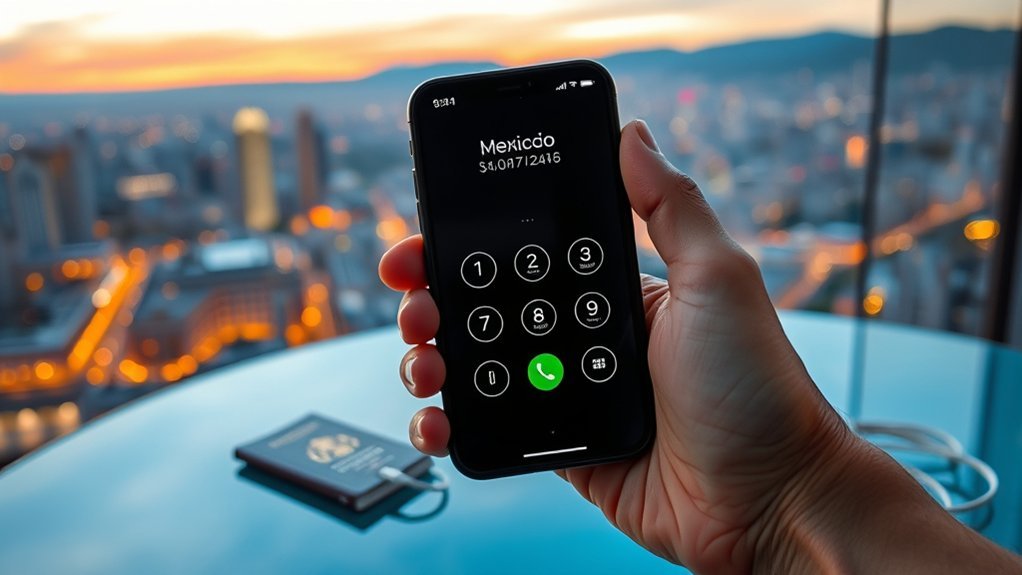
Learning how to call Mexico on iPhone is easy once you know the correct international dialing format. Whether you are calling family, a hotel, or a business in Mexico, you need the country code +52 followed by the complete 10-digit Mexican phone number. This guide explains how to dial, save contacts, fix failed calls, and avoid unnecessary international charges.
Quick Answer
To call Mexico from an iPhone, open the Phone app and select Keypad. Press and hold 0 to enter +, then dial 52 followed by the complete 10-digit Mexican number, including its area code. Tap Call to connect. The same format works for Mexican mobile phones and landlines. International calling charges may apply.
At a Glance
| Difficulty | Easy |
| Tools Needed | iPhone, working calling service, and a Mexican phone number |
| Cost | Depends on your carrier, calling plan, or internet calling service |
Check Your iPhone and Carrier First
Before calling Mexico, make sure your iPhone has working phone service and your carrier allows international calls. Your device does not need to be connected to a Mexican mobile network when you are calling from the United States.
The most useful checks are:
- Active service: Confirm that your SIM or eSIM is active and your iPhone can make ordinary calls.
- International permissions: Ask your carrier whether calls to Mexico are allowed on your account.
- Calling plan: Check whether Mexican mobile and landline calls are included or billed separately.
- Network signal: Make sure you have cellular coverage or supported Wi-Fi Calling.
- Software: Check for available iOS and carrier settings updates if calling does not work.
International calling and international roaming are different services. Calling Mexico while you are in the United States is international long-distance calling. Using your U.S. phone while physically in Mexico may involve roaming rules and charges.
You normally do not need to change your iPhone’s region, install a special dialing app, or configure APN settings just to place a standard international voice call.
Call Mexico on iPhone in 4 Steps
You can call a Mexican phone number directly from your iPhone’s built-in Phone app. Use the same dialing sequence for mobile phones and landlines.
- Open the Phone app. Tap Keypad to display the dialing screen.
- Enter the international prefix. Press and hold the 0 key until the + symbol appears, then enter 52.
- Enter the destination number. Add the complete 10-digit Mexican number, including the area code.
- Place the call. Review the number and tap the green Call button.
For example, a Mexico City number might appear as +52 55 1234 5678. This is a formatting example, not a verified subscriber number.
Apple confirms the plus-sign shortcut in its official iPhone calling instructions.
Enter Plus And Code
The plus sign tells the phone that you are entering an international number. Your mobile network interprets it as the appropriate international dialing prefix.
On the keypad, holding 0 produces +. Enter 52 immediately afterward because 52 is Mexico’s country calling code.
Do not enter the plus sign twice or insert another country’s code before 52.
Using +52 is especially helpful when you travel. You can keep the same international contact format instead of changing the access prefix whenever you visit another country.
Dial Number And Call
After entering +52, add all 10 digits of the recipient’s Mexican number. You do not need an extra 1 before a Mexican mobile number.
Before tapping Call, check three things:
- The number starts with +52.
- Exactly 10 destination digits follow the country code.
- The area code is part of those 10 digits, not an additional set of digits.
Once the call connects, you can use the iPhone’s normal speaker, mute, and keypad controls.
If you hear a carrier announcement instead of a ringing tone, pay attention to the message. It may explain whether the number is invalid, international dialing is restricted, or the network cannot complete the call.
Use the +52 Format for Mexico
The standard format for calling Mexico internationally is +52 followed by a 10-digit Mexican number. The 10 digits already include the regional prefix or area code.
Mexico removed the old extra 1 that international callers previously used before mobile phone numbers. Today, both Mexican mobile and landline numbers use the same basic international format.
The country’s telecom authority explains this numbering rule in its official guidance on Mexico’s 10-digit dialing system.
These examples show the difference between valid and outdated formats:
| Format | Example | Use |
|---|---|---|
| Correct international format | +52 55 1234 5678 | Use on iPhone |
| Old mobile format | +52 1 55 1234 5678 | Remove the extra 1 |
| Missing country code | 55 1234 5678 | Add +52 when calling internationally |
Spaces in these examples are for readability. The iPhone does not require spaces or hyphens between the digits.
When Should You Use 011 Instead of +?
Use 011 when you are calling Mexico through a U.S. landline or phone system that requires an international exit code. On an iPhone, using + is usually simpler.
For a standard U.S. landline international call, the dialing sequence is:
011 + 52 + 10-digit Mexican number
For an iPhone, the preferred sequence is:
+52 + 10-digit Mexican number
For example, a Mexico City number can be written as 011 52 55 1234 5678 when dialed from a U.S. landline.
AT&T’s international calling instructions confirm the use of + or 011 followed by the country code and destination number when calling abroad from the United States.
- Use +52 for international numbers saved on an iPhone.
- Use 011 52 on standard U.S. landlines that require the international access prefix.
- Follow your office phone system’s instructions if it requires an outside-line prefix.
- Do not dial both + and 011 together.
If you are calling from outside the United States, the international exit code may differ. The + format avoids the need to remember it on supported mobile phones.
Enter Mexico’s Area Code and Number
Mexican national phone numbers contain 10 digits, including the area code or regional prefix. Landline numbers traditionally use either a two-digit area code with eight local digits or a three-digit area code with seven local digits.
These common regional prefixes can help you recognize a complete number:
| City | Area Code | Local Digits |
|---|---|---|
| Mexico City | 55 | 8 |
| Guadalajara | 33 | 8 |
| Monterrey | 81 | 8 |
| Cancún | 998 | 7 |
A regional prefix can suggest where a number was assigned, but it does not necessarily establish a mobile phone user’s current location.
If someone provides only a seven- or eight-digit local landline number, ask them for the complete 10-digit number before calling internationally.
Also check whether the recipient is using a normal Mexican mobile or landline number. Special service numbers, toll-free services, and short codes may have different international accessibility.
Save Mexico Numbers on iPhone
Saving Mexican phone numbers in international format makes future calls easier. Use +52 and the recipient’s complete 10-digit number, rather than keeping an outdated dialing prefix.
Once saved correctly, you can call from the Contacts app or the Phone app without entering the country code each time.
Use +52 Format
To add a new Mexican contact, follow these steps:
- Open the Contacts app on your iPhone.
- Tap the plus button to create a contact.
- Enter the person’s name.
- Enter the complete Mexican phone number beginning with +52.
- Tap Done to save the contact.
You can also create and manage contacts through the Phone app’s Contacts section, depending on your iPhone’s layout.
For additional guidance, see Apple’s instructions for editing contacts on iPhone.
Add Area Code
Every saved Mexican contact should contain the complete national number after +52. Make sure the number has all 10 digits before saving it.
For a Mexico City number, the format could look like +52 55 1234 5678.
| Element | Example | Purpose |
|---|---|---|
| Country code | +52 | Identifies Mexico as the destination country |
| Area code | 55 | Forms part of the 10-digit national number |
| Local number | 1234-5678 | Completes the destination number |
These are example digits showing the numbering structure. Always use the real number supplied by your contact.
Update Existing Contacts
Older Mexican contacts sometimes contain extra dialing prefixes that are no longer needed. Updating those entries can prevent connection problems.
- Open Contacts and select the person you want to update.
- Tap Edit.
- Remove outdated prefixes such as the extra 1 in +52 1.
- Keep +52 followed by the complete 10-digit Mexican number.
- Tap Done to save your changes.
If you are unsure whether the stored number is correct, confirm it with the contact before changing it.
For a contact with more than one phone number, use clear labels such as mobile, work, or home to avoid calling the wrong line.
Fix iPhone Problems Calling Mexico
If your iPhone cannot call Mexico, start with the number format and carrier permissions. These are practical first checks before changing device settings.
The table below shows common issues and what to do about them.
| Check | Action | Result |
|---|---|---|
| Number format | Use +52 and exactly 10 destination digits | Corrects common dialing mistakes |
| Carrier permissions | Confirm international calls to Mexico are permitted | Identifies account-level restrictions |
| iPhone software | Check iOS and carrier settings updates | May resolve network compatibility issues |
| Wi-Fi Calling | Confirm carrier support and enable the feature | May help where cellular coverage is weak |
| VoIP fallback | Try WhatsApp or Viber using internet access | Provides a separate way to communicate |
Start With the Easiest Fixes
Try the following checks in order, testing the call again after each one:
- Recheck the number. Make sure it has +52 followed by the correct 10 digits.
- Test a domestic call. If ordinary calls also fail, the problem may involve your phone service rather than Mexico dialing.
- Check cellular coverage. Look for a working network connection instead of No Service or SOS.
- Toggle Airplane Mode. Turn it on, wait a few seconds, and turn it off again.
- Restart the iPhone. This may clear a temporary network or software issue.
- Check for updates. Open Settings > General > Software Update. For carrier settings, open Settings > General > About and follow any update prompt.
- Contact the carrier. Ask whether your account is authorized to place calls to Mexico and whether the network rejected the attempted call.
Apple explains how to check for carrier settings updates, which can improve cellular connectivity and add support for calling features.
If Calls Still Fail
If the problem affects every phone call, you can consider resetting network settings after trying the simpler steps.
Go to Settings > General > Transfer or Reset iPhone > Reset > Reset Network Settings.
Warning: Reset Network Settings removes saved network settings, including Wi-Fi passwords and certain VPN or APN configurations. Do not use this step for a Mexico-only calling problem until you have checked the number and carrier account.
Apple’s call failure troubleshooting guide explains when to check network settings and when to contact your carrier.
Avoid Extra Charges When Calling Mexico
International calling charges depend on your mobile provider and plan. Some U.S. plans include calls to Mexico, while others charge international long-distance rates.
Before calling, confirm the billing rules for your specific account.
- Included calling: Check whether your plan includes unlimited or limited calling to Mexican numbers.
- Pay-per-minute rates: Review standard charges if Mexico is not included.
- Mobile versus landline: Ask whether different destination types have different rates.
- International packages: Compare an eligible Mexico calling package with standard charges.
- Roaming: If you are traveling internationally, check roaming charges separately from long-distance calling.
Do not assume that using the correct number format automatically makes a call cheaper. The dialing sequence ensures that you are calling the intended destination; the carrier’s pricing rules determine the charge.
If you call Mexico frequently, compare the cost of your existing plan with any available international calling add-on.
Note: Carrier Wi-Fi Calling is not automatically free for calls to Mexico. A call made over Wi-Fi to a Mexican phone number may still be billed under your international long-distance plan.
Use Wi-Fi and Apps to Call Mexico
You can use Wi-Fi Calling or an internet calling app when cellular coverage is limited or standard international calling is expensive. However, these two methods work differently.
Carrier Wi-Fi Calling uses your regular phone number and carrier account. Internet calling apps such as WhatsApp and Viber use an internet connection to connect users through their services.
Enable Wi-Fi Calling on Your iPhone
If your carrier supports Wi-Fi Calling, you can usually enable it using these steps:
- Open Settings.
- Tap Cellular.
- Choose your calling line if your iPhone uses multiple SIMs.
- Tap Wi-Fi Calling.
- Turn on Wi-Fi Calling on This iPhone.
- Follow any instructions to confirm an emergency services address.
When the feature is active and available, your iPhone can place supported calls through Wi-Fi even with limited cellular coverage.
Apple’s Wi-Fi Calling setup guide explains the requirements and available troubleshooting steps.
Remember that Wi-Fi Calling does not bypass your carrier’s international billing rules. Also, support can differ by provider, plan, and country.
Call Mexico Using WhatsApp
WhatsApp is useful when both you and the person in Mexico have the app and an internet connection.
- Open WhatsApp on your iPhone.
- Select the contact you want to call.
- Open the conversation.
- Tap the voice call icon.
- Wait for the recipient to answer.
WhatsApp does not charge a separate fee for its voice calls, but your internet provider may charge for mobile data. The service confirms these conditions on its official calling page.
A regular WhatsApp voice call requires the recipient to use WhatsApp too. It is not the same as dialing an ordinary landline through your mobile carrier.
Use Viber or Another Internet Calling Service
Viber offers app-to-app calling, while Viber Out can connect to regular phone numbers using paid calling credit or an eligible plan.
The recipient does not need Viber for a Viber Out call, but you need an internet connection and sufficient credit or an applicable subscription.
Viber explains the available options in its Viber Out support guide.
Other services, including BOSS Revolution, may offer international calling options. Compare their published rates, coverage, payment terms, and destination restrictions before paying.
Which Calling Method Should You Choose?
| Method | Best For | Possible Cost |
|---|---|---|
| Regular iPhone call | Calling any supported Mexican mobile or landline | Carrier international rates or included plan minutes |
| Carrier Wi-Fi Calling | Calling through Wi-Fi when cellular coverage is weak | International rates may still apply |
| Calling another WhatsApp user | No separate WhatsApp voice call fee; data charges may apply | |
| Viber Out | Calling regular phone numbers through the internet | Credit or subscription charges, plus possible data costs |
If both people already use WhatsApp or Viber, app-to-app calling may be the simplest option. When you must reach a business landline or someone without a calling app, regular carrier dialing or a paid internet-to-phone service is more suitable.
Frequently Asked Questions
How Do I Dial +52 on My iPhone?
Open Phone, select Keypad, and press and hold 0 until the plus sign appears. Enter 52 and the complete 10-digit Mexican number, then tap Call. The format is the same whether the recipient has a mobile phone or landline.
How Do You Make International Calls to Mexico?
From an iPhone, use +52 followed by the full 10-digit number. From a U.S. landline, use 011 52 followed by those same 10 digits. Your calling plan decides whether the call costs extra.
Why Can’t I Make an International Call on My iPhone?
The number may be incomplete, or your carrier may block international calls. Check that the number starts with +52 and has 10 more digits. If other calls also fail, test your cellular connection and look for iOS or carrier-settings updates.
What Is the 3-Digit Country Code for Mexico?
Mexico does not have a three-digit country calling code. Its country code is 52, written as +52 when you use international format on iPhone. The next 10 digits belong to the Mexican destination number.
Do I Dial +52 1 for a Mexican Cell Phone?
No. Use +52 followed by the mobile number’s 10 digits, with no extra 1. The old +52 1 format is outdated, and the same country-code rule now applies to landlines and mobile numbers.
Does Wi-Fi Calling Make Calls to Mexico Free?
Not necessarily. Carrier Wi-Fi Calling uses your regular phone number and can still be billed as an international call. WhatsApp and Viber app-to-app calls use the internet instead, but mobile data or roaming charges may apply.
Conclusion
Calling Mexico from an iPhone comes down to using the correct international number and having a carrier or calling service that supports the connection. Enter +52 followed by the full 10-digit Mexican number, including its area code, without the outdated extra mobile prefix.
For example, someone calling a supplier in Guadalajara can save the contact using +52 33 followed by the remaining eight digits. Confirm the number, review your calling plan, and choose the most suitable calling method before connecting.
Sources
- Apple Support, Make a Call on iPhone: international keypad dialing and the plus-sign shortcut.
- Mexico’s Instituto Federal de Telecomunicaciones, 10-Digit Dialing Guidance: country code, regional prefixes, and national phone number format.
- AT&T, Call and Text Internationally: international access codes, Mexico dialing format, and Wi-Fi Calling billing considerations.
- Apple Support, Edit Contacts on iPhone: creating and updating saved phone numbers.
- Apple Support, Manually Update Carrier Settings: checking and installing carrier settings updates.
- Apple Support, If Your Call Fails: network troubleshooting and account checks.
- Apple Support, Make a Call with Wi-Fi Calling: feature setup, requirements, and common problems.
- WhatsApp, Voice and Video Calling: app-to-app calling and possible data charges.
- Viber Support, Learn How Viber Out Works: calling ordinary phone numbers through an internet-based service.

