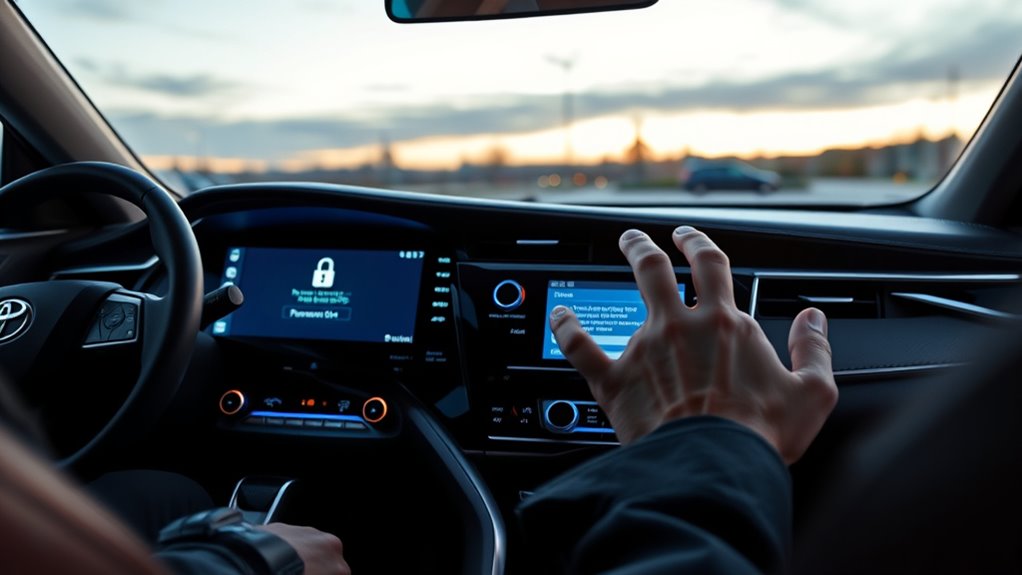
The Camry infotainment system may require a password to control access to personal settings, connected services, and stored data. This layer of security helps prevent unauthorized use and supports account protection through the Toyota app. Setup, recovery, and reset steps can vary by system version, which often creates confusion for owners. Understanding how the lock works and where errors occur can make the process much easier to manage.
Why Does the Camry Infotainment Need a Password?

The Camry infotainment system uses a password to restrict access to personal information, user profiles, and vehicle settings. This safeguard limits exposure of sensitive functions inside the infotainment system, reducing the chance that unauthorized users can alter preferences or inspect private data.
The design supports data security by tying credentials to individual profiles, so access remains accountable rather than shared by default. For users seeking greater control over their digital environment, this structure supports autonomy while resisting casual intrusion.
The design ties credentials to individual profiles, keeping access accountable, private, and resistant to casual intrusion.
Passwords are managed through the Toyota app, which connects security to identity verification and helps preserve system integrity. If credentials are forgotten, resets are possible through the same app after verification steps. Regular password updates are recommended to reduce risk and maintain protection against misuse.
In practical terms, the password is not an inconvenience but a control mechanism that preserves privacy, restricts interference, and reinforces authorized use only.
How to Set Your Camry Infotainment Password
The Toyota app must be accessed first, and a user profile should be created if one is not already in place.
From the password settings, a unique user password can then be set to protect the infotainment system.
After saving the entry, the security lock should be confirmed to guarantee the protection is active.
Access Toyota App
Accessing the Toyota app is the first step for setting a Camry infotainment password, since the system uses the user profile to manage security settings. The app must be downloaded, opened, and linked to the owner account. Its Toyota app features support secure access, profile control, and password administration.
| Step | Action |
|---|---|
| 1 | Install the Toyota app |
| 2 | Sign in with the user profile |
| 3 | Open account settings |
| 4 | Follow User interface navigation prompts |
| 5 | Apply Account management tips for updates |
Within account settings, the driver can begin password setup for infotainment access. The process should follow on-screen instructions exactly to reduce entry errors. A secure, memorable password preserves personal data and vehicle controls. Regular changes through the app reinforce independence from unauthorized access and keep system permissions current.
Set User Password
To set a Camry infotainment user password, the owner should open the Toyota app, create or sign in to an account linked to the vehicle, and navigate to the password settings within the user profile.
From there, a secure password can be established by following the on-screen prompts.
Password complexity tips matter: use a mix of letters, numbers, and symbols, while keeping the code memorable enough for practical use.
Password manager benefits may help by generating and storing stronger credentials without dependence on weak patterns.
Security best practices also call for periodic password updates through the app, which reduces exposure if credentials are compromised.
This process supports user control, protects personal data, and preserves access against unauthorized intrusion.
Confirm Security Lock
Confirming the security lock begins with the Toyota app, where the owner creates a user profile linked to the vehicle and opens the security settings to set a unique infotainment password. This action activates security features that shield personal data and stored vehicle preferences.
The process is streamlined for user convenience, yet it introduces access limitations that preserve control over system functions. A strong password should be chosen, then updated regularly to reduce exposure to unauthorized entry.
If the password is lost, the app permits a reset through account settings and verification steps. Keeping a written record of the password and any changes helps maintain uninterrupted access.
Clear management of these settings supports independence while keeping the infotainment system properly secured.
Where to Manage Your Camry Password in the Toyota App
Within the Toyota app, Camry password management is handled through the account settings section, where the user can set or change a password tied to the profile. This interface supports a streamlined User Experience, placing control in one accessible menu rather than forcing reliance on external tools.
Password Complexity should be reviewed here, since stronger combinations improve resistance to intrusion. Security Best Practices call for periodic updates and careful confirmation of profile details.
- Open the Toyota app and enter account settings.
- Select the password control linked to the Camry profile.
- Set a new password or revise an existing one.
- Check app updates for added security features.
The design favors autonomy: the driver retains direct authority over access settings while keeping the vehicle ecosystem orderly.
Regular attention to this section helps maintain protection and preserves flexible control over connected services.
What to Do When You Forget the Password
If the Toyota infotainment password is forgotten, the reset should be completed through the Toyota app by opening the account settings and following the verification prompts required before a new password can be created. This process preserves account integrity while restoring access with minimal delay.
Reset the Toyota infotainment password through the app’s account settings and verification prompts to restore access securely.
Password recovery tips include confirming the linked user profile, keeping recovery details current, and recording the new credentials securely after completion.
Forgotten passwords often create user experience challenges because they can block access to connected vehicle functions and interrupt daily use. To reduce friction, regular password reminders and periodic account reviews are advisable.
Security best practices also matter: use a unique password, avoid reuse across services, and monitor account activity after the change for any unexpected access.
From a liberation-focused perspective, disciplined credential management supports both autonomy and control, allowing the driver to regain function without compromising safety or privacy.
How to Reset Your Camry Infotainment Password
To reset a Camry infotainment password, the user should open the Toyota app and go to account settings, then follow the on-screen steps to begin the reset process. This route offers direct password recovery options while keeping control in the owner’s hands.
During the procedure, user identity verification may be required through a code sent to the registered email address or phone number. That check confirms legitimate access and supports security best practices without adding unnecessary friction.
- Open the Toyota app and access account settings.
- Select the password reset or recovery option.
- Complete identity verification using the provided code.
- Save the new password and update records immediately.
After the reset, the new credentials should be stored securely and reviewed for accuracy.
Regular password changes can reduce the risk of unauthorized access and preserve operational independence.
What the Lock Screen Protects
The Camry infotainment lock screen protects access to personal information such as contacts and navigation history, while also preventing unauthorized changes to vehicle settings. It functions as a control barrier, requiring a password from the Toyota app or user profile before entry. The lock screen benefits are practical: reduced exposure of stored data, limited system tampering, and clearer ownership of in-vehicle access. These privacy features support data security by keeping sensitive functions closed to users without permission.
| Protected Area | Effect | Value |
|---|---|---|
| Contacts | Hidden from others | Personal autonomy |
| Navigation history | Restricted | Location privacy |
| Vehicle settings | Locked | System integrity |
This design gives users a disciplined, self-directed interface. By limiting access at the screen level, the system reduces risk without adding unnecessary complexity. The result is a secure environment where the driver maintains control, and unauthorized interference remains blocked.
How the Password Protects Your Personal Data
The password serves as a personal data shield by blocking unauthorized access to stored information in the Toyota infotainment system.
It also controls entry to vehicle settings, limiting changes to verified users tied to a linked profile.
This profile privacy protection helps keep account data and system preferences secure from misuse.
Personal Data Shield
A security lock screen acts as the Camry infotainment system’s first line of defense, requiring a password before personal information and vehicle settings can be accessed. This user authentication layer supports data encryption practices and reinforces privacy measures across linked profiles.
The Toyota app is used to create and manage the password, tying access to the correct account and limiting exposure to unauthorized users.
- Confidential data stays shielded from casual intrusion.
- Passwords add a controlled barrier to stored preferences.
- Regular updates reduce breach risk and strengthen protection.
- Reset verification preserves integrity after forgotten credentials.
This design gives drivers more control over their digital footprint while keeping sensitive records guarded.
Settings Access Control
Through a password-protected security lock screen, the Camry infotainment system restricts access to personal information and vehicle settings, allowing only authenticated users to enter. These settings security measures use user access protocols tied to a Toyota app profile, limiting control to approved drivers. Password management tips matter because a forgotten code can block key functions and create avoidable frustration. The reset path remains available in the app after account verification, restoring access without compromising control. Regular updates strengthen protection and reduce breach risk.
| Control | Effect | Result |
|---|---|---|
| Password lock | Blocks entry | Less exposure |
| App linking | Verifies identity | Authorized access |
| Reset option | Restores use | Reduced delay |
| Updates | Improves defense | Stronger security |
| Protocols | Guide access | Clear boundaries |
Profile Privacy Protection
Password protection in the Toyota infotainment system functions as a security lock that limits access to personal data and vehicle settings to authorized users only. Linked through the Toyota app, the profile becomes tied to a specific driver, reinforcing privacy with user authentication strategies and data encryption methods. This reduces exposure of contacts, preferences, and saved locations.
Regular password updates strengthen privacy breach prevention by limiting unauthorized entry.
- Protects profile data from casual access
- Associates credentials with one user account
- Supports password reset after verification
- Preserves control over vehicle settings and records
Forgetting the password can restrict functions, yet the app reset path restores access after identity checks. The system is designed to keep ownership of information with the driver, supporting secure, self-directed mobility.
Common Login Errors and Fixes
Common login errors usually result from incorrectly entered passwords, so each character should be checked for typos before trying again.
Effective login troubleshooting tips begin with reviewing common user mistakes such as swapped letters, missed symbols, and accidental spaces. If the system rejects the entry, the password may fail password complexity requirements, including minimum length and mixed character types.
When repeated attempts trigger a lockout, access generally requires a reset through the Toyota app rather than additional retries.
Temporary failures can also occur after a recent password change, because synchronization may take time before the new credential is recognized. In that interval, waiting briefly and attempting again is often sufficient.
Regular password updates can reduce recurring errors and keep the account aligned with current access rules.
Clear verification of the entered credentials remains the most direct path to restoring control without unnecessary delay.
How to Keep Your Account Secure
Maintaining account security depends on a few consistent practices. In the Toyota app, users should treat access control as a layered defense: update credentials regularly, keep passwords unique, and watch for system changes. Strong authentication reduces dependency on fragile defaults and supports user autonomy.
- Apply password strength tips: use letters, numbers, and special characters.
- Review the security feature overview in the Toyota app and enable every available layer.
- Use account monitoring strategies to inspect recent activity for unfamiliar logins or settings changes.
- Install app updates and security patches promptly to reduce exposure to known vulnerabilities.
Frequent password changes limit the value of stolen credentials. Activity checks can reveal unauthorized access early, before it spreads.
Security options in the app may include extra verification steps that reinforce control without unnecessary friction. Staying current with updates guarantees the infotainment system benefits from the latest protections and keeps the driver’s digital space more secure.
Frequently Asked Questions
Why Does the Toyota App Require a Passcode?
The Toyota app requires a passcode to verify identity and protect account access. This supports App security, strengthens Data protection, and preserves User convenience by limiting unauthorized changes to vehicle settings and personal information.
The passcode links to the user profile, enabling controlled access across devices. If forgotten, it can be reset in account settings.
Regular updates and unique passwords further reduce risk and maintain secure, efficient app use.
My Toyota Keeps Asking Me for My PIN. How Can I Reset It?
It can be reset through the Toyota app’s account settings. A recent survey found 62% of connected-vehicle users encounter credential issues annually.
The owner should open the app, verify identity, and select Pin Recovery Methods to start a password reset. If repeated entries have triggered Infotainment Lockouts, waiting for the timer or contacting support may be required.
Updating the PIN afterward strengthens User Account Security and restores access.
How to Reset Infotainment System Camry?
For a Camry, the infotainment system is reset through Settings, then General, then Reset or Factory Reset. The owner should confirm the prompt, understanding that personal data and preferences will be erased.
Before starting, backup any needed data and review infotainment troubleshooting tips, system software updates, and user manual insights.
Afterward, some features may require Toyota app authentication again, restoring access while keeping the driver free from persistent software faults.
Why Does Carplay Keep Asking for a PIN?
CarPlay keeps asking for a PIN because the Toyota infotainment system is enforcing its security lock screen, often after a profile change, app update, or reset.
These CarPlay issues can also stem from unstable Bluetooth connectivity or iPhone compatibility problems that trigger reauthentication.
The system may require a Toyota app password to access protected settings and data.
Updating firmware, the app, and pairing settings usually reduces repeated prompts.
Conclusion
In conclusion, the Camry infotainment password serves as a practical security layer for personal data, vehicle settings, and app-linked access. It can be managed through the Toyota app, reset when forgotten, and strengthened with good password hygiene. Common login issues are usually resolved by checking credentials, connectivity, and account status. With regular updates and unique passwords, the system remains as secure as a vault, helping protect both privacy and convenience.

