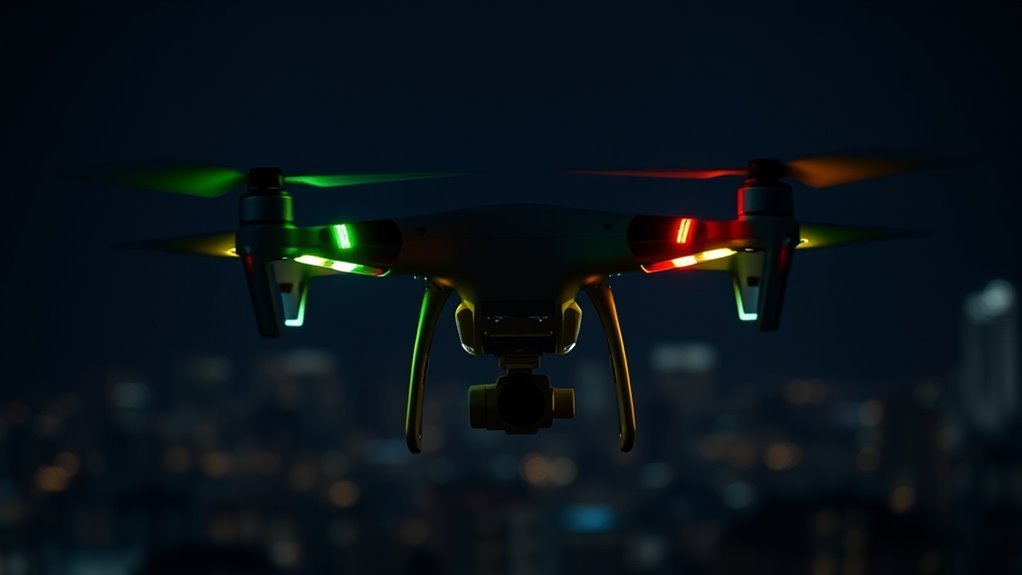
Drone status lights provide a compact diagnostic language, but the meaning changes by color, flash rate, and model. On DJI aircraft, green may confirm a stable link, while red often points to faults or low power. White, blue, and yellow can indicate visibility, pairing, or warnings depending on the device. The same pattern can signal different states on a Mini 2, Avata, or another platform, and the differences quickly become important.
What DJI Drone Status Lights Mean
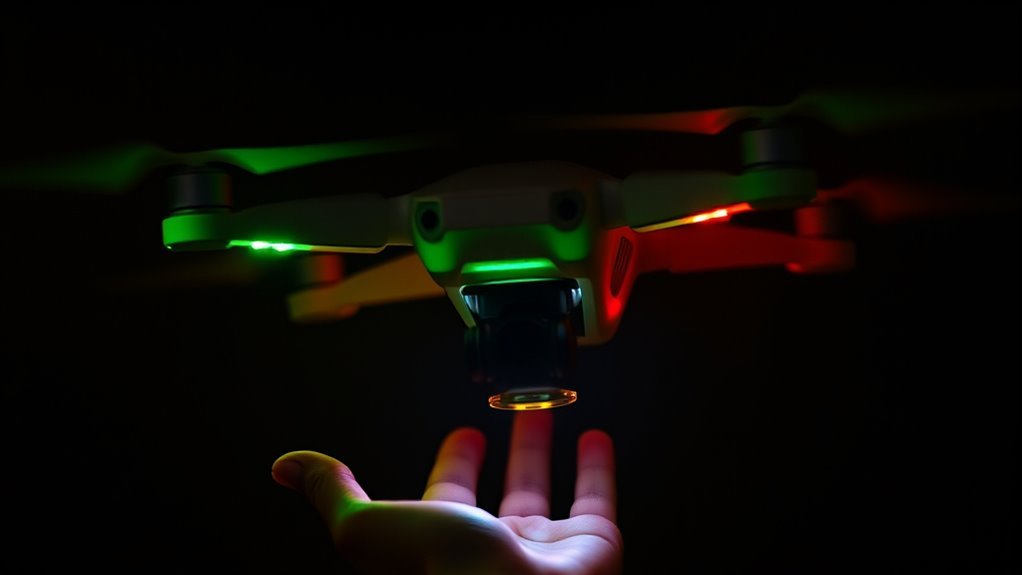
DJI status lights function as a compact visual diagnostic system, using red, green, and white LEDs to report flight state and warnings.
In practice, the green lights usually indicate a valid controller link, confirming that command authority has been established. When those green lights flash, the link may be unstable and reconnection should be checked before further flight.
Red indicators generally mark faults, safety alerts, or operational errors, while yellow tones often denote low battery or related notifications.
White LEDs can support orientation or visibility cues, including anti-collision lighting visible during reduced light conditions.
These signals let the operator assess readiness without delay, which matters during autonomous routes, precision maneuvers, and night operations.
The manual defines many patterns, yet community reports often clarify edge cases that formal documentation leaves unresolved.
For users seeking control over their flight environment, understanding these colors is essential.
How to Read DJI Flashing Light Patterns
Once the basic meaning of DJI status light colors is understood, the next step is reading the flash patterns that modify those signals. The LED lights do not merely decorate the airframe; they encode operational state in real time. A solid green light usually confirms controller link integrity, while a flashing green light indicates readiness for takeoff. Rapid red flashes demand immediate attention because they often point to low battery or another critical fault. Steady red suggests a restricted flight mode that limits freedom of movement. Blue flashes generally mark pairing or firmware updating, and the exact pattern should be checked against the manual.
| Pattern | Meaning |
|---|---|
| Solid green | Controller connected |
| Flashing green | Ready to takeoff |
| Rapid red flash | Low battery or critical issue |
| Steady red | Restricted flight mode |
| Blue flash | Pairing or firmware update |
Reading these patterns precisely supports safe, autonomous operation.
What Green, Red, White, and Blue Mean
Green, red, white, and blue status lights each communicate a distinct operational condition on a drone, and their meaning often changes by manufacturer and flight mode.
In many systems, green indicates the aircraft is powered, initialized, and ready to fly, often with GPS lock confirmed. Red generally marks a warning or fault state, such as low battery or calibration needs, and flashing red demands immediate attention.
White is commonly reserved for anti-collision illumination, improving visibility to the pilot and nearby traffic, especially in low-light airspace. Blue appears on some models as a link or connection indicator, though its code is not standardized across brands.
Because flashing sequences can encode more specific states, operators should consult the manual rather than assume uniformity.
Accurate reading of these LEDs supports disciplined operation, safer flight, and greater autonomy in the field.
When DJI Lights Signal a Problem
When DJI status lights shift from normal patterns to red or yellow alerts, they are signaling a fault or operating constraint that requires attention. Flashing red lights commonly indicate low battery reserves or a critical error path that may compromise flight safety.
A solid red light can denote a malfunction, meaning the aircraft should be treated as unfit for free operation until the cause is identified.
Blinking yellow lights usually place the drone in GPS mode while signal acquisition remains incomplete, implying that relocation or calibration may restore dependable positioning.
Sequential flashes can encode discrete errors, and their meaning depends on the model’s coded logic. For accurate interpretation, the user manual remains the primary reference.
Careful reading of these lights supports rapid troubleshooting, protects equipment, and preserves the operator’s freedom by reducing dependency on guesswork and unnecessary groundings.
What Unusual DJI Light Patterns Mean
Beyond the standard red and yellow warnings, DJI drones can display less common light combinations that point to specific operating states or faults.
These signals are not decorative; the lights must be read as diagnostic data, enabling pilots to act with discipline and preserve autonomy in the field.
A solid green light usually confirms normal flight status, while a rapid yellow blink indicates GPS lock is incomplete and position hold remains unreliable.
Rear blue blinking commonly marks pairing mode, meaning the aircraft is waiting for controller connection.
A solid red light with flashing white signals a malfunction that demands immediate inspection.
| Pattern | Meaning |
|---|---|
| Solid green | Normal flight status |
| Rapid yellow blink | GPS mode, insufficient satellites |
| Rear blue blink | Pairing mode |
When interpreted correctly, these patterns help DJI operators troubleshoot quickly, reduce uncertainty, and maintain safe, liberated flight decisions without surrendering control to avoidable errors.
DJI Light Differences by Drone Model
DJI light signaling varies by model, and the Mini 2 uses combined red and green indicators to report connection status with simple state changes.
By contrast, the Avata introduces blue alerts for obstacle-avoidance conditions, while the A1 signal set uses a different coded pattern to distinguish operational states.
These model-specific patterns require manual-based interpretation because identical colors can indicate different system conditions across the DJI lineup.
Mini 2 Light Patterns
On the Mini 2, status lights communicate operating state with unusual precision: a solid green light indicates a successful link to the remote controller, while flashing red signals a connection fault or no connection at all.
The DJI Mini 2 Light system also covers power and navigation states without ambiguity. During charging, the four LEDs cycle in sequence; when all four remain solid green, the battery is fully charged.
A blinking yellow pattern typically marks GPS mode, whereas a solid yellow light indicates low power. Rapid red flashing during flight is more urgent: battery reserve is critically low and return-to-home should begin immediately.
For exact interpretation, the aircraft manual, especially pages 12 and 13, provides the authoritative reference.
Avata And A1 Signals
By comparison with the Mini 2’s straightforward indicators, the Avata and A1 use model-specific light conventions that require separate interpretation. For Drones, these signals function as operational telemetry, not decoration.
The Avata combines red, green, and white LEDs; its manual maps each blink sequence to flight state, alert, or link status. The A1 instead relies on blue blinking lights, a distinct cue for mode or condition changes.
- Solid lights usually confirm successful connectivity
- Flashing lights often indicate linking or signal trouble
- Color shifts can mark operational changes
- Pattern frequency matters as much as hue
- Anti-collision lights support external visibility and situational awareness
Precise reading of these indicators helps operators maintain control, diagnose faults quickly, and preserve autonomous freedom in flight.
Night Flying Lights and FAA Rules?
FAA night flight rules require anti-collision lighting that remains visible from at least three statute miles, with strobes operating at 40–100 cycles per minute to meet regulatory standards.
Red and green position lights on opposite sides provide directional cues in darkness, helping observers and other aircraft determine orientation and movement.
Safe night flying also depends on operator compliance, including the required Remote Pilot License with an sUAS Rating, since violations can trigger enforcement action.
FAA Night Light Rules
When drones are operated after dark, the Federal Aviation Administration requires anti-collision lighting that is visible for at least three statute miles and flashes at a rate of 40 to 100 cycles per minute. This helps other aircraft identify the drone’s position in low-light conditions.
These FAA night light rules define operational legitimacy and reduce airspace friction.
- Minimum visibility: 3 statute miles
- Flash rate: 40–100 cycles per minute
- Orientation cues: red and green lights
- Pilot qualification: Remote Pilot License with sUAS Rating
- Noncompliance risk: FAA penalties
For operators seeking autonomous movement within regulated airspace, strict adherence preserves access while maintaining shared-sky safety.
The anti-collision standard is not decorative; it is a calibrated control measure.
Visible Colors And Signals
Visible colors and signal patterns give pilots and observers a fast read on a drone’s orientation and operating state during night flight. FAA rules require anti-collision lights visible for at least three statute miles, establishing a baseline for night operations.
Red and green LEDs on opposite sides, with white at the rear, provide immediate spatial cues: left, right, and aft. Blue and other hues can be used with white to signal status changes, but the interpretation remains device-specific.
Strobe units must pulse at 40-100 cycles per minute, a rate chosen to preserve conspicuity without excessive distraction. For emancipated night navigation, these signals reduce eye fatigue, support depth perception, and help separate aircraft intent from ambient darkness with disciplined precision.
Safe Night Flying Tips
Safe night flying depends on lighting that satisfies both operational clarity and regulatory minimums. FAA rules require anti-collision lights visible for three statute miles, with strobes flashing 40-100 cycles per minute.
For night flying, red and green lights on opposite sides improve directional reading, while bright forward lighting supports obstacle avoidance and depth judgment.
- Verify strobe rate before takeoff.
- Confirm side-light orientation.
- Test visibility at range.
- Use binoculars to inspect light patterns.
- Recheck batteries and lens cleanliness.
These measures reduce ambiguity, extend safe control, and preserve operational freedom in low light.
With disciplined lighting, the drone remains detectable to other airspace users and more legible to the pilot, allowing night flying with greater precision and lower risk.
How to Tell a Drone From a Plane?
A drone can usually be distinguished from a plane by its lighting pattern, motion, sound, and tracking behavior. Drones are used for surveillance, mapping, and creative flight, and their LEDs often flash red, green, and white in irregular sequences. Planes usually present standardized navigation lights and anti-collision systems, often appearing steadier and more regulated.
| Indicator | Observation |
|---|---|
| Lights | Drone LEDs blink; aircraft lights are often solid or uniform. |
| Motion | Drones hover or dart; planes hold a smoother path. |
| Sound | Drones produce a low rotor buzz; planes emit a constant engine tone. |
| Tracking | Drones rarely broadcast ADS-B; aircraft commonly do. |
This combination supports rapid identification without dependence on authority-based assumptions. A drone’s localized maneuvering and simpler lighting setup favor visibility, while planes maintain flight discipline shaped by regulated airspace. When a distant object oscillates, hums sharply, and lacks transponder data, it is more likely a drone than a plane.
Where to Find DJI Light Codes
DJI light codes are documented in the aircraft user manual, with pages 12 and 13 typically listing the flight-status and alert patterns associated with red, green, blue, and white indicators. For DJI Mavic operators, these light indicators serve as the primary diagnostic channel for autonomous flight states and fault conditions.
- Review the aircraft manual first.
- Check pages 12 and 13 for status tables.
- Compare solid versus flashing patterns during linking.
- Consult other Mavic manuals for controller light indicators.
- Use forums when signals remain ambiguous.
A solid light generally confirms pairing success, while flashing usually indicates that linking remains required.
The DJI Mini 2 manual is comparatively sparse on controller illumination, so broader DJI Mavic documentation may be necessary. Community discussions often decode edge cases, reducing dependence on opaque vendor phrasing and restoring interpretive control to the user.
Frequently Asked Questions
What Color Lights Are on Drones?
Drones commonly display red, green, and white lights. These LED light meanings act as Drone safety signals, helping operators read orientation and visibility.
Red often marks the left side or warnings, green the right side or readiness, and white supports night visibility.
Flight mode indicators may flash in distinct patterns, while Battery status colors can signal low charge, connection faults, or GPS readiness, enabling precise, self-directed control.
My DJI Battery Is Flashing Four LEDS. What Does This Mean?
Four flashing LEDs usually indicate a fully charged DJI battery, like a gauge settling at its peak. The battery indicators suggest proper connection, though inconsistent LED signals may mean the pack is not seated correctly.
Each light represents roughly 25 percent capacity, so four solid lights equal 100 percent. If the pattern persists irregularly, the user manual should be consulted for model-specific diagnostics and safe, autonomous flight readiness.
Can You Explain What DJI Warning Zones Are and How They Work?
DJI warning zones are geofenced areas that restrict or alert drone flights near airports, military sites, and other sensitive locations, enforcing drone safety regulations.
Through DJI geofencing features, the aircraft or app compares position data against mapped boundaries and issues real-time warnings, or blocks takeoff where required.
The pilot can inspect zone layers in DJI Fly or Go maps, then decide whether compliant, informed flight remains possible or not.
What Drone Blinks Red and Green?
A drone blinking red and green often signals a bridge refusing passage: the aircraft is seeking connection with its controller.
In technical terms, its LED indicators suggest pairing is pending, or the link is lost. In some models, the pattern may also warn of low battery.
For drone safety, the operator should verify power, initiate binding, and consult the manual, since manufacturers assign meanings differently.
Conclusion
In conclusion, drone status lights are more than simple indicators; they are a compact diagnostic language. Green, red, white, blue, and flashing patterns each reveal link quality, battery state, visibility, or faults, with meaning varying by model. Operators who decode these signals quickly gain clearer situational awareness and safer flight decisions. When in doubt, the manual remains the gold standard, since a wrong read can snowball into avoidable risk.
