
As an Amazon Associate I earn from qualifying purchases.
Buying a gaming laptop in 2026 matters because hardware and software are advancing faster than ever, and the right machine will give you years of smooth play, faster content creation, and better portability. You want a system that balances raw frame rates, display quality, thermals and battery life so you do not waste money on a model that looks good on paper but fails under load.
This guide distills the key options across budgets so you can quickly find a laptop that matches how you play, stream, or create, with an emphasis on future-proof performance and real-world value.
Top Picks
| Category | Product | Score |
|---|---|---|
| 🏆 Best Overall | ASUS ROG Strix | 95/100 |
| 🚀 Best for AI | Acer Predator | 90/100 |
| 🔰 Best for Creators | Lenovo Legion | 93/100 |
| ⭐ Best Portable | ROG Zephyrus G14 | 92/100 |
| 🏅 Best Build Quality | Alienware Area-51 | 91/100 |
| 💰 Best Budget Performance | GIGABYTE A16 | 84/100 |
| 🎯 Best for Competitive Play | MSI Katana 15 | 89/100 |
| 🛡️ Most Durable | ASUS TUF A15 | 78/100 |
| 🧾 Best Entry-Level | Lenovo LOQ 15 | 75/100 |
| 💵 Best Under $1,000 | HP Victus 15 | 82/100 |
How We Chose These Laptops
You want a laptop that performs where it matters, so we prioritized real-world gaming performance from modern GPUs and CPUs, then evaluated displays for resolution, refresh rate and color accuracy. Thermals and sustained performance came next because a fast machine that throttles is not useful, followed by build quality, port selection and upgradeability so the system can adapt to your needs.
Battery life and portability are weighted according to each model’s size and target audience, and we checked pricing, warranty and software extras to assess overall value. The result is a balanced list that highlights what each model does best so you can match features to how you play.
ASUS ROG Strix

This is the kind of laptop you pick when you want high refresh, strong sustained performance, and a display that actually keeps up with fast gameplay. You get a 16:10 2.5K 240Hz panel that makes motion feel smooth, a powerful Intel Core Ultra 9 CPU and RTX 5070 Ti GPU that handle modern AAA games and creative work, plus roomy memory and storage for multitasking.
Thermals are tuned for longer sessions, the keyboard is esports-friendly, and the Aura light bar adds a bit of personality without being gimmicky. If you split time between competitive play, streaming, and heavier content tasks, this is a reliable, upgradeable option to anchor a desktop-replacement setup.
What People Say
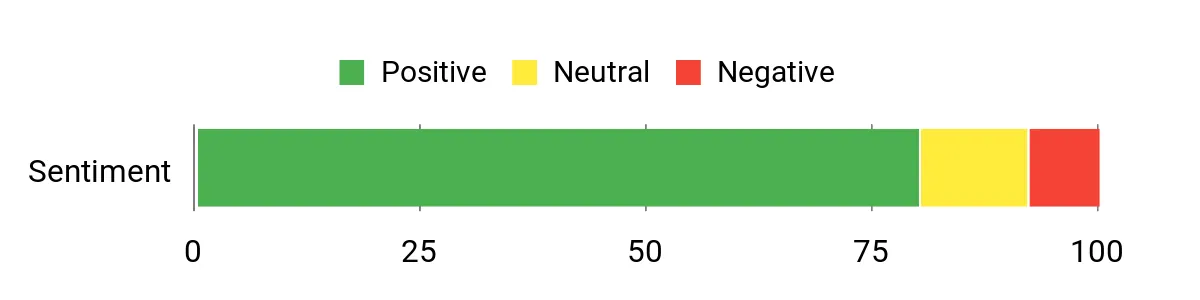
You’ll notice reviewers consistently praise the cooling and real-world performance; many find it a major step up from older Asus models. People also like the panel’s speed and color for non-OLED screens and mention that upgrades are straightforward.
A few users report occasional keyboard quirks or recommend running quick benchmarks on arrival, but overall impressions skew positive.
Overall Sentiment: Positive
Situational Benefits
| Situation | How It Helps |
|---|---|
| Competitive High-FPS Play | You get a 240Hz/3ms panel and a GPU capable of keeping frame rates high, which helps in fast-paced shooters and esports titles. |
| Content Creation & Multitasking | With 32GB of RAM and a strong CPU, you can edit video, compile projects, or run multiple creative apps without constant swapping. |
| VR and Simulation | The combination of CPU and NVIDIA GPU handles VR workloads and demanding sims better than many laptops in its class, so you can play immersive titles with fewer compromises. |
| On-The-Go Productivity | Battery life is decent for light work, and the 16-inch screen gives you extra workspace, but for long gaming sessions you’ll want to stay plugged in. |
Ease Of Use
| Feature | Ease Level |
|---|---|
| Initial Setup | Easy |
| Upgrades (NVMe / RAM) | Easy |
| Thermal Tuning | Moderate |
| Display Calibration | Moderate |
Versatility
You get a machine that wears many hats: great for competitive gaming, solid for content creation, and capable as a desktop-replacement. It’s less ideal if you need extremely long battery life or the lightest travel laptop.
Durability
The chassis feels solid and built for regular use, though it’s not an ultra-rugged design. Expect a slightly heavier 16‑inch laptop that holds up well on a desk or in a backpack.
Practicality
Ports include Thunderbolt and standard USB options, and the easy upgrade path for storage and memory keeps the laptop useful for years. The keyboard and audio are tuned for gaming and everyday use.
Speed & Response
The 240Hz refresh and 3ms response pair with a high-end CPU/GPU to deliver quick input-to-frame feel and low perceptible latency for competitive play.
Key Benefits
- High-refresh 2.5K 240Hz Nebula display for fluid visuals
- Top-tier sustained performance with Intel Ultra 9 and RTX 5070 Ti
- Generous 32GB RAM and 1TB PCIe SSD for multitasking and storage
- Effective cooling for long gaming or creative sessions
Acer Predator

You’re looking at a 16-inch powerhouse that leans into AI-assisted tuning to get more out of the hardware without fiddling with settings. The WQXGA 240Hz panel is bright and color-rich, so games and creative work both look great.
Performance is aimed at gamers who want strong frame rates and creators who need accurate color, while Acer’s cooling keeps the machine usable during long sessions. If you want a versatile 16-inch that balances raw power and smart optimization, this one is a solid pick.
What People Say
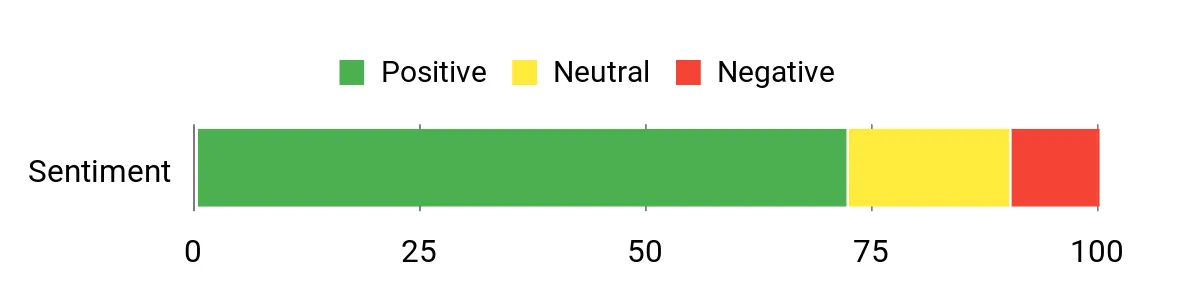
Customers commonly highlight the display’s color accuracy and the laptop’s steady performance under load, especially when AI features are enabled. Many appreciate the improved cooling and the overall balance between gaming and creative tasks.
A minority mention it feels a bit heavy for travel, but most say it performs reliably.
Overall Sentiment: Positive
Situational Benefits
| Situation | How It Helps |
|---|---|
| Competitive Multiplayer | The 240Hz panel and capable GPU deliver higher frame rates for smoother, more responsive play. |
| Content Creation | Accurate color coverage and a high-resolution panel make photo and video work more reliable on the go. |
| Long Sessions | Aeroblade cooling and thermal tuning reduce throttling, so you can game or render for longer without major slowdowns. |
| Student Use | You get a single machine that handles study, light content work, and gaming, with solid connectivity for peripherals. |
Ease Of Use
| Feature | Ease Level |
|---|---|
| Initial Setup | Easy |
| AI Performance Modes | Easy |
| Thermal Profiles | Moderate |
| Storage Upgrades | Moderate |
Versatility
This model covers gaming, streaming and creative tasks well, making it a practical choice if you need one laptop to do many things.
Durability
Build quality feels robust for regular use; it’s not featherweight but should hold up to everyday transport and desk life.
Practicality
Good port selection and an upgradeable design make it practical for future needs and connecting to displays or peripherals.
Speed & Response
With a 240Hz panel and a modern RTX GPU, input-to-frame feel is quick and motion looks smooth, which helps in fast-paced titles.
Key Benefits
- 240Hz WQXGA display with 100% DCI-P3 for smooth and accurate visuals
- AI-assisted performance tuning to squeeze better sustained FPS
- Strong GPU/CPU combo for modern AAA titles and creative workloads
- Improved cooling with Aeroblade fans for longer high-load runs
Lenovo Legion

You’re looking at a 16-inch OLED machine built more like a desktop replacement than a travel companion. The Legion Pro 7i pairs a high-refresh 240Hz OLED with an NVIDIA GeForce RTX 5080 and Intel Core Ultra 9, so games, music production and heavy creative work all run smoothly.
Fans stay quiet even when you push power, and the one-year Legion Ultimate Support gives you an extra layer of confidence. If you need a laptop that can double as a compact studio or a high-end gaming rig, this one balances raw performance and a color-accurate display well.
What People Say
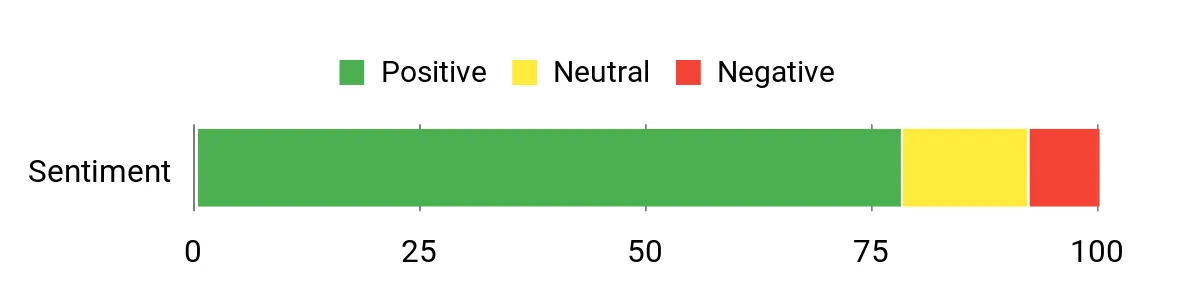
Customers frequently praise its performance and reliability for both gaming and professional audio or video work. Many note the OLED screen’s clarity and color, and several mention that the machine runs quietly even when under serious load. A few users point out the chassis is on the thicker side, but they feel the performance trade-off is worth it.
Overall Sentiment: Positive
Situational Benefits
| Situation | How It Helps |
|---|---|
| Music Production | Low audio latency and stable performance let you record multiple tracks without hiccups, and the screen helps with detailed editing. |
| High-End Gaming | The RTX 5080 and OLED panel deliver high frame rates and crisp visuals for AAA titles and ray-tracing workloads. |
| Live Streaming | Strong CPU and GPU headroom keep your stream smooth while you play, and the thermal design prevents sudden throttle. |
| Content Creation | Color-accurate OLED and ample RAM make photo and video editing faster and more reliable on the go. |
Ease Of Use
| Feature | Ease Level |
|---|---|
| Initial Setup | Easy |
| Audio/Peripheral Integration | Easy |
| Thermal Management | Moderate |
| Hardware Upgrades | Moderate |
Versatility
This laptop handles gaming, studio work and creative tasks without needing a second machine, though its size makes it better suited to desk-centric use than frequent travelers.
Durability
Build quality feels robust and substantial; it’s thicker and heavier than ultraportables, but that weight contributes to stability and cooling performance.
Practicality
Plenty of ports and expandability options make it easy to connect audio gear, external monitors and storage, and the bundled support reduces downtime if something goes wrong.
Speed & Response
The combination of a 240Hz OLED and a high-end GPU delivers quick frame response and low perceptible input lag, which benefits both competitive play and responsive creative workflows.
Key Benefits
- 16″ OLED 240Hz display with deep contrast and accurate colors
- High sustained GPU power for demanding games and workloads
- Quiet thermal behavior even under heavy loads
- One-year Legion Ultimate Support for faster help and service
ROG Zephyrus G14

If you want a truly portable gaming laptop that still punches above its weight, this G14 is built for you. The 3K OLED gives you crisp color and deep contrast while the Ryzen AI 9 and RTX 5070 Ti handle modern games and creative apps without feeling sluggish. At about 3.3 pounds it’s easy to carry between sessions, and the extra RAM and storage keep multitasking smooth. It’s a great pick when you need a single machine for travel, daily work, and serious gaming on the side.
What People Say
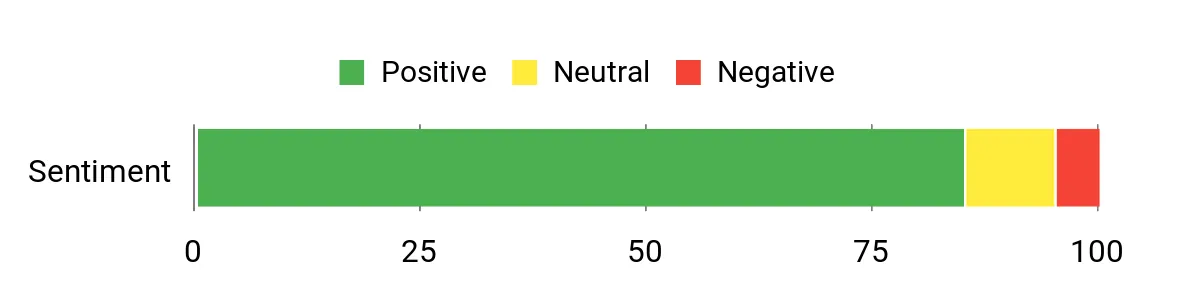
Buyers commonly highlight the exceptional OLED screen and the laptop’s portability paired with surprisingly strong performance. Many users appreciate how well it balances creative work and gaming, and several note the quiet operation and solid battery life for light tasks.
A few mention the 120Hz cap as less ideal for ultra-competitive players, but overall impressions are favorable.
Overall Sentiment: Positive
Situational Benefits
| Situation | How It Helps |
|---|---|
| Travel Gaming | Lightweight build and a bright OLED make it easy to game on the go without sacrificing visuals. |
| Creative Work | High-resolution OLED and ample RAM help with color-accurate editing and smooth multitasking. |
| Everyday Productivity | Fast storage and a responsive CPU speed up daily apps, browsing and document work. |
| Casual Competitive Play | 120Hz refresh delivers responsive gameplay for most titles, though pro esports players may want higher refresh rates. |
Ease Of Use
| Feature | Ease Level |
|---|---|
| Initial Setup | Easy |
| Display Calibration | Easy |
| Battery Management | Moderate |
| Storage Expansion | Moderate |
Versatility
This laptop is highly versatile: it’s small enough for daily carry yet powerful enough for gaming, content creation and streaming when you need it.
Durability
The chassis feels sturdy for frequent travel and desk use, offering a good balance between lightweight design and dependable build quality.
Practicality
Good port selection and a roomy SSD make it practical for connecting peripherals and storing projects, while the small footprint fits tight workspaces.
Speed & Response
The 120Hz 3K OLED delivers smooth motion and quick perceived input response, especially at this resolution where image clarity matters for both games and editing.
Key Benefits
- 3K OLED display for excellent color and contrast
- Compact, lightweight 14″ design for easy portability
- Strong CPU/GPU combo for gaming and creative work
- Generous 32GB RAM and 1TB SSD for smooth multitasking
Alienware Area-51

If you need a desktop-class gaming laptop, this is one to consider. You get a 16-inch WQXGA panel paired with an RTX 5070 Ti and an Intel Core Ultra HX that push high frame rates and handle heavy workloads without folding under pressure.
The chassis prioritizes cooling and serviceability, so you can upgrade storage and memory or keep long play sessions going with fewer throttling hits. It’s a heavier, more substantial machine, ideal when you want raw power and a robust build rather than an ultraportable.
What People Say
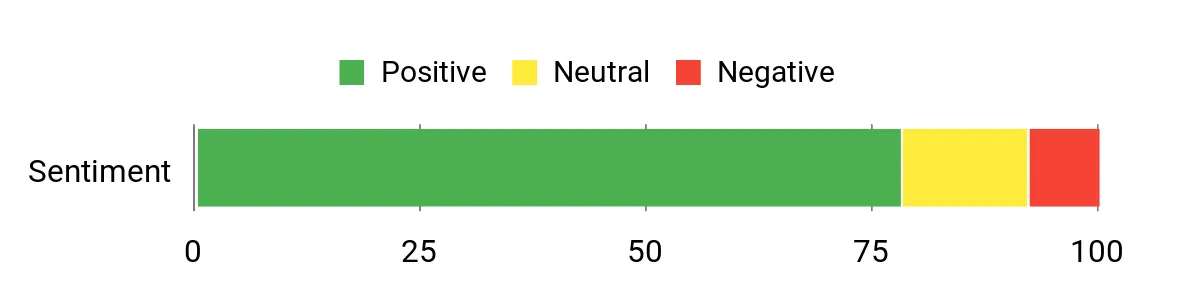
Customers regularly praise the Area-51’s power and build quality, noting it feels like a serious machine for gamers and creators. Many users mention quiet fans at moderate loads and easy upgrades for RAM and storage, while a small number point out the display isn’t the deepest in contrast and driver or setup quirks can appear out of the box.
Overall Sentiment: Positive
Situational Benefits
| Situation | How It Helps |
|---|---|
| High-Fidelity Gaming | The powerful CPU/GPU combo sustains high frame rates and detail settings in demanding AAA titles. |
| Workstation Tasks | Strong multi-core CPU performance and upgradeable memory make it useful for CAD, rendering and heavy multitasking. |
| Long Play Sessions | Enhanced airflow and thermal design reduce throttling, keeping performance steadier over extended gaming periods. |
| Home Setup | Ample ports and expansion options let you connect monitors, audio gear and peripherals for a near-desktop experience. |
Ease Of Use
| Feature | Ease Level |
|---|---|
| Initial Setup | Easy |
| Driver Updates | Moderate |
| Hardware Upgrades | Easy |
| Thermal Tuning | Moderate |
Versatility
This laptop comfortably doubles as a gaming rig and a desktop replacement for creative or engineering work, though its size favors desk-based use over frequent travel.
Durability
The chassis and materials feel premium and stable, designed to withstand regular use and the occasional move between locations.
Practicality
Good connectivity and upgrade paths make it practical for hooking up multiple displays, external storage and audio equipment without juggling adapters.
Speed & Response
With a high-refresh WQXGA panel and a strong GPU, input feels responsive and motion stays smooth for most competitive and cinematic titles.
Key Benefits
- Desktop-class performance for gaming and compute-heavy tasks
- Advanced thermal architecture for sustained high loads
- Solid build quality and upgrade-friendly internals
- Good port selection including HDMI and Thunderbolt 4
GIGABYTE A16

If you want a capable 16-inch laptop that works for both study and play, this A16 hits a useful middle ground. The 16:10 165Hz panel keeps motion smooth while the i7 and RTX 5070 handle modern titles and everyday creative work.
GiMATE’s AI tuning tailors performance so you don’t have to constantly tweak settings, and the Golden Curve keyboard plus a 180° hinge make it comfortable for long sessions or group review. It’s not meant to be a premium studio machine, but if you need a versatile daily driver that leans gaming-forward, this is worth considering.
What People Say
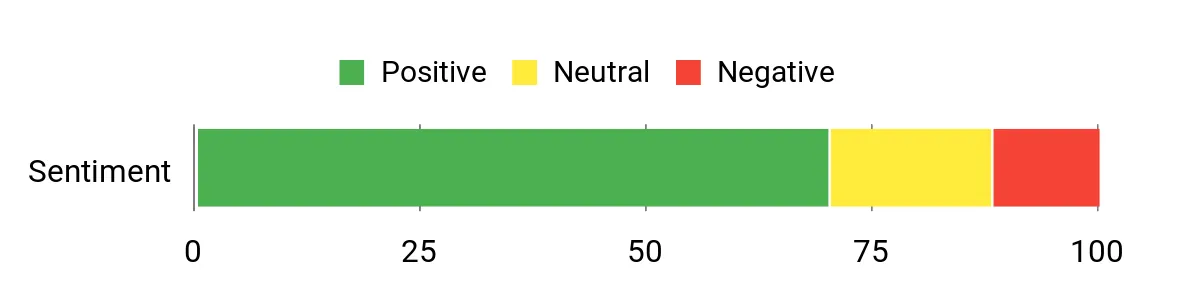
You’ll find buyers often call out the fast 165Hz screen and the laptop’s reliable everyday performance. People like the AI features that simplify tuning and the comfortable keyboard for longer use. Some note the panel’s color gamut and brightness aren’t class-leading, but most feel the package offers solid value and practicality for students and casual gamers.
Overall Sentiment: Positive
Situational Benefits
| Situation | How It Helps |
|---|---|
| Casual Competitive Play | The 165Hz panel and capable GPU deliver smoother frame delivery for popular multiplayer titles, improving perceived responsiveness. |
| Student Workloads | Lightweight productivity, long battery claims and a roomy display ratio make multitasking and document work easier between classes. |
| Content Previewing | The display and GPU let you edit photos and preview video quickly, though professional color grading may need an external monitor. |
| Portable Setup | A decent port selection and the 180° hinge let you connect peripherals or share the screen during group sessions without fuss. |
Ease Of Use
| Feature | Ease Level |
|---|---|
| Initial Setup | Easy |
| AI Performance Modes | Easy |
| Thermal Management | Moderate |
| Storage Upgrades | Moderate |
Versatility
This model works well as a study companion, a daily driver for creators doing previews, and a casual gaming machine, making it a good single-laptop solution for mixed use.
Durability
Build quality is solid for regular transport and desk use; it’s not ultra-rugged but holds up well for students and commuters.
Practicality
Good connectivity, upgradeable storage and a comfortable keyboard make it practical for long-term use and evolving needs.
Speed & Response
The 165Hz refresh and modern GPU offer quick perceived input response and smoother motion, especially in fast-paced games.
Key Benefits
- 165Hz 16:10 WUXGA display for smooth gameplay and extra vertical workspace
- Balanced CPU/GPU combo good for gaming, streaming and light content work
- GiMATE AI tuning that automates performance profiles
- Comfort-focused design with curved keyboard and 180° hinge
MSI Katana 15

If you want a performance-first 15-inch laptop that leans toward raw power, this Katana is built for sustained high FPS and heavier workloads. The QHD+ 165Hz panel keeps motion crisp while the i9 and RTX 5070 deliver solid frame rates and ray-traced detail when you ask for it.
Cooler Boost 5 helps manage thermals during long sessions, and the port selection keeps your setup flexible whether you’re connecting monitors, audio gear or external storage. It’s a bit heavier than ultraportables, but if you prioritize performance and expandability over featherweight carry, this is a reliable workhorse.
What People Say
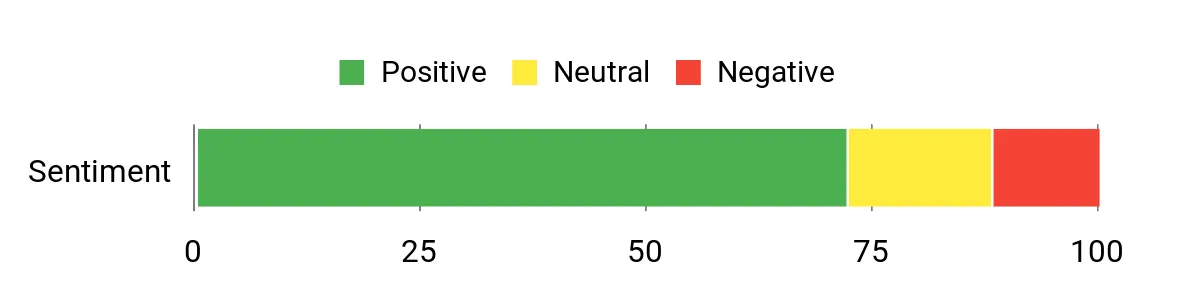
Users commonly highlight the Katana’s strong raw performance and how it handles modern games at high settings. Many appreciate the responsive display and flexible port selection, while some note it runs warm under intense loads and feels a bit bulky to carry daily.
Overall feedback leans toward satisfied gamers who value power and features.
Overall Sentiment: Positive
Situational Benefits
| Situation | How It Helps |
|---|---|
| Competitive Play | High refresh and a capable GPU keep frame rates high for responsive multiplayer experiences. |
| AAA Gaming | Strong CPU/GPU and Cooler Boost 5 sustain performance for demanding single-player titles and ray-traced effects. |
| Content Creation | Plenty of cores, RAM and fast NVMe storage speed up editing and rendering previews on the go. |
| Flexible Desk Setup | Multiple ports and HDMI up to 8K let you connect external displays and audio gear for a fuller workstation experience. |
Ease Of Use
| Feature | Ease Level |
|---|---|
| Initial Setup | Easy |
| Thermal Management | Moderate |
| Driver & Software Tuning | Moderate |
| Hardware Upgrades | Moderate |
Versatility
This laptop handles gaming, streaming and light creative work without needing a second machine, but it’s best suited to users who accept a bit of extra weight for better performance.
Durability
Construction feels solid and practical; it’s not a rugged chassis but should tolerate regular transport and desk use without issues.
Practicality
The Katana’s connectivity and expansion options make it practical for evolving setups, and its feature set fits gamers who also need content-capable hardware.
Speed & Response
The 165Hz panel paired with a modern RTX GPU offers brisk perceived input response and smooth motion, especially in fast-paced titles.
Key Benefits
- QHD+ 165Hz display for sharp, smooth visuals
- High-end CPU/GPU combo that handles modern AAA titles
- Robust thermal system for longer high-load sessions
- Good connectivity with USB-C, HDMI up to 8K and multiple USB-A ports
ASUS TUF A15
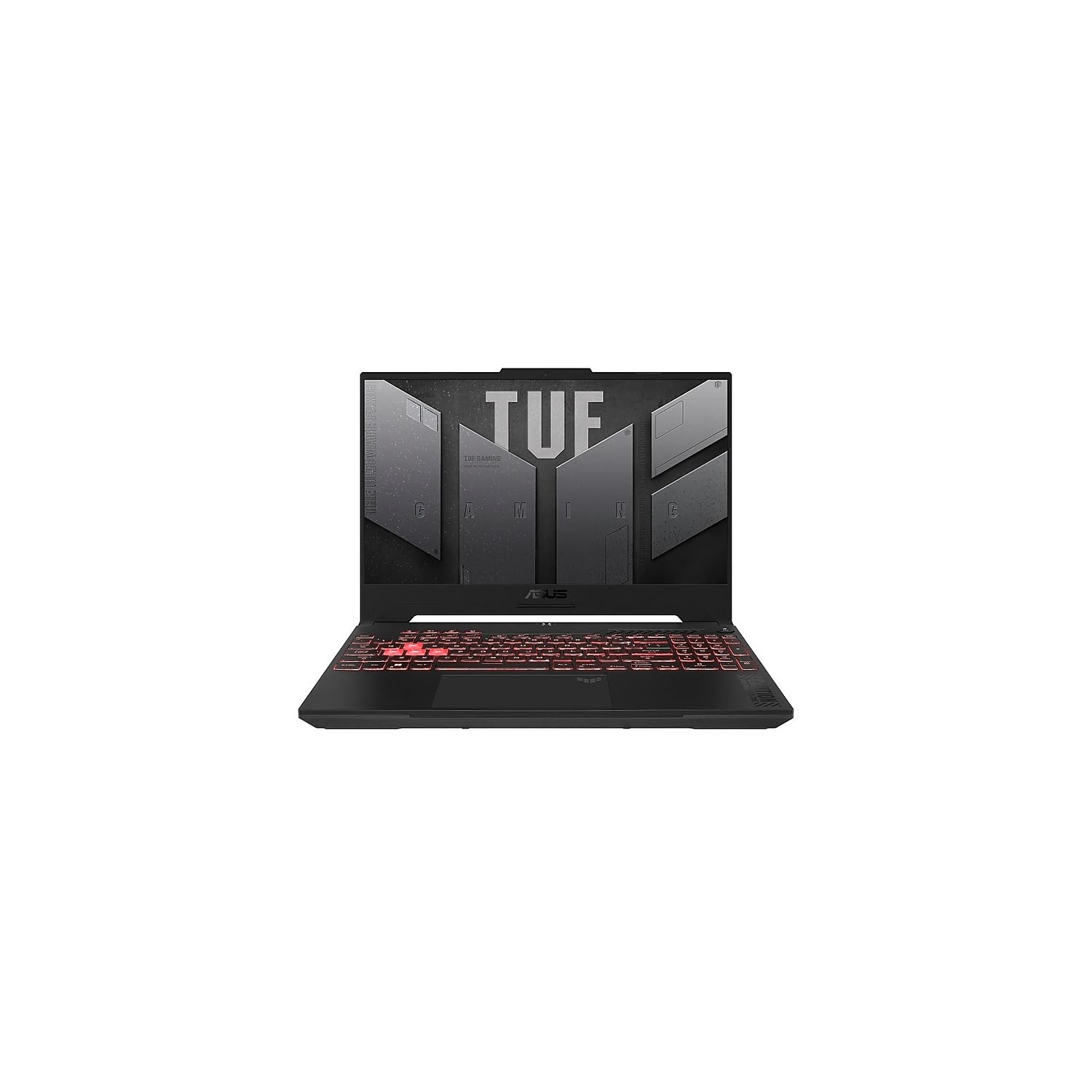
This is a practical 15-inch gamer that balances durability and everyday usability. You get a 144Hz FHD panel that keeps motion smooth, a Ryzen 5 and RTX 4060 combo that handles modern titles well, and a sturdy chassis meant for regular transport.
The TUF line focuses on reliable thermals and a comfortable keyboard, so it’s a good pick if you want something that works for daily productivity, classroom use and regular gaming sessions without overcomplicating setup.
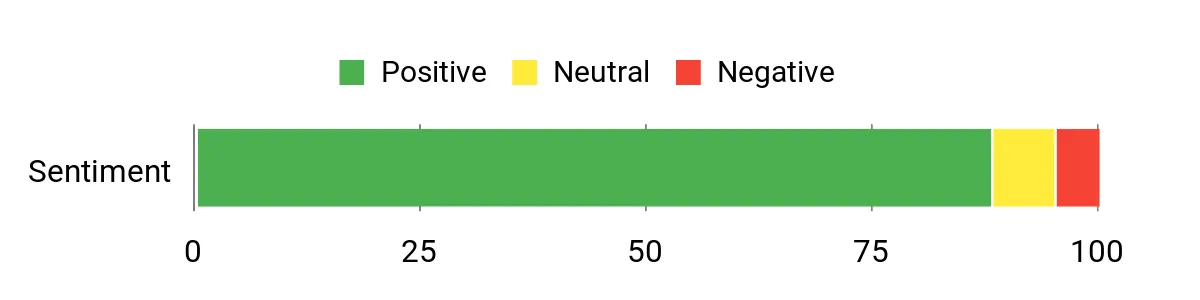
What People Say
Users commonly mention the TUF’s solid build and dependable performance for both work and play. Many appreciate the responsive 144Hz display and the comfortable keyboard for long sessions.
A few note that it’s not the lightest option, but most reviewers say it’s a dependable daily driver.
Overall Sentiment: Positive
Situational Benefits
| Situation | How It Helps |
|---|---|
| Everyday Gaming | The RTX 4060 and 144Hz panel keep your games smooth at 1080p, so you won’t need to lower settings for most titles. |
| Study & Productivity | Comfortable keyboard, solid thermals and reliable performance help you power through essays, spreadsheets and research sessions. |
| Travel Between Locations | Sturdy build handles commuting and campus life, giving you peace of mind when you toss it in a bag. |
| Casual Streaming | Good CPU/GPU balance lets you run a stream while gaming without constant frame drops on mainstream titles. |
Ease Of Use
| Feature | Ease Level |
|---|---|
| Initial Setup | Easy |
| OS & Driver Updates | Moderate |
| Storage/RAM Upgrades | Moderate |
| Thermal Profiles | Easy |
Versatility
This laptop suits students and casual gamers who need one machine for class, light creative work and solid 1080p gaming; it’s flexible without being specialized.
Durability
The TUF chassis feels rugged for daily handling and travel; it’s built to tolerate bumps and frequent moves more than most ultraportables.
Practicality
Good I/O and easy access to upgrade slots make it practical for adding storage or memory as your needs grow, and the keyboard and display support long sessions.
Speed & Response
The 144Hz panel and modern CPU/GPU deliver responsive input and smooth motion, which improves both competitive and casual play.
Key Benefits
- Reliable 144Hz FHD panel with accurate sRGB coverage
- Balanced CPU/GPU for smooth 1080p gaming and multitasking
- Durable chassis designed for everyday transport
- Straightforward upgrade path and good port selection
Lenovo LOQ 15

If you need a straightforward 15-inch laptop that handles everyday work and decent gaming, this LOQ is a practical choice. You get a 144Hz FHD panel that makes fast movement feel smoother, an i5 and RTX 3050 combo that runs most modern titles at reasonable settings, and a compact enough build to carry between home and campus. It’s a good pick when you want a single machine for studying, light content work and casual gaming without fussing over complex settings.
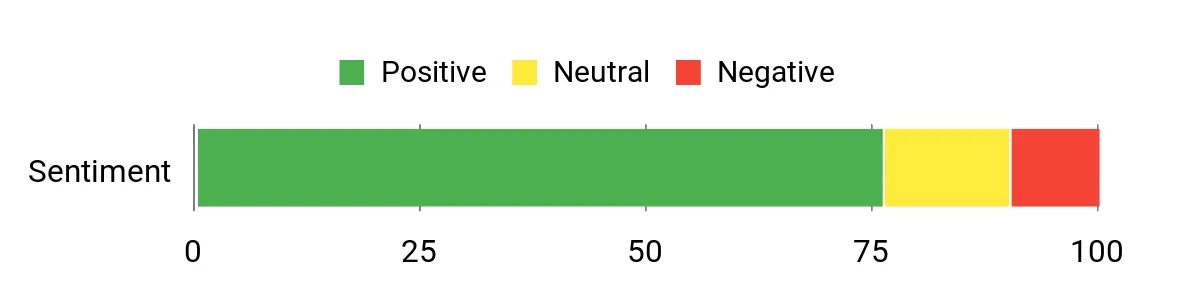
What People Say
Buyers often praise the LOQ for delivering capable performance in a compact package, noting the 144Hz screen and stable frame rates for mainstream titles. Many appreciate the laptop’s practicality for school or work and the straightforward setup.
A minority mention wanting more RAM for heavy multitasking, but most users say it hits the sweet spot for a single, versatile machine.
Overall Sentiment: Positive
Situational Benefits
| Situation | How It Helps |
|---|---|
| Casual Gaming | The RTX 3050 and 144Hz panel give you smooth play at 1080p for popular multiplayer and single-player games without complex tuning. |
| Student Use | Lightweight enough to carry between classes, with solid performance for research, notes and project work during the day. |
| Content Previewing | Fast NVMe storage and a capable GPU let you preview edits and render short clips without long waits. |
| Home Office | Reliable connectivity and a comfortable keyboard support typical productivity tasks and video calls. |
Ease Of Use
| Feature | Ease Level |
|---|---|
| Initial Setup | Easy |
| Display Settings | Easy |
| Storage Upgrades | Moderate |
| RAM Expansion | Moderate |
Versatility
This laptop works well as a daily driver that handles study, streaming and casual gaming, making it a solid single-device solution for mixed needs.
Durability
Construction feels reasonably sturdy for regular transport and desk use, suitable for students and commuters who move their laptop often.
Practicality
Good port selection and a roomy SSD keep things practical: you can connect peripherals, save projects locally and carry on without constant upgrades.
Speed & Response
The 144Hz panel combined with a modern GPU provides quick perceived input response and smoother motion, especially in fast-paced titles.
Key Benefits
- Responsive 144Hz display for smoother gameplay
- Balanced hardware for everyday productivity and casual gaming
- Light enough for regular transport with solid build
- 512GB SSD and backlit keyboard for practical daily use
HP Victus 15
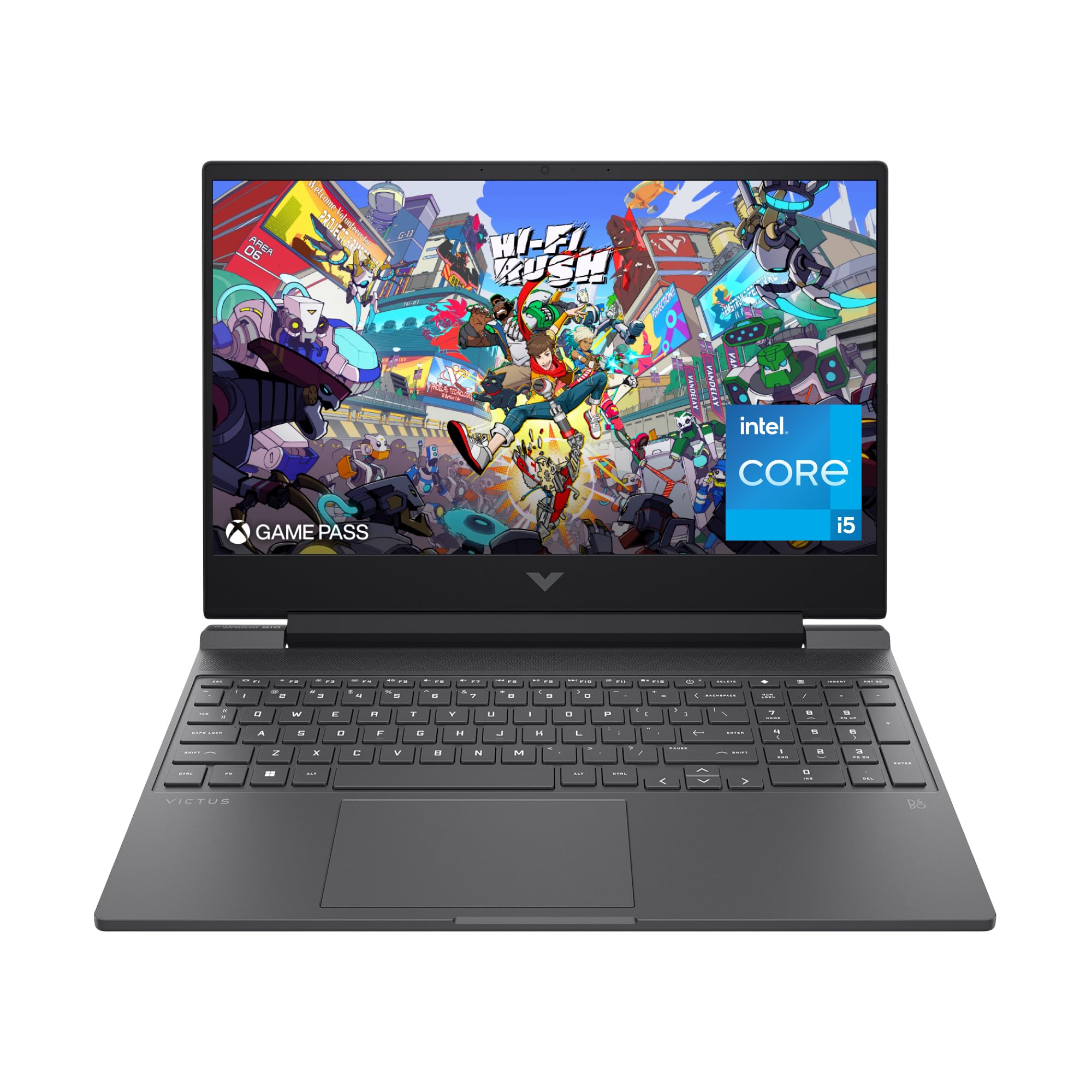
If you want a dependable 15-inch laptop that handles everyday work and modern gaming, this Victus is a sensible pick. The 144Hz panel makes motion feel smooth in shooters and competitive titles, while the i5 and RTX 4050 provide enough power for streaming, content previewing and multitasking. HP includes a roomy touchpad and an HD camera with noise reduction so your calls look cleaner, and Fast Charge brings the battery back quickly when you need it.
It’s a practical choice when you want a single machine that balances productivity and play without fuss.
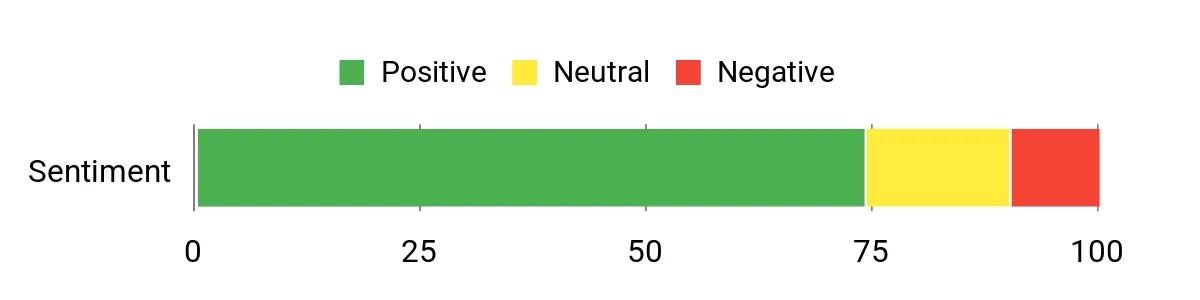
What People Say
Reviewers commonly note the Victus as a reliable everyday machine that also plays modern games well. People appreciate the responsive 144Hz screen, the solid webcam for calls, and the convenience of fast charging.
A few users mention that battery life varies with gaming load and suggest keeping the adapter handy for extended sessions.
Overall Sentiment: Positive
Situational Benefits
| Situation | How It Helps |
|---|---|
| Casual Gaming | The RTX 4050 and 144Hz panel keep many titles playable at smooth frame rates without complex tuning. |
| Streaming & Calls | HD camera with temporal noise reduction and a larger touchpad make streaming and video calls clearer and easier to manage. |
| Work & Study | Responsive performance and multitasking capacity handle document work, browsing and multiple apps without frequent slowdowns. |
| Short Trips | HP Fast Charge returns battery quickly between sessions so you can top up between classes or meetings. |
Ease Of Use
| Feature | Ease Level |
|---|---|
| Initial Setup | Easy |
| Software & Updates | Moderate |
| Battery Management | Easy |
| Hardware Upgrades | Moderate |
Versatility
This Victus is a versatile daily driver: it handles school or office tasks, casual streaming, and mainstream gaming without needing separate devices.
Durability
Build feels serviceable for regular transport and desk use; it’s not ultra-rugged but should hold up for students and commuters.
Practicality
Good I/O and a sensible feature set like Fast Charge and a clear webcam make it practical for mixed work and play routines.
Speed & Response
The 144Hz panel and modern GPU deliver quick perceived input response and smooth motion in fast-paced titles and competitive play.
Key Benefits
- 144Hz FHD display for smooth gameplay
- Balanced CPU/GPU combo good for streaming and multitasking
- Fast-charge support for quick battery top-ups
- Comfortable keyboard and larger touchpad for daily use
FAQ
How Do I Choose The Right Specs?
Start by matching the hardware to what you actually do: if you play fast competitive titles prioritize a high refresh display and a strong GPU, while creators benefit more from GPU memory, a color‑accurate panel and a multi‑core CPU. Pay attention to display resolution versus refresh rate because a 240Hz panel at 1440p needs more GPU power than 1080p at 165Hz; pick the combination that keeps your target frame rates steady.
Also check connectivity like Thunderbolt or HDMI for external monitors, and look for modern Wi‑Fi (Wi‑Fi 6/7) and generous SSD/RAM so the machine stays useful over time. When reading specs, weigh GPU, CPU, RAM and storage together rather than one number in isolation.
What Should I Expect From Battery Life And Portability?
Realistically, gaming on battery will give you far shorter runtimes than light tasks; if you plan to game for extended sessions plan to play plugged in for consistent performance. Lightweight 14‑inch models trade some cooling and raw power for easier carry, while 16‑inch desktop‑replacement machines offer stronger sustained performance but are heavier.
For everyday productivity and media you can often get several hours of use, and features like fast charge help top up between sessions, but prioritize the form factor that fits how often you’ll move the laptop versus how much gaming power you need.
Can I Upgrade And Maintain These Laptops Over Time?
Many gaming laptops let you add storage and sometimes RAM, but upgrade paths vary so check the service manual before buying; some thin models use soldered RAM while others have user‑accessible slots. Keep the cooling system clean, update GPU and chipset drivers when recommended, and run a few benchmarks on arrival to spot any issues early. If you plan to push the machine hard, consider routine maintenance like cleaning fans or reapplying thermal interface material and take advantage of manufacturer support plans if rapid service matters to you.
Customer Preferences
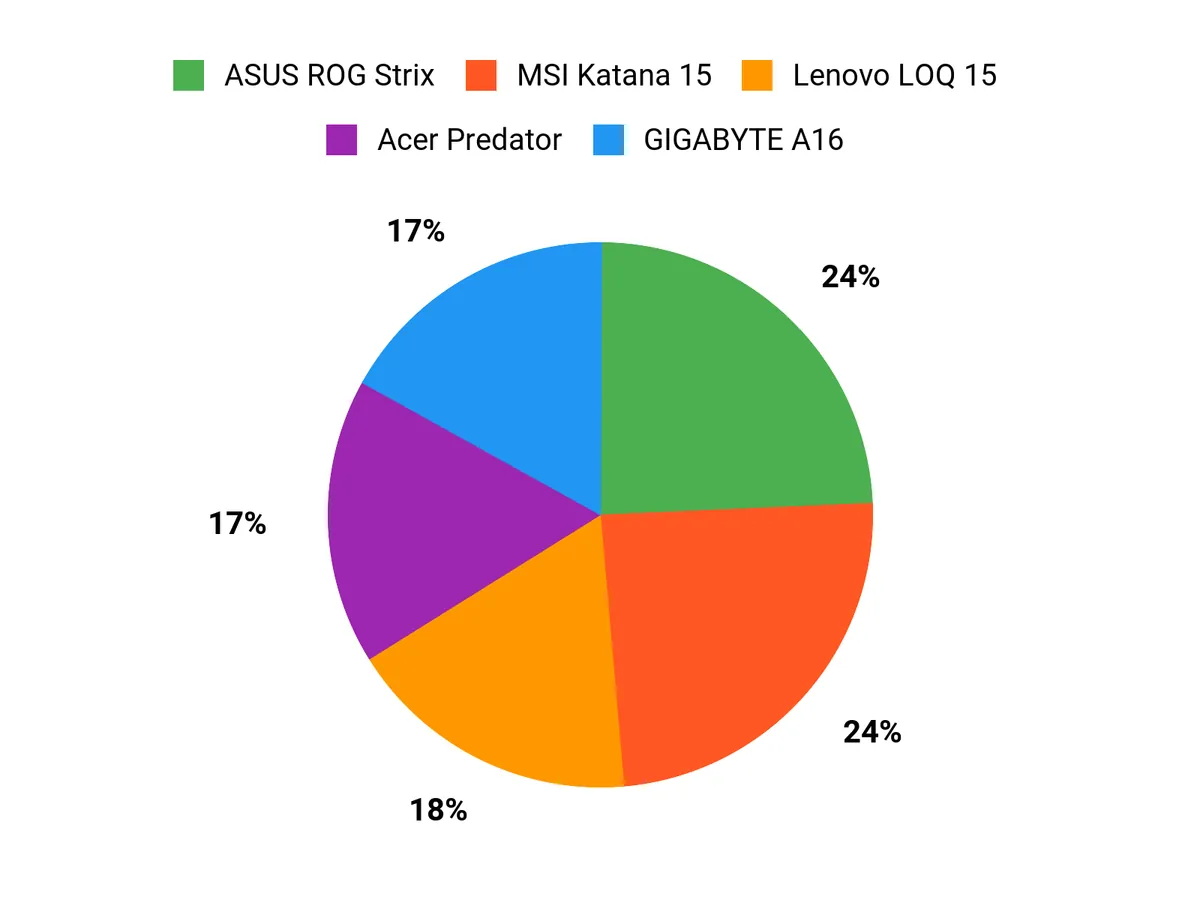
When you decide among the ASUS ROG Strix, Acer Predator and Lenovo Legion, you’re usually balancing three priorities: sustained GPU/CPU performance and cooling, display fidelity (refresh rate versus color accuracy), and how portable or upgradeable the machine needs to be. You’ll tend to pick the ROG Strix for an all-around competitive performer with strong thermals, the Predator when AI-driven tuning and wide color gamuts matter, and the Legion when OLED accuracy and quiet, sustained power are top of your list.
Wrapping Up
The 2026 laptop landscape gives you powerful choices across sizes and budgets. If you want a do-it-all machine that stays cool under long sessions, one of the high-end 16-inch models is likely best, while a 14-inch OLED model gives you lightweight portability without sacrificing image quality.
Entry-level and midrange systems now offer surprisingly strong frame rates for common titles, but expect battery life to drop under sustained gaming and plan to game plugged in for the best experience. Pay attention to thermals, display type and upgrade options, and pick the model that aligns with whether you prioritize raw performance, portability, or price so you get the most useful machine for how you play.
| Product Name | Image | Rating | CPU Model | GPU Model | RAM | Storage | Display |
|---|---|---|---|---|---|---|---|
| ASUS ROG Strix G16 |
|
See reviews on Amazon | Intel Core Ultra 9 275HX | NVIDIA GeForce RTX 5070 Ti | 32 GB DDR5 | 1 TB SSD | 16″ 2.5K (2560 x 1600) IPS, 240Hz, 500 nits |
| Acer Predator Helios Neo 16 AI |
|
See reviews on Amazon | Intel Core Ultra 9 275HX | NVIDIA GeForce RTX 5070 Ti | 16 GB DDR5 | 1 TB Gen 4 SSD | 16″ WQXGA (2560 x 1600) LCD, 240Hz |
| Lenovo Legion Pro 7i Gen 10 |
|
See reviews on Amazon | Intel Core Ultra 9 275HX | NVIDIA GeForce RTX 5080 | 32 GB DDR5 | 1 TB SSD | 16″ OLED (2560 x 1600), 240Hz |
| ASUS ROG Zephyrus G14 2025 |
|
See reviews on Amazon | AMD Ryzen AI 9 HX 370 | NVIDIA RTX 5070 Ti | 32 GB LPDDR5X | 1 TB SSD | 14″ 3K OLED (2880 x 1800), 120Hz |
| Alienware 16 Area-51 |
|
See reviews on Amazon | Intel Core Ultra 9 275HX | NVIDIA GeForce RTX 5070 Ti | 32 GB | 1 TB SSD | 16″ WQXGA (2560 x 1600), 240Hz |
| GIGABYTE GAMING A16 |
|
See reviews on Amazon | Intel Core i7-13620H | NVIDIA GeForce RTX 5070 | 16 GB DDR5 | 1 TB SSD | 16″ WUXGA (1920 x 1200), 165Hz |
| MSI Katana 15 HX |
|
See reviews on Amazon | Intel Core i9-14900HX | NVIDIA GeForce RTX 5070 | 32 GB DDR5 | 1 TB SSD | 15.6″ QHD+ (2560 x 1600), 165Hz |
| ASUS TUF Gaming A15 |
|
See reviews on Amazon | AMD Ryzen 5 7535HS | NVIDIA GeForce RTX 4060 | 16 GB DDR5 | 512 GB SSD | 15.6″ FHD (1920 x 1080), 144Hz |
| Lenovo LOQ 15 |
|
See reviews on Amazon | Intel Core i5-12450HX | NVIDIA GeForce RTX 3050 | 12 GB DDR5 | 512 GB SSD | 15.6″ FHD (1920 x 1080), 144Hz |
| HP Victus 15.6 |
|
See reviews on Amazon | Intel Core i5-12500H | NVIDIA GeForce RTX 4050 | 16 GB | 512 GB SSD | 15.6″ FHD (1920 x 1080), 144Hz |
This Roundup is reader-supported. When you click through links we may earn a referral commission on qualifying purchases.

