
Choosing a work laptop means finding the right balance between professional laptop battery life, performance, portability, and everyday comfort. A computer with excellent specifications is less useful if its battery dies halfway through your workday. The best choice depends on your tasks, how often you travel, and whether you can charge during the day.
Quick Answer
For most mobile professionals, aim for a laptop that lasts about 11 to 15 hours in independent light-to-moderate productivity testing. Around 12 tested hours gives you a useful target for a full workday, although demanding applications can shorten runtime considerably. Also prioritize 16GB of RAM, SSD storage, a comfortable keyboard, and suitable ports.
Last checked: October 10, 2026. Model specifications and published battery-test results were checked against manufacturer documentation and original testing sources.
Key Takeaways
- Battery results are configuration-specific. The Dell XPS 14 lasted 20 hours and 41 minutes with an LCD, versus 12 hours and 23 minutes with an OLED display in published testing.
- Modern Intel Core Ultra, AMD Ryzen, and Apple silicon systems offer different combinations of performance, power efficiency, and software compatibility.
- A lightweight laptop can still need adapters. Check whether HDMI, USB-A, and other essential ports are actually built in.
- Business security, warranty service, repair options, and your employer’s software requirements matter as much as raw specifications.
What Battery Life Should Work Laptops Have?
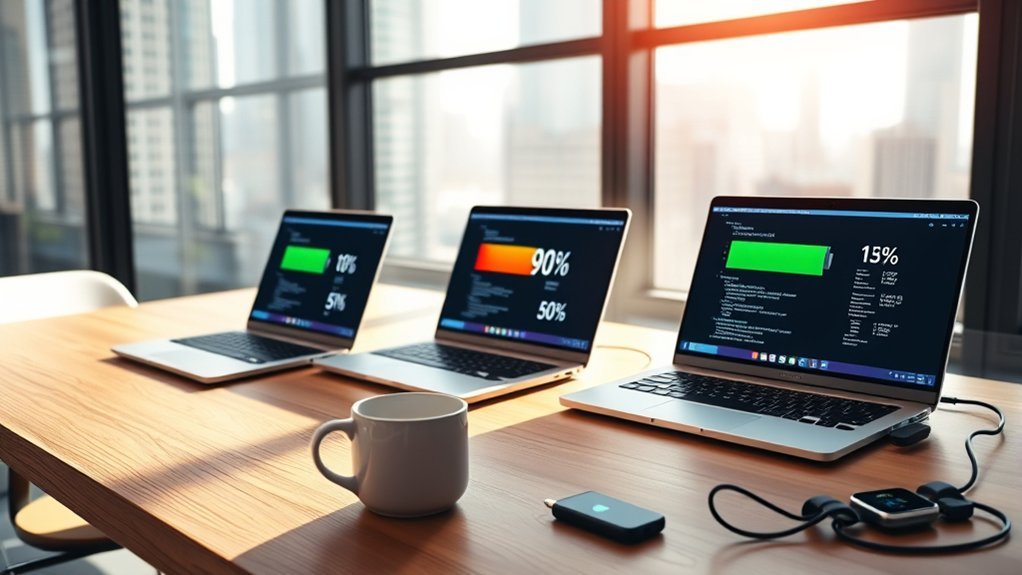
A good work laptop should have enough battery life to finish your normal tasks without an inconvenient charging break. For professionals who regularly work away from outlets, 12 hours in a relevant independent battery test is a useful buying target.
That does not mean every laptop needs 12 hours to be worthwhile. If you mainly work at a desk, a shorter-lasting model with better performance, more ports, or a larger screen may suit you.
The key is understanding what a battery-life figure actually measures.
- Manufacturer estimates: Often come from controlled tests involving video playback, web browsing, or selected productivity activities.
- Independent battery tests: Offer useful comparisons when reviewers apply the same testing method to different machines.
- Your actual runtime: Depends on screen brightness, software, connected devices, processor demand, and battery condition.
For example, reading documents and browsing websites generally require less energy than lengthy video meetings, software development, or video editing.
Two laptops advertised with similar battery life may deliver very different results when running demanding applications.
Battery life should be judged by real-world testing, not manufacturer estimates shaped by ideal conditions and unusually light workloads.
Some efficient models, including the Lenovo ThinkPad X9 15 Aura Edition, can approach 15 hours during light use. However, that does not mean every ThinkPad X9 configuration will deliver the same runtime in every application.
Independent testing of the ThinkPad X9 15 Aura Edition illustrates how long battery life can support mobile productivity.
Fast charging is another useful feature. It allows you to recover battery capacity during a lunch break, airport stop, or short meeting interval.
Why 11 to 15 Hours Is Ideal
An 11-to-15-hour battery-life target gives many professionals enough flexibility for a typical workday. It also provides some room for commuting, unexpected meetings, and work that continues after regular office hours.
Consider a professional who starts working during a commute, attends meetings, edits documents, and finishes the day with a presentation. A laptop that performs well under mixed productivity testing is more convenient than one that constantly needs a charger.
However, the ideal runtime depends on your schedule.
| Tested Battery Life | Practical Assessment |
|---|---|
| Under 8 hours | More suitable when charging is readily available or performance matters more than mobility. |
| 8 to 11 hours | Often workable for ordinary office use, although long days may require charging. |
| 11 to 15 hours | A strong target for mobile professionals handling mixed productivity tasks. |
| More than 15 hours | Especially useful for frequent travel, extended meetings, and limited access to outlets. |
These are practical buying ranges, not guarantees of actual runtime. A system that reaches 15 hours in a light browsing test may last much less under sustained heavy processing.
Battery endurance also reflects processor efficiency, display technology, power management, and software optimization. A larger battery is not automatically better if the rest of the system consumes more energy.
Which Work Laptop Features Matter Most?
The best professional laptop combines suitable performance, enough memory, comfortable input devices, practical connections, and dependable battery life. No single specification determines whether a machine will be productive.
Start with the applications you use every day. Then consider screen quality, keyboard feel, travel weight, security features, and upgrade or repair options.
Performance and Memory
For general business productivity, a modern multi-core processor with 16GB of RAM is a sensible starting point. That combination handles common combinations of browser tabs, office software, messaging, and video meetings.
Intel Core i7 and AMD Ryzen 7 processors remain capable choices, but newer Core Ultra and Ryzen AI families also offer power-efficient options.
Do not judge processor performance by the i7 or Ryzen 7 label alone. The processor’s generation, power limits, and cooling system can significantly affect sustained performance.
For more demanding work, consider additional memory and processing power.
- 8GB RAM: Can support basic document editing, email, and light browsing, but leaves less room for multitasking.
- 16GB RAM: A strong baseline for most office professionals.
- 32GB or more: Useful for large datasets, demanding development tools, virtual machines, and some creative applications.
- SSD storage: Improves application loading and general responsiveness compared with traditional hard drives.
A 256GB SSD remains a usable entry point, while 512GB or more provides additional space for documents, offline files, applications, and project data.
| Component | Practical Baseline |
|---|---|
| Processor | Modern multi-core Intel Core, Core Ultra, AMD Ryzen, or equivalent Apple silicon |
| Memory/Storage | 16GB RAM, 256GB SSD minimum; 512GB SSD preferred for greater flexibility |
Memory upgradeability deserves attention because many thin laptops have soldered RAM. If memory cannot be upgraded later, choose enough when purchasing.
Keyboard and Display
A comfortable keyboard and clear display make a major difference during long work sessions. Even a powerful laptop can become frustrating if typing feels uncomfortable or the screen is difficult to read.
Look for stable keys, consistent feedback, useful key spacing, and a precise touchpad. Backlighting can help when working in dimly lit environments.
Display quality matters for spreadsheets, documents, presentations, and creative work.
- Resolution: Full HD (1920 x 1080) or higher is a sensible baseline. A 1920 x 1200 display offers additional vertical workspace.
- Brightness: Around 300 nits is a useful starting point for normal indoor environments, although brighter screens can help near windows or outdoors.
- Display technology: IPS panels can provide a practical balance of clarity and efficiency. OLED panels offer excellent contrast and deep blacks.
- Screen size: Smaller screens improve portability, while larger displays make side-by-side windows easier to manage.
For creative work, also evaluate color accuracy and color-gamut coverage rather than resolution alone.
Display selection can affect battery life. Higher resolutions, greater brightness, and different panel technologies change how much power a laptop uses.
Battery and Portability
For professionals who travel regularly, battery endurance and carrying weight deserve serious attention. A laptop weighing under 3 pounds can make daily commuting more comfortable.
However, a lightweight design should not come at the expense of essential connections or acceptable performance.
The Lenovo Yoga Slim 7i Aura Edition tested in 2026 weighs approximately 2.15 pounds and lasted 16 hours and 38 minutes in a published mixed-use battery test.
Its compact design comes with a practical tradeoff: the tested model includes three Thunderbolt 4 USB-C ports but lacks built-in HDMI and USB-A.
The Lenovo Yoga Slim 7i Aura Edition review documents its specifications and measured endurance.
If you connect projectors, external storage, wired networks, or older peripherals, check the exact port selection before deciding.
How to Choose a Laptop for Your Workload
Choose your work laptop by identifying your most demanding regular tasks. Then match the processor, memory, storage, display, and operating system to those requirements.
A laptop designed for email and office documents does not need the same hardware as one running engineering software or professional video-editing applications.
Match Tasks First
List the applications you use every workday. Include any specialized software, security tools, external displays, and connected equipment required by your employer.
Next, choose specifications that can handle those applications comfortably.
| Workload | Suggested Hardware | Key Priority |
|---|---|---|
| Email, documents, and web browsing | Modern efficient processor, 8GB to 16GB RAM, SSD | Comfort and battery life |
| Heavy spreadsheets and multitasking | Capable multi-core CPU, 16GB to 32GB RAM | Memory and screen space |
| Programming and development | Modern multi-core CPU, 16GB to 32GB or more depending on projects | Performance and software compatibility |
| Photo and graphic design | Strong CPU, sufficient RAM, color-accurate high-resolution display | Display quality |
| Video editing, CAD, or 3D work | High-performance CPU, ample RAM, suitable GPU | Sustained processing power |
These are starting points, not software-specific minimum requirements. Professional applications may demand more memory, graphics power, or storage.
Before buying, confirm that your essential programs support the intended operating system and processor architecture.
Prioritize Portability Needs
Consider how often you carry your laptop and where you use it. Frequent travelers benefit from low weight, compact dimensions, long battery endurance, and a durable chassis.
Evaluate portability using these practical factors:
- Choose a laptop under 3 pounds when low carrying weight is a major priority.
- Consider a 13- to 15-inch display for a balance between workspace and mobility.
- Look for a 1920 x 1080 or higher-resolution screen for readable text and documents.
- Examine chassis rigidity, hinge quality, keyboard comfort, and the manufacturer’s support options.
- Check whether you need USB-C, Thunderbolt, HDMI, USB-A, or an Ethernet adapter.
The ThinkPad X1 Carbon Gen 14 Aura Edition is one example of a business-focused ultraportable. Lenovo lists a starting weight below 2.2 pounds, a 58Wh battery, HDMI, USB-A, and Thunderbolt 4 connectivity.
Its configuration options are documented in Lenovo’s ThinkPad X1 Carbon Gen 14 specifications.
For frequent travel, a good keyboard and reliable connectivity can be more valuable than saving a small amount of weight.
Balance Power and Battery
More processing power does not automatically mean a better work laptop. The goal is to choose enough performance for your applications while retaining useful unplugged runtime.
Power-efficient processors can perform everyday tasks without drawing as much energy as high-performance chips running at sustained loads.
For ordinary office work, a modern Core Ultra, Ryzen, or Apple silicon processor with 16GB of RAM can provide a strong balance.
More demanding workloads may justify an Intel Core i7, AMD Ryzen 7 or Ryzen 9, higher-performance Core Ultra configuration, or a suitable MacBook Pro.
Check more than the processor name. Cooling performance, memory configuration, graphics capability, and actual battery testing all affect the result.
If your work requires long periods of heavy computing, prioritize sustained performance and realistic workload testing rather than relying only on advertised battery life.
Which Professional Laptops Last All Day?
Several professional and premium laptops offer excellent battery endurance, but their reported runtimes use different test methods. Comparing the figures without understanding those methods can create unrealistic expectations.
The following examples illustrate how much battery performance can vary between models and configurations.
| Laptop | Published Battery Result | Measurement Type |
|---|---|---|
| Dell XPS 14 (2026) | 20 hours 41 minutes (LCD); 12 hours 23 minutes (OLED) | Independent testing |
| Lenovo Yoga Slim 7i Aura Edition (2026) | 16 hours 38 minutes | Independent mixed-use testing |
| MacBook Air (M5) | Up to 15 hours wireless web; 18 hours video streaming | Apple’s laboratory estimates |
| Lenovo ThinkPad X9 15 Aura Edition | Around 15 hours during light use | Independent light-use testing |
| Framework Laptop 13 Pro | Up to 20 hours | Manufacturer claim |
Important: These figures are not results from one standardized comparison. Manufacturer estimates and tests from different reviewers should not be ranked as though they used identical conditions.
The MacBook Air M5 figures come from Apple’s published technical specifications. Apple distinguishes between wireless web browsing and video-streaming battery tests.
The Framework Laptop 13 Pro also deserves attention for buyers interested in repairability. Framework describes a redesigned chassis, a 74Wh battery, upgradeable components, and up to 20 hours of claimed battery life in its Laptop 13 Pro announcement.
For office users, these examples show why a laptop’s screen configuration and testing method can matter as much as its processor family.
Best Windows Laptops for Battery Life
The Dell XPS 14 and Lenovo Yoga Slim 7i Aura Edition are strong examples of Windows laptops with excellent tested battery endurance. HP’s OmniBook Ultra and Lenovo’s business-focused ThinkPad models provide additional options.
Dell XPS 14 (2026): The lower-resolution LCD configuration achieved 20 hours and 41 minutes in testing. The tandem OLED configuration lasted 12 hours and 23 minutes, highlighting the importance of screen choice.
The independent Dell XPS 14 battery review reports these results using a combination of web browsing, streaming video, and graphics-related tests.
Lenovo Yoga Slim 7i Aura Edition (2026): The tested 14-inch model combines a lightweight chassis, 2880 x 1800 POLED display, and 16-hour-38-minute tested endurance. Its limited port variety is an important tradeoff.
HP OmniBook Ultra: A previously tested configuration delivered 12 hours and 52 minutes with an AMD Ryzen AI processor and a 2240 x 1400 IPS touch display.
That model weighed approximately 3.47 pounds, making it less suitable for buyers who insist on a sub-3-pound laptop. Its details appear in the HP OmniBook Ultra review.
Lenovo ThinkPad X1 Carbon Gen 14 Aura Edition: This model emphasizes business connectivity, a lightweight build, keyboard usability, and enterprise-oriented features.
Battery claims and tested results depend on the exact display and hardware configuration. A model with an efficient IPS panel can behave differently from one with a higher-resolution OLED screen.
For Windows buyers, the best choice depends on whether maximum endurance, business features, screen quality, or processing performance comes first.
Best MacBooks for Work and Travel
The MacBook Air M5 offers a strong combination of portability and everyday productivity. The 14-inch MacBook Pro M5 provides greater display capability and professional connectivity, while the MacBook Neo offers a lower-cost entry point.
MacBook Air (M5): Best Balance for Mobile Office Work
The 13-inch MacBook Air M5 includes a 10-core CPU, a 13.6-inch Liquid Retina display, and 512GB of starting storage. It supports up to 18 hours of video streaming or 15 hours of wireless web use under Apple’s test conditions.
Its 16GB starting memory configuration suits many business users handling office applications, browser-based work, and multitasking.
For US buyers, Apple’s current MacBook Air product page lists the 13-inch M5 model from $1,299. This replaces the earlier $1,099 starting price referenced in the original article.
The Air’s light design and two Thunderbolt 4 ports make it practical for mobile work, although users with older accessories may need an adapter.
MacBook Pro 14-Inch (M5): For More Demanding Work
The 14-inch MacBook Pro M5 is better suited to professionals who want a high-quality display and greater connectivity alongside strong processing performance.
Apple specifies a 14.2-inch Liquid Retina XDR display with 3024 x 1964 resolution. It also provides a 10-core M5 CPU and up to 16 hours of wireless web battery life under Apple’s testing conditions.
The laptop weighs approximately 3.4 pounds and offers features that can be useful for creative and technical work.
Its official MacBook Pro M5 specifications provide the details for display, memory, charging, and connectivity.
Professionals with particularly demanding editing, rendering, or development workloads should also evaluate the higher-performance MacBook Pro configurations.
MacBook Neo: Lower-Cost Everyday Productivity
The MacBook Neo offers a more affordable option for users who primarily need browsing, documents, email, and basic productivity applications.
Introduced with a US starting price of $599, it features a 13-inch Liquid Retina display, an Apple A18 Pro chip, and a lightweight aluminum chassis.
The standard model includes 8GB of unified memory, which may be limiting for heavy multitasking or demanding professional software.
Its smaller selection of ports also makes it less adaptable to some office setups than higher-end MacBooks.
Apple’s MacBook Neo announcement confirms its starting price and intended everyday-use positioning.
For buyers who regularly use resource-intensive applications, the MacBook Air’s additional memory and performance flexibility can justify the higher cost.
Best Lightweight Laptops for Business Trips
Business travelers should favor laptops that are easy to carry, comfortable to use, and capable of lasting through meetings and transit. Weight matters, but it should be balanced against battery performance and connectivity.
Several models illustrate the available choices.
- Lenovo Yoga Slim 7i Aura Edition: Approximately 2.15 pounds in the tested 2026 configuration, with strong battery endurance and a 14-inch high-resolution display.
- ThinkPad X1 Carbon Gen 14 Aura Edition: Starts below 2.2 pounds and includes business-friendly connections such as HDMI, USB-A, and Thunderbolt 4.
- Dell XPS 14 (2026): Around 3 pounds, with particularly strong battery results in the lower-resolution LCD configuration.
- MacBook Neo: Approximately 2.7 pounds, offering a compact option for lighter professional workloads.
- HP OmniBook Ultra: Approximately 3.47 pounds in the tested configuration, trading some portability for capable AMD-based performance.
For frequent flights and commuting, also consider the power adapter’s size and weight. The lightest laptop is not always the lightest complete travel setup.
A comfortable keyboard is especially valuable when working in hotel rooms, airport lounges, or temporary offices without external peripherals.
Professionals who frequently present to clients should confirm whether their laptop supports the display connections used at meeting locations.
Remote workers may also benefit from a capable webcam, clear microphones, and dependable wireless connectivity.
Is Longer Battery Life Worth Paying For?
Paying more for battery life makes sense when longer unplugged operation solves a real work problem. If you regularly travel, attend lengthy meetings, or work where outlets are unavailable, extra endurance can be worth the cost.
However, battery life should not automatically take priority over memory, performance, display quality, or required business software.
A laptop with excellent endurance but insufficient RAM can still slow your work. Likewise, a highly efficient computer may be unsuitable if it cannot run an essential application.
Before spending more, evaluate how often battery limitations actually interrupt your day.
- How many hours do you regularly work away from an outlet?
- Do video meetings or demanding applications significantly shorten your current laptop’s runtime?
- Can you recharge during lunch or between meetings?
- Would additional memory or a better display provide a greater productivity benefit?
- Does the more expensive model include better repair, warranty, or support options?
Battery condition also matters. An older laptop may deliver less runtime than it did when new because rechargeable batteries lose capacity over time.
If you already own a Windows laptop, Microsoft’s battery-saving guidance explains how screen settings, background activity, and energy-saving options can reduce consumption.
You can also generate a Windows battery report using powercfg /batteryreport to inspect battery capacity and usage history.
For many professionals, the best investment is not the laptop with the highest advertised runtime. It is the one that reliably completes their work without unnecessary compromises.
Frequently Asked Questions
What Is the Best Laptop for Professional Use?
The best professional laptop depends on your workload and operating system. The ThinkPad X1 Carbon Gen 14 Aura Edition is a strong option for mobile business users who value low weight, keyboard comfort, and connectivity. The MacBook Air M5 is another good choice for professionals who prefer macOS and efficient everyday performance.
What Laptops Do CEOs Use?
There is no single laptop model that CEOs universally use. Executive laptop choices depend on company purchasing policies, security requirements, operating-system preferences, and travel needs. Premium ThinkPad, Dell business, and MacBook models are relevant options, but specific executive purchasing preferences should not be assumed without reliable supporting evidence.
Which Laptop Brand Is Best for Professional Use?
Lenovo, Dell, HP, Apple, and Microsoft offer laptops suited to professional use, but no brand is best for everyone. ThinkPad and Dell Pro systems emphasize business requirements, while MacBooks offer a different software and hardware experience. Choose according to application compatibility, support services, security features, portability, and budget.
Which Laptop Brand Is Most Reliable?
No laptop brand can be identified as the most reliable in every situation. Reliability varies by model, generation, hardware design, usage, and service quality. Lenovo ThinkPad, Dell business, HP business, and Apple MacBook models are worth comparing, but specific warranty terms, repair options, and credible long-term reliability data should guide the decision.
Is 8 Hours of Battery Life Enough for a Work Laptop?
Eight hours of battery life can be enough when your workload is light and charging is readily available. However, eight hours measured under ideal conditions may not cover a full day of meetings and multitasking. Frequent travelers should consider a laptop with longer independently tested endurance and some reserve capacity.
Does an OLED Laptop Use More Battery Than an LCD Laptop?
An OLED laptop can use more battery than a comparable LCD configuration, although consumption depends on brightness, displayed content, resolution, and panel design. The Dell XPS 14 provides a clear example of different results between its LCD and OLED versions. Always compare the exact display configurations rather than assuming all models have identical endurance.
Conclusion
The right professional laptop balances battery life, performance, portability, and daily usability. For mobile workers, approximately 11 to 15 hours in relevant independent testing is a strong target, with longer endurance offering additional flexibility.
Before choosing, match the laptop to your actual workload, compare battery results for the exact configuration, and confirm that its memory, ports, software compatibility, and support options meet your needs.
Sources
- Tom’s Hardware: Dell XPS 14 (2026) Review: Independent LCD and OLED battery-life results, design, and performance.
- Tom’s Hardware: Lenovo Yoga Slim 7i Aura Edition Review: Tested battery life, weight, display, and connectivity.
- Apple: MacBook Air M5 Technical Specifications: Processor, memory, storage, display, ports, and battery estimates.
- Lenovo: ThinkPad X1 Carbon Gen 14 Aura Edition Specifications: Business hardware, weight, battery capacity, and connectivity.
- RTINGS: Lenovo ThinkPad X9 15 Aura Edition Review: Independent battery-life assessment during light use.
- Framework: Introducing Framework Laptop 13 Pro: Battery specifications, manufacturer endurance claims, and repairability.
- Tom’s Hardware: HP OmniBook Ultra Review: Tested endurance, weight, processor, and display specifications.
- Apple: MacBook Air: Current US starting price and available MacBook Air configurations.
- Apple: MacBook Pro 14-Inch M5 Technical Specifications: Display, performance hardware, weight, and battery estimates.
- Apple Newsroom: Introducing MacBook Neo: Original US starting price and product positioning.
- Dell Technologies: Business and Consumer PC Branding: Dell Pro positioning for business customers.
- Microsoft Support: Battery-Saving Tips for Windows: Windows power-management settings and battery-saving guidance.

