
As an Amazon Associate I earn from qualifying purchases.
You need a laptop that handles color-accurate displays, heavy GPU workloads, and long editing sessions without slowing down your creativity. This guide helps you cut through specs and marketing to find machines that balance screen quality, graphics power, memory, storage, and portability so you can pick a tool that fits your workflow.
Whether you value raw rendering speed, a faithful OLED panel, or a mobile workstation with business features, these picks make it easier to match a laptop to the projects you actually do.
Top Picks
| Category | Product | Score |
|---|---|---|
| 🏆 Best for Creators | Apple MacBook Pro | 95/100 |
| 🚀 Best Performance | ASUS ROG G16 | 93/100 |
| 🎯 Best for Immersive Display | ASUS ROG G18 | 90/100 |
| 💼 Best Mobile Workstation | Dell Precision 3591 | 91/100 |
| 🤖 Best for AI Creators | ASUS Vivobook S16 | 89/100 |
| 💰 Best Value Large Screen | ASUS Vivobook 18 | 85/100 |
How We Chose
We prioritized what matters in real graphics work: raw GPU and CPU power for rendering and previews, display quality for accurate color and contrast, and enough RAM with fast SSD storage to keep large files moving. We also weighed battery life and thermals for on-the-go work, port selection for external monitors and drives, OS ecosystem and software compatibility, and build quality for heavy daily use.
Where price mattered, we noted value versus capability so you can weigh cost against the features you need.
Quick Comparison
Not sure where to start? Here’s a simplified breakdown:
- Pick the MacBook Pro if you want best-in-class battery life, color accuracy, and tight macOS integration for photo and video editing.
- Pick the ROG G16 if you need desktop-class GPU power (RTX 5070 Ti) for 3D, motion design, or GPU-heavy effects work.
- Pick the ROG G18 if you want the G16’s performance on a larger 18-inch screen for detailed timeline and viewport work.
- Pick the Dell Precision 3591 if you need ISV-certified drivers, enterprise security, and reliable CAD/engineering performance.
- Pick the Vivobook S16 if you want a lightweight creator laptop with a stunning OLED display and AI-ready features under $1,300.
- Pick the Vivobook 18 if screen real estate and value matter most and you work mainly at a desk.
This MacBook Pro is a reliable creative companion when you need serious speed and a top-tier display. App launches are quick, timeline scrubbing is smooth, and the Liquid Retina XDR screen shows color and contrast clearly for photo and video work.
It shines during long editing sessions on the road, quick client reviews, and projects where battery life and responsiveness matter. If screen accuracy, tight hardware-software integration, and a compact but powerful machine top your list, this one is easy to recommend.
Who it’s for: Photo and video editors who need color accuracy, long battery life, and a portable machine that runs Adobe Creative Cloud and Final Cut Pro without breaking a sweat.
Why it’s worth it: The M2 Pro chip handles most creative workloads without the thermal or power tradeoffs of older Intel-based MacBooks, and strong resale value makes it a smarter long-term investment.
What People Say
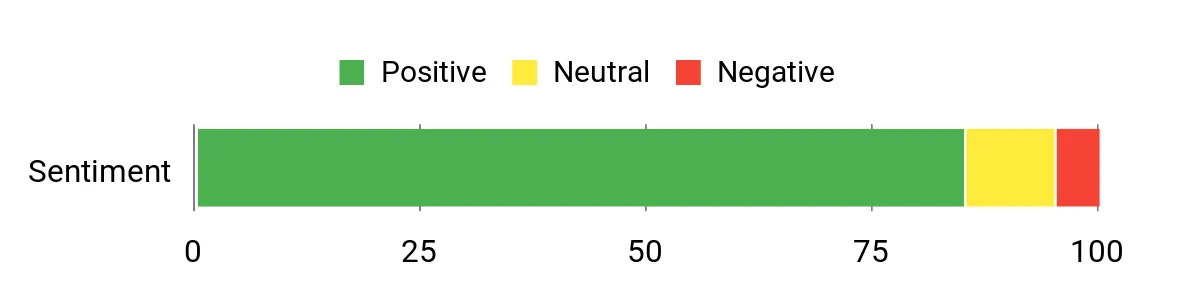
Customers praise the speed and battery life, noting that the M2 Pro breezes through photo and video workflows while lasting far longer unplugged than older models. Reviewers highlight the display quality, improved keyboard, trackpad responsiveness, and smooth pairing with iPhone and iPad.
A few users mention an adjustment period when switching platforms, but most agree the machine feels like a durable upgrade.
Overall Sentiment: Positive
Long-Term Value
You’ll likely keep this laptop longer thanks to efficient Apple silicon, consistent macOS updates, and strong resale value. That can make it a smarter investment over time compared with machines that need earlier replacement or frequent component upgrades.
How It Helps
| Situation | How It Helps |
|---|---|
| On-Location Shoots | Up to 22 hours of battery life and a lightweight profile let you edit and review footage without hunting for outlets. The bright XDR display (over 1,000 nits) helps you judge exposure outdoors. |
| Tight Deadlines | Fast CPU and GPU performance shortens export and render times so you can iterate quickly and meet client deadlines. |
| Color Grading | The Liquid Retina XDR panel delivers wide contrast and accurate colors so you can make confident grading decisions without immediately needing an external monitor. |
| Everyday Multitasking | Unified memory and efficient resource management keep heavy apps like Lightroom, Illustrator, and browser tabs open without slowdown. |
Versatility
You can use it for quick edits on the go, full-scale video timelines, photo retouching, and even some 3D work depending on project size. It plays well with creative apps optimized for macOS and works smoothly with iPad and iPhone for asset transfers and continuity features.
Look & Feel
The silver all-aluminum unibody design looks professional and feels solid, so your workstation doubles as a polished presentation piece in client meetings.
Innovation
The M2 Pro’s unified memory architecture and power efficiency offer a modern balance of performance and battery life, letting you push creative apps without the thermal or power tradeoffs of older designs.
Comfort
The improved Magic Keyboard with Touch ID and large, responsive Force Touch trackpad make long editing sessions less fatiguing. The six-speaker sound system with Spatial Audio provides clear reference sound for quick checks when you don’t have headphones handy.
Best For
Intermediate to Professional
Key Benefits
- M2 Pro chip with 12-core CPU and 19-core GPU for smooth rendering and multitasking
- 16.2-inch Liquid Retina XDR display (over 1,000 nits HDR) for accurate color
- Up to 22 hours of battery life for extended on-location work
- Solid build with three Thunderbolt 4 ports, HDMI, SDXC slot, and tight Apple ecosystem integration
If you need desktop-class GPU power in a laptop, this one delivers while staying reasonably portable at about 5.5 lbs. Expect fast framerates for realtime previews, quick exports when you push the RTX 5070 Ti, and enough RAM and storage to keep multiple creative apps open. The bright 2.5K 240Hz Nebula display makes motion and color look smooth, and the chassis gives you room to upgrade RAM and storage later.
Who it’s for: 3D artists, motion designers, and video editors who need strong GPU acceleration and realtime viewport performance from a portable machine.
Why it’s worth it: The RTX 5070 Ti with 12GB GDDR7 and 140W TGP brings near-desktop rendering power to a laptop, and user-upgradeable internals help extend its useful life.
What People Say
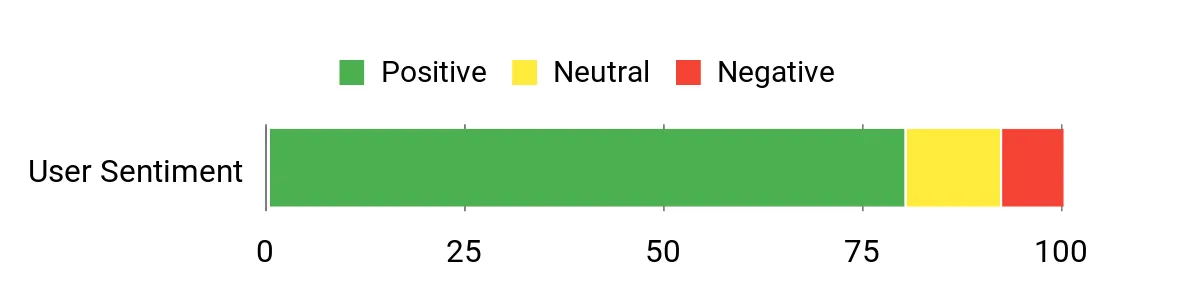
Buyers highlight the machine’s sheer speed and how well it handles demanding games and creative tools. Many praise the display and upgrade-friendly design. Thermals and fan noise are reasonable given the performance, while a few mention quirks like the numpad overlay on the touchpad and that some configurations ship with Windows Home rather than Pro.
Overall Sentiment: Positive
Value Over Time
Because you can upgrade RAM and storage (with an extra PCIe Gen 5 slot available) and the chassis is built for longevity, you can extend the laptop’s useful life rather than replacing the whole system when needs grow.
Situations
| Situation | How It Helps |
|---|---|
| Realtime Previews | The RTX 5070 Ti GPU and 240Hz panel keep playback smooth so you can judge motion and effects without rendering every change. |
| Heavy Rendering | A fast Intel Core Ultra 9 275HX CPU, RTX GPU with DLSS 4 support, and PCIe 4.0 SSD shorten export times and speed up batch tasks. |
| Portable Editing | It’s portable enough to edit on location while offering desktop-level performance when plugged in for longer sessions. |
| Multitasking | 32GB of DDR5-5600 memory keeps large apps, browser tabs, and background tools running without constant swapping. |
Versatility
You can game, edit video, work in 3D, and run heavy creative suites on this laptop. It’s a multipurpose powerhouse for anyone who needs both entertainment and production capabilities.
Style
The Eclipse Gray chassis and customizable RGB accents give it a polished, modern look that fits both a streaming setup and a creative desk.
Innovation
Blending a high-refresh Nebula panel (100% DCI-P3) with a laptop-class RTX 5070 Ti and upgradeable internals makes it a forward-thinking option for power users who want flexibility.
Comfort
The keyboard is tuned for long sessions with liquid metal thermal compound helping keep surface temps reasonable, though the unit is on the heavier side for frequent commuting.
Best For
Intermediate to Professional
Key Benefits
- RTX 5070 Ti (12GB GDDR7, 140W) and Intel Core Ultra 9 275HX for fast renders and realtime previews
- 16″ 2.5K 240Hz ROG Nebula display with 100% DCI-P3 for smooth, detailed visuals
- 32GB DDR5-5600 and PCIe 4.0 SSD keep large files responsive
- User-upgradeable RAM, SSD (with PCIe Gen 5 slot), and effective tri-fan cooling
This is a big-screen performance laptop that feels closer to a portable desktop than a travel machine. You get a bright 18-inch Nebula panel and a GPU/CPU combo that tackles heavy timelines, 3D previews, and high-frame-rate playback without slowing down. The 2TB SSD gives you generous local storage, and Windows 11 Pro is included out of the box.
Who it’s for: Creators who want a larger workspace for detailed timeline editing, 3D viewport work, or on-site client presentations where screen size matters.
Why it’s worth it: The 18-inch 2.5K display at 240Hz paired with 2TB of fast storage and upgradeable internals makes this a capable desktop replacement that won’t need a full swap anytime soon.
What People Say
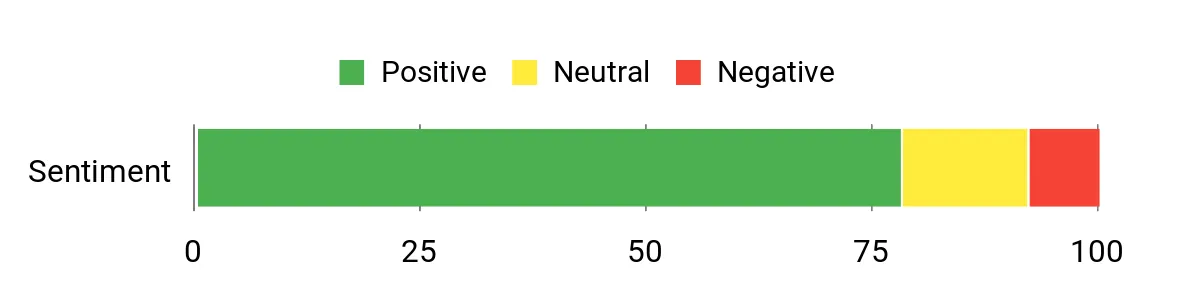
Users praise the big, vivid screen and reliable performance that handles games and creative apps alike. Many appreciate the sturdy build and the upgrade-friendly internals, and several note the cooling keeps things stable under load.
Some buyers mention it’s heavy to carry and that fans can get loud when the system is pushed hard.
Overall Sentiment: Positive
Long-Term Value
Because RAM and SSDs are accessible (with an upgrade path to PCIe Gen 5 storage) and the chassis is built to last, you can extend the laptop’s lifespan with upgrades rather than replacing the whole machine.
Situations
| Situation | How It Helps |
|---|---|
| Large Timelines | The RTX 5070 and 32GB of RAM let you scrub and edit long video projects with fewer dropped frames and faster exports. |
| 3D Previews | Real-time viewport performance is smoother so you can iterate on models and scenes without constantly waiting on renders. |
| Client Reviews | The 18″ high-quality panel with 100% DCI-P3 makes color and detail easier to judge during on-site presentations. |
| Extended Sessions | An end-to-end vapor chamber and tri-fan cooling system help maintain performance during long editing or render runs. |
Versatility
This laptop covers gaming, video editing, motion design, and 3D work well, so you can switch between creative projects and entertainment without changing machines.
Style
The Eclipse Gray metal finish and subtle RGB light bar give it a premium, professional look that fits both a home studio and a streaming setup.
Innovation
Pairing a high-refresh Nebula display with modern Intel and NVIDIA silicon, Wi-Fi 7, and easy upgrade paths keeps the platform relevant for new creative workflows and GPU-accelerated features.
Comfort
The keyboard is solid for long sessions and the cooling design keeps surface temps manageable, though the unit’s size and weight make it less ideal for frequent travel.
Best For
Intermediate to Professional
Key Benefits
- Large 18″ 2.5K 240Hz Nebula display with 100% DCI-P3 for smooth previews
- Intel Core Ultra 9 275HX and RTX 5070 for demanding workloads
- 32GB DDR5-5600 and 2TB PCIe Gen 4 SSD for responsive multitasking
- User-upgradeable design, Wi-Fi 7, Windows 11 Pro, and effective tri-fan cooling
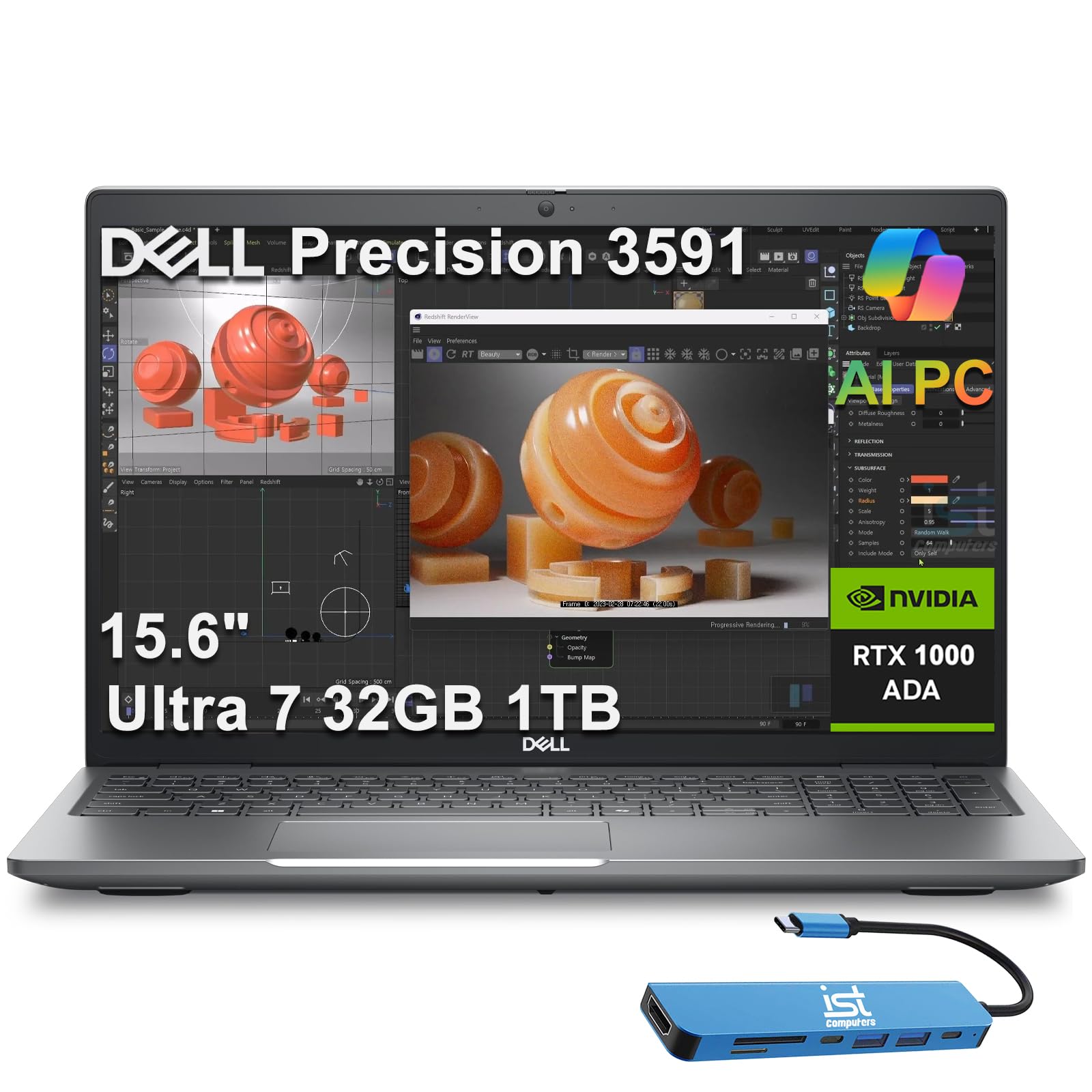
This Precision is built for professionals who want workstation stability in a compact 15.6-inch package. You get CPU and GPU power tuned for engineering, CAD, and content workflows, plus Intel vPro for enterprise manageability.
The system focuses on security with fingerprint authentication and a webcam shutter, so you can use it in client meetings and on-site reviews with confidence. Note that the FHD display covers about 45% NTSC (a narrower color gamut than the other laptops on this list), so it’s better suited for CAD and engineering than for color-critical grading without an external reference monitor.
Who it’s for: Engineers, architects, and design professionals who need ISV-certified drivers, enterprise security, and reliable CAD/simulation performance in a portable form factor.
Why it’s worth it: Workstation-class reliability, vPro manageability, and Thunderbolt 4 connectivity mean fewer headaches in team environments, and the lightweight ~3.96 lb chassis makes it easy to carry between offices.
What People Say
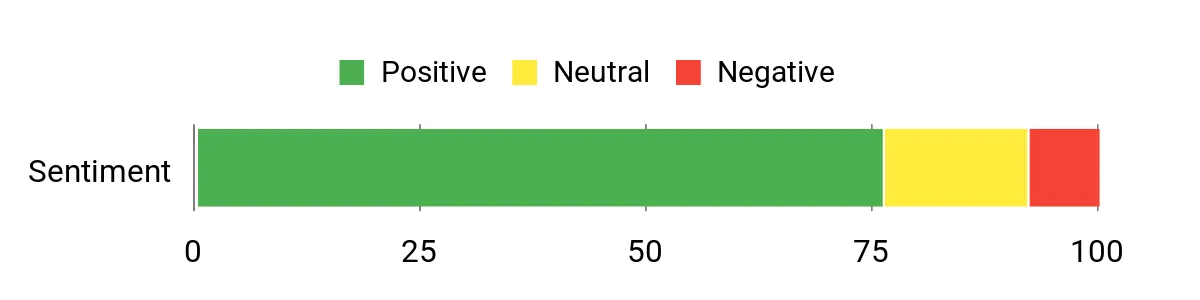
Owners point to dependable performance and the business features as standout benefits, saying the machine handles engineering and multitasking reliably. Customers appreciate the security and collaboration tools that make remote work and client calls easier. A few note the FHD panel is serviceable but not suited for color-critical grading, and battery life is solid for office days but not marathon editing sessions.
Overall Sentiment: Positive
Long-Term Value
Because this is a purpose-built workstation with serviceable internals and enterprise manageability, you can expect longer usable life and easier IT maintenance, which lowers replacement and downtime costs.
Situations
| Situation | How It Helps |
|---|---|
| Client Presentations | A reliable webcam, clear audio, and security features let you present sensitive work confidently during on-site or remote reviews. |
| Engineering Workflows | The Intel Core Ultra 7 165H CPU, RTX 1000 Ada GPU (6GB GDDR6), and fast NVMe storage accelerate simulations, CAD assemblies, and large dataset handling. |
| Collaborative Teams | Intel vPro, remote management, and Thunderbolt 4 simplify IT support and sharing files across a team without losing time. |
| Tight Deadlines | Shorter export and compile times from the combined CPU/GPU performance help you hit deliverables with less waiting. |
Versatility
This Precision works well as a certified workstation for engineers and designers while still handling photo and video editing, light 3D, and daily office tasks. You don’t need separate machines for production and admin work.
Style
The gray, business-minded chassis looks professional and understated, fitting into client meetings and office setups without drawing attention.
Innovation
Built-in AI features and dedicated NPU support help automate repetitive tasks, while the workstation-class GPU ensures certified driver compatibility for professional software.
Comfort
The backlit keyboard and ~3.96 lb weight make it comfortable to use at your desk or on the move, though it’s designed more for portability within a workday than frequent cross-country travel.
Best For
Professional
Key Benefits
- Workstation-class Intel Core Ultra 7 165H and NVIDIA RTX 1000 Ada (6GB) for CAD, rendering, and data-heavy tasks
- Enterprise security and manageability with Intel vPro and fingerprint reader
- Plenty of ports including two Thunderbolt 4, HDMI 2.1, and RJ45 Ethernet
- Lightweight (~3.96 lb) and compact 15.6″ form factor for a mobile workstation
Rating: Needs Review (limited reviews available on Amazon for this listing)
This Vivobook S16 is a creator-first laptop that’s easy to carry at just 3.31 lbs and pleasant to use all day. You get a crisp 2.8K OLED panel with 100% DCI-P3 coverage, 600 nits of HDR peak brightness, and a 120Hz refresh rate, plus plenty of RAM and a roomy 2TB SSD for large projects.
It’s excellent for photo editing, streaming review sessions, coding, and on-the-go design work where color accuracy and a bright display matter.
Who it’s for: Photographers, designers, and content creators who want a stunning OLED display with wide color coverage in a thin, lightweight laptop they can carry everywhere.
Why it’s worth it: Few laptops at this price combine a 100% DCI-P3 OLED panel, 32GB of RAM, 2TB of storage, and two Thunderbolt 4 ports in a sub-3.5 lb package.
What People Say
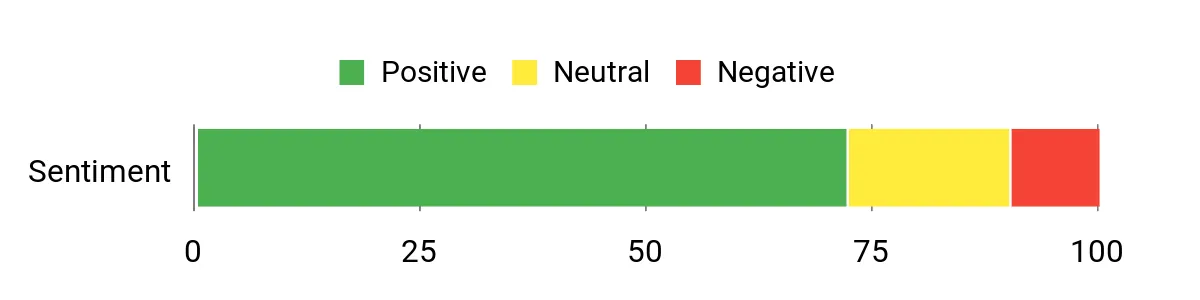
Reviewers praise the OLED display and overall performance, saying the screen makes images and color work feel more accurate and enjoyable. Many like how responsive the system is for everyday creative tasks and note the comfort of the keyboard and compact weight.
A recurring nitpick is the RGB keyboard lighting, which some users find hard to read in certain color modes. The glossy OLED panel can also show reflections in bright environments.
Overall Sentiment: Positive
Long-Term Value
You’ll get longer usable life from generous RAM, roomy 2TB SSD capacity, and modern ports like dual Thunderbolt 4 and Wi-Fi 7 that keep the machine compatible with new peripherals instead of forcing early replacement.
Situations
| Situation | How It Helps |
|---|---|
| Photo Editing | The OLED panel and 100% DCI-P3 gamut let you spot subtle color shifts and fine detail without immediately needing an external reference monitor. |
| On-The-Go Work | At only 3.31 lbs, the lightweight build and all-day battery let you edit drafts, touch up images, and present work from cafés or client sites. |
| Multitasking | 32GB of RAM keeps multiple creative apps, browser tabs, and background tools running smoothly with minimal swapping. |
| Content Review | A bright 600-nit HDR OLED screen and dual Thunderbolt 4 outputs make it easy to connect to external displays for client reviews or color checks. |
Versatility
This laptop handles a mix of tasks well: photo editing, light video work, design, coding, and daily productivity. You can use one machine for creative work and everyday life.
Style
The slim profile and modern finish look professional, giving you a tasteful device that fits both client-facing and personal setups.
Innovation
Built-in AI NPU (up to 13 TOPS) and modern ports like dual Thunderbolt 4 and Wi-Fi 7 show ASUS is adding workflow-focused features that accelerate routine tasks and connectivity for creators.
Comfort
The keyboard and trackpad are comfortable for long sessions, and the 3.31 lb weight reduces shoulder strain when you carry it between locations.
Best For
Intermediate to Professional
Key Benefits
- 16″ 2.8K OLED with 100% DCI-P3 and 600 nits HDR peak brightness for accurate colors
- 32GB RAM and 2TB SSD for large projects and multitasking
- Two Thunderbolt 4 ports and Wi-Fi 7 for fast external displays and docks
- Only 3.31 lbs with Intel Core Ultra 9 285H for a lightweight 16-inch creator machine
This Vivobook 18 gives you a large, smooth display and strong everyday performance for creative tasks and media consumption. The 18-inch WUXGA panel with 300-nit brightness and 144Hz refresh rate makes timelines and motion look fluid, while the Ryzen 7 260 CPU and 32GB of DDR5 RAM keep apps responsive when you juggle multiple projects.
It’s a solid choice when you want big-screen comfort at a desk and decent portability for moving around the house or studio. Keep in mind it uses integrated Radeon graphics (no dedicated GPU), so it’s best for photo editing, illustration, and lighter video work rather than heavy 3D rendering.
Who it’s for: Home-office creatives and students who want the biggest screen possible for under $1,100 and mostly work at a desk doing photo edits, illustration, or light video cuts.
Why it’s worth it: An 18-inch IPS display with 32GB of RAM and 1TB SSD at this price is hard to find elsewhere, making it strong value for desk-based creative work.
What People Say
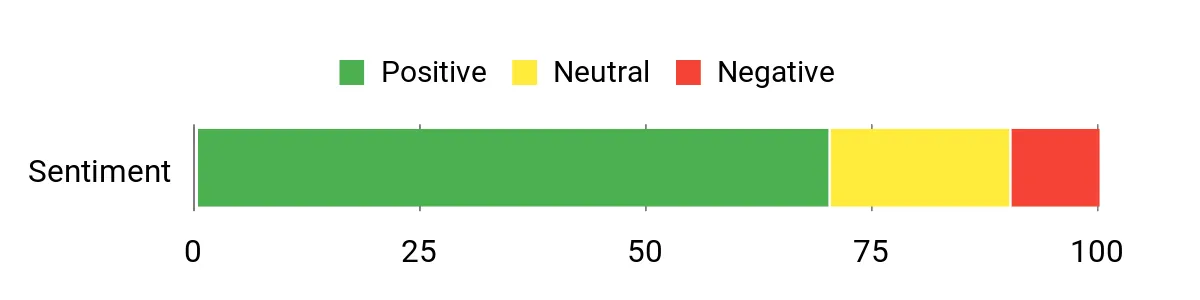
People call out the big screen and snappy performance as standout positives, saying the display and memory make creative and everyday tasks feel effortless. Reviewers also appreciate the solid build and battery life. A few mention the cramped numeric keypad layout and occasional peripheral quirks.
Overall Sentiment: Positive
Long-Term Value
With generous RAM and a roomy SSD you’re less likely to need an early upgrade, and the durable chassis means the laptop can remain useful for years.
Situations
| Situation | How It Helps |
|---|---|
| Editing At Your Desk | The large 18″ panel gives you more workspace for timelines and detailed retouching without constantly switching views. |
| Online Classes or Meetings | Up to 12 hours of battery life and a bright screen let you participate comfortably for hours. The FHD webcam with privacy shutter handles casual calls. |
| Multitasking | 32GB of DDR5 RAM keeps creative apps, browser tabs, and background tools running smoothly without frequent swapping. |
| Media Review | A 144Hz display and clear audio make it easier to judge motion and sound during quick review sessions. |
Versatility
This machine handles a wide range of tasks from photo editing and design to media playback and productivity. You can use one laptop for both creative work and everyday needs, though you’ll want an external GPU or a different machine for heavy 3D rendering.
Style
The Quiet Blue finish and slim profile look modern and understated, giving the laptop a pleasant, professional appearance on any desk.
Innovation
The AMD XDNA NPU (up to 16 TOPS) and current Ryzen silicon help accelerate certain AI and media tasks, bringing modern workflow advantages to a large-screen laptop at an accessible price.
Comfort
The larger display and ErgoSense keyboard reduce eye and hand strain during long sessions, though the unit’s weight makes it less ideal for constant travel. USB-C charging support means you can top up with a variety of chargers.
Best For
Intermediate
Key Benefits
- Large 18″ IPS screen with 144Hz and 300-nit brightness for smooth motion and easier detail work
- 32GB DDR5 RAM and 1TB PCIe 4.0 SSD for multitasking and large files
- Up to 12 hours of battery life with FastCharge support
- Two USB-C ports with display/power delivery, HDMI 2.1, and a 90% screen-to-body ratio
FAQ
Which Laptop Should You Choose?
Start by matching the machine to the work you do and how you move. If you rely on color-critical photo and video work and want long battery life with tight ecosystem features, the MacBook Pro with Apple silicon is a strong fit. If you need desktop-class GPU power for realtime previews, complex effects, or 3D, the ROG G16 or G18 gives you that headroom. If you want certified drivers, remote manageability, and extra security for professional projects, the Dell Precision 3591 is worth considering.
Think about the balance between display quality, GPU power, and portability so the laptop supports your typical projects without compromises.
Do You Need a Dedicated GPU?
It depends on the tasks you run. For basic photo editing and illustration, an integrated GPU (like Intel Arc or AMD Radeon 780M) performs fine. Once you work with GPU-accelerated effects, 4K timelines, complex 3D scenes, or real-time render previews, a dedicated GPU makes a big difference in responsiveness and export speed. If your software uses GPU acceleration (check your app’s recommended specs on the developer’s website), prioritize a laptop with a capable dedicated card so you spend more time creating and less time waiting.
How Much RAM And Storage Do You Need?
Aim for at least 16GB of RAM for smooth photo editing, with 32GB recommended if you work on large video timelines, heavy multitasking, or 3D projects. For storage, use a fast NVMe SSD as your main drive and keep media on a secondary internal or external drive so your main volume stays snappy. A 1TB SSD is a comfortable starting point, and adding an external archive drive keeps your project files organized without crowding the system disk.
What About Color Accuracy?
For color-critical work like photo retouching or video grading, look for displays that cover at least 100% sRGB, or ideally 100% DCI-P3 for wider color. OLED panels (like on the Vivobook S16) typically offer the best contrast and color accuracy out of the box. IPS panels (like on the ROG G16/G18) can also perform well, especially when they cover 100% DCI-P3. FHD IPS panels with a narrower gamut (like the Precision 3591’s 45% NTSC display) are fine for CAD and general design, but you’ll want an external calibrated monitor for final color checks.
What Buyers Prefer
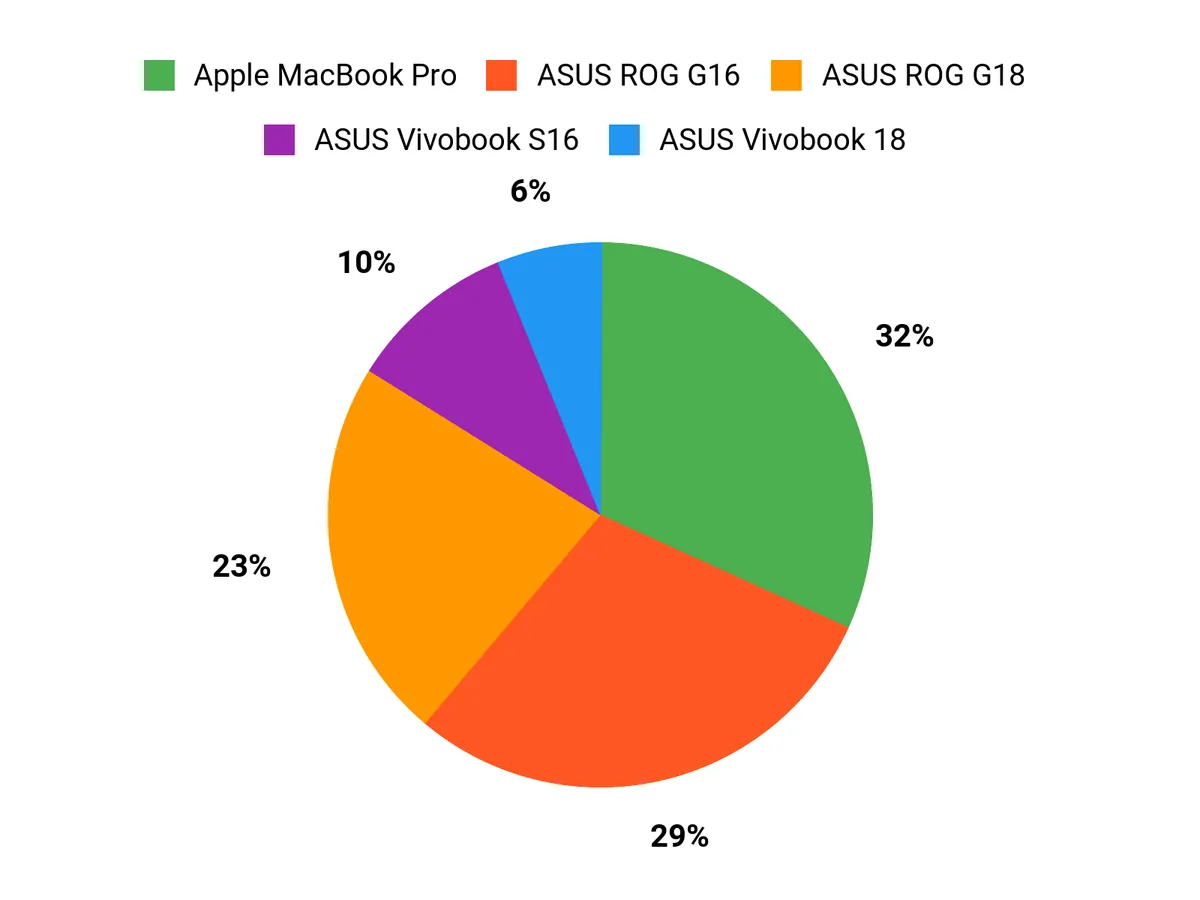
When you choose between the MacBook Pro and the ASUS ROG G16/G18, you tend to prioritize different things: color accuracy, battery life, and a seamless macOS workflow if you do photo and video work on the go, versus raw GPU power, high refresh rates, and upgradeability when you need realtime previews and heavy 3D or effects. If portability and long unplugged sessions matter most, you’ll lean MacBook Pro. If performance and larger or higher-refresh displays are key, the ROG G16 or the roomier G18 will likely suit you better.
Wrapping Up
You now have six focused options depending on the kind of graphics work you do. If you prioritize color accuracy, macOS integration, and long battery life, the Apple MacBook Pro with the M2 Pro offers a balanced creative platform. Prices may vary, so check the current listing.
If raw GPU horsepower and high refresh rates are critical for realtime previews or GPU-accelerated effects, the ASUS ROG Strix G16 and G18 deliver desktop-class performance in 16- and 18-inch formats. For a business-focused, certified workstation with enterprise security, the Dell Precision 3591 is tailored to professional workflows.
If you want a modern creator laptop with a stunning 2.8K OLED panel, AI features, and roomy 2TB storage while staying more affordable, the ASUS Vivobook S16 is a solid pick. And if screen real estate and value are your top priorities, the ASUS Vivobook 18 gives an expansive 18-inch display with strong all-day battery life at a lower price.
Use these summaries to match performance, display, and portability to the projects you run so you can choose the laptop that keeps your creative work moving. Prices on Amazon can change, so use the links above to see the latest.
| Product Name | Image | Rating | Processor | Graphics Card | Memory & Storage |
|---|---|---|---|---|---|
| Apple 2023 MacBook Pro Laptop M2 Pro |
 |
See reviews on Amazon | Apple M2 Pro chip; 12-core CPU, 19-core GPU | Integrated 19-core GPU | 16GB Unified Memory, 1TB SSD |
| ASUS ROG Strix G16 (2025) Gaming Laptop |
 |
See reviews on Amazon | Intel Core Ultra 9 275HX; up to 5.4 GHz | NVIDIA GeForce RTX 5070 Ti (12GB) | 32GB DDR5-5600, 1TB SSD |
| ASUS ROG Strix G18 (2025) Gaming Laptop |
 |
See reviews on Amazon | Intel Core Ultra 9 275HX; up to 5.4 GHz | NVIDIA GeForce RTX 5070 (8GB) | 32GB DDR5-5600, 2TB PCIe Gen 4 SSD |
| Dell Precision 3591 Mobile Workstation |
 |
Needs Review (limited Amazon reviews) | Intel Core Ultra 7 165H; up to 5.0 GHz | NVIDIA RTX 1000 Ada 6GB GDDR6 | 32GB DDR5, 1TB SSD |
| ASUS Vivobook S16 OLED AI PC Laptop |
 |
See reviews on Amazon | Intel Core Ultra 9 285H; up to 5.4 GHz | Intel Arc Graphics (integrated) | 32GB RAM, 2TB SSD |
| ASUS Vivobook 18 Laptop |
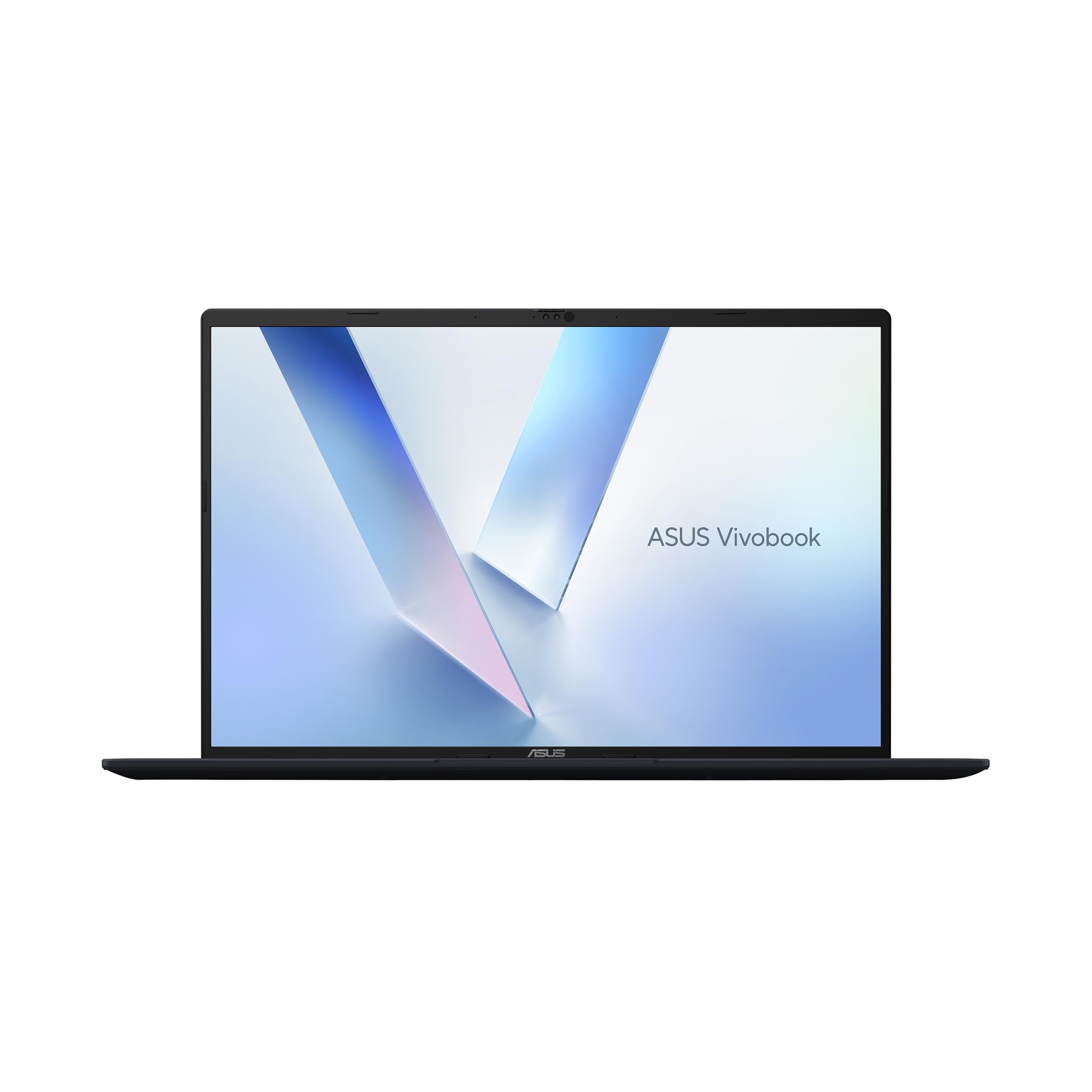 |
See reviews on Amazon | AMD Ryzen 7 260; up to 5.1 GHz | AMD Radeon 780M (integrated) | 32GB DDR5, 1TB SSD |
This Roundup is reader-supported. When you click through links we may earn a referral commission on qualifying purchases.
