As an Amazon Associate, we may earn from qualifying purchases.
Choosing the right micro SD card for your 4K drone comes down to more than storage size. You need a card with steady write performance, enough capacity for full flights, and the right speed class for high-resolution video. A slow or mismatched card can lead to recording errors, dropped frames, or wasted time transferring large files.
For most 4K drones, look for a microSDXC card with U3 or V30 support, then confirm your drone’s maximum supported capacity before buying. The cards below focus on 4K-friendly ratings, practical storage sizes, and durability features that make sense for outdoor flying.
Quick Verdict
- Best overall drone pick: Samsung PRO Plus 512GB for strong speed ratings, large capacity, and a long warranty.
- Best for fast transfers: PNY PRO Elite Prime 256GB, especially if you use a compatible high-speed card reader.
- Best value backup setup: GIGASTONE 128GB 2-Pack if you prefer rotating cards instead of relying on one large card.
- Best Gigastone high-capacity option: GIGASTONE 512GB Camera Pro MAX for long recording sessions and rugged use.
Quick Comparison
| Product | Capacity | Key Rating | Best For | Main Limitation | Check Price |
|---|---|---|---|---|---|
| GIGASTONE 512GB Camera Pro MAX | 512GB | V30, A2 | Long 4K recording sessions | Peak speeds vary by device and listing | Check Price |
| GIGASTONE 256GB Micro SD Card | 256GB | V30, A2 | Mid-range drone storage | Less room than 512GB cards | Check Price |
| GIGASTONE 128GB 2-Pack | 128GB x 2 | A1, V30 | Backup cards and shorter flights | Lower capacity per card | Check Price |
| PNY 256GB PRO Elite Prime | 256GB | U3, V30, A2 | Fast transfers and 4K capture | Top speeds need compatible hardware | Check Price |
| Samsung PRO Plus 512GB | 512GB | Class 10, U3, V30 | Reliable 4K drone footage | Costs more than basic cards | Check Price |
GIGASTONE 512GB Micro SD Card, 4K Camera Pro MAX
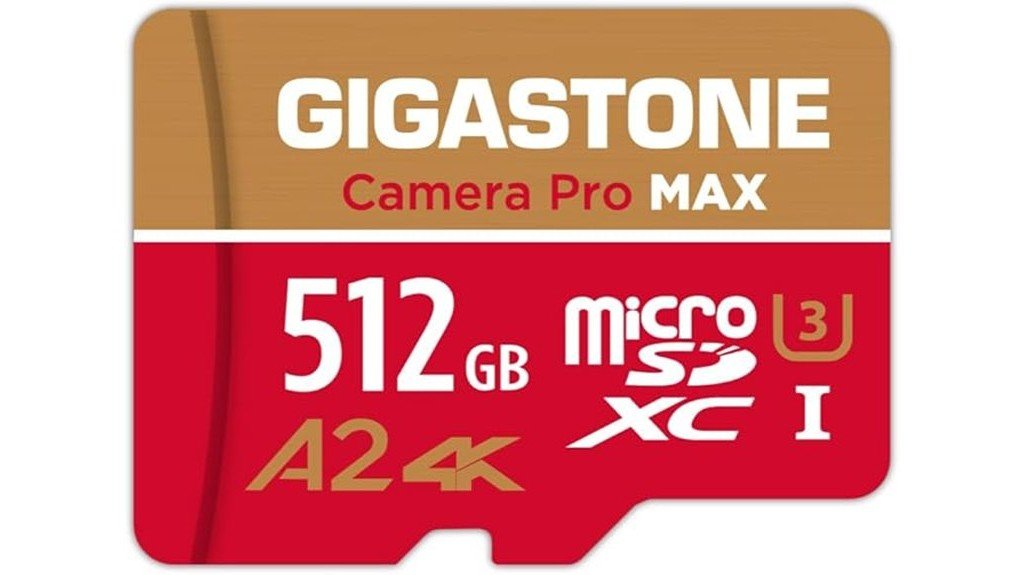
Best For: Drone pilots who want a large-capacity card for long 4K recording sessions, travel days, or multiple flights before offloading footage.
The GIGASTONE 512GB Micro SD Card, 4K Camera Pro MAX is a practical choice if you want a lot of storage without constantly swapping cards. Its V30 video speed grade is the key feature for 4K drone use because it is designed to support sustained video recording. The A2 rating can also help with app performance on compatible devices, though most drone users should prioritize the V30 rating first.
Gigastone lists the Camera Pro MAX series with read/write speeds up to 100/50 MB/s, while some retail listings may show higher peak numbers. Treat those speeds as device-dependent and focus on whether your drone supports the card’s capacity and speed class. The card is also listed as waterproof, shockproof, temperature-proof, and X-ray proof, which helps when you fly outdoors or travel with your gear.
Why You’ll Like It: The 512GB capacity gives you more room for 4K clips, still photos, and backup flight footage before you need to clear space.
Who Should Buy This: Choose this card if your drone supports 512GB microSDXC cards and you prefer fewer card swaps during longer shoots.
Who Should Avoid This: Skip it if your drone has a lower maximum card capacity or if you only record short flights and do not need 512GB.
Pros:
- Large 512GB capacity is useful for extended 4K recording and travel.
- V30 video speed grade supports smooth 4K recording on compatible devices.
- Waterproof, shockproof, temperature-proof, and X-ray proof design adds confidence for outdoor use.
Cons:
- Peak speed claims can vary by retail listing, device, and card reader.
- Some drones may not support 512GB cards, so compatibility matters.
- Higher capacity may cost more than many casual users need.
GIGASTONE 256GB Micro SD Card
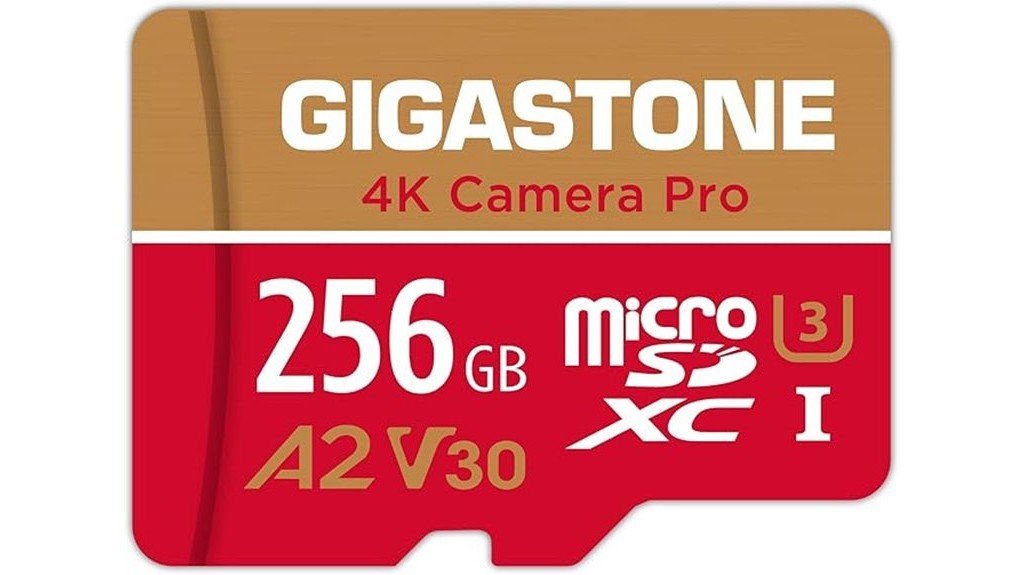
Best For: Drone users who want a balanced 256GB card for regular 4K flights without moving straight to a 512GB option.
The GIGASTONE 256GB Micro SD Card is a sensible mid-range pick for drone pilots, action camera users, and creators who need 4K-friendly storage. It offers a V30 video speed grade and A2 app performance rating, making it a better fit for video work than basic Class 10-only cards.
For most casual and hobby drone shoots, 256GB gives you enough room for multiple flights while keeping file management easier than relying on one very large card. The rugged feature set, including waterproof and X-ray proof protection, also makes it more suitable for travel and outdoor shoots than a generic card.
Why You’ll Like It: It gives you a strong balance of storage space, drone-friendly speed ratings, and durability without forcing you into the highest-capacity tier.
Who Should Buy This: Choose it if you record 4K clips often but still offload footage after each session.
Who Should Avoid This: Skip it if you need maximum transfer speed for heavy editing workflows or if your drone requires a different approved card list.
Pros:
- 256GB capacity is a good middle ground for many 4K drone users.
- V30 rating helps support high-resolution video recording on compatible drones.
- Durable construction is useful for travel, outdoor filming, and frequent handling.
Cons:
- Not as spacious as 512GB cards for long travel shoots.
- Actual performance depends on your drone, card reader, and file workflow.
- Check your drone’s supported capacity before buying.
GIGASTONE 128GB Micro SD Card 2-Pack (A1 V30 4K Video Recording)
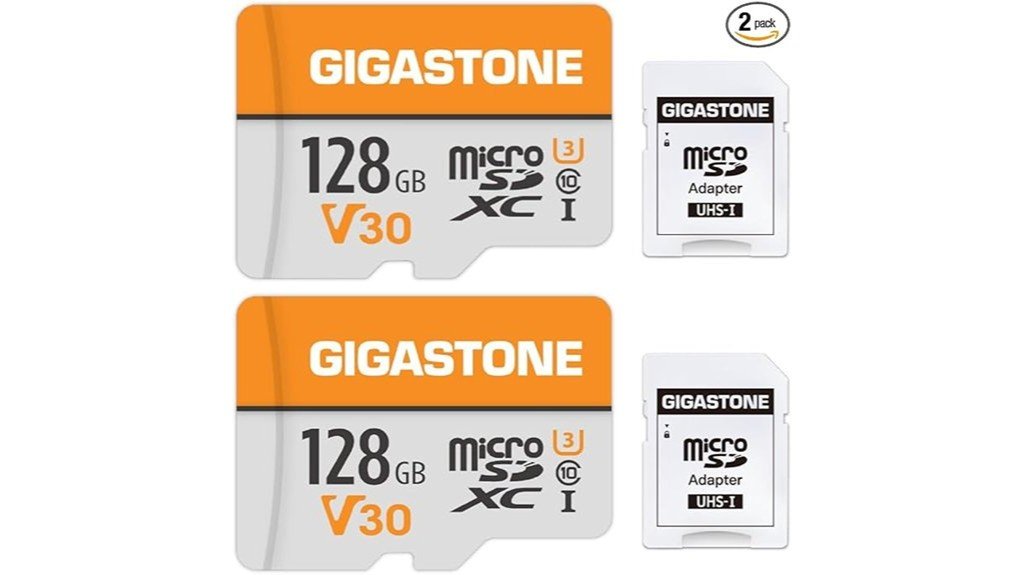
Best For: Drone pilots who prefer rotating multiple cards, keeping a spare in the bag, or separating footage by flight.
The GIGASTONE 128GB Micro SD Card 2-Pack is useful if you do not want to depend on one card for a whole day of flying. Each card is listed with an A1 V30 rating, making it a good fit for 4K video recording on compatible drones and cameras. The 2-pack setup also helps reduce the risk of losing all footage on one card if something goes wrong.
Retail listings for this pack commonly show read speeds up to 95 MB/s and write speeds up to 40 MB/s, but real-world performance will depend on your device and card reader. The V30 rating remains the most important specification for 4K recording because it focuses on sustained video write performance.
Why You’ll Like It: Two cards make it easier to organize footage, carry a backup, and avoid filling one large card during a shoot.
Who Should Buy This: Choose this pack if you shoot shorter flights and want a spare card ready to go.
Who Should Avoid This: Skip it if you want one large card for long continuous sessions or if your drone records at very high bitrates that require faster media.
Pros:
- Two-card pack gives you backup flexibility for travel and field shoots.
- V30 rating makes it suitable for 4K recording on compatible devices.
- Smaller cards can make file organization easier by flight, location, or project.
Cons:
- 128GB per card fills faster than 256GB or 512GB options.
- Lower listed write speed than premium high-performance cards.
- A1 app rating is not as strong as A2 for app-based use on compatible devices.
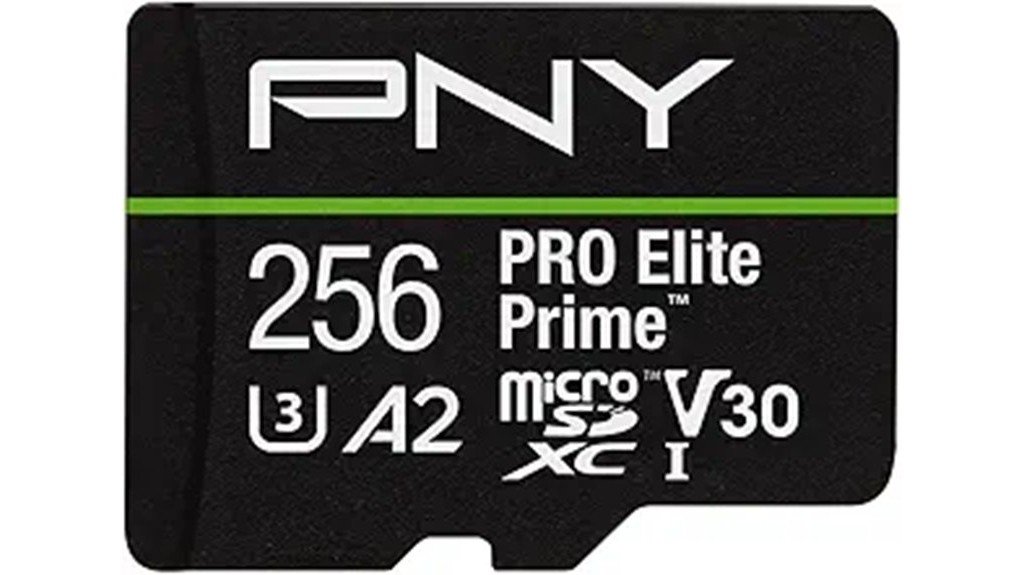
PNY 256GB PRO Elite Prime™ microSDXC Flash Memory Card
Best For:
The PNY 256GB PRO Elite Prime™ microSDXC Flash Memory Card is one of the stronger performance-focused picks in this list. It carries Class 10, U3, V30, and A2 ratings, which makes it suitable for 4K video capture, action cameras, drones, and app-based storage on compatible devices.
PNY lists speeds up to 200 MB/s read and 150 MB/s write when used with compatible equipment, including the PNY Performance Prime card reader. That makes this card especially appealing if you transfer large 4K drone files to a computer after each shoot. For recording inside the drone, the V30 and U3 ratings are the more important specs to check.
Why You’ll Like It: It is a good fit if your workflow includes frequent large-file transfers and you want more speed than basic cards usually offer.
Who Should Buy This: Choose it if you want a 256GB card with strong speed ratings and you use a compatible reader or computer setup.
Who Should Avoid This: Skip it if you only need basic storage and will not benefit from the faster transfer potential.
Pros:
- U3 and V30 ratings support 4K recording on compatible drones and cameras.
- High listed read/write speeds can help with large file transfers when used with compatible hardware.
- Rugged design includes waterproof, shockproof, temperature-proof, drop-proof, X-ray proof, and humidity-proof protection.
Cons:
- Top transfer speeds require compatible devices and may need a specific high-speed reader.
- 256GB may be limiting for long travel shoots compared with 512GB cards.
- Older devices may not take full advantage of newer speed and app-performance ratings.
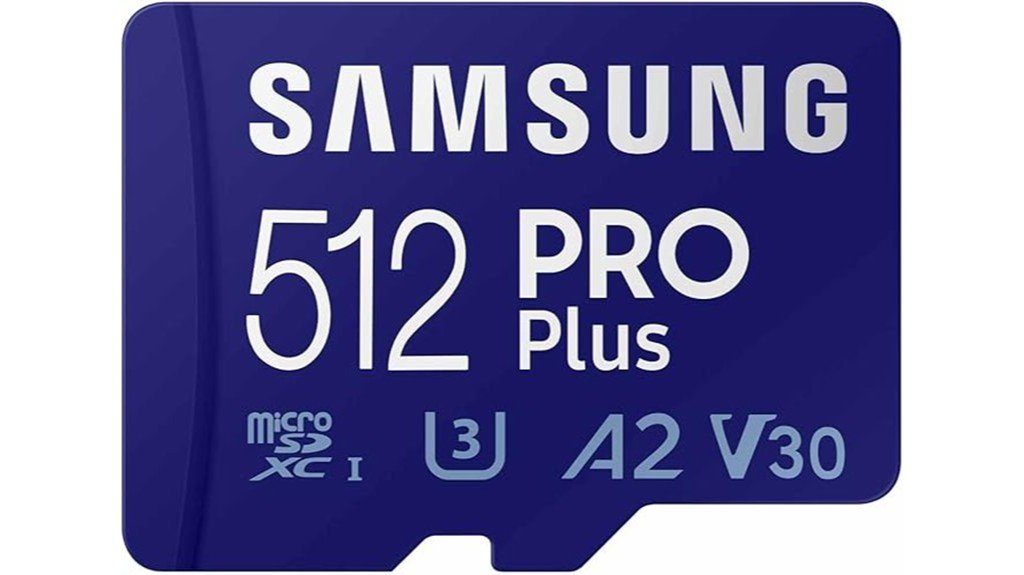
Samsung PRO Plus microSD Memory Card + Adapter, 512GB
Best For: Drone owners who want a high-capacity, well-rounded card from a major memory brand for 4K footage.
The Samsung PRO Plus microSD Memory Card + Adapter, 512GB is a strong all-around option for 4K drone recording. Samsung lists this model with up to 180 MB/s read and 130 MB/s write speeds, plus Class 10, U3, and V30 compatibility. That combination makes it a good fit for high-resolution drone footage, action cameras, and large photo/video transfers.
The 512GB capacity gives you room for longer flying days, and the included adapter helps when you need to move footage to a laptop, desktop, or camera that uses a full-size SD slot. Samsung also lists a 10-year limited warranty, which adds confidence for buyers who want a card they can use across multiple devices.
Why You’ll Like It: It combines large capacity, 4K-friendly ratings, and strong listed speeds in one card.
Who Should Buy This: Choose it if your drone supports 512GB cards and you want a reliable main card for frequent 4K flights.
Who Should Avoid This: Skip it if you only shoot short clips or if your drone’s manual recommends a smaller maximum capacity.
Pros:
- 512GB capacity is useful for long recording sessions and travel shoots.
- Class 10, U3, and V30 ratings make it suitable for 4K UHD video on compatible devices.
- Included adapter improves flexibility for transferring footage to SD-enabled devices.
Cons:
- Higher capacity may cost more than casual flyers need.
- Not a UHS-II card, so it is not the best choice for workflows that require UHS-II media.
- You should confirm your drone supports 512GB microSDXC cards before buying.
Factors to Consider When Choosing a Micro SD Card for Drone 4K
Before choosing a microSD card for your 4K drone, check the card’s speed rating, capacity, durability, and compatibility with your exact drone model. The best card is not always the biggest or the fastest on paper. It is the one your drone can use reliably during real recording.
Speed Class Ratings
For 4K drone footage, prioritize U3 or V30 cards. These ratings are important because video recording depends on sustained write speed, not just short peak speeds. A card with a high read speed but weak sustained write performance may still cause problems during recording.
V30 means the card is designed for a minimum sustained write speed of 30 MB/s under the standard’s test conditions. That is why V30 is commonly recommended for 4K recording. Faster cards can still be helpful, especially when transferring files after a shoot, but V30 or better should be your starting point.
Storage Capacity Options
Capacity affects how long you can record before offloading files. A 128GB card can work well for shorter flights or backup use. A 256GB card is a strong middle ground for regular 4K filming. A 512GB card gives more room for long shooting days, travel, and multiple batteries.
Before buying a high-capacity card, check your drone’s manual or app documentation. Some drones limit the maximum supported microSD capacity, and using a larger card than recommended can create formatting or recording problems.
Compatibility With Devices
Compatibility is just as important as speed. Make sure your drone supports the card’s capacity, format, and speed class. Most 64GB and larger microSD cards use the microSDXC format and are commonly formatted as exFAT, but your drone may prefer formatting the card inside the drone app or controller.
If your drone maker publishes an approved card list, use it as your first reference. If not, choose a reputable microSDXC card with U3 or V30 support and avoid unknown cards with unclear specifications.
Durability and Reliability
Drone cards are used outdoors, carried in bags, exposed to temperature changes, and handled often. Durability features such as waterproof, shockproof, temperature-proof, and X-ray proof protection can help reduce risk during travel and field work.
Reliability also depends on how you use the card. Format it in the drone when possible, avoid filling it completely, safely eject it from computers, and back up footage before reusing it. If a card starts showing recording errors, stop using it for important flights.
Video Resolution Support
For 4K footage, the card should support your drone’s bitrate and recording mode. Standard 4K recording often works well with U3 or V30 cards, but higher-bitrate modes, high frame rates, or professional codecs may need faster media. Always check your drone’s recommended card requirements before filming important footage.
Warranty and Support
A longer warranty can be a useful trust signal, but it does not replace good backup habits. Look for clear warranty terms, responsive manufacturer support, and known brand reliability. Some brands also offer data recovery support for certain product lines, but you should not rely on recovery services as your only backup plan.
Price vs. Performance
Do not pay only for the biggest advertised speed number. For drone recording, sustained write performance and compatibility matter more than headline read speed. A premium card can be worth it if you record often, transfer large files, or shoot paid projects. For casual flying, a reliable 128GB or 256GB V30 card may be enough.
Before You Buy Checklist
- Check your drone’s maximum supported microSD capacity.
- Choose U3 or V30 for 4K recording.
- Pick 256GB or 512GB if you record long flights often.
- Choose a 2-pack if you want backup cards and easier footage organization.
- Format the card in your drone before important shoots.
- Back up footage before deleting or reusing the card.
Frequently Asked Questions
Can I Use Regular SD Cards for 4K Drone Footage?
You can use a regular microSD card only if it meets your drone’s speed and capacity requirements. For 4K footage, avoid basic cards with unclear ratings. A U3 or V30 microSDXC card is a safer starting point for smooth recording.
How Do I Format a Micro SD Card for My Drone?
The safest method is usually to format the card inside your drone’s app, controller, or camera menu. If you format it on a computer, use the format your drone supports, commonly exFAT for 64GB and larger microSDXC cards. Always back up files first because formatting erases the card.
What Capacity MicroSD Card Is Best for 4K Drone Video?
For most drone users, 256GB is a strong balance of space and cost. Choose 512GB if you record long sessions, travel often, or do not want to swap cards during the day. Choose 128GB cards if you prefer cheaper backups or shorter flights.
Is V30 Enough for 4K Drone Recording?
V30 is enough for many 4K drone recording modes, but not all. If your drone records very high-bitrate 4K, 5.1K, 8K, high frame rates, or professional codecs, check the drone maker’s recommended card list before buying.
What Is the Lifespan of a Micro SD Card?
A microSD card can last for years, but lifespan depends on write cycles, heat, handling, and storage conditions. Replace a card if you see recording errors, corrupted files, slow formatting, or repeated connection issues. For important footage, always carry a backup card.
Are There Specific Brands to Avoid for Drone Filming?
Avoid no-name or suspiciously cheap cards with unclear speed ratings, fake capacity claims, or poor return support. For drone footage, it is safer to choose known memory brands and buy from trusted sellers to reduce the risk of counterfeit cards.
How Can I Recover Lost Footage From a Micro SD Card?
Stop using the card immediately so new files do not overwrite the lost footage. Then connect it to a computer and try reputable data recovery software or a professional recovery service. If the footage is important, avoid repeated failed recovery attempts because they can make recovery harder.
Final Recommendation
If you want the strongest all-around option for a 4K drone, the Samsung PRO Plus 512GB is the easiest card to recommend because it combines large capacity, strong 4K-friendly ratings, and a long warranty. If transfer speed is your main priority, the PNY PRO Elite Prime 256GB is a better fit when paired with compatible hardware. If you prefer backup flexibility, the GIGASTONE 128GB 2-Pack gives you two usable cards instead of relying on one.
Whichever card you choose, confirm your drone’s supported capacity, format the card in the drone before use, and back up your footage after every important flight.

