
The Phonak Virto I30-R can connect to an iPhone for phone calls, music, and other audio. However, Phonak Virto I30-R iPhone compatibility involves two different Bluetooth functions, and the myPhonak app has its own iOS requirements. Understanding these differences will help you choose a compatible phone, connect your hearing aids, and avoid common setup problems.
Quick Answer
Yes, the Phonak Virto I30-R works with compatible iPhones for direct Bluetooth audio streaming and hands-free calls. The current myPhonak app requires iOS 16.0 or later. Older iPhones, including the iPhone 6s, may still support Bluetooth audio but cannot run the current app unless they meet its separate software requirements.
Key Takeaways
- Bluetooth Classic handles calls and streaming, while Bluetooth Low Energy connects the hearing aids to myPhonak.
- The current myPhonak app supports iOS 16.0 or newer, making the iPhone 8 and later compatible models suitable when running supported software.
- Virto I30-R can remember up to eight Bluetooth devices and connect to two simultaneously.
- The I30 is the Essential performance level. Some sound-processing features advertised for higher Virto Infinio models are not included.
- Pairing through myPhonak can establish the app connection and Bluetooth audio connection together on supported Virto I-R devices.
Is Phonak Virto I30-R iPhone Compatible?
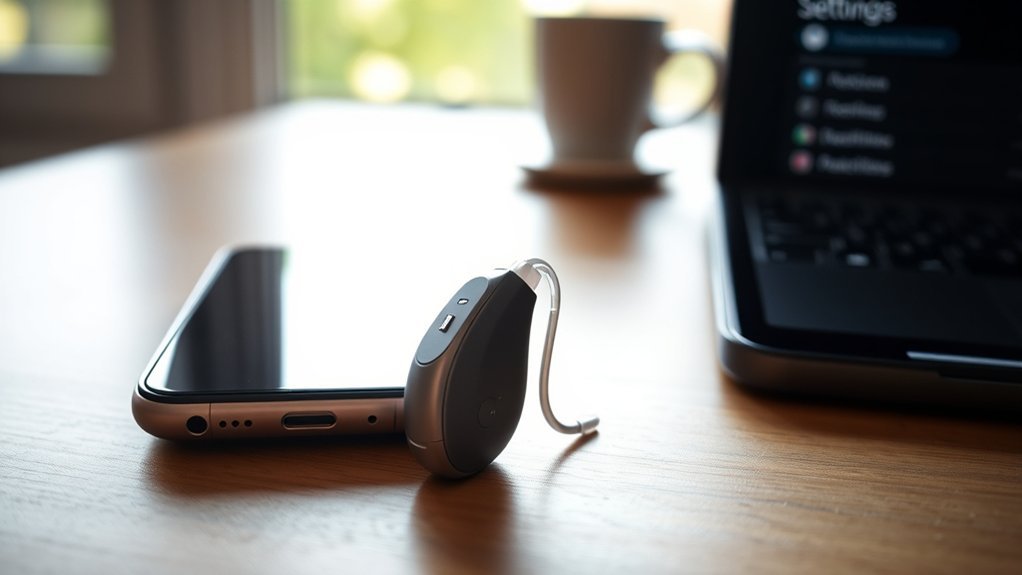
Yes. The Phonak Virto I30-R is a rechargeable, custom-made hearing aid with Bluetooth connectivity for supported iPhones. You can stream calls and media without carrying a separate streaming accessory.
The important distinction is that Bluetooth audio and app control use different wireless connections.
- Bluetooth Classic: Transfers phone calls and media audio between the iPhone and hearing aids.
- Bluetooth Low Energy (LE): Connects the hearing aids to the myPhonak app for remote control and adjustments.
This means your hearing aids may connect for calls even if your iPhone cannot install the current myPhonak app.
The Virto I30-R is part of Phonak’s Infinio family. It uses AutoSense OS 7.0 and supports automatic sound adjustments, but the I30 Essential tier has fewer listening features than the higher I50, I70, and I90 levels.
Phonak’s Virto Infinio product specifications identify the I30 as a Bluetooth-enabled rechargeable model and detail its supported listening programs.
Which iPhones Work With Phonak Virto I30-R?
The Virto I30-R can stream audio from iPhones that support the required Bluetooth audio profiles. However, you need an iPhone running iOS 16.0 or later to use the current myPhonak app.
For the most complete experience, choose an iPhone that can run the supported app and connect through Bluetooth.
Compatible iPhone Models
Apple’s iOS 16 compatibility list starts with the iPhone 8, iPhone 8 Plus, and iPhone SE (2nd generation) among the supported models. Newer supported iPhones can also use myPhonak when running an eligible iOS version.
| iPhone model | Bluetooth calls and streaming | Current myPhonak app |
|---|---|---|
| iPhone 6s, 6s Plus, and iPhone 7 series | Supported through compatible Bluetooth audio | Not supported by the current iOS 16+ app requirement |
| iPhone 8, 8 Plus, and iPhone X | Yes | Yes, with iOS 16 or a supported newer version |
| iPhone XS, XR, 11, 12, 13, and 14 series | Yes | Yes, with supported iOS software |
| iPhone SE (2nd and 3rd generation) and newer iPhone models | Yes | Yes, with supported iOS software |
Apple confirms the eligible models in its official iOS 16 compatibility list.
An older iPhone may still play sound through the hearing aids using Bluetooth Classic. However, it will not provide the same app-based controls if it cannot meet myPhonak’s software requirements.
iOS Pairing Requirements
To use the current myPhonak app, your iPhone needs iOS 16.0 or newer and Bluetooth Low Energy capability. Phonak also lists the Virto I-R among the hearing aids supported by myPhonak.
These requirements are separate from basic Bluetooth calls and streaming.
The official myPhonak compatibility information confirms the current iOS requirement and explains which hearing aid families work with the app.
Before pairing, prepare the following:
- An iPhone with Bluetooth turned on.
- Charged Virto I30-R hearing aids.
- The current myPhonak app, if your iPhone supports it.
- Both hearing aids nearby and ready to enter pairing mode.
You can confirm your iPhone’s iOS version through Settings > General > About.
Once paired, the Virto I30-R can remember up to eight Bluetooth devices and maintain connections with two devices at the same time.
This is useful if you regularly switch between an iPhone and another compatible device.
Which iPhone Features Does Virto I30-R Support?
The Virto I30-R supports direct Bluetooth audio, hands-free calls, and compatible myPhonak controls. It also includes automatic sound processing designed to adjust to different listening situations.
However, not every feature advertised for the Virto Infinio family is included at the I30 performance level.
iPhone Call and Streaming
With a Bluetooth connection, the Virto I30-R can receive audio from phone calls, music, videos, and other compatible iPhone applications.
For phone calls, the hearing aid microphones can pick up your voice while the caller’s speech plays through your hearing aids. This allows hands-free communication without holding your iPhone against your ear.
If you use two compatible Virto I30-R hearing aids, a single Bluetooth audio pairing can deliver the caller’s voice to both ears.
That is different from Phonak’s DuoPhone processing feature, which is not listed for the I30 Essential tier.
Bluetooth audio also works for activities such as:
- Listening to music or podcasts.
- Watching videos on your iPhone.
- Taking regular phone calls.
- Hearing audio from compatible communication apps.
- Receiving compatible notification and alert sounds.
Some iPhone notification sounds can interrupt music or trigger the hearing aids’ streaming program. Adjusting unnecessary notification sounds may make listening more comfortable.
App Pairing and Control
The myPhonak app provides controls that go beyond basic Bluetooth audio. With a compatible iPhone, you can manage listening preferences without visiting your hearing care professional for every small adjustment.
Available controls include:
- Adjusting hearing aid volume.
- Switching between available hearing programs.
- Making supported sound adjustments.
- Saving personalized listening preferences where available.
- Viewing hearing aid connection information and battery status.
- Accessing compatible remote support services.
The I30 uses AutoSense OS 7.0, but its automatic program selection is more limited than higher performance levels.
For example, the Essential level includes automatic settings for calm situations and speech in noise. Higher levels add specialized listening programs and more advanced processing features.
Phonak’s Virto R Infinio overview describes the family’s AutoSense OS 7.0 processing, Bluetooth connections, and rechargeable custom-fit design.
The practical benefit is easier everyday control, although your hearing care professional still determines the main hearing aid fitting.
How Good Are Virto I30-R Calls and Streaming?
The Virto I30-R offers practical hands-free calling and direct audio streaming for iPhone users. Call clarity depends on Bluetooth stability, the surrounding noise, your hearing profile, and how your hearing aids have been fitted.
It should not be assumed to perform exactly like the higher I70 or I90 models in difficult listening environments.
The hearing aids use Phonak’s automatic processing to adapt to listening conditions. At the I30 Essential level, the available programs include calm situations, speech in noise, and streaming settings for speech and music.
More advanced features, including certain directional speech-processing systems and DuoPhone, are reserved for higher performance levels.
For everyday calls in a quiet room, the I30’s direct streaming and hands-free microphones offer a convenient setup. In a crowded or noisy place, the other caller may hear more background sound through the hearing aid microphones.
If a caller has trouble hearing you, try moving to a quieter area or switching the call microphone back to your iPhone.
The hearing aids can also stay connected to two supported Bluetooth devices simultaneously. This can reduce repeated pairing when you use an iPhone alongside another compatible device.
However, two active connections do not mean that audio from two devices will play at the same time. The hearing aids manage incoming audio according to their Bluetooth connection behavior.
How Do You Pair Virto I30-R With iPhone?
You can pair the Virto I30-R through myPhonak or directly through your iPhone’s Bluetooth settings. If your iPhone supports the app, using myPhonak first is a convenient way to set up both app control and audio streaming.
The hearing aids must be charged, switched on, and discoverable before pairing.
Method 1: Pair Through the myPhonak App
- Install myPhonak. Open the App Store on your compatible iPhone and install the myPhonak app.
- Enable Bluetooth. Open Settings > Bluetooth and turn Bluetooth on.
- Open myPhonak. Follow the introductory instructions and proceed to hearing aid pairing.
- Activate pairing mode. Restart the Virto I30-R hearing aids as directed by the app. For rechargeable models, placing them in the powered charger and removing them can restart the devices.
- Find your hearing aids. Allow myPhonak to search. If you use two hearing aids, wait until both appear.
- Confirm pairing. Select the hearing aids and approve the Bluetooth pairing requests on your iPhone.
- Test the connection. Adjust the volume in myPhonak and play audio from your iPhone to confirm that the connection works.
The Virto I-R supports pairing through the app, which can establish its phone and app connections together.
If only one hearing aid appears, restart both devices and repeat the pairing process.
Method 2: Pair Directly Through iPhone Bluetooth
If you do not want to use myPhonak, you can still connect the Virto I30-R for phone calls and streaming through Bluetooth.
- Open Settings > Bluetooth on your iPhone.
- Make sure Bluetooth is switched on.
- Restart both hearing aids to activate pairing mode.
- Look for the Phonak hearing aid name under available Bluetooth devices.
- Tap the hearing aid name to connect.
- Accept the pairing request if your iPhone displays one.
- Listen for the confirmation beep and test a phone call or media stream.
According to the Phonak Virto I-R user guide, the hearing aids remain available for initial Bluetooth pairing for three minutes after being switched on.
After the first successful pairing, they normally reconnect automatically when switched on and within Bluetooth range.
If you need additional help, Phonak provides official iPhone Bluetooth pairing instructions.
How Does Virto I30-R Work With myPhonak?
The myPhonak app acts as a remote control for compatible Virto I30-R hearing aids. It gives you access to volume adjustments, listening programs, and supported personalized settings.
The available controls depend on the hearing aid’s performance level and how your hearing care professional has configured it.
| Function | myPhonak app role | User benefit |
|---|---|---|
| Volume | Adjusts hearing aid volume | Quick changes without handling the hearing aids |
| Programs | Selects available listening programs | Better control in different environments |
| Sound settings | Provides supported personalization controls | Adjustments based on listening preferences |
| Remote adjustments | Supports compatible remote audiologist sessions | Professional support without every visit being in person |
| Find my hearing aid | Shows location and proximity information for misplaced hearing aids | Helps with device recovery |
One useful feature is Find My Hearing Aids. It can display the last known location where the hearing aids connected to the app and provide Bluetooth signal-based guidance when you get closer.
This feature is not the same as having a built-in GPS tracker. Location information depends on the app connection and the hearing aids being detectable.
Phonak explains the process in its Find My Hearing Aids support guide.
The app also offers Remote Support, which can allow your hearing care professional to adjust hearing aid settings during a scheduled remote session. Availability varies by country and provider.
Some myPhonak versions also include health-related information, such as wearing time and activity tracking. However, health tracking and Apple Health integration are model-dependent. You should not assume that every advertised health feature works with the Virto I30-R.
For normal daily use, volume control, program selection, connection status, and supported sound adjustments are the main benefits.
How Do You Fix Virto I30-R iPhone Issues?
Most Virto I30-R iPhone connection problems can be addressed by checking the hearing aids’ charge, refreshing Bluetooth, and restarting the devices. If those steps fail, removing old pairings and pairing again may restore the connection.
Use the following fixes in order, beginning with the easiest checks.
1. Check Bluetooth and Battery Levels
Open Settings > Bluetooth and confirm that Bluetooth is enabled. Make sure both hearing aids have enough battery power to connect.
If the hearing aids are low on charge, place them in their charger before testing again.
2. Restart the Hearing Aids and iPhone
Switch your hearing aids off and on again using the method described in their user guide. You can also use the charger to restart them when supported.
Next, restart your iPhone and try connecting again.
This can clear temporary Bluetooth communication problems without deleting saved pairings.
3. Check the myPhonak Connection
If music and calls work but myPhonak cannot find your hearing aids, the problem may involve the Bluetooth Low Energy app connection rather than Bluetooth audio.
Close and reopen myPhonak. Then check whether both hearing aids appear in its device information.
If one hearing aid is missing, restart both devices and try again.
4. Fix Calls That Do Not Play Through the Hearing Aids
If your iPhone is connected but call audio plays through its speaker, open the Audio menu during a call and select your Phonak hearing aids.
You can also adjust the default call audio route:
- Open iPhone Settings.
- Select Accessibility.
- Choose Touch.
- Open Call Audio Routing.
- Select Bluetooth Headset if you want compatible Bluetooth devices used for calls.
If callers cannot hear your voice clearly, try a quieter location or switch to the iPhone microphone.
5. Remove Old Pairings and Reconnect
If the hearing aids repeatedly disconnect, you may need to remove their saved Bluetooth connections and pair them again.
- Open Settings > Bluetooth.
- Find the Phonak hearing aid entries.
- Tap the information icon next to each relevant entry.
- Select Forget This Device.
- Repeat for the remaining Phonak connections associated with the hearing aids.
- Open myPhonak, remove the previous device connection from the app, and begin pairing again.
Phonak devices may show more than one Bluetooth entry because audio streaming and app communication can use separate connections.
For older connection configurations, you may see entries beginning with LE_ for the app. Some newer configurations show fewer entries.
Removing all relevant pairings before reconnecting helps prevent the iPhone from using outdated connection information.
6. Check Firmware and Get Professional Support
If problems continue, make sure your iPhone and myPhonak app use supported software versions.
Hearing aid firmware may also affect connectivity. Your hearing care professional can confirm whether the Virto I30-R needs an update and assist with device-specific problems.
Phonak provides additional steps in its Bluetooth and myPhonak troubleshooting guide.
If one hearing aid repeatedly fails, will not charge, or cannot be detected after troubleshooting, contact your hearing care professional or Phonak support.
Should iPhone Users Buy Phonak Virto I30-R?
The Phonak Virto I30-R can be a practical option for iPhone users who want rechargeable custom hearing aids with direct Bluetooth streaming and app control. Its strongest advantages are connectivity, a personalized in-ear fit, and straightforward daily use.
However, the I30 is the Essential performance level rather than the most advanced Virto Infinio model.
That difference matters if you often struggle to hear speech in busy restaurants, group conversations, or other difficult listening environments.
| Factor | Relevance for Apple users | Verdict |
|---|---|---|
| iOS support | Bluetooth audio works with compatible iPhones; current myPhonak requires iOS 16+ | Good, with software requirements |
| Bluetooth | Remembers up to eight devices and connects to two simultaneously | Flexible |
| myPhonak app | Volume, programs, supported adjustments, and device location assistance | Useful |
| AutoSense OS 7.0 | Automatic listening adjustments with Essential-level features | Practical, but less advanced than higher tiers |
The Virto I30-R is worth considering if you primarily want:
- Hands-free calling from your iPhone.
- Direct streaming for music, videos, and speech.
- A rechargeable custom in-ear design.
- Basic automatic sound adjustments.
- App-based control with a compatible iPhone.
You may prefer a higher performance level if advanced speech processing in challenging environments is a major priority.
The hearing aids also use Phonak’s magnetic snap-and-charge system. According to Phonak’s product specifications, a full charge takes up to three hours, while charging time and everyday battery use can vary with conditions.
The custom fit is another important consideration. Unlike ordinary wireless earbuds, these hearing aids are made for your individual ears and programmed for your hearing needs.
Note: An audiologist or hearing care professional should assess your hearing needs and confirm the most suitable Virto performance level. Bluetooth compatibility alone does not determine whether a hearing aid is appropriate for your hearing loss.
Frequently Asked Questions
Why Won’t My Hearing Aid Connect to My iPad?
Your hearing aid may fail to connect to an iPad because Bluetooth is disabled, the hearing aid is already using other connections, or an old pairing has stopped working. Restart both devices, enable Bluetooth, and try pairing again. Confirm that the iPad supports the required Bluetooth audio profiles.
What Devices Are Compatible With Phonak Devices?
Compatible devices include supported iPhones, Android phones, tablets, computers, and certain Bluetooth accessories. The exact options depend on the Phonak hearing aid model. Virto I30-R supports Bluetooth Classic audio and compatible myPhonak connections, with up to eight stored pairings and two simultaneous device connections.
Which Hearing Aid Works Best With an iPhone?
The best iPhone-compatible hearing aid depends on your hearing loss, comfort needs, and preferred features. Phonak Virto I30-R is a practical choice for rechargeable custom fit and direct Bluetooth streaming. Other compatible models may offer more advanced speech processing or different Apple-related features.
Can I Use Phonak Virto I30-R With an iPhone 6s?
Yes, an iPhone 6s supports Bluetooth audio profiles used for compatible Phonak calls and streaming. However, the current myPhonak app requires iOS 16.0 or newer, which the iPhone 6s cannot run. You can therefore use Bluetooth audio without expecting full current-app support.
Do I Need the myPhonak App for iPhone Streaming?
No, the myPhonak app is not required for basic Bluetooth phone calls and media streaming. You can pair the Virto I30-R through your iPhone’s Bluetooth settings. The app adds convenient controls, personalized listening options, and other compatible functions.
Can Phonak Virto I30-R Connect to Two Devices at Once?
Yes, the Virto I30-R can maintain Bluetooth connections with two devices simultaneously and remember up to eight paired devices. This is helpful when using an iPhone alongside a tablet or computer. However, the devices do not stream two separate audio sources at the same time.
Conclusion
The Phonak Virto I30-R offers useful iPhone compatibility through direct Bluetooth streaming, hands-free calling, and supported myPhonak controls. Its rechargeable custom design and automatic sound adjustments make it a practical option for everyday listening.
For full app functionality, use an iPhone running iOS 16.0 or later. Before choosing the I30, confirm that its Essential-level sound processing meets your hearing needs. A hearing care professional can help you evaluate the fit, programming, and performance level.
Sources
- Phonak Virto Infinio Product Information: Confirms I30 performance features, Bluetooth connectivity, charging specifications, and limitations compared with higher tiers.
- Phonak Virto R Infinio: Describes the custom rechargeable design, AutoSense OS 7.0, and Bluetooth connectivity.
- Phonak myPhonak App: Confirms supported hearing aid families, app features, and iOS requirements.
- Apple iOS 16 Compatibility: Lists iPhone models supporting iOS 16.
- Phonak Virto I-R User Guide: Confirms initial Bluetooth pairing, app-based pairing, automatic reconnection, and the supported number of connections.
- Phonak iPhone Pairing Instructions: Explains how to connect hearing aids to an iPhone for calls and audio streaming.
- Phonak Find My Hearing Aids Support: Explains location assistance and Bluetooth proximity guidance.
- Phonak Bluetooth Troubleshooting: Provides steps for fixing hearing aid connectivity and app pairing problems.

