Before buying a phone or hearing aids, check myPhonak compatibility to make sure the app will support your devices. Your phone’s operating system, Bluetooth hardware, and hearing aid model all affect which functions you can use. Even compatible devices may need software updates or a fresh pairing after a connection problem.
Quick Answer
myPhonak supports iPhones running iOS 16 or newer and Google Mobile Services-certified Android phones running Android 10 or newer with Bluetooth 4.2. Your hearing aids must also be compatible Phonak Bluetooth models. Features vary by hearing aid, phone, and app version. Check your exact devices before buying or pairing them.
Last checked: September 26, 2026. Dates and figures were verified against official sources.
Is My Phone Compatible With myPhonak?
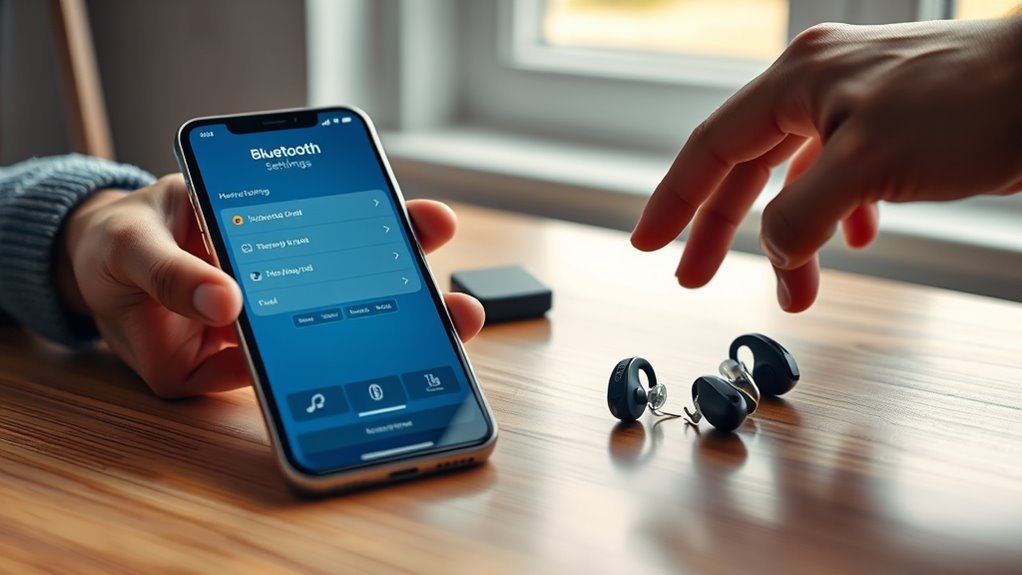
Your phone must meet myPhonak’s software and Bluetooth requirements. The app also needs a compatible Phonak hearing aid, so having a supported smartphone does not guarantee every feature will work.
According to the official Phonak app specifications, the current US requirements are:
- iPhone: iOS 16 or newer, with Bluetooth Low Energy capability.
- Android: Android 10 or newer, Bluetooth 4.2, and Google Mobile Services certification.
- Hearing aids: A supported Phonak model with Bluetooth connectivity.
These are minimum requirements, not a guarantee that every phone and hearing aid combination will perform identically. Hardware differences and software updates can affect pairing, audio streaming, and app controls.
For example, phone calls may work even when the app cannot connect. This happens because Phonak hearing aids use different Bluetooth connections for audio streaming and app communication.
The Phonak phone compatibility checker lets you select your phone manufacturer and model. It provides separate information about Bluetooth, phone calls, streaming, and myPhonak support.
Before replacing your phone, compare its current operating system with the supported version. A software update may resolve an incompatibility without requiring new hardware.
Which Hearing Aids Work With myPhonak?
myPhonak works with a wide range of Phonak hearing aids, including selected EON, Infinio, Lumity, Paradise, Marvel, and earlier models. Compatibility depends on the exact device, not just its product family.
The following groups appear on Phonak’s official compatibility list.
- EON: Audéo E, Audéo E Sphere, and CROS E.
- Infinio: Audéo I, Audéo I Sphere, Virto I-R, and CROS I.
- Lumity: Audéo L, Audéo Fit, Audéo Life, CROS L, Naída L, Sky L, and Slim L.
- Paradise: Audéo P, Audéo Fit, Audéo Life, CROS P, Naída P, and Virto P-312.
- Marvel: Audéo M, Bolero M, Naída M-SP, Naída Link M, and Virto M-312.
- Other supported models: Audéo B-Direct and Terra+.
This list covers product families, but individual model specifications and supported functions still matter. Phonak’s compatible hearing aid reference provides the model-level details.
Sky hearing aids deserve special attention. Sky Lumity appears among the compatible myPhonak devices, while myPhonak Junior offers separate controls designed for children and younger users.
Parents should choose the appropriate app with their hearing care professional rather than assume the two apps provide identical controls.
Audéo B-Direct also has limitations: advanced remote controls and Remote Support are unavailable. It is therefore possible for a hearing aid to connect while offering fewer features than a newer model.
Which myPhonak Features Are Available?
myPhonak offers remote hearing aid controls, personalized listening programs, Remote Support, device information, and selected health features. The functions you see depend on the hearing aids connected to your phone.
Some features are available across many supported models, while others require specific hardware or software.
Available App Controls
Remote Control lets you change supported hearing aid settings without visiting your hearing care professional for every small adjustment.
Depending on your hearing aids, you may be able to:
- Adjust the volume or mute your hearing aids.
- Choose between available listening programs.
- Adjust sound balance, noise reduction, or speech focus.
- Change equalizer settings and save custom programs.
- View battery information on supported rechargeable models.
- Configure compatible features such as Tap Control.
Remote Support also allows your hearing care professional to make fitting adjustments during a scheduled remote appointment. Availability depends on your device and country.
The Find My Hearing Aids feature provides a last known connection location and nearby signal guidance. It is intended to help you locate misplaced hearing aids, not provide continuous GPS tracking.
CROS users may also have transmitter controls. The CROS Signal button allows muting or unmuting the transmitter when that feature was enabled during fitting. Supported systems include CROS E, I, L, and P.
Compatible CROS I, L, and P systems also support a balance slider that adjusts the loudness relationship between the transmitter and hearing aid.
These controls depend on the supported system and its fitting configuration. They do not necessarily require a new hearing aid firmware update simply because the app gains additional controls.
Device and OS Limits
A supported operating system does not mean every myPhonak feature will appear. Phone permissions, hearing aid hardware, and app version can introduce additional restrictions.
One important example is Find My Hearing Aids. Starting with myPhonak 7.2.1, the feature is unavailable on Android 10 and earlier.
According to Phonak’s feature compatibility notice, Android 11 or newer is required for this function.
This means an Android 10 phone may meet the app’s general requirements while still missing the locator.
Other functions have different limits. Health-data tracking, advanced sound controls, and remote programming depend on the hearing aid model and available hardware.
On iPhone, supported health data can synchronize with Apple Health. Android users have more limited external health-app integration.
You can also install myPhonak on two compatible smartphones, but the hearing aids cannot maintain two active myPhonak connections simultaneously.
Supported Hearing Aid Models
The hearing aid model determines which advanced myPhonak functions you can access. Two people using the same phone may see different controls because their hearing aids have different capabilities.
For example, Audéo Sphere users can access supported speech and noise-management settings, while compatible CROS users receive controls designed for sound transmitted from the unaided side.
Phonak Sky users may benefit from the separate myPhonak Junior interface and its tailored program-management options.
Health functions are also model-specific:
- Wearing-time tracking is supported by compatible rechargeable EON, Infinio, Lumity, and Paradise models.
- Step tracking is available on selected models within those groups.
- Heart-rate tracking requires supported Audéo Fit hearing aids.
- Distance and activity information depend on the connected model.
If you use a pair of hearing aids, both devices should be fitted together and have compatible firmware. A fitting mismatch can prevent both hearing aids from connecting to the app as a pair.
Why Does Samsung One UI 6.x Cause Bluetooth Problems?
Some Samsung Galaxy phones running Android with One UI 6.x can experience Bluetooth disconnections or limited hearing aid functionality.
Phonak identifies the phone software’s handling of Bluetooth audio profiles as the cause of this particular issue. It does not automatically indicate a fault with the hearing aids.
Possible symptoms include:
- Audio cutting out during calls or streaming.
- Unexpected Bluetooth disconnections.
- Delayed or incorrect audio routing.
- Reduced access to certain hearing aid functions.
First, install available phone software updates and ask your hearing care professional to confirm that your hearing aids have appropriate firmware.
If the problem continues, Phonak documents an additional workaround involving the phone’s recovery menu and cache partition.
Warning: Do not select a factory reset or data-wipe option while troubleshooting Bluetooth. Recovery-menu options vary by phone. Follow the instructions for your exact Samsung model or seek professional technical support.
The official Samsung One UI 6.x troubleshooting guide explains the cache-partition workaround and its limitations.
Phonak notes that the workaround may not resolve the issue on every device. If problems remain, contact Samsung support or your hearing care professional with your phone model and software version.
How Do I Fix myPhonak Pairing Problems?
Start with the simplest connection checks before deleting any existing Bluetooth pairings. Most basic failures involve Bluetooth being disabled, a hearing aid not entering pairing mode, low battery power, or an interrupted connection.
Follow these steps in order.
- Check Bluetooth: Enable Bluetooth on your smartphone and confirm that neither device is in flight mode.
- Check power: Make sure both hearing aids are switched on and have sufficient battery power.
- Restart myPhonak: Close the app completely, reopen it, and attempt the connection again.
- Refresh Bluetooth: Turn the phone’s Bluetooth connection off and back on.
- Restart the hearing aids: Turn them off and on again to refresh the connection.
- Restart the smartphone: Reboot the phone and try connecting again.
- Check permissions: On Android, enable the permissions needed for Bluetooth discovery. Older Android versions may require Location Services during initial pairing.
- Start a fresh pairing: If the previous steps fail, remove the old hearing aid connections and pair again through myPhonak.
For rechargeable hearing aids, placing them in the charger and removing them is one way to restart them. Follow the instructions for your particular model.
During a fresh setup, the app searches for the hearing aids. If you wear two, wait until both devices appear before confirming the pairing requests.
Phonak’s Android connection repair instructions cover the complete reset and re-pairing procedure.
After pairing, confirm that both hearing aids appear in the Devices section and respond to a volume adjustment.
If only one hearing aid connects repeatedly, ask your hearing care professional to check the fitting configuration and firmware on both devices.
What Should I Check Before Buying?
Before purchasing a phone or Phonak hearing aids, compare the exact hardware and software combination you intend to use. A compatible operating system is only the first part of that check.
Use this checklist:
- Phone model: Confirm that the exact manufacturer and model appear in Phonak’s compatibility information.
- Operating system: Make sure the phone meets the current iOS or Android requirements.
- Bluetooth: Check support for the required Bluetooth Low Energy connection.
- Hearing aids: Confirm the exact Phonak model and available app functions.
- Required features: Check whether Remote Support, CROS controls, health tracking, or device location are available.
- Software support: Consider whether the phone can continue receiving operating-system and security updates.
- Real-world pairing: Test calls, streaming, and app controls with the intended hearing aids whenever possible.
Remember that myPhonak is a free app. You do not need to purchase it separately.
The hearing aids themselves require an appropriate clinical fitting. If you are selecting new hearing aids, discuss your hearing needs and desired phone functions with a hearing care professional before making a final decision.
Note: myPhonak provides controls within the limits set by your hearing aid fitting. It does not replace professional hearing assessment, fitting, or medical advice.
Can I Use myPhonak on Two Phones?
Yes. You can set up myPhonak on two compatible smartphones, but only one can maintain an active app connection to your hearing aids at a time.
This limit applies to the Bluetooth Low Energy connection used by myPhonak. It should not be confused with the separate Bluetooth connections used for calls and audio streaming.
To switch phones:
- Open myPhonak on the currently connected phone.
- Go to Devices > Connection Management.
- Use Disconnect to release the active app connection.
- Open myPhonak on the second phone and connect your hearing aids.
Phonak explains this behavior in its two-smartphone connection guidance.
Using one primary phone can make daily management easier, particularly if you frequently adjust custom programs.
Your myPhonak account also supports health-data synchronization between phones when you are signed in and the data has synchronized successfully. This is different from maintaining simultaneous hearing aid connections.
Why Won’t myPhonak Connect?
If your hearing aids appear connected to your phone but not to myPhonak, the app’s Bluetooth connection may be the problem. Audio streaming and app control use separate Bluetooth functions on many Phonak models.
The difference helps identify the likely cause:
- Calls work, but the app does not: Check the app connection, permissions, and previous Bluetooth pairings.
- The app works, but calls do not: Check the separate audio pairing and phone audio-routing settings.
- Only one hearing aid appears: Check that both devices were paired during setup.
- Neither device connects: Check power, Bluetooth, flight mode, and software compatibility.
- Connection fails after an update: Restart the devices and repeat the pairing procedure if necessary.
On earlier hearing aid generations, pairing with myPhonak does not always complete the separate setup for calls and media streaming.
Phonak states that Infinio Ultra and newer models can enable app control, calls, and streaming through a combined pairing process. Earlier generations may need an additional audio-pairing step.
If the connection remains unreliable, record the phone model, operating system, hearing aid model, app version, and symptoms.
Share those details with Phonak support or your hearing care professional. This helps identify whether the problem comes from the phone, app, fitting configuration, or hearing aid firmware.
What If My Phone OS Is No Longer Supported?
If your phone runs an unsupported operating system, newer myPhonak releases may stop installing or functioning correctly. Older software can also prevent access to features that require newer Bluetooth or system capabilities.
Possible consequences include:
- The app may not install or receive further updates.
- Some controls may disappear or stop responding.
- Pairing and reconnection may become less reliable.
- Newer hearing aid features may remain unavailable.
First, check whether your phone supports a newer operating system. Install an available supported version if your phone manufacturer provides one.
If your device cannot meet the requirements, you may need a newer compatible smartphone to use current myPhonak features.
Do not assume that a previously installed version will continue working indefinitely. Future app releases and hearing aid updates can change compatibility.
Where Are the Latest Compatibility Updates?
Phonak’s official support pages and the app-store release history provide the most useful compatibility updates. They cover supported hearing aids, smartphone requirements, added features, and known connection problems.
Use these sources together rather than relying on an old compatibility screenshot or a single phone specification.
Official Compatibility List
The official compatibility information identifies supported hearing aids and smartphone requirements. It also helps distinguish basic Bluetooth support from app-specific functionality.
When checking your setup, identify:
- Your exact phone model and operating system.
- Your hearing aid model and product generation.
- The app features you need, including any advanced controls.
Pay special attention to older devices. A phone may support calls and music but not the current app or all its features.
App Release Notes
Release notes document changes that may affect myPhonak compatibility. They are especially useful after an update introduces new hearing aids or changes an existing feature.
The original article referenced version 6.9, released in September 2024. The release history shows that version 6.9.0 introduced Infinio device support, while version 6.9.1 added expanded CROS functions.
The official myPhonak App Store version history records these changes and later releases.
| Release | Date | Impact |
|---|---|---|
| 6.9.0 | 2024-09-02 | Added Audéo Infinio and CROS Infinio support. |
| 6.9.1 | 2024-10-09 | Expanded compatible CROS mute and balance controls and Infinio hearing aid location support. |
| 7.5.1 | 2026-08-24 | Added EON hearing aid support, Auracast QR scanning, broader Find My Hearing Aids availability, and performance improvements. |
Version 7.3.0 also introduced pairing without an internet connection, addressing a limitation described in older support material.
Do not assume that a new app version automatically unlocks every feature on older hearing aids. Hardware and fitting restrictions still apply.
myPhonak Junior remains a separate application with its own compatible device list and feature set.
Support Channel Updates
Official support notices are useful when an app update or smartphone update causes a new problem. They may explain known issues, workarounds, and changes to supported devices.
Before repeating a full Bluetooth reset, check whether the problem began after a phone or app update.
Also distinguish between myPhonak account synchronization and external health-app synchronization.
On compatible iPhones, selected hearing aid data can synchronize with Apple Health. Depending on the hearing aid, supported information can include steps, heart rate, distance, and active energy.
Phonak’s Android health synchronization guidance states that myPhonak health data cannot currently synchronize with other Android health or fitness apps.
This distinction matters if you want your hearing aid activity information to appear in another health-tracking service.
Frequently Asked Questions
What Are the Compatibility Requirements for the myPhonak App?
myPhonak requires an iPhone running iOS 16 or newer, or a Google Mobile Services-certified Android phone running Android 10 or newer with Bluetooth 4.2. You also need compatible Phonak Bluetooth hearing aids. Individual app features may have additional model or operating-system requirements.
What Are Common Phonak Hearing Aid Problems?
Common problems include low battery power, weak sound, Bluetooth dropouts, and app pairing failures. Check the battery, clean the hearing aids according to their instructions, and restart the devices. If the problem continues, contact your hearing care professional for inspection and firmware checks.
Should Hearing Aid Compatibility Be On or Off?
Use the Hearing Aid Compatibility setting when it improves sound quality or reduces interference with your particular hearing aid. On supported iPhones, it appears under Accessibility and Hearing Devices. It is not a universal requirement for myPhonak Bluetooth pairing. Follow your hearing care professional’s advice for your device.
Which Phonak Model Is Considered the Best?
There is no single Phonak model that suits every user. Audéo Paradise, Lumity, Infinio, and EON offer different capabilities, while specialized models address other hearing needs. Choose based on your hearing assessment, fitting requirements, desired app functions, and professional guidance rather than one overall ranking.
Conclusion
Reliable myPhonak compatibility depends on matching your smartphone, operating system, hearing aids, and required features. Meeting the basic requirements is a good starting point, but it does not guarantee access to every function.
Before buying a phone or changing your hearing aids, confirm the exact model combination and test the features you use most. If a previously working setup stops connecting, start with Bluetooth and software checks before resetting the pairing or seeking professional support.
Sources
- Phonak — myPhonak App: Smartphone requirements, app features, and supported hearing aids.
- Phonak — Phone Compatibility Checker: Phone model compatibility and Bluetooth functionality.
- Phonak — Compatible Hearing Aids: Supported device models and feature limitations.
- Phonak — Find My Hearing Aids Requirements: Android operating-system limitations.
- Phonak — Samsung One UI 6.x Bluetooth Issues: Known connection problems and troubleshooting.
- Phonak — Android Connection Repair: Restarting, resetting, and re-pairing instructions.
- Phonak — Using Two Smartphones: Simultaneous connection restrictions and device switching.
- Apple App Store — myPhonak: Official app release history and feature changes.
- Phonak — Apple Health Synchronization: Supported health-data integration.
- Phonak — Android Health Synchronization: External health-app synchronization limitations.
- Apple Support — Use Hearing Devices With iPhone: Hearing Aid Compatibility settings and supported hearing-device functions.

