
Crawl Control and Low Range solve different off-road problems in your Toyota Tacoma. Low Range, also called 4LO, changes the transfer-case gearing so the truck can move slowly with greater torque multiplication at the wheels. Crawl Control adds automated low-speed throttle and brake management, helping you concentrate on steering and wheel placement.
Quick Answer
Use Low Range when your Tacoma needs slower gearing, stronger engine braking, and finer throttle control on steep or technical terrain. Use Crawl Control when you also want the truck to manage low-speed acceleration and braking. Crawl Control normally supplements the four-wheel-drive system rather than replacing Low Range.
Key Takeaways
- Low Range changes the transfer-case gearing. It multiplies torque at the wheels but does not increase engine horsepower.
- Crawl Control acts like low-speed off-road cruise control by managing throttle and braking while you steer.
- Controls, operating conditions, and availability differ by Tacoma model year, trim, transmission, and four-wheel-drive system.
- Crawl Control is best for technical obstacles where steady, controlled movement matters more than momentum.
- Do not use part-time 4LO on dry, high-traction pavement unless your Tacoma owner’s manual specifically permits it.
Last reviewed: July 13, 2026
Understanding Crawl Control: What Is It?
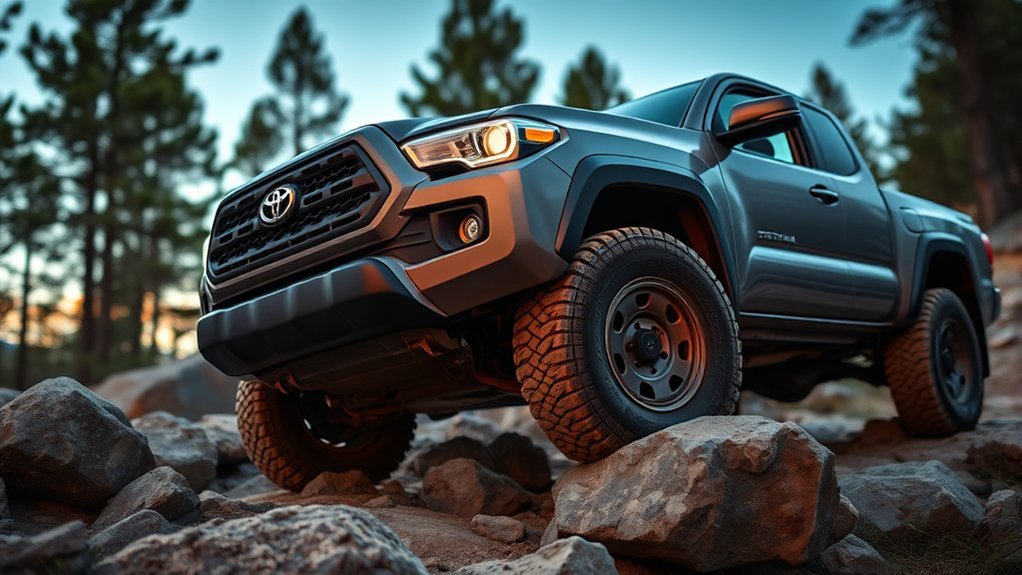
Toyota describes Crawl Control, commonly shown as CRAWL, as a low-speed off-road cruise-control system. It automatically manages propulsion and braking so you can devote more attention to steering, wheel placement, and the obstacle ahead.
On the fourth-generation Tacoma, Toyota describes five selectable low-speed settings. Do not assume those settings equal 1 through 5 mph on every model. Actual speed, activation requirements, cancellation conditions, and available settings depend on the truck’s model year and configuration.
Crawl Control is useful when smooth pedal control is difficult, such as on rocks, deep ruts, loose climbs, or controlled descents. It is not autonomous driving. You remain responsible for choosing a safe line, watching the truck’s clearance, steering, and stopping when conditions become unsafe.
Note: Tacoma controls changed with the 2024 redesign. Advice for a 2016–2023 Tacoma may not match a 2024–2026 truck. Check the manual for your exact year, transmission, trim, and four-wheel-drive system.
How Does Crawl Control Work in a Toyota Tacoma?
Crawl Control coordinates the engine, transmission, traction-control system, and brakes to maintain a selected low-speed setting. As wheel traction changes, the system can reduce propulsion or apply braking without requiring constant pedal corrections from you.
This automated control can reduce abrupt wheelspin and help the truck maintain steady progress. It is especially useful when a bouncing foot, changing slope, or uneven rocks make smooth accelerator input difficult.
Crawl Control does not identify the safest route or prevent underbody contact. It also cannot create traction where the tires have no usable grip. Tire condition, tire pressure, suspension travel, ground clearance, surface type, and driver judgment still affect the result.
Low Range changes the gearing. Crawl Control changes how low-speed throttle and braking are managed.
The Role of Low Range in Off-Roading
Low Range is a reduction gear inside the transfer case. When you select 4LO, the truck moves more slowly for a given engine speed. That reduction multiplies torque at the wheels and gives you finer control over how quickly the truck moves.
Low Range also improves engine braking. On a steep descent, the lower gearing helps hold the truck back without requiring continuous heavy brake pressure. You still need to control speed and remain ready to brake.
Low Range is useful for:
- Slow rock crawling
- Steep climbs and descents
- Deep ruts and washouts
- Controlled movement over ledges
- Heavy pulling or recovery on a loose surface
- Situations where normal gearing feels too fast or difficult to modulate
Low Range does not automatically manage the pedals unless another system, such as Crawl Control, is active. With 4LO alone, you control acceleration and braking yourself.
Warning: Do not use part-time 4WD Low on dry, high-traction pavement. The locked relationship between the front and rear driveline can cause binding, difficult steering, tire scrubbing, and drivetrain stress. Follow your exact owner’s manual because some Tacoma four-wheel-drive systems differ.
Choosing Between Crawl Control and Low Range

The choice is not always Crawl Control or Low Range. On many equipped Tacomas, Low Range provides the gearing and Crawl Control adds automated pedal management. You may therefore use both during the same obstacle.
| Feature | Crawl Control | Low Range (4LO) |
|---|---|---|
| Main job | Manages low-speed throttle and braking | Provides reduction gearing and torque multiplication |
| Driver input | You primarily steer and monitor the route | You manage throttle, braking, and steering |
| Best suited to | Slow, technical obstacles requiring steady movement | Steep or difficult terrain requiring slower gearing |
| Engine braking | System may manage braking to hold its selected speed | Lower gearing increases the drivetrain’s braking effect |
| Availability | Only on equipped trims and configurations | On Tacoma models equipped with a low-range transfer case |
| Use on pavement | No, it is an off-road feature | Avoid dry, high-traction pavement unless the manual permits it |
Does Your Tacoma Have Crawl Control?
Not every Tacoma includes Crawl Control. Availability depends on the model year, trim, transmission, powertrain, four-wheel-drive equipment, and option package. Toyota’s 2026 Tacoma information lists Crawl Control as an available trail feature rather than a universal feature on every truck.
Look for a CRAWL switch or control in the cabin, then confirm its operating instructions in the owner’s manual. Do not rely only on trim badges because equipment can vary between years and packages.
You can access Toyota’s model-specific documentation through the official Manuals and Warranties portal. Select your vehicle by year and model before following any activation sequence.
Benefits of Crawl Control in Off-Roading
Crawl Control’s main advantage is consistency. A human driver may unintentionally add too much throttle when the truck pitches, a wheel drops into a hole, or the seat moves over a rock. The system can make smaller, steadier corrections.
Enhanced Traction Management
Controlled propulsion can reduce unnecessary wheelspin on loose or uneven surfaces. Controlled braking can also prevent the truck from accelerating too quickly down a ledge or slope.
Crawl Control does not guarantee forward movement. A tire can still lose grip, become unloaded, or meet an obstacle that exceeds the truck’s available clearance or traction.
Simplified Obstacle Navigation
Removing constant accelerator and brake modulation lets you devote more attention to:
- Placing each tire on a stable surface
- Keeping vulnerable underbody parts away from rocks
- Watching the truck’s approach, breakover, and departure clearance
- Following a spotter’s instructions
- Stopping before an obstacle becomes unsafe
This support can help newer off-road drivers, but it does not replace practice or route assessment. Walk an unfamiliar obstacle first when it is safe to do so.
Advantages of Low Range for Off-Roading
Low Range remains valuable even when you do not use Crawl Control. It gives you direct control with slower gearing, making small throttle changes easier to manage.
Key advantages include:
- Torque multiplication: The reduction gearing increases torque delivered through the driveline to the wheels.
- Slower movement: You can maintain a low vehicle speed without riding the brakes continuously.
- Stronger engine braking: The lower gearing helps control descents.
- Direct pedal control: You can add or remove momentum immediately when the terrain demands it.
- Controlled recovery: Low gearing can help during careful winching or pulling on a loose off-road surface.
Low Range can be the better choice when you need to control wheel speed yourself. For example, deep mud or soft sand may require enough momentum to avoid sinking. Crawl Control’s slow, brake-managed operation may not suit every such situation.
Typical Use Cases for Crawl Control and Low Range
| Terrain or Situation | Likely Starting Choice | Why |
|---|---|---|
| Slow rock garden | 4LO with Crawl Control, if equipped | Steady movement helps with precise tire placement. |
| Steep, loose descent | 4LO, with Crawl Control or Downhill Assist if appropriate | Low gearing and controlled braking help limit speed. |
| Steep rocky climb | 4LO; add Crawl Control when steady progress is preferable | Low gearing improves control and torque multiplication. |
| Deep mud | 4LO or 4HI depending on depth and needed momentum | Too little momentum may let the truck sink or bog down. |
| Soft sand | Often 4HI with smooth momentum; 4LO for slow, steep, or heavily loaded sections | The correct choice depends on surface firmness and speed needs. |
| Deep ruts or cross-axle terrain | 4LO with Crawl Control if available | Slow control reduces sudden weight transfer and wheelspin. |
| Ordinary gravel road | Usually 2HI or 4HI as conditions require | Low Range and Crawl Control are unnecessary for normal travel. |
Crawl Control vs. Multi-Terrain Select and the Rear Locker
Crawl Control, Multi-Terrain Select, and the locking rear differential are related off-road tools, but they do different jobs.
- Crawl Control: Manages low-speed propulsion and braking.
- Multi-Terrain Select: Adjusts traction-control behavior for selected surface conditions. Toyota states that the current Tacoma’s system can operate in both 4WD-High and 4WD-Low.
- Rear differential lock: Locks the rear axle so both rear wheels rotate together, helping when one rear tire has little or no traction.
- Low Range: Changes the transfer-case gearing for slow-speed torque multiplication and engine braking.
Do not assume that selecting one feature automatically activates or permits another. Follow the instrument display and the owner’s manual for the required sequence.
How to Engage Low Range and Crawl Control Safely
The exact procedure varies. The following is a general safety sequence, not a replacement for your Tacoma’s manual:
- Move off the main roadway. Use the systems only where four-wheel-drive operation is appropriate and legal.
- Stop or slow as directed by your manual. Keep the wheels as straight as practical and hold the brake.
- Select the required transmission position. Many automatic Tacomas require Neutral before shifting the transfer case into 4LO. Manual-transmission procedures can differ.
- Select 4LO. Wait until the 4LO indicator confirms engagement. Do not accelerate hard while the indicator is flashing.
- Activate CRAWL if equipped. Use the switch or dial described in your manual and begin with a conservative speed setting.
- Release the pedals only when the system is active. Keep your foot ready to brake and watch the route continuously.
- Disengage after the obstacle. Stop or slow as required, cancel CRAWL, shift the transfer case out of 4LO, and verify the indicator before returning to normal driving.
Pro Tip: Practice engaging and disengaging the systems on an easy, open dirt area before you need them on a difficult obstacle. You will learn the indicator behavior and control layout without adding trail pressure.
Common Crawl Control and 4LO Mistakes
Using 4LO on Dry Pavement
High-traction pavement can prevent the tires from releasing driveline tension during turns. This can cause binding and tire scrub in a part-time four-wheel-drive system.
Forcing a Shift When the Indicator Flashes
A flashing 4LO indicator usually means the requested shift is not complete. Keep the truck controlled and follow the manual’s corrective procedure. Do not apply heavy throttle or assume low range is engaged.
Selecting Too High a Crawl Setting
Start slowly. A faster setting can make precise tire placement more difficult and may increase the force of contact with a ledge or rock.
Using Crawl Control When Momentum Is Needed
Slow automated movement is not ideal for every surface. Deep mud, loose sand, and some climbs may require controlled momentum. Assess the route before activating CRAWL.
Treating the System as Autonomous
Crawl Control cannot see a drop-off, choose a safe line, check roof clearance, or protect the truck’s underbody. Keep steering, observing, and preparing to stop.
Ignoring Tires and Clearance
Electronic systems cannot compensate for badly worn tires, unsuitable tire pressure, insufficient clearance, an overloaded vehicle, or an obstacle beyond the truck’s capability.
Tips for Effectively Using Crawl Control and Low Range

- Inspect the obstacle first: Look for loose rocks, holes, ledges, sharp edges, and possible underbody contact.
- Use a spotter when needed: Agree on hand signals before moving and stop if you lose sight of the spotter.
- Begin with the lowest practical setting: Increase the Crawl Control setting only when the truck needs more steady momentum.
- Keep steering movements smooth: Sudden steering can reduce clearance or push a tire off a stable line.
- Avoid fighting the system with the pedals: If you need direct pedal control, cancel Crawl Control and continue in 4LO manually.
- Watch the dashboard: Confirm that 4LO and CRAWL indicators show the expected status.
- Know when to stop: Reassess the route if the tires spin repeatedly, the truck slides sideways, or clearance becomes uncertain.
Decision Guide: Which Mode Should You Choose?
Start by asking what the truck needs from you:
- If normal gearing feels too fast and you need greater low-speed control, select Low Range.
- If you are already in the appropriate four-wheel-drive mode and constant pedal modulation is distracting you from steering, consider Crawl Control.
- If the surface requires momentum, use direct throttle control in the appropriate range instead of assuming CRAWL is the best choice.
- If the obstacle is beyond the truck’s tires, clearance, traction, or your experience, turn around rather than depending on electronics.
For many slow technical obstacles, the practical answer is 4LO first and Crawl Control second. Low Range supplies the gearing, while Crawl Control manages low-speed movement.
Frequently Asked Questions
When should you use Tacoma Crawl Control?
Use Crawl Control on slow, technical off-road terrain where steady throttle and braking can help you focus on steering. Examples include rock gardens, deep ruts, ledges, and controlled descents. It may be less useful where the truck needs sustained momentum.
When should you use 4LO in a Tacoma?
Use 4LO when you need reduction gearing, greater torque multiplication at the wheels, slower movement, or stronger engine braking. Typical situations include steep slopes, rocks, deep ruts, and careful off-road recovery.
Does Crawl Control replace Low Range?
No. Low Range changes the transfer-case gearing. Crawl Control manages low-speed throttle and braking. On many equipped Tacomas, Crawl Control works as an additional control layer after the required four-wheel-drive mode is selected.
Can you use Tacoma Crawl Control in 4HI?
Do not assume that you can. Operating conditions vary by year and configuration. Toyota states that current Multi-Terrain Select works in 4WD-High and 4WD-Low, but Multi-Terrain Select and Crawl Control are separate features. Check your exact owner’s manual.
Is Tacoma Crawl Control worth having?
It can be valuable if you regularly drive slow, technical trails. It reduces the need for constant pedal modulation and can make wheel placement easier. Drivers who mainly use gravel roads, snow-covered streets, or mild trails may use it less often.
How do you activate Toyota Crawl Control?
The exact procedure depends on the Tacoma’s year, transmission, and four-wheel-drive system. In general, you select the required off-road drive mode, confirm that the transfer-case shift is complete, activate CRAWL, and choose a low-speed setting. Follow the vehicle-specific manual rather than a universal online sequence.
Can you drive a Tacoma in 4LO on pavement?
Avoid using part-time 4LO on dry, high-traction pavement. It can cause driveline binding, tire scrubbing, and difficult steering. Four-wheel-drive systems vary, so follow the restrictions in your Tacoma owner’s manual.
Conclusion
Low Range and Crawl Control are not competing versions of the same feature. Low Range provides reduction gearing, torque multiplication, slow-speed control, and engine braking. Crawl Control manages low-speed throttle and braking so you can focus more closely on steering and obstacle placement.
Use 4LO when the terrain requires lower gearing. Add Crawl Control when steady automated movement suits the obstacle and your Tacoma supports it. For mud, sand, or situations that require momentum, direct pedal control may be the better choice. Always follow the owner’s manual for your exact model year before engaging either system.
Sources
- Toyota: 2026 Tacoma — confirms current Tacoma configurations and available Crawl Control.
- Toyota USA Newsroom: 2024 Toyota Tacoma Is the Ultimate Adventure Machine — explains the high/low transfer case, current CRAWL Control, five selectable speeds, and related off-road systems.
- Toyota USA Newsroom: The 2025 Toyota Tacoma Is Ready for Adventure — confirms current Multi-Terrain Select and CRAWL Control descriptions.
- Toyota Manuals and Warranties — provides model-specific owner documentation and operating instructions.

