Are you wondering if Boost Infinite is compatible with your trusty iPhone 6S? You’re not alone.
Many iPhone 6S users want to know whether this older iPhone can still work with Boost Infinite or the current Boost Mobile service experience. The short answer is that it may work for basic LTE service if the phone is unlocked, uses a physical nano-SIM, and passes Boost’s device compatibility check.
You should also know the limits before you switch. The iPhone 6S does not support 5G or eSIM activation, and older hardware may miss some newer network features. This guide explains compatibility, activation, performance, troubleshooting, and alternatives so you can make the right choice before moving your number.
Quick Answer
Boost Infinite may work with an unlocked iPhone 6S for LTE talk, text, and data if the device passes Boost’s IMEI compatibility check and uses a physical nano-SIM. It will not support 5G, eSIM activation, or every newer network feature.
Key Takeaways
- The iPhone 6S can still handle basic LTE service, but compatibility depends on your exact model, lock status, SIM type, and Boost’s network requirements.
- You must use a physical nano-SIM because the iPhone 6S does not support eSIM.
- You should check your IMEI before signing up, especially if the phone came from another carrier.
- Performance should be fine for calls, texts, browsing, maps, and light apps, but you should not expect 5G speeds or modern battery life.
- If activation fails, update iOS, check carrier settings, reset network settings, and contact Boost support with your IMEI and SIM number.
Credit: www.bloomberg.com
Boost Infinite Compatibility
Boost Infinite was built for smartphone users who wanted flexible wireless service. Since carrier brands, plans, and activation systems can change over time, you should treat device compatibility as a live check rather than a one-time rule. For an iPhone 6S, the most important question is whether your exact device is unlocked and approved by Boost’s current compatibility system.
Supported Devices
Boost supports many unlocked phones, but not every older phone will qualify. The iPhone 6S is older, yet it can still connect to LTE networks when the model, carrier lock, and SIM setup match the provider’s requirements.
The safest step is to check the phone’s IMEI before you buy a SIM or move your number. You can usually find the IMEI by opening Settings > General > About on the iPhone. If the phone is carrier-locked, you may need to unlock it through the original carrier before trying Boost service.
Note: Do not assume every iPhone 6S will activate just because the model supports LTE. Compatibility can depend on the phone’s IMEI, previous carrier, SIM type, and whether the device is reported lost, stolen, financed, or locked.
Network Requirements
Boost service requires a phone that supports the correct network bands and voice calling features. The iPhone 6S supports 4G LTE, which helps it remain useful for talk, text, maps, email, web browsing, and common apps. However, it does not support 5G, and it does not support newer eSIM-only activation methods.
Your iPhone 6S must use a physical nano-SIM. You should also update iOS and carrier settings before activation because outdated software can cause setup errors, weak data performance, or missing network features.
Warning: If a plan or promotion requires eSIM, 5G, or a newer iPhone model, the iPhone 6S will not meet that requirement. Check the plan details before you switch.
Iphone 6s Specifications
The iPhone 6S has enough core hardware for basic Boost service, but its age matters. It launched in 2015, runs on older hardware, and supports LTE rather than 5G. Understanding those limits helps you decide whether to activate it or upgrade.
Hardware Features
The iPhone 6S includes a 4.7-inch Retina HD display, which makes it compact and easy to hold. Many users still like this size because it fits in one hand and slips easily into a pocket.
Inside, it uses Apple’s A9 chip. The chip still handles calls, texts, email, browsing, maps, and light apps, but it will feel slower than modern iPhones when multitasking or running heavier apps.
The device also has a 12-megapixel rear camera. It can still capture clear everyday photos and videos, although it lacks the low-light performance and advanced camera features found on newer models.
Storage options originally included 16GB, 32GB, 64GB, and 128GB. If your iPhone 6S has 16GB, storage may feel tight after iOS files, messages, photos, and apps. Freeing up space before activation can help the phone run better.
Software Capabilities
The iPhone 6S originally shipped with iOS 9 and can run up to iOS 15. That gives it better app support than many older phones, but it no longer receives the same major iOS upgrades as newer iPhones.
With iOS, the iPhone 6S supports features like Siri, basic location services, Wi-Fi calling where supported, and Apple Pay. These features can still make the phone practical for daily use.
The biggest software concern is app support. Some current apps may still work, while others may require a newer iOS version. Before switching service, check the apps you rely on most, such as banking, rideshare, work, authentication, and messaging apps.
Compatibility Checklist Before You Switch
Before you try Boost Infinite or Boost Mobile service on an iPhone 6S, check these requirements:
- Unlocked status: The phone should be unlocked from its previous carrier.
- IMEI status: The IMEI should pass Boost’s compatibility checker.
- SIM type: The iPhone 6S requires a physical nano-SIM, not eSIM.
- Software: The phone should run the newest iOS version available for the iPhone 6S.
- Battery health: A weak battery can make network use feel unreliable.
- Storage space: Low storage can slow updates, apps, and activation steps.
The iPhone 6S can still be useful for basic LTE service, but it should be treated as a budget fallback phone, not a full modern 5G experience.
Boost Infinite Activation Process
Activating Boost service with an iPhone 6S can be simple when the phone is eligible. The main steps are checking compatibility, installing the physical SIM, setting up your account, and testing calls, texts, and data.
At a Glance
| Time Required | About 10 to 30 minutes if the phone is unlocked and compatible |
| Difficulty | Easy to moderate |
| Tools Needed | iPhone 6S, physical nano-SIM, SIM eject tool, Wi-Fi, IMEI, account details |
| Cost | Depends on the current plan, SIM kit, taxes, fees, and promotions |
Step 1: Check Your IMEI
Before installing a SIM, check your iPhone 6S IMEI through Boost’s compatibility checker or support team. This step confirms whether your exact phone can activate on the network.
To find the IMEI, open Settings > General > About. You can also dial *#06# on many phones to display the IMEI. Write it down carefully because one wrong digit can give you the wrong compatibility result.
Step 2: Update The iPhone
Connect the iPhone 6S to Wi-Fi, then open Settings > General > Software Update. Install the newest iOS version available for your device before activation.
You should also check carrier settings by opening Settings > General > About. If a carrier settings update appears, install it. This can improve network recognition, calling, messaging, and data setup.
Step 3: Sim Card Installation
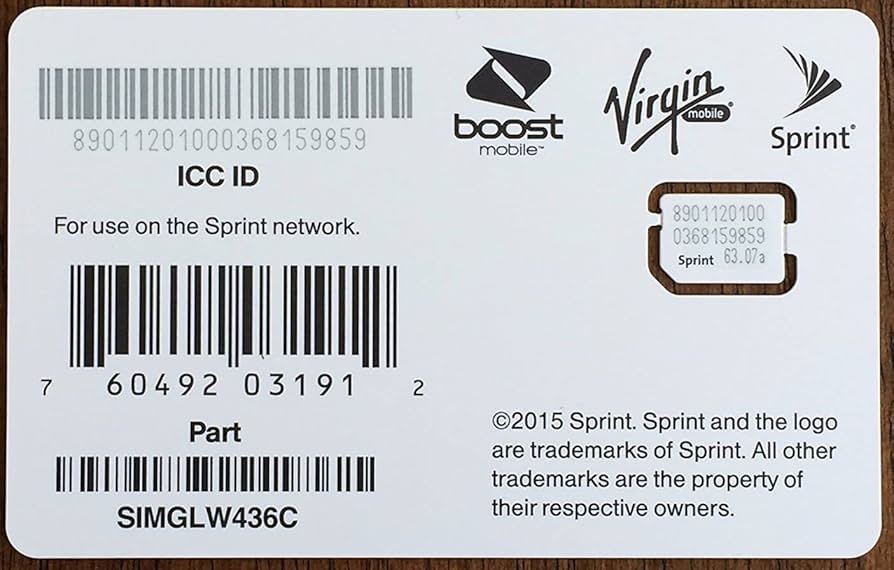
First, install your Boost SIM card. The iPhone 6S uses a physical nano-SIM, so eSIM setup will not work on this model.
Start by locating the SIM tray on the right side of your iPhone 6S. Use a SIM eject tool or a straightened paperclip, then gently push into the small hole beside the tray.
Once the tray pops out, place the Boost nano-SIM into the tray. Make sure the card sits flat and matches the tray shape. Slide the tray back into the phone and power on the device.
If the SIM is active and the phone is compatible, your iPhone should recognize the network after a short wait. If it does not, restart the phone and check whether the SIM is seated correctly.
Step 4: Account Setup
With your SIM card installed, set up your Boost account through the official website, app, or support channel. You may need your name, email address, billing details, phone number, SIM number, and IMEI.
If you are transferring a number, keep your old carrier account active until the port completes. You may need the old account number, transfer PIN, billing ZIP code, and account holder name.
After you submit the details, follow the activation prompts. Once activation finishes, test phone calls, text messages, mobile data, voicemail, and Wi-Fi calling if your plan and network support it.
Pro Tip: Keep your old SIM and account information nearby until calls, texts, and data work on Boost. This makes support faster if your number transfer gets delayed.
Credit: www.phonearena.com
Performance On Iphone 6s
Boost service on an iPhone 6S can feel smooth for basic daily tasks, but expectations matter. The phone is nearly a decade old, so network compatibility is only one part of the experience. Battery health, storage space, iOS version, and local coverage can all affect performance.
Speed And Connectivity
The iPhone 6S supports LTE, so it can handle browsing, messaging, maps, email, social apps, and standard-definition streaming. For many light users, that may be enough.
You should not expect 5G speeds, stronger 5G coverage, or the faster modem performance found in newer iPhones. Downloads, uploads, hotspot use, and video streaming may feel slower, especially in crowded areas or buildings with weak signal.
Connectivity is usually more stable when the phone has updated software and good battery health. If calls drop or data stalls, toggling airplane mode can refresh the connection. If the problem keeps happening, reset network settings or contact support.
User Experience
The user experience on an iPhone 6S with Boost service blends familiarity with clear limits. The iOS interface remains simple, and common apps like messaging, email, maps, and web browsing can still work well.
You may notice lag with heavy apps, modern games, large websites, and video editing. Some newer apps may also stop supporting iOS 15 over time, which can limit the phone’s long-term usefulness.
Battery life is another concern. Boost service does not directly damage the battery, but mobile data, weak signal, hotspot use, and background apps can drain an older battery quickly. If your battery health is low, replacing the battery or upgrading the phone may make a bigger difference than changing carriers.
What Will Work Best
An iPhone 6S on Boost is best for simple use. It can still be a practical choice for calls, texts, email, GPS navigation, music streaming, two-factor authentication, and light web browsing.
It is less ideal for users who need 5G, strong hotspot performance, long battery life, the newest iOS features, advanced camera quality, or guaranteed support for current apps over the next few years.
Troubleshooting Common Issues
Checking compatibility between Boost service and the iPhone 6S is important because older phones can run into activation, network, or app issues. Most problems are fixable if you work through the basics in the right order.
Connectivity Problems
If calls drop, messages fail, or mobile data feels slow, start with simple checks. Make sure airplane mode is off, cellular data is on, and the SIM tray is fully seated.
Next, restart the phone. A restart can force the iPhone to reconnect to the network and reload carrier settings. If you are inside a building, move near a window or step outside to test signal strength.
You can also reset network settings by opening Settings > General > Transfer or Reset iPhone > Reset > Reset Network Settings. This does not erase your photos or apps, but it does remove saved Wi-Fi passwords and network preferences.
Software Updates
Keeping your software updated is important for a smoother experience. Older iOS versions may not handle newer carrier settings as well as the latest version available for the iPhone 6S.
Open Settings > General > Software Update and install any available update. Then open Settings > General > About and wait for a carrier settings prompt.
If no update appears, restart the phone and check again. You should also make sure you have enough free storage because very low storage can block updates and slow the phone.
Activation Errors
If activation fails, confirm that the IMEI passed the compatibility check and that the SIM number was entered correctly. A single incorrect digit can stop activation.
If you are porting a number, verify your old carrier account number and transfer PIN. Number transfers can fail when the PIN expires, the account name does not match, or the old carrier account has already been closed.
If you still cannot activate, contact Boost support with your IMEI, SIM number, iPhone model, iOS version, and any error message shown on the screen.
Data Works But Calls Do Not
If mobile data works but calls fail, the issue may involve carrier settings, voice service, account provisioning, or coverage. Restart the phone first, then check for carrier settings updates.
You should also test calls in more than one location. If calls only fail at home or work, weak indoor coverage may be the real issue. Wi-Fi calling may help if your plan and device setup support it.
Text Messages Or iMessage Problems
If SMS texts fail, check that your phone number is active with the carrier. If iMessage fails, open Settings > Messages, turn iMessage off, wait a minute, then turn it back on.
Also check Settings > Messages > Send & Receive to make sure your phone number and Apple ID are set correctly. Number transfers can sometimes delay iMessage activation.

Credit: www.amazon.com
Alternatives To Boost Infinite
If your iPhone 6S does not pass the Boost compatibility check, you still have options. You can try another carrier, choose a budget MVNO, or upgrade to a newer iPhone that supports more current network features.
Other Carriers
Several carriers may support an unlocked iPhone 6S for basic LTE service, depending on the exact model and network rules. AT&T, Verizon, and T-Mobile are major options with broad coverage.
You can also consider budget carriers such as Mint Mobile, Cricket Wireless, and Metro by T-Mobile. These providers may offer lower-cost plans, but you should still check IMEI compatibility before signing up.
Comparison Of Plans
When comparing plans, think about what you need most. Some users need low monthly cost, while others need better rural coverage, more hotspot data, or stronger customer support.
Here is a simple comparison table to help you compare the types of plans available:
| Carrier | Plan Highlights | Typical Fit |
|---|---|---|
| AT&T | Talk, text, data, prepaid and postpaid options | Users who want broad coverage and several plan choices |
| Verizon | Strong coverage, unlimited options, prepaid options | Users who prioritize coverage and reliability |
| T-Mobile | Unlimited plans, prepaid choices, strong urban coverage | Users in areas with strong T-Mobile LTE signal |
| Mint Mobile | Lower-cost multi-month plans | Budget users who are comfortable paying for several months at once |
| Metro by T-Mobile | Prepaid plans, store support, family plan options | Users who want prepaid service with in-person help |
Think about your real usage habits. If you mostly call, text, and browse, a low-cost plan may be enough. If you stream video, use hotspot data, or travel often, coverage and data priority may matter more.
When Upgrading Makes More Sense
Keeping an iPhone 6S can save money, but upgrading may be smarter if you need better battery life, stronger app support, 5G, eSIM, a better camera, or longer software support.
A newer used iPhone can also make activation easier because newer models support more carrier features. If your iPhone 6S fails compatibility checks or feels too slow, compare the cost of a newer phone against the time you may spend troubleshooting.
Frequently Asked Questions
What carriers are compatible with the iPhone 6S?
The iPhone 6S can work with many major carriers and prepaid providers when it is unlocked and compatible with the carrier’s LTE network. Common options may include AT&T, Verizon, T-Mobile, Boost Mobile, Cricket Wireless, Mint Mobile, and Metro by T-Mobile. Always check the IMEI first.
What is Infinite Access for iPhone with Boost Mobile?
Infinite Access for iPhone is a Boost plan concept tied to iPhone service and device access. Plan names, device offers, and eligibility rules can change, so check the current Boost plan details before joining. An iPhone 6S may not qualify for newer iPhone-focused offers that require newer hardware.
What happened to Boost Infinite?
Boost Infinite branding and Boost Mobile service information have changed over time, so users may see Boost Infinite, Boost Mobile, or related plan names depending on where they search. For activation, compatibility, and plan details, use the current official Boost website or support channel.
What iOS does iPhone 6S Plus support until?
The iPhone 6S Plus supports up to iOS 15. The standard iPhone 6S also supports up to iOS 15. This helps with basic app support, but newer iOS features and some current apps may require a newer iPhone.
Does the iPhone 6S support 5G on Boost?
No. The iPhone 6S supports 4G LTE, not 5G. It may still work for basic service if compatible, but it cannot use 5G speeds or 5G-only network features.
Can I activate an iPhone 6S with eSIM?
No. The iPhone 6S does not support eSIM. You need a physical nano-SIM to activate cellular service on this model.
Why does my iPhone 6S show no service after installing the SIM?
No service can happen when the phone is locked, the SIM is not active, the IMEI is not compatible, the SIM is seated incorrectly, or carrier settings are outdated. Restart the phone, check the SIM tray, update iOS, and contact support if the issue continues.
Conclusion
Boost Infinite or current Boost service may work with an iPhone 6S, but compatibility is not guaranteed for every device. The safest answer is to check your IMEI, confirm the phone is unlocked, use a physical nano-SIM, and make sure the phone is updated before activation.
The iPhone 6S can still handle basic LTE tasks such as calls, texts, email, browsing, maps, and light app use. Still, it does not support 5G, eSIM, or newer iOS versions beyond iOS 15. If you need faster data, stronger battery life, or long-term app support, upgrading to a newer iPhone may be the better choice.
If you want the lowest-cost path, try the compatibility check first. If the phone passes, activate carefully and test every major feature. If it fails or performs poorly, compare other carriers or consider a newer used iPhone before spending more time troubleshooting.
Sources
- Apple iPhone 6S Technical Specifications — backs up iPhone 6S display, chip, camera, SIM, and LTE details.
- Boost Mobile Compatibility Checker — supports the recommendation to check IMEI compatibility before activation.
- Apple Carrier Settings Support — backs up checking for carrier settings updates on iPhone.


1 thought on “Does Boost Infinite Work With iPhone 6S? Discover Now”