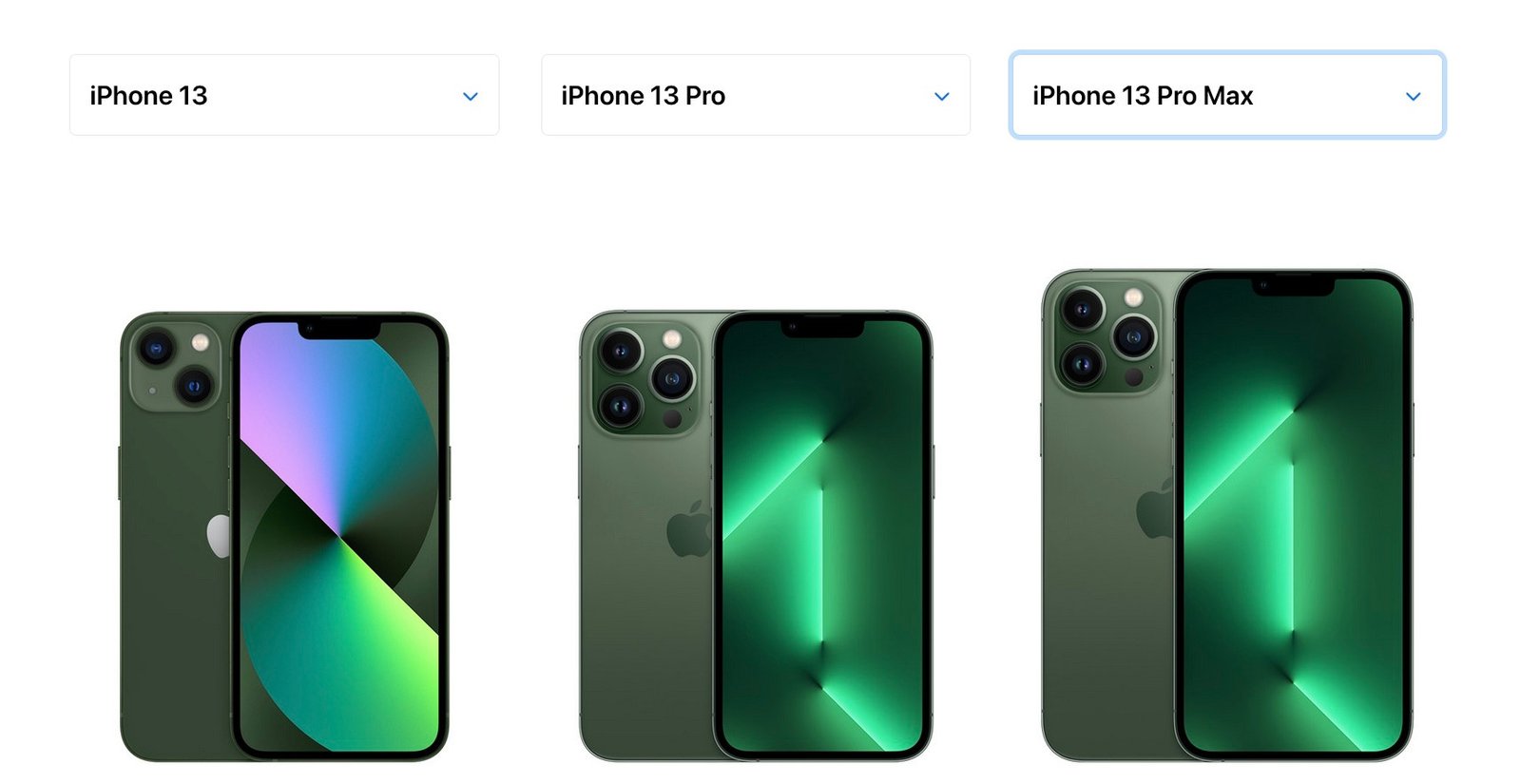
Imagine holding your sleek new iPhone 13 Pro. It feels perfect until you remember how easy it is to scratch, scuff, or drop. The right case protects your phone, complements your style, and works smoothly with MagSafe, wireless charging, mounts, and wallets.
For the best fit, choose a case made specifically for the iPhone 13 Pro. Even when another iPhone looks close in size, small differences in thickness, camera bump, button placement, and frame shape can cause poor protection or blocked controls.
Quick Answer
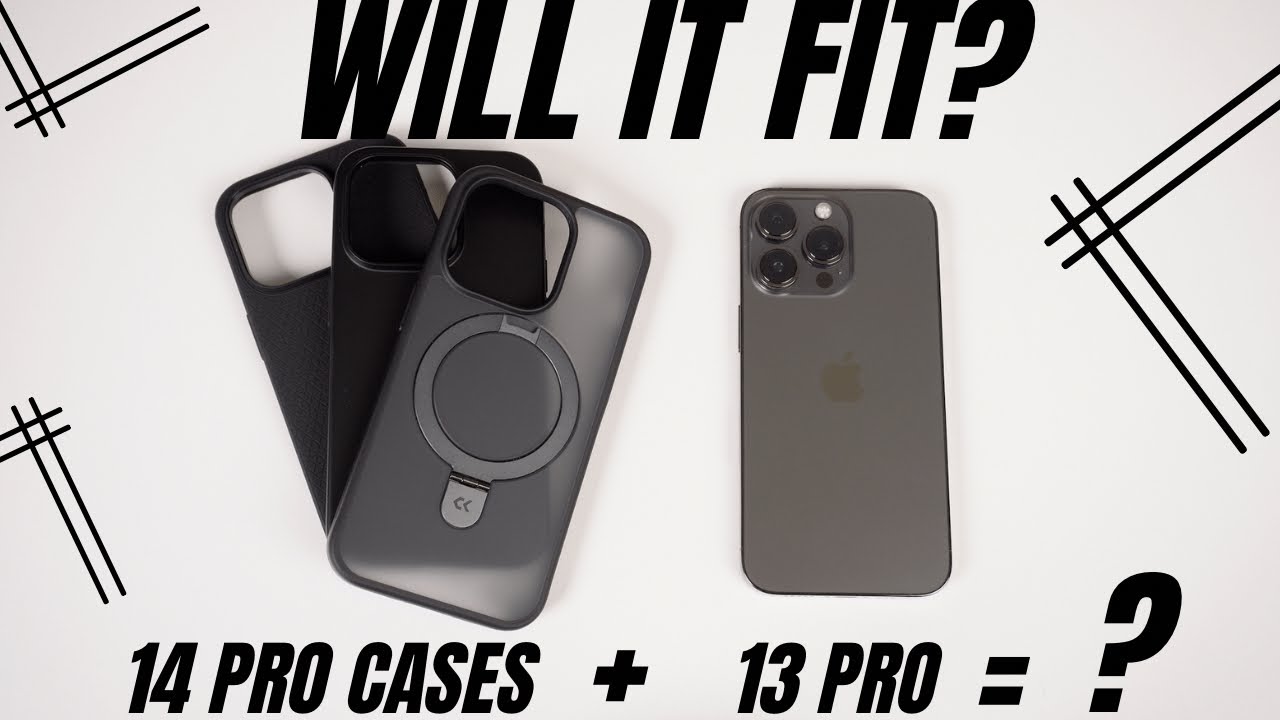
Cases made specifically for the iPhone 13 Pro fit best. Cases for iPhone 12 Pro, 14 Pro, 15 Pro, and 16 Pro generally do not fit correctly because of differences in body size, thickness, camera bump, and button layout. Choose MagSafe-compatible cases if you use magnetic chargers, wallets, or mounts.
Key Takeaways
- Use a case designed for iPhone 13 Pro for the best fit, button feel, camera alignment, and edge protection.
- Cross-model cases for iPhone 12 Pro, 14 Pro, 15 Pro, and 16 Pro usually do not fit because Apple changes dimensions, camera bumps, and controls across generations.
- Pick materials and features such as MagSafe, textured grips, kickstands, wallets, and reinforced corners based on how and where you use your phone.
- Check raised screen lips, camera bezels, wireless charging support, and return policies before buying.
Material choices
Choosing a case material affects grip, durability, thickness, weight, and style. The three most common options are silicone, leather, and polycarbonate. Many protective cases also combine materials, such as a hard polycarbonate shell with a flexible TPU bumper.
Silicone
Silicone feels soft and grippy, which helps prevent slips. It absorbs minor shocks well and wipes clean easily. It is a strong everyday pick if you prefer a warm, non-slippery feel.
The main trade-off is pocket lint. Silicone can attract dust, fabric fibers, and small debris, so it may need quick cleaning more often than a hard-shell case.
Leather
Leather looks classic and premium, and it can gain a patina over time. It feels refined and ages differently from plastic or silicone. If you like a case that looks more personal with use, leather is a strong option.
Leather can scuff, stain, or darken with moisture and oils. It also benefits from occasional conditioning. If you often use your phone at the gym, beach, jobsite, or around water, a synthetic or hybrid case may be easier to maintain.
Polycarbonate (hard shell)
Polycarbonate is rigid and impact-resistant, with many color and print options. Hard shells resist scratches better than many soft cases and can help spread impact across the case surface.
Hard shells can feel slick, so look for textured sides, rubberized edges, or a TPU bumper if grip matters. A hybrid polycarbonate and TPU case often gives you a better balance of grip, structure, and drop protection.
TPU and hybrid cases
TPU is flexible, grippy, and shock-absorbing. Many affordable cases use TPU because it protects well without adding too much weight. Clear TPU cases can yellow over time, so look for anti-yellowing claims if you want a transparent case that stays clear longer.
Hybrid cases combine a hard back with softer edges. This design gives the case structure while cushioning corners and sides, which are common impact points during a drop.
Protection levels
A good iPhone 13 Pro case should protect the screen edges, camera lenses, corners, back glass, and buttons without blocking wireless charging or making the phone uncomfortable to hold.
Drop protection
Seek cases with shock-absorbing TPU, reinforced corners, raised bezels, and a snug fit. Military-standard claims vary by brand, so prioritize real design features such as raised edges, corner cushioning, internal air pockets, and strong sidewalls over buzzwords.
Warning: A loose case can pop off during a drop or leave the camera and corners exposed. If a case gaps around the edges, blocks buttons, or shifts when you press the sides, do not rely on it for protection.
Scratch resistance
Raised bezels protect the screen and camera array from rough surfaces. Hard outer shells resist key and coin marks, while microfiber liners reduce micro-abrasions on the phone’s back glass.
If you often place your phone face down, choose a case with a raised front lip. If you place it camera-side down, choose a case with a raised camera ring around the lens area.
Water resistance
Your iPhone 13 Pro is water-resistant, but a fully sealed waterproof case offers extra protection for beaches, boats, snow, pools, and muddy conditions. Expect thicker sides and some touch sensitivity trade-offs.
A standard slim case is not a waterproof case. It may protect against scratches and drops, but it does not seal ports, speakers, microphones, or the display area.
Screen and camera coverage
A case protects the frame and back, but it does not replace a good screen protector if you want extra display protection. For the camera, look for raised lens lips or a case design that keeps the lens rings from touching flat surfaces.
Style and aesthetics
Your case changes how your iPhone feels every day, so protection is only one part of the choice. Thickness, grip, color, finish, and pocket feel all matter.
Minimalist
Clear or slim matte cases showcase the phone and keep bulk low. Look for anti-yellowing coatings on clear shells and raised edges around both the screen and camera area.
Bold and colorful
Vibrant colors, patterns, and printed designs turn your phone into a statement piece without sacrificing protection. Printed cases vary in durability, so check whether the design is embedded, coated, or only surface-printed.
Luxury
Premium leather or metal accents add polish. Prioritize precise cutouts and camera protection alongside looks. A stylish case still needs a secure fit, responsive buttons, and enough lip height to protect the screen and camera.
Functionality enhancements
Beyond protection, an iPhone 13 Pro case can make your phone easier to charge, hold, mount, and carry. Focus on features you will use daily, not extras that add bulk without solving a real problem.
MagSafe compatibility
MagSafe cases keep magnets aligned for stronger attachment to chargers, wallets, battery packs, and car mounts. Apple’s MagSafe guidance explains setup and charging behavior for compatible models. Read Apple’s MagSafe charging overview.
A case can still allow wireless charging without being MagSafe-compatible. The difference is magnetic alignment. If you use snap-on wallets, magnetic stands, magnetic battery packs, or car mounts, choose a case with a built-in MagSafe ring.
Pro Tip: If you already use a MagSafe charger, wallet, or car mount, buy a case that clearly says “MagSafe compatible,” not just “wireless charging compatible.”
Built-in stands
Kickstands make video calls and media viewing hands-free. Metal stands are sturdier, while fabric or card-style stands keep weight down. Check whether the stand works in both portrait and landscape if you watch videos and take video calls often.
Card holders
Wallet cases and MagSafe wallets carry IDs and a couple of cards. Check magnet strength and consider a separate wallet for travel. If you carry many cards or cash, a folio wallet case may work better than a slim magnetic wallet.
Grip rings, straps, and mounts
Grip rings, finger loops, and straps help if you often use your phone one-handed. They can reduce drops, but they may interfere with flat wireless chargers or car mounts. Check the accessory layout before buying.
Compatibility at a glance
As of June 2026: Dimensions, thickness, button placement, and camera bumps vary across iPhone generations. For best results, use a case made for iPhone 13 Pro. Specs references: iPhone 13 Pro, iPhone 15 Pro (Apple Support).
| Other model’s case | Fit on 13 Pro? | Why |
|---|---|---|
| iPhone 12 Pro | Usually no | Similar footprint, but 13 Pro’s camera bump is larger and cutouts can misalign. |
| iPhone 14 Pro | No | Different height, thickness, camera island, and control placement create poor alignment. |
| iPhone 15 Pro | No | Narrower but thicker body, different frame material, and different button/camera placement. |
| iPhone 16 Pro | No | Larger body and updated hardware layout mean a 16 Pro case will not hold a 13 Pro correctly. |
Note: A case that “almost fits” is still a bad choice. Poor alignment can reduce drop protection, block the camera, make buttons hard to press, or leave the phone loose inside the case.
How to check case fit before buying
Before you order, confirm that the product listing names iPhone 13 Pro exactly. Avoid listings that only say “iPhone 13 series” unless they clearly separate the 13, 13 mini, 13 Pro, and 13 Pro Max sizes.
Check the model name
Look for “iPhone 13 Pro” in the title, size selector, packaging, or compatibility list. Do not assume a case for the iPhone 13, iPhone 13 Pro Max, or iPhone 14 Pro will fit.
Check the camera cutout
The camera area is one of the easiest places to spot a mismatch. A correct case should frame the iPhone 13 Pro camera bump cleanly without covering the flash, LiDAR scanner, microphone, or lens edges.
Check the buttons and port openings
Button covers should sit directly over the volume and side buttons. The mute switch, speaker holes, microphone holes, and Lightning port opening should also line up cleanly.
Check MagSafe and wireless charging support
If you charge wirelessly, avoid very thick cases, metal-backed cases, or wallet cases that sit between the phone and charger. If you use magnetic accessories, choose a case with MagSafe support built in.
Budget-friendly options
You don’t need to overspend. Many under-$20 TPU or hybrid cases offer good drop protection, raised bezels, and clicky buttons. Look for anti-yellowing claims on clear TPU and check return policies if you’re picky about feel.
Budget cases often skip premium details such as microfiber lining, stronger magnets, metal kickstands, or reinforced camera rings. That does not make them bad, but you should check the basics: exact iPhone 13 Pro fit, raised front lip, camera protection, button response, and grip.
What to expect from low-cost cases
- Good basic scratch and everyday drop protection
- Simple TPU or hybrid construction
- Fewer premium finishes or brand-specific extras
- Possible yellowing on clear cases over time
- Weaker magnets if MagSafe support is not built into the case
When to spend more
Spend more if you need stronger MagSafe magnets, verified drop protection, a premium leather finish, a durable kickstand, a waterproof seal, or a case that feels better in the hand every day.
Common buying mistakes
Most case problems come from buying the wrong model size or focusing on style while ignoring protection details. Use the checks below before you buy.
- Buying a case for iPhone 13 instead of iPhone 13 Pro: The camera layout and dimensions are not the same.
- Assuming all Pro cases fit each other: Apple changes dimensions, camera islands, and controls across generations.
- Choosing a slippery hard shell: A slim case can still lead to drops if it lacks grip.
- Ignoring camera protection: The iPhone 13 Pro camera bump needs a raised lip or protective ring.
- Confusing wireless charging with MagSafe: A case may charge wirelessly but still lack magnets for MagSafe accessories.
- Using a thick wallet case on a charger: Cards and thick covers can interfere with wireless charging.
Glossary
- TPU
- Thermoplastic polyurethane; flexible, grippy, and impact-absorbing.
- Polycarbonate
- Rigid plastic used for durable hard-shell cases.
- MagSafe
- Apple’s magnetic accessory system for charging and add-ons.
- Raised bezel
- A lifted edge around the screen or camera area that helps keep glass surfaces from touching tables, counters, or rough surfaces.
- Hybrid case
- A case that combines two or more materials, often a hard back with flexible shock-absorbing edges.
Related Guides
Frequently Asked Questions
Do any cases fit the iPhone 13 Pro?
Yes. Cases made specifically for iPhone 13 Pro fit best. Cross-model cases often misalign around the camera, buttons, mute switch, or charging area, so use a 13 Pro-specific case for proper protection and access.
Is the iPhone 13 Pro the same size as the iPhone 15 Pro?
No. The iPhone 15 Pro is slightly narrower and thicker, with different tolerances and button layout. A 15 Pro case will not properly fit the 13 Pro.
Are iPhone 13 Pro and 14 Pro cases interchangeable?
No. The iPhone 14 Pro body, camera island, and control placement differ from the iPhone 13 Pro. Cases are not interchangeable if you want a secure fit.
Will an iPhone 16 Pro case fit the 13 Pro?
No. The iPhone 16 Pro is larger overall and uses a different hardware layout, so its cases will not hold the smaller iPhone 13 Pro correctly.
Will an iPhone 13 case fit an iPhone 13 Pro?
No. The iPhone 13 and iPhone 13 Pro are not the same for case fit. The camera system and case cutouts differ, so choose a case labeled for iPhone 13 Pro.
Do MagSafe cases work with regular wireless chargers?
Usually, yes. A MagSafe-compatible case should still work with many Qi wireless chargers, but alignment and charging speed can vary by charger, case thickness, and accessory design.
Is a clear case a good choice for iPhone 13 Pro?
A clear case is a good choice if you want to show the phone’s color while adding protection. Look for raised bezels, reinforced corners, and anti-yellowing materials if you want it to stay cleaner-looking over time.
Related articles
- Best iPhone 13 Pro cases (tested)
- MagSafe chargers and wallets: what to know
Sources
- Apple Support: iPhone 13 Pro technical specifications — confirms official iPhone 13 Pro size and model details.
- Apple Support: iPhone 15 Pro technical specifications — supports the note that iPhone 15 Pro dimensions differ from iPhone 13 Pro.
- Apple Support: How to use your MagSafe Charger — explains MagSafe charging behavior and compatible use.
- Apple iPhone comparison page — helps compare current iPhone models and specifications.

