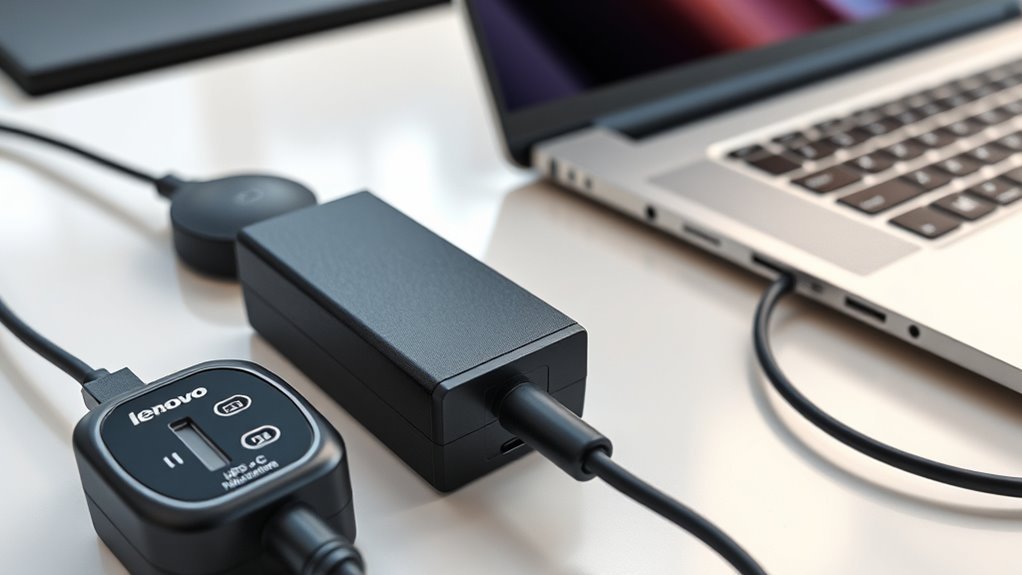
The Lenovo ADLX65YAC2D is a 65W USB-C laptop charger that supports USB Power Delivery (PD). It is designed to supply different voltage levels based on the connected device’s needs. However, the exact charging profiles and compatibility depend on the adapter revision, USB-C connection, and laptop power requirements.
Quick Answer
Yes, the Lenovo ADLX65YAC2D supports USB-C Power Delivery charging with a maximum output of 65W at 20V and 3.25A. It can negotiate lower voltage levels for compatible devices. Check the output ratings printed on your adapter and confirm your laptop accepts USB-C PD charging before using it.
Key Takeaways
- A 65W rating identifies maximum available power, not the amount every connected device must draw.
- Common Lenovo 65W USB-C adapters provide 5V, 9V, 15V, and 20V profiles; exact ratings vary by revision.
- USB-C ports must support charging input. A data-only USB-C port cannot charge a laptop through PD.
- A USB-C PD tester provides better charging diagnostics than a basic multimeter.
Does the Lenovo ADLX65YAC2D Support PD Charging?
)
Yes. The Lenovo ADLX65YAC2D is a 65W USB-C Power Delivery adapter. Its maximum rated output is 20V at 3.25A, which equals 65W.
A model-specific ADLX65YAC2D parts listing identifies the adapter as a USB-C PD charger. It also lists common earlier output profiles of 5V, 9V, 15V, and 20V.
The charger does not deliver 65W continuously to every device. Instead, the connected laptop requests a supported voltage and current through the PD protocol.
This allows the same adapter to charge compatible Lenovo laptops and certain USB-C phones, tablets, or other devices.
Its compact design and USB-C connection make it convenient for travel and everyday use. However, the attached charging cable, connector condition, and required laptop wattage affect actual performance.
Important distinction: A USB-C connector alone does not prove that a charger or laptop supports Power Delivery. Both sides must support the necessary charging functions.
How the ADLX65YAC2D Negotiates USB-C Power
The ADLX65YAC2D uses USB Power Delivery communication to agree on a suitable charging voltage and current. The process begins when a compatible device connects to its USB-C plug.
Communication occurs through the connector’s configuration channel, or CC pins. The charger advertises supported power levels, and the device requests one it can use.
This behavior follows the principles described in the USB-IF explanation of USB Power Delivery.
USB-C Negotiation Basics
USB-C Power Delivery uses electronic messages rather than simply applying the highest available voltage.
The basic process works as follows:
- Connection detection: The USB-C connection is established through the CC pins.
- Initial power: The source starts with standard USB-C power behavior, normally at 5V.
- Capability exchange: The charger advertises the voltage and current combinations it supports.
- Power request: The connected device selects an acceptable power profile.
- Contract confirmation: Both devices establish a PD power contract before changing to the agreed operating level.
The charger then supplies power within the negotiated limits.
For example, a compatible Lenovo laptop may request 20V for charging, while a smaller USB-C device may operate at a lower voltage.
The actual current depends on the device’s power consumption, battery condition, and charging controls.
Default 5V Startup
A USB-C PD charger normally begins with a 5V supply before higher-voltage negotiation. This starting point allows compatible devices to communicate before requesting additional power.
The ADLX65YAC2D can then move to another supported profile if the connected device requests it and the adapter accepts the request.
| State | Voltage | Effect |
|---|---|---|
| Initial connection | 5V | Standard starting voltage |
| PD communication | Initially 5V | Power profiles exchanged over CC pins |
| Negotiated operation | Up to 20V | Agreed voltage supplied to the device |
| Protection response | Varies | Output may be limited or shut down during a fault |
A charger remaining at 5V does not automatically mean something is broken. Some devices need only 5V, and a valid PD contract can also use that voltage.
A problem is more likely when a laptop known to require a higher-voltage PD profile cannot establish a suitable charging connection.
Power Delivery Contracting
A PD power contract is the agreement between a charger and a connected device about the available voltage and current.
For the ADLX65YAC2D, the maximum advertised output is 65W. A compatible laptop can request power within the adapter’s supported limits.
Once the request is accepted, the charger changes its output as required by the protocol.
For instance, 20V multiplied by 3.25A equals 65W. That is the adapter’s maximum rated output, not a guarantee that the laptop always consumes 65W.
The laptop controls how much current it uses within the agreed limit. Battery temperature, charging level, and current workload can all affect demand.
Power Delivery also allows compatible devices to establish a lower-power contract when full output is unnecessary.
Electrical protection is provided by the charger’s hardware and control circuits. The PD protocol coordinates power requests, but it does not replace proper short-circuit, overcurrent, or thermal protection.
What Wattage and Voltages It Can Deliver
The Lenovo ADLX65YAC2D has a maximum output rating of 65W at 20V and 3.25A.
Common earlier versions of this Lenovo 65W USB-C adapter family provide several fixed-voltage PD profiles. The exact ratings must match the information printed on your particular adapter.
Lenovo’s 65W USB-C adapter technical specifications also document multiple PD voltage profiles. However, different Lenovo adapter models and revisions do not necessarily offer identical current limits.
PD Power Levels
Common output ratings associated with the ADLX65YAC2D adapter family include the following:
| Voltage | Current Limit | Maximum Power |
|---|---|---|
| 5V | 2A | 10W |
| 9V | 2A | 18W |
| 15V | 3A | 45W |
| 20V | 3.25A | 65W |
These are commonly documented earlier profiles, not guaranteed ratings for every adapter carrying a related Lenovo model number.
Some later Lenovo 65W USB-C revisions offer different current ratings at lower voltages.
For accurate identification, read the OUTPUT line on your adapter’s label. It lists the actual voltage and current combinations supported by that unit.
Supported Voltage Outputs
The voltage delivered by the ADLX65YAC2D depends on the power contract established with the connected device.
For example, a laptop designed around 20V USB-C input can request that profile when the charger and connection support it.
A lower-power device may request a 5V or 9V profile instead.
The original claim that every ADLX65YAC2D provides 12V at 3A cannot be treated as a standard specification. The common earlier Lenovo profiles listed above do not include a 12V output.
Do not assume 12V support unless it appears on your adapter label or is confirmed by a suitable USB-C PD tester.
Similarly, a 3A rating at every lower-voltage setting is not universal across this adapter family.
The maximum output remains 65W, but actual power delivery depends on the negotiated profile and the connected device’s demand.
Which Lenovo Laptops Work With ADLX65YAC2D?
The ADLX65YAC2D can work with Lenovo laptops designed to accept compatible 45W or 65W USB-C Power Delivery input.
Commonly listed families include ThinkPad, Yoga, IdeaPad, and selected Lenovo Chromebooks. However, a family name alone does not guarantee compatibility.
Examples of compatible or commonly cross-listed model families include:
- ThinkPad: Selected X1 Carbon, T480, T14, T15, and L-series configurations that support 65W USB-C charging.
- Yoga: Selected C940, S940, and X390 Yoga configurations with compatible USB-C power input.
- IdeaPad: Selected IdeaPad 5, 720, 910, and other models equipped with supported USB-C charging ports.
- Chromebook: Selected Lenovo 100e, 300e, C340, and other USB-C charging models.
These examples are not a complete compatibility list. Some laptops within the same product family have different power adapters or charging requirements.
For example, certain larger Yoga and workstation models require more than 65W for normal full-performance operation.
Lenovo provides official 65W USB-C adapter compatibility and service-part guidance for checking supported laptop configurations.
Before connecting the adapter, confirm three details:
- Your laptop supports charging through its USB-C port.
- The laptop accepts the voltage profiles available from the charger.
- The adapter’s 65W maximum is sufficient for the laptop’s intended operation.
A compatible laptop that originally shipped with a 45W USB-C PD charger may also accept a 65W adapter. The additional available power does not force the laptop to charge faster.
Conversely, a laptop that requires a higher-wattage adapter may charge slowly, limit performance, drain its battery under heavy workloads, or reject the connection.
Why PD Matters for Lenovo USB-C Chargers
USB Power Delivery allows compatible chargers to supply different power levels without requiring a separate fixed-voltage adapter for every device.
That flexibility is especially useful for people carrying a Lenovo laptop alongside a phone or tablet.
USB-C Power Delivery lets a compatible device request a supported voltage and current instead of receiving the charger’s maximum output automatically.
The main benefits include:
- Flexible charging: One charger can support several devices with compatible PD input requirements.
- Power matching: A device requests a voltage and current within the charger’s advertised capabilities.
- Better portability: Compatible devices may share an adapter rather than requiring separate chargers.
- Charging control: The device can manage power consumption according to its battery and workload.
USB-C cable capability also matters. The USB-IF cable and connector guidance explains that USB-C cables differ in their supported functions and power ratings.
Many conventional ADLX65YAC2D adapters use a permanently attached USB-C output cable. If yours does, that cable is part of the charger assembly and should not be casually replaced or modified.
When using a separate USB-C cable with a compatible charger or power bank, choose one rated for the required power.
For full 65W operation, a detachable cable must support the needed current above the ordinary 3A limit. Properly rated, electronically marked higher-current cables are used for such applications.
Signs It Is Not Handshaking
A failed USB-C PD handshake means the charger and connected device have not established the expected power agreement.
For a Lenovo laptop that needs a higher-voltage profile, this can cause slow charging, no charging, or repeated connection failures.
Common signs include:
- The laptop reports that a charger is connected but does not charge its battery.
- The charging indicator repeatedly switches on and off.
- The system reports an insufficient or unsupported power adapter.
- A USB-C PD analyzer shows repeated negotiation attempts or no suitable contract.
- The connection remains at 5V when the device should request an available higher-voltage profile.
A 5V reading alone is not enough to diagnose a fault. A valid charging session may remain at 5V when that is what the connected device needs.
Similarly, a laptop’s battery percentage may remain unchanged during demanding work even when PD communication is functioning normally.
A practical way to narrow down the problem is to compare the charger with another known-compatible device or test the laptop using a known-working charger of the required rating.
If the same charger fails with multiple compatible devices, the adapter or attached cable becomes a stronger suspect.
Common Faults That Break PD Charging
USB-C PD charging can fail because of a damaged connector, unstable power supply, incompatible device, or a fault inside the charger.
The easiest problems to investigate are outside the adapter housing.
Common causes include:
- Damaged USB-C connector: Bent contacts, corrosion, or debris may interfere with power or CC communication.
- Faulty attached cable: Broken conductors or strain damage can interrupt charging.
- Insufficient laptop compatibility: The laptop may require a different input profile or higher wattage.
- Thermal protection: Excessive heat can cause a faulty or overloaded adapter to limit or stop output.
- Internal power-conversion failure: A damaged controller, transformer, capacitor, or solder connection can prevent stable output.
Some technical teardowns of Lenovo 65W chargers identify switching controllers such as the LD5763GS and discuss output capacitors marked C1 or C2.
However, those exact component references have not been confirmed for every ADLX65YAC2D board revision. They should not be used as a model-specific repair map without matching documentation.
Warning: Do not open a laptop charger or probe its internal circuitry unless you are qualified to service mains-powered electronics. Internal capacitors can retain dangerous voltage after the charger is unplugged. Replace a damaged sealed adapter rather than attempting an untrained repair.
External inspection and substitution testing are safer first steps. Internal diagnosis belongs with a qualified electronics technician.
How to Test It With a Multimeter
A multimeter can measure DC voltage, but it cannot confirm a complete USB-C Power Delivery handshake by itself.
To test the ADLX65YAC2D properly, a suitable USB-C PD tester or protocol analyzer is preferable. These tools can display negotiated voltage and current, while more advanced models can inspect communication messages.
Texas Instruments explains these capabilities in its USB-C Power Delivery analyzer documentation.
Safe Testing Procedure
- Check the adapter label. Confirm that its rated output and connector match your laptop’s charging requirements.
- Inspect the cable and USB-C connector. Look for damaged insulation, bent contacts, burn marks, or looseness. Do not use visibly damaged equipment.
- Test the connection with a known-compatible device. Check whether charging begins normally and remains stable.
- Use a suitable inline USB-C PD tester. Connect it according to its instructions and observe the voltage and current under a compatible load.
- Compare the result with the required profile. A laptop expecting 20V should establish that profile when the adapter, device, and connection support it.
A qualified technician can also use a multimeter with a purpose-built USB-C breakout or test fixture to measure output voltage safely.
Do not touch bare USB-C pins with ordinary meter probes while the adapter is connected to power. Accidental contact between pins can create a short circuit.
Also, do not use continuity mode on a powered connector. Continuity testing cannot decode USB Power Delivery messages.
A reading near 0V without a connected device does not necessarily prove that a USB-C charger is defective. Some sources enable output only after detecting a valid connection.
Likewise, observing 5V does not prove that higher-voltage profiles are available or working.
The most useful test result is a stable PD contract that matches the connected device’s requirements.
When to Replace the Lenovo USB-C Charger
Replace the ADLX65YAC2D if it shows physical damage, unsafe heating, or repeated charging failures after basic compatibility checks.
A properly functioning charger should maintain a suitable power connection with a compatible laptop under normal conditions.
Replacement is appropriate when you notice:
- A frayed or split attached charging cable.
- A bent, loose, melted, or damaged USB-C connector.
- Cracks, swelling, scorch marks, or unusual odor from the housing.
- Repeated shutdowns or charging interruptions with known-compatible devices.
- No usable charging output despite a working power outlet and verified compatible laptop.
- Excessive heat or other signs of electrical failure.
Physical damage or repeated electrical instability is a stronger reason to replace a charger than a single unsuccessful charging attempt.
Before buying a replacement, match the required USB-C PD output, wattage, and connector arrangement.
For the ADLX65YAC2D, a genuine compatible Lenovo 65W USB-C replacement is generally the closest match when the laptop originally requires that rating.
Other USB-C PD adapters may also work if their supported voltage and current profiles meet the laptop’s specifications.
Warranty coverage depends on the original purchase, region, seller, and applicable terms. Lenovo sells some adapters with a one-year limited warranty, but that should not be assumed for every replacement or refurbished unit.
Keep purchase information if you plan to request warranty service.
Frequently Asked Questions
Is a Laptop Charger a PD Charger?
Not every laptop charger supports USB Power Delivery. Some use fixed-voltage output through proprietary connectors. A PD charger uses a compatible charging protocol to negotiate supported power levels, normally through USB-C. Check the adapter specifications rather than assuming that every USB-C or laptop charger supports PD.
How to Charge Lenovo Laptop Using Power Bank?
Use a USB-C power bank that supports Power Delivery and provides the voltage and wattage required by your Lenovo laptop. Many compatible Lenovo models use a 20V charging profile. Connect it through the laptop’s charging-capable USB-C port using a properly rated cable. A lower-powered bank may charge slowly or fail to maintain battery level.
What Happens if I Use a 100W Charger for a 65W Laptop?
A compatible 100W USB-C PD charger is generally safe for a laptop designed for 65W charging. The laptop requests the voltage and current it needs, rather than automatically receiving 100W. The higher rating does not necessarily increase charging speed, and the charger must still support the required power profile.
Can I Use a 45W Charger Instead of 65W Lenovo?
A 45W USB-C PD charger may work if your Lenovo laptop accepts that lower power level. Charging can be slower, and the battery may drain during demanding tasks. Some systems reject insufficient adapters. For reliable operation, use the manufacturer’s recommended wattage and a charger with matching voltage profiles.
Lenovo’s 45W USB-C adapter charging FAQ also explains why insufficient adapter wattage can lead to slow charging or battery discharge during use.
Conclusion
The Lenovo ADLX65YAC2D supports USB-C Power Delivery with up to 65W output, making it suitable for compatible Lenovo laptops and other supported PD devices.
Its charging behavior depends on successful power negotiation, available voltage profiles, and the connected device’s requirements.
Before using or replacing the adapter, check its printed output ratings and confirm your laptop’s USB-C charging specifications. If charging remains unreliable, test with a known-compatible device or a proper USB-C PD tester rather than opening the charger.
Sources
- CPU Medics — Lenovo ADLX65YAC2D Adapter Listing: Model-specific 65W output, common PD profiles, adapter revisions, and compatibility information.
- USB Implementers Forum — USB Power Delivery: USB PD technology, flexible power delivery, and charging standards.
- Lenovo Support — 65W USB-C AC Travel Adapter: Lenovo adapter output ratings, voltage profiles, and technical specifications.
- Lenovo Support — 65W USB-C Adapter Compatibility and Service Parts: Compatibility guidance, supported Lenovo systems, and service-part identification.
- USB Implementers Forum — Cables and Connectors: USB-C cable capabilities, certification, and power-rating considerations.
- Texas Instruments — USB Power Delivery Analyzer: Monitoring USB-C PD communication and measuring electrical behavior.
- Lenovo Support — 45W USB-C Adapter FAQ: Slow charging, insufficient adapter power, and battery discharge during operation.

