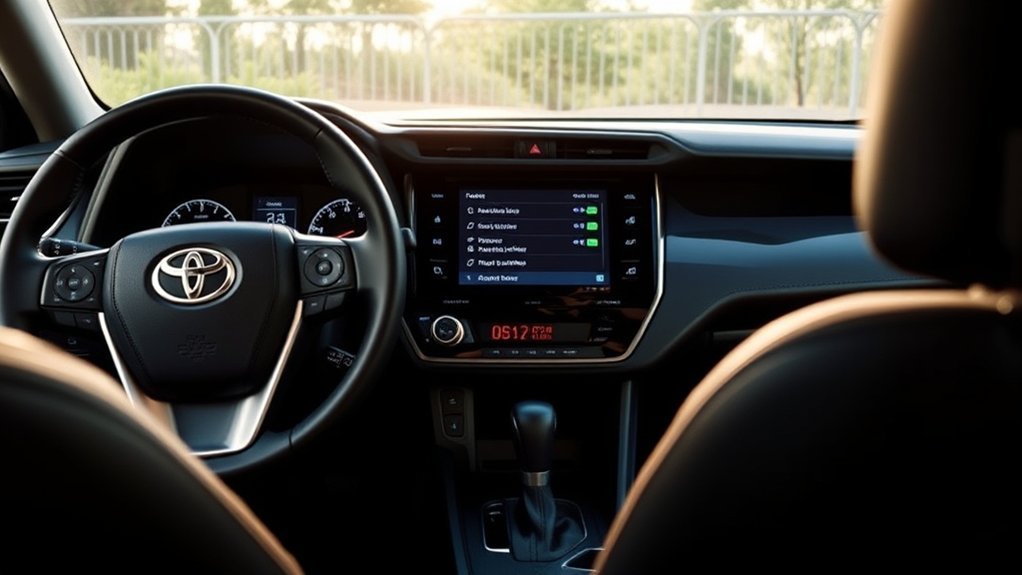
Yes, Toyota RAV4 auto door locks are available on recent models, and you can usually customize them. Toyota’s automatic locking system can lock the doors when you shift out of Park or when the vehicle reaches about 12 mph (20 km/h), and it can unlock them when you shift into Park. The exact options depend on the model year, trim, and market, so check the customization table in your owner’s manual before changing anything.
Quick Answer
- Do RAV4s have auto door locks? Most recent RAV4 models do. Typical functions are speed-linked locking, shift-position locking, and unlocking when you shift into Park or open the driver’s door.
- Can you change the settings? On many models, yes, through the vehicle settings in the multi-information display or the multimedia screen. Menu names vary by model year.
- Auto re-lock: After you unlock the doors with the remote or smart key, they lock again if no door is opened within about 60 seconds.
How Toyota RAV4 Auto Door Locks Work
Toyota groups its automatic locking and unlocking features into a few functions. Availability and default settings vary, so treat the table below as a general guide rather than a specification for your exact vehicle.
| Function | What it does |
|---|---|
| Speed-linked locking | Locks all doors when the vehicle reaches about 12 mph (20 km/h) or higher. |
| Shift-position locking | Locks all doors when the shift lever moves out of Park. |
| Shift-position unlocking | Unlocks all doors when the shift lever moves into Park. |
| Driver’s door unlocking | Unlocks all doors when the driver’s door is opened. |
| Auto re-lock | Locks the doors again if you unlock them with the remote or smart key and then open no door within about 60 seconds. |
These descriptions follow the automatic locking section that Toyota publishes in its owner’s manuals, for example the manuals on Toyota’s owner site. Remote locking through the Toyota app is a separate feature that needs Remote Connect on a compatible vehicle, and availability and subscription terms vary.
How to Customize Your RAV4 Auto Lock Settings
Toyota lets you change some of these functions on many models. The path differs by model year and equipment, so use these steps as a starting point:
- Park the vehicle, apply the parking brake, and turn the vehicle on.
- Open the vehicle settings in the multi-information display (using the steering-wheel controls) or on the multimedia touchscreen. Look for entries labeled door lock, lock/unlock, or vehicle customization.
- Choose the function you want to change, such as locking with shift position or with speed.
- Select the setting and confirm that the doors behave as expected before you drive.
Your owner’s manual lists the customizable features for your exact model year. If an option does not appear in the menus, ask a Toyota dealer whether it can be changed for your vehicle.
Common Auto Door Lock Problems and Solutions

If the doors stop locking or unlocking automatically, work through these checks before visiting a shop:
- Check the customization settings. Someone may have changed or turned off the shift-position or speed-linked function.
- Make sure every door is fully closed. An open or ajar door can stop the doors from locking as expected.
- Check the key fob battery. A weak battery can reduce the range or reliability of remote locking and smart-key entry.
- Test the lock button and the door switch. If one door fails to lock while the others work, the problem is likely a single actuator or door switch.
- Note any warning light or message. Persistent faults, several doors not responding, or a lock that works only some of the time call for an inspection by a Toyota dealer or qualified technician.
What If You Want the Doors to Lock When You Walk Away?

Some RAV4 owners would like the doors to lock automatically as they walk away from the vehicle. Check your owner’s manual to see whether your model year offers that behavior, because it is not the same as the shift-position or speed-linked locking described above. If it is not listed, press the lock button on the key fob or use the lock sensor on the door handle if your vehicle has the Smart Key system. A glance at the door handles or a quick press of the lock button before you walk away is a simple habit that avoids leaving the vehicle unlocked.
Frequently Asked Questions
Can I Disable the Auto Door Locks Entirely?
On many models you can turn off individual automatic functions in the vehicle settings. Leaving the doors unlocked while driving or parked reduces security, so change settings only when you have a specific reason.
Do All RAV4 Models Have Auto Door Locks?
Not every RAV4 model year and trim offers the same options. Most recent models include speed-linked or shift-position locking, but menu names, defaults, and customization choices differ. The owner’s manual for your exact vehicle is the reliable reference.
How Do I Reset the Auto Lock Settings?
There is no single reset button for these settings. Go back into the vehicle settings and select the option you want for each function. If the vehicle behaves unexpectedly after a battery disconnect or repair, check the settings again and consult the owner’s manual.
What Happens If the Auto Lock Feature Malfunctions?
Check the settings, make sure the doors are fully closed, and replace the key fob battery if it is weak. If a door still does not lock or unlock correctly, have a Toyota dealer or qualified technician inspect the lock actuators, switches, and related wiring.
Are There Any Aftermarket Options for Auto Door Locks?
Aftermarket modules exist, but adding one involves tapping into the vehicle’s electrical system, which can cause problems and may affect warranty coverage. Ask a Toyota dealer or a reputable installer before adding anything.
Conclusion
Toyota RAV4 auto door locks are a useful security feature on most recent models. Know which functions your vehicle offers, adjust them in the vehicle settings, and check the basics (settings, closed doors, and the key fob battery) when something stops working. Use your owner’s manual for the details that apply to your model year.
Sources
- Toyota Owners: Manuals and Warranties — model-specific owner’s manuals, including automatic door locking and customization tables.
