
Last updated: September 19, 2026
Yes. Recent U.S.-market Toyota RAV4 models offer Toyota Wi-Fi Connect, but the hotspot changed materially for 2026. Toyota describes the 2025 RAV4 as an AT&T 4G hotspot with a 30-day/3-GB trial and support for up to five devices. The redesigned 2026 RAV4 uses AT&T 5G connectivity, includes a 30-day unlimited-hotspot trial, and Toyota’s 2026 brochure says it can connect up to 10 devices.
Affiliate disclosure: This page may contain affiliate links. If you buy through them, we may earn a commission at no extra cost to you.
Quick Answer
Toyota Wi-Fi Connect is available on the 2025 and 2026 U.S.-market RAV4 lineups, but do not treat the two model years as identical. The 2025 RAV4 uses 4G connectivity and Toyota markets support for up to five devices; the 2026 RAV4 moves to AT&T 5G and Toyota lists support for up to 10 devices. Toyota currently lists Wi-Fi Connect at $25 per month as an optional add-on. AT&T separately advertises a $15-per-month Connected Car option for eligible vehicles when added to an eligible unlimited wireless plan, so the price shown for your account can differ.
Key Takeaways
- 2025 RAV4: 4G hotspot, 30 days or 3 GB trial, and Toyota markets up to five connected devices.
- 2026 RAV4: AT&T 5G connectivity, 30-day unlimited-hotspot trial, and Toyota lists up to 10 connected devices.
- Toyota currently lists Wi-Fi Connect at $25 per month; eligible AT&T wireless customers may see a different connected-car offer.
- Wi-Fi Connect is separate from Drive Connect, Apple CarPlay, Android Auto, and a smartphone’s personal hotspot.
2025 vs. 2026 RAV4 Wi-Fi Connect at a Glance
| Model year | Cellular backhaul | Toyota-listed device limit | Trial |
|---|---|---|---|
| 2025 RAV4 | AT&T 4G | Up to 5 devices | 30 days or 3 GB, whichever comes first |
| 2026 RAV4 | AT&T 5G, network dependent | Up to 10 devices | 30 days with unlimited hotspot data |
| Older RAV4 | Varies by system and model year | Varies | Check the Toyota app, VIN-specific manual, or enrollment portal |
What Are the Benefits of Wi-Fi Connect in the Toyota RAV4?
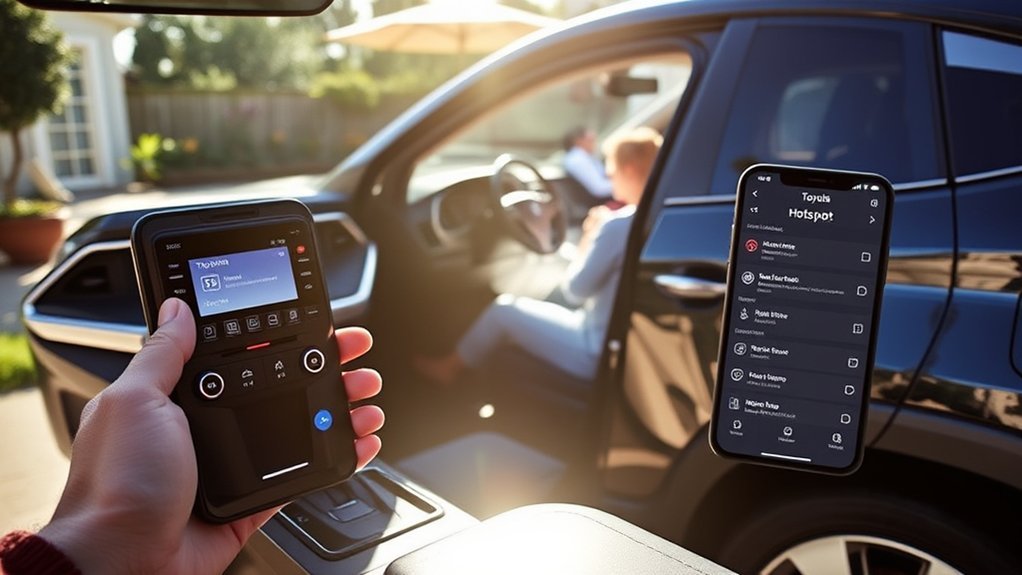
Toyota Wi-Fi Connect turns a supported RAV4 into a mobile hotspot for passengers’ phones, tablets, laptops, and other Wi-Fi-enabled devices. Toyota’s 2025 RAV4 information describes 4G connectivity for up to five devices. The 2026 RAV4 brochure lists AT&T 5G connectivity and support for up to 10 devices.
The built-in hotspot is most useful when several passengers need internet access, a tablet has no cellular plan, or you do not want one person’s phone to supply data for the whole cabin. Speed still depends on AT&T coverage, network congestion, terrain, nearby structures, the vehicle’s supported network generation, and how many connected devices are moving data at once.
The device limit is model-year specific: Toyota markets the 2025 RAV4 for up to five hotspot devices and the 2026 RAV4 for up to 10. All connected devices still share the vehicle’s available cellular bandwidth.
Integrated Streaming also varies by multimedia generation. Toyota’s 2025 RAV4 materials reference supported Apple Music and Amazon Music accounts, while Toyota’s updated 2026 RAV4 multimedia information specifically adds Spotify Integrated Streaming. A supported third-party streaming account is still separate from the Toyota Wi-Fi Connect subscription.
Note: Wi-Fi Connect does not automatically include Toyota’s Cloud Navigation, Intelligent Assistant, or Destination Assist. Those functions belong to Drive Connect or another Connected Services package.
How to Set Up Your Wi-Fi Hotspot
Menu names differ between older Entune-era systems and newer Toyota Audio Multimedia systems. If you have an older system and are unsure which interface you have, see how to tell whether your RAV4 has Entune. Complete the initial hotspot setup while parked and follow the labels shown in your vehicle.
Setup at a Glance
| Time Required | About 5–10 minutes |
| Difficulty | Easy |
| You Need | Toyota account, eligible trial or subscription, vehicle touchscreen, and a Wi-Fi-enabled device |
Warning: Do not configure the hotspot, enter account information, watch video, browse the internet, or join a video call while driving. Drivers should keep their full attention on the road.
Access Infotainment Settings
- Park the RAV4 and place it in a supported ignition or accessory-power mode.
- Open the vehicle’s main menu or settings screen.
- Look for Wi-Fi, Hotspot, Wi-Fi Connect, or a similarly named menu.
- Turn the hotspot function on.
- Open the hotspot details to view the network name and password.
- On your phone, tablet, or laptop, open Wi-Fi settings and select the RAV4’s network.
- Enter the displayed password and wait for the device to show that it is connected.
Toyota’s current Wi-Fi Connect FAQ states that owners can enroll through the vehicle, the Toyota app, or the AT&T web portal. If the hotspot appears but has no internet access, confirm that the free trial or paid subscription has been activated.
Select or Confirm the Data Plan
Sign in to the Toyota app and add the correct vehicle to your account. Open the vehicle or garage section, review its Connected Services, and follow the Wi-Fi Connect enrollment prompts. You may be transferred to AT&T to accept the current hotspot terms and activate service.
Do not look for a removable SIM card or attempt to replace one. Consumer activation is handled through the vehicle, Toyota account, or carrier portal.
Pro Tip: After connecting successfully, change the hotspot password if your multimedia system permits it. Use a unique password and avoid displaying it where people outside the vehicle can see it.
What Subscription Plans Are Available for Wi-Fi Connect?

Toyota currently lists Wi-Fi Connect as a $25-per-month optional add-on. That is the Toyota-listed public price, not the price of its Music Lover or Go Anywhere Connected Services plans. Separately, AT&T Connected Car currently advertises a $15-per-month unlimited in-car Wi-Fi option for an eligible vehicle when added to an eligible AT&T unlimited wireless plan.
The AT&T $15 offer is account- and vehicle-eligibility dependent. AT&T says that after 22 GB on that connected-car plan, data may be temporarily slowed when the network is busy. Toyota pricing, AT&T offers, taxes, eligibility, and plan terms can change, so the enrollment screen for your VIN and account is the final authority.
| Model year | Toyota-listed trial | After the trial |
|---|---|---|
| 2025 RAV4 and RAV4 Plug-in Hybrid | 30 days or 3 GB, whichever occurs first | Paid enrollment required; Toyota lists Wi-Fi Connect at $25/month |
| 2026 RAV4 and RAV4 Plug-In Hybrid | 30-day trial with unlimited hotspot data | Paid enrollment required; Toyota lists Wi-Fi Connect at $25/month |
| Eligible AT&T wireless customers | Depends on vehicle/account eligibility | AT&T currently advertises $15/month with an eligible unlimited wireless plan |
| Older RAV4 models | Varies by model year, equipment, prior activation, and eligibility | Check the Toyota app, owner’s manual, or AT&T portal |
Monthly Subscription Costs
As of September 19, 2026, Toyota’s public Connected Services page lists Wi-Fi Connect at $25 per month. AT&T separately advertises its eligible Connected Car add-on at $15 per month when paired with a qualifying unlimited wireless plan. Because the two offers have different eligibility rules, do not treat $15 and $25 as competing Toyota “Standard” and “Premium” hotspot tiers.
Plan Features Overview
- 2025 RAV4 hotspot: AT&T 4G connectivity; Toyota markets support for up to five devices.
- 2026 RAV4 hotspot: AT&T 5G connectivity; Toyota lists support for up to 10 devices.
- Integrated Streaming: Music-service support varies by multimedia generation; 2025 materials reference Apple Music and Amazon Music, while 2026 RAV4 materials add Spotify.
- Not included automatically: Drive Connect navigation, Destination Assist, Safety Connect, or the separate third-party music subscription.
Activation Process Steps
- Create or sign in to your Toyota account.
- Add the correct RAV4 using the requested vehicle information.
- Open the vehicle’s Connected Services section.
- Select Wi-Fi Connect and review trial eligibility.
- Follow the Toyota or AT&T enrollment prompts.
- Return to the vehicle, enable its hotspot, and connect a device using the displayed network password.
Devices Supported by Wi-Fi Connect

Any compatible device that can join a standard Wi-Fi network may be able to use the RAV4 hotspot. That includes Android and iOS phones, tablets, laptops, handheld game systems, and some streaming devices. The maximum is model-year specific: Toyota markets the 2025 RAV4 for up to five devices and the 2026 RAV4 for up to 10.
| Device type | Typical compatibility | Practical use |
|---|---|---|
| Android or iPhone | Yes, when Wi-Fi is enabled | Messaging, browsing, music, and app data |
| Android tablet or iPad | Yes | Passenger entertainment, learning apps, and browsing |
| Laptop | Yes | Work while the vehicle is safely parked |
| Game or media device | Usually, if it supports the hotspot’s Wi-Fi security settings | Passenger entertainment |
Connecting several devices does not create separate cellular connections. Heavy downloads, software updates, high-resolution video, or multiple video calls can reduce performance for everyone. If you are on a plan with network-management thresholds, heavy use can also affect speeds after the threshold is reached.
How Wi-Fi Connect Enhances Your Travel Experience
The strongest benefit of the RAV4 hotspot is convenient passenger connectivity. Children can use a Wi-Fi-only tablet, a passenger can download travel information, and several people can connect without relying on one person’s phone hotspot.
The service can also be useful while safely parked, such as during a work break, at a campsite with cellular coverage, or while waiting for an appointment. It is especially useful when AT&T coverage along your route is better than the cellular provider used by the phones in the vehicle.
Wi-Fi Connect does not eliminate dead zones. If the RAV4 is outside usable AT&T coverage, inside a structure that blocks cellular signals, or in a congested network area, the hotspot may be slow or unavailable. The 2026 RAV4’s move to 5G does not guarantee 5G coverage everywhere.
How to Fix Common Wi-Fi Connection Issues
Work through these checks in order instead of changing several settings at once:
- Confirm the feature exists: Look for Wi-Fi Connect in the Toyota app or the vehicle’s multimedia settings. If no hotspot menu appears, verify the model year and equipment.
- Check the subscription: Confirm that the free trial has not expired and that the paid service is active.
- Turn on the vehicle hotspot: Open the Wi-Fi or hotspot settings and make sure the feature is enabled.
- Check the vehicle’s power state: The multimedia system and hotspot must remain powered. Requirements vary by model year.
- Verify the password: Re-enter the password exactly as displayed, including capitalization and symbols.
- Forget and reconnect: Remove the RAV4 network from the device’s saved Wi-Fi networks, then join it again.
- Check the device count: Toyota markets the 2025 RAV4 for up to five connected devices and the 2026 RAV4 for up to 10. Disconnect inactive devices if the hotspot is full or performance drops.
- Restart both systems: Restart the connected device and cycle the vehicle’s multimedia system off and back on while parked.
- Check cellular coverage: Move outdoors or to another area if the device joins the RAV4 network but the hotspot cannot reach the internet.
- Pause heavy downloads: App updates, cloud backups, and high-resolution video can consume bandwidth in the background.
- Review the account: Sign in to the Toyota app or AT&T connected-car portal for billing, activation, eligibility, or data-status notices.
- Contact support: Contact Toyota for vehicle or multimedia problems and AT&T for hotspot enrollment, billing, or cellular-service issues.
Note: A device can show that it is connected to the RAV4’s local Wi-Fi network even when the vehicle does not currently have a usable cellular data connection.
Is Toyota RAV4 Wi-Fi Worth It vs. a Phone Hotspot?
The built-in hotspot is most useful for repeated passenger use, Wi-Fi-only tablets, families connecting several devices, or drivers whose phone plan has limited tethering. A phone hotspot can be the cheaper choice when tethering is already included and you only connect one or two devices occasionally.
| Choose RAV4 Wi-Fi Connect when… | Choose your phone hotspot when… |
|---|---|
| Several passengers connect often | You only tether occasionally |
| You use Wi-Fi-only tablets or laptops in the vehicle | Your phone plan already includes enough hotspot data |
| AT&T coverage is strong on your regular routes | Your phone carrier has better coverage where you drive |
| You want the connection to be independent of one passenger’s phone | You want to avoid another monthly subscription |
Wi-Fi Connect should not be confused with wireless Apple CarPlay or Android Auto. Those systems project compatible phone apps onto the vehicle display and can use the phone’s own cellular data. You do not need a paid Toyota Wi-Fi Connect subscription just to use supported CarPlay or Android Auto.
What Should You Know Before Paying for Wi-Fi Connect?
| Check | Why it matters | What to verify |
|---|---|---|
| Model year | 2025 and 2026 differ in network generation, trial terms, and device limit | VIN, Toyota app, and model-year manual |
| Price path | Toyota lists $25/month, while eligible AT&T wireless accounts may see a different connected-car offer | Final enrollment screen and eligibility terms |
| Coverage | A built-in hotspot is only useful where the vehicle has usable AT&T service | AT&T coverage on your normal routes |
| Existing phone plan | You may already pay for enough phone tethering | Hotspot allowance, speed limits, and carrier coverage |
Frequently Asked Questions
Is Toyota RAV4 Wi-Fi free?
It is free only during an eligible trial. Toyota lists the 2025 RAV4 trial as 30 days or 3 GB, whichever comes first, and the 2026 RAV4 trial as 30 days with unlimited hotspot data. Paid enrollment is required after the trial.
How many devices can connect to Toyota RAV4 Wi-Fi?
Toyota markets the 2025 RAV4 hotspot for up to five devices. Toyota’s 2026 RAV4 brochure lists support for up to 10 devices. Actual performance still depends on signal quality, network load, and how heavily the connected devices are using data.
Does the 2026 Toyota RAV4 have 5G Wi-Fi Connect?
Yes. Toyota says the redesigned 2026 RAV4 uses AT&T 5G connectivity for its newer connected-services system. Service remains network dependent, so the vehicle may not have 5G coverage everywhere.
Can I use Toyota RAV4 Wi-Fi Connect in Canada?
AT&T’s current Connected Car terms say hotspot functionality is available in the United States and Canada for eligible plans, with Canadian service dependent on partner-carrier coverage. Toyota-specific eligibility can vary, so check the terms shown for your VIN and account before a cross-border trip.
Do I need Toyota Wi-Fi Connect for wireless Apple CarPlay or Android Auto?
No. Wi-Fi Connect is the vehicle’s paid internet-hotspot service. Wireless Apple CarPlay and Android Auto are phone-projection features and can use the phone’s own cellular data. A paid Wi-Fi Connect subscription is not required just to use supported phone projection.
Why does my RAV4 show Wi-Fi connected but no internet?
The phone or tablet may be connected to the RAV4’s local Wi-Fi network even when the vehicle has no usable cellular data connection. Check that the trial or subscription is active, confirm AT&T coverage, re-enter the hotspot password, and review the account for billing or activation notices.
Will Wi-Fi Connect work while the RAV4 is parked?
It can work while parked when the multimedia system and hotspot remain in a supported power state. AT&T says connected-car Wi-Fi may remain active for a short time after the vehicle is shut off, but exact behavior varies by vehicle and model year.
How can I tell whether an older Toyota RAV4 has Wi-Fi Connect?
Check the multimedia settings for a Wi-Fi or hotspot menu, add the vehicle to the Toyota app, review the Connected Services listed for its VIN, or consult the model-year owner’s manual. Availability depends on the vehicle’s market and multimedia hardware as well as the model year.
Conclusion
Toyota RAV4 Wi-Fi Connect is model-year specific. For 2025, Toyota describes a 4G AT&T hotspot with a 30-day-or-3-GB trial and support for up to five devices. For 2026, Toyota moved the RAV4 to AT&T 5G connectivity, added a 30-day unlimited-hotspot trial, and lists support for up to 10 devices.
Before subscribing, compare the vehicle hotspot with the tethering already included in your phone plan. Toyota currently lists Wi-Fi Connect at $25 per month, while AT&T separately advertises a lower connected-car price for eligible wireless-plan customers. Confirm the final price, coverage, trial status, and data terms for your VIN and account, and leave browsing, streaming, and account setup to passengers or complete them while safely parked.
Sources
- Toyota Audio Multimedia and Connected Services — general Toyota Wi-Fi Connect, enrollment, and Connected Services information.
- Toyota Connected Services Plans — Toyota’s current public Wi-Fi Connect add-on price.
- Toyota 2025 RAV4 — 2025 4G hotspot, five-device marketing limit, and 30-day/3-GB trial.
- Toyota 2026 RAV4 Brochure — 2026 5G dependency, 10-device support, and 30-day unlimited-hotspot trial.
- Toyota 2026 Audio Multimedia and Connected Services Feature Applicability — confirms Wi-Fi Connect availability and the 30-day unlimited-hotspot trial across the 2026 RAV4 lineup.
- AT&T Connected Car — current eligible-plan pricing, network-management terms, vehicle eligibility, and coverage information.
- National Highway Traffic Safety Administration: Distracted Driving — supports the warning against configuring or using distracting in-vehicle functions while driving.
