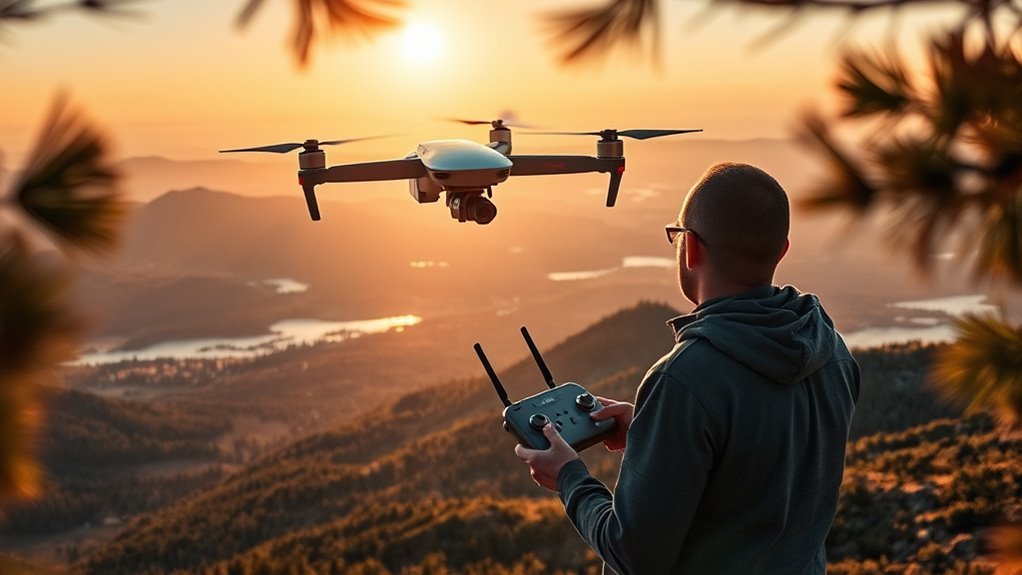
A drone flyaway happens when the aircraft no longer follows the path or commands you expect, creating a risk of a forced landing, crash, or complete loss of the drone. Most prevention comes down to checking the Home Point, navigation status, return behavior, weather, battery condition, and radio link before and during flight.
Quick Answer
To prevent a drone flyaway, confirm the Home Point and strong positioning status before takeoff, set the correct lost-signal and RTH behavior, avoid interference and excessive wind, monitor battery reserve, and keep the aircraft in sight. If control or positioning degrades, return or land early instead of continuing the mission.
What Is a Drone Flyaway?
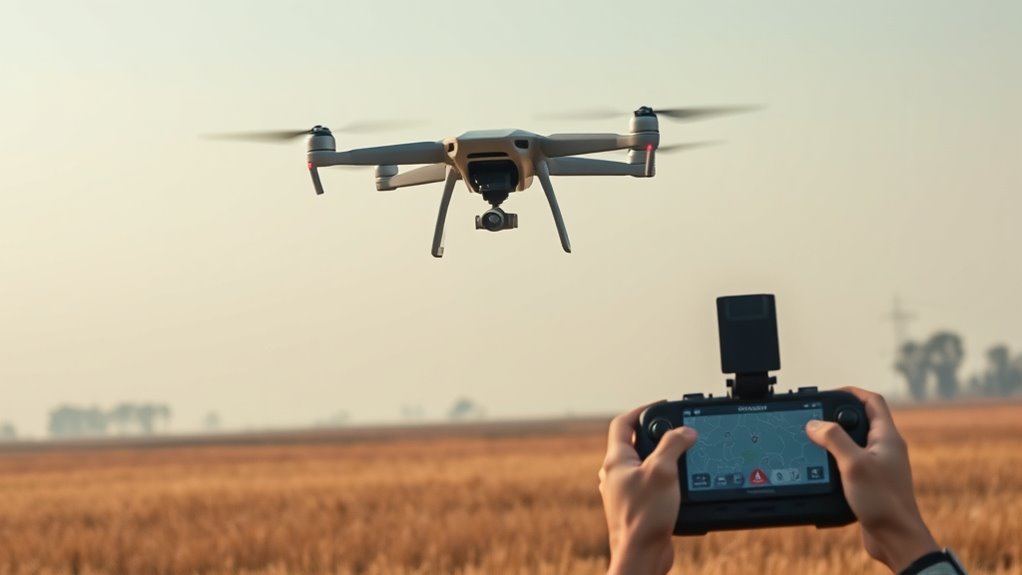
A drone flyaway is an event in which the aircraft moves away from its intended path and the pilot cannot reliably direct it back. The problem may involve lost control communication, poor positioning data, incorrect failsafe settings, strong wind, or another aircraft or pilot-related fault.
Not every temporary video dropout is a true flyaway. A drone may still be controllable even when the live camera feed disappears, while many GPS-equipped aircraft can also perform a programmed lost-signal action if the control link itself fails.
The important question is whether the aircraft still has a trustworthy position, a correct Home Point, sufficient battery, and a known response to loss of control. Those systems determine whether a problem ends with a normal recovery or an aircraft that cannot make it back.
What Causes Drone Flyaways?
Drone flyaways usually develop from a chain of problems rather than one mysterious failure. The most common risk areas are positioning, compass interference, the radio link, Return to Home configuration, battery reserve, weather, hardware faults, and pilot decisions.
| Risk | What Can Happen | Best Prevention |
|---|---|---|
| Weak GNSS/GPS positioning | Poor position hold, drifting, or unavailable RTH functions | Wait for the aircraft’s normal ready-to-fly positioning status and recorded Home Point |
| Magnetic or radio interference | Heading errors, weak control link, or signal interruption | Launch away from large metal objects and strong electromagnetic sources |
| Incorrect RTH setup | The aircraft may hover, land, return to the wrong point, or encounter obstacles | Verify Home Point, lost-signal action, and appropriate RTH settings before launch |
| Wind or worsening weather | Excessive drift, slow return progress, greater power use, or loss of control | Stay within the model’s environmental limits and land if conditions deteriorate |
| Low or unhealthy battery | Automatic RTH, forced descent, or too little reserve to return | Start with a healthy charged battery and respond early to power warnings |
DJI’s flight safety guidance similarly emphasizes checking the aircraft, controller link, Home Point, warnings, environment, and RTH settings before takeoff.
Set Your RTH Point Before Takeoff
Before takeoff, confirm that the aircraft has recorded the correct Home Point. Return to Home is only useful if the drone knows where home is and its positioning system is working normally.
Also check what the aircraft is programmed to do if the controller connection is lost. Depending on the model and settings, that action may be Return to Home, hover, or land.
Set the RTH altitude or return behavior so the flight path can clear relevant obstacles while staying within applicable operating limits. A universal rule such as “50 feet above the tallest object” does not fit every aircraft because modern RTH logic varies by model, distance from home, obstacle sensing, lighting, and selected RTH mode.
DJI’s current Return to Home logic documentation shows how significantly RTH behavior can differ among aircraft. Some models use a preset altitude, while others can plan a more dynamic return path.
If your aircraft can update its Home Point during flight, understand that feature before using it. A changed Home Point means the aircraft may return somewhere other than the original takeoff spot.
Check GPS Before You Launch
Do not take off solely because a particular satellite number appears on the screen. Instead, wait for the flight app to show the normal ready-to-fly positioning status for your aircraft and confirm that the Home Point has been recorded correctly.
Satellite-count requirements vary by model, application, positioning hardware, and environment. DJI’s GPS troubleshooting guidance, for example, uses different indicators for DJI Fly and older DJI GO applications rather than one universal satellite count.
Launch where the aircraft has a clear view of the sky. Buildings, mountains, trees, indoor locations, metal structures, and some sources of electromagnetic interference can make positioning less reliable.
If the app shows weak or lost positioning before takeoff, wait or move to a safer launch location. Starting a flight while the aircraft is already reporting a navigation problem removes one of your most important recovery tools.
Calibrate the Compass and IMU
Compass and IMU calibration should follow your aircraft manufacturer’s instructions rather than a fixed schedule. Recalibrating every flight or automatically after traveling a certain distance is not a universal requirement.
For DJI camera drones, the official compass calibration guide directs pilots to calibrate when the application calls for it or when otherwise required by the aircraft. DJI also warns against calibrating near strong magnetic fields or large pieces of metal.
The inertial measurement unit, or IMU, measures motion and attitude. If the flight application reports an IMU calibration error or requests calibration, place the aircraft as instructed and follow the model-specific process in the manufacturer’s IMU calibration procedure.
Warning: Do not try to “fix” a compass warning by repeatedly calibrating beside a vehicle, reinforced concrete, large metal object, power equipment, or another strong magnetic source. Move to a suitable location first and follow the aircraft’s instructions.
Avoid Wind, Rain, and Bad Weather
Strong wind can turn a routine return flight into a battery problem. If the aircraft cannot make enough progress against the wind, it may consume its remaining reserve before reaching the Home Point.
Precipitation and fog also create problems. They can reduce visibility, while moisture may damage aircraft that are not designed for wet-weather operation.
The FAA’s drone weather safety guidance notes that temperature can affect battery life, precipitation can reduce visibility, and wind can affect flight control and stability. It also warns that a sudden gust may exceed a drone’s ability to recover.
Check the forecast and actual conditions before launch. If the aircraft is struggling to hold position, return speed is dropping, or weather is worsening, land while you still have comfortable battery and control margins.
Keep Your Drone in Sight
Keeping the drone within visual line of sight helps you notice drift, unexpected movement, obstacles, changing weather, and orientation problems before they become emergencies. It also reduces your dependence on a video feed that can disappear before the control link does.
In the United States, FAA rules for recreational flyers require the drone to remain within visual line of sight, either of the pilot or a co-located visual observer in direct communication with the pilot. Requirements in other countries can differ, so follow the rules where you fly.
Do not treat the advertised transmission range of a drone as a safe operating distance. Buildings, terrain, interference, antenna orientation, and local conditions can weaken a radio link well before a laboratory-style maximum range is reached.
Watch Battery Levels During Flight
Battery management is one of the simplest ways to prevent a drone flyaway from becoming a lost-aircraft event. Monitor remaining battery, return distance, wind, battery warnings, and the aircraft’s predicted ability to get home.
There is no universal percentage at which every drone must land. A safe reserve depends on the aircraft, battery health, distance, temperature, wind direction, altitude, and the manufacturer’s automatic low-battery logic.
Battery Level Warnings
Treat low-battery warnings as operational warnings, not targets to reach on every flight. Many smart drones continuously estimate whether enough energy remains to return or land safely.
On supported DJI aircraft, low-battery RTH can begin when the aircraft calculates that the remaining battery is only sufficient for the return. If the battery falls further, the aircraft may enter a forced descent.
That means the safer decision is usually to start back before the aircraft reaches its last automatic protection. A long return into a headwind requires more reserve than a nearby flight in calm air.
Voltage Drop Risks
A battery can show remaining capacity yet perform poorly under load if it is damaged, excessively cold, badly aged, or otherwise unhealthy. Sudden high-power demands such as rapid climbing can expose weak power delivery.
Inspect batteries before flight and stop using packs that are swollen, physically damaged, leaking, or producing persistent battery errors. For hobby or FPV packs that publish a discharge rating, use batteries that meet the aircraft manufacturer’s current requirements.
During flight, pay attention to unexpected voltage behavior, battery warnings, and unusually rapid percentage loss. If the trend looks abnormal, shorten the flight and land safely rather than testing how much reserve remains.
Safe Landing Thresholds
A fixed 20% or 30% landing rule may be a useful personal margin for some pilots, but it should not be presented as a universal technical threshold. The better rule is to return early enough that wind, distance, and a missed approach do not leave you depending on the final few percent.
If the app warns that only enough battery remains to return or land, respond immediately. Do not continue farther simply because the displayed percentage still looks comfortable.
Respond Fast to Signal Loss
First determine what you actually lost: video transmission, control, or positioning. Those failures require different responses, and switching modes is not a universal fix.
- If video is lost but control remains: keep the aircraft within sight, improve controller antenna orientation, remove obstructions if possible, and fly back toward a known safe area.
- If the control link weakens: shorten the distance and avoid placing buildings, terrain, or other large obstacles between the controller and aircraft.
- If the control link is completely lost: the aircraft must rely on its preconfigured lost-signal behavior. You cannot manually switch flight modes while the controller has no command link.
- If positioning becomes weak but control still works: be prepared for reduced position holding. Some aircraft may enter an attitude-type mode and drift with the wind, so land as soon as it is safe.
DJI advises that if video transmission is lost while the aircraft is still controllable, pilots should improve antenna alignment and use the mapped flight path to bring the aircraft back. If connection cannot be restored, the pilot should use the aircraft’s configured RTH behavior when appropriate.
Practice normal manual control in a safe environment before you ever need it during a navigation fault. The goal is not to force ATTI or Manual mode during an emergency; it is to understand how your specific aircraft behaves if automated position holding becomes unavailable.
What to Do After a Drone Flyaway
If the aircraft does not return, use the flight application and saved telemetry before wandering away from the takeoff point. The last recorded position, flight path, height, direction, battery state, and connection status can narrow the search area considerably.
Preserve the flight record and screenshots of any warnings. They may help with recovery, manufacturer support, warranty assessment, insurance, or determining whether the incident involved a settings problem, interference, navigation failure, battery issue, or pilot input.
Recover Last Known Location
Start with the final reliable coordinates recorded by the app. For supported DJI products, the official Find My Drone feature can display the last recorded aircraft location and, if the aircraft still has power and reconnects, may allow it to flash and beep.
- Open the flight record or aircraft-finding feature and record the last known coordinates.
- Review the final flight direction, altitude, battery state, and warnings before choosing a search area.
- Search from safe, accessible ground rather than assuming the map pin is the exact resting point.
- If the aircraft reconnects, use available beeping, flashing, or location functions to narrow the search.
- Preserve the original flight log even after recovery so the cause can be reviewed.
Warning: Do not climb onto roofs, enter traffic, approach electrical equipment, enter dangerous water, or attempt a cliff or tree recovery that puts you at risk. The aircraft is replaceable; personal safety is not.
Document Incident Details
Create a short incident record while the details are fresh. Record the location, weather, Home Point, lost-signal setting, battery condition, warnings, abnormal movement, last known coordinates, and whether control or only video was lost.
Save screenshots and export or synchronize flight logs if the manufacturer provides that option. Avoid changing settings or deleting records until you have captured the information needed for troubleshooting.
If the drone caused an injury, property damage, or another aviation-safety event, follow the reporting requirements that apply in the country and under the operating rules you were using.
Key Takeaways
- Confirm the Home Point and normal positioning status before every takeoff.
- RTH behavior varies by aircraft, so verify lost-signal action and return settings instead of relying on a universal altitude rule.
- Calibrate the compass or IMU when the manufacturer or flight app calls for it, not simply because you traveled a set distance.
- Return early when wind, battery, signal strength, or positioning begins to deteriorate.
- After a flyaway, preserve flight logs and use the last recorded coordinates before beginning a physical search.
Frequently Asked Questions
What causes drone flyaways?
Drone flyaways can result from weak positioning, compass or electromagnetic interference, control-link problems, incorrect RTH settings, strong wind, low battery reserve, hardware faults, or pilot error. Several issues can occur together, which is why preflight checks and early responses to warnings matter.
Should I calibrate my drone compass before every flight?
No, compass calibration is not a universal before-every-flight requirement. Follow the instructions for your aircraft and calibrate when the manufacturer or flight application requests it, using an area away from strong magnetic fields and large metal objects.
What happens if a drone loses controller signal?
What happens after controller-signal loss depends on the aircraft and its settings. A GPS-equipped drone may return home, hover, or land, while successful RTH can also depend on a recorded Home Point, usable positioning data, battery reserve, and the model’s specific failsafe logic.
Can GPS loss make a drone drift?
Yes, loss of reliable satellite positioning can reduce or remove automatic horizontal position holding on some drones. If vision positioning is also unavailable, the aircraft may drift with wind and require more direct pilot control, so landing safely is usually the best response.
Can a low battery cause a drone to be lost?
Yes, insufficient battery reserve can leave a drone unable to return against wind or from a long distance. Many smart drones also initiate automatic RTH or forced landing at low battery levels, so pilots should return before reaching those final protections.
Conclusion
Preventing a drone flyaway is mainly about preserving your recovery options. Verify the Home Point and navigation status, understand the aircraft’s RTH and lost-signal behavior, keep enough battery reserve, respect wind and weather, and land when warnings begin instead of pushing the flight farther.
If a flyaway does occur, use the saved flight path and last recorded position first. A calm review of telemetry gives you a much better chance of recovering the aircraft and understanding what caused the incident.
Sources
- DJI Flight Safety Guidelines: Preflight checks, signal-loss guidance, interference, Home Point, and RTH setup.
- DJI Drone RTH Logic: Model-dependent Return to Home, lost-signal behavior, and low-battery operation.
- DJI Poor Aircraft GPS Signal or Signal Lost: Positioning warnings, environmental interference, and ATTI behavior.
- DJI Compass Calibration Guide: When and where compass calibration should be performed.
- DJI IMU Calibration Guide: IMU warning conditions and calibration procedure.
- FAA Safety Briefing: Effects of wind, precipitation, visibility, and temperature on drone operations.
- FAA Recreational Flyers: U.S. visual-line-of-sight requirements and recreational operating rules.
- DJI How to Use Find My Drone: Last recorded location, coordinates, beeping, flashing, and aircraft recovery.

