
Last updated: September 22, 2026 — refreshed for current Betaflight motor testing, DShot/ESC guidance, and safer brushless-motor fault isolation.
If your drone motor is not spinning, remove every propeller first and determine whether the problem affects one motor or all motors. If only one motor fails, focus on that motor, its three phase wires, solder joints, ESC output, and physical condition. If none of the motors run, check flight-battery power, ESC power, arming-disable flags, receiver setup, and the selected ESC/motor protocol before replacing hardware.
For a Betaflight FPV quad, the safest diagnostic path is to verify battery and ESC power, inspect the motor mechanically, check the wiring, and then use the Betaflight Motors tab with the propellers removed. Modern ESC firmware may use Bluejay, AM32, BLHeli32, or older BLHeli-family firmware, so use configuration tools that match the ESC you actually have. Do not connect a three-phase brushless motor directly to a LiPo or DC bench supply; the ESC must electronically commutate the motor phases.
Quick Answer
A drone motor usually will not spin because of an unpowered or low battery, a loose or damaged motor phase wire, a faulty ESC output, incorrect motor/ESC configuration, a damaged motor, or a physical obstruction. With the propellers removed, first separate a one-motor failure from an all-motor failure, then check power, mechanical freedom, wiring, Betaflight motor response, motor order, and ESC-versus-motor fault isolation.
Key Takeaways
- Remove all propellers before powering the ESC or using any Betaflight motor-test function.
- One failed motor usually points toward that motor, its phase wiring, or its ESC output; all motors failing suggests a wider power, arming, receiver, protocol, or controller problem.
- A three-phase brushless drone motor requires an ESC for electronic commutation; do not apply DC battery voltage directly to its three phase leads.
- A multimeter can help find open phase wires, uneven winding resistance, poor joints, and a phase shorted to the motor body when the motor is correctly isolated for testing.
- Current Betaflight motor testing is done from the Motors tab with the props removed and the ESC powered.
At a Glance
| Time Required | 10 to 45 minutes for basic diagnosis; longer if soldering or component replacement is required. |
| Difficulty | Beginner for visual and Betaflight checks; intermediate when resistance testing, desoldering, or swapping motors between ESC outputs. |
| Tools Needed | Multimeter, USB cable, Betaflight, small screwdriver, a firmware-compatible ESC configurator when needed, and soldering tools if a motor or connection must be isolated. |
| Cost | Often $0 when the problem is configuration, debris, or a loose connection; a confirmed failed motor or ESC requires replacement parts. |
Warning: Remove every propeller before connecting the flight battery for a bench motor test, using the Motors tab in Betaflight, changing motor direction, or testing ESC output. A motor can start unexpectedly, and even a small propeller can cause serious injury.
Scope: This troubleshooting workflow is aimed primarily at custom and FPV multirotors that use Betaflight with separate or 4-in-1 ESCs. Closed consumer drones may not expose motor or ESC controls to the owner. For those aircraft, follow the manufacturer’s diagnostic and service procedure instead of opening or rewiring the drone unless the manufacturer supports that repair.
Drone Motor Not Spinning: Fast Diagnostic Flow
Start with the symptom instead of replacing parts immediately. The pattern of the failure usually tells you which part of the system to test first.
| Symptom | Most Useful First Checks |
|---|---|
| Only one motor does not spin | Inspect that motor’s three phase wires, solder joints, connector, motor bell and ESC output. Then determine whether the fault follows the motor or remains with the ESC output. |
| All motors do not spin | Confirm the flight battery powers the ESC, check startup behavior, ESC/motor protocol, receiver input and Betaflight arming-disable flags. |
| Motor twitches but will not start | Check for an open or poor phase connection, bad solder joint, mechanical drag, ESC fault or incompatible ESC configuration. |
| Motor works in the Motors tab but not during normal arming | Check Betaflight arming-disable flags, receiver input, throttle position, modes, failsafe and motor-stop/airmode behavior. |
| Quad flips or yaws immediately after takeoff | Verify motor order, physical motor direction, propeller orientation and flight-controller orientation. |
Diagnosing Power and Functionality

Start by verifying that the flight battery is charged, undamaged, and properly connected. A USB cable may power the flight controller and allow Betaflight to connect while the ESC and motors remain unpowered. For a Betaflight Motors-tab test, the ESC must also be online, which normally means connecting the flight battery with every propeller removed.
Inspect the main battery connector, power leads and solder joints for looseness, scorching, cracked insulation or movement. Do not use a swollen, punctured, overheated or otherwise damaged LiPo pack. Follow the battery and charger manufacturer’s instructions for charging, handling and storage.
Do not connect the three phase wires of a brushless drone motor directly to a LiPo or ordinary DC bench supply. A three-phase brushless motor depends on an ESC to switch, or commutate, its phases in sequence. Direct DC voltage across the motor leads is not a valid normal running test.
To separate a motor fault from an ESC fault, determine whether the problem follows the suspect motor to a known-good compatible ESC output or stays with the original ESC output.
Only perform that swap if you are comfortable with soldering and electronics. Disconnect the battery before changing any motor wires. Keep the propellers removed when power is restored. If the same motor fails on a known-good compatible ESC output, the motor becomes the stronger suspect. If a known-good motor fails on the original output, focus on the ESC, signal path or flight-controller output.
Also inspect for physical obstructions. With all power disconnected, turn the motor bell gently by hand. Look for grass, hair, sand, a bent shaft, rough bearings, loose magnets, rubbing between the bell and stator, or a screw that extends far enough into the motor to contact the windings.
Note: If all motors stopped working at once, a simultaneous four-motor hardware failure is less likely than a shared power, ESC, arming, receiver, protocol or flight-controller problem. If only one motor fails, start with that motor, its wiring and its ESC output.
Checking Motor Connections

Disconnect the flight battery and USB cable before plugging, unplugging, desoldering or moving motor and ESC wiring. Then inspect the complete path between the motor and ESC.
- Verify Motor Wires: Check all three phase wires for broken strands, cuts, pinching, scorching, damaged connectors or poor solder joints.
- Inspect Motor Attachment: Confirm the motor is secure and that mounting screws are not so long that they can contact the stator windings.
- Check the Solder Joints: Look for joints that move, lift from the pad, have insufficient solder coverage, or appear to bridge adjacent ESC pads.
- Compare With a Working Corner: Compare wire routing, connector seating and solder joints with a motor that operates normally.
- Isolate Before Winding Tests: For a meaningful motor-winding resistance test, electrically isolate the motor from the ESC so the ESC circuitry does not affect the reading.
- Compare the Three Phases: Measure A-B, B-C and C-A on the lowest suitable resistance range. A healthy motor should have similarly low readings across the three pairs. Small drone motors have very low winding resistance, so inexpensive meters may not provide precise absolute values; the comparison between phases is more useful.
- Check for a Short to the Motor Body: Test each isolated phase lead against exposed motor/stator metal. A phase should not show continuity to the motor body.
Pro Tip: If a phase wire or solder joint fails only when the arm flexes, gently move the wire while checking it. Intermittent connections can appear normal while the drone is sitting still.
Testing With Betaflight and ESC Firmware Tools

Current Betaflight provides a dedicated Motors tab for motor and ESC testing. Do not try to diagnose the system by arming the quad while it is connected to the configurator; an active MSP/configurator connection can itself prevent normal arming.
- Remove every propeller.
- Connect the flight controller by USB and open Betaflight.
- Open the Motors tab.
- Connect the flight battery so the ESC is powered and online.
- Acknowledge the propeller-removal safety warning.
- Raise one motor slider at a time slowly, using only enough output to establish whether the motor starts and runs smoothly.
- Confirm motor order by checking that each numbered slider spins the physical motor shown in Betaflight’s current mixer diagram.
- Confirm motor direction and correct any motor that spins opposite the expected direction.
For modern builds, DShot is the normal Betaflight ESC protocol. DShot does not use traditional throttle-endpoint calibration. If you use DShot and a motor will not start reliably, investigate motor idle, ESC firmware/configuration, wiring, the motor itself and the signal path rather than performing legacy analog ESC calibration.
If your ESC and firmware support DShot telemetry, Betaflight’s Motors tab may display an E telemetry-error indicator. Betaflight documentation says a powered ESC should normally show 0% or very close to 0% errors; an error rate around 1% or higher usually points toward a hardware or signal problem. Use that reading as another diagnostic clue rather than as a standalone pass/fail test.
Your ESC firmware may be Bluejay, AM32, BLHeli32 or an older BLHeli-family version. Use a configuration tool that explicitly supports the firmware on your ESC. Do not flash or change ESC firmware simply because a motor does not spin; first confirm the exact hardware, firmware compatibility and existing configuration.
Warning: Do not run a bench motor test with propellers installed. Test at the lowest output needed to diagnose the problem and stop immediately if a motor or ESC becomes abnormally hot, smells burnt, or behaves erratically.
Adjusting Motor Direction
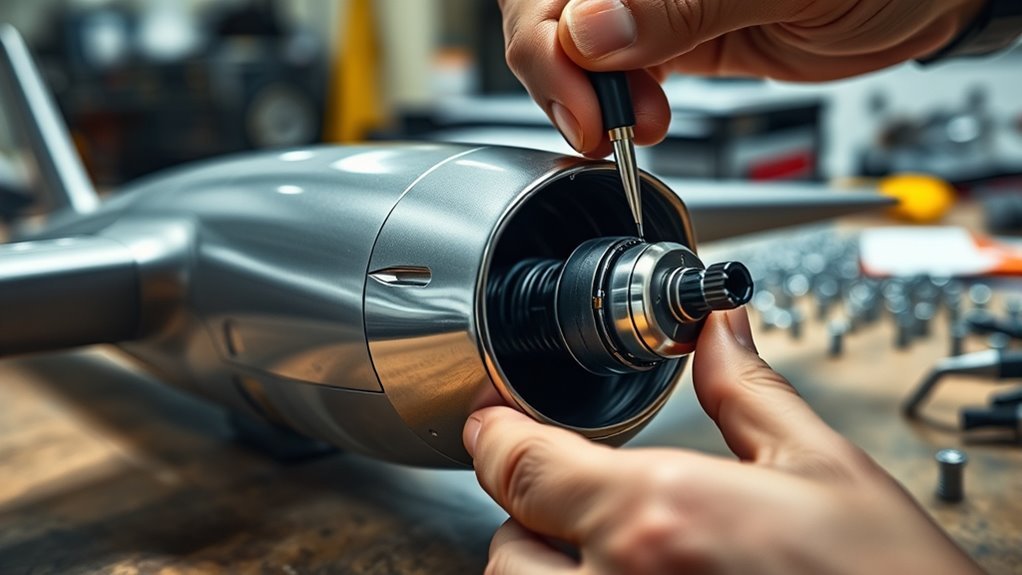
A motor that spins in the wrong direction is different from a motor that will not spin. Wrong rotation typically appears after a build, motor replacement, ESC change or configuration change and can make a quad flip, yaw violently or fail to lift correctly.
With the propellers removed, use the current Betaflight Motor Direction tool when your ESC supports the required commands. You can also change direction in a firmware-compatible ESC configurator.
If software direction control is unavailable, reverse a conventional three-phase brushless motor by swapping any two of its three phase wires:
- Disconnect the flight battery and USB power.
- Swap any two motor phase wires at the ESC.
- Inspect the new solder joints carefully.
- Reconnect power with the propellers still removed.
- Use the Betaflight Motors tab to verify the new physical direction.
Also confirm that Betaflight’s expected mixer direction—commonly called props in or props out—matches the physical motor directions. Finally, install each clockwise or counterclockwise propeller in the position shown for your actual configuration. Correct motor rotation with the wrong propeller orientation can still cause an immediate takeoff failure.
Securing and Organizing Connections

Once the electrical fault is corrected, route the wiring so the same problem is less likely to return. Motor and ESC wires should be securely soldered or connected, insulated where needed, and kept clear of spinning motor bells and propellers.
Keep wires away from sharp carbon-fiber edges, hot components and moving camera mounts. If a wire passes across an edge or through a tight opening, protect it with suitable heat shrink, sleeving or secure routing so vibration cannot wear through the insulation.
Avoid leaving excess wire pressed against ESC components where it can interfere with cooling or be damaged during a crash. At the same time, do not pull motor leads so tight that arm flex or vibration puts constant force on the solder joints.
After a crash, motor replacement or frame rebuild, inspect the motor bell, shaft, mounting screws, phase wires, solder pads and insulation before the next flight.
Common Causes of a Drone Motor Not Spinning
A non-spinning motor does not automatically mean the motor itself is dead. Match the symptom to the most likely fault path:
- Motor twitches but does not spin: Inspect all three phase connections, solder joints, the motor for mechanical drag, and the ESC output. Losing one effective phase can produce twitching instead of normal rotation.
- Motor starts only at unusually high output: Check motor idle settings, mechanical resistance, ESC firmware/configuration and phase connections. If you use DShot, traditional throttle-endpoint calibration is not required.
- Motor becomes hot quickly: Stop the test. Check for winding or phase faults, rubbing magnets, a bent shaft, damaged bearings, long mounting screws contacting windings, or an ESC problem.
- Only one motor fails: Focus on that motor, its three wires and its ESC output before changing global flight-controller settings.
- All motors fail: Confirm flight-battery and ESC power, ESC startup, motor protocol, receiver input and Betaflight arming-disable flags.
- Motor works in the Motors tab but not when normally armed: Check arming-disable flags with Betaflight’s status information, then verify receiver channels, throttle position, modes, failsafe and motor-stop/airmode settings.
- Quad flips immediately after takeoff: Verify motor order, physical motor direction, propeller orientation and flight-controller orientation before tuning anything.
Note: If the motor problem began immediately after replacing a motor or rebuilding an arm, check the motor-mounting screws before powering the quad again. A screw that reaches the stator winding can damage or short the motor.
When to Replace the Motor or ESC
Replace the motor when inspection or isolated testing shows a clear motor fault: damaged windings, an open phase, a phase shorted to the stator/body, cracked or loose magnets, a bent shaft, severely rough bearings, a rubbing bell, persistent overheating, or a burnt smell.
Do not use direct battery voltage as a motor test. Instead, isolate the fault with a known-good compatible ESC output when practical. If the suspect motor still fails while a known-good motor works on that same output, the evidence points toward the motor.
Suspect the ESC when a known-good motor operates correctly elsewhere but will not operate from the original ESC output after its wiring and configuration are confirmed. Other warning signs include visible ESC damage, abnormal heating, persistent signal/telemetry errors on one output, or repeated failure that remains with the same ESC channel after the motor is swapped.
If the ESC is part of a 4-in-1 board, do not assume the entire board must immediately be replaced. First rule out the motor, motor wires, solder joints, motor-resource mapping and signal/configuration issues. Replace hardware only after the fault has been narrowed to that component.
Related Guides
Frequently Asked Questions
Why is my drone propeller not spinning fast enough?
Low battery voltage, mechanical drag, a poor motor phase connection, damaged motor, ESC problem, or incorrect motor idle/configuration can keep a motor from reaching normal speed. Remove the propellers for diagnosis and test the motor response through the correct ESC rather than applying DC voltage directly to the motor.
How do I fix a drone motor not spinning?
Remove every propeller, determine whether one motor or all motors are affected, confirm battery and ESC power, inspect the motor for mechanical damage, check all three phase wires and solder joints, and test the motor from Betaflight’s Motors tab. If only one motor fails, determine whether the fault follows that motor to a known-good compatible ESC output or remains with the original ESC output.
How can I tell if a drone motor is bad?
Signs of a bad motor include rough bearings, a bent shaft, a rubbing bell, loose or cracked magnets, a burnt smell, damaged windings, an open motor phase, a phase shorted to the motor body, or a fault that follows the motor when it is tested on a known-good compatible ESC output.
Why is my brushless motor not spinning?
A brushless drone motor may not spin because one of its three phase connections is open or poorly soldered, the motor is mechanically jammed, its ESC is faulty or unpowered, the selected motor protocol is wrong, or the motor itself is damaged. A three-phase brushless motor must be driven through an appropriate ESC rather than connected directly to DC power.
Why does my drone motor twitch but not spin?
Twitching commonly points to a motor phase that is not being driven correctly, so inspect the three motor wires, connectors and solder joints first. Also check for mechanical drag and test whether the problem follows the motor or remains with the ESC output. Stop testing if the motor or ESC heats rapidly.
Can Betaflight make one motor stop spinning?
Configuration can affect motor behavior if the motor output is mapped incorrectly, the ESC/motor protocol is wrong, or other output settings are incorrect. However, when three motors work normally and only one fails, also inspect that motor’s wiring, solder joints, ESC output and mechanical condition before assuming the problem is software.
Why do the motors work in Betaflight but not when I arm the drone?
If the Motors-tab test works, the motor, ESC power stage and basic output path are probably functioning. Check Betaflight’s arming-disable flags, receiver channel input, throttle position, arm and prearm modes, failsafe state, and motor-stop or airmode behavior. Remember that being connected to the configurator can itself create an MSP arming-disable condition.
Is it safe to test a drone motor without propellers?
Testing with every propeller removed is the correct bench-safety approach. Use Betaflight’s Motors tab or another appropriate ESC-control method, apply only enough output to diagnose the motor, and stop if the motor or ESC becomes abnormally hot or behaves unpredictably.
Conclusion
If a drone motor will not spin, diagnose the system in a fixed order instead of replacing parts at random. Remove the propellers, decide whether the failure affects one motor or all motors, verify battery and ESC power, check that the motor turns freely, inspect all three phase connections, and then test the outputs in Betaflight.
If one corner still fails, isolate the problem by seeing whether it follows the motor or stays with the ESC output. If every motor fails, move upstream to shared power, ESC initialization, receiver input, arming-disable flags and the ESC/motor protocol. Once the fault is repaired, verify motor order, motor direction and propeller orientation before the next takeoff.
Sources
- Betaflight Motors Tab — current motor testing, motor direction, DShot telemetry and ESC/motor settings.
- Betaflight Troubleshooting — arming-disable flags, motor-order checks and takeoff troubleshooting.
- Betaflight ESC Firmware — DShot calibration guidance and current Bluejay, AM32, BLHeli32 and BLHeli_S information.
- Fluke Motor Troubleshooting Guidance — comparative phase-resistance and phase-to-ground fault-testing principles.
