Choosing between gimbals and electronic image stabilization (EIS) affects more than how smooth your drone footage looks. It also changes your image quality, battery use, payload weight, setup time, and editing flexibility. A gimbal gives you physical camera control, while EIS uses software to reduce shake. The better choice depends on whether you need cinematic results, casual travel clips, fast action footage, or a lightweight drone setup.
Quick Answer
Choose a gimbal if you want the smoothest drone footage, better low-light results, and full image resolution. Choose EIS if you want a lighter, simpler, and more affordable setup for casual flying, action shots, or travel videos where convenience matters more than maximum cinematic quality.
Key Takeaways
- Gimbals use motors and sensors to physically stabilize the camera, so they usually deliver smoother footage with less quality loss.
- EIS stabilizes footage with software, which keeps drones lighter and simpler but may crop the frame or reduce detail.
- For professional drone video, real estate work, cinematic travel content, and low-light filming, a gimbal is usually the safer choice.
- For beginners, casual users, compact drones, and fast social media clips, EIS can be good enough and easier to use.
- The best drones often combine both methods, using a gimbal for physical stabilization and software correction for extra smoothing.
Understanding Gimbals and Their Functionality
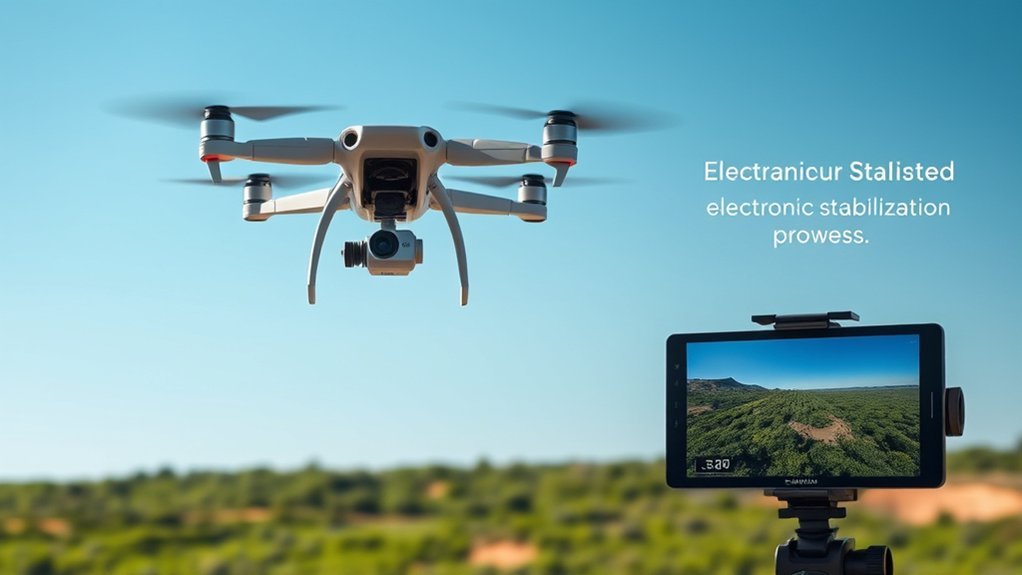
Gimbals are mechanical camera-stabilization systems that keep your camera level while the drone moves, turns, tilts, or vibrates. Instead of fixing shaky footage after capture, a gimbal tries to prevent shake before it reaches the final video.
Most drone gimbals work across three axes: pitch, yaw, and roll. Pitch controls up-and-down camera tilt, yaw controls side-to-side movement, and roll keeps the horizon from leaning. Together, these movements help your footage look smooth and controlled, even when the drone changes direction.
Utilizing motors and sensors, gimbals provide real-time stabilization, making them valuable in challenging filming environments. This physical stabilization method helps preserve image quality because it does not need to crop the frame as heavily as software-based stabilization.
You can choose between two-axis and three-axis gimbals, with the latter offering better stability and control. A two-axis gimbal can still improve footage, but a three-axis gimbal gives stronger correction for cinematic flying, real estate videos, mapping shots, and slow reveal shots.
Although gimbals can be bulkier and more expensive than software-only options, their effectiveness in producing high-quality video content often justifies the investment for serious drone users.
Note: A gimbal does not make bad flying disappear. Smooth stick control, slower turns, balanced exposure, and careful flight planning still matter if you want professional-looking drone footage.
Exploring Electronic Image Stabilization (EIS)
While gimbals provide physical stabilization, Electronic Image Stabilization (EIS) offers a software-based alternative. EIS analyzes motion and adjusts the video frame to reduce visible shake. It can crop, shift, rotate, or reposition frames so the final footage looks steadier.
EIS is common in smartphones, action cameras, compact drones, and beginner-friendly camera systems. Because it does not require a full mechanical gimbal, it can help keep a drone smaller, lighter, and more affordable.
EIS effectively reduces jitteriness and enhances image stability by cropping and repositioning frames to counteract drone movement. This can help in mild wind, during quick turns, or when using small drones that are more sensitive to vibration.
Drones like the Holy Stone HS720E, which incorporate EIS, can deliver smoother video than similar drones with no stabilization. However, EIS should not be treated as a full replacement for a strong three-axis gimbal in every situation.
Its effectiveness can diminish in low-light scenes, high-resolution recording modes, or high-motion footage because the system needs room to crop and correct the frame. If the camera sensor, shutter speed, or bitrate is already struggling, software stabilization cannot fully recover lost detail.
| Aspect | EIS Advantages | EIS Limitations |
|---|---|---|
| Cost | Integrated in many consumer devices | Often requires cropping |
| Effectiveness | Good stabilization for casual motion | Reduced performance in low light |
| Use Cases | Ideal for casual users and action cams | May not match gimbal stability |
Comparing Stability and Image Quality
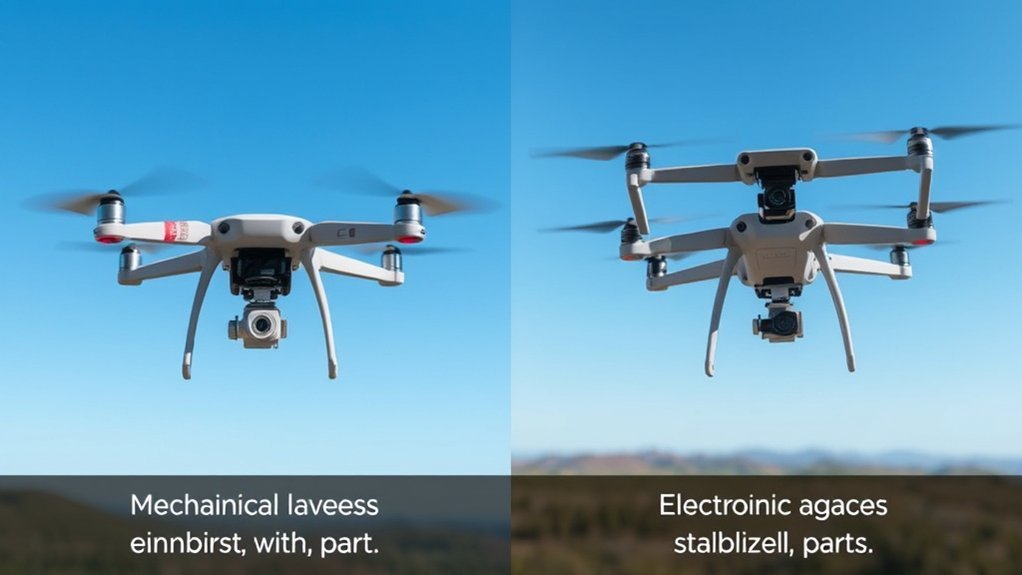
When evaluating stabilization methods, the differences in image quality between gimbals and Electronic Image Stabilization (EIS) become clear. Gimbals excel in maintaining stable footage during dynamic movements because they employ physical stabilization through motors and sensors.
In contrast, EIS often crops frames to reduce shake. That crop can narrow your field of view and may reduce visible detail, especially when filming in low-light scenarios or using smaller sensors.
Here are key points to examine:
- Gimbals maintain more of the original frame, which helps preserve resolution and composition.
- EIS may result in a noticeable loss of detail when aggressive cropping or digital correction is required.
- Drones like the Holy Stone HS720E can provide useful stabilization for casual flying, especially compared with unstabilized drones.
- Content creators often prefer gimbals for professional projects because they offer more predictable camera movement.
Ultimately, while EIS has real advantages, gimbals provide a more consistent and high-quality output when your goal is polished, professional-grade footage.
Gimbal vs EIS: Side-by-Side Comparison
The easiest way to choose between a gimbal and EIS is to compare how each system handles the things that matter in real drone use: smoothness, image quality, weight, cost, and setup time.
| Feature | Gimbal | EIS |
|---|---|---|
| Stabilization method | Physical motors and sensors | Software correction |
| Image quality | Usually better because less cropping is needed | Can lose detail due to cropping |
| Weight | Heavier and more complex | Lighter and simpler |
| Best for | Cinematic video, paid work, real estate, low-light scenes | Casual flying, travel clips, action footage, compact drones |
| Main drawback | Adds cost, weight, and moving parts | Can crop the frame and struggle in poor light |
Flexibility and Portability Considerations
Although gimbals provide exceptional stabilization, their bulk and weight can hinder portability for users who need to shoot spontaneously. A mechanical gimbal adds hardware, motors, and protection needs, so it can make a drone more expensive and more delicate.
If you’re looking for a lightweight solution that allows for easy maneuverability, electronic image stabilization (EIS) may be your best bet. EIS enables you to stabilize footage on the go without the need for heavier camera hardware, making it useful for action cameras, smartphones, and compact drones.
While gimbals excel in planned shooting scenarios, their added weight can be a drawback for casual users prioritizing mobility. You may also need to protect the gimbal during transport, remove a gimbal clamp before takeoff, and avoid rough landings that can damage the mechanism.
For aerial photography, drones equipped with EIS, such as the Holy Stone HS720E, demonstrate the advantages of lightweight stabilization technology. This convenience allows you to focus on capturing dynamic shots without carrying extra equipment.
If you value portability, EIS is often integrated into consumer devices without greatly increasing their cost. That makes it an accessible option for budget-conscious users who want more stable footage without a more complex setup.
Pro Tip: If you travel often, compare the whole drone system, not only the camera. A lightweight EIS drone may be easier to pack, but a compact three-axis gimbal drone may still give you better footage for important trips.
Cost and Accessibility of Stabilization Options
As you consider stabilization options for your drone or camera, the cost and accessibility of gimbals versus electronic image stabilization (EIS) play an essential role in your decision. Here’s a breakdown to guide you:
- Gimbal Costs: Expect to pay more for gimbal-based systems because they require precise engineering, motors, sensors, calibration, and protective hardware.
- EIS Integration: EIS is often built into smartphones, action cameras, and beginner drones, resulting in minimal additional setup for users.
- Budget-Friendly Option: For casual users, EIS is appealing because it helps create smoother footage without a large financial investment.
- Accessibility for Beginners: Entry-level drones equipped with EIS enable newcomers to capture stable footage without needing extra gear, unlike bulkier gimbals that require more setup and transport considerations.
Ultimately, if budget and ease of use are your priorities, EIS may be the better choice. If quality, control, and repeatable results matter more, gimbals offer superior stabilization at a higher cost.
Best Use Cases for Gimbals
A gimbal is the better choice when your footage needs to look polished straight from the camera. It is especially useful when you plan controlled movements, slow pans, orbit shots, reveal shots, or paid video work.
- Real estate videos: A gimbal keeps indoor and outdoor flyover shots smoother and more professional.
- Travel films: It helps preserve scenic details, especially during slow movement over landscapes, coastlines, and city views.
- Commercial work: Clients often expect clean camera motion with minimal shake, warping, or digital artifacts.
- Low-light filming: A gimbal usually performs better because it does not depend as heavily on cropping or digital correction.
- Precise framing: Gimbals make it easier to hold a horizon, track a subject, or repeat a shot.
If you want the most reliable results, especially for footage you cannot easily reshoot, choose a drone with a well-designed three-axis gimbal.
Best Use Cases for EIS
EIS works well when convenience matters more than perfect cinematic control. It is a practical choice for casual drone users who want smoother footage without paying for a more advanced camera system.
- Beginner flying: EIS helps reduce shake while you learn basic drone control.
- Social media clips: Cropping and minor detail loss may not matter much for short mobile videos.
- Action footage: EIS can smooth quick movement where a small, light camera is more useful than a larger setup.
- Compact drones: EIS supports smaller drone designs by reducing reliance on heavier mechanical parts.
- Budget setups: It gives casual users a simple way to improve video without buying separate stabilization gear.
If you mostly film quick outdoor clips, family trips, practice flights, or hobby footage, EIS may provide enough stabilization for your needs.
Where Hybrid Stabilization Fits
Some camera systems use both a gimbal and digital stabilization. This hybrid approach can produce very smooth footage because the gimbal handles the main movement while software corrects smaller vibrations or bumps.
Hybrid stabilization can be useful when flying in mild wind, filming fast-moving subjects, or creating video that needs extra polish. However, it still has limits. Too much digital correction can crop your shot, and no stabilization system can fully fix poor exposure, heavy vibration, or sudden drone movements.
For most users, a drone with a three-axis gimbal and optional software stabilization offers the best balance. You get physical camera control first, then software assistance only when needed.
Warning: Do not rely on stabilization to make risky flying acceptable. Strong wind, poor visibility, low battery, and unsafe locations can still ruin footage and increase the chance of a crash.
Common Mistakes When Choosing Stabilization
Many buyers focus only on the word “stabilized” and miss the details that affect real footage quality. Before choosing a drone or camera, avoid these common mistakes:
- Assuming all stabilization is equal: A three-axis gimbal and basic EIS are not the same thing.
- Ignoring crop factor: EIS may narrow the field of view, which can make wide scenic shots feel tighter.
- Overlooking low-light performance: EIS can struggle when the camera needs slower shutter speeds or higher ISO.
- Buying more than you need: Casual users may not need a high-end gimbal drone for simple clips.
- Forgetting about repair risk: Gimbals add moving parts that may need careful handling and protection.
The best choice is not always the most expensive one. Match the stabilization system to your footage goals, skill level, and how often you plan to fly.
How to Decide Which Option You Need
Use your filming goal as the deciding factor. If you want cinematic footage, strong low-light performance, and more control over composition, choose a gimbal. If you want a simple setup for casual clips, EIS is often enough.
At a Glance
| Best for professional footage | Gimbal |
| Best for portability | EIS |
| Best for low light | Gimbal |
| Best for beginners on a budget | EIS |
| Best overall balance | Three-axis gimbal with optional software stabilization |
Before buying, ask yourself five questions:
- Will you use the footage for paid work or personal clips?
- Do you often film in wind, low light, or fast movement?
- Do you need full resolution and a wide field of view?
- Is portability more important than perfect smoothness?
- Are you comfortable carrying and protecting a gimbal-based drone?
If most of your answers point toward quality and control, choose a gimbal. If they point toward speed, simplicity, and travel convenience, EIS may be the better match.
Related Guides
Frequently Asked Questions
Which Is Better, a Gimbal or a Stabilizer?
A gimbal is usually better for professional video production because it physically stabilizes the camera across multiple axes. However, a simpler stabilizer or EIS system may suit you better if you want less weight, lower cost, and easier setup for casual footage.
What Is the Difference Between Gimbal and EIS Drones?
Gimbal drones use mechanical motors and sensors to keep the camera steady. EIS drones use software to correct shaky footage by cropping and shifting the image. Gimbals typically offer better stability and image quality, while EIS is more compact and beginner-friendly.
Which Is Better Gimbal or Handheld Stabilizer?
For drone footage, a built-in gimbal is usually better because it is designed to stabilize the camera during flight. For ground filming, a handheld stabilizer can be useful when you want creative movement, but it requires more physical control and practice.
Is Electronic Image Stabilization Good?
Yes, electronic image stabilization is good for beginners, compact drones, smartphones, and casual video. It can make footage look smoother without extra hardware. Still, it may crop the frame, reduce detail, and perform worse in low light compared with a mechanical gimbal.
Do Professional Drone Pilots Use EIS?
Some professional camera systems use software stabilization as an extra tool, but most professional drone pilots prefer a strong gimbal as the main stabilization method. EIS can help refine footage, but it is rarely the only feature professionals consider.
Does EIS Reduce Video Quality?
EIS can reduce video quality when it crops the image or applies aggressive correction. The loss may be minor in bright outdoor footage, but it can become more visible in low light, fast motion, or scenes with fine detail.
Conclusion
In the world of drone stabilization, gimbals are the stronger choice when you want smooth motion, cleaner framing, and better image quality. They suit cinematic work, paid video projects, real estate shots, and low-light filming where every detail matters.
EIS, on the other hand, gives you a lighter and more affordable path to stable footage. It works well for beginners, travel clips, compact drones, and casual creators who value portability and ease of use.
Your choice depends on your journey. If you are capturing polished cinematic footage, choose a gimbal. If you are simply exploring the skies and want smoother clips without extra cost or weight, EIS can be a smart option. For the best balance, look for a drone that combines a three-axis gimbal with optional software stabilization.
