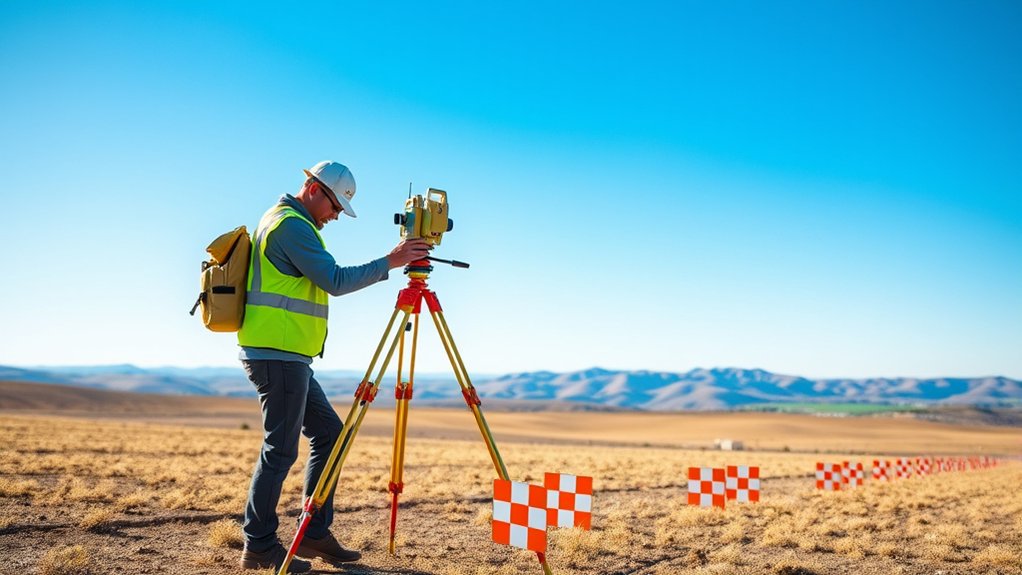
Ground Control Points (GCPs) are surveyed reference points used to anchor drone imagery to known real-world coordinates. They improve absolute georeferencing for orthomosaics, point clouds, and 3D models, while separate checkpoints let you measure how accurate the finished output actually is.
For most non-RTK/PPK projects, five well-distributed GCPs are a common starting pattern, but there is no universal point count. Current software guidance varies, and the right layout depends on project shape, terrain, elevation change, flight geometry, required accuracy, and whether RTK/PPK image positions are available.
Last updated: September 19, 2026 — reviewed against current Pix4D, DroneDeploy, and ASPRS guidance.
Quick Answer
A Ground Control Point is a clearly marked spot with known coordinates used to georeference drone imagery. Treat five GCPs as a common starting pattern, not a universal minimum: some photogrammetry platforms can process fewer, while current Pix4D guidance recommends 5–10 for many projects. Measure control with survey-grade methods and keep separate checkpoints for independent accuracy testing.
Key Takeaways
- Use GCPs when you need reliable absolute accuracy, not just a visually aligned map.
- Place markers around the project edges, through the center, and across elevation changes.
- Make every marker large, high contrast, stable, and easy to identify from the flight height.
- Measure GCP coordinates with RTK/PPK GNSS, a total station, or another survey-grade method rather than handheld GPS when high absolute accuracy is required.
- Use checkpoints separately from GCPs so you can test, not just force, the final map accuracy.
At a Glance
| Best For | Drone mapping, photogrammetry, construction progress maps, stockpile surveys, corridor mapping, CAD overlays, and site documentation. |
| Difficulty | Moderate. Marker placement is simple, but coordinate measurement and quality control need care. |
| Tools Needed | High-contrast GCP targets, RTK/PPK GNSS receiver or total station, survey pole or prism setup as required, field notes, drone, and photogrammetry software. |
| Accuracy Goal | Project dependent. Define the required horizontal and vertical accuracy before flying, then verify the finished map with independent checkpoints rather than relying only on GCP residuals. |
What Is A Ground Control Point?

Ground Control Points (GCPs) are visible features with known surveyed coordinates that photogrammetry software uses to scale, orient, and georeference a project. They primarily improve absolute positioning; independent checkpoints are what let you test the finished model without using those same points to force the adjustment.
GCPs are especially useful when standard onboard GNSS is not accurate enough for the deliverable. RTK/PPK image geotags can reduce the amount of ground control needed, but they do not remove the need to validate final accuracy. Pix4D likewise recommends checkpoints when assessing absolute accuracy.
The right GCP target size should be tied to Ground Sample Distance (GSD), not a fixed physical dimension. For manual marking, Pix4D recommends a photogrammetric target roughly 5–10 times the GSD in dimension; its automatic GCP detection guidance calls for larger targets, at least 20 times the average GSD. In every case, the center must remain crisp and unambiguous in the images.
For non-RTK/PPK mapping, five points arranged around the perimeter and center are a common starting pattern. Pix4D recommends 5–10 GCPs distributed through the project, while DroneDeploy currently requires at least four for non-RTK/PPK maps. Treat those as platform guidance, not a universal survey standard.
You can create or purchase targets, but good results come from the whole control workflow: visible targets, surveyed coordinates, broad spatial and elevation coverage, correct coordinate-system settings, careful image marking, and separate checkpoints.
Main Requirements for Ground Control Points
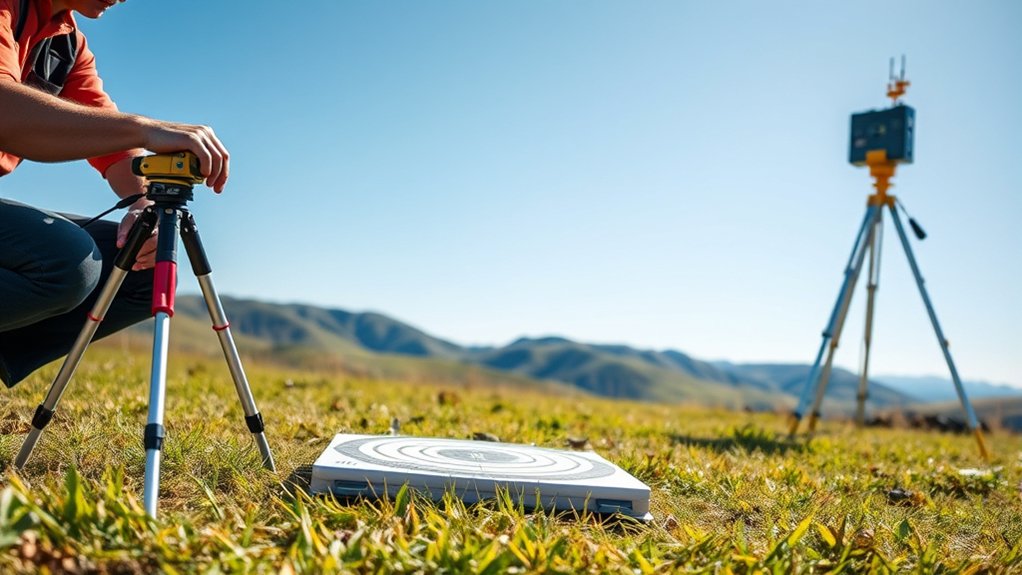
To achieve accurate georeferencing, you need to meet specific requirements when setting up your Ground Control Points (GCPs). A good marker must be visible, stable, measurable, and easy to mark in your mapping software.
- Size: Size the target from the planned GSD rather than using one fixed dimension. For manual marking, Pix4D recommends a target about 5–10 times the GSD in dimension; automatic target detection may require a larger target.
- Color: Use high-contrast colors like black and white, orange, or bright green so the GCP stands out against soil, grass, asphalt, gravel, or concrete.
- Identification: Confirm the center point of each GCP is easily identifiable for precise positioning in aerial images.
- Stability: Secure each marker so wind, vehicle traffic, people, or rotor wash cannot move it during the flight.
- Coordinate quality: Measure the center of each marker with survey-grade equipment and record the coordinate reference system used.
For many smaller non-RTK/PPK sites, five points—one toward each corner and one near the center—are a practical starting layout. Add or reposition control when the site is long, irregular, steep, obstructed, or has a tighter accuracy requirement. Point distribution matters more than applying a fixed points-per-acre rule.
Note: A GCP is only as useful as its measured coordinate. A bright target measured with poor equipment can still create a poor final map.
Finally, secure each GCP and clear any obstructions to maintain visibility and effectiveness during drone mapping. Following these requirements will greatly enhance the accuracy of your georeferencing efforts.
Basic Rules for Placing GCPs
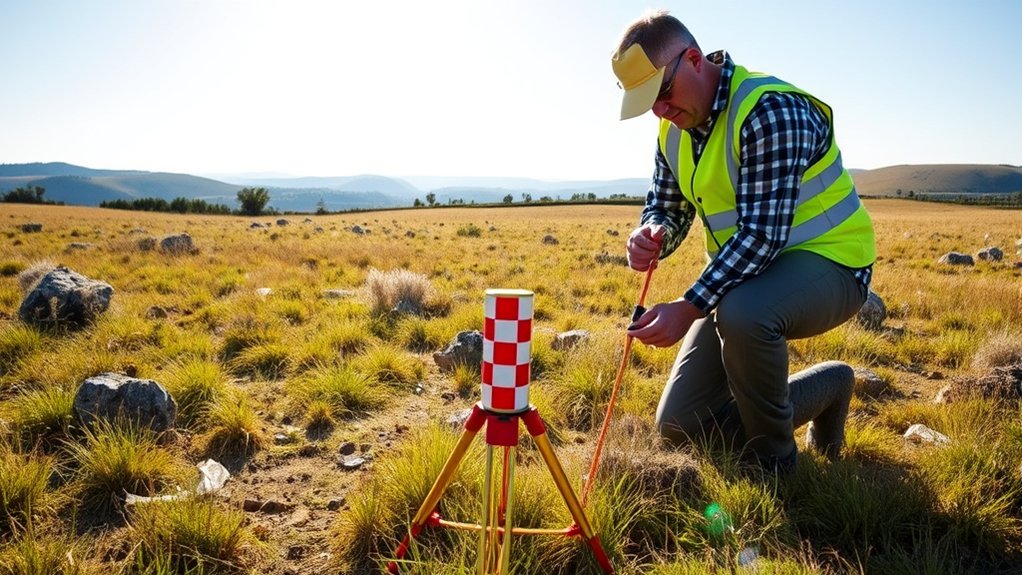
When placing Ground Control Points (GCPs), cover the full project footprint rather than concentrating control near the launch point or one feature of interest. For a simple small site, a common starting layout is one point toward each corner plus one near the center, then additional control or checkpoints where terrain and project geometry justify them.
Distribute GCPs evenly across the area to prevent clustering. Clusters can make one part of the map look accurate while leaving the edges or opposite side with more error. In regions with elevation changes, position GCPs at both high and low points to help address terrain variation and potential distortion.
Visibility is critical. Verify GCPs are unobstructed and easily identifiable from the air. Each GCP also benefits from a clear buffer zone so shadows, weeds, vehicles, and equipment do not interfere during the map stitching phase.
Place markers inside the mapped area rather than exactly on the final edge. A practical rule is to keep them safely within the flight boundary while still covering the outer parts of the site. Avoid high-traffic zones unless you can protect the marker from movement.
Pro Tip: Photograph each GCP from the ground before flying. Include the marker ID, surrounding features, and a close-up of the center point. These photos help you avoid confusion during processing.
Recommended GCP Placement Patterns
The best GCP pattern depends on the shape of your project. A square site, long corridor, stockpile area, and hillside all need slightly different coverage.
- Small square or rectangular sites: Place one GCP near each corner and one near the center. Add checkpoints between GCPs if you need an accuracy report.
- Large sites: Spread GCPs through the whole project instead of only around the outside. Add more markers where the terrain changes.
- Corridor projects: Place control along the route, near turns and important start/end areas, and wherever geometry or elevation changes. Do not rely on one universal spacing interval.
- Sites with elevation changes: Add GCPs at ridges, slopes, high points, low points, and flat areas so the model has vertical control.
- Urban or construction sites: Avoid temporary surfaces, moving equipment, parked vehicles, loose gravel, and shadow-heavy areas.
Do not use all visible markers as GCPs. Hold some back as checkpoints. GCPs help align the model, while checkpoints test whether the model is accurate after processing.
Importance of Ground Sample Distance

Understanding Ground Sample Distance (GSD) is critical for ensuring that the resolution of your aerial maps meets project requirements. GSD tells you how much ground each image pixel represents.
A lower GSD translates to higher detail, directly impacting mapping accuracy, feature visibility, and the effectiveness of your analysis. A very low GSD is not always necessary, but your GCP markers must be large and clear enough for the GSD you choose.
Defining Ground Sample Distance
Ground Sample Distance (GSD) plays a pivotal role in drone surveying, as it determines the real-world area that each pixel in a digital image represents. Understanding GSD is essential for ensuring the clarity and accuracy of your mapping projects.
- A GSD of 5 cm/px means each pixel covers an area of about 5 cm by 5 cm on the ground.
- Higher GSD values lead to coarser images, reducing detail and precision in your maps.
- GSD is driven mainly by camera geometry and flight height, including sensor pixel size, focal length, and distance to the ground. GCP quality affects georeferencing accuracy, not the physical GSD itself.
Effects on Mapping Accuracy
While achieving ideal mapping accuracy relies on several factors, Ground Sample Distance (GSD) stands out as an important element. GSD defines the real-world distance each pixel represents, with a smaller GSD indicating higher resolution and more visible detail.
For instance, a GSD of 5 cm/px means each pixel correlates to about 5 centimeters in reality, which can be useful for general site mapping. More detailed survey work may require a smaller GSD, while broad visual documentation may allow a larger one.
GSD itself comes from image geometry—primarily flight height above the surface, focal length, sensor characteristics, and pixel size. Ground Control Points do not reduce GSD. Instead, well-measured and well-distributed GCPs improve georeferencing and can reduce positional error in the mapped output.
For UAV photogrammetry, survey-grade projects often use low-centimeter GSD values, depending on the required deliverable. Conversely, high GSD values can blur features, so it is vital to balance altitude, image overlap, marker size, and GCP placement for ideal mapping outcomes.
Your GCP target should be easy to identify at the planned GSD. If the center point is only a few pixels wide, accurate marking becomes difficult.
Differences Between GCPs and Manual Tie Points

When comparing Ground Control Points (GCPs) and manual tie points, it is essential to understand their definitions and purposes. They both help photogrammetry software align images, but they do not provide the same type of control.
GCPs provide fixed geographic locations for precise mapping, while manual tie points serve as visual markers for image alignment without defined coordinates. This distinction directly impacts the accuracy you can achieve in your geospatial projects.
Definition and Purpose
In aerial mapping, understanding the distinction between Ground Control Points (GCPs) and manual tie points is fundamental for accurate georeferencing.
GCPs serve as fixed reference points with known coordinates, ensuring absolute positioning. Manual tie points are identifiable features in images that help the software connect overlapping photos and improve relative alignment.
- Defined Coordinates: GCPs provide specific spatial locations important for precise mapping.
- Error Reduction: GCPs can reduce mapping errors when they are measured and placed correctly.
- Strategic Placement: Effectively distributing GCPs across the area maximizes visibility and enhances aerial capture effectiveness.
- Relative Alignment: Manual tie points help connect images but do not replace surveyed coordinates.
While both serve unique purposes in mapping, GCPs are critical for obtaining reliable spatial data when your project requires real-world accuracy.
Accuracy Comparison
Ground Control Points (GCPs) and manual tie points solve different problems. GCPs carry known real-world coordinates and therefore support absolute georeferencing. Manual tie points have no surveyed coordinates; they help the software connect images and improve reconstruction geometry.
Manual tie points can improve relative alignment, especially in weak or difficult image blocks, but they do not anchor a project to a coordinate system. For non-RTK/PPK projects, current photogrammetry guidance commonly recommends a distributed GCP network, often in the 5–10-point range, with separate checkpoints for quality assessment.
Poorly marked GCPs or tie points can both hurt a reconstruction. Review reprojection error, image sharpness, point visibility, and coordinate quality instead of assuming that any manually added point is beneficial. With RTK/PPK, independent checkpoints remain the clearest way to test the final absolute accuracy.
GCPs vs Checkpoints
GCPs and checkpoints often look the same in the field, but they serve different roles in processing and quality control.
- GCPs: Used by the software to adjust and align the map or model.
- Checkpoints: Not used for alignment. They are reserved to test the final map accuracy.
- Best workflow: Use enough GCPs for control, then keep separate checkpoints for independent accuracy checks.
If you use every surveyed target as a GCP, the software can report small residuals without giving you an independent test of the delivered map. Checkpoints should be withheld from the adjustment so their known coordinates can be compared with the reconstructed positions.
For formal accuracy reporting, distinguish ordinary project QA from a published standard. The ASPRS Positional Accuracy Standards, Edition 2, Version 2 (2024) require at least 30 checkpoints for a fully compliant product accuracy assessment; a smaller checkpoint set may still be useful for internal QA, but it should not be described as a fully ASPRS-compliant accuracy test.
Warning: Do not report survey-grade accuracy from GCP residuals alone. Use independent checkpoints to confirm the final map or model accuracy.
Evaluating Ground Control Points
Evaluate Ground Control Points (GCPs) by looking at distribution, coordinate quality, image marking, residuals, and independent checkpoint error together. Many non-RTK/PPK workflows use a distributed 5–10-point control network, while RTK/PPK projects may use fewer GCPs and rely more heavily on checkpoints.
Avoid fixed rules such as “one GCP per acre” or “one point per several hundred images.” The right control design depends on site size and shape, terrain, flight layout, camera geometry, coordinate quality, deliverable type, and the accuracy specification.
- Reprojection Errors: Check for high reprojection errors, which can indicate poor marking, image blur, bad coordinates, or target movement. In PIX4Dmapper, projection errors below 1 pixel are recommended for well-marked GCPs.
- Identifiable Center Points: Confirm each GCP has a clear center visible in aerial imagery for accurate marking.
- Quality Control: Review horizontal and vertical residuals, checkpoint error, coordinate system settings, and any points that behave as outliers.
- Coordinate System: Verify the datum, projection, units, and geoid settings before importing GCP coordinates.
Documenting GCP positions, marker IDs, coordinate systems, and processing choices is crucial for data integrity. This documentation supports error measurement and helps guarantee reliable mapping outcomes. For survey-grade work, aim for a clearly defined accuracy target rather than a vague promise such as “high accuracy.”
Prioritize these evaluations for successful mapping projects.
How to Measure GCP Positions
Measuring Ground Control Points (GCPs) accurately requires a method that is more precise than the map accuracy you are trying to prove. Common options include RTK/PPK GNSS and total-station surveying. Use equipment, field procedures, and a coordinate reference system that match the project specification and local survey requirements.
Set up your GNSS receiver at each GCP location, making certain it remains stable during data collection to achieve reliable measurements. Perform quality control checks by comparing the measured positions against known survey control points when available, which helps verify accuracy.
Ensure your GNSS receiver is stable at each GCP for accurate measurements and perform quality checks against known control points.
At each point, verify the pole or prism is centered and stable, record antenna or target height correctly, confirm the coordinate system and units, and check the GNSS solution status or total-station setup before accepting the observation. Poor sky view, multipath, stale corrections, or an incorrect geoid/datum setting can shift otherwise well-marked control.
When collecting data at each GCP, take multiple measurements or use appropriate occupation times. This approach helps account for potential errors and improves the reliability of your data. For survey-grade standards, target centimeter-level coordinate capture only when your equipment, setup, correction method, and field conditions support it.
Step-by-Step GCP Measurement Workflow
- Plan the layout: Mark the planned GCP and checkpoint locations before arriving on site.
- Place the markers: Set each target on stable ground where it will stay visible and unmoved.
- Label every point: Use simple IDs such as GCP-01, GCP-02, CP-01, and CP-02.
- Measure the center: Position the survey pole exactly over the target center, not the edge or corner.
- Record metadata: Save coordinate system, units, antenna height, date, time, and field notes.
- Check the data: Review point quality before removing targets or leaving the site.
- Import carefully: Match point IDs in your software to the correct surveyed coordinates.
Experience note: [VERIFY: add one real project-specific observation here before publication, such as target size versus GSD, checkpoint error, or a placement mistake found in the field. Do not claim hands-on testing unless it actually occurred.]
Best Practices for GCPs and Checkpoints
Establishing best practices for Ground Control Points (GCPs) and checkpoints is essential for enhancing the accuracy of your mapping projects. To achieve ideal results, consider the following:
- For many non-RTK/PPK maps, use five well-distributed GCPs as a practical starting pattern and add more when project geometry, terrain, or the accuracy target demands it. With RTK/PPK, use ground control and especially checkpoints to verify the result rather than assuming corrected image positions are enough.
- Distribute GCPs evenly across the surveyed area, especially in corners and regions with elevation changes, to correct data distortions effectively.
- Select high-contrast colors and distinctive shapes for GCP markers to improve visibility in aerial images, making identification easier during data processing.
- Reserve some surveyed targets as independent checkpoints, especially when you need to prove final accuracy to a client, engineer, or project manager.
- Use consistent naming, clean field notes, and the same coordinate system throughout the full workflow.
Additionally, employ high-accuracy survey equipment to maintain centimeter-level precision where the project requires it. Properly label your GCPs and clearly define their center points to avoid measurement ambiguity.
These practices give the photogrammetry adjustment stronger control and make the finished map easier to validate against a defined accuracy requirement.
Common GCP Mistakes to Avoid
Small field errors can create large mapping problems later. Avoid these common mistakes before you fly.
- Using handheld GPS for survey-grade work: Basic GPS is usually not accurate enough for high-precision mapping.
- Placing all GCPs near the takeoff point: This creates weak control across the rest of the site.
- Forgetting vertical control: Flat-looking maps can still have elevation errors if you ignore high and low points.
- Using targets that are too small: A marker that looks clear from the ground may be hard to mark from the air.
- Letting markers move: A shifted marker can create processing errors that are hard to diagnose later.
- Mixing coordinate systems: Wrong datum, projection, unit, or geoid settings can shift the entire project.
- Using GCPs as checkpoints: A point cannot independently test accuracy if it was already used to adjust the model.
Ground Control Point Use-Case Examples
Different projects need different control layouts. Instead of copying one fixed pattern, match the GCP and checkpoint network to the geometry of the site and the decisions that will be made from the final map.
- Construction grading: Place control around the working area and across elevation changes, then keep independent checkpoints where they are unlikely to be disturbed. Vertical accuracy matters when the map will support cut/fill, drainage, or grade checks.
- Stockpiles and earthworks: Avoid placing every control point on one flat surface. Include stable surrounding ground so the adjustment is not defined only by the material being measured.
- Road, rail, or utility corridors: Spread control along the full corridor and around changes in direction, elevation, or flight geometry. A long linear project can drift if all control is concentrated near the start or end.
- Repeat progress mapping: Permanent or repeatable control can make time-series comparisons more consistent, but recheck that the markers have not moved and that the same datum, projection, units, and vertical reference are being used.
- RTK/PPK mapping: Use corrected image positions to reduce ground-control workload, but retain surveyed checkpoints so you can detect datum mistakes, correction failures, or local model error.
The useful question is not “How many GCPs does every job need?” It is “Does this control network constrain the full project and provide independent evidence that the deliverable meets its accuracy requirement?”
Frequently Asked Questions
How Do Weather Conditions Affect GCP Accuracy?
Weather can affect both marker visibility and coordinate measurement. Wind can move loose targets, rain can cover or shift markers, glare can make targets harder to see, and poor GNSS conditions can reduce measurement quality. Check the forecast, secure every marker, and avoid flights during unstable weather.
Can GCPs Be Reused for Different Projects?
Yes, you can reuse GCPs for different projects if the markers or permanent reference points have not moved and the new project accepts the same coordinate quality. Before reusing them, verify site conditions, coordinate system settings, surface stability, and any changes caused by grading, erosion, paving, or construction.
What Is the Cost of Setting up GCPs?
The cost varies with equipment ownership, survey method, crew time, travel, site access, project size, and the required accuracy documentation. Reusable targets themselves may be inexpensive compared with the labor and survey equipment needed to measure and validate their coordinates, so price the control workflow rather than the marker alone.
How Do I Ensure GCP Visibility in Dense Vegetation?
To guarantee GCP visibility in dense vegetation, clear surrounding underbrush, use larger high-contrast markers, and place targets in open gaps where they can be seen from above. Check visibility from the drone camera before the full mission. If vegetation moves in the wind or creates shadows, choose a more stable nearby location.
What Software Is Best for Processing GCP Data?
For processing GCP data, software such as Pix4D, Agisoft Metashape, DroneDeploy, and similar photogrammetry platforms can be effective. Choose software that supports GCP import, checkpoint reporting, coordinate system control, reprojection error review, and export formats that match your deliverable.
How Many GCPs Do I Need for a Drone Map?
For many small non-RTK/PPK projects, start with at least five GCPs: four around the project and one near the center. Add more for larger sites, elevation changes, corridor mapping, weak image geometry, or tighter accuracy goals. Always use separate checkpoints when you need to verify final accuracy.
Do RTK and PPK Drones Still Need GCPs?
RTK and PPK drones may reduce the number of GCPs needed, but they do not remove the need for quality control. Use checkpoints to verify the final map. Add GCPs when the site has difficult terrain, weak satellite conditions, high accuracy requirements, or deliverables that must match existing survey control.
How Large Should a GCP Target Be?
Size the target from the planned Ground Sample Distance. For manual marking, Pix4D recommends target dimensions about 5–10 times the GSD. If you rely on automatic target detection, the required target may be larger; Pix4D’s AutoGCP guidance specifies at least 20 times the average GSD. The center must remain easy to identify in several sharp images.
Where Should GCPs Be Placed?
Distribute GCPs through the full mapped area, including outer portions of the site and meaningful elevation changes. Avoid clustering points near the takeoff location or placing them in a straight line. Long corridors need control spread along their length, while steep or irregular sites need points that represent both horizontal coverage and vertical range.
Conclusion
Ground Control Points improve drone-map georeferencing only when the targets, surveyed coordinates, placement, marking, and coordinate-system settings are all sound. Use a distributed control network, size targets from GSD, represent elevation changes, and do not treat a small GCP residual as proof of final accuracy.
Before flying, define the accuracy requirement and plan which surveyed points will be GCPs and which will remain independent checkpoints. After processing, review reprojection error and checkpoint residuals in the project coordinate system. That workflow gives you a defensible way to decide whether the orthomosaic, point cloud, or 3D model is accurate enough for its intended use.


1 thought on “Ground Control Points (GCPs): Setup and Accuracy Tips”