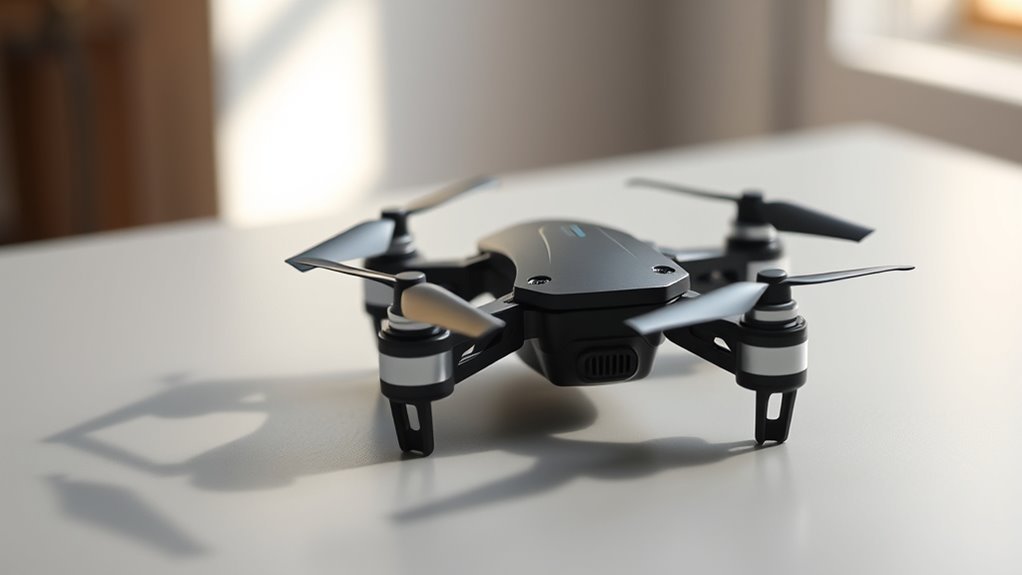
The Holy Stone HS190 is a compact, foldable mini drone designed for learning basic flight controls. It combines one-key takeoff and landing, altitude hold, headless mode, three speeds, and protected propellers in a lightweight body. Its biggest strengths are portability and simple indoor practice, but battery life, version differences, and age-related safety guidance deserve attention before choosing it for a child.
Quick Answer
The Holy Stone HS190 is a beginner-friendly mini drone best suited to supervised indoor flying. Current manufacturer specifications list a 25.8 g weight, up to 9 minutes of flight time, and a 30-meter maximum control range. It offers easy flight controls and protective guards, but has no GPS return-to-home or camera.
Key Takeaways
- The HS190 folds into its controller for compact storage and uses four AAA batteries in the transmitter.
- Current manufacturer specifications list a 300 mAh drone battery, approximately 60-minute charging time, and up to 9 minutes of flight.
- Older HS190 documentation lists shorter flight times and different specifications, so identify your version before comparing numbers.
- One Key Return is not GPS navigation. It moves the drone along a preset direction rather than locating its launch point.
- Propeller guards help reduce some risks, but adult supervision, safe charging, and clear flying space remain essential.
What Makes the Holy Stone HS190 a Good Beginner Drone?
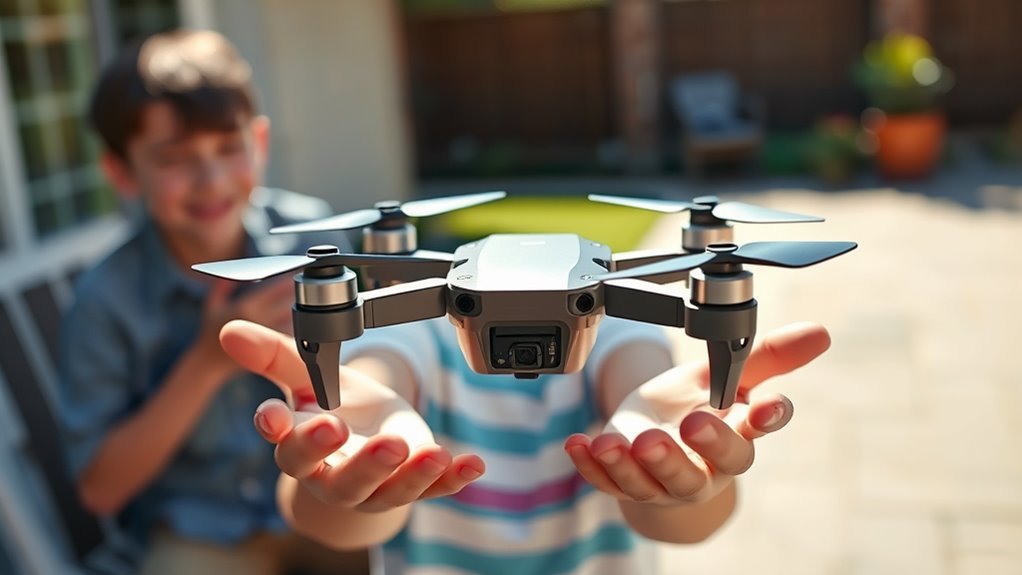
The Holy Stone HS190 stands out because it provides basic drone controls without requiring a smartphone, complicated camera settings, or GPS setup.
Its folding arms and compact body make storage simple. The drone can fit inside its transmitter, which is especially convenient for carrying it between rooms or taking it to family gatherings.
Several features make the first few flights easier:
- One-key takeoff and landing: Reduces the number of control movements needed to start and end a flight.
- Altitude hold: Helps maintain a steady flying height when the throttle is released.
- Headless mode: Makes directional steering easier to understand when the drone changes orientation.
- Three speed settings: Allow beginners to start slowly and increase responsiveness as their skills improve.
- Propeller guards: Provide a protective barrier around the spinning blades.
- Emergency stop: Allows the motors to be stopped immediately in situations where continuing flight could cause harm.
The HS190 also includes 360-degree flips, LED lights, and spinning maneuvers that make practice more entertaining after basic control becomes comfortable.
These are training and entertainment features rather than advanced navigation tools. The HS190 is not designed to provide aerial photography or automated GPS flight.
For families seeking a compact flying activity, its main benefit is learning how a drone responds to real joystick movements.
Holy Stone HS190 Specs: Size, Weight, Battery, and Range
The current Holy Stone HS190 has a manufacturer-listed weight of 25.8 grams, a maximum control distance of 30 meters, and up to 9 minutes of flight time in windless conditions.
These figures come from Holy Stone’s official HS190 specifications. Earlier documentation contains different numbers, so the specifications should not be mixed between versions.
- Model: Holy Stone HS190
- Weight: 25.8 g
- Drone dimensions: 95 × 62 × 30 mm unfolded
- Folded dimensions: 52 × 51 × 30 mm
- Drone battery: 3.7V, 300 mAh lithium-ion polymer
- Maximum flight time: 9 minutes in windless conditions
- Maximum transmitter range: 30 meters in unobstructed outdoor conditions
- Charging time: Approximately 60 minutes
- Controller batteries: Four 1.5V AAA batteries, not included
- Control frequency: 2.4 GHz band
Flight time and signal range are manufacturer maximums, not guaranteed results. Battery condition, obstacles, temperature, and flying style can change actual performance.
Size and Weight
The current HS190 measures approximately 3.74 × 2.44 × 1.18 inches when unfolded and weighs 25.8 grams.
Its folding design allows the arms to tuck inward for storage. The small dimensions make it practical for indoor practice, although a compact drone still needs space to move safely.
| Spec | Detail |
|---|---|
| Size | 95 × 62 × 30 mm unfolded; 52 × 51 × 30 mm folded |
| Weight | 25.8 g (current manufacturer specification) |
Some earlier HS190 information lists different dimensions and a weight of approximately 23.2 grams. These older figures appear in Holy Stone’s earlier HS190 product information.
For the most accurate comparison, use the specifications for the exact drone and battery version you own.
Flight Range Limits
The HS190 has a maximum stated transmission distance of 30 meters, or approximately 98 feet, under unobstructed outdoor conditions.
That does not mean beginners should immediately fly to the maximum distance. Keeping the drone close makes it easier to judge direction, notice obstacles, and respond to unexpected movement.
Earlier HS190 specifications also mention ranges up to 50 meters. Those figures should not replace the current manufacturer’s 30-meter rating.
For normal practice, a clear indoor room or a calm, open outdoor area is more suitable than a large field where the drone might disappear from view.
In the United States, recreational outdoor flights must follow the FAA’s recreational drone requirements. Drones weighing under 250 grams generally do not require registration when flown exclusively for recreation, but recreational pilots must still meet applicable rules, including TRUST requirements.
The HS190’s low weight does not give permission to fly anywhere or ignore airspace restrictions.
How to Pair the HS190 Drone and Controller
The HS190 pairs with its controller through a simple power-on procedure. Current manufacturer instructions describe automatic pairing after the drone and transmitter are switched on in the correct order.
Some older HS190 controllers use an additional joystick movement. Follow the procedure that matches your supplied manual.
Power-On Sequence
Start with a charged drone battery, working controller batteries, and a flat launch surface.
- Switch off the drone and transmitter before preparing the flight.
- Unfold the HS190’s arms completely and check that the propeller guards are secure.
- Place the drone on a level surface with its front facing away from you.
- Switch on the drone and wait for its indicator lights to begin flashing.
- Switch on the controller and allow the pairing process to finish.
- Wait until the drone’s lights become steady before proceeding.
Keeping the drone still during this process helps prevent incorrect sensor readings before takeoff.
The transmitter needs four AAA batteries. A charged drone battery cannot compensate for a controller with weak or incorrectly installed batteries.
Bind the Controller to the Drone
On the current HS190, the drone and transmitter normally establish their connection automatically after being powered on in sequence.
Some older HS190 instructions instead call for moving the left joystick fully upward and then downward to complete the binding process.
If your controller does not connect automatically, check the instructions supplied with that version rather than repeatedly moving the joysticks without knowing their functions.
If pairing fails:
- Switch off both devices and restart the setup.
- Check the drone battery charge.
- Confirm that the controller batteries are installed correctly.
- Keep the drone and controller near each other while pairing.
- Look for the correct indicator-light pattern in your manual.
The detailed button and joystick functions are shown in the official HS190 instructions for use.
Confirm Pairing Success
On the current HS190, the drone’s indicator lights changing from flashing to solid indicate that pairing has completed.
Before takeoff, check that the drone is level and that its motors remain stopped until you deliberately unlock them.
If the drone drifts after pairing, recalibrate its gyroscope. The gyroscope is the sensor that helps the aircraft detect changes in orientation.
For the current HS190, place the drone on a level surface after pairing. Move the left joystick down-right and the right joystick down-left together until the lights flash and become steady again.
Only perform this calibration while the drone is stationary and the motors are not running. The same stick combination is used for emergency motor stopping during flight, so operating conditions matter.
After pairing and any required calibration, use the appropriate unlock control before attempting takeoff.
How Easy Is HS190 Takeoff and Landing?
The HS190 simplifies takeoff and landing through dedicated controller functions. Once the drone is paired and unlocked, you can use its one-key takeoff feature rather than manually coordinating every movement.
Altitude hold then assists with maintaining height while you practice moving forward, backward, left, and right.
| Action | Result |
|---|---|
| Use one-key takeoff after unlocking | Drone starts its automatic takeoff |
| Use the landing control | Drone begins its landing procedure |
| Check for solid drone lights | Pairing has completed |
For a first flight, keep the drone close and practice hovering before moving across the room.
Move the throttle gently to understand how it changes height. The directional joystick controls movement and turning.
Altitude hold helps stabilize height, but it does not prevent the drone from drifting sideways or colliding with objects.
When finished, bring the drone over a clear landing area and use its normal landing function.
Do not use Emergency Stop as a substitute for landing. It shuts down the motors immediately and can cause the drone to fall.
HS190 Flight Modes: Headless Mode, Return, and Speeds
The HS190 offers beginner-oriented flight modes designed to make manual control easier. Its key functions include headless mode, One Key Return, and three selectable speed settings.
These functions support practice, but none should be mistaken for GPS positioning or automatic obstacle avoidance.
Headless Mode Basics
Headless Mode changes how the HS190 interprets directional commands. Instead of using the aircraft’s changing front direction, it uses an orientation reference established when the mode is set.
For example, a beginner may find it confusing to steer left after the drone turns to face them. Headless Mode can reduce this confusion if the initial orientation has been set correctly.
To use it effectively:
- Position the drone correctly before takeoff.
- Keep facing the same reference direction while learning.
- Activate Headless Mode using its controller button.
- Practice forward, backward, and side-to-side movement slowly.
- Turn the mode off when you want to practice normal orientation-based steering.
Headless Mode does not automatically track your location as you move around. Changing where you stand can make the control reference confusing.
Beginners should eventually practice ordinary directional control as well, since that skill carries over to other drones.
One Key Return and Speed Settings
The HS190’s One Key Return function is a directional movement aid, not a GPS return-to-home system.
According to Holy Stone, activating it sends the drone backward along the direction associated with its tail at takeoff. It does not calculate your position, navigate around obstacles, or guarantee a landing at the original launch point.
Pressing the return control again cancels the function.
Avoid activating it when the aircraft is already close to you. Take manual control if it approaches an obstacle or moves in an unexpected direction.
The HS190 also provides three speed settings:
- Low: The default and most suitable setting for first flights and small practice areas.
- Medium: Provides quicker responses after basic steering becomes comfortable.
- High: Produces faster movement and demands more reaction time and open space.
Begin with Low speed. Increase the setting only when the available space and the pilot’s skills justify it.
Why the HS190 Is Better Suited to Indoor Flying
The Holy Stone HS190 is designed primarily for indoor use because its compact size, protective propeller guards, and beginner controls work well in a controlled environment.
Its lightweight structure may reduce the force of some minor impacts, while the guards help keep the rotating blades away from direct contact with nearby objects.
However, no flying drone is completely safe. Moving propellers, nearby people, pets, fragile objects, and ceiling fans all present risks.
Before flying, prepare the room:
- Move people and pets away from the flight area.
- Switch off ceiling fans.
- Clear loose cables, decorations, and breakable objects.
- Keep the propeller guards installed.
- Choose a clear and stable launch surface.
- Stop flying if the propellers, guards, arms, or battery show damage.
The emergency-stop function provides an additional response when continued flight could cause injury or damage.
On the current HS190, moving the left joystick down-right and the right joystick down-left together during flight stops the motors immediately.
Because the drone can then fall, Emergency Stop should be reserved for genuine emergencies.
Warning: Protective guards do not make rotating propellers harmless. Children should not touch the drone while its motors are running. Adults should supervise flight and handle charging. Never use a swollen, damaged, unusually hot, or leaking battery.
Outdoor use is possible in very calm conditions, but the HS190’s low weight makes it vulnerable to wind.
A light gust can push it away from the pilot even when altitude hold is active. Avoid flying near water, roads, power lines, trees, or crowds.
Adults should also follow the CPSC’s rechargeable RC-toy charging safety recommendations, including adult supervision during charging and keeping batteries away from flammable materials.
HS190 Battery Life and Charging Time
The current Holy Stone HS190 is rated for up to 9 minutes of flight from its 300 mAh battery under windless conditions. Holy Stone lists approximately 60 minutes for charging with a suitable power source.
Older HS190 documentation gives a different set of figures: approximately 5–7 minutes of flight time and 30–40 minutes of charging with an earlier battery and charging arrangement.
These differences help explain why HS190 descriptions do not always agree.
Real flight time can decrease because of aggressive maneuvers, frequent climbing, cold conditions, an aging battery, or outdoor wind.
When the battery becomes low, the drone’s lights may begin flashing. Land promptly rather than trying to extend the flight.
How to Charge the Current HS190 Battery
- Switch off the drone and allow a warm battery to cool.
- Remove the battery using the procedure specified for your version.
- Insert it securely into the compatible charging hub.
- Connect the hub to a suitable 5V/1A USB power source.
- Check the charging indicator.
- Disconnect the battery after charging completes.
On the current charging hub, a red indicator normally stays on during charging and turns off when charging finishes.
Earlier models may use a different USB charging cable or indicator pattern. Follow the manual and accessories supplied with your drone.
Do not charge the battery on bedding, carpet, or other flammable materials. Never leave charging unattended.
Can You Use Spare HS190 Batteries?
Compatible spare batteries can extend a flying session by allowing one battery to be used while another has already been charged.
However, the HS190 has appeared with different battery specifications and charging arrangements. Confirm the correct battery type, connector, and capacity for your exact version before purchasing replacements.
Never force an incompatible battery into the drone or use an unauthorized charger.
How Fun Are HS190 Flips and LED Lights?
The HS190 adds entertainment through 360-degree flips, high-speed rotation, Circle Fly, and built-in LED lights.
These features give experienced beginners more to practice after learning to hover, steer, and land consistently.
360-Degree Flips
The HS190 can perform a programmed flip when the pilot activates the flip control and chooses a direction with the right joystick.
Holy Stone recommends flying at least 10 feet high before attempting this maneuver. That is more clearance than many indoor rooms provide.
If the ceiling, furniture, or people are too close, skip flips and continue practicing ordinary flight.
Flips use extra energy and can make orientation harder to follow, especially for someone who is still learning the controls.
High-Speed Rotation and Circle Fly
High-speed rotation makes the drone spin for a short stunt. Circle Fly is another programmed movement that sends the drone along a circular path.
On the current model, Holy Stone describes starting Circle Fly by holding its control for approximately three seconds. Moving the directional joystick or activating the control again ends the maneuver.
Use these functions only when the surrounding space is clear. Programmed movements still require supervision because the HS190 does not detect and avoid nearby objects.
LED Lights
The HS190’s LED lights help show the drone’s operating state and make it easier to see indoors.
They are useful for recognizing pairing and low-battery signals, as well as adding visual interest during dim indoor sessions.
Do not assume the built-in lights qualify the drone for outdoor night-flight requirements. They are not a substitute for the proper lighting and operating rules that may apply.
Best Ways to Use the HS190 for Kids
The HS190 works best as a short-session training drone for learning coordination, direction, and careful joystick control.
The most useful approach is to teach one skill at a time instead of activating every flight mode immediately.
Start With Hovering
Choose a clear room and activate Low speed. After takeoff, practice keeping the drone in approximately the same location.
Watch how small joystick movements affect its position. If it begins drifting, land and recalibrate or adjust the trim before continuing.
Practice Controlled Turns
Once hovering becomes comfortable, practice rotating the drone and moving it forward and backward.
These simple movements help beginners understand the difference between turning the aircraft and moving it through the air.
Use Headless Mode when orientation becomes confusing, then gradually practice without it.
Create Simple Indoor Challenges
Small, supervised challenges can make basic flight practice more engaging.
- Hover above a marked landing area.
- Move slowly from one side of a clear room to another.
- Practice a gentle turn and return to the starting area.
- Land smoothly without touching nearby objects.
- Repeat the same movement with fewer corrections.
Keep challenges within the pilot’s abilities and avoid flying through narrow openings or close to people.
Choose Age-Appropriate Supervision
Although the HS190 is marketed as a kids’ drone, some earlier official HS190 manuals state that it is not recommended for users younger than 14.
That warning appears in an earlier Holy Stone HS190 instruction manual. Packaging and manual guidance should be checked for the specific version being used.
Do not assume that a lightweight drone is automatically appropriate for a five-year-old or another very young child.
Adults should make sure the pilot can follow instructions, maintain distance from propellers, and respond safely if the aircraft moves unexpectedly.
HS190 Reviews: What Buyers Like and What to Consider
Customer feedback on Holy Stone’s own storefront is generally favorable toward the HS190’s compact design and beginner controls.
At the time of this review check, Holy Stone’s HS190 storefront displayed 344 reviews, with 88% giving five stars.
That percentage describes the share of five-star ratings on the manufacturer’s store. It does not establish that 88% of customers specifically praised handling, durability, or another individual feature.
What Buyers Appreciate
Positive comments on the manufacturer-hosted review page mention the compact folding body, convenient storage inside the controller, and approachable controls.
Some customers describe the HS190 as a useful first drone for supervised indoor practice.
Its simple flight features and lack of a required smartphone also appeal to people seeking a screen-free flying activity.
Common Limitations to Consider
The main practical limitations are the short battery sessions, sensitivity to wind, and the learning time required for orientation-based controls.
Some owner comments also mention difficulties with batteries, controls, or maintaining consistent flight after repeated use.
Store-hosted reviews are useful for understanding reported experiences, but they are not a substitute for independent durability testing.
Consider these points before choosing the HS190:
- Good fit: Indoor practice, basic flight training, and compact storage.
- Less suitable: Windy outdoor spaces and long uninterrupted flying sessions.
- Not included: GPS return-to-home, a live-view camera, or automated obstacle avoidance.
- Important preparation: Check the version, battery type, supplied accessories, and age guidance.
Common HS190 Problems and Simple Fixes
Most basic HS190 flight problems should be checked while the drone is powered off or resting safely on a level surface.
Begin with the battery, propellers, pairing, and calibration before assuming a motor or controller has failed.
- Drone will not pair: Restart both devices, confirm sufficient battery power, and repeat the correct power-on sequence.
- Drone drifts sideways: Inspect the propellers, recalibrate the gyroscope, and use trim adjustments if needed.
- Propellers spin but the drone will not lift: Check for low battery power, damaged blades, or propellers installed in incorrect positions.
- Flight time seems unusually short: Check battery condition, charging completion, and whether frequent fast maneuvers are draining power.
- Controls respond unpredictably: Land, power down, inspect for damage, then pair and calibrate again.
Propellers marked for different motor positions must be installed correctly. A blade fitted to the wrong position may prevent normal lift.
After a crash, inspect the arms, guards, motor area, and battery before another flight. Do not continue using a damaged aircraft.
If basic troubleshooting does not resolve the problem, seek manufacturer support rather than modifying the battery or internal electrical components.
Frequently Asked Questions
What Is the Best Mini Drone for Kids?
The best mini drone for kids has controls they can understand, protected propellers, and an age recommendation that matches the intended pilot. Altitude hold and one-key takeoff can help beginners. The Holy Stone HS190 is a compact indoor option, but its age guidance and need for adult supervision should be considered before use.
Is There a Drone Suitable for a 5 Year Old?
A five-year-old should use only a drone specifically approved for that age and under close adult supervision. The HS190 should not automatically be considered suitable because some earlier Holy Stone manuals recommend ages 14 and up. Parents should follow the exact product’s age labeling and prioritize safe operation over features or size.
What Is the Best Drone for Small Kids?
For small children, an age-appropriate indoor flying toy with protected blades and simple movement controls is generally the better starting point. Adults should look for clear operating instructions, suitable supervision requirements, and durable construction. A lower weight can reduce some impact forces, but it does not eliminate propeller, battery, or collision hazards.
What Is the Best Drone for Kids in 2026?
There is no single best drone for every child in 2026. The right choice depends on age, experience, available flying space, and supervision. The Holy Stone HS190 suits compact indoor practice and offers manual flight features. A different model may be more appropriate for younger children or anyone seeking longer flights or a camera.
Does the Holy Stone HS190 Have a Camera or Need an App?
The standard Holy Stone HS190 does not have a built-in camera and does not require a smartphone app. It uses its included handheld transmitter for control. This makes it suitable for learning manual flight without a screen, but it cannot provide live video, aerial photographs, or camera-based navigation.
Does One Key Return Bring the HS190 Home?
No. The HS190’s One Key Return function is not GPS return-to-home. It moves the aircraft backward relative to the direction established at takeoff rather than navigating to recorded coordinates. The pilot must watch its movement, cancel the function when needed, and steer manually to avoid obstacles or nearby people.
Why Does My HS190 Drift or Refuse to Take Off?
The HS190 may drift because its gyroscope needs calibration, its trim settings are incorrect, or a propeller is damaged. Failure to take off can result from low battery power, incorrect propeller placement, or failure to unlock the motors. Land safely, inspect the drone, and repeat the manufacturer’s calibration and setup procedures.
Conclusion
The Holy Stone HS190 is a compact beginner drone that makes learning basic flight controls approachable through altitude hold, one-key takeoff, headless mode, and adjustable speeds. Its folding design is especially convenient for storage and supervised indoor practice.
Its short battery sessions, limited wind resistance, lack of GPS, and version-specific specifications are the main limitations. Start with Low speed in a clear space, follow the correct manual, and treat propeller and battery safety as essential parts of every flight.
Sources
- Holy Stone — HS190 Official Product Information: Current dimensions, weight, flight time, control range, battery specifications, flight functions, and operating guidance.
- Holy Stone — Earlier HS190 Specifications: Earlier battery, weight, control range, and flight-time figures.
- Holy Stone — HS190 Instructions for Use: Pairing, controller operation, calibration, flight controls, charging, and safety procedures.
- Holy Stone — Earlier HS190 Instruction Manual: Historical version-specific age recommendations.
- Holy Stone Store — HS190 Customer Feedback: Manufacturer-hosted customer reviews, reported strengths, and limitations.
- Federal Aviation Administration — Recreational Flyers: United States recreational drone registration, TRUST, and outdoor flying requirements.
- U.S. Consumer Product Safety Commission — Rechargeable RC Toy Safety: Adult supervision and lithium battery charging precautions.

