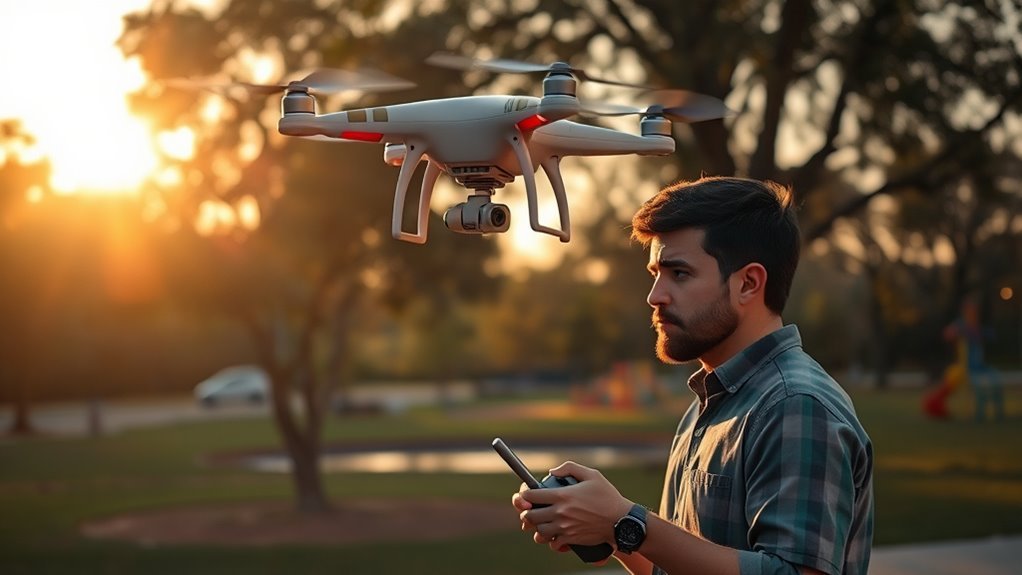
Drone Disconnected Mid-Flight: What to Do
Quick answer: Stay calm, keep the controller pointed toward the drone, and give the connection a moment to recover. If Return-to-Home (RTH) is enabled and the drone has a usable GPS position, it may return automatically. Wait for the drone to reconnect before changing settings or shutting down the controller.
A drone losing connection mid-flight can feel like an emergency, but the outcome often depends on the drone’s battery level, GPS status, RTH settings, flight environment, and programmed response to signal loss. Your goal is to preserve battery, avoid making rushed inputs, and follow the manufacturer’s documented recovery behavior.
Why Drones Lose Connection
A lost connection usually affects communication between the remote controller and aircraft. It does not always mean the motors stop or the drone immediately falls from the sky. Many consumer drones are designed to continue flying briefly, hover, land, or start an automatic RTH routine after a connection timeout.
Common causes of drone signal loss
- Distance: The aircraft may have reached the practical range of the controller or transmission system.
- Obstructions: Buildings, hills, trees, vehicles, and other structures can block or weaken the signal.
- Radio interference: Airports, industrial sites, dense urban areas, wireless equipment, and high-voltage infrastructure can create interference.
- Antenna position: The controller’s antenna may be pointed incorrectly or blocked by the operator’s body.
- Low battery: The drone may begin an automatic landing or RTH procedure even if the signal problem is only temporary.
- Software or hardware problems: App crashes, controller faults, damaged antennas, firmware issues, or power interruptions can interrupt control.
- Environmental conditions: Wind, rain, cold weather, or extreme heat can shorten flight time and complicate recovery.
Use the flight app’s connection warnings, aircraft status, battery information, and last-known location when available. For model-specific behavior, consult your drone’s official manual and support documentation, such as DJI Support or Autel Robotics Service.
What RTH Does During a Lost Connection
Return-to-Home is an automated safety feature, but it is not a guarantee that the drone will return safely. When a connection is lost, the aircraft may follow a preconfigured lost-connection response. Depending on the model and settings, that response may be RTH, hovering, or landing.
Typical RTH sequence
- The drone detects that the controller connection has been interrupted.
- It waits for a programmed loss-of-signal interval.
- If RTH is selected, the drone may climb to the configured RTH altitude.
- It travels toward the recorded home point.
- It may descend and land automatically, depending on the model and settings.
RTH generally depends on a valid home point and usable positioning data. If the drone does not have a reliable GPS or GNSS position, the home point was not recorded correctly, or satellite conditions are poor, automated recovery may be limited.
RTH limitations to understand
- RTH altitude may be unsafe: If the configured altitude is lower than nearby trees, towers, buildings, or terrain, the drone may not clear obstacles.
- The home point may be outdated: Some drones record the takeoff location, while others may update the home point based on the controller’s position.
- Obstacle avoidance may not work in every direction: Detection systems can have blind spots and may behave differently at night, in low light, or around thin objects.
- Strong wind can affect the return: A drone may use more battery than expected while flying against the wind.
- Low battery can override normal plans: The drone may begin emergency landing or another low-battery response before reaching the home point.
Before every flight, verify the RTH altitude, home-point status, loss-of-signal action, battery level, and visible warnings in the flight app. The FAA’s unmanned aircraft guidance can help with broader operational and safety responsibilities in the United States.
What to Do Immediately After Disconnection
Use this sequence when your drone loses connection during flight.
1. Stay calm and keep the controller powered on
Do not immediately close the flight app, turn off the controller, or remove the drone battery if the aircraft may still be operating. Keep the controller in a stable position and maintain a clear line of sight if possible.
2. Check the controller and app
Look for connection warnings, battery alerts, GPS status, home-point confirmation, and the drone’s last-known location. If the app has crashed, give it a moment to recover before restarting anything.
3. Improve the signal position
Move to an open area if it is safe to do so. Keep the controller’s antennas oriented according to the manufacturer’s instructions, and avoid blocking them with your body, a vehicle, or nearby structures.
4. Avoid random stick inputs
Unplanned movements can make recovery harder, especially if the drone reconnects unexpectedly. Apply only deliberate inputs based on the drone’s visible position, flight mode, and battery condition.
5. Wait for the programmed response
If the drone is configured to RTH, it may begin that procedure after a short delay. Monitor the area where the drone should return, and be prepared to regain control if the connection returns.
6. If the drone reconnects, land safely
Do not continue the original mission unless the aircraft is stable, the battery is sufficient, and the flight area remains safe. A nearby landing is often safer than attempting a long return through uncertain conditions.
When the Drone Does Not Return
If the aircraft does not reconnect or return, treat the event as a potential flyaway or lost-aircraft incident. Use the last-known location shown by the app, aircraft telemetry, map position, and flight log information.
Search methodically
- Record the last known location, altitude, heading, and battery percentage.
- Check the expected RTH path and likely landing areas.
- Search open ground first, then areas beneath trees, structures, and power lines.
- Listen for propellers and look for shadows or movement.
- Ask nearby witnesses whether they saw the aircraft descend or land.
- Use the manufacturer’s “find my drone” or flight-log tools when available.
Do not enter restricted areas, private property, active roads, railways, bodies of water, or hazardous locations simply to retrieve the drone. Prioritize personal safety and follow local laws.
Battery and Emergency-Landing Risks
Battery status is one of the most important factors in a disconnected drone recovery. Wind, cold temperatures, repeated acceleration, high altitude, and long-distance flight can reduce the remaining flight time faster than expected.
If the drone begins an automatic landing, focus on where it is descending rather than trying to force a risky return. If control returns, use small, measured inputs and choose the safest reachable landing area. Avoid flying until the battery is completely depleted unless the aircraft is already in a controlled landing sequence and no safer option exists.
How to Prevent Future Disconnections
- Fly within visual line of sight and within the manufacturer’s stated operating limits.
- Set an RTH altitude that clears nearby obstacles and terrain.
- Confirm the home point before takeoff and watch for updates during flight.
- Inspect propellers, motors, antennas, batteries, and controller connections.
- Update firmware and the flight app through official manufacturer channels.
- Avoid dense interference areas and locations with blocked line of sight.
- Keep the controller antennas positioned as recommended by the manufacturer.
- Land before the battery reaches an emergency level.
- Practice low-altitude RTH behavior in a wide, open, legal area.
- Review local drone rules before flying near people, airports, roads, or restricted areas.
Common Mistakes to Avoid
- Turning off the controller while the drone may still be airborne.
- Assuming RTH always avoids every obstacle.
- Using a home-point setting without verifying that it was recorded correctly.
- Chasing the drone without monitoring battery level and landing conditions.
- Continuing to fly after a repeated signal-loss warning.
- Searching private or dangerous areas without permission or proper safety precautions.
When to Contact Support or Authorities
Contact the drone manufacturer if the aircraft repeatedly disconnects, reports unexplained GPS or compass errors, fails to follow the selected lost-connection behavior, or shows signs of hardware damage. Save flight logs, screenshots, firmware information, and a timeline of what happened.
If the aircraft may have entered controlled airspace, landed in a dangerous location, damaged property, injured someone, or created an aviation hazard, contact the appropriate local authority. In the United States, review the FAA unmanned aircraft resources for applicable reporting and operating requirements.
Frequently Asked Questions
Will a drone automatically return if it loses signal?
It may, but the result depends on the drone’s model, settings, GPS status, battery level, and programmed lost-connection response. Some aircraft may hover or land instead of returning.
Should I turn off the controller after losing connection?
Usually, no. Keep the controller powered on while you monitor the aircraft’s expected behavior and attempt to restore the connection.
Can a drone fly without a controller signal?
Many drones can continue flying briefly or perform an automated safety action without an active controller connection. That behavior varies by model and configuration.
What if the drone has low battery and no signal?
Watch the expected landing area and use the last-known location from the app. Low battery may trigger RTH, automatic landing, or another emergency response before the drone can reconnect.
How long should I wait for the signal to return?
There is no universal wait time. Give the system a reasonable opportunity to recover while keeping the controller on, monitoring the flight app, and preparing for the drone’s programmed response.
Key Takeaway
A drone disconnected mid-flight is not automatically lost. Keep the controller powered on, verify the flight app’s information, maintain a clear signal position, and understand that RTH depends on GPS, battery, altitude settings, obstacles, and the drone’s configured safety behavior. Preparing those settings before takeoff is the best defense against signal loss and flyaway risk.
Always follow the current manual for your exact drone model and applicable local aviation rules.
Brief report Reworked the article for SEO around the keyword “drone disconnected mid-flight,” with clearer search intent, stronger headings, and practical recovery steps. Added source links for FAA guidance, DJI documentation, Autel support, and manufacturer safety resources. The article avoids unsupported product claims and distinguishes general guidance from model-specific behavior. Included related keywords covering drone signal loss, return-to-home, lost connection, low battery, GPS failure, controller range, and flyaway prevention. Added safety-focused advice emphasizing calm response, obstacle awareness, GPS/RTH limitations, manufacturer guidance, and reporting requirements. SEO title: Drone Disconnected Mid-Flight: Safe Recovery Steps Meta description: Drone disconnected mid-flight? Learn what RTH really does, how battery and signal loss change recovery, and the safest steps to regain control.
Drone Disconnected Mid-Flight: What to Do
Quick answer: Stay calm, keep the controller pointed toward the drone, and give the connection a moment to recover. If Return-to-Home (RTH) is enabled and the drone has a usable GPS position, it may return automatically. Wait for the drone to reconnect before changing settings or shutting down the controller.
A drone losing connection mid-flight can feel like an emergency, but the outcome often depends on the drone’s battery level, GPS status, RTH settings, flight environment, and programmed response to signal loss. Your goal is to preserve battery, avoid making rushed inputs, and follow the manufacturer’s documented recovery behavior.
Why Drones Lose Connection
A lost connection usually affects communication between the remote controller and aircraft. It does not always mean the motors stop or the drone immediately falls from the sky. Many consumer drones are designed to continue flying briefly, hover, land, or start an automatic RTH routine after a connection timeout.
Common causes of drone signal loss
- Distance: The aircraft may have reached the practical range of the controller or transmission system.
- Obstructions: Buildings, hills, trees, vehicles, and other structures can block or weaken the signal.
- Radio interference: Airports, industrial sites, dense urban areas, wireless equipment, and high-voltage infrastructure can create interference.
- Antenna position: The controller’s antenna may be pointed incorrectly or blocked by the operator’s body.
- Low battery: The drone may begin an automatic landing or RTH procedure even if the signal problem is only temporary.
- Software or hardware problems: App crashes, controller faults, damaged antennas, firmware issues, or power interruptions can interrupt control.
- Environmental conditions: Wind, rain, cold weather, or extreme heat can shorten flight time and complicate recovery.
Use the flight app’s connection warnings, aircraft status, battery information, and last-known location when available. For model-specific behavior, consult your drone’s official manual and support documentation, such as DJI Support or Autel Robotics Service.
What RTH Does During a Lost Connection
Return-to-Home is an automated safety feature, but it is not a guarantee that the drone will return safely. When a connection is lost, the aircraft may follow a preconfigured lost-connection response. Depending on the model and settings, that response may be RTH, hovering, or landing.
Typical RTH sequence
- The drone detects that the controller connection has been interrupted.
- It waits for a programmed loss-of-signal interval.
- If RTH is selected, the drone may climb to the configured RTH altitude.
- It travels toward the recorded home point.
- It may descend and land automatically, depending on the model and settings.
RTH generally depends on a valid home point and usable positioning data. If the drone does not have a reliable GPS or GNSS position, the home point was not recorded correctly, or satellite conditions are poor, automated recovery may be limited.
RTH limitations to understand
- RTH altitude may be unsafe: If the configured altitude is lower than nearby trees, towers, buildings, or terrain, the drone may not clear obstacles.
- The home point may be outdated: Some drones record the takeoff location, while others may update the home point based on the controller’s position.
- Obstacle avoidance may not work in every direction: Detection systems can have blind spots and may behave differently at night, in low light, or around thin objects.
- Strong wind can affect the return: A drone may use more battery than expected while flying against the wind.
- Low battery can override normal plans: The drone may begin emergency landing or another low-battery response before reaching the home point.
Before every flight, verify the RTH altitude, home-point status, loss-of-signal action, battery level, and visible warnings in the flight app. The FAA’s unmanned aircraft guidance can help with broader operational and safety responsibilities in the United States.
What to Do Immediately After Disconnection
Use this sequence when your drone loses connection during flight.
1. Stay calm and keep the controller powered on
Do not immediately close the flight app, turn off the controller, or remove the drone battery if the aircraft may still be operating. Keep the controller in a stable position and maintain a clear line of sight if possible.
2. Check the controller and app
Look for connection warnings, battery alerts, GPS status, home-point confirmation, and the drone’s last-known location. If the app has crashed, give it a moment to recover before restarting anything.
3. Improve the signal position
Move to an open area if it is safe to do so. Keep the controller’s antennas oriented according to the manufacturer’s instructions, and avoid blocking them with your body, a vehicle, or nearby structures.
4. Avoid random stick inputs
Unplanned movements can make recovery harder, especially if the drone reconnects unexpectedly. Apply only deliberate inputs based on the drone’s visible position, flight mode, and battery condition.
5. Wait for the programmed response
If the drone is configured to RTH, it may begin that procedure after a short delay. Monitor the area where the drone should return, and be prepared to regain control if the connection returns.
6. If the drone reconnects, land safely
Do not continue the original mission unless the aircraft is stable, the battery is sufficient, and the flight area remains safe. A nearby landing is often safer than attempting a long return through uncertain conditions.
When the Drone Does Not Return
If the aircraft does not reconnect or return, treat the event as a potential flyaway or lost-aircraft incident. Use the last-known location shown by the app, aircraft telemetry, map position, and flight log information.
Search methodically
- Record the last known location, altitude, heading, and battery percentage.
- Check the expected RTH path and likely landing areas.
- Search open ground first, then areas beneath trees, structures, and power lines.
- Listen for propellers and look for shadows or movement.
- Ask nearby witnesses whether they saw the aircraft descend or land.
- Use the manufacturer’s “find my drone” or flight-log tools when available.
Do not enter restricted areas, private property, active roads, railways, bodies of water, or hazardous locations simply to retrieve the drone. Prioritize personal safety and follow local laws.
Battery and Emergency-Landing Risks
Battery status is one of the most important factors in a disconnected drone recovery. Wind, cold temperatures, repeated acceleration, high altitude, and long-distance flight can reduce the remaining flight time faster than expected.
If the drone begins an automatic landing, focus on where it is descending rather than trying to force a risky return. If control returns, use small, measured inputs and choose the safest reachable landing area. Avoid flying until the battery is completely depleted unless the aircraft is already in a controlled landing sequence and no safer option exists.
How to Prevent Future Disconnections
- Fly within visual line of sight and within the manufacturer’s stated operating limits.
- Set an RTH altitude that clears nearby obstacles and terrain.
- Confirm the home point before takeoff and watch for updates during flight.
- Inspect propellers, motors, antennas, batteries, and controller connections.
- Update firmware and the flight app through official manufacturer channels.
- Avoid dense interference areas and locations with blocked line of sight.
- Keep the controller antennas positioned as recommended by the manufacturer.
- Land before the battery reaches an emergency level.
- Practice low-altitude RTH behavior in a wide, open, legal area.
- Review local drone rules before flying near people, airports, roads, or restricted areas.
Common Mistakes to Avoid
- Turning off the controller while the drone may still be airborne.
- Assuming RTH always avoids every obstacle.
- Using a home-point setting without verifying that it was recorded correctly.
- Chasing the drone without monitoring battery level and landing conditions.
- Continuing to fly after a repeated signal-loss warning.
- Searching private or dangerous areas without permission or proper safety precautions.
When to Contact Support or Authorities
Contact the drone manufacturer if the aircraft repeatedly disconnects, reports unexplained GPS or compass errors, fails to follow the selected lost-connection behavior, or shows signs of hardware damage. Save flight logs, screenshots, firmware information, and a timeline of what happened.
If the aircraft may have entered controlled airspace, landed in a dangerous location, damaged property, injured someone, or created an aviation hazard, contact the appropriate local authority. In the United States, review the FAA unmanned aircraft resources for applicable reporting and operating requirements.
Frequently Asked Questions
Will a drone automatically return if it loses signal?
It may, but the result depends on the drone’s model, settings, GPS status, battery level, and programmed lost-connection response. Some aircraft may hover or land instead of returning.
Should I turn off the controller after losing connection?
Usually, no. Keep the controller powered on while you monitor the aircraft’s expected behavior and attempt to restore the connection.
Can a drone fly without a controller signal?
Many drones can continue flying briefly or perform an automated safety action without an active controller connection. That behavior varies by model and configuration.
What if the drone has low battery and no signal?
Watch the expected landing area and use the last-known location from the app. Low battery may trigger RTH, automatic landing, or another emergency response before the drone can reconnect.
How long should I wait for the signal to return?
There is no universal wait time. Give the system a reasonable opportunity to recover while keeping the controller on, monitoring the flight app, and preparing for the drone’s programmed response.
Key Takeaway
A drone disconnected mid-flight is not automatically lost. Keep the controller powered on, verify the flight app’s information, maintain a clear signal position, and understand that RTH depends on GPS, battery, altitude settings, obstacles, and the drone’s configured safety behavior. Preparing those settings before takeoff is the best defense against signal loss and flyaway risk.
Always follow the current manual for your exact drone model and applicable local aviation rules.

