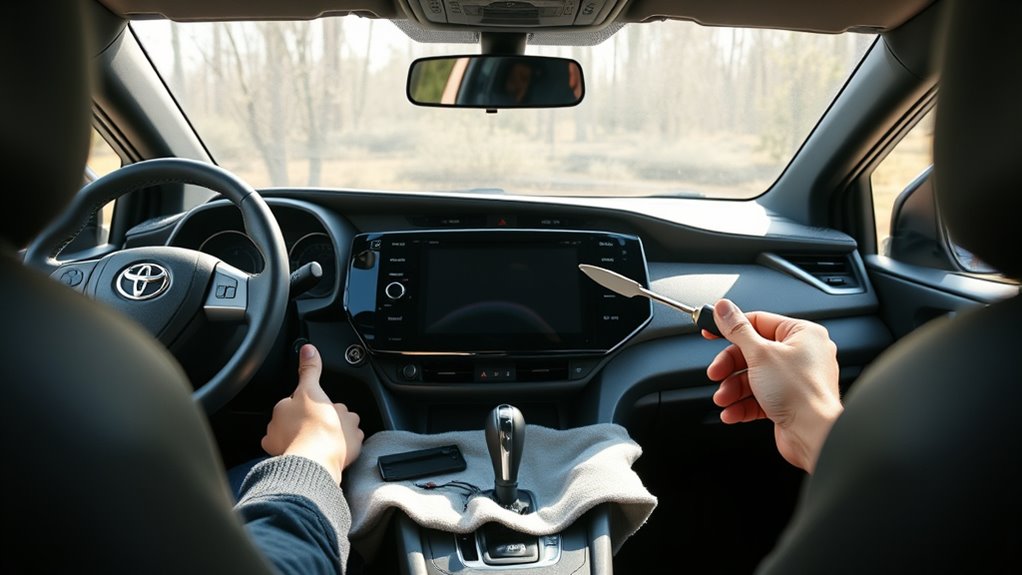
To install a large screen radio in a Toyota RAV4, first disconnect the negative battery cable and remove the factory trim, vents, bezel, and radio screws. Then connect the new head unit with a plug-and-play harness, matching red to accessory power, yellow to constant power, and black to ground. Route the GPS antenna and backup camera cable, fit the 10.1-inch screen, then test Bluetooth, audio, navigation, and reverse camera before reassembly. More details follow.
Key Takeaways
- Choose an aftermarket large-screen stereo with Apple CarPlay, Android Auto, Bluetooth, and GPS for better functionality than the factory radio.
- Gather a trim tool, screwdrivers, electrical tape, and a plug-and-play wiring harness for a clean, compatible installation.
- Disconnect the negative battery cable, then remove the dashboard trim, vents, bezel, and four radio retaining screws.
- Connect the new stereo wiring: red to accessory power, yellow to constant power, black to ground, and attach GPS and backup camera cables.
- Test the screen, audio, Bluetooth, navigation, and reverse camera before reinstalling the dashboard and securing all connectors.
Factory RAV4 Radio or Large Screen Upgrade?
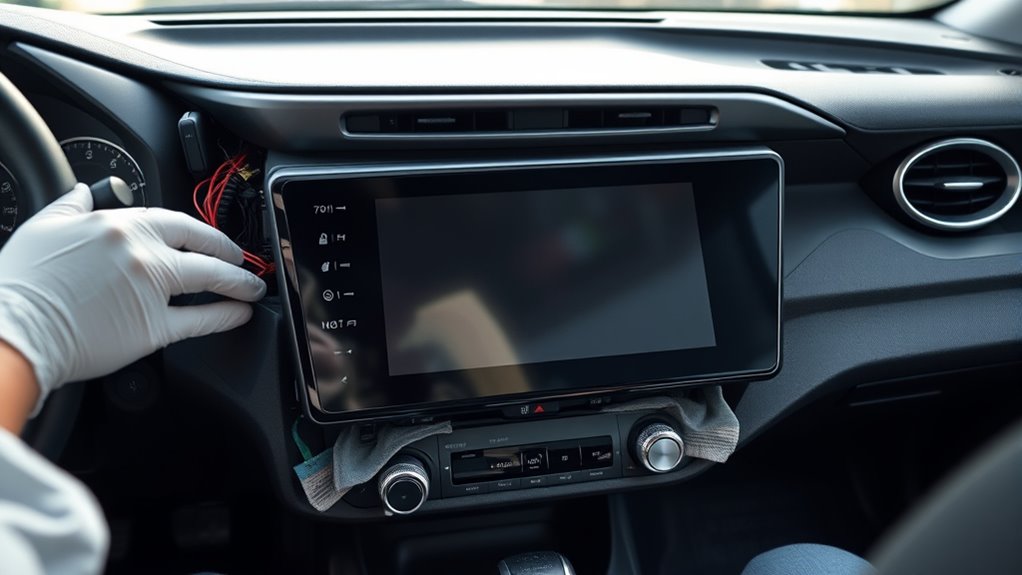
The factory Toyota RAV4 radio is limited to FM/AM and CD playback, with no native support for video, navigation, Apple CarPlay, or Android Auto.
A large 10.1-inch HD aftermarket stereo is often the more capable option.
Step one is to compare function: the stock unit provides only basic audio, while the aftermarket Toyota RAV adds touch screen control, Bluetooth streaming, built-in navigation, and internet access through a Wi-Fi module.
Step one is to compare function: stock audio is basic, while aftermarket Toyota RAV upgrades add touch control, Bluetooth, navigation, and Wi-Fi.
Step two is to verify compatibility with the factory GPS antenna and steering wheel controls.
Step three is to confirm that the plug-and-play harness supports the vehicle without dashboard modification.
Step four is to weigh cost against service life: factory repairs can be expensive, while many aftermarket units include a three-year warranty.
For drivers seeking liberation from limited factory electronics, the upgrade delivers greater access, sharper visuals, and a more autonomous driving experience.
Tools and Parts for the Toyota RAV4 Stereo Install
Gathering the correct tools and parts before starting the Toyota RAV4 stereo install helps prevent wiring issues and unnecessary dashboard disassembly. A trim tool, Phillips and flathead screwdrivers, and electrical tape form the basic kit for a clean, controlled upgrade.
The Toyota RAV4 radio should be matched with a plug-and-play wiring harness so the original loom remains intact and the aftermarket stereo can connect without cutting or splicing.
- Trim tool for protected panel release
- Screwdrivers for bracket and fastener removal
- GPS antenna compatible with the new head unit
- Backup camera cables, if the system includes imaging
A compatible aftermarket stereo, such as the Seicane S121063, should be confirmed before work begins. Its features support a practical liberation from the factory unit.
If a backup camera is desired, verify cable fitment in advance. This preparation establishes a precise path toward a larger screen, better navigation, and a more independent driving setup.
Remove the Factory Toyota RAV4 Radio
With the required tools and compatible parts on hand, the factory Toyota RAV4 radio can be removed safely and methodically. First, disconnect the negative battery cable to eliminate the risk of electrical short circuits.
Next, use an automotive trim tool to pry off the upper dashboard trim panel, then set it aside for later reinstallation. Remove the air conditioning vents on both sides of the factory touch screen, then pry the air conditioning bezel free with controlled pressure.
Use a trim tool to remove the upper dashboard panel, then carefully pry off the air conditioning bezel.
Continue by removing the clock display and hazard lamp panel away from the dashboard opening. Once the trim is cleared, unscrew the four retaining screws securing the factory touch screen unit.
Lift the unit forward carefully to gain access to the wiring. Disconnect each wiring harness individually, noting any ground connections so they can be restored accurately.
The radio assembly is now free, and the dashboard is prepared for the next stage of installation.
Wire the New Toyota RAV4 Stereo
Connect the aftermarket stereo to the vehicle wiring harness using the provided plug-and-play adapter, matching each lead to its corresponding function without modifying the dashboard wiring.
Next, join the power cables from the aftermarket stereo to the wiring harness: red to accessory power, yellow to constant power, and black to ground. This direct mapping preserves factory integrity while giving the driver greater freedom from the stock unit.
- Route the GPS antenna to a clear, elevated point for reliable reception.
- Seat the yellow RCA cable from the backup camera into the stereo output.
- Verify each connector clicks firmly into place.
- Inspect the wiring harness for slack, pinch points, and secure alignment.
After all leads are attached, double-check every connection before applying power.
Confirm that the aftermarket stereo is fully seated in the harness, the camera link is stable, and the antenna port is locked. Careful wiring now prevents signal loss, display faults, and avoidable rework later.
Install the 10.1-Inch Screen in the Dash
Before the 10.1-inch screen can be secured, the vehicle should be fully powered down and the negative battery cable disconnected to eliminate the risk of shorts.
With ignition off, the upper dashboard trim panel is carefully removed, then the air conditioning vents and clock display are pried out to expose the factory radio opening.
The original radio is unscrewed, lifted free, and its harnesses are unplugged in a controlled sequence.
The factory radio is removed, and its harnesses are disconnected in a careful, controlled sequence.
The new unit is then positioned to install in the dash using the plug-and-play harness. Each connector is seated firmly; power, antenna, and related leads are checked for positive engagement, and technicians should connect the yellow lead as directed by the kit.
Once aligned, the 10.1-inch screen is fastened to the bracket and the dashboard trim panel is reinstalled.
The result is a clean, liberated upgrade, ready for function checks after power is restored.
Connect GPS, Camera, and Bluetooth
The GPS antenna is routed to the designated port on the aftermarket stereo and secured firmly to prevent signal loss or intermittent navigation performance.
Next, connect gps by seating the antenna lead until it clicks, then verify the harness is fully locked.
For camera integration, attach the factory reversing camera’s yellow RCA cable to the matching input on the new radio; if an aftermarket unit is fitted, follow its wiring diagram exactly.
To connect camera signals cleanly, keep the connector path free of sharp bends.
For bluetooth, pair the phone through the stereo menu, confirm bluetooth permissions, and verify both devices run current software.
If pairing fails, reset the radio and reenter the settings after checking harness seating.
- antenna fixed behind trim
- RCA plug aligned
- phone paired in settings
- screen shows wireless link
Test the Toyota RAV4 Stereo Before Reassembly
Before reassembly, the new large screen radio should be powered on to confirm that it boots correctly and reaches the home screen without error.
Next, the display and audio functions should be checked, including Bluetooth pairing, navigation response, and backup camera activation in reverse.
Finally, the physical controls should be tested to verify that volume, tuning, and related buttons respond properly.
Power On Check
With the dashboard still open, reconnect the car battery and power on the new stereo to verify basic operation before reassembly. If the power cable seats firmly, the radio instead of the factory unit should wake cleanly, confirming the installation path is correct.
The technician then should verify each control in sequence, keeping the process disciplined and free of guesswork.
- Observe startup illumination and boot timing.
- Confirm Bluetooth pairing and menu access.
- Test steering wheel buttons for response.
- Engage reverse to check the camera feed.
Any fault at this stage is easier to correct now than after trim panels are locked in place. When the screen responds, audio plays, and inputs register, the system is ready for reassembly, giving the driver a liberated path forward.
Audio and Display Test
Power on the Toyota RAV4 stereo and confirm that the display illuminates and the touchscreen responds to input. Verify the display and hazard controls remain accessible, then proceed methodically.
| Check | Result |
|---|---|
| Audio output | Clear on FM/AM and media |
| Bluetooth connection | Device pairs and streams |
| Navigation | GPS accepts a destination |
| Recheck | No fault indicators present |
Play radio, then Bluetooth music, and confirm balanced sound from all speakers. Enter a destination to validate GPS response. Pair a smartphone, test call clarity, and confirm wireless streaming. Inspect the screen for lag, dead zones, or dim segments. If any function fails, power down, reseat connectors, and repeat the sequence before reassembly. This disciplined verification protects the liberated driver from hidden faults and preserves system integrity.
Camera And Bluetooth Test
After the audio, display, and touchscreen checks confirm basic operation, the new Toyota RAV4 stereo should be tested for camera, Bluetooth, and navigation functions before the dashboard is reassembled.
The technician should verify the camera and bluetooth test on the new aftermarket Toyota RAV by pairing the phone, then playing music through the interface.
- Reverse the vehicle to confirm a clear backup image.
- Check Bluetooth pairing on both devices.
- Enter a destination and confirm map guidance.
- Inspect all plugs before the upper dashboard trim panel returns.
Audio should remain stable, navigation should load accurately, and the screen should shift smoothly between modes. If any function fails, connections must be corrected now, preserving freedom from later disassembly and ensuring the system powers on without interruption.
Frequently Asked Questions
How Can I Upgrade the Screen in My Toyota RAV4?
An upgraded screen in a Toyota RAV4 begins with confirming screen compatibility options, then gathering installation tools required, and finally integrating audio system enhancements through a plug-and-play aftermarket unit, secure wiring, and careful dashboard reassembly.
Can I Upgrade the Radio in My Toyota RAV4?
Yes, the Toyota RAV4 radio can be upgraded. One should verify radio compatibility options, gather installation tools needed, and complete sound system upgrades with a plug-and-play harness, secure connections, and careful GPS and Bluetooth testing.
Which RAV4 Has a Big Screen?
RAV4 models with bigger, bolder displays include 2019 higher trims, 2021 8-inch options, 2022 9-inch screens, and 2023 10.5-inch units. Check trim, compare screen sizes, then select tech features matching liberated preferences.
How to Change the Display Screen on RAV4?
The RAV4 display screen changes by disconnecting the battery, prying the trim, removing vents, unscrewing the unit, and labeling connectors. Using proper installation tools, screen types, and wiring guides, reassemble securely for freedom.
Conclusion
To sum up, the theory that a large-screen radio transforms the Toyota RAV4 only proves true when the installation is done with proper wiring, secure dash mounting, and verified system connections. Once the factory unit is removed, the new stereo is integrated, and GPS, camera, and Bluetooth are tested, the result is a cleaner interface and improved functionality. A careful final check before reassembly confirms whether the upgrade is reliable, complete, and ready for daily use.

